

Page 1
QUICK START GUIDE
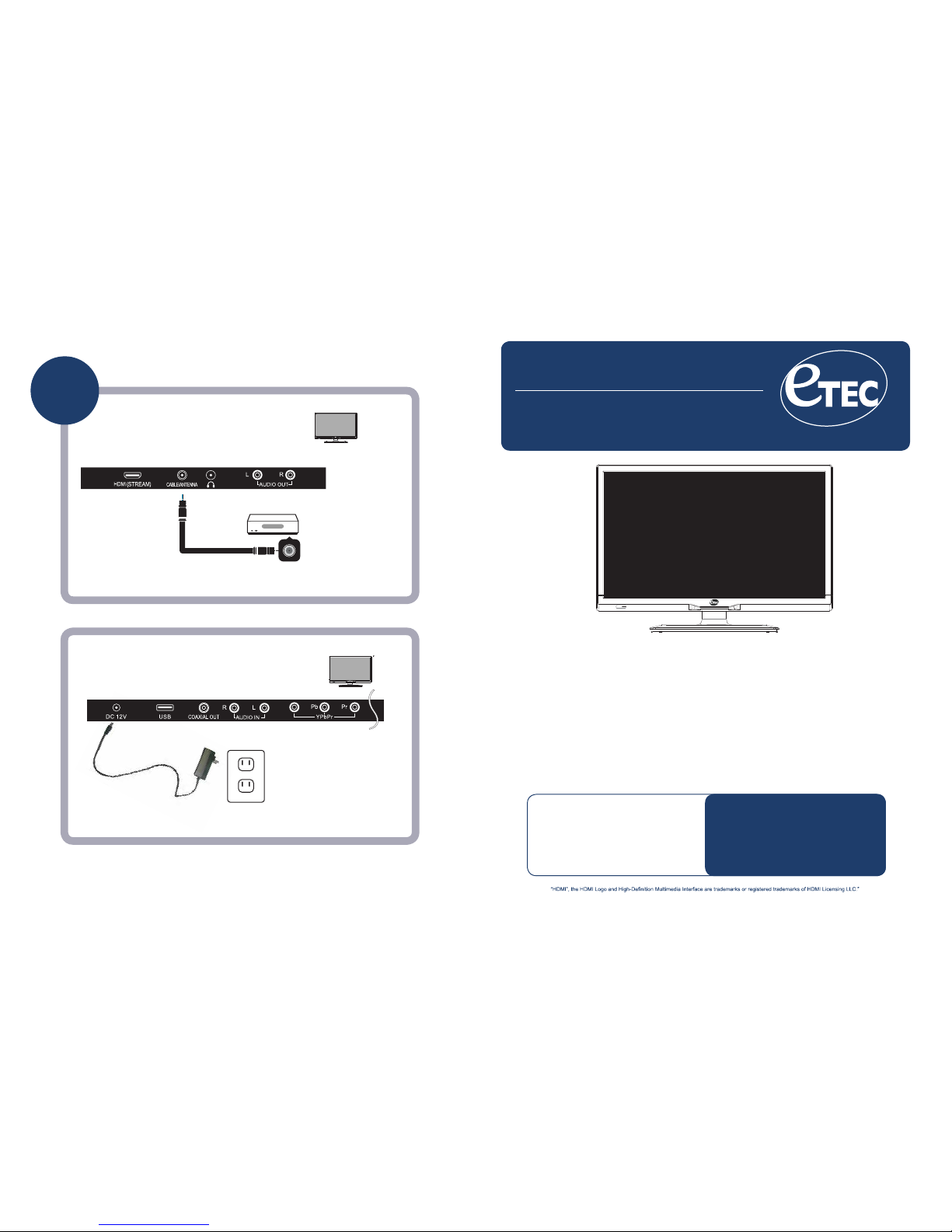
Simple Steps for Connecting
your TV to A/V Devices
Coaxial / RF Cable / Antenna
Connect Power Cord
If you need additional
help, please consult
your user manual.
“Blu-ray Disc” is a trademark of Blu-ray Disc Association, registered in the U.S. and other countries.All other trademarks are the property of their respective owners.
Basic
Connection
TV
A/V Devices Include:
• DVD Players
• Cable, Satellite, or Set-Top Boxes
• VCRs
• Game Consoles
IMPORTANT NOTE:
During setup, do NOT run the “Channel Auto Scan” function
if your TV is connected to a Cable or Satellite set top box. .
20E700
Press the POWER button on the remote control to turn on the TV
TV
• Blu-ray® Disc Players
A/V DEVICE
Cable not included
Y/V
For technical support, the ETEC Technical Support Center is available 10:00AM to
7:00PM (Monday to Saturday) for technical assistance or troubleshooting.
To contact us by phone, please call 1-855-383-2411.
AC INPUT
Page 2
Y/V
Y/V
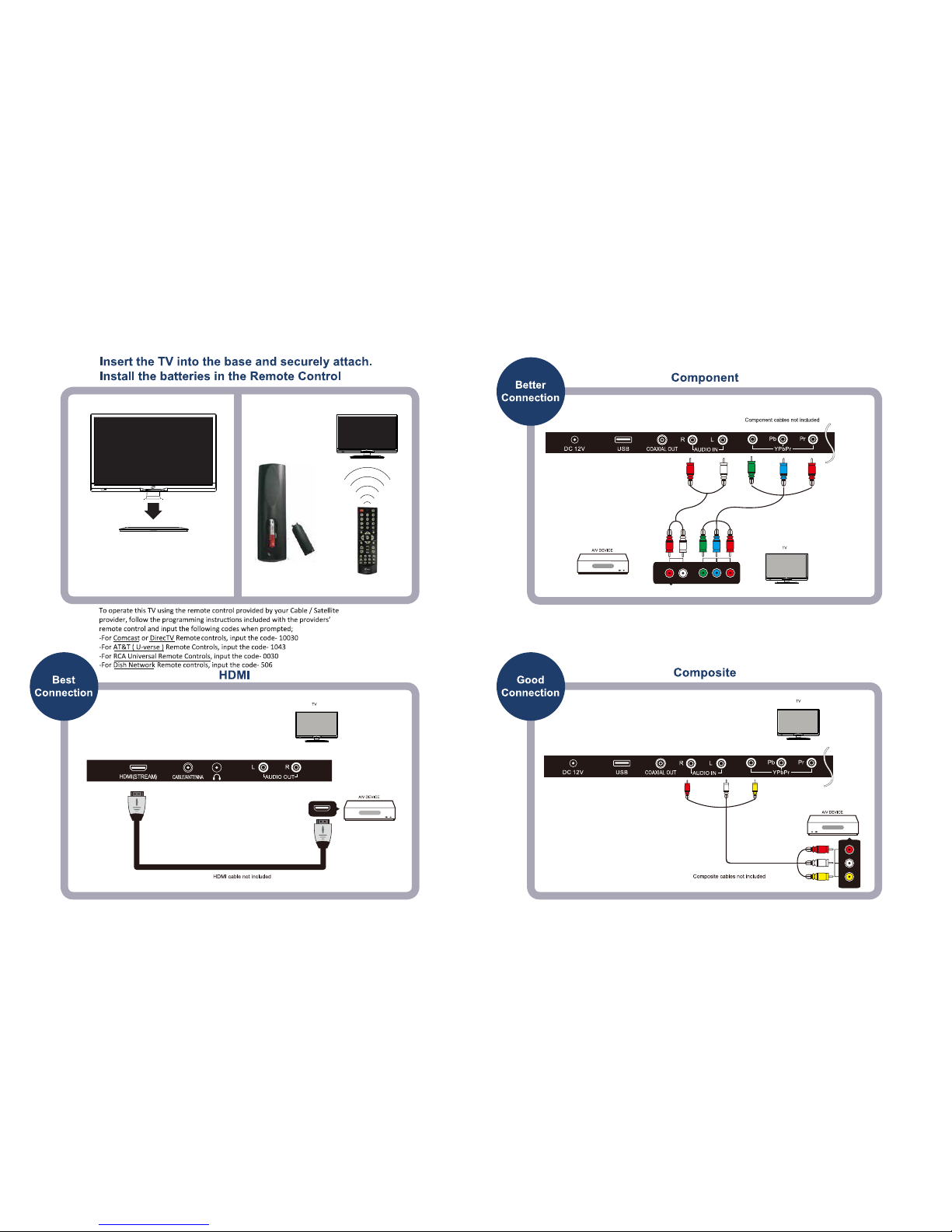
Stand Base & Post may vary but assembly is the same.
Use the 4 enclosed screws to secure the base to the post.
For technical support, the ETEC Technical Support Center is available 10:00AM to
7:00PM (Monday to Saturday) for technical assistance or troubleshooting.
To contact us by phone, please call 1-855-383-2411.
 Loading...