

Page 1
ETC Desire Quick Guide
D40, D40XT, D60
Desire D40, D40XT, D60 Quick Guide Page 1 of 6 Electronic Theatre Controls, Inc.
Corporate Headquarters
3031 Pleasant View Road, P.O. Box 620979, Middleton, Wisconsin 53562-0979 USA Tel +608 831 4116 Fax +608 836 1736
London, UK
Unit 26-28, Victoria Industrial Estate, Victoria Road, London W3 6UU, UK Tel +44 (0)20 8896 1000 Fax +44 (0)20 8896 2000
Rome, IT
Via Pieve Torina, 48, 00156 Rome, Italy Tel +39 (06) 32 111 683 Fax +44 (0) 20 8752 8486
Holzkirchen, DE
Ohmstrasse 3, 83607 Holzkirchen, Germany Tel +49 (80 24) 47 00-0 Fax +49 (80 24) 47 00-3 00
Hong Kong Rm 1801, 18/F, Tower 1 Phase 1, Enterprise Square, 9 Sheung Yuet Road, Kowloon Bay, Kowloon, Hong Kong Tel +852 2799 1220 Fax +852 2799 9325
Service:
(Americas) [email protected]
(UK) [email protected] (DE) [email protected]
(Asia) [email protected]
Web:
www.etcconnect.com
Copyright © 2011 ETC. All Rights Reserved. Product information and specifications subject to change.
7410M1300-1.1.0 Rev A Released August 2011 ETC intends this document to be provided in its entirety.
Overview
For complete information and step-by-step instructions, see Desire Series by ETC D40, D40XT, D60
User Manual.
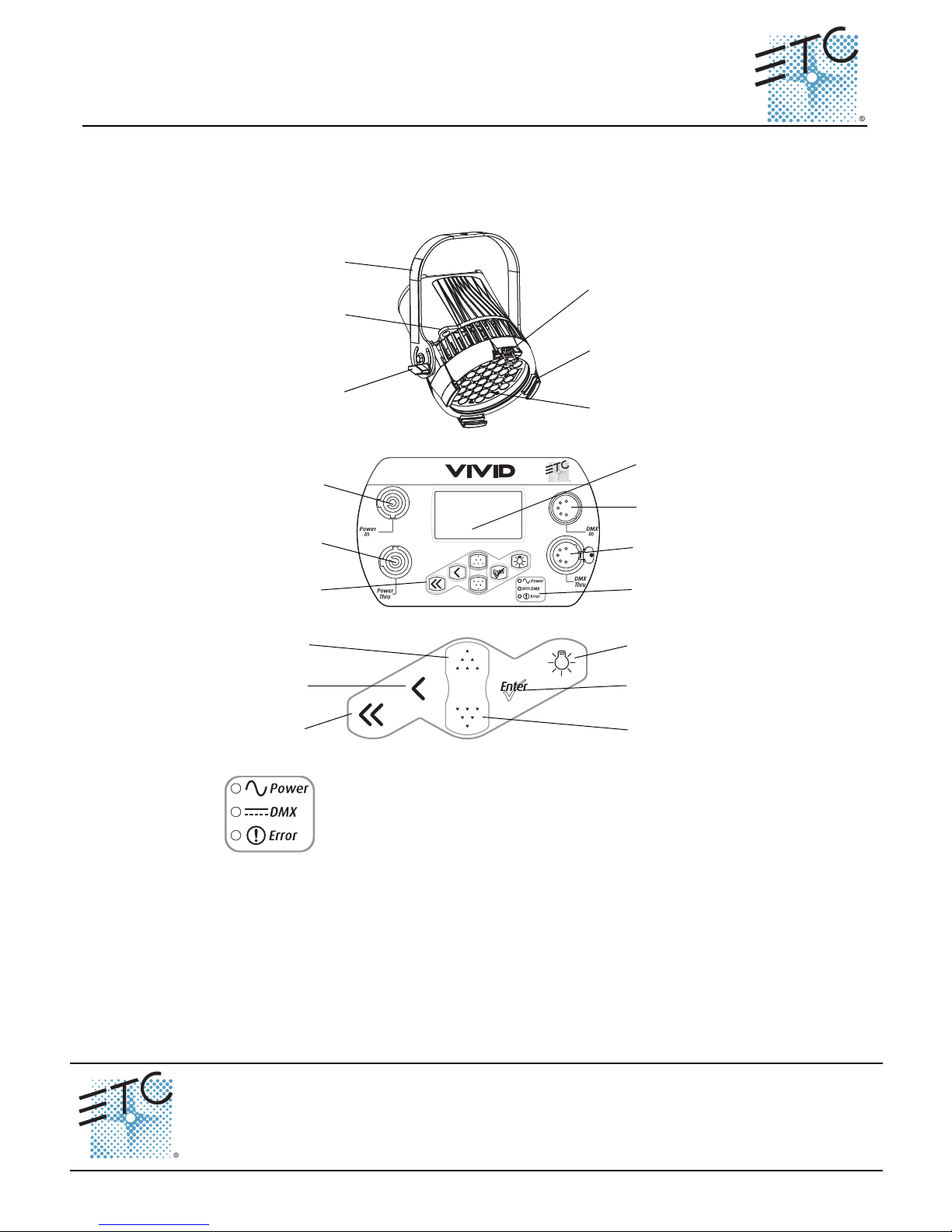
LED array
Accessory
holder
Yoke
Accessory
retainer
Yoke
locking knob
Safety cable
loop
PUSH
Power In
Power Thru
Keypad
LCD
DMX In
DMX Thru
Status
indicators
Light Bulb
Home
Back
Up
Enter
Down
Power – Indicates AC power is On.
DMX – Indicates control signal is Active.
Error – Indicates data error, high temperature, or other unusual status.
Page 2
ETC Desire Quick Guide
Install
Desire D40, D40XT, D60 Quick Guide Page 2 of 6 Electronic Theatre Controls, Inc.
Install
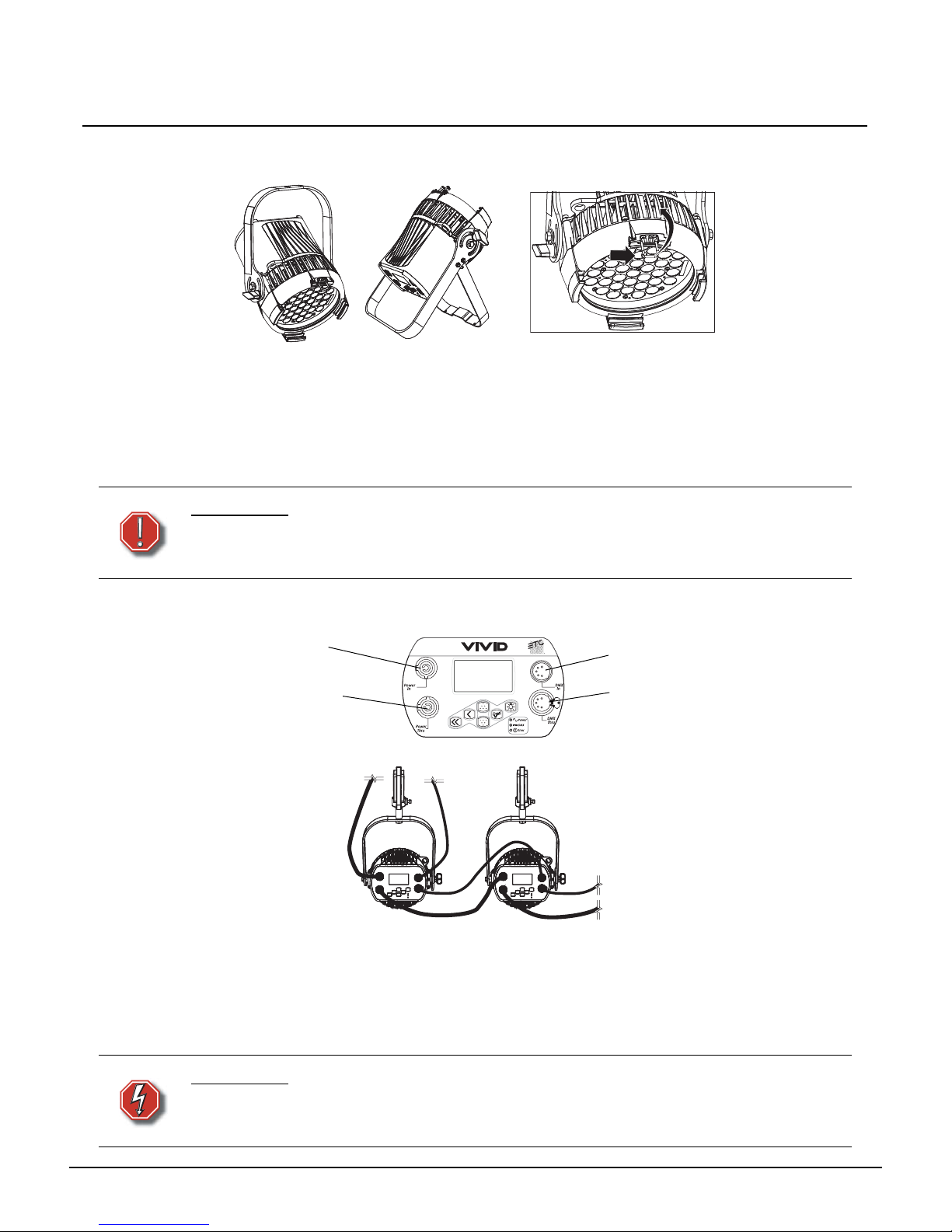
Step 1: Hang or mount the fixture.
Step 2: Attach safety cable.
Step 3: Insert secondary lens with smooth side out.
Step 4: Insert additional accessories (top hat, egg crate, etc.).
Connect
Step 1: Attach power cable to Power In.
Step 2: Attach 5-pin XLR cable to DMX In (if using external control).
Step 3: Connect power cable to AC power.
Step 4: Plug XLR cable (if using) into data source.
Step 5: Link additional fixtures via Power Thru and DMX Thru connectors.
WARNING:
Use only hardware rated for total weight of fixture and accessories.
The safety cable (or other approved safety device) must be securely
attached to the safety cable loop before loosening the clamp.
WARNING:
No more than 10 D40 or D40XT or 7 D60 fixtures per circuit (non-dimming,
100 to 240 VAC, 50/60 Hz, 15 Amps or less)
Disconnect Power and DMX before all cleaning and maintenance.
With yoke
Accessory holder and clip
With floor stand
PUSH
Power In
Power Thru
DMX In
DMX Thru
Page 3
ETC Desire Quick Guide
Focus
Desire D40, D40XT, D60 Quick Guide Page 3 of 6 Electronic Theatre Controls, Inc.
Focus
Step 1: Supply power and wait for the fixture to boot up.
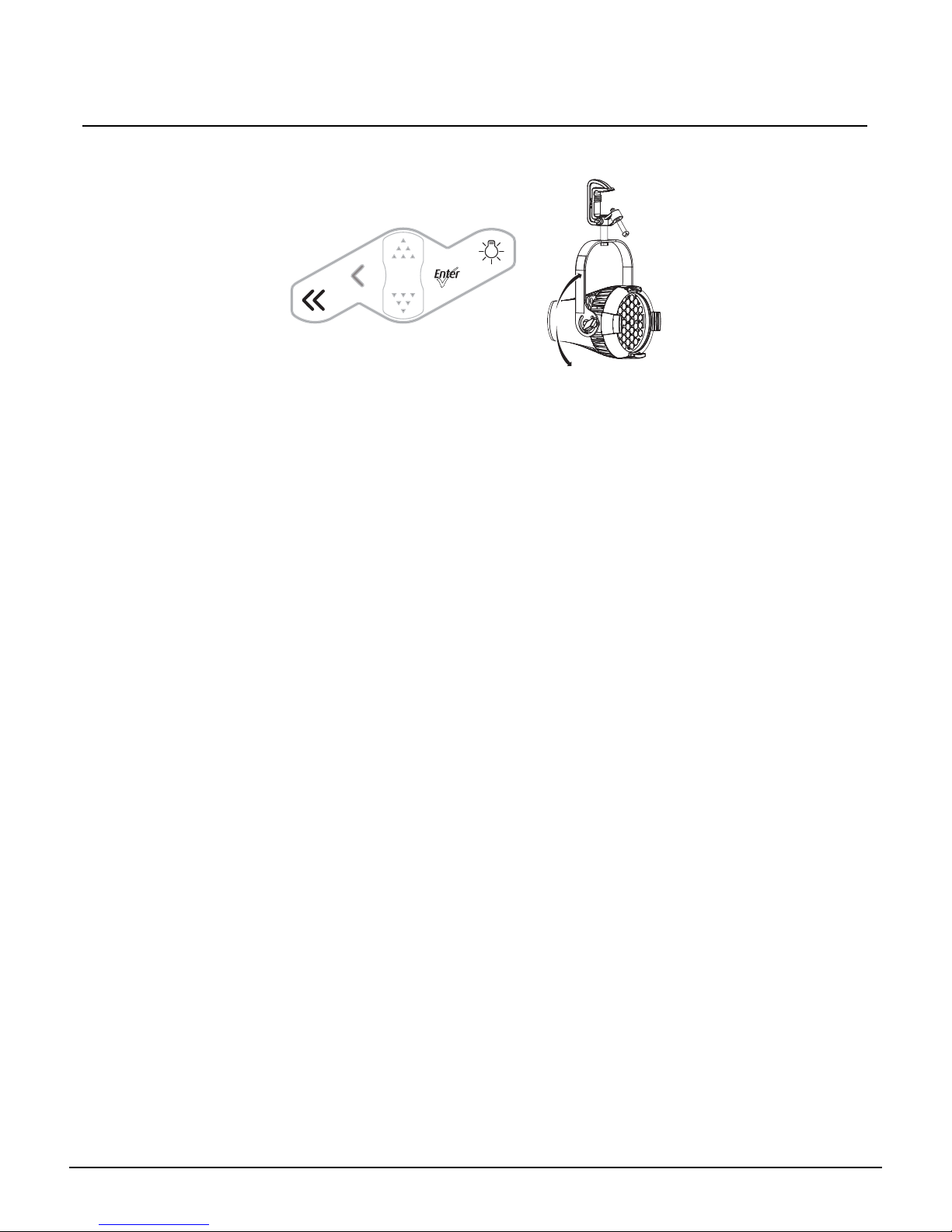
Step 2: Press [Light Bulb] to open Presets & Sequences.
Step 3: Select Focus and press [Enter] to turn on LED array.
Step 4: Adjust fixture's position.
Step 5: Once focus is set, press [Enter] to turn off LED array and then [Home] to return to home
screen.
Address
Step 1: From the home screen, press [Enter] to open Main Menu.
Step 2: On the Main Menu, scroll to DMX Start Address, press [Enter].
Step 3: Use [Up] or [Down] to scroll to desired address.
Step 4: Press [Enter] to select address number.
Step 5: Press [Home] to return to home screen.
* DMX address is not needed if using standalone or master/slave control.
Features Quick Setup
Step 1: On the Main Menu, scroll to Quick Setups.
Step 2: Press [Enter].
Step 3: Scroll to the desired setup and then press [Enter].
An asterisk (*) indicates which setup is active.
Step 4: Press [Home] to return to the home screen.
The top line of the home screen displays the name of the active setup.
Individual features and settings are adjustable under the Advanced menu. Consult the User Manual for
more information on advanced features of Desire fixtures.
Page 4
ETC Desire Quick Guide
Quick Setups
Desire D40, D40XT, D60 Quick Guide Page 4 of 6 Electronic Theatre Controls, Inc.
Quick Setups
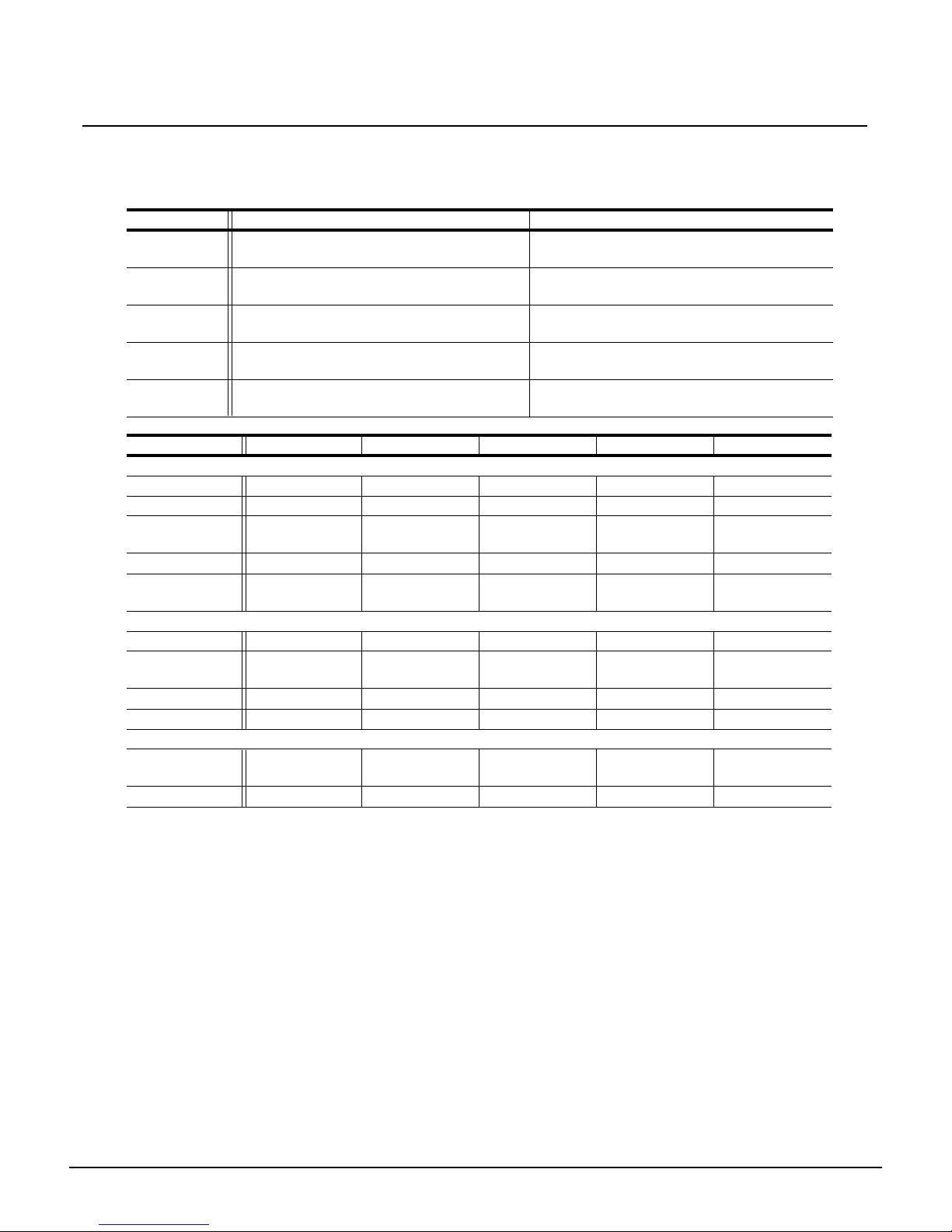
D40, D40XT and D60 – Vivid, Lustr+, Fire, Ice, Studio HD
Quick Setup Features Recommended For:
General
Smooth dimming, good consistency, direct
color control.
General lighting, rentals, indoor applications.
Stage
Tungsten-like dimming, HSI color control with
Plus-7 fine tuning.
Theatrical lighting, installations mixed with
tungsten.
XT Arch
Maximum consistency in extreme
applications, reduced brightness.
High-temperature environments, installations
with limited access.
High Impact
Maximum brightness, quick response, RGB
color control, reduced consistency.
Video-based control, effects lighting, concerts.
Studio
Three-point control—White Point (CCT),
Intensity and Tint; standalone operation.
Video and film lighting, white light-only
applications.
Parameter General Stage XT Arch High Impact Studio
DMX Settings
Profile Direct HSI HSI RGB Studio
Strobe Enabled Enabled Enabled Enabled Enabled
Data Loss
Setting
Instant Instant HLL-4ever Instant N/A
Plus Seven N/A Enabled Disabled Disabled Disabled
Fan Control
(D60 only)
DMX DMX DMX DMX DMX
LED Settings
Output Setting Regulated Regulated Protected Boost Regulated
Dimming
Curve
Standard Incandescent Standard Quick Linear
Red Shift N/A Disabled Disabled Disabled N/A
White Point N/A 3200 3200 5600 N/A
Local Settings
Status
Indicators
On On On On On
Overtemp Dark Dark Visible Dark Visible
Page 5
ETC Desire Quick Guide
DMX Profiles
Desire D40, D40XT, D60 Quick Guide Page 5 of 6 Electronic Theatre Controls, Inc.
D40, D40XT and D60 – Studio Tungsten and Daylight
DMX Profiles
D40, D40XT and D60 – Studio Tungsten and Daylight
D40 – Vivid, Lustr+, Fire, Ice, Studio HD
Quick Setup Features Recommended For:
Studio
Linear dimming, simple standalone operation
via the UI.
Video or film lighting, installations without
DMX control.
Stage
Tungsten-like dimming, stage-friendly
settings, DMX fan control.
Theatrical lighting, installations mixed with
tungsten.
Single
Channel
Standard dimming, automatic fan, only 1
DMX channel.
Architectural applications with streamlined
control.
Parameter Studio Stage Single Channel
DMX Settings
Profile Intensity Intensity Intensity
Strobe Enabled Enabled Disabled
Data Loss Setting N/A Instant Instant
Fan Control (D60 only) DMX DMX Automatic
LED Settings
Output Setting Regulated Regulated Regulated
Dimming Curve Linear Incandescent Standard
Local Settings
Status Indicators On On On
Overtemp Visible Dark Dark
Channel Control
1 Intensity
2
Strob e
*
3
Fan control
*
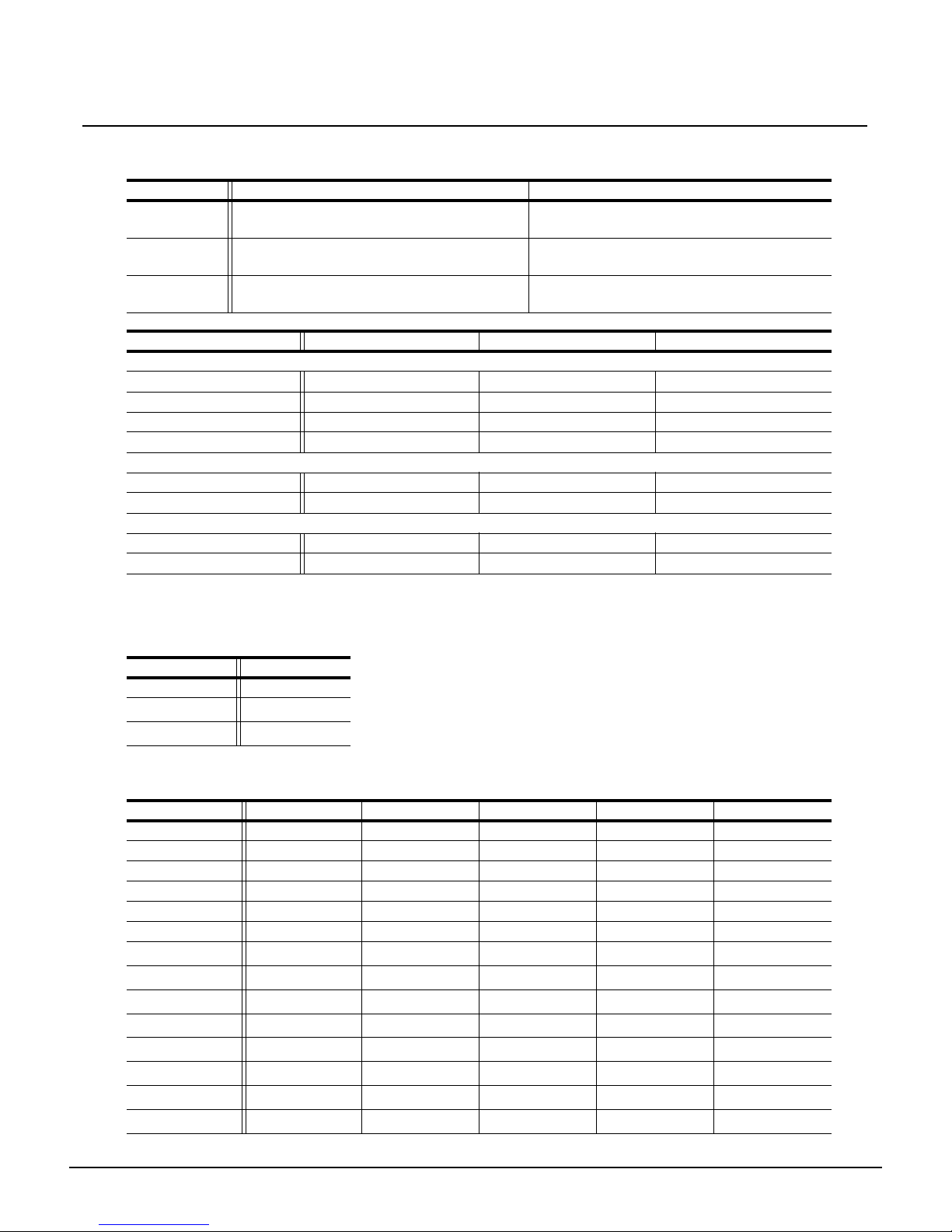
Channel HSI HSIC RGB Studio Direct
1 Hue Hue Red Intensity Color 1
2 Hue fine Hue fine Green Color temp Color 2
3 Saturation Saturation Blue Tint Color 3
4 Intensity Intensity N/A N/A Color 4
5 Strobe* Strobe* Strobe* Strobe* Color 5
6 N/A Color temp N/A N/A Color 6
7
Plus7 on/off
*
Plus7 on/off
*
Plus7 on/off
*
Plus7 on/off
*
Color 7
8
Plus7 - (1)
*
Plus7 - (1)
*
Plus7 - (1)
*
Plus7 - (1)
*
Intensity
9
Plus7 - (2)
*
Plus7 - (2)
*
Plus7 - (2)
*
Plus7 - (2)
*
Strobe*
10
Plus7 - (3)
*
Plus7 - (3)
*
Plus7 - (3)
*
Plus7 - (3)
*
N/A
11
Plus7 - (4)
*
Plus7 - (4)
*
Plus7 - (4)
*
Plus7 - (4)
*
N/A
12
Plus7 - (5)
*
Plus7 - (5)
*
Plus7 - (5)
*
Plus7 - (5)
*
N/A
13
Plus7 - (6)
*
Plus7 - (6)
*
Plus7 - (6)
*
Plus7 - (6)
*
N/A
14
Plus7 - (7)
*
Plus7 - (7)
*
Plus7 - (7)
*
Plus7 - (7)
*
N/A
Page 6
ETC Desire Quick Guide
DMX Profiles
Desire D40, D40XT, D60 Quick Guide Page 6 of 6 Electronic Theatre Controls, Inc.
D60 – Vivid, Lustr+, Fire, Ice, Studio HD
* When this feature is enabled.
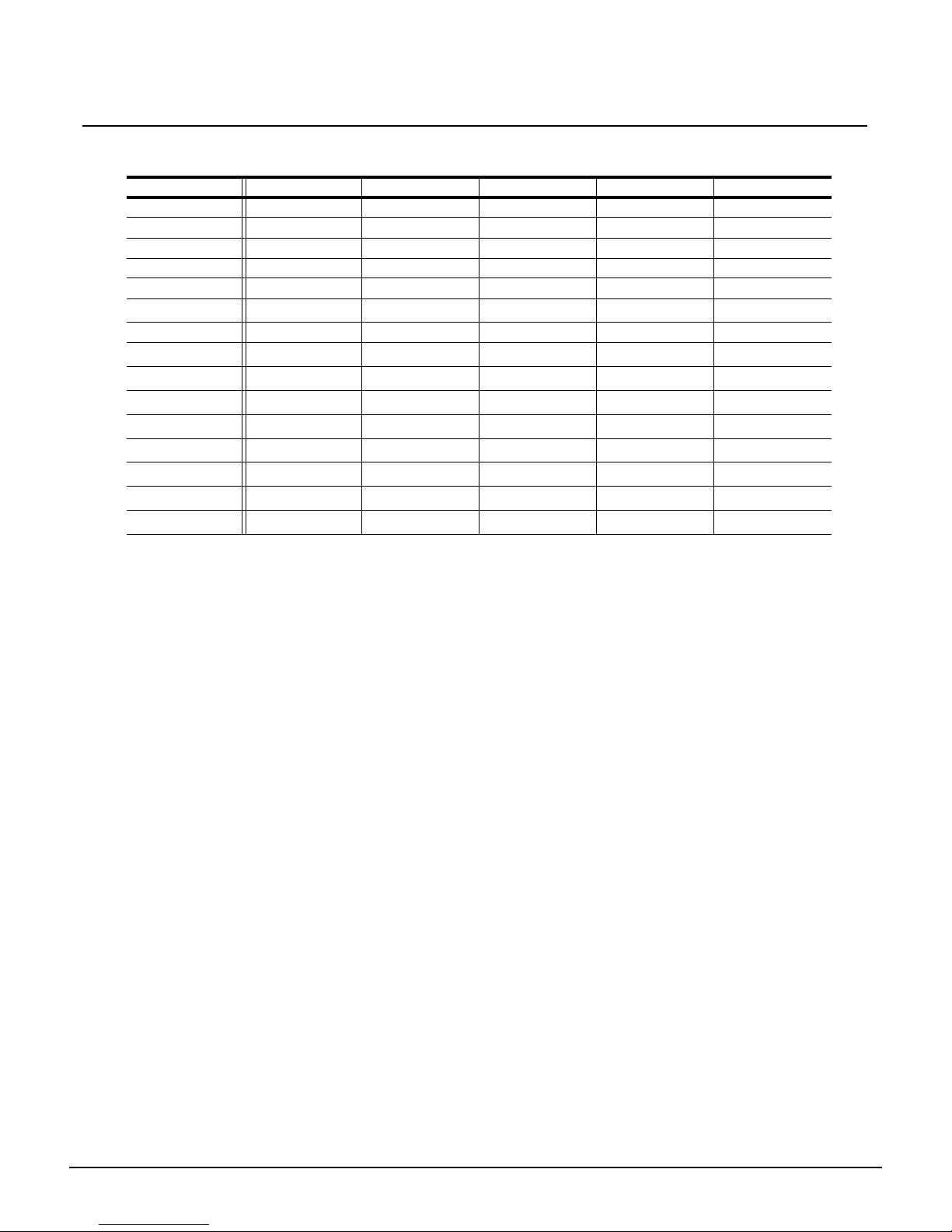
Channel HSI HSIC RGB Studio Direct
1 Hue Hue Red Intensity Color 1
2 Hue fine Hue fine Green Color temp Color 2
3 Saturation Saturation Blue Tint Color 3
4 Intensity Intensity N/A N/A Color 4
5 Strobe* Strobe* Strobe* Strobe* Color 5
6
Fan control
*
Fan control
*
Fan control
*
Fan control
*
Color 6
7 N/A Color temp N/A N/A Color 7
8
Plus7 on/off
*
Plus7 on/off
*
Plus7 on/off
*
Plus7 on/off
*
Intensity
9
Plus7 - (1)
*
Plus7 - (1)
*
Plus7 - (1)
*
Plus7 - (1)
*
Strobe
*
10
Plus7 - (2)
*
Plus7 - (2)
*
Plus7 - (2)
*
Plus7 - (2)
*
Fan control
*
11
Plus7 - (3)
*
Plus7 - (3)
*
Plus7 - (3)
*
Plus7 - (3)
*
N/A
12
Plus7 - (4)
*
Plus7 - (4)
*
Plus7 - (4)
*
Plus7 - (4)
*
N/A
13
Plus7 - (5)
*
Plus7 - (5)
*
Plus7 - (5)
*
Plus7 - (5)
*
N/A
14
Plus7 - (6)
*
Plus7 - (6)
*
Plus7 - (6)
*
Plus7 - (6)
*
N/A
15
Plus7 - (7)
*
Plus7 - (7)
*
Plus7 - (7)
*
Plus7 - (7)
*
N/A
 Loading...