

Page 1
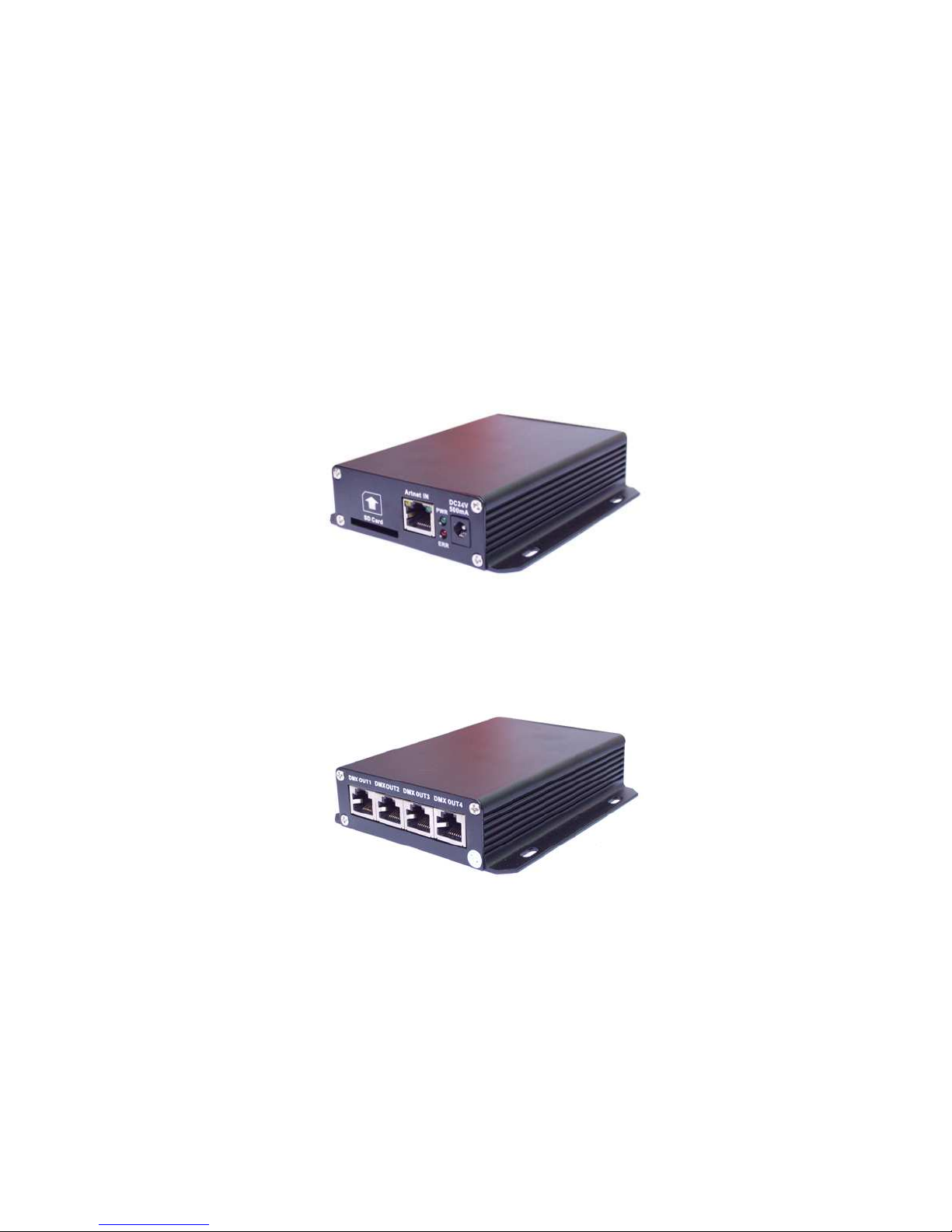
ArtNet to DMX Converter
Model: ETH-500
User Manual V1001-121020
E- mail: [email protected]
Website
: http://www.eth2u.com
Page 2

User Manual of Art-Net Controller — ShenZhen ETarh Technology CO.,LTD.
1
Content
Introduction ………………………………………………………………………….....1
What Included…………………………………………………………………………….1.1
Safety Instructions…………………………………………………………………..…...1.2
Features……………………………………………………………………….………….1.3
Overview…………………………………………………………………….……… …...1.4
Setup…………………………………………………………………………...…………..2
Power Connection………………………………………………………………………..2.1
Data Linking…………………………………………………………………….………...2.2
Mounting the Fixture……………………………………………………………………..2.3
Technical Specifications…………………………………………………………...3
General Maintenance ………………….…………………………………..………..4
Page 3
User Manual of Art-Net Controller — ShenZhen ETarh Technology CO.,LTD.
2
1. Introduction
Thank you for purchasing Art-Net to DMX converter ETH-500.
ETH-500 is a four universe Ethernet to DMX gateway device using Art-Net protocol. Each
universe can run up to 512 DMX channel. Suitable for low to mid size matrix and large
installation requires multiple DMX universe.
1 .1 What Included
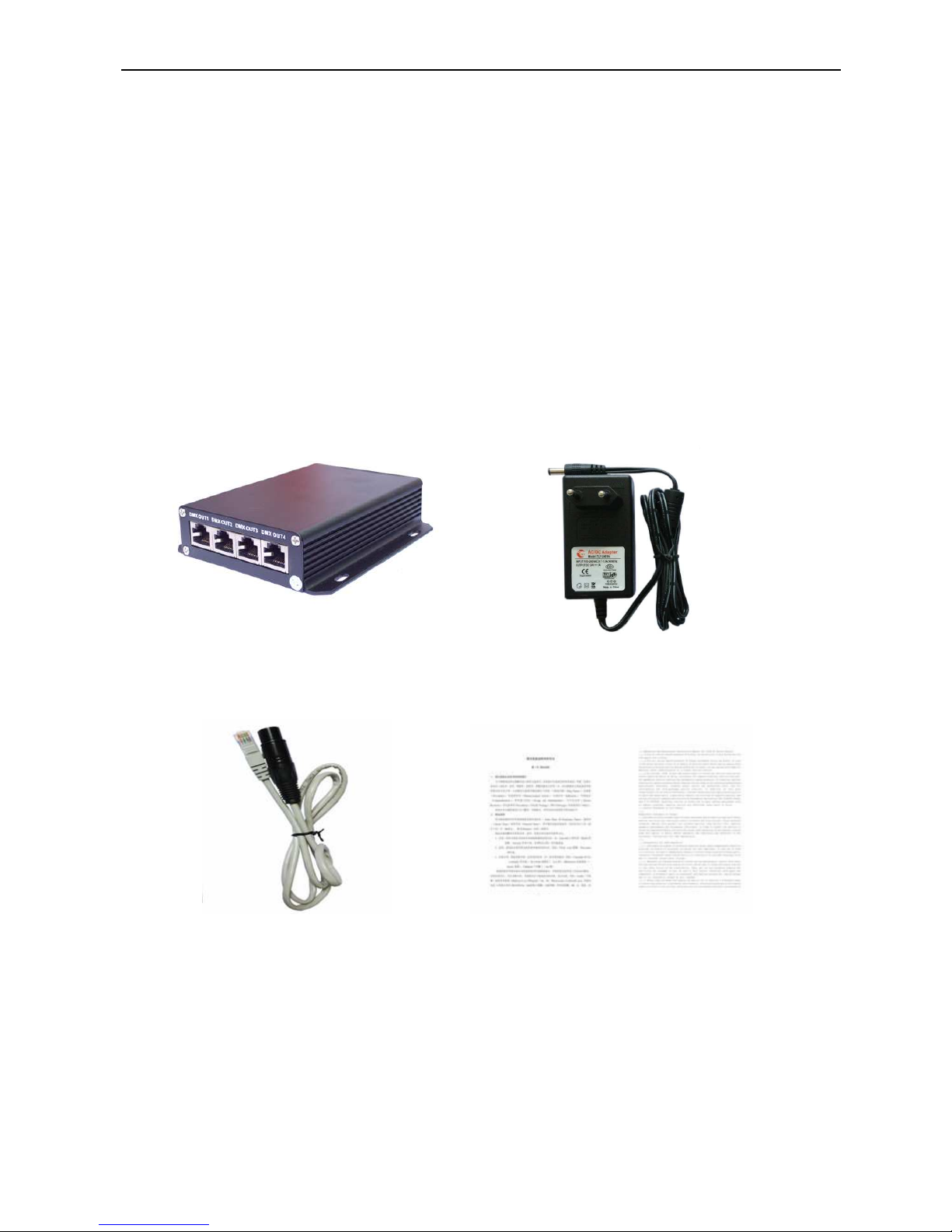
1 x Art-Net Converter 1 x 24V Power Adaptor
1 x RJ45 to XLR cable 1 x User Manual
Carefully unpack the carton, check the contents to ensure that all parts are Present, and
have been received in good condition. If any parts appear Damaged or missing, notify the
shipper immediately and retain packing Material for inspection. In the event that the fixture
must be returned to the Factory, it is important that the fixture be returned in the original
factory Box and packing.
Page 4

User Manual of Art-Net Controller — ShenZhen ETarh Technology CO.,LTD.
3
1 .2 Safety Instructions
Please read these instructions carefully, contain important information on installation, usage
and maintenance of this product. User must be qualified to be involved with installation and
maintenance of this Product. User must follow the safety instruction and warning notes
Written in this manual.
Unplug mains before installing, wiring and servicing the device.
Never look directly into the light source.
Keep dry; for indoor use only.
Install only in well ventilated area.
Do not attempt to open the controller or fixture, no user serviceable Parts inside.
Always make sure the installation surface can hold a minimum point Load of ten times of the
device's weight.
Always make sure connecting to proper voltage.
Keep away from flammable materials.
Do not connect device to dimmer pack.
Make sure power cord is never crimped or damaged.
Do not attempt to remove or break off the ground prong.
The ground Prong is provided for your safety.
Protect the power cord from being walked on or pinched particularly at plugs.
1 .3 Features
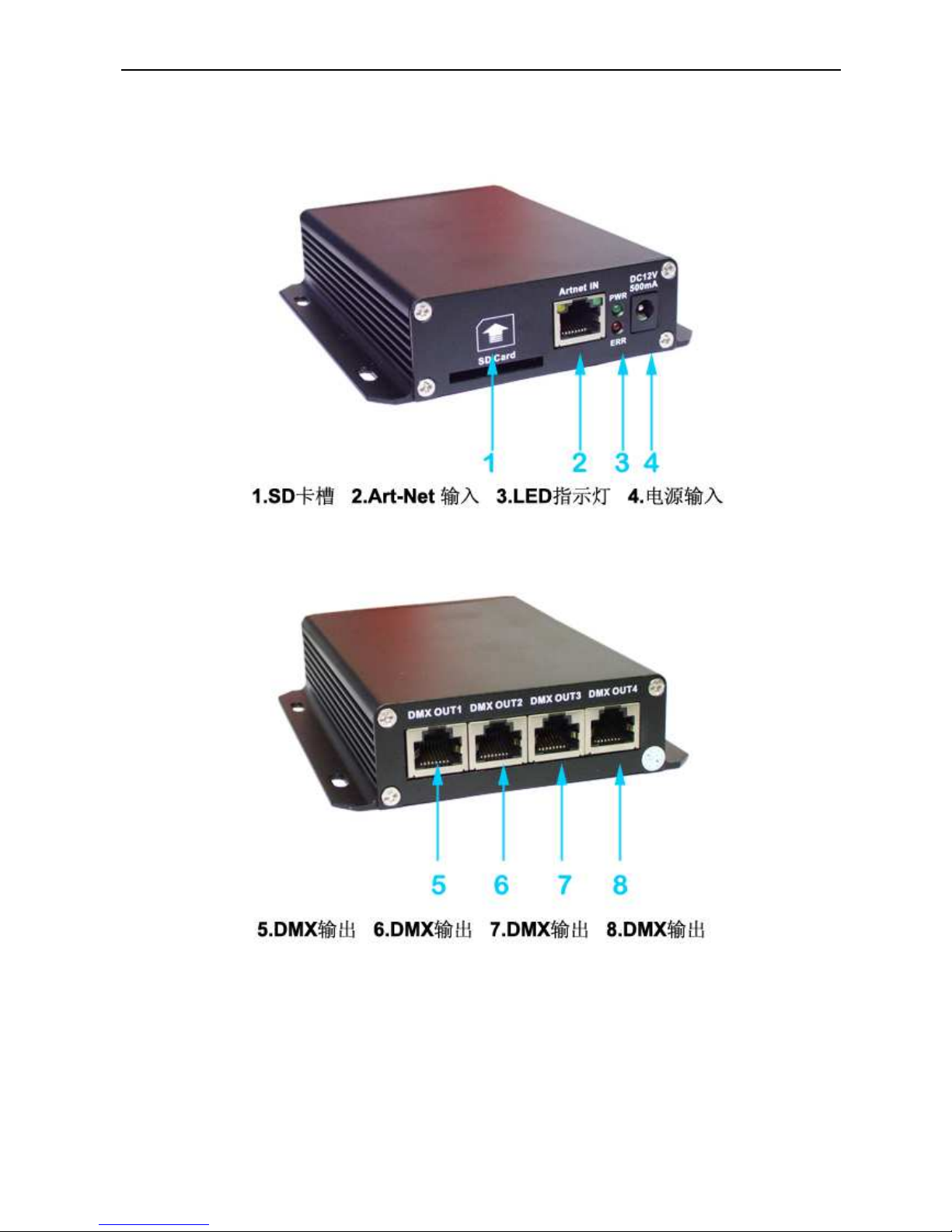
1 x Art-Net input, 4 x DMX output
5 pin XLR and RJ45 for DMX input connection
Auto sensing universal power adaptor
Anodizing black aluminum housing
LED indicator for power status
Page 5
User Manual of Art-Net Controller — ShenZhen ETarh Technology CO.,LTD.
4
1 .4 Overview
IMPORTANT
Use for indoor only.
Keep dry.
Install only in well ventilated areas.
Page 6
User Manual of Art-Net Controller — ShenZhen ETarh Technology CO.,LTD.
5
Do not attempt to open the controller or fixture, no user serviceable parts inside.
Before at install the device, make sure the installation surface can hold a Minimum point
load of ten times the devices weight.
2. Setup
2.1 Power Connection
ETH-500 equip with a DC12V ~ 24V power adaptor. The auto sensing power adaptor
Ranging from AC100-240V, 50-60Hz. Only connect power adaptor within this range.
2.2 Data Linking
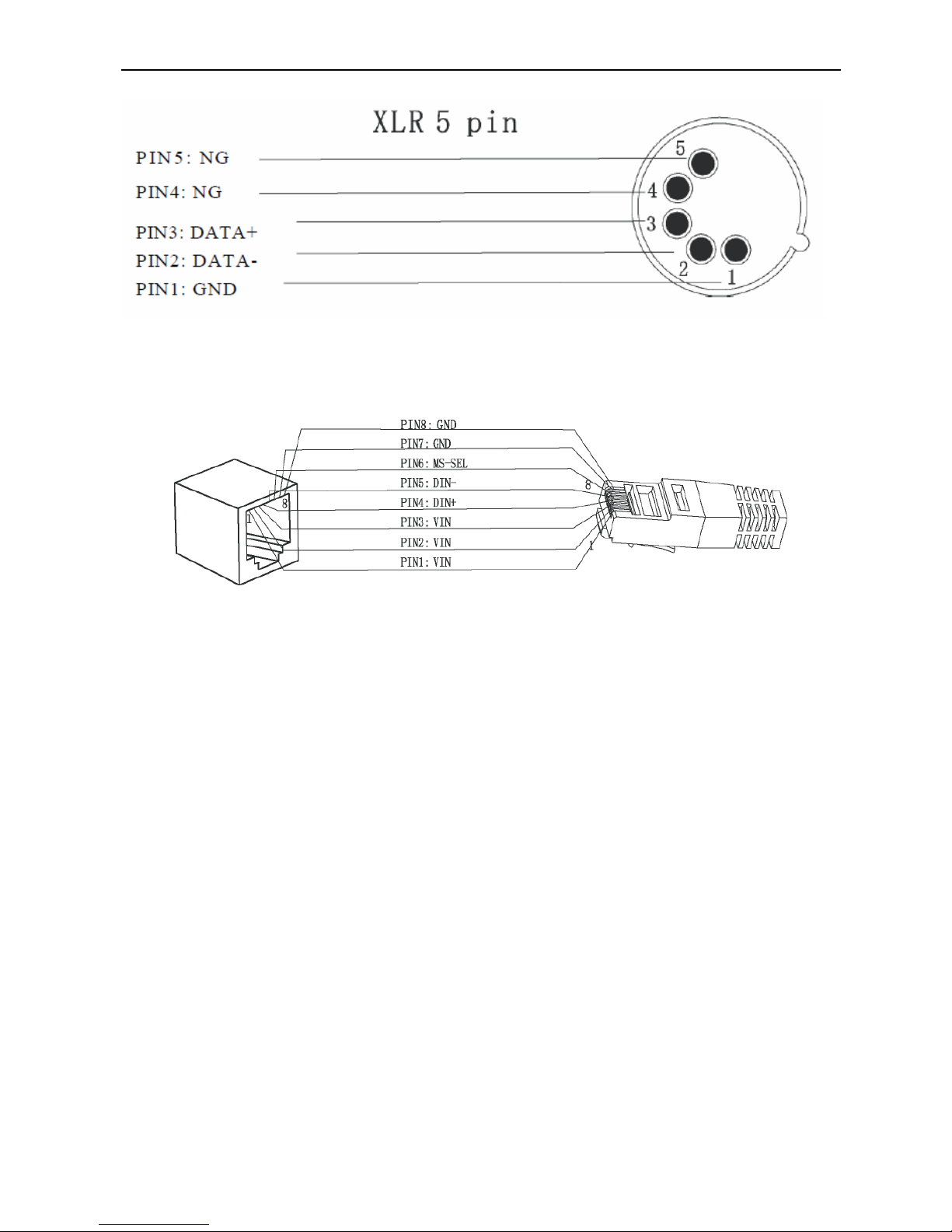
ETH-500 has one Art-Net input and four DMX output. Art-Net input use RJ45 Connector
CAT5 cable to connect PC to Art-Net converter. DMX connection has two Different type
connector available RJ45 and 5Pin XLR, to connect from HTL500 to DMX based light fixture.
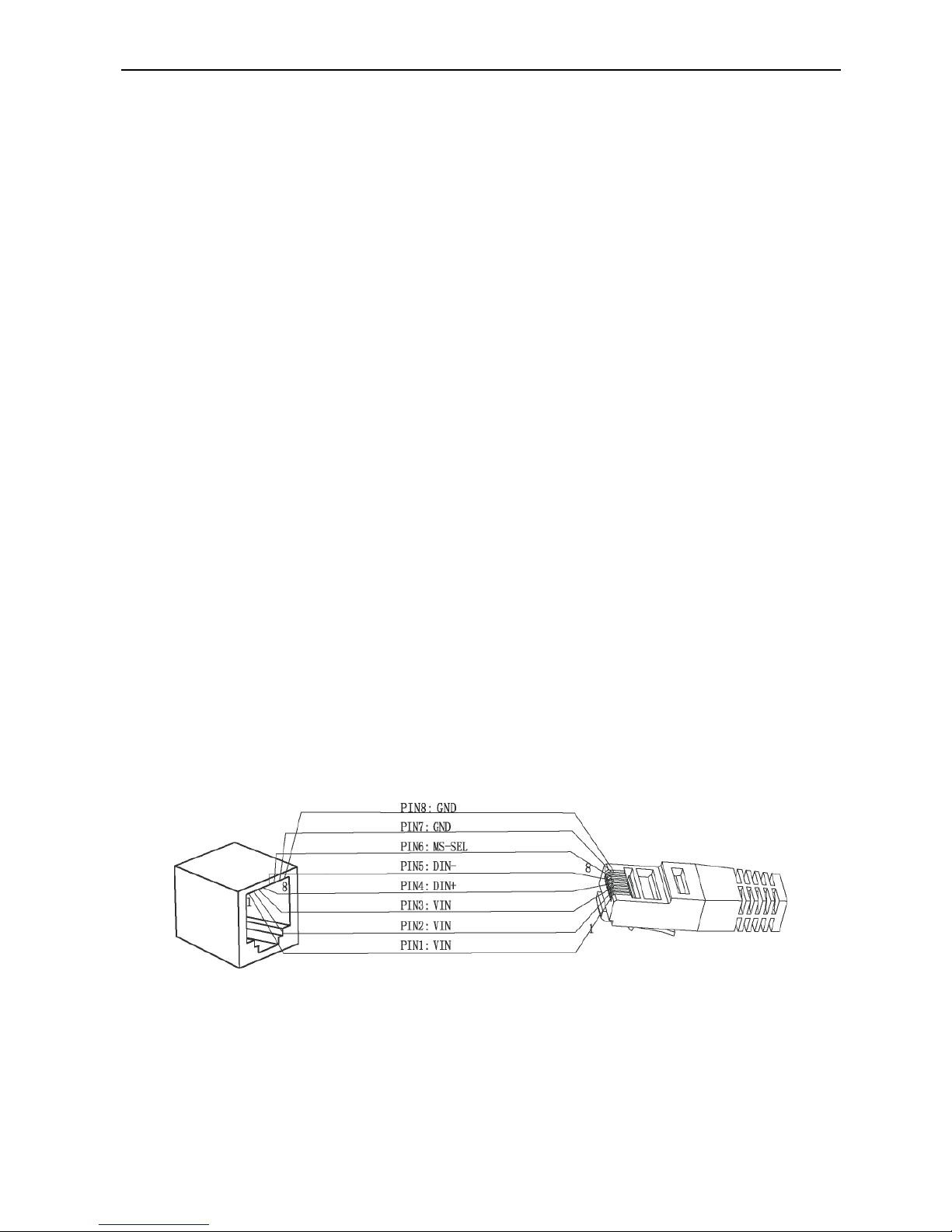
Below diagram shows the pin assignment for Art-Net input and DMX output:
Art-Net Input Pin Assignment
RJ45
Page 7
User Manual of Art-Net Controller — ShenZhen ETarh Technology CO.,LTD.
6
DMX Output Pin Assignment
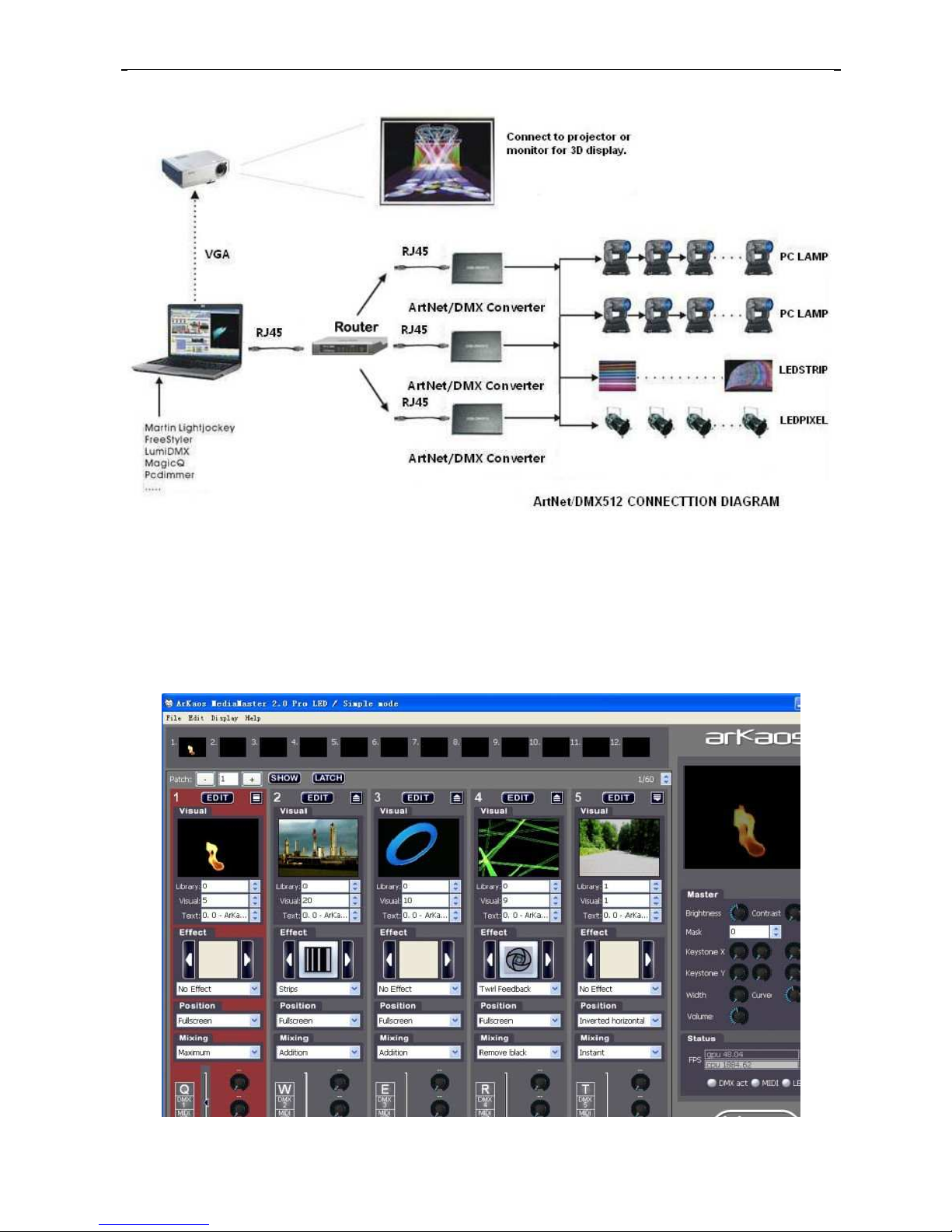
ETH-500 output standard DMX512 signal, so it can be use with any kind of DMX
based lighting fixtures. Below diagram shows an example of connection:
Page 8
User Manual of Art-Net Controller — ShenZhen ETarh Technology CO.,LTD.
7
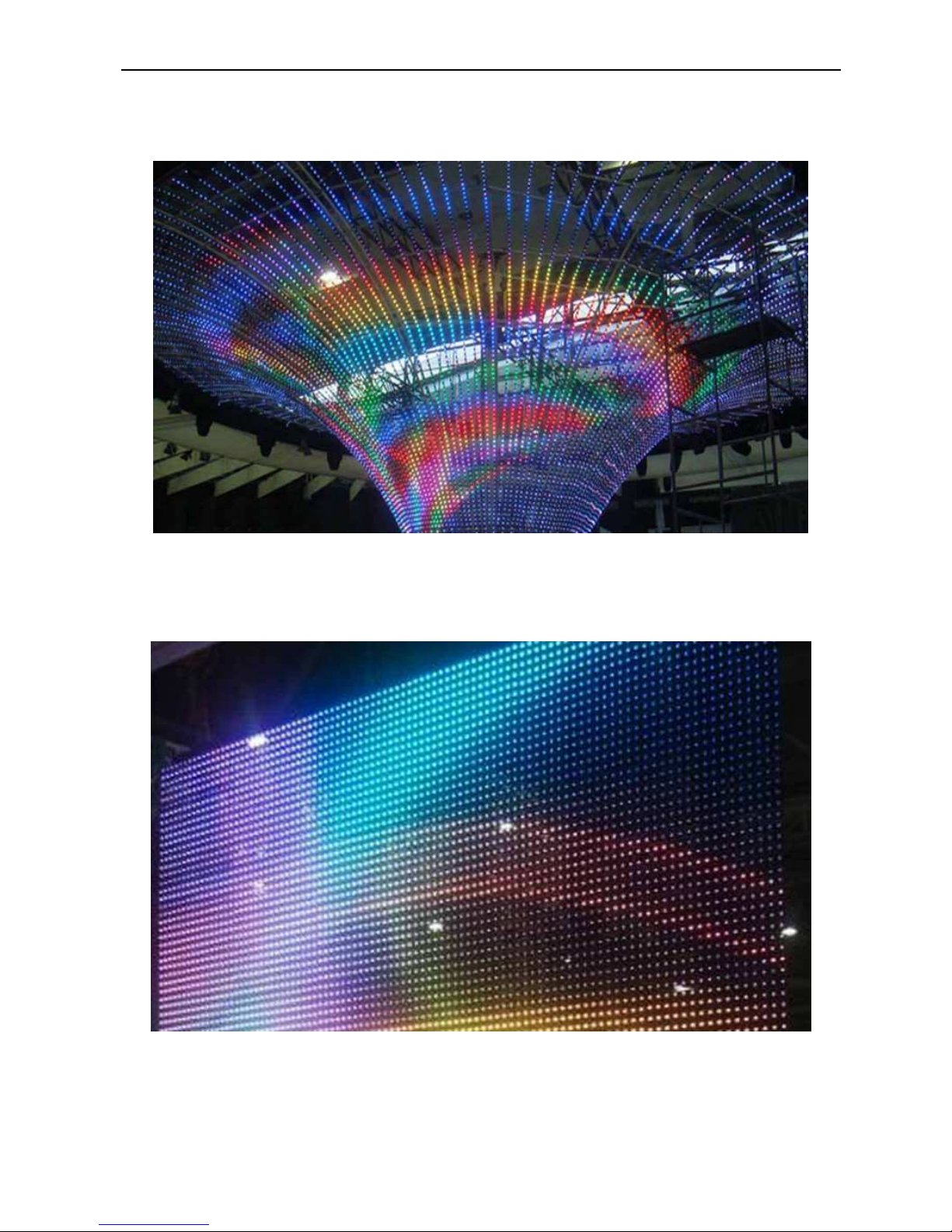
Control interface and connected to indicate
Page 9
User Manual of Art-Net Controller — ShenZhen ETarh Technology CO.,LTD.
8
Effects show
2.3 Mounting the Fixture
Page 10
User Manual of Art-Net Controller — ShenZhen ETarh Technology CO.,LTD.
9
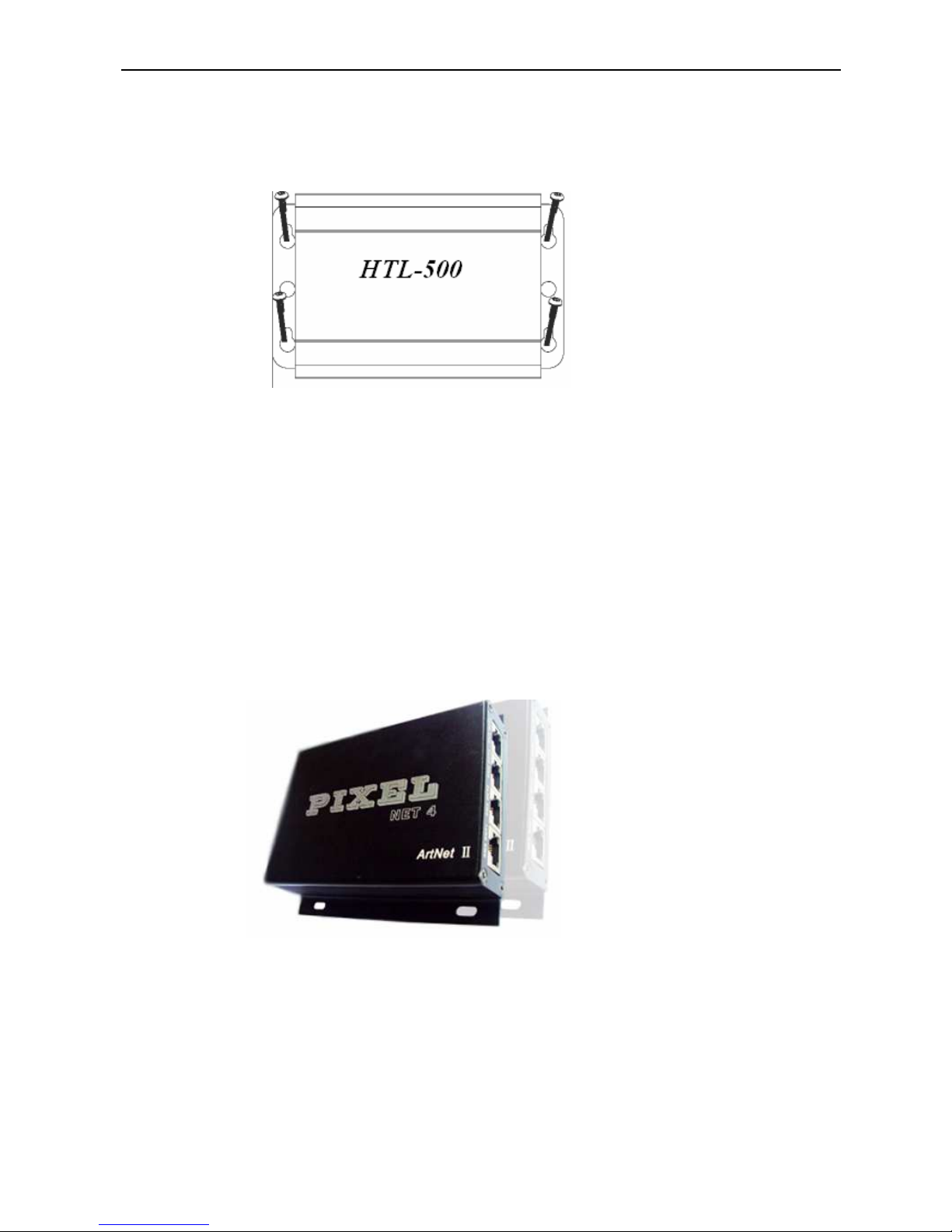
2.3.1 Wall Mount
Refer to below diagram for wall mounting instruction.
2.3.2 Floor Mount
Refer to below diagram for floor mounting instruction.
Note: Before attaching the device, make sure the installation surface can hold a minimum
point load of 10 time s the devices weight.
3. Technical Specifications
Input Voltage: DC24V/500mA
Page 11

User Manual of Art-Net Controller — ShenZhen ETarh Technology CO.,LTD.
10
Power: 2.5W
Control and Programming
Protocols: Art-Net, DMX
DMX Channels: 2048 Channels
Connections:
Power in: Power adaptor jack
Data in: RJ45
Data Out: Rj45 and 5 Pin XLR
Construction:
Color: black
Housing Finish: Aluminum extrusion Anodizing black
Dimensions and Weight
118mm (L) x 104mm (W) x 28mm (H)
Net Weight: 230g
Page 12

User Manual of Art-Net Controller — ShenZhen ETarh Technology CO.,LTD.
11
4. General Maintenance
Important! Smoke fluid residue, dust and any excessive particle Residue will degrade
product performance, because overheating and damage fixture. Damages caused by
inadequate cleaning Or maintenance are not covered by product warranty.
Cleaning
Unplug fixture from AC power before starting.
Use vacuum or air compressor and soft brush to remove dust on Components and vent.
Clean fixture with a moist, lint-free cloth.
Never use alcohol or solvents.
 Loading...