

Page 1
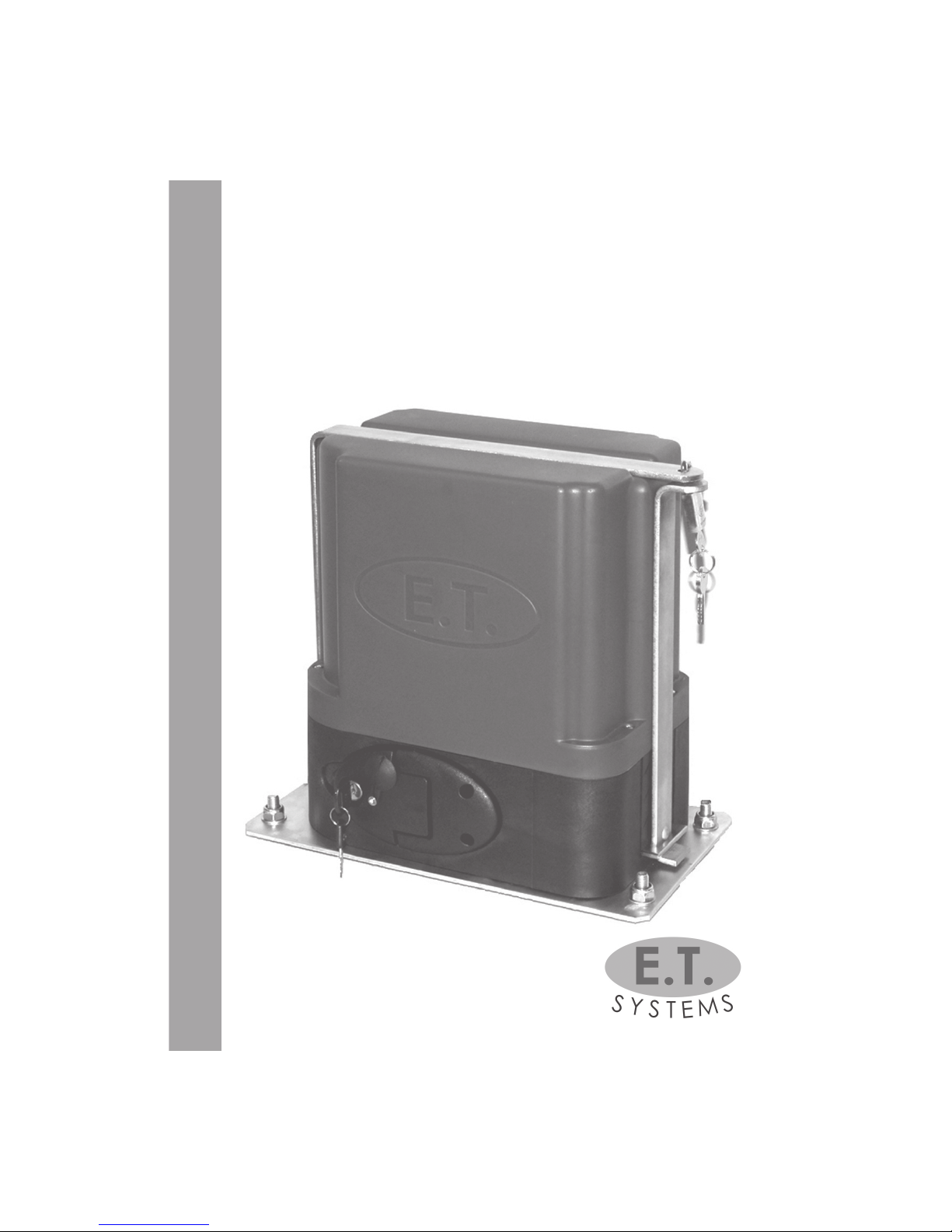
USER’S MANUAL
FOR ET-500 12V & ET-500 ACDC MODELS
REVISED DATE: August 2007
AUTOMATIC SLIDE GATE MOTOR
take control of your world
ET-500-PLUS
Page 2

2
ONE-YEAR MANUFACTURER’S WARRANTY
· All goods manufactured by G & C Electronics cc t/a E.T. Systems carry a 12
month factory warranty from date of invoice.
· All goods are warranted to be free from faulty components and
manufacture.
· Faulty goods will be repaired or replaced at the sole discretion of E.T. Systems, free of charge.
· This warranty is subject to the goods being returned to the premises of E.T.
Systems via your service provider.
· In the event of the goods being supplied by dealer, merchant, agent or
duly appointed installer of E.T. SYSTEMS, the claim must be directed to that
supplier.
· The carriage of goods is for the customer’s account.
· This warranty is only valid if the correct installation and application of
goods, as laid out in the applicable documentation accompanying said
goods, is adhered to, and does not cover any damage caused by handling, installation or Acts of God.
· All warranty claims must be accompanied by the original invoice.
· The liability of E.T. SYSTEMS and/ or their distributors is limited as herein set
out. E.T. SYSTEMS and/ or their distributors will not be liable for consequential or incidental damages howsoever arising.
RETURN OF GOODS
· All goods to be returned as supplied.
WARRANTY
Page 3
3
REMOTE CONTROL FEATURES
Full open - Momentarily press and release the button on your remote trans-
mitter that has been setup for full opening.
Pedestrian opening/partial open- Momentarily press and release the button
on your remote transmitter that has been setup for pedestrian access.
Autoclose override- (Not available in Condominium/Loop mode) When the
gate reaches the full open position, press and hold the full opening button
on your transmitter until the buzzer beeps confi rmation. To re-instate the
autoclose momentarily press and release the full opening button.
Holiday lockout- (Not available in Condominium/Loop mode) With the
gate in the full closed position press and hold the pedestrian button of the
remote until buzzer beeps. This will lock out any opening inputs including the
test button on the board. The buzzer will beep when attempting to operate
the motor when locked. To re-instate normal operation press and hold the
pedestrian button untilthe buzzer starts 5 long beeps to indicate unlocking.
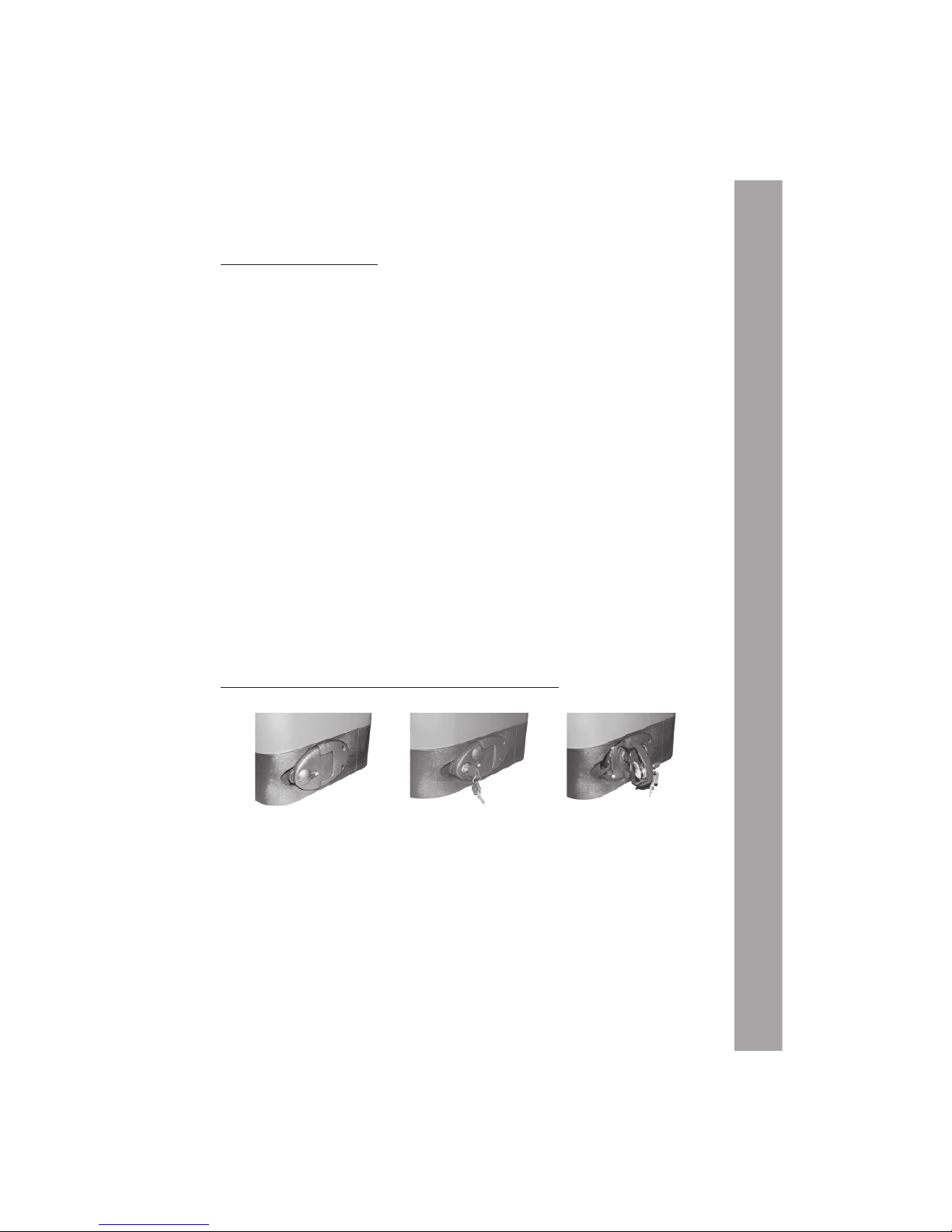
HOW DO I RELEASE THE MOTOR TO USE MY GATE MANUALLY?
The manual release in the open position also deactivates the electronic
control. To operate the unit normally the release door must be fully closed.
Remember to gently push or pull the gate until the gearbox re-engages
before running the motor. The gears will lightly click into place.
Locked
and engaged
Insert key and turn
clockwise
Pull door to release
NORMAL USE
Page 4

4
TROUBLESHOOTING GUIDE
Audible Troubleshooting Guide
Tone and Action
Condition
Action To Remedy
1 x long beep on closing of
manual release door
1, 2, 3, 4 or 5 short beeps
on fi rst trigger after reset
tone
2 x long beeps after a trig-
ger and before gate
starts moving
3 x rapid beeps and gate
won’t open
1 x continuous tone as
long as gate trigger is
depressed and gate
won’t move
Gate stops moving, fol-
lowed by 1 x long beep
Control card has reset and is
ready for next command
Control card is confi rming
load sensitivity to physical
obstructions
1 = most sensitive; 5 = least
sensitive
Mains power interruption
Holiday lock-out is active
Maximum closing collisions
exceeded.
Battery depleted
The next trigger will cause the
gate to crawl until closed
limit is found. Continue
normal use after gate is
fully closed.
If satisfi ed with safety sensitiv-
ity, continue normal use. If
not, contact your service
provider.
Restore mains power.
De-activate holiday lock-out
by pressing and holding
pedestrian trigger until the
control card begins 5 long
tones. At start of the fi rst
tone, release the trigger.
Manually release the gearbox
and slide gate away from
obstruction. Clear obstruction. Re-engage the gearbox and continue use.
If problem repeats, contact
your service provider.
Allow 8 hours recharge time
with household mains
present. If problem remains
after 8 hours, contact your
service provider to purchase a new battery.
A
C
B
F
E
D
STATUS LED INDICATION
LED Condition
Gate Condition
OFF
ON
1 sec fl ashes
2 fl ashes per sec
Gate closed
Gate open
Gate in operation
Obstruction
Page 5

5
The ET-500-PLUS is designed to be maintenance free. However, there are some basic
installation checks that should be carried out regularly (every three months) which
will increase the long term reliability of your equipment and prevent intermittent
operation.
NB: ISOLATE MAINS SUPPLY TO SYSTEM BEFORE CLEANING OR
WORKING ON THE EQUIPMENT
1. GENERAL
1.1 Keep the bottom track clear of stones, dirt and obstructions. Ensure that all rollers
are free, sturdy and no wheel bearing has seized.
1.2 In manual mode, check that the gate runs freely on its track and does not snag
against walls, posts or shrubs.
1.3 Ensure that the gate limits are positioned correctly and the gate does not bang
into either the open or closed end stops during normal operation.
1.4 Keep shrubs and vegetation clear of the motor and upper geared rack.
1.5 Check that the manual override operates freely. Spray with oil if necessary.
1.6 Keep the inside of motor housing clear of insects and dust.
2. THE BATTERY
2.1 The ET -500-PLUS is fi tted with a maintenance-free lead acid battery.
2.2 However, if the motor has been used on battery back-up for extended periods
without charging, the life span of the battery can be shortened. So it is important
that the motor is supplied with its own fi xed household power point and is not
shared where it can be regularly disconnected.
3. PRECAUTIONS
3.1 DO NOT: a) oil or lubricate the nylon upper geared rack
b) spray insecticides on or near the electric components. Rather
spray insecticides around the base on the outside of the motor.
HOT TIP: Place mothballs in the motor base to minimise infestation of insects and other
creatures.
BASIC MAINTENANCE
Page 6

6
Page 7

7
Page 8
8
www.
NOTES
SERIAL NUMBER
DATE OF PURCHASE
NOTES
Specifi cations are subject to change without notice
 Loading...