

Page 1
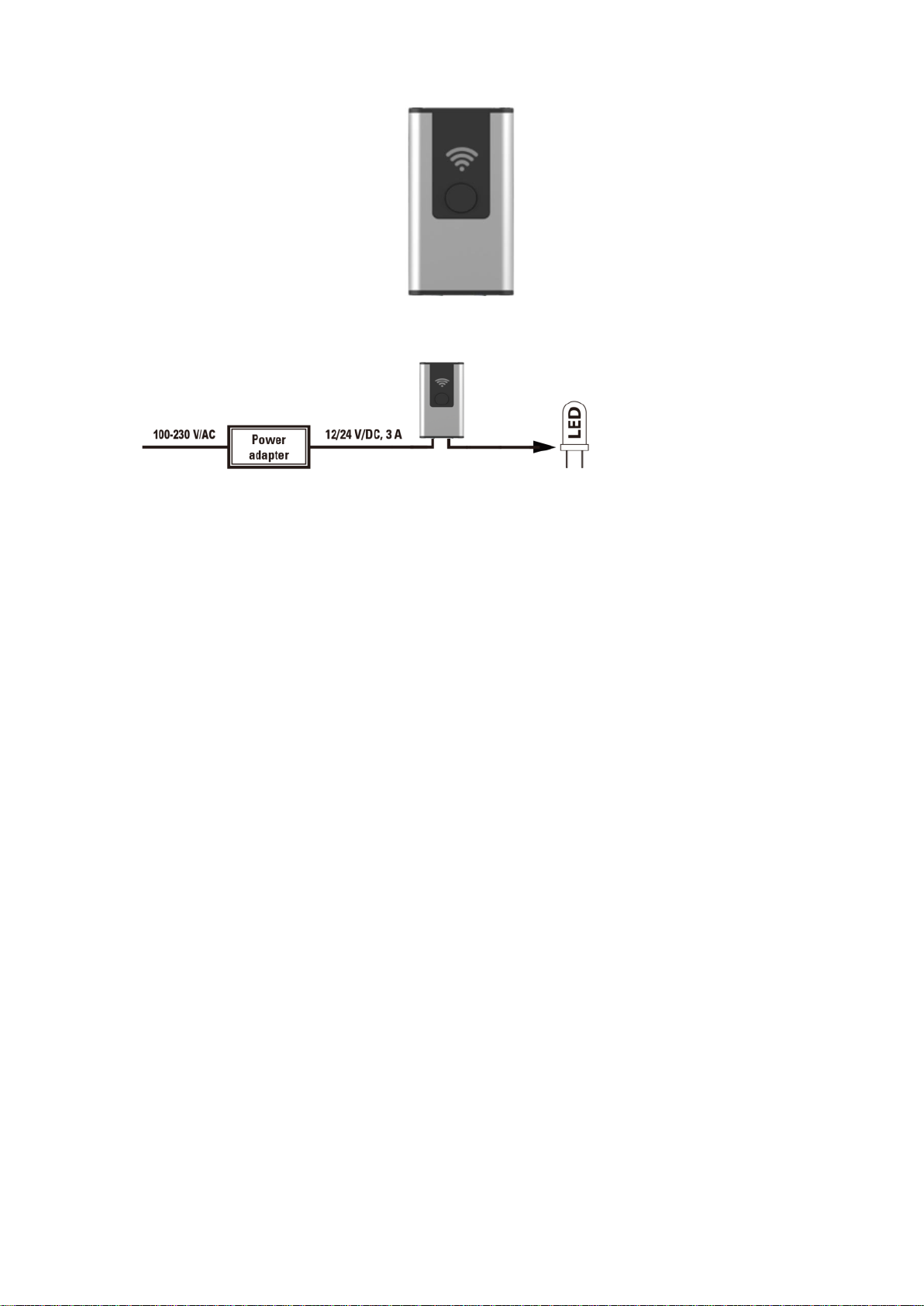
Connection instruction
WiFi Controller User Manual
FCC RF Radiation Exposure Statement Caution: This Transmitter must be installed to provide
a separation distance of at least 20 cm from all persons.
Warning: Changes or modifications to this unit not expressly approved by the party responsible
for compliance could void the user’s authority to operate the equipment.
NOTE: This equipment has been tested and found to comply with the limits for a Class B digital
device, pursuant to Part 15 of the FCC Rules. These limits are designed to provide reasonable
protection against harmful interference in a residential installation. This equipment generates,
uses and can radiate radio frequency energy and, if not installed and used in accordance with
the instructions, may cause harmful interference to radio communications.
However, there is no guarantee that interference will not occur in a particular installation. If this
equipment does cause harmful interference to radio or television reception, which can be
determined by turning the equipment off and on, the user is encouraged to try to correct the
interference by one or more of the following measures:
Reorient or relocate the receiving antenna.
Increase the separation between the equipment and receiver.
Connect the equipment into an outlet on a circuit different from that to which the
receiver is connected.
Consult the dealer or an experienced radio/TV technician for help.
This device complies with Part 15 of the FCC Rules. Operation is subject to the following two
conditions:
(1) this device may not cause harmful interference, and
Page 2

(2) this device must accept any interference received, including interference that may
cause undesired operation.
Technical Parameters
Input voltage: DC12V/DC24V
Input current: 3A
Input power: 36W@DC12V, 72W@DC24V
Wireless type: Wi-Fi 2.4GHz
Support system: Android / IOS
Operating temperature: -10℃ - 50℃
Dimension: 55Lx8.7Wx31H (mm)
How to connect device by APP
Step 1: Use your mobile phone to scan the QR code below or search "Smart Life” from Apple
store or Google play to download APP.
Input account name and password to sign in.
If you don't have the account, please register an account first. System will identify your
country automatically. You can also select country by yourself. You can use your mobile
phone number or Email address as your account name. Click “Next” to get verification code
from your mobile phone. Then input password. Click “Confirm” to finish your registration.
Page 3
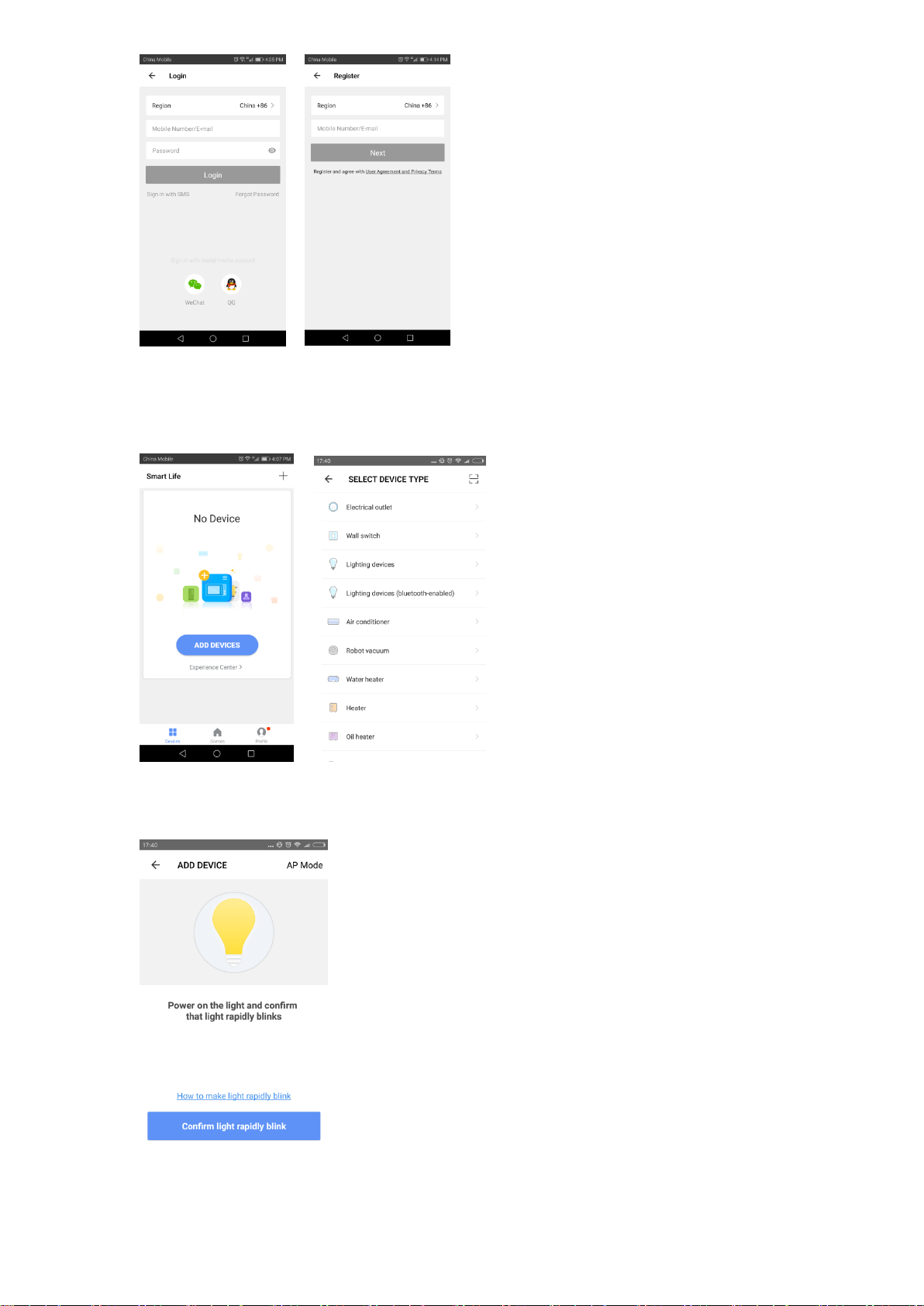
Make sure your mobile phone is connected to WiFi in your home. Click “Add Device” or click
"+" on the upper right corner of the homepage and select "Lighting devices" from the device
type.
Step 2: Switch on power supply. The light will blink rapidly. If not, press the "reset” button
on the wifi controller. Click "Confirm light rapidly blink” to continue.
Page 4
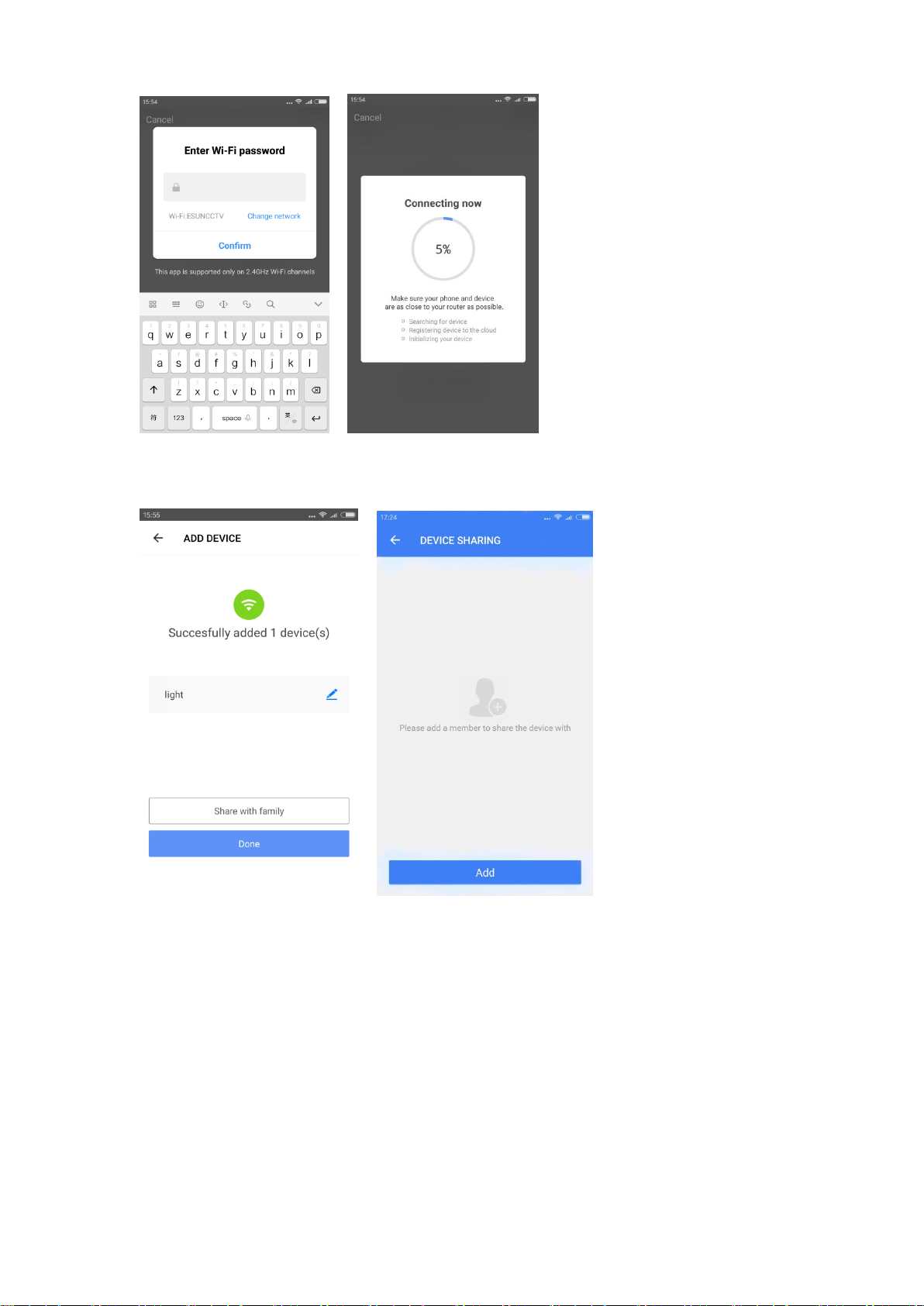
Step 3: Select a network for your wifi controller and click "Confirm" to connect the light.
Step 4: After Smart Life added device successfully, you can rename the light. And you can
share the light with your family member.
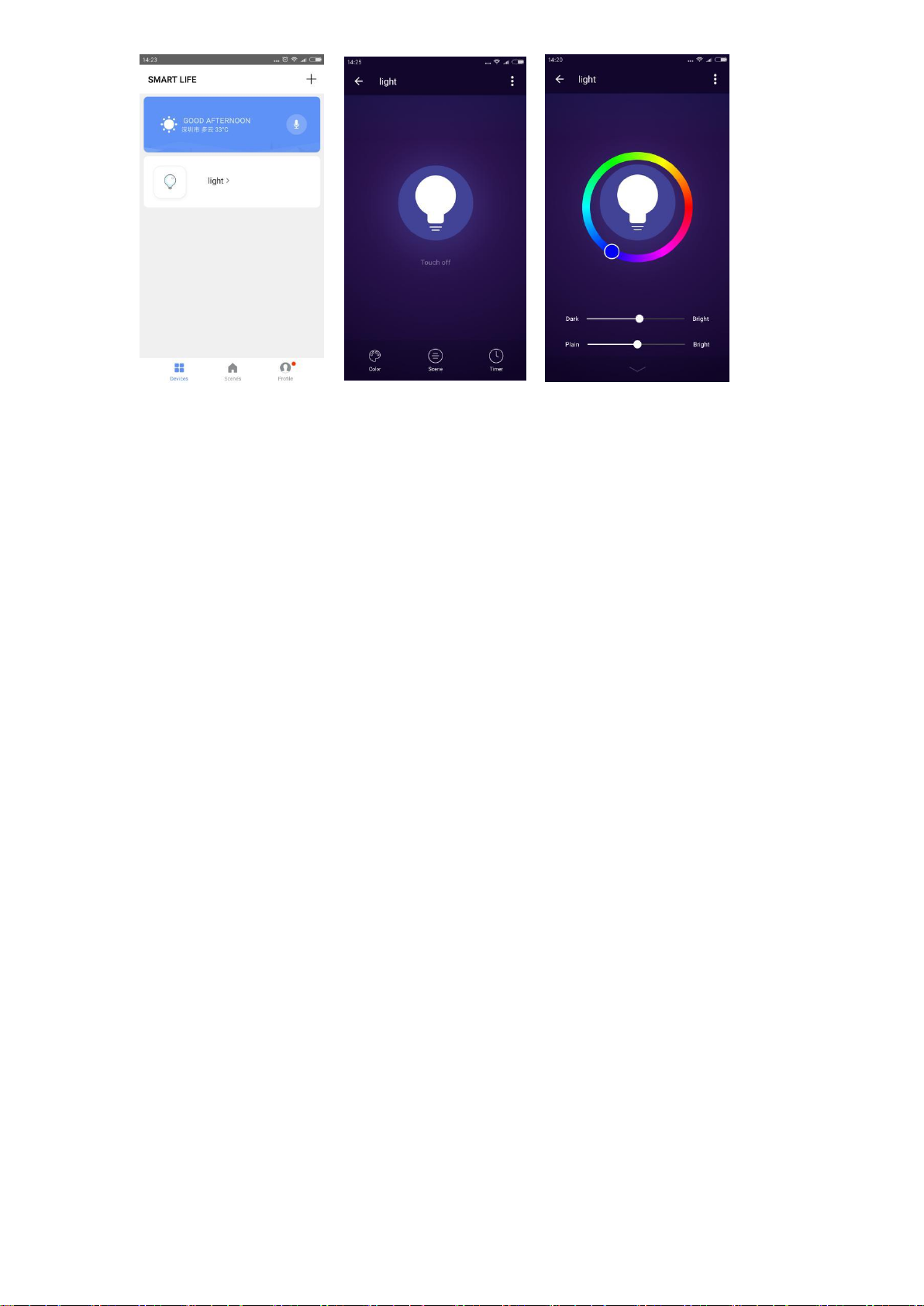
How to set device
Click "light” to enter device setting. You can switch on/off, change color and brightness,
select scene , sync light with music and set timer.
Page 5
Page 6
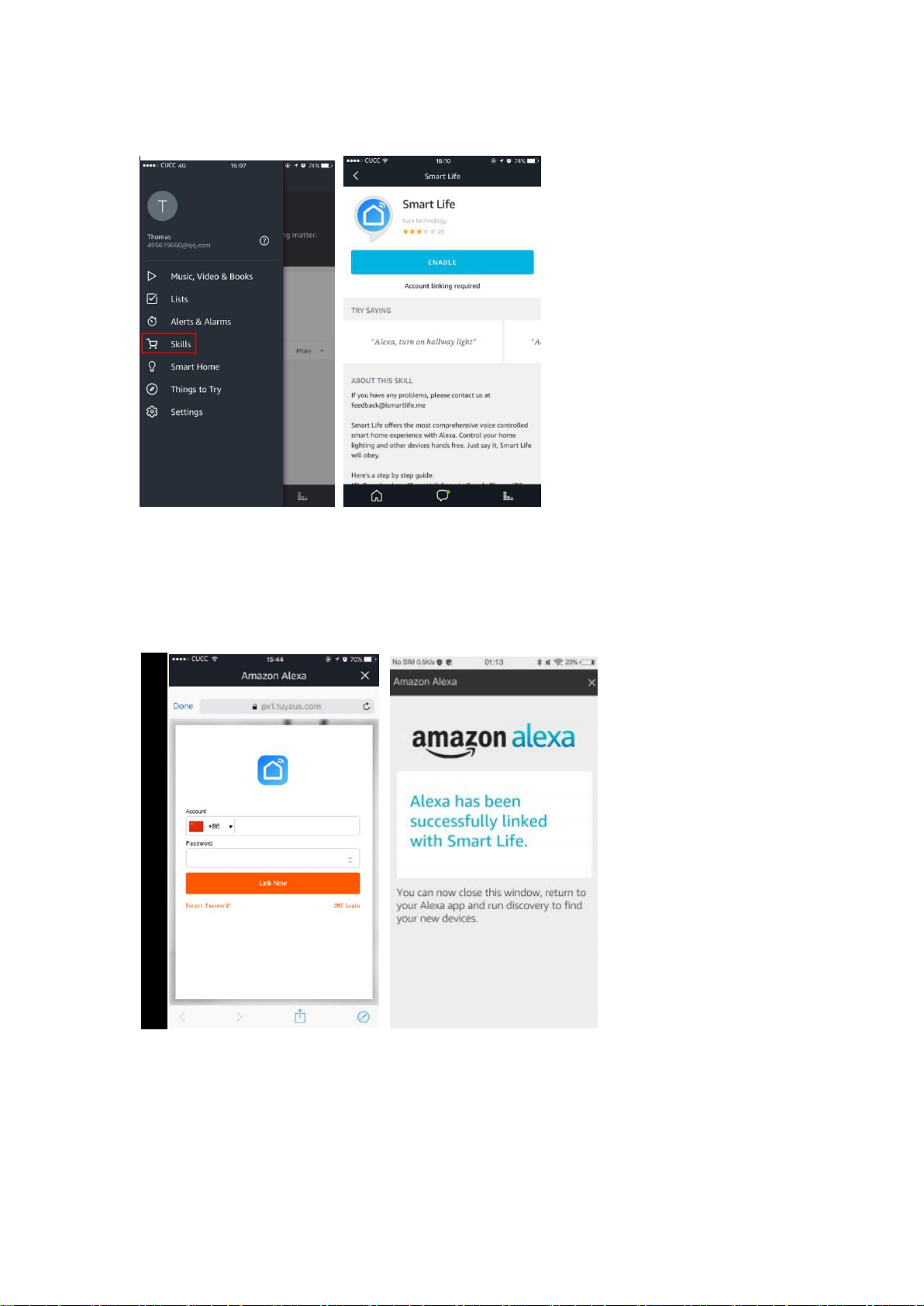
How to control device by Amazon Alexa
Step 1: Open the "Amazon Alexa” APP. Select "Skills” to search "Smart Life”. Click "Enable”
to activate.
Step 2: Select your country code. Enter your “Smart Life” APP account name and password.
Then click “Link Now” to continue. After the link succeeds, close the window back to Alexa
APP.
Page 7
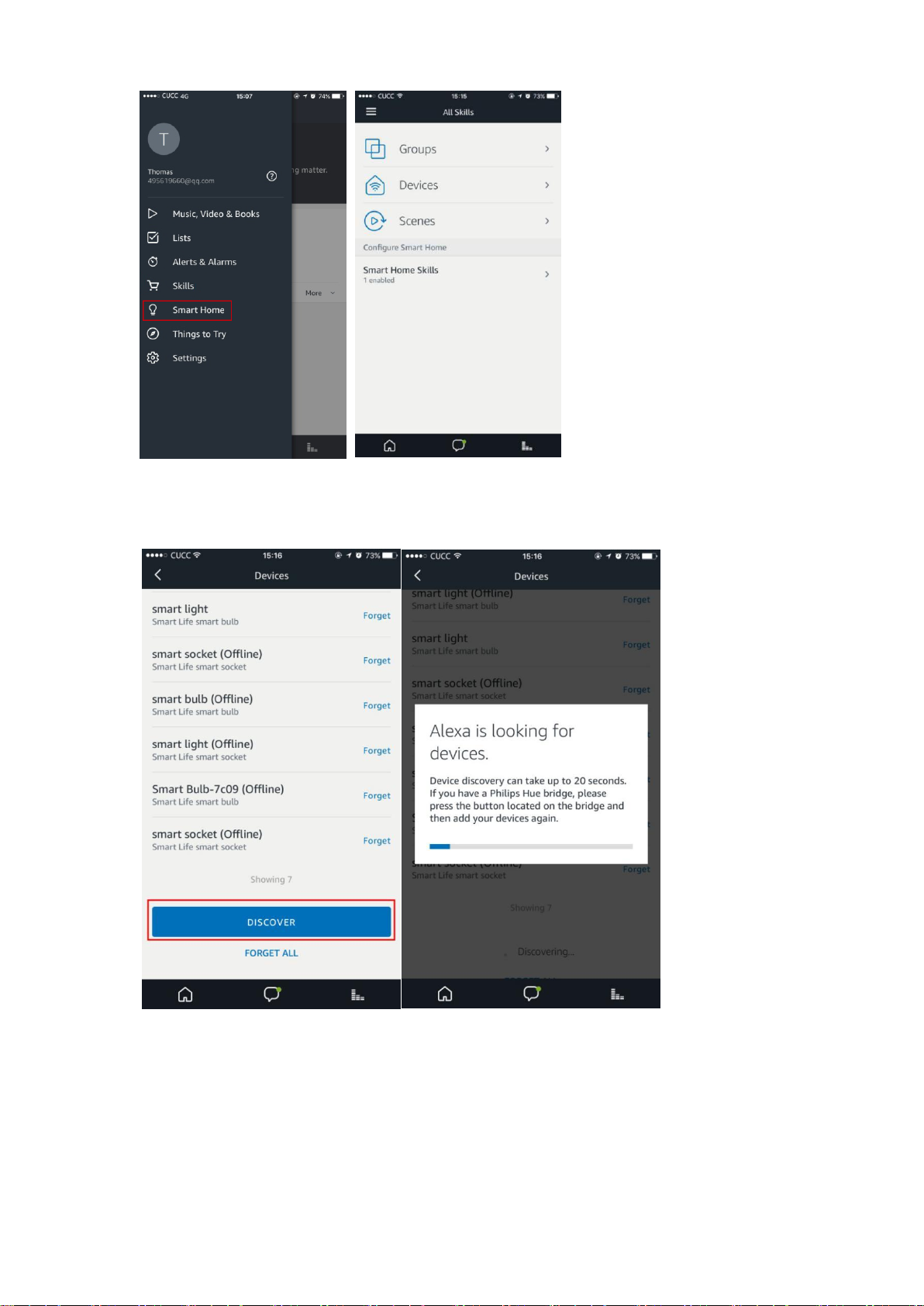
Step 3: Click "Smart Home”, select "Devices” and then press "Discover”.
Alexa will discover devices. After about 20 seconds, the devices will show in the list.
Now you can use your Alexa to control your Smart devices.
“Alexa, turn on/off xxx”. “Alexa, set xxx to 35%”.
“Alexa, set xxx to green”. “Alexa, brighten/dim xxx.”
 Loading...