

Page 1
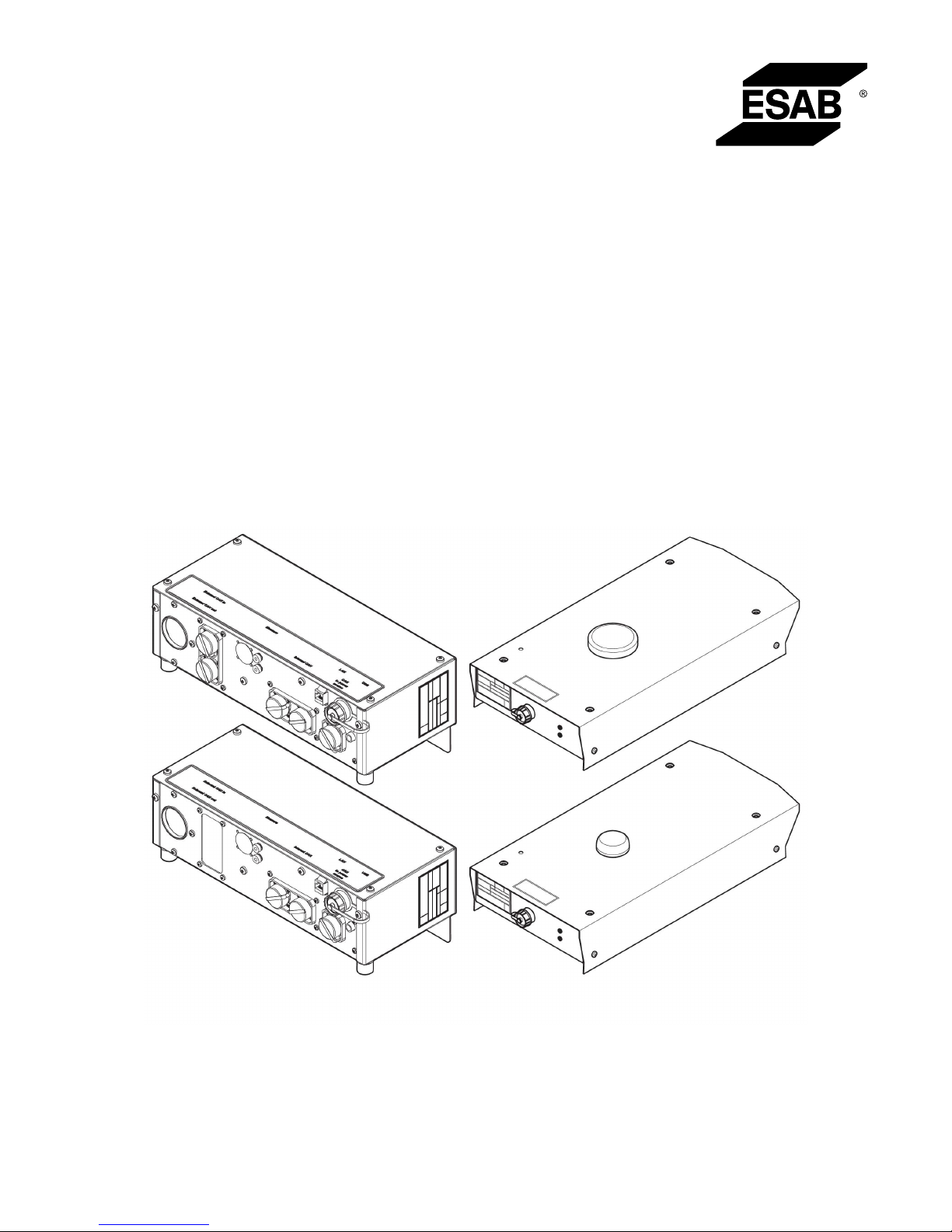
Aristo®
Instruction manual
0460 971 301 GB 20161014
Valid for: W82 serial no. 544-, 628-xxx-xxxx
RetrofitMig4004iWeldCloud™serialno.550-xxx-xxxx
W82,
RetrofitMig4004iWeldCloud™
Page 2
Page 3

TABLE OF CONTENTS
0460 971 301 © ESAB AB 2016
1
SAFETY ........................................................................................................... 4
1.1 Meaning of symbols ...................................................................................... 4
1.2 Safety precautions ........................................................................................ 4
2
INTRODUCTION.............................................................................................. 7
2.1 Equipment...................................................................................................... 7
3
TECHNICAL DATA .......................................................................................... 8
4
INSTALLATION................................................................................................ 9
4.1 Assembly instruction.................................................................................... 9
4.2 System description ....................................................................................... 9
4.3 How to set-up the U82 for use with W82 ..................................................... 10
4.3.1 Save your stored data ................................................................................. 10
4.3.2 Convert the U82 stand alone unit to a presentation unit ............................. 10
4.4 System diagrams........................................................................................... 11
5
OPERATION .................................................................................................... 13
5.1 Connections and control devices................................................................ 13
5.2 Overheating protection................................................................................. 14
5.3 Arc voltage feedback .................................................................................... 14
6
MAINTENANCE............................................................................................... 16
6.1 Inspection and cleaning................................................................................ 16
7
ORDERING SPARE PARTS ............................................................................ 17
DIAGRAM ............................................................................................................... 18
ORDERING NUMBERS.......................................................................................... 21
ACCESSORIES ...................................................................................................... 22
Rights reserved to alter specifications without notice.
Page 4

1 SAFETY
0460 971 301
- 4 -
© ESAB AB 2016
1 SAFETY
1.1 Meaning of symbols
As used throughout this manual: Means Attention! Be Alert!
DANGER!
Means immediate hazards which, if not avoided, will result in immediate,
serious personal injury or loss of life.
WARNING!
Means potential hazards which could result in personal injury or loss of
life.
CAUTION!
Means hazards which could result in minor personal injury.
WARNING!
Before use, read and understand the instruction manual
and follow all labels, employer´s safety practices and
Material Safety Data Sheets (MSDSs).
1.2 Safety precautions
NOTE!
The unit is tested by ESAB in a general set-up. The responsibility for safety and
function, of the specific set-up, lies with the integrator.
Users of ESAB equipment have the ultimate responsibility for ensuring that anyone who
works on or near the equipment observes all the relevant safety precautions. Safety
precautions must meet the requirements that apply to this type of equipment. The following
recommendations should be observed in addition to the standard regulations that apply to
the workplace.
All work must be carried out by trained personnel well-acquainted with the operation of the
equipment. Incorrect operation of the equipment may lead to hazardous situations which can
result in injury to the operator and damage to the equipment.
1. Anyone who uses the equipment must be familiar with:
○ its operation
○ location of emergency stops
○ its function
○ relevant safety precautions
○ welding and cutting or other applicable operation of the equipment
2. The operator must ensure that:
○ no unauthorised person is stationed within the working area of the equipment
when it is started up
○ no-one is unprotected when the arc is struck or work is started with the equipment
3. The workplace must:
○ be suitable for the purpose
○ be free from drafts
Page 5
1 SAFETY
0460 971 301
- 5 -
© ESAB AB 2016
4. Personal safety equipment:
○ Always wear recommended personal safety equipment, such as safety glasses,
flame-proof clothing, safety gloves
○ Do not wear loose-fitting items, such as scarves, bracelets, rings, etc., which
could become trapped or cause burns
5. General precautions:
○ Make sure the return cable is connected securely
○ Work on high voltage equipment may only be carried out by a qualified
electrician
○ Appropriate fire extinguishing equipment must be clearly marked and close at
hand
○ Lubrication and maintenance must not be carried out on the equipment during
operation
WARNING!
Arc welding and cutting can be injurious to yourself and others. Take precautions
when welding and cutting.
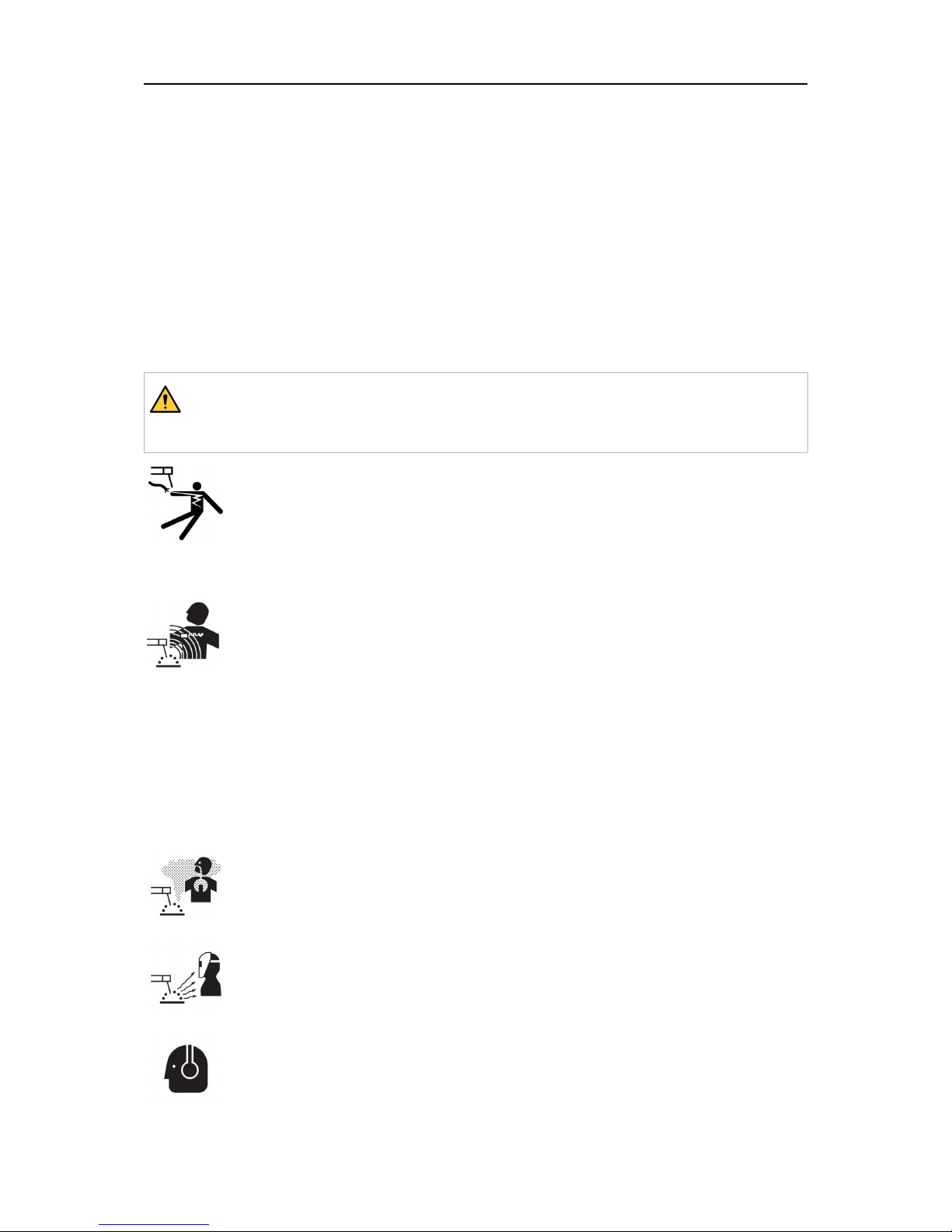
ELECTRIC SHOCK - Can kill
• Install and ground the unit in accordance with instruction manual.
• Do not touch live electrical parts or electrodes with bare skin, wet gloves or
wet clothing.
• Insulate yourself from work and ground.
• Ensure your working position is safe
ELECTRIC AND MAGNETIC FIELDS - Can be dangerous to health
• Welders having pacemakers should consult their physician before welding.
EMF may interfere with some pacemakers.
• Exposure to EMF may have other health effects which are unknown.
• Welders should use the following procedures to minimize exposure to EMF:
○ Route the electrode and work cables together on the same side of your
body. Secure them with tape when possible. Do not place your body
between the torch and work cables. Never coil the torch or work cable
around your body. Keep welding power source and cables as far away
from your body as possible.
○ Connect the work cable to the workpiece as close as possible to the
area being welded.
FUMES AND GASES - Can be dangerous to health
• Keep your head out of the fumes.
• Use ventilation, extraction at the arc, or both, to take fumes and gases
away from your breathing zone and the general area.
ARC RAYS - Can injure eyes and burn skin
• Protect your eyes and body. Use the correct welding screen and filter lens
and wear protective clothing.
• Protect bystanders with suitable screens or curtains.
NOISE - Excessive noise can damage hearing
Protect your ears. Use earmuffs or other hearing protection.
Page 6
1 SAFETY
0460 971 301
- 6 -
© ESAB AB 2016
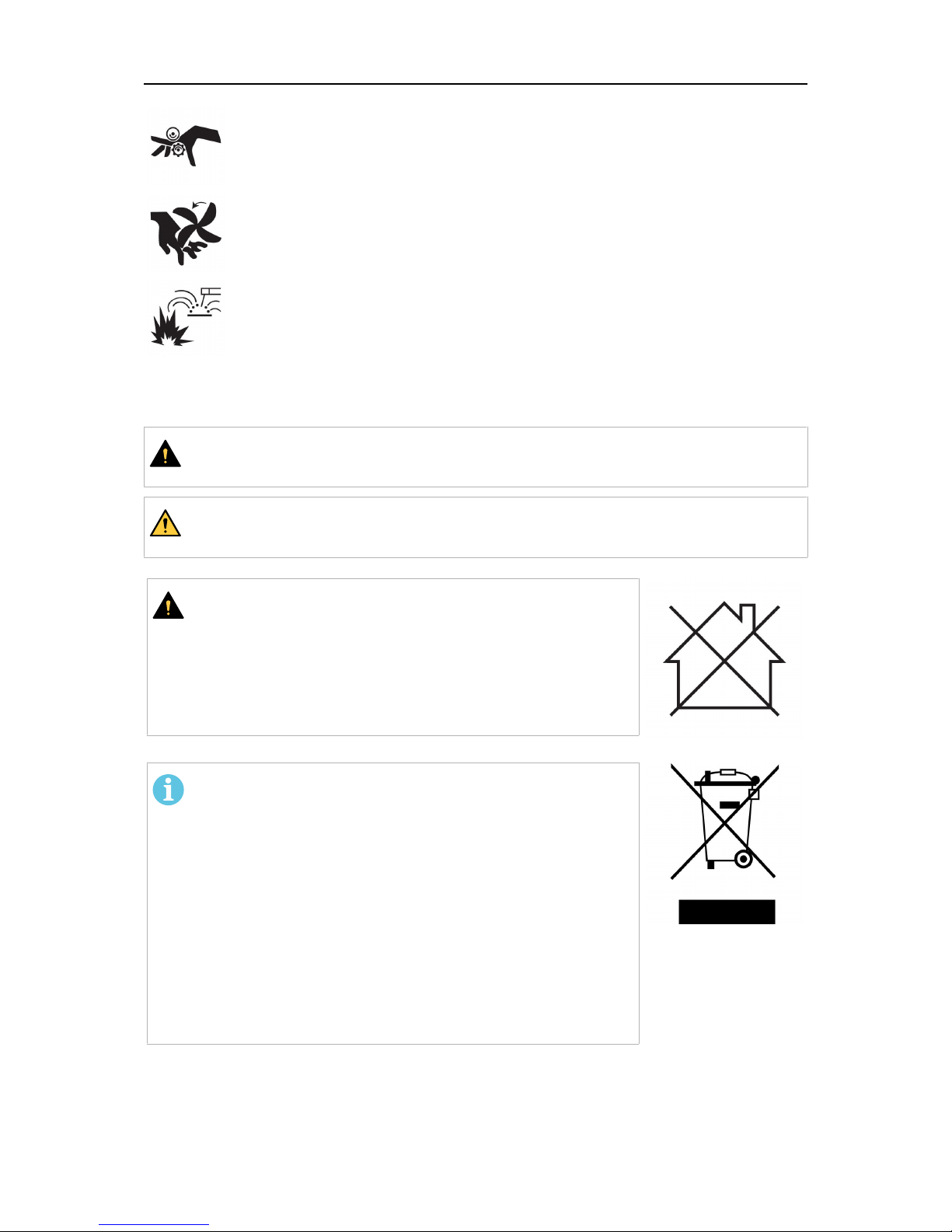
MOVING PARTS - Can cause injuries
• Keep all doors, panels and covers closed and securely in place. Have only
qualified people remove covers for maintenance and troubleshooting as
necessary. Reinstall panels or covers and close doors when service is
finished and before starting engine.
• Stop engine before installing or connecting unit.
• Keep hands, hair, loose clothing and tools away from moving parts.
FIRE HAZARD
• Sparks (spatter) can cause fire. Make sure that there are no inflammable
materials nearby.
• Do not use on closed containers.
MALFUNCTION - Call for expert assistance in the event of malfunction.
PROTECT YOURSELF AND OTHERS!
CAUTION!
This product is solely intended for arc welding.
WARNING!
Do not use the power source for thawing frozen pipes.
CAUTION!
Class A equipment is not intended for use in residential
locations where the electrical power is provided by the
public low-voltage supply system. There may be potential
difficulties in ensuring electromagnetic compatibility of class
A equipment in those locations, due to conducted as well
as radiated disturbances.
NOTE!
Dispose of electronic equipment at the recycling
facility!
In observance of European Directive 2012/19/EC on Waste
Electrical and Electronic Equipment and its implementation
in accordance with national law, electrical and/or electronic
equipment that has reached the end of its life must be
disposed of at a recycling facility.
As the person responsible for the equipment, it is your
responsibility to obtain information on approved collection
stations.
For further information contact the nearest ESAB dealer.
ESAB can provide you with all necessary welding protection and accessories.
Page 7
2 INTRODUCTION
0460 971 301
- 7 -
© ESAB AB 2016
2 INTRODUCTION
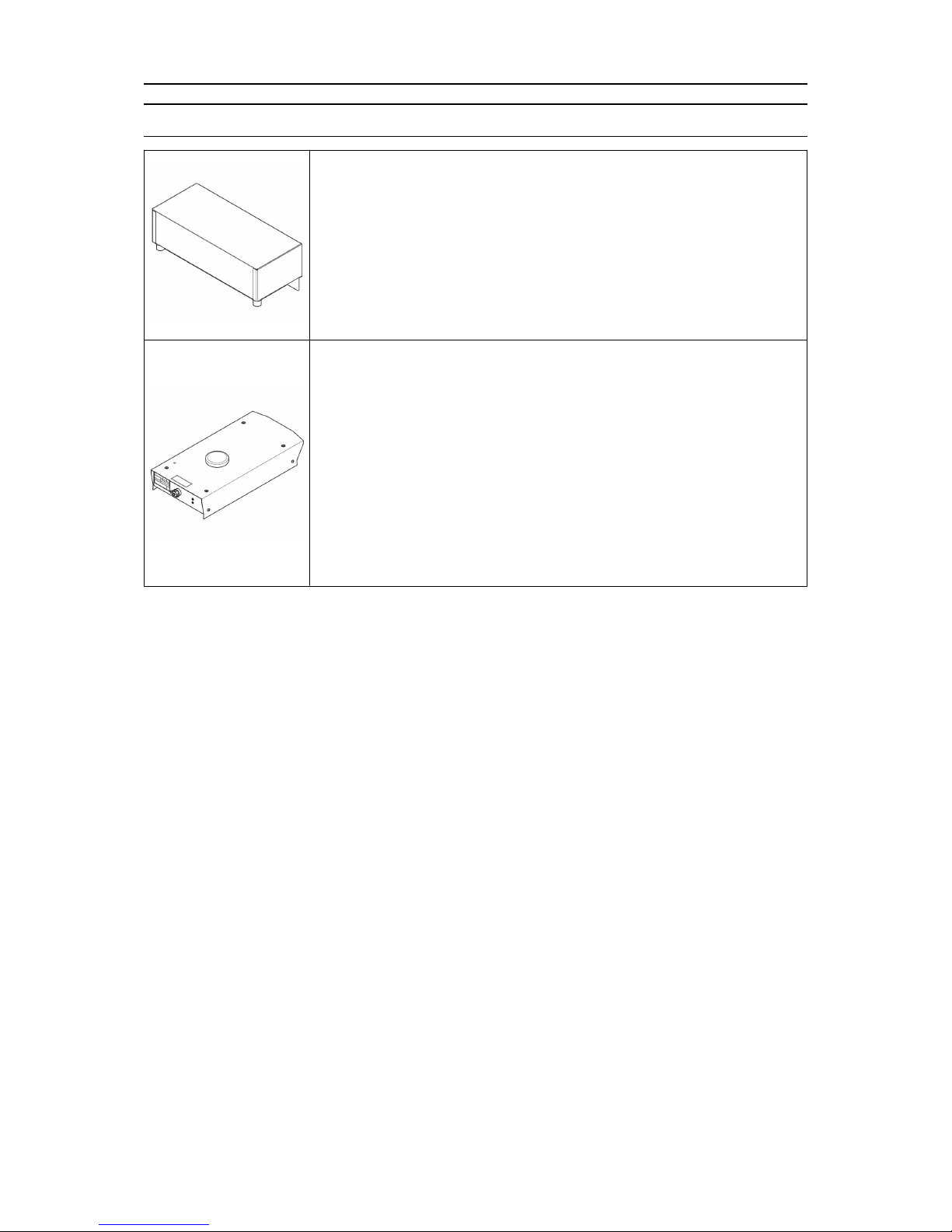
Aristo® W8
2
W82is a control unit that enables communication between welding
equipment and automation equipment, such as robots and
computers. Communication protocols: DeviceNet, Profibus,
CANopen and Ethernet.
W82is used together with ESAB CANbus equipped power sources
for welding automation. For power source and wire feed unit
handling, see the relevant instruction manual.
Retrofit Mig 4004i WeldCloud™
Retrofit Mig 4004i WeldCloud™ is retrofitted on top of supported
ESAB power sources. It connects to the CANbus internally.
Communication protocol: WeldCloud™.
There are two versions of Retrofit Mig 4004i WeldCloud™ available,
with different functionality. The available versions have ordering
numbers 0445302880 (without connection for ethernet and
communication with robot system) and 0445302881 (with
connection for ethernet and communication with robot system).
For information about supported power sources, contact your ESAB
sales representative.
2.1 Equipment
Aristo® W8
2
• W82DeviceNet, W82Profibus, W82CANopen and W82Ethernet are supplied with a
USB memory and an instruction manual.
• W82Integrated is supplied with an instruction manual.
Retrofit Mig 4004i WeldCloud™
• Retrofit Mig 4004i WeldCloud™ is supplied with the software WeldCloud™ and a
Quick start guide.
Measurement cable kit and connection cables for different power sources are available as
accessories, see "ACCESSORIES" chapter and separate spare parts list.
Page 8
3 TECHNICAL DATA
0460 971 301
- 8 -
© ESAB AB 2016
3 TECHNICAL DATA
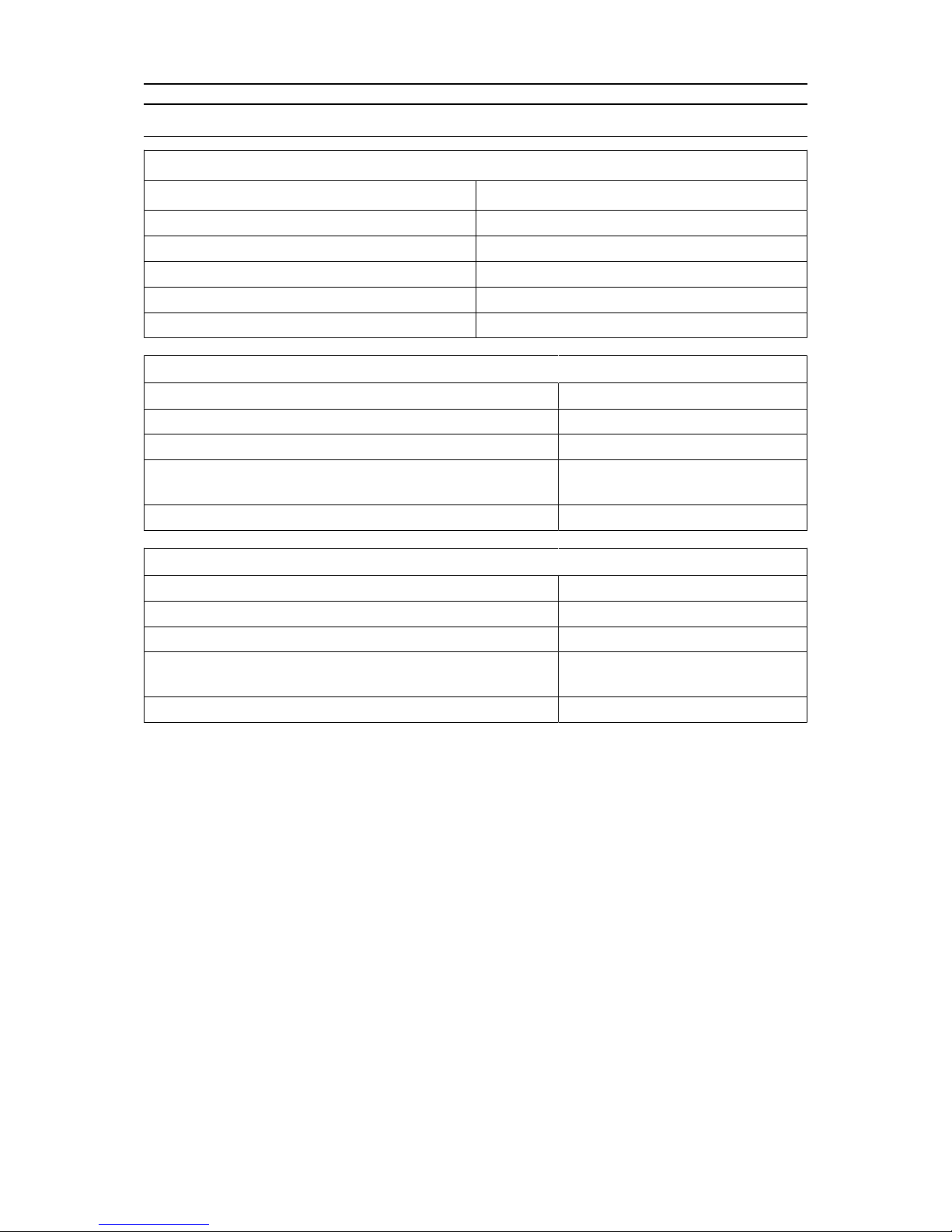
Aristo®W8
2
Supply voltage (to feed unit through W82) 42 V, 50-60 Hz
Supply voltage (from robot) 24 V DC
Supply voltage (from power source) 12 V DC
Weight 4 kg (8.8 lb.)
Dimensions (l × w × h) 366 × 101 × 159 mm (14.41×3.98×6.26in.)
Enclosure class IP23
Retrofit Aristo®Mig 4004i WeldCloud™ (0445 302 880)
Supply voltage (to feed unit through WeldCloud™) 42 V, 50-60 Hz
Supply voltage (from power source) 12 V DC
Weight 6 kg (13.2 lb.)
Dimensions (l × w × h) 527 × 257 × 115 mm
(20.75×10.12×4.52in.)
Enclosure class IP23
Retrofit Aristo®Mig 4004i WeldCloud™ (0445 302 881)
Supply voltage (to feed unit through WeldCloud™) 42 V, 50-60Hz
Supply voltage (from power source) 12 V DC
Weight 6 kg (13.2 lb.)
Dimensions (l × w × h) 527×257×105mm
(20.75×10.12×4.13in.)
Enclosure class IP23
Enclosure class
The IP code indicates the enclosure class, i.e. the degree of protection against penetration
by solid objects or water.
Equipment marked IP23 is intended for indoor and outdoor use.
Page 9

4 INSTALLATION
0460 971 301
- 9 -
© ESAB AB 2016
4 INSTALLATION
The installation must be carried out by a professional.
See the service manual Aristo® W82, Retrofit Mig 4004i WeldCloud™, WeldCloud™
Mobile.
For Retrofit Aristo® Mig 4004i WeldCloud™, make sure the antenna on the top box is not
covered or blocked.
4.1 Assembly instruction
Connection of Aristo® W82 to Mig 5000i, Mig 5000iw, Mig U5000i, Mig U5000iw power
source
1. Remove the screws on the rear handle of
the power source.
2. Put the W82onto the welding power
source.
3. Screw the W82and the handle into place
in the same screw holes.
Connection of Retrofit Aristo® Mig 4004i WeldCloud™
For instructions on how to connect the Retrofit Aristo® Mig 4004i WeldCloud™, see the
service manual for Aristo® W82, Retrofit Mig 4004i WeldCloud™ or contact the nearest
ESAB Service Center or distributor.
Connection of Aristo® W82 to Mig 3001i, Mig 4001i, Mig 4002c, Mig 5002c and Mig
6502c power sources
Connect the W82with a 2 m cable and place it on the floor or on a stand next to the power
source.
4.2 System description
It is possible to configure the U82unit for stand-alone usage (stand-alone unit) or
presentation usage (presentation unit). The presence of a W82unit within the welding system
determines which unit that is to be used.
Page 10

4 INSTALLATION
0460 971 301
- 10 -
© ESAB AB 2016
The stand-alone unit is used when there is
no W82unit in the system.
The presentation unit is used when there
is a W82unit in the system.
During unit start-up it is possible to see if the unit is a presentation unit or not.
4.3 How to set-up the U82 for use with W82
NOTE!
It is necessary to change the U82stand-alone unit to a presentation unit before it
is used together with a W82unit.
4.3.1 Save your stored data
1. Connect the U82stand-alone unit to a power source or a wire feed unit.
2. Turn ON the main switch on the power source.
3. Export weld data sets from the U82memory to a USB memory (see chapter
Export/Import in the U82instruction manual).
4. Turn OFF the main switch on the power source.
5. Remove the USB memory.
4.3.2 Convert the U82 stand alone unit to a presentation unit
1. Connect the enclosed USB memory to a PC. Make sure that the computer is set to show
file extensions.
2. Rename: "update.txt_" to "update.txt" and "reset.txt_" to "reset.txt"
Page 11

4 INSTALLATION
0460 971 301
- 11 -
© ESAB AB 2016
3. Open the cover on the left-hand end of the
control panel.
4. Insert the enclosed USB-memory into the
USB connector.
5. Close the cover.
6. Turn ON the main switch on the power
source. One “beep” indicates that convert
process is started. It is finished when two
“beeps” are heard.
7. Turn OFF the main switch on the power
source.
8. Open the cover and remove the enclosed
USB memory.
9. Close the cover. The unit is now ready to be used together with a W82unit.
4.4 System diagrams
Schematic diagrams showing the connection between different units follow.
1. Connection between welding power source and W82- “CAN to power source“.
2. Connection between W82and robot control cabinet - “Fieldbus”.
3. Connection between welding power source and wire feed unit - “Internal CAN”.
4. Connection between welding power source and control panel - “Internal CAN”.
NOTE!
If the ESAB wire feeder unit is not used, a separate arc voltage feedback is
required to the measurement contact on the control unit.
Page 12

4 INSTALLATION
0460 971 301
- 12 -
© ESAB AB 2016
Page 13

5 OPERATION
0460 971 301
- 13 -
© ESAB AB 2016
5 OPERATION
General safety regulations for handling the equipment can be found in the "SAFETY"
chapter of this manual. Read it through before you start using the equipment!
5.1 Connections and control devices
1. Indicating lamp from serial number 944-xxx-xxxx
Orange indicating lamp - Overheating
2. External CAN and termination option
3. Fieldbus
Connection for communication with robot system
4. Measure
Connection for measurement cable for arc voltage feedback and emergency stop
signal, measurement kit
5. Internal CAN
Connections for communication with ESAB wire feed unit and control panel
6. LAN
Connection to network, Ethernet
7. CAN to welding power source
Connection for communication with welding power source
8. USB
USB memory connection
Page 14

5 OPERATION
0460 971 301
- 14 -
© ESAB AB 2016
1. Antenna
2. Indicating LED, white,
Power supply ON
3. Indicating LED, red
Connection status (lit LED = connection error)
4. USB
USB memory connection
5. CAN connection
6. Arc voltage monitoring (+), red banana socket
7. Arc voltage monitoring (-), black banana socket
8. Fieldbus Connection for communication with robot system
9. Ethernet connection
5.2 Overheating protection
The control unit has overheating protection that operates if the temperature becomes too
high. When this occurs the welding current is interrupted and the orange lamp illuminates.
The overheating protection resets automatically when the temperature has fallen and the
light goes out.
5.3 Arc voltage feedback
To achieve a good welding result, the arc voltage feedback is a crucial factor. In MIG/MAG
welding, the power source is prepared to sense the arc voltage in the wire feeder.
Prerequisite for this functionality is that an ESAB wire feeder and an ESAB interconnection
cable is used! This method of measuring the arc voltage, compensates for the voltage drop
in the welding cable to the wire feeder. With an ESAB torch supporting "TrueArcVoltage", the
voltage drop all the way to the contact tip is compensated.
Page 15

5 OPERATION
0460 971 301
- 15 -
© ESAB AB 2016
WARNING!
The external arc voltage inputs (the red and black banana sockets) at the back
end of the WeldCloud™ top box should not be used, unless the equipment has
been configured for this setup by authorised ESAB service personnel.
NOTE!
To compensate the voltage drop in the return cable, the power source can be
configured (by authorised ESAB service personnel) to use an external arc voltage
sense wire from the workpiece.
Page 16

6 MAINTENANCE
0460 971 301
- 16 -
© ESAB AB 2016
6 MAINTENANCE
NOTE!
Regular maintenance is important for safe and reliable operation.
CAUTION!
Only those persons who have appropriate electrical knowledge (authorized
personnel) may remove the safety plates.
CAUTION!
All warranty undertakings from the supplier cease to apply if the customer
attempts any work to rectify any faults in the product during the warranty period.
6.1 Inspection and cleaning
Regularly check that the control unit is in electrical contact with the power source and that
the connections are fault-free and correctly connected.
Page 17

7 ORDERING SPARE PARTS
0460 971 301
- 17 -
© ESAB AB 2016
7 ORDERING SPARE PARTS
W82and Retrofit Mig 4004i WeldCloud™ are designed and tested in accordance with the
international and European standards IEC/EN60974-1 and IEC/EN60974-10. It is the
obligation of the service unit which has carried out the service or repair work to make sure
that the product still conforms to the said standard.
Spare parts and wear parts can be ordered through your nearest ESAB dealer, see the back
cover of this document. When ordering, please state product type, serial number, designation
and spare part number in accordance with the spare parts list. This facilitates dispatch and
ensures correct delivery.
Page 18

DIAGRAM
0460 971 301
- 18 -
© ESAB AB 2016
DIAGRAM
Aristo® W8
2
Page 19

DIAGRAM
0460 971 301
- 19 -
© ESAB AB 2016
Page 20

DIAGRAM
0460 971 301
- 20 -
© ESAB AB 2016
Retrofit Mig 4004i WeldCloud™
Page 21

ORDERING NUMBERS
0460 971 301
- 21 -
© ESAB AB 2016
ORDERING NUMBERS
Ordering no. Denomination
0460 891 880 Aristo® W82, Integrated
0460 891 881 Aristo® W82, DeviceNet
0460 891 882 Aristo® W82, Profibus
0460 891 883 Aristo® W82, CANopen
0460 891 884 Aristo® W82, Ethernet
0445 302 880 Retrofit Aristo® Mig 4004i WeldCloud™
0445 302 881 Retrofit Aristo® Mig 4004i WeldCloud™
0459 839 038 Spare parts list W82, Retrofit Mig 4004i WeldCloud™
0740 800 203 Service manual W82, Retrofit Mig 4004i WeldCloud™,
WeldCloud™Mobile
Instruction manuals and the spare parts list are available on the Internet at: www.esab.com
Page 22

ACCESSORIES
0460 971 301
- 22 -
© ESAB AB 2016
ACCESSORIES
0456 527 885 Control cable (connectors included)*
0.45 m, 12 poles
0462 000 880 Control cable (connectors included)*
2 m, 10 - 12 poles
0461 182 880 Connection set CAN Robot for Aristo®
W82Integrated*
7.5 m
0462 062 001 USB memory 2 Gb
0459 314 880 Terminating resistor*
0445 501 880
0445 501 881
0445 501 882
0445 501 883
Robot Interface Kit Devicenet WeldCloud™
Robot Interface Kit Profibus WeldCloud™
Robot Interface Kit CANopen WeldCloud™
Robot Interface Kit EtherNet IP WeldCloud™
*Not applicable for Retrofit Aristo® W82with ordering number 0465 826 881.
Page 23

ACCESSORIES
0460 971 301
- 23 -
© ESAB AB 2016
Page 24

ESAB subsidiaries and representative offices
www.esab.com
Europe
AUSTRIA
ESAB Ges.m.b.H
Vienna-Liesing
Tel: +43 1 888 25 11
Fax: +43 1 888 25 11 85
BELGIUM
S.A. ESAB N.V.
Heist-op-den-Berg
Tel: +32 15 25 79 30
Fax: +32 15 25 79 44
BULGARIA
ESAB Kft Representative Office
Sofia
Tel: +359 2 974 42 88
Fax: +359 2 974 42 88
THE CZECH REPUBLIC
ESAB VAMBERK s.r.o.
Vamberk
Tel: +420 2 819 40 885
Fax: +420 2 819 40 120
DENMARK
Aktieselskabet ESAB
Herlev
Tel: +45 36 30 01 11
Fax: +45 36 30 40 03
FINLAND
ESAB Oy
Helsinki
Tel: +358 9 547 761
Fax: +358 9 547 77 71
GREAT BRITAIN
ESAB Group (UK) Ltd
Waltham Cross
Tel: +44 1992 76 85 15
Fax: +44 1992 71 58 03
ESAB Automation Ltd
Andover
Tel: +44 1264 33 22 33
Fax: +44 1264 33 20 74
FRANCE
ESAB France S.A.
Cergy Pontoise
Tel: +33 1 30 75 55 00
Fax: +33 1 30 75 55 24
GERMANY
ESAB Welding & Cutting GmbH
Langenfeld
Tel: +49 2173 3945-0
Fax: +49 2173 3945-218
HUNGARY
ESAB Kft
Budapest
Tel: +36 1 20 44 182
Fax: +36 1 20 44 186
ITALY
ESAB Saldatura S.p.A.
Bareggio (Mi)
Tel: +39 02 97 96 8.1
Fax: +39 02 97 96 87 01
THE NETHERLANDS
ESAB Nederland B.V.
Amersfoort
Tel: +31 33 422 35 55
Fax: +31 33 422 35 44
NORWAY
AS ESAB
Larvik
Tel: +47 33 12 10 00
Fax: +47 33 11 52 03
POLAND
ESAB Sp.zo.o.
Katowice
Tel: +48 32 351 11 00
Fax: +48 32 351 11 20
PORTUGAL
ESAB Lda
Lisbon
Tel: +351 8 310 960
Fax: +351 1 859 1277
ROMANIA
ESAB Romania Trading SRL
Bucharest
Tel: +40 316 900 600
Fax: +40 316 900 601
RUSSIA
LLC ESAB
Moscow
Tel: +7 (495) 663 20 08
Fax: +7 (495) 663 20 09
SLOVAKIA
ESAB Slovakia s.r.o.
Bratislava
Tel: +421 7 44 88 24 26
Fax: +421 7 44 88 87 41
SPAIN
ESAB Ibérica S.A.
San Fernando de Henares
(MADRID)
Tel: +34 91 878 3600
Fax: +34 91 802 3461
SWEDEN
ESAB Sverige AB
Gothenburg
Tel: +46 31 50 95 00
Fax: +46 31 50 92 22
ESAB International AB
Gothenburg
Tel: +46 31 50 90 00
Fax: +46 31 50 93 60
SWITZERLAND
ESAB Europe GmbH
Baar
Tel: +41 1 741 25 25
Fax: +41 1 740 30 55
UKRAINE
ESAB Ukraine LLC
Kiev
Tel: +38 (044) 501 23 24
Fax: +38 (044) 575 21 88
North and South America
ARGENTINA
CONARCO
Buenos Aires
Tel: +54 11 4 753 4039
Fax: +54 11 4 753 6313
BRAZIL
ESAB S.A.
Contagem-MG
Tel: +55 31 2191 4333
Fax: +55 31 2191 4440
CANADA
ESAB Group Canada Inc.
Missisauga, Ontario
Tel: +1 905 670 0220
Fax: +1 905 670 4879
MEXICO
ESAB Mexico S.A.
Monterrey
Tel: +52 8 350 5959
Fax: +52 8 350 7554
USA
ESAB Welding & Cutting
Products
Florence, SC
Tel: +1 843 669 4411
Fax: +1 843 664 5748
Asia/Pacific
AUSTRALIA
ESAB South Pacific
Archerfield BC QLD 4108
Tel: +61 1300 372 228
Fax: +61 7 3711 2328
CHINA
Shanghai ESAB A/P
Shanghai
Tel: +86 21 2326 3000
Fax: +86 21 6566 6622
INDIA
ESAB India Ltd
Calcutta
Tel: +91 33 478 45 17
Fax: +91 33 468 18 80
INDONESIA
P.T. ESABindo Pratama
Jakarta
Tel: +62 21 460 0188
Fax: +62 21 461 2929
JAPAN
ESAB Japan
Tokyo
Tel: +81 45 670 7073
Fax: +81 45 670 7001
MALAYSIA
ESAB (Malaysia) Snd Bhd
USJ
Tel: +603 8023 7835
Fax: +603 8023 0225
SINGAPORE
ESAB Asia/Pacific Pte Ltd
Singapore
Tel: +65 6861 43 22
Fax: +65 6861 31 95
SOUTH KOREA
ESAB SeAH Corporation
Kyungnam
Tel: +82 55 269 8170
Fax: +82 55 289 8864
UNITED ARAB EMIRATES
ESAB Middle East FZE
Dubai
Tel: +971 4 887 21 11
Fax: +971 4 887 22 63
Africa
EGYPT
ESAB Egypt
Dokki-Cairo
Tel: +20 2 390 96 69
Fax: +20 2 393 32 13
SOUTH AFRICA
ESAB Africa Welding & Cutting
Ltd
Durbanvill 7570 - Cape Town
Tel: +27 (0)21 975 8924
Distributors
For addresses and phone
numbers to our distributors in
other countries, please visit our
home page
www.esab.com
 Loading...