

Page 1

OPN2001 ATHLETE SCANNER
USER GUIDE
V 1.01
Electronic Reading Systems Ltd. Tel: 01234 855300 Fax: 01234 855446 Web: www.ers-online.co.uk
Page 2

CONTENTS
1.0 INTRODUCTION
2.0 CHARGING THE OPN2001
3.0 SCANNING BARCODES WITH THE OPN2001
3.1 Using the OPN2001 with ERS-RaceTime
3.1.1 Mass Start Events
3.1.2 Individual Start Event
3.1.3 Group Start Events
Appendix A GENERAL OPN2001 FUNCTIONS
A.1 LED & Buzzer Indicators
A.2 Enabling/ disabling the Good Read Bleep
A.3 Deleting a stored barcode
A.4 Clearing the OPN2001 Memory
A.5 Resetting the OPN2001 to Defaults
A.6 Initialising & Synchronising the OPN2001 in
RaceTime
Electronic Reading Systems Ltd. Tel: 01234 855300 Fax: 01234 855446 Web: www.ers-online.co.uk
Page 3
Electronic Reading Systems Ltd. Tel: 01234 855300 Fax: 01234 855446 Web: www.ers-online.co.uk
1.0 INTRODUCTION
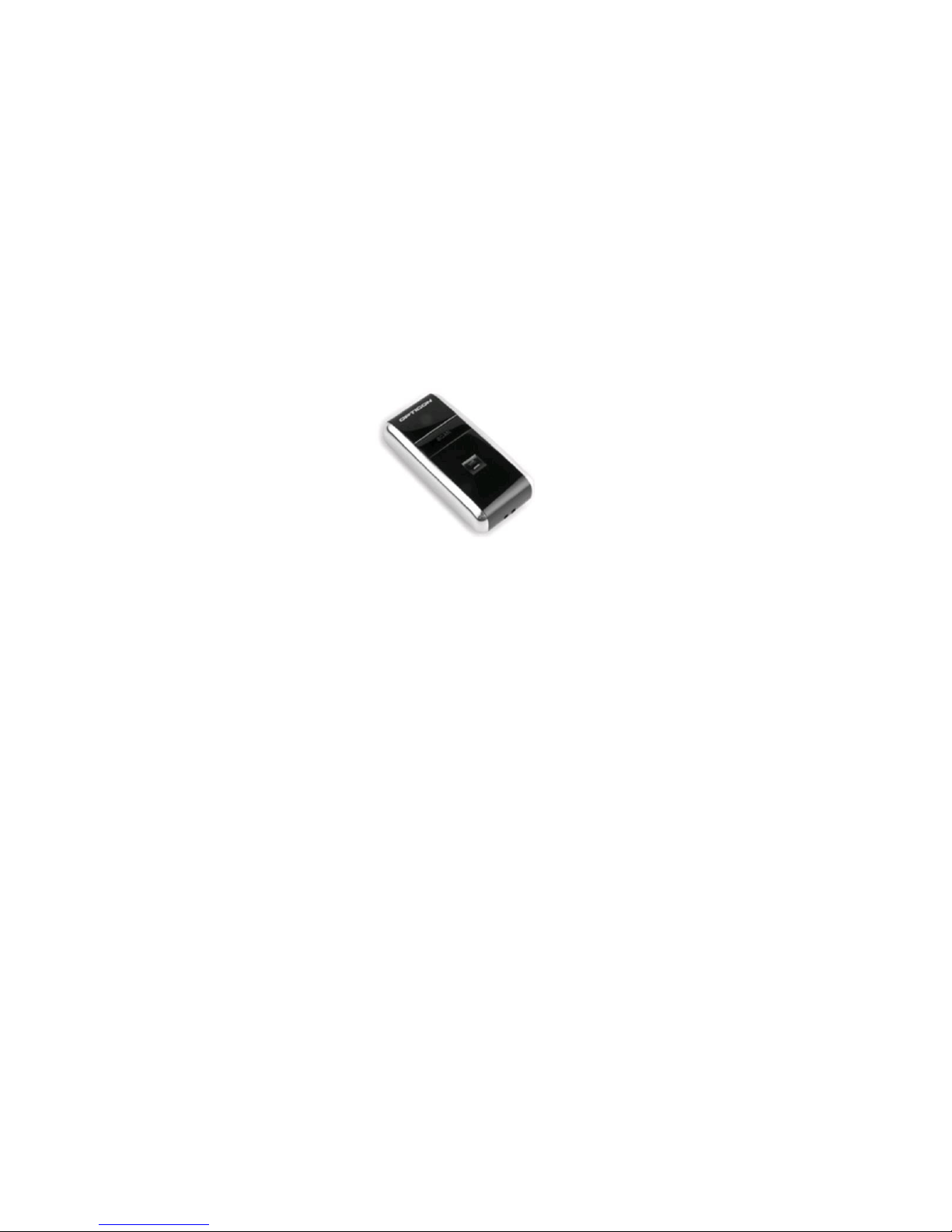
The OPN2001 is a simple data collection device with built-in barcode laser scanner
and 500KB memory for data storage.
When used with the ERS-RaceTime system the OPN2001 scanners will be used to
capture the IDs and finishing positions of athletes completing an event by scanning
both the athlete’s ID barcode and the Finishing Positon Barcode which was handed
to them when they crossed the finish line. (See the ERS-RaceTime User Guide for
more details)
The scanned Athlete data will be stored in memory within the OPN2001 for subsequent downloading to the ERS-RaceTime system
2.0 CHARGING THE OPN2001
The OPN2001 may be charged from connection to a suitable USB port.
The charge process is controlled by the OPN2001 and will automatically switch off
when the battery is full.
From empty the battery takes approx. 2.5 hours to charge fully.
The LED indicator will be RED while the battery is being charged. When the battery
is fully charged the indicator will turn GREEN.
Note: We recommend fully charging the OPN2001 Data Collector before use.
Page 4
Electronic Reading Systems Ltd. Tel: 01234 855300 Fax: 01234 855446 Web: www.ers-online.co.uk
3.0 SCANNING BARCODES WITH THE OPN2001
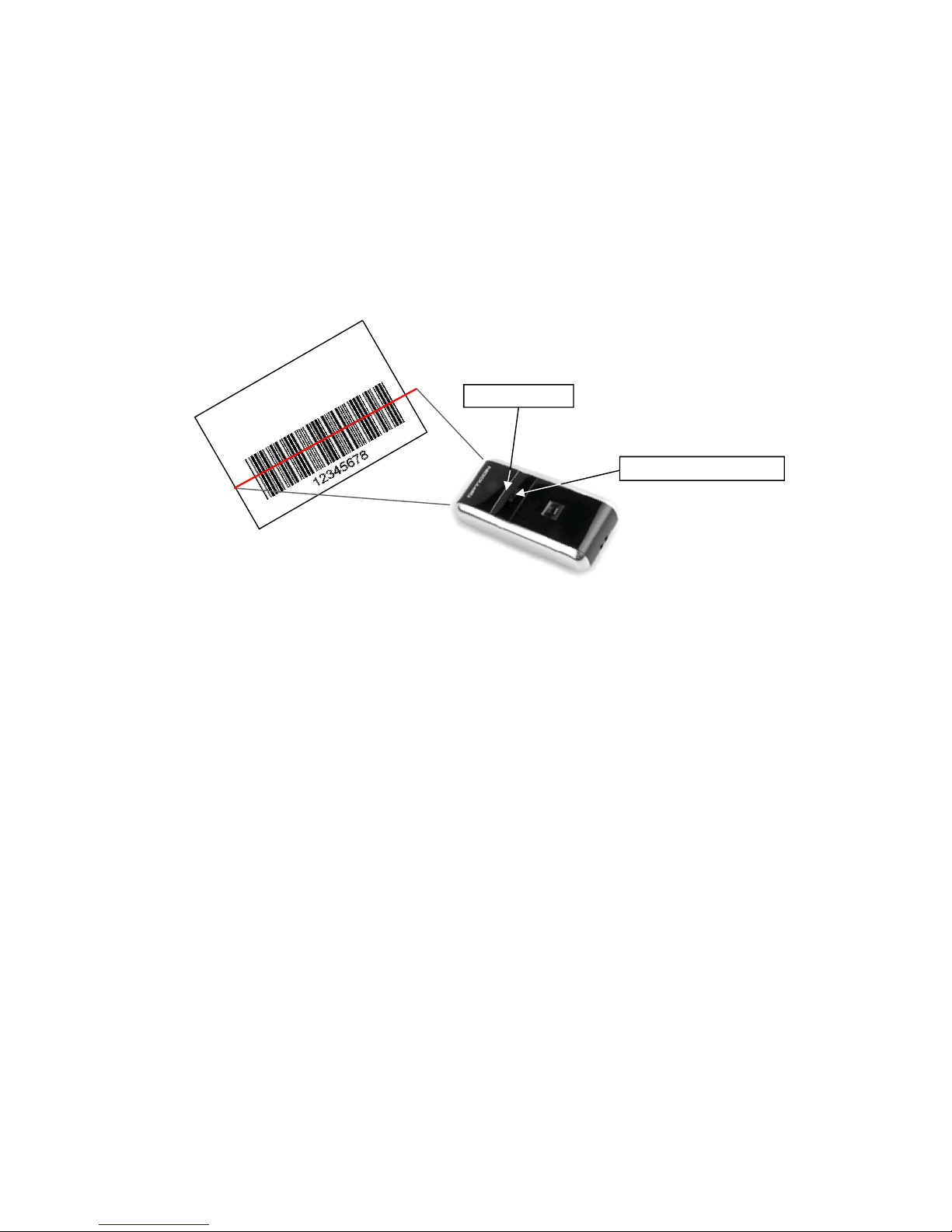
To scan barcodes simply activate the scan beam by pressing and holding the large
’trigger’ button on the top of the scanner. Now orient the scanner beam so that it
cuts across all the bars in the code. Whilst the scan beam is active the scanner LED
will flash Green.
The scanner will automatically turn off and an audible good read bleep emitted on
successful decode of a barcode. The Trigger button may now be released.
Note that the scan beam will automatically turn off if a barcode has not been
successfully decoded approx. 3 seconds after the trigger has been pressed. If this
happens simply re-trigger the scanner if required.
Scanner trigger button
The optimum reading distance for any specific barcode will depend on the size and
print density of that code, however the scanner has a wide depth of field either side
of the optimum reading distance making the OPN2001 very easy to use.
A few ‘practice scans’ is usually all that is required to familiarise oneself with the
device and to be able to read barcodes with ease.
3.1 USING THE OPN2001 WITH ERS-RACETIME
Depending on the type of event being timed the OPN2001 may be used in a number
of different ways as follows:
3.1.1 Mass Start Events
For this type of event the OPN2001 Athlete scanner will only be used to log the
finishing athletes. The Athlete scanner will be used as follows:
When using Finish position barcodes the scanner will be used to scan the
Athlete’s barcoded ID followed by the barcoded Finish Position card they were
handed as they finished the race. It is important that the Athlete ID is scanned first.
Each scan ‘pair’ will be matched together in the RaceTime system to provide a
transaction detailing which athlete finished in which position.
When not using finish position barcodes the scanner will be simply used to scan
the athlete IDs in the order in which they finished the race. In this case RaceTime
will allocate finish positions to the Athletes based on the order in which the athlete
IDs were scanned
Scanner LED
Page 5

Electronic Reading Systems Ltd. Tel: 01234 855300 Fax: 01234 855446 Web: www.ers-online.co.uk
3.1.2 Individual Start Events
For Individual Start events the OPN2001 Athlete scanner will be used both when the
athlete starts the race and on finishing.
For convenience we expect multiple Athlete Scanners to be used for this type of
event in order that different scanners may be dedicated for logging the starting and
finishing athletes.
When logging start data the scanner will simply be used to scan the Athlete ID
barcode as the athlete starts the race. Racetime will use the scanned time as the
athlete’s start time.
When logging finishing athletes the Athlete scanner will be used as follows:
If using Finish position barcodes the scanner will be used to scan the
Athlete’s barcoded ID followed by the barcoded Finish Position card they were
handed as they finished the race. It is important that the Athlete ID is scanned first.
Each scan ‘pair’ will be matched together in the RaceTime system to provide a
transaction detailing which athlete finished in which position.
When not using finish position barcodes the scanner will be simply used to scan
the athlete IDs in the order in which they finished the race. In this case RaceTime
will allocate finish positions to the Athletes based on the order in which the athlete
IDs were scanned
3.1.3 Group Start Events
For Group Start events the OPN2001 Athlete scanner will be used both when the
athlete starts the race and on finishing.
For convenience we expect multiple Athlete Scanners to be used for this type of
event in order that different scanners may be dedicated for logging the starting and
finishing athletes.
When logging start data the scanner will simply be used to scan a barcode representing the Group ID as each Group of athletes are started. Racetime will use the
scanned time as the start time for any athletes in the group.
When logging finishing athletes the Athlete scanner will be used as follows:
If using Finish position barcodes the scanner will be used to scan the
Athlete’s barcoded ID followed by the barcoded Finish Position card they were
handed as they finished the race. It is important that the Athlete ID is scanned first.
Each scan ‘pair’ will be matched together in the RaceTime system to provide a
transaction detailing which athlete finished in which position.
When not using finish position barcodes the scanner will be simply used to scan
the athlete IDs in the order in which they finished the race. In this case RaceTime
will allocate finish positions to the Athletes based on the order in which the athlete
IDs were scanned
Page 6

Electronic Reading Systems Ltd. Tel: 01234 855300 Fax: 01234 855446 Web: www.ers-online.co.uk
APPENDIX A GENERAL OPN2001 FUNCTIONS
A.1 LED & BUZZER INDICATORS
Charge Indicators.
The indications below are relevant when the OPN2001 is connected to a suitable
USB port or USB charger.
RED Continuous Battery is charging
GREEN Continuous Battery fully charged
RED/GREEN flashing Battery may be defective.
LED Indicators
These indications below relate to scanning or clearing data using the OPN2001
GREEN flashing Main trigger button pressed and laser is ON. The OPN2001
is ready to read a barcode
GREEN Continuous Barcode was successfully read and stored in memory
RED Continuous When Scanning - the barcode was read, but memory is full
so barcode has NOT been stored
When Clearing - The barcode was read but could not be
found in memory so it can NOT be deleted
ORANGE Flashing Recessed ‘clear’ button pressed and laser is ON. The
barcode scanned will be deleted from memory
ORANGE continuous Recessed clear button has been pressed for more than 6
seconds. All stored data will now be cleared
Buzzer Indicators
These indications relate to scanning or clearing data using the OPN2001
MEDIUM, HIGH, MEDIUM When scanning - Barcode has been added to memory
When clearing - All codes have been cleared
When toggling buzzer - The buzzer is toggled ON
When connected to PC - The OPN2001 is connected to the
PC and the connect (or disconnect) command has been
received.
MEDIUM, LOW, MEDIUM The OPN2001 has been disconnected from the PC but the
application did not disconnect from the OPN2001
2 X LOW, MEDIUM, LOW All parameters have been set to default and all stored data
has been cleared
LOW, MEDIUM When Clearing - The scanned barcode has been deleted
from memory
Long LOW When clearing - The barcode was not found in memory so it
has not been deleted
HIGH, LOW When scanning - The memory is full so the scanned
barcode has not been stored
Page 7
Electronic Reading Systems Ltd. Tel: 01234 855300 Fax: 01234 855446 Web: www.ers-online.co.uk
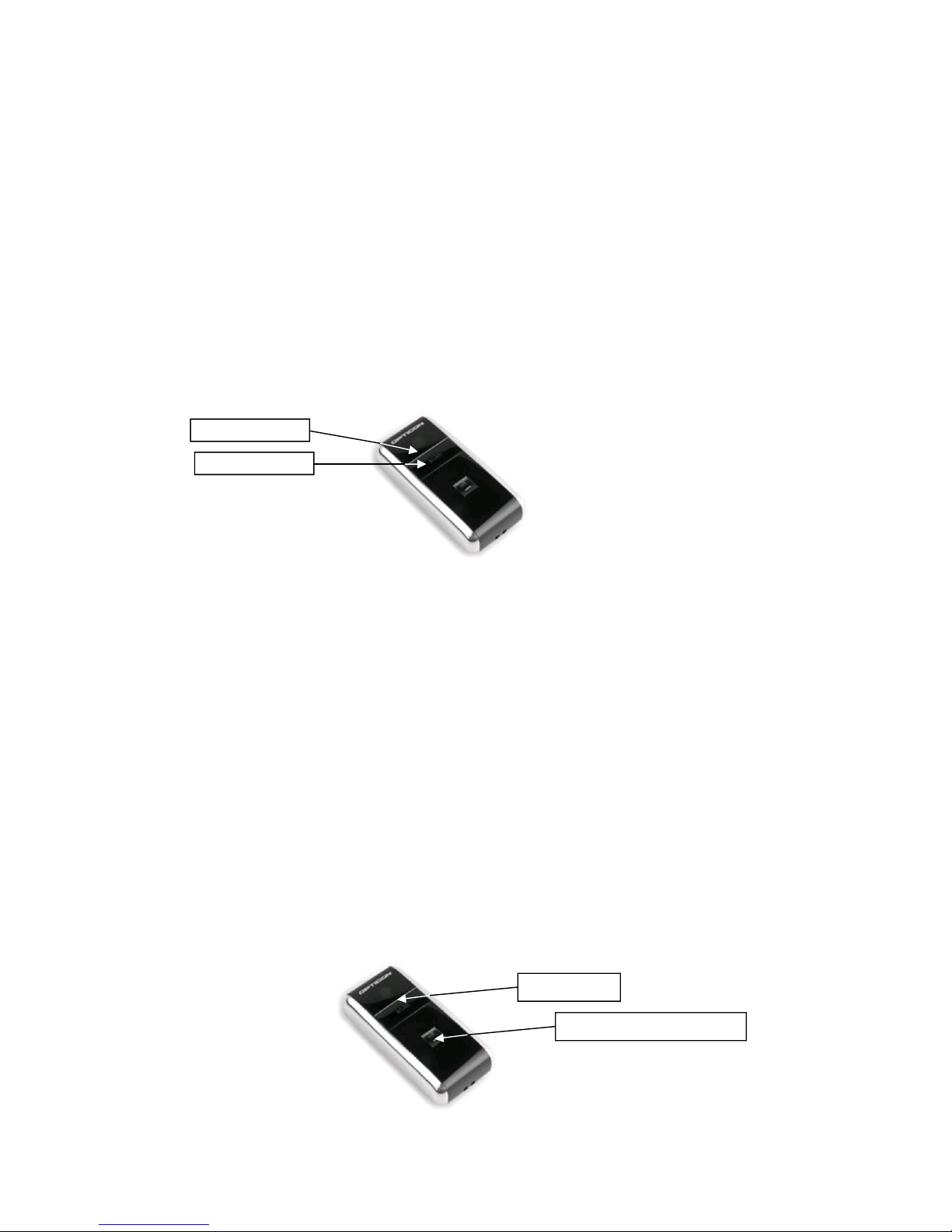
1. To disable the ‘good read’ bleep press and hold the Scanner trigger button for
approx. 10 seconds. During this period the LED will flash GREEN (approx. 7
times) then flash RED (approx. 15 times) and will then turn off.
The Good Read Bleep is now disabled.
2. To re-enable the good read bleep repeat the above progress
A.2 ENABLING/ DISABLING THE GOOD READ BEEP
The Good read bleep may be enabled or disabled using the scanner trigger button
as summarised below.
We do not recommend disabling the Good Read Beep
The ability to enable/ disable the beep delete feature is enabled as a factory default,
however may be disabled with the OPN Utility program available from our website.
Trigger Button
Scanner LED
A.3 DELETING A STORED BARCODE
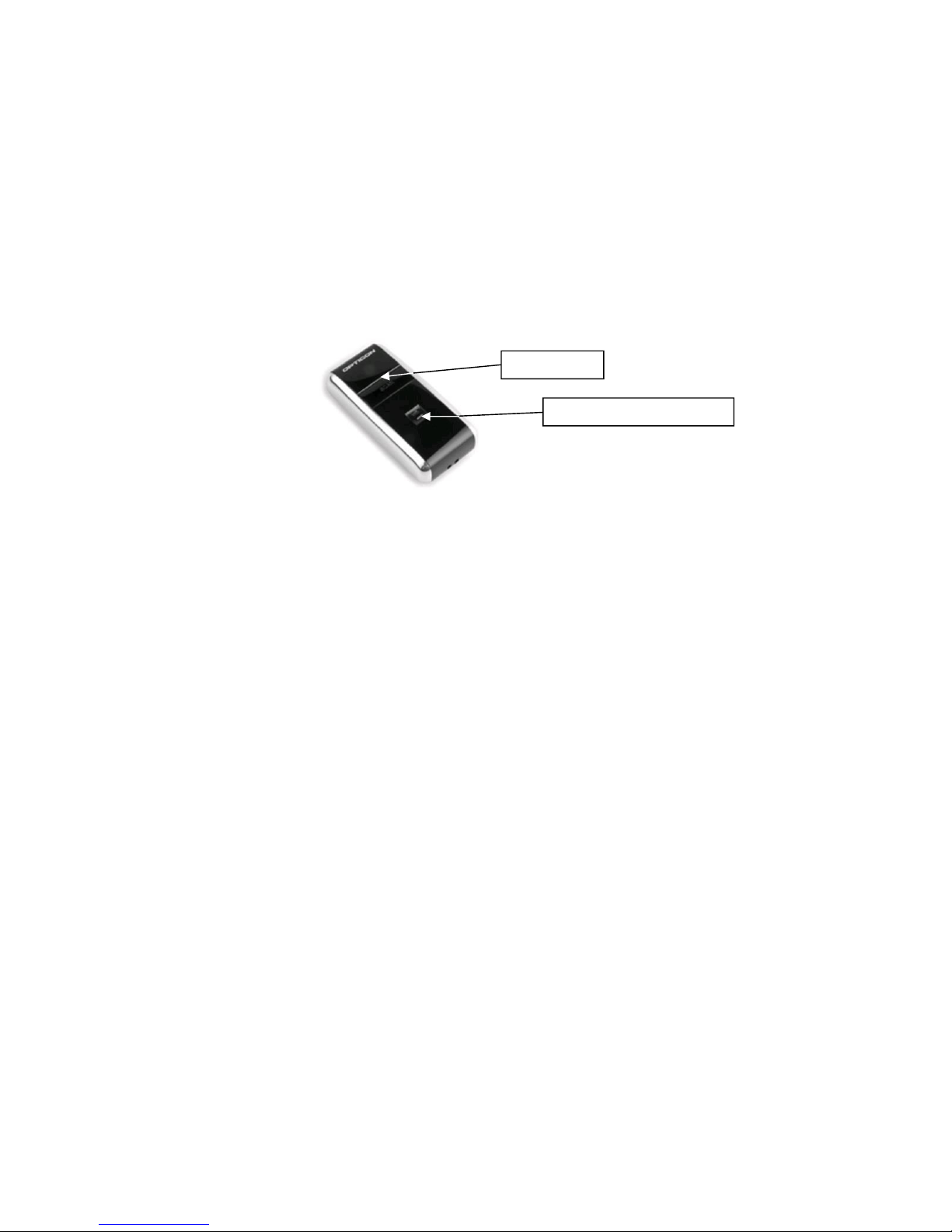
Stored barcodes may be removed from the OPN2001 memory by using the
recessed ‘delete’ button to trigger the scan beam and then re-scanning the barcode
to be deleted. An audible bleep confirm the removal of the barcode from the
terminal’s memory.
Note that when the scan beam is triggered via the delete button the Scanner LED will flash red to
distinguish from ‘normal’ scan mode.
The delete facility always operates on the last (most recently stored) barcode in
memory and may be used repeatedly if required to remove multiple barcodes from
the terminal. Thus 3 barcodes scanned into the terminal in the order A then B then
C, would be deleted in reverse order (ie: C then B then A).
Note that the terminal will issue a single long audible bleep if either the barcode scanned using the
delete button does not match the most recent barcode in memory, or if the terminals memory is
empty. In either case no barcode will be deleted.
The delete feature is enabled as a factory default, however may be disabled with the
ERS OPN Utility program available from our website.
Recessed Trigger button
Scanner LED
Page 8
Recessed Trigger button
A.4 CLEARING THE OPN2001 MEMORY
When downloading the OPN2001 into the ERS-RaceTime system the software will
automatically clear the OPN2001 of stored athlete data after a successful download.
If required however the OPN2001 memory may be ‘manually’ cleared of all stored
barcodes by pressing and holding the recessed ‘delete’ button for approx 6 - 8 seconds until an audible bleep is emitted. During this time the Scanner LED will flash
Red (approx 15 times) and will then flash green before turning off.
The delete feature is enabled as a factory default, however may be disabled with the
ERS OPN Utility program available from our website.
Scanner LED
A.5 RESETTING THE OPN2001
The OPN2001 may be cleared of al stored data and all variables may be set to
factory defaults by pressing and holding both the Main Trigger Button and recessed
‘clear data’ button for approx. 10 seconds.
A.6 INITIALISING AND SYNCHRONISING THE OPN2001 IN RACETIME
When using RaceTime it is important that all scanner and timer devices are time
synchronised and cleared before starting any new event.
An initialise facility is included in the RaceTime system software. See relevant User
Guide for further details.
To ensure the data collector’s internal clock is synchronised to the correct local time
we recommend synchronising the OPN2001 scanner to RaceTime software in the
following circumstances:
•
On initial delivery
•
Before every event
•
In the event that the OPN2001 batteries become fully drained
•
After adhoc time changes (eg: BST/ daylight saving time in UK etc)
Electronic Reading Systems Ltd. Tel: 01234 855300 Fax: 01234 855446 Web: www.ers-online.co.uk
 Loading...