

Page 1

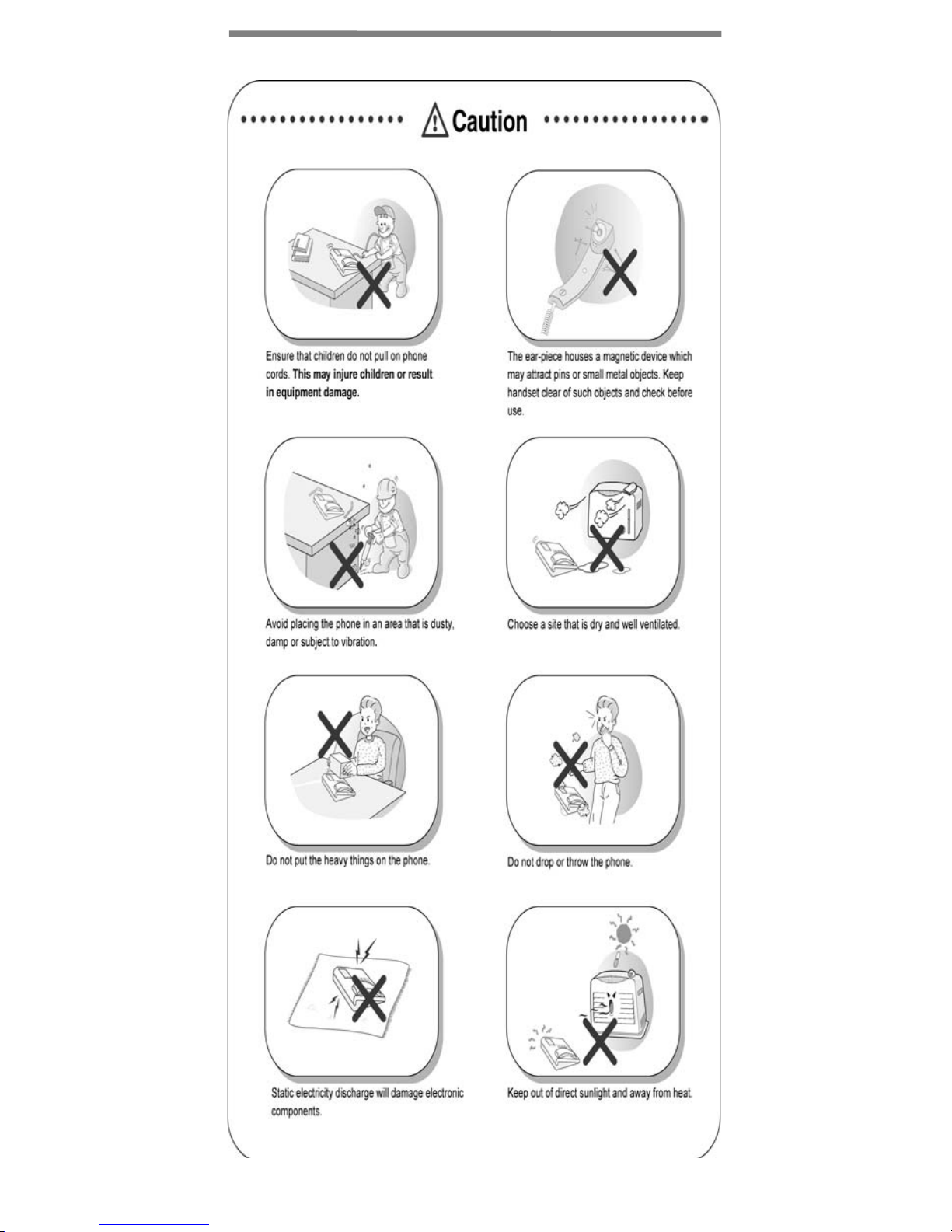
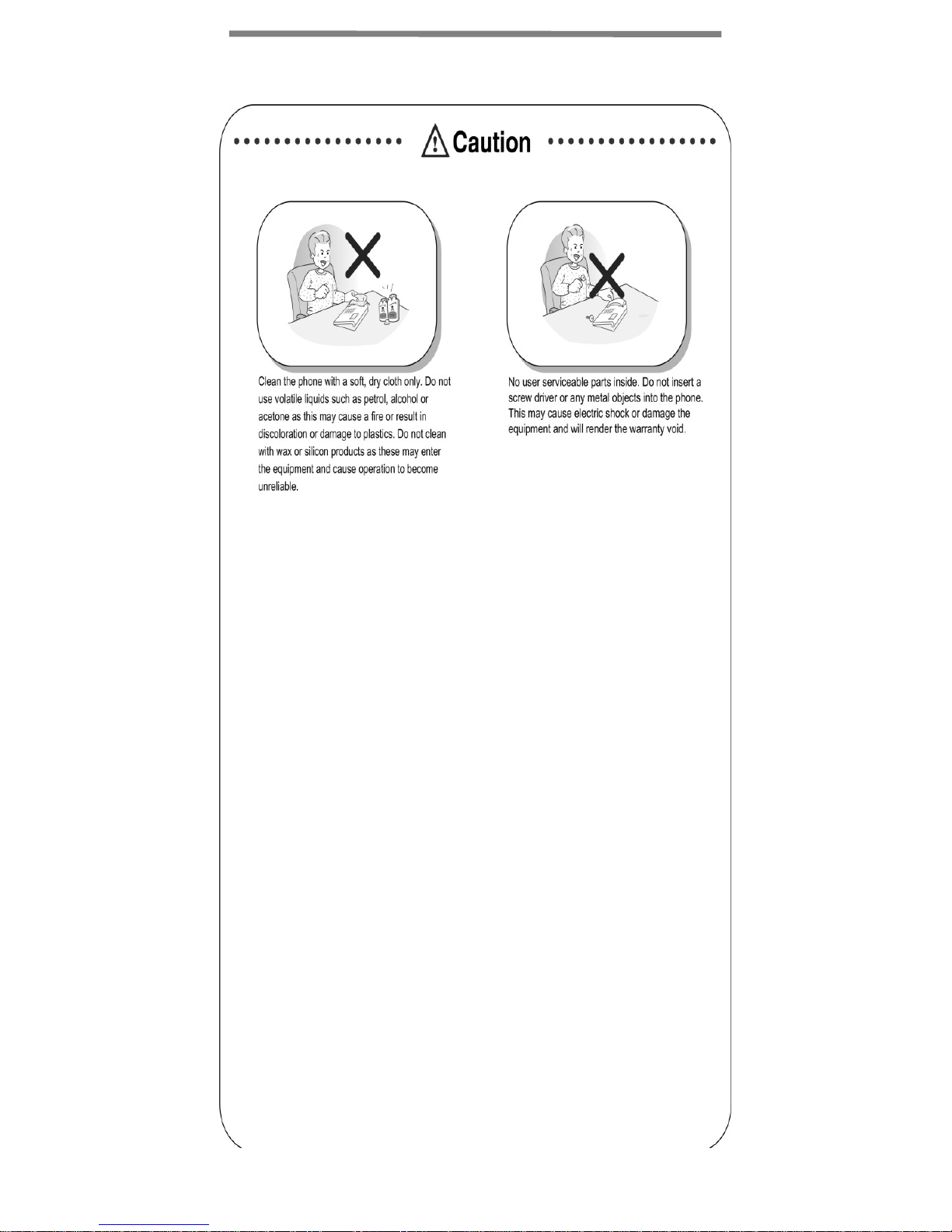
Important Safety Information
Page 2
Important Safety Information
Page 3
Important Safety Information
Page 4
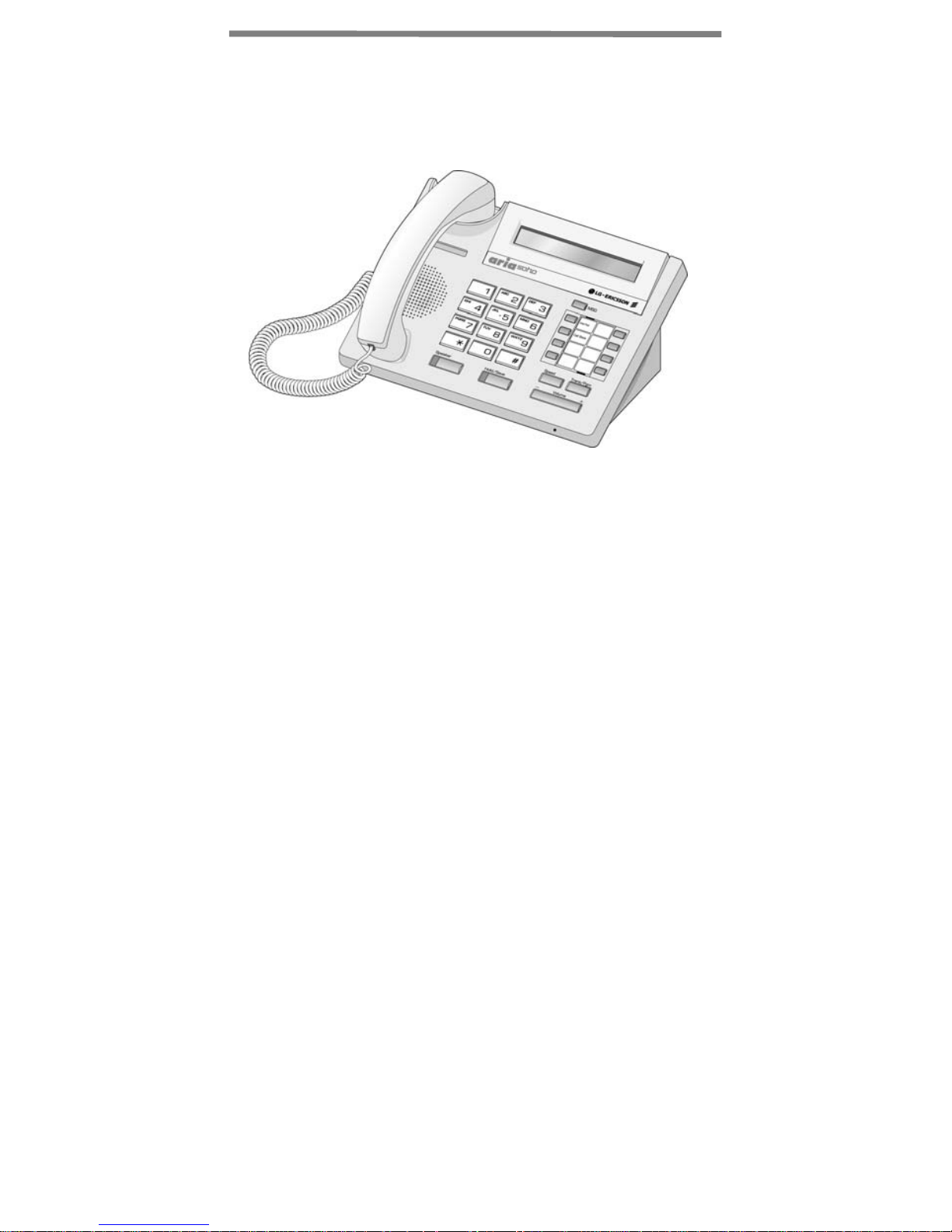
LDP-7208D Model
LDP-7208D is an advanced, user-friendly digital keyset,
offering the convenience of flexible and pre-programmed
buttons for quick access to commonly used functions.
• Features
- Trendy and stylish LDP Family product design
- LCD interface
- Easy to use features
- Wall mountable (bracket not included - optional)
1
Page 5
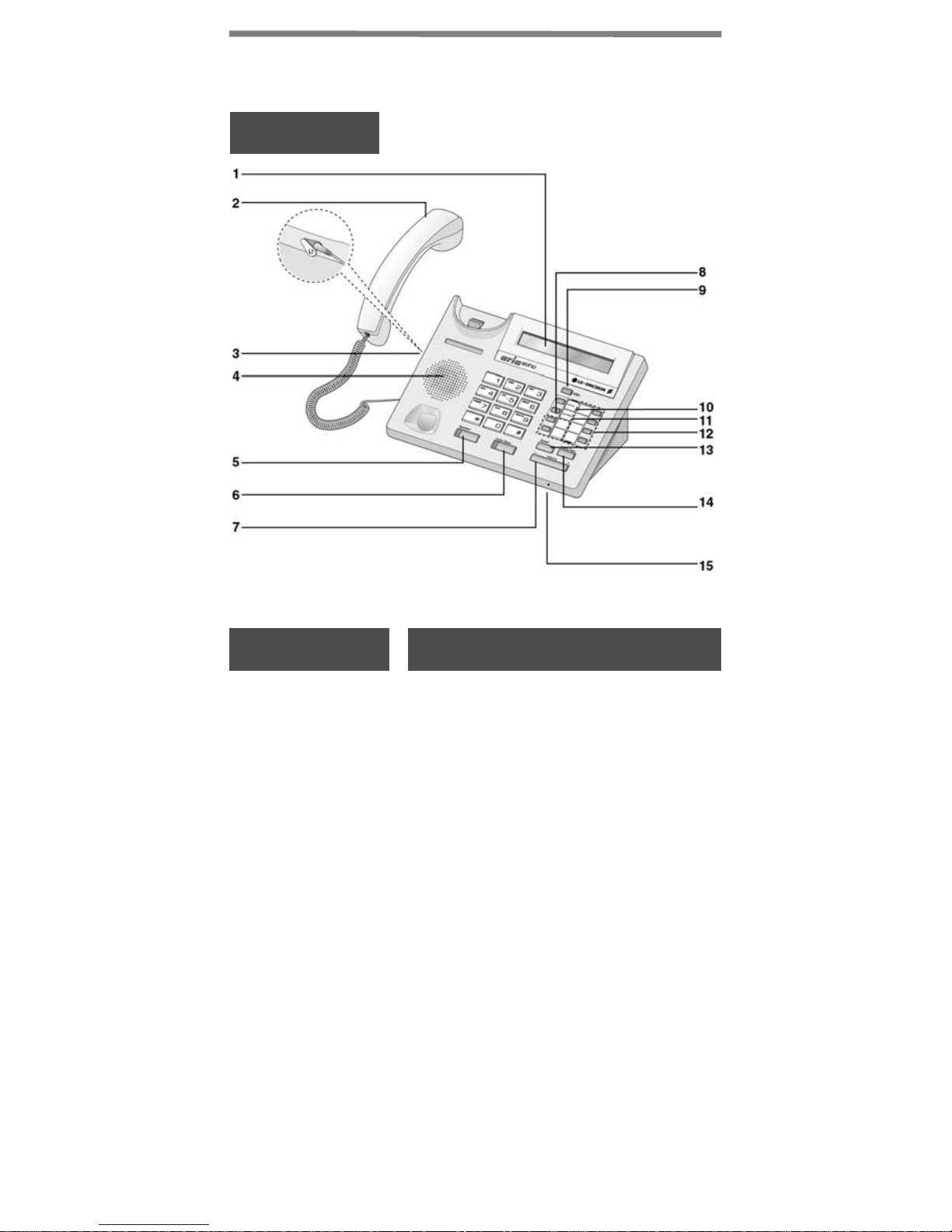
Input/Output Devices and Button
Description
LDP-7208D
Item Description
1 LCD Display
2 Handset
3 Headphone
Socket
(Ear/Mic)
4 Speaker
5 Speaker
Button
Shows incoming caller info.,
status, and menus.
Transmits outgoing and
incoming sound.
Install an optional earphone
for hands-free conversation.
Outputs tones and voice.
Toggles speaker-phone
status; red LED is illuminated
when the speakerphone is ON.
2
Page 6

Input/Output Devices and Button
Description
Item Description
6 Hold/Save
Button
7 Volume
8 Loop
9 MSG LED
10 DND/Fwd
Button
11 Call Back
Places a call on hold or saves
programming information.
Adjusts audio to desired level.
Receive calls where no CO
Line appearance is available.
Illuminates if MSG is waiting.
Blocks all incoming calls; red
LED is illuminated when ON.
Forwards calls (ex., to another
station or voicemail); the red
LED flashes when active.
When calling a busy station to
request a return call when idle.
12 Flex
13 Speed
15 TRANS/
PGM
16 Handsfree
Program features to a button.
Speed dial and program, and
saved number redial access.
Used to initiate a call transfer
(TRS) or to enter programming
mode (PGM).
Microphone for Handsfree
phone operation.
3
Page 7
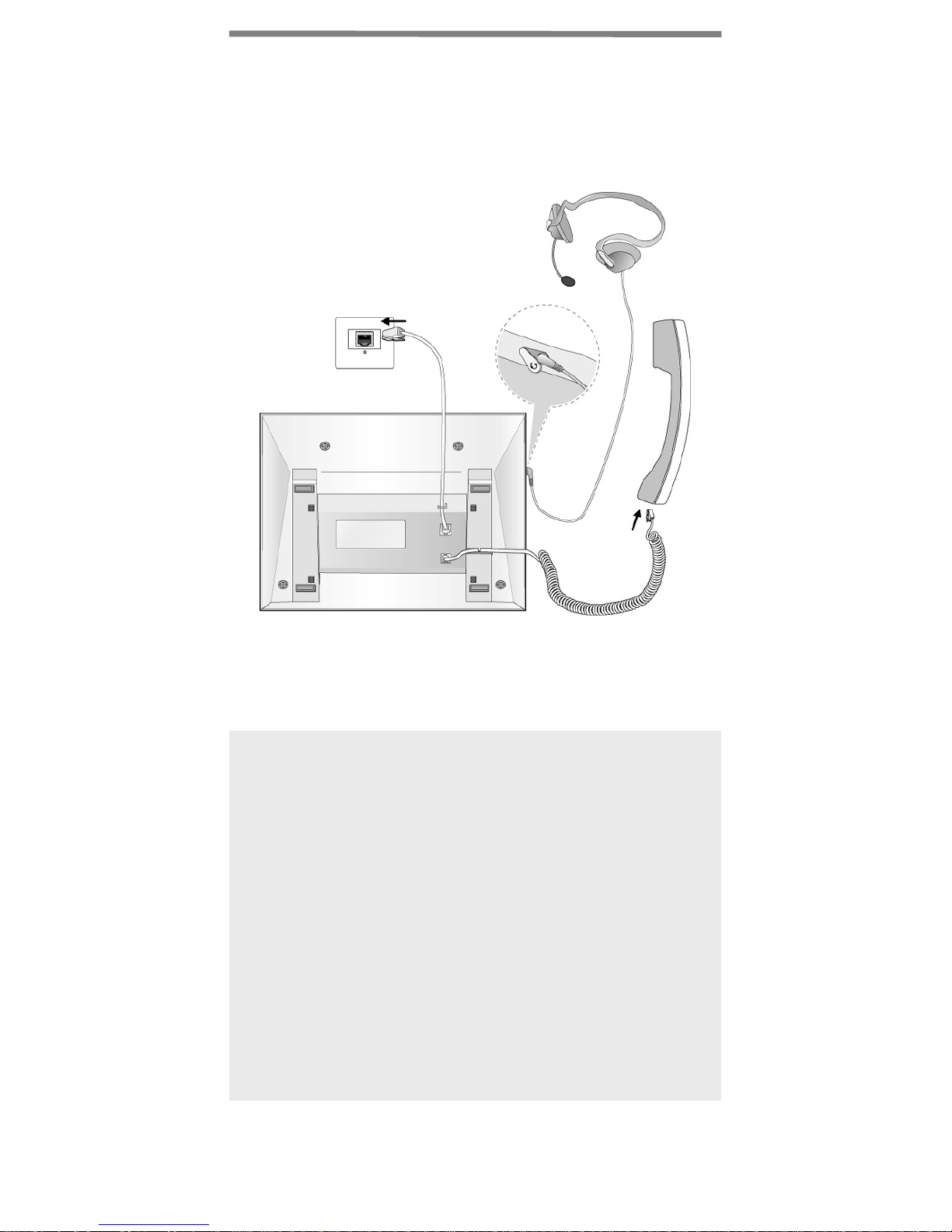
Cable Connection
The diagram (shown) depicts cable connections for
the LDP-7208D; connection points are described
below.
C
B
A
A Connect the telephone cord (spiral cord)
to the handset and the other end to
the handset jack at the bottom of the
telephone.
B Connect the line cable to the port at the
bottom of telephone and the other end
to the wall socket.
C Connect the Headphone to the headphone
jack on the left side of the telephone
(when viewed from the front).
5
Page 8

Basic Function
Placing an Outside Call
●
Lift handset or press the Speaker button (also may dial
without pressing Speaker or lifting handset).
●
Dial 9 on keypad.
●
Dial the desired number.
Placing an Intercom Call
●
Lift handset or press the Speaker button (also may dial without
pressing Speaker or lifting handset).
●
Dial the station number using the keypad.
Placing an Outside Call on Hold
●
While connected to an external call, press the [HOLD] button.
Retrieving a Outside Call on Hold
●
Press the flashing flexible button.
※ NOTE: calls will automatically recall after the pre-set time.
Answering a Waiting Call
●
Press the flashing CO button.
Camp-on at a Busy Station
●
After receiving a busy tone when calling a Station, press
the*key; the Camp-on tone is heard at the called station.
●
When the called party answers, complete call as initiated.
Call Transfer
●
Press [TRANS/PGM] button and dial the appropriate
Station to transfer the call to.
●
When the called party answers, talk, or hang up to
complete transferred call to the called party.
6
Page 9

Basic Function
Last Number Redial
●
Lift handset, or press the Speaker button (also may dial without
pressing Speaker or lifting handset).
●
Dial 5 5 2 or press the speed button + dial ‘*’+ Hold/Save
button.
Storing Station Speed Dial Numbers
●
Press the [TRANS/PGM] and [SPEED] Buttons.
●
Dial speed bin number (range=000-099).
●
Enter the desired speed dial number to store.
●
Press the [HOLD/SAVE] button.
●
Enter the name associated to the number (refer to
Character Entry chart
●
Press the [HOLD/SAVE] button; a confirmation tone will
be heard.
).
Using Station Speed Dial Numbers
●
Press the [SPEED] button.
●
Dial the desired speed dial bin number.
Accessing an Incoming Call to Another
Station (Call Pick-up)
When you hear another phone ringing in your area:
●
Lift handset, or press the Speaker button (also may dial without
pressing Speaker or lifting handset).
●
Dial 7.
●
Dial the extension number of the ringing station; you will be
connected automatically to the caller.
Group Call Pick-up
When hearing an unattended phone ringing in your area:
●
Lift the handset.
●
Dial 5 6 6; the call will be connected automatically.
※ NOTE: you must be in the same pick-up group as the
ringing phone.
7
Page 10
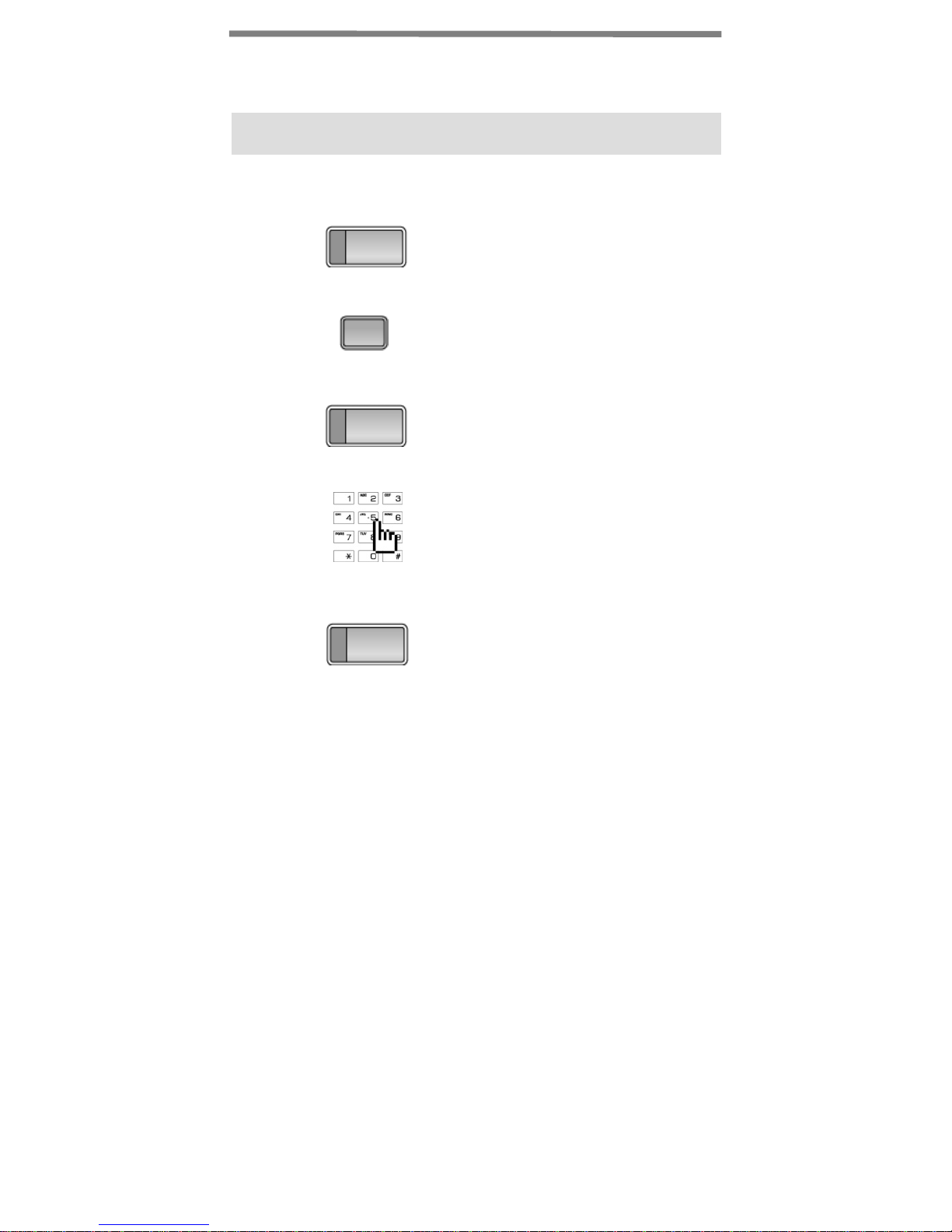
Code for Flexible Button Programming
Registering Flexible Buttons
Trans/Pgm
1
2
3
4
5
Press the [Trans/Pgm] butto n .
Press the desired [Flexible] button.
Trans/Pgm
Press the [Trans/Pgm] butto n .
Enter code number (refer to list
next page).
Hold/Save
Press the [Hold/Save] button .
8
Page 11

Code for Flexible Button Programming
Button Assignment for LDP- 7208D
Code
11 Differential Ring
12 Intercom Answer Mode (1HF, 2TONE, 3PV)
13 SMS Message Display
14 Enblock Mode
15 SMS/Notice Display
16 Scroll Speed
17 Ear/Mic Headset
18 ICM Bell
19 CO Bell
1# PTT Group
21 Station COS Down
22 Station COS Restore
23 Walking COS
24 COS Change
25 SMS INBOX
26 Delete All SMS Messages
31 Authorization Code Registration
32 Authorization Code Change
33 Registration Mobile Extension
34 Active Mobile Extension
35 Register Mobile Extension CLI
36 Active Mobile Hunt
37 MSG Wait Notice To Mobile Extension
41 Wake-up Time Registration (One-Time/Continuous)
42 Wake-up Time Cancel
43 Activate Conference Room
44 Deactivate Conference Room
451 Call Coverage Mode
452 Call Coverage Delay Ring Cycle
51 Pre-Selected MSG Activation
52 Set Custom Message
61 Record VMIB User Greeting
62 Play Time & Date
63 Play Station Number
64 Play Station Status
65 Record VMIB Page Message
66 Erase VMIB User Greeting
67 Erase VMIB Page Message
68 Outbound Notification Menu
69 Outbound Notify Number
Function
9
Page 12

Button Assignment for LDP- 7208D (cont.)
FunctionCode
60 E-Mail Notification
6* Record User Name
6# Erase User Name
71 LCD Display Mode (English/Domestic Language)
72 MPB Version Display
73 Background Music
74 Station User Name Registration
75 Headset/Speakerphone Mode
76 Headset Ring Mode
78 Serial No/SW Packages
79 PC – Phone Lock Key
** Hot Desk Logout
*0 Hot Desk Login
*1 Relocation Out
*2 Relocation IN
10
Page 13
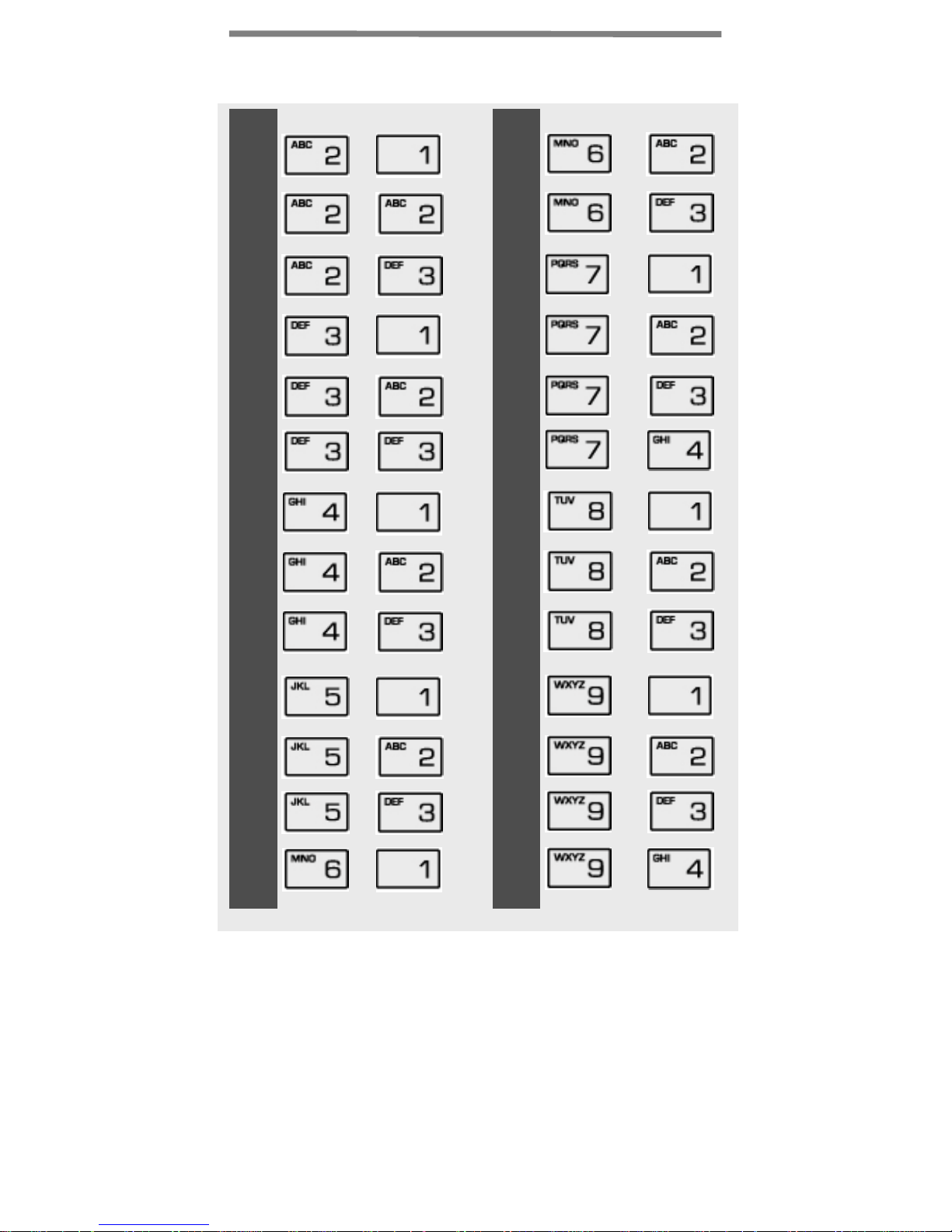
Entering characters
A
B
C
D
E
F
G
H
+
+
+
+
+
+
+
+
N
O
P
Q
R
S
T
U
+
+
+
+
+
+
+
+
J
K
L
M
I
+
+
+
+
+
V
W
X
Y
Z
+
+
+
+
+
11
 Loading...