

Page 1

Real-Time Monitoring Unit
Page 2
Your
machinery
condition.
Anytime,
Anywhere.
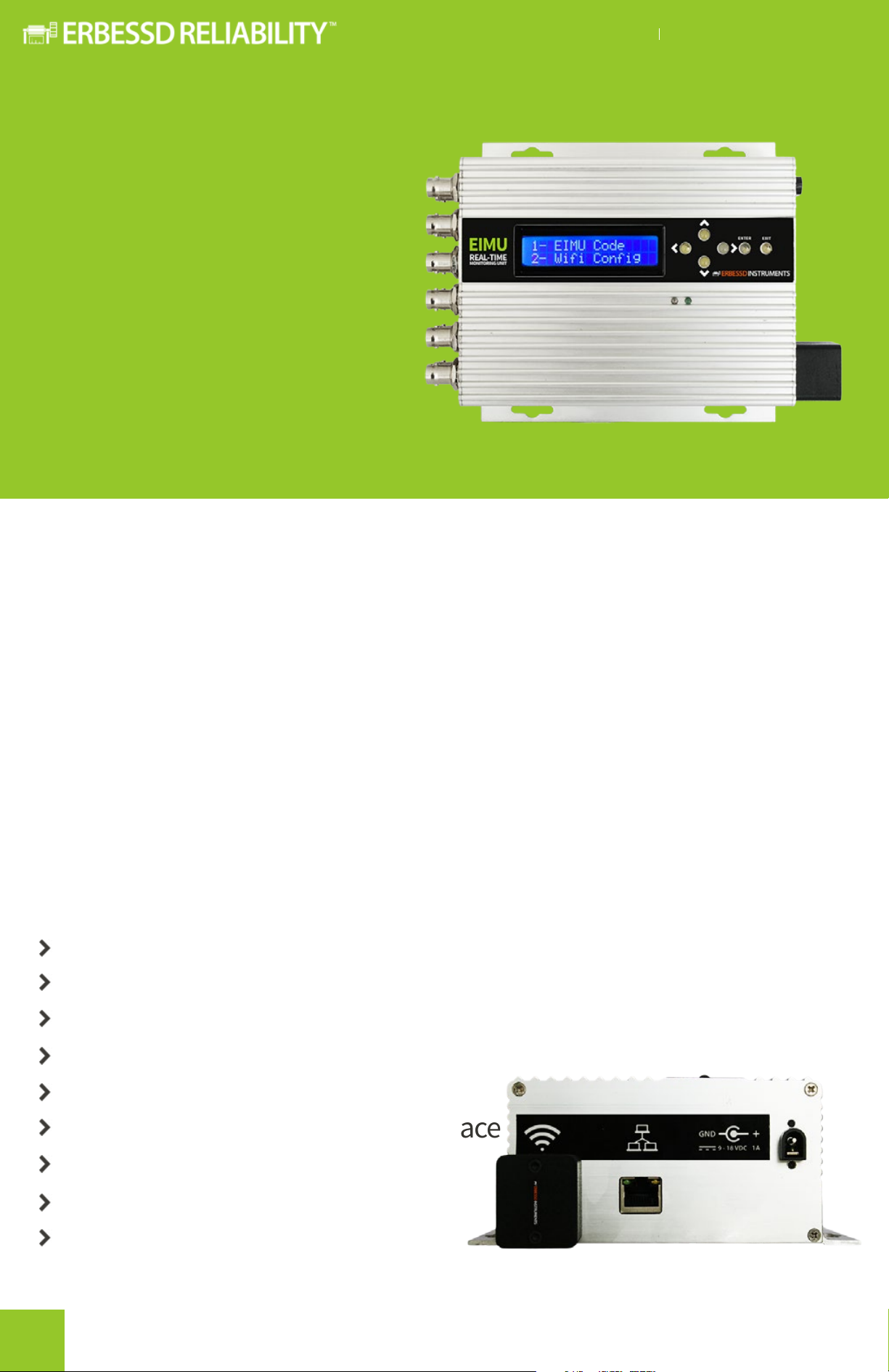
EIMU REAL-TIME MONITORING UNIT
Only for illustrative purposes.
Overview
EIMU is the easiest to deploy, modular, machinery condition
surviellance system available on the market. Now you can easily, and
cost eectively monitor all of your rotating assets from anywhere,
anytime...
With continuous monitoring you can minimize constant operator
monitoring. All data collected is sent continuously through WiFi or
intranet/internet to the DigivbeMX server, and this information can be
sent, and processed any time from anywhere in the world.
Features & Advantages
Low cost
Real time measurements
Remote analysis from anywhere* in the world
Ideal for diicult to access machines
Easy to install & compact design
Free soware with a friendly interface
Low energy consumption
Programmable alarms
Unbeatable training & support
2
Page 3
EIMU REAL-TIME MONITORING UNIT
Access to all
your data,
when need it.
How does it work?
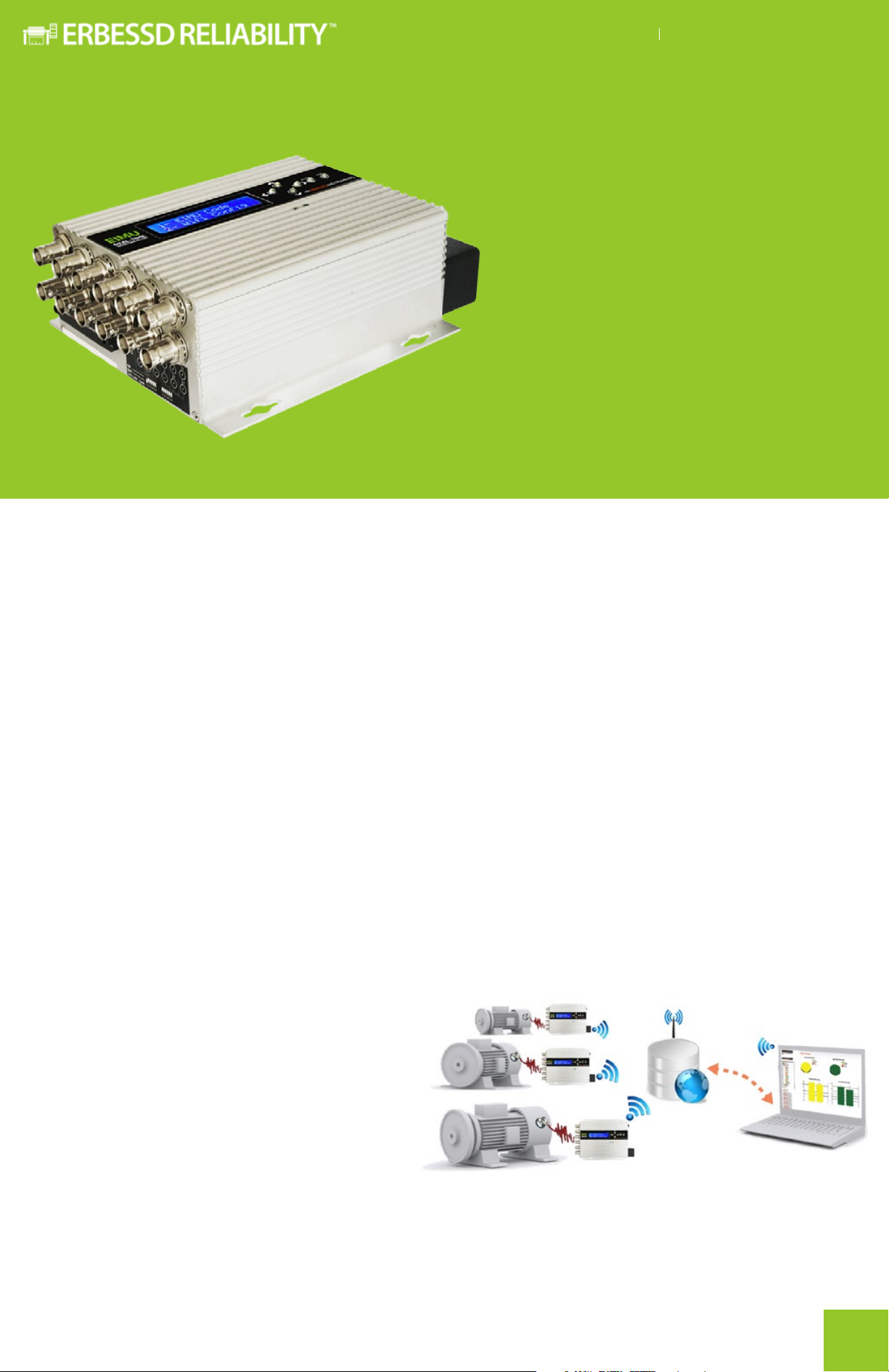
Each EIMU® records 2 simultaneous channels (of the 12 available) and
sends the information through the net (intranet or internet) to a server
where it’s stored. Once the data is saved, the EIMU switches to the next 2
channels and records them doing the same process until completing the
whole sequence.
The data stored in the server’s database is converted to the
DigivibeMX file format for analysis. At the same time this data can be
uploaded to a database on the net and can be analyzed in real time
from anywhere in the world through our website www.eianalytic.com.
Database
EIMU works with a MySQL
database and all data can be
exported to dierent types of
databases (SQL, MS Access, etc.)
to meet the needs of a website
or other type of server. Erbessd
Instruments has created a specific website called EI Analytic that allows
the user to remotely access this data and thus determine the condition
of the machinery in real time from anywhere in the World.
3
Page 4
EIMU REAL-TIME MONITORING UNIT
Remote, but not so far...
What do you need to use EIMU System?
When you purchase the EIMU System, you just install the soware on your
server computer (you can get help from manuals and our video tutorials).
The server computer should always be connected to a defined network
via a gateway router. The router should connect all EIMU’s together
wirelessly or through ethernet cable or through other routers connected
on the same network.
Easy to install, easy to use
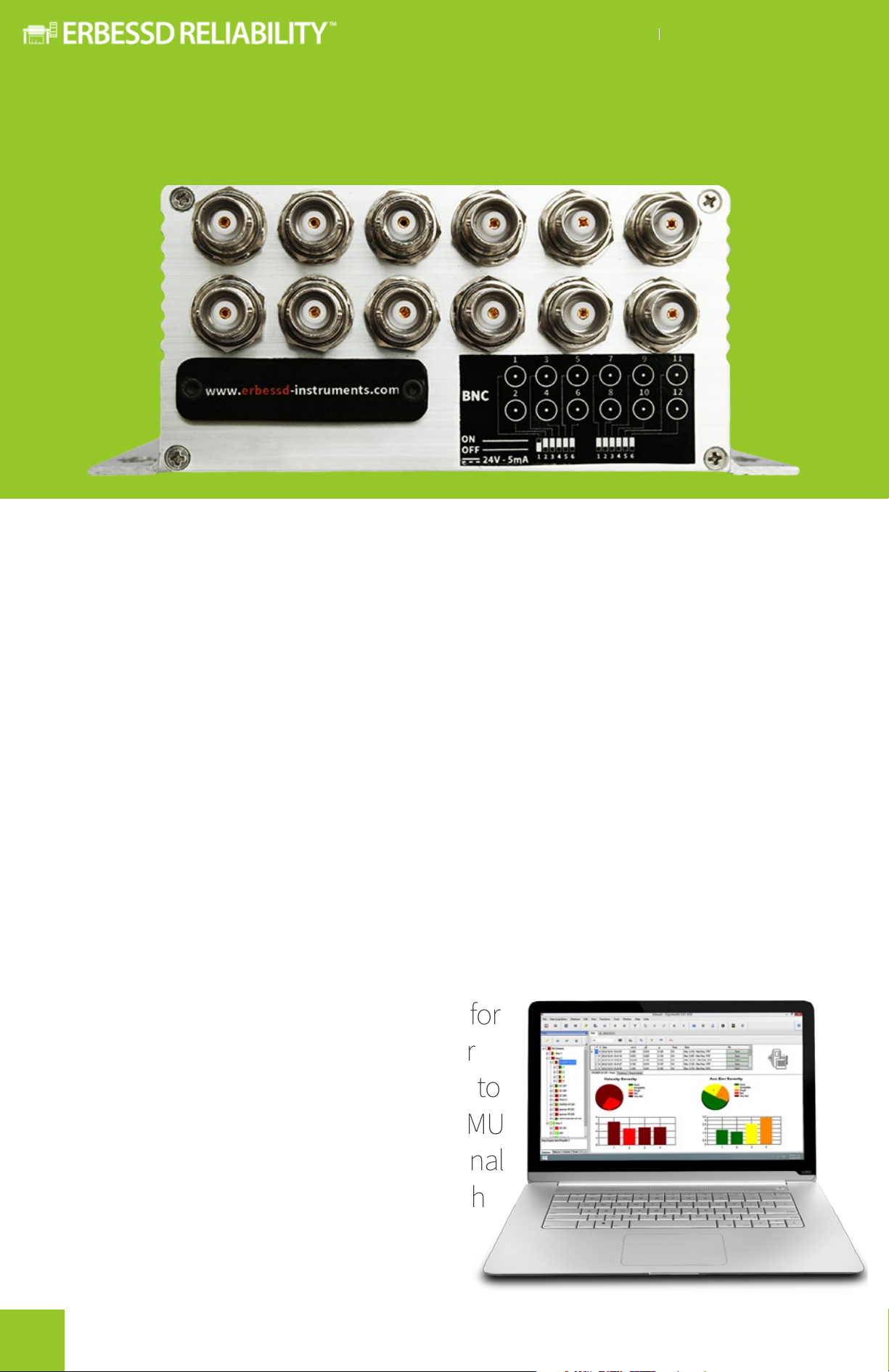
Just mount it on a surface close to the machine and install the
accelerometers on the machine where you want to monitor. Plug int the
network cable or the configure the WiFi connection to configure each EIMU®.
Many EIMUs can be added to the same
monitoring network. The soware for
Analysis and Monitoring is DigivibeMX for
EIMU. It has many features that allow you to
analyze the recorded signals from the EIMU
System. The data collected from a traditional
route in field can also be analyzed with
same soware keeping it
familiar to your technicians.
4
Page 5
EIMU REAL-TIME MONITORING UNIT
Functions
&Tools
It’s advanced
functions allow
you to make
informed
decisions
anytime...
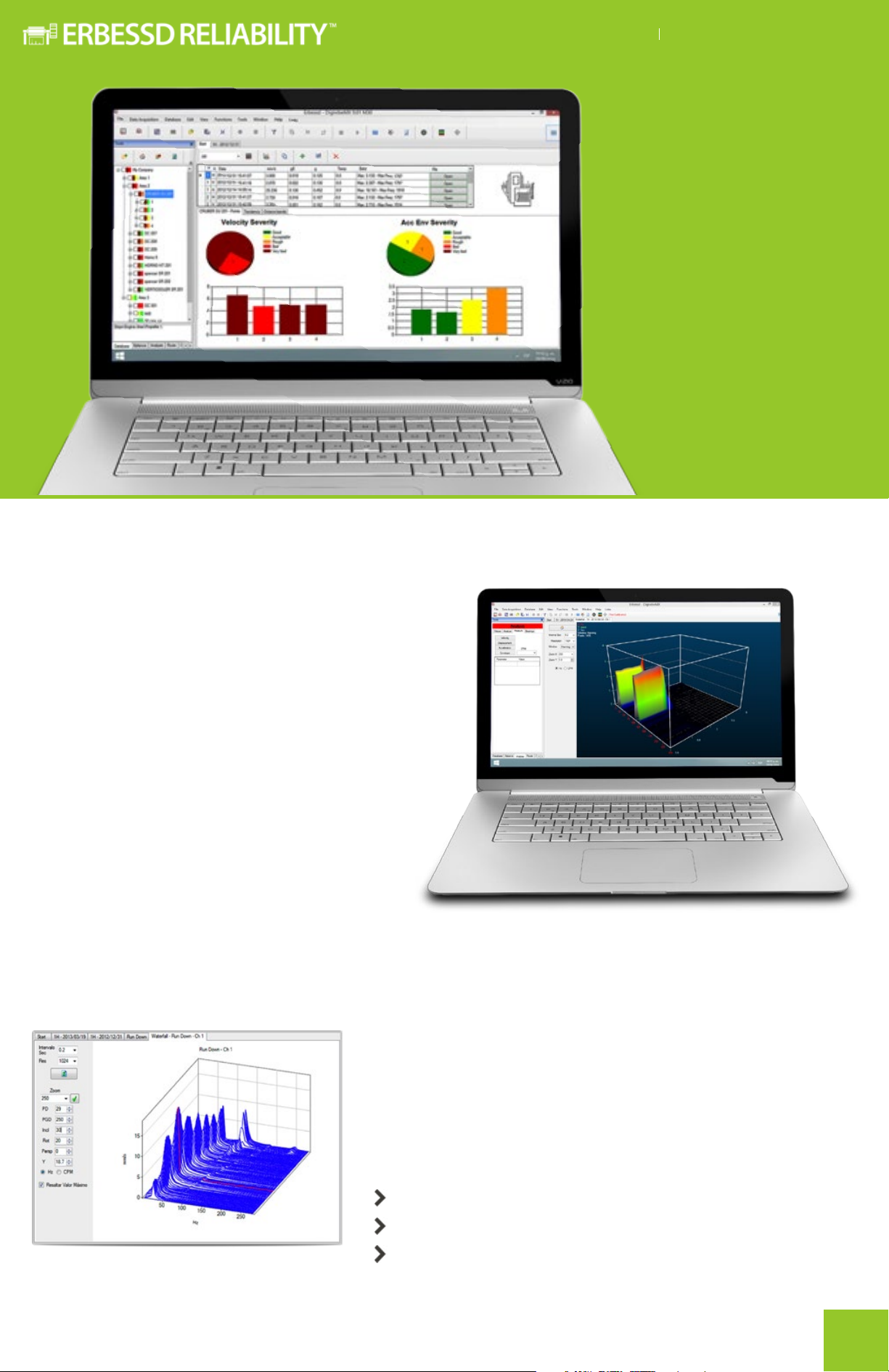
Real 3D Waterfall
A waterfall is a time-varying spectral
representation (forming a 3D plot) that
shows how the spectral density of a
signal varies in time. In DigivibeMX For
EIMU you can now enjoy the new Real
3D waterfall tool which can be easily
created and rotated when dragging
the mouse over the graph like in
common 3D soware.
anywhere...
FFT Spectra
Most spectral tools in DigivibeMX for EIMU are based
on the FFT algorithm, capable of measuring low
frequencies (1 Hz) up to 10 kHz. The accuracy of the
spectrum varies according to the needs, reaching
many million of resolution lines.
1 Million LOR
3D spectra
Onboard Analytics
5
Page 6
EIMU REAL-TIME MONITORING UNIT
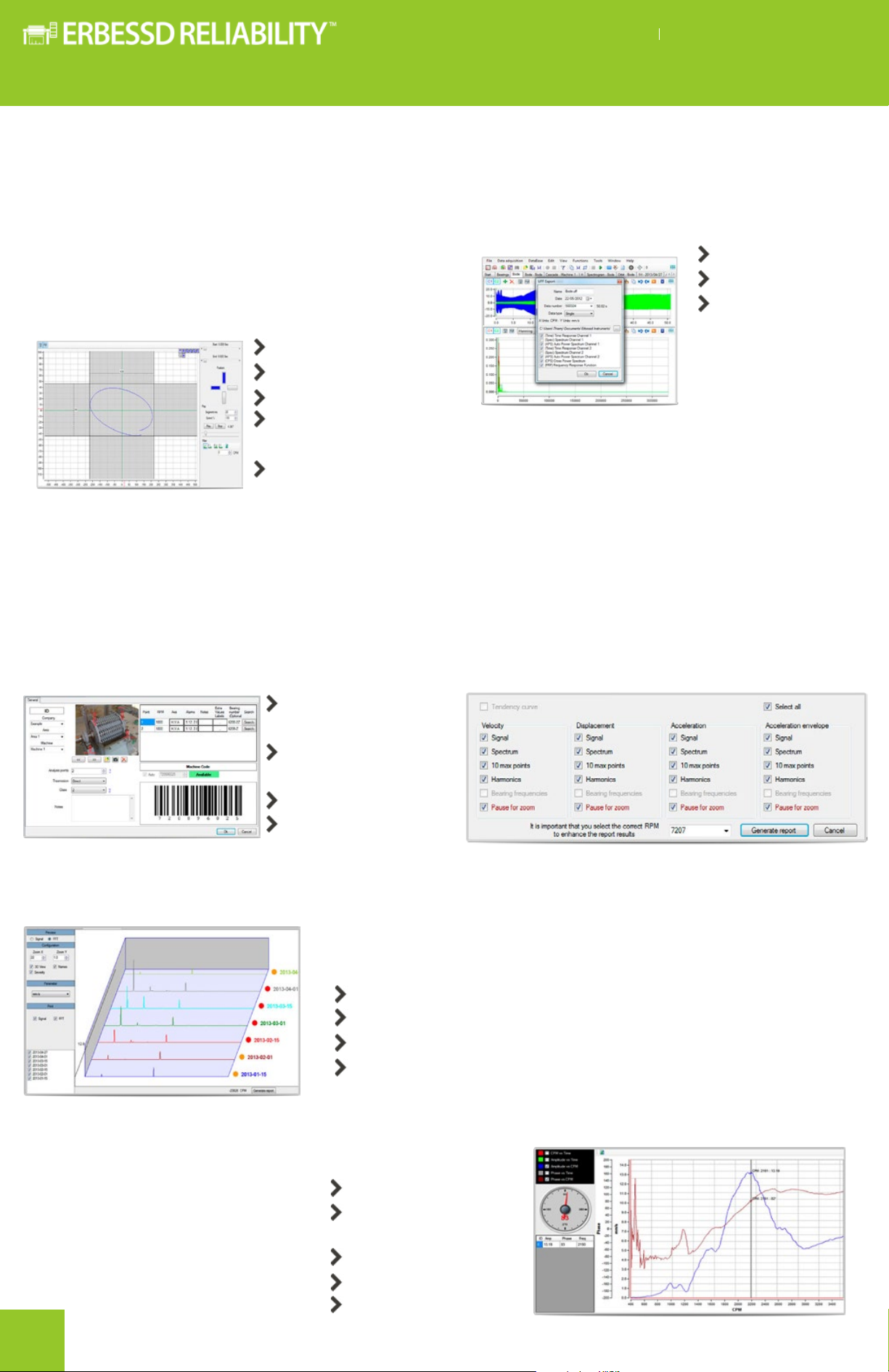
Dual Channel Functions Compatibility
Dual channel analysis has huge advantages, not
only because it saves time data collection, but
also because it allows you to obtain information
that could not be acquired with a single channel.
For example: Orbits, run down analysis to analyze
critical frequencies, crosschannel phase and more...
Orbit analysis
Cross Power
Spectrum
Frequency
Response Function
Coherence Function
Machinery Database
DigivibeMX for EIMU allows you to save all
your machines features in order to make route
analysis.
DigivibeMX for EIMU can export to 3 universal
formats: WAV (audio), ASCII and universal file
format UFF58.
ASCII files
UFF58 files
ANL BAL files
Bearings Database
& Automatic Reports
DigivibeMX for EIMU has an expandable database
with information about more than 20,000
bearings. Also, it’s able to generate automatic
reports in Microso Word format, this way it is
easy to add necessary information or remove
useless data.
Name, Area&
Company
Measurement
Points
Coupling joint
ISO Class
Predictive Analysis Tools
DigivibeMX for EIMU allows the user to perform predictive analysis
of any machine located in the Machines Database.
Machines database and routes
+ 20,000 bearings database with dimensions
Speed Interpretation and intelligent diagnostic tools
Cascade spectra
Advanced Analysis Functions
The advanced vibration analysis
features allow the diagnosis of
complex failures, relation between
points, vibration modes and
structure analysis.
6
Crest Factor
BODE Diagram
RPM vs Time
Amplitude vs Time
Bump Test
Page 7

ODS
Analysis is
now an easy
task
EIMU REAL-TIME MONITORING UNIT
Technical Information
Channels 12
Channels recorded simultaneously 2
Recording length 1-9 sec
Sample Rate 44100 Hz (covers all the accelerometer range from 0.4 Hz to 13 kHz)
Recording Cycle Times 30 sec- 24 hrs
Types of recording types Tendency (only numerical values) and Analysis (full signal)
Recoding Modes
Maximum number of recordings
Storage capacity
Data Transfer
Type of sensors
Axes
Powered sensors
(switch ON )
Non powered sensors
( switch OFF )
All necessary routes while the command list is not overflowed (a red flag
EIMU doesn’t store, the signals are sent integrally to the server once they
Dual channel (H-V, A-A): Orbits
Phase Analysis (reference point): ODS, Bode, Nyquist, Balancing
shows up in the server desktop when this situation occurs)
are recorded so they are available immediately.
It doesn’t transmit permanentely
TCP/IP
Wireless / Ethernet
Accelerometer
Velocimeter
Proximeter
Tachometer
Monoaxial (Default)
Triaxial (Optional)
18 - 30V
2 - 8mA
Analogic input: 0 - 3 VAC
Maximum cable length 100 m (Check sensor specs)
Electrical specs
Input: 117/230 V 50 ~ 60 Hz - 1A
Output: 9/18 VDC - 2A
7
Page 8

ervice & Support Engineer
S
1-877-223-4606 /+52 (55) 6280-7654 / 7592-2130
support@erbessd-instruments.com
support@erbessdreliability.com
Sales
info@erbessd-instruments.com
info@erbessdreliability.com
BUY ONLINE
www.erbessd-instruments.com
www.erbessdreliability.com/
ALL IMAGES ARE FO
ON THE VERSION AND/OR THE IMPROVEMENTS MADE TO THE DEVICES OR COMPONENTS
R ILLUSTRATIVE PURPOSES ONLY. THE FINAL PRODUCT MAY VARY DEPENDING
© 2017 ERBESSD RELIABILITY INSTRUMENTS
G-2017.0202.16
 Loading...