

Page 1
Please read this before operating your clock
0.6” LED ALARM CLOCK
Model 30226 ,30227,30228
Features
• Bright 0.6” LED display
• Beep Alarm
• Repeat 9 Minute snooze
• Requires one 9V battery for back-up
• AC 120V, 60 Hz, ETL approved
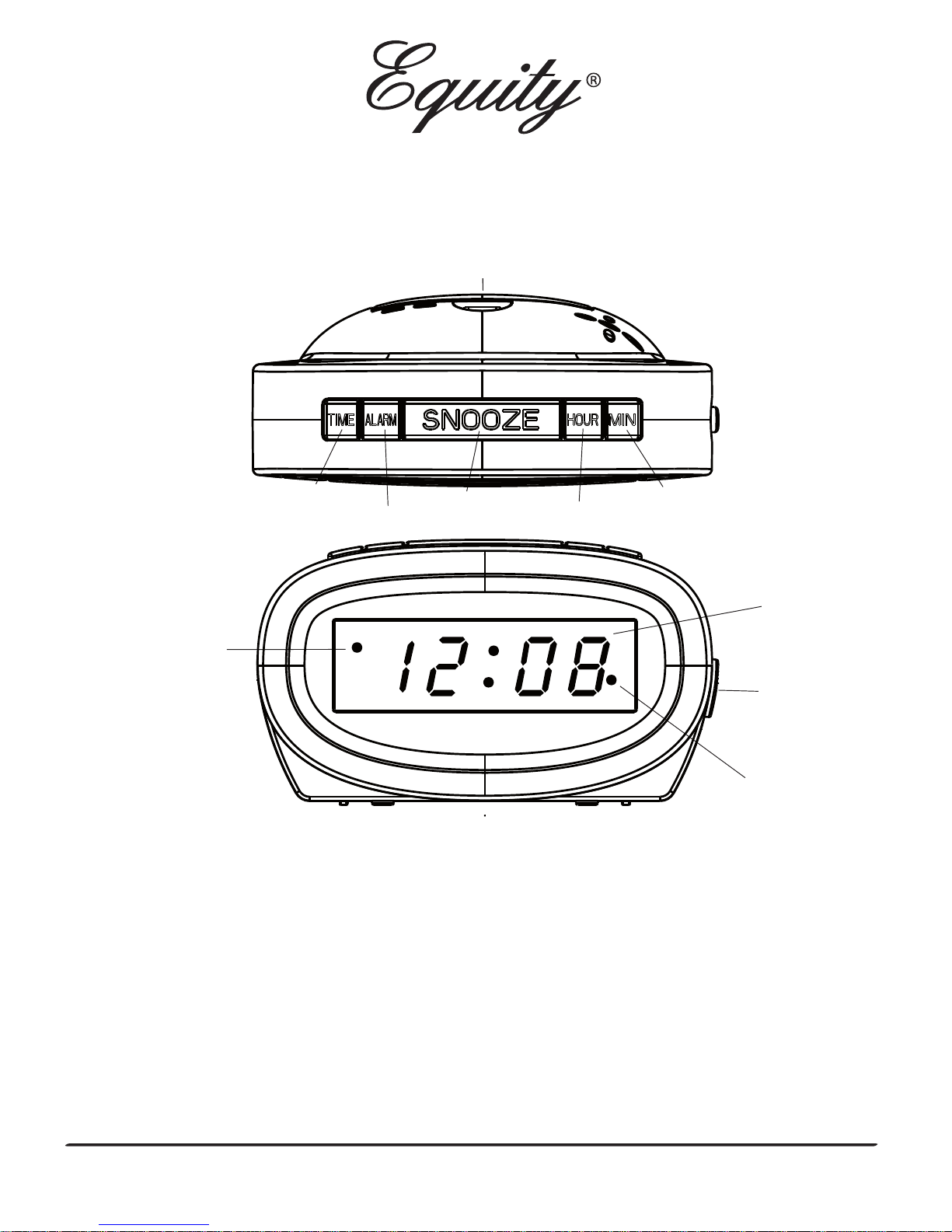
PM
Light
Indicator
Alarm
Light
Indicator
Time Display
HOUR Button
SNOOZE Button
Battery Door
ALARM ON/OFF Switch
MINUTE Button
TIME Button
ALARM Button
Power Supply
* Begin by plugging in the power cord into a standard household outlet.
The display will ash indicating the time is ready to be set.
Setting The Time
* Hold down the
TIME
button and then press
HOUR
button to set the correct hour
.
The PM indicator will light when the hour is advanced into the PM time.
* Hold down the
TIME
button and then press
MINUTE
button to set the correct minute.
* Release the
TIME
button when the correct time is shown on display.
www.equitybylacrosse.com/support
Page 2

Using The Snooze
* Press the SNOOZE button when the alarm sounds will stop the alarm and
the alarm will sound again in nine minutes.
* The snooze function can be repeated many times.
Battery Backup
* Insert one “9V” battery into the battery compartment at the back of the clock.
The battery will keep the alarm and time settings until the power is restored.
The LED display will not light-up but the alarm will sound at the preset alarm time.
If there is no battery installed but the power is interruped, once power is restored,
the display will ash at 12:00 and the time and alarm need to be set again.
Battery Warning
Clean the battery contacts and also those of the device prior to battery installation. Follow the polarity
(+) and (-) when inserting battery.
FCC INFORMATION:
NOTE: This equipment has been tested and found to comply with the limits for a Class B digital
device, pursuant to Part 15 of the FCC Rules. These limits are designed to provide reasonable
protection against harmful interference in a residential installation. This equipment generates,
uses and can radiate radio frequency energy and, if not installed and used in accordance with the
instructions, may cause harmful interference to radio communications. However, there
is no guarantee that interference will not occur in a particular installation. If this equipment
does cause harmful interference to radio or television reception, which can be determined
by turning the equipment off and on, the user is encouraged to try to correct the interference
by one or more of the following measures:
• Reorient or relocate the receiving antenna.
• Increase the separation between the equipment and the receiver.
• Connect the equipment into an outlet on a circuit different from that to which the receiver
is connected.
• Consult the dealer or an experienced radio/TV technician for help.
Caution: Changes or modifications not expressly approved by the party responsible for
compliance could void the user’s authority to operate the equipment.
Setting The Alarm
* Hold down the
ALARM
button and then press the
HOUR
button to set the correct hour
.
The PM indicator light will light when the hour is advanced into the PM time.
* Hold down the
ALARM
button and then press the
MINUTE
button to set the correct minute.
* Release the ALARM button when the correct alarm time is shown on the display.
.
* Slide the
ALARM ON/OFF
switch to the ON position.
The alarm indicator light will appear on the lower right side of the display.
* Slide the
ALARM ON/OFF
switch to the
OFF
position to deactivate the alarm .
Using The Alarm
The alarm indicator light will no longer be visible.
www.equitybylacrosse.com/support
Page 3

Warning: Changes or modications to this unit not expressly approved by the party responsible
for compliance could void the user's authority to operate the equipment
1. Read Instructions-All the safety and operating instructions should be read before the
appliance is operated.
2. Retain Instructions - The safety and operating instructions should be retained for future
reference.
3. Water and Moisture - The appliance should not be used near water - for example, near a
bathtub, washbowl, kitchen sink, laundry tub, in a wet basement, or near a swimming pool,
and the like.
4. Ventilation - The appliance should be situated so that its location or position does not interfere
with its proper ventilation, For example, the appliance should not be situated on a bed, sofa,
rug, or similar surface that may block the ventilation openings,or, place in a built-in
installation, such as a bookcase or cabinet that may impede the ow of air through the
ventilation openings.
5. Heat - The appliance should be situated away from heat sources such as radiators, heat
registers, stoves, or other appliances (including ampliers) that produce heat.
6. Power Sources-The appliance should be connected to a power supply only of the type
described in the operating instructions or as marked on the appliance.
7. Grounding or Polarization-The precaution should be taken so that the grounding or
polarization means of an appliance is not defeated.
8. Power-Cord Protection - Power supply cords should be routed so that they are not likely to be
walked on or pinched by items placed upon or against them, paying particular attention to
cords at plugs, convenience receptacles, and the point where they exit from the appliance.
9. Cleaning - The appliance should be cleaned only as recommended by the manufacturer.
10. Object and Liquid Entry - Care should be taken so that objects do not fall and liquids are not
spilled into the enclosure through openings.
11. Damage Requiring Service - The appliance should be serviced by qualied service personnel
when:
A. The power -supply cord or the plug has been damaged; or
B. Objects have fallen, or liquid has been spilled into the appliance; or
C. The appliance has been exposed to rain; or
D. The appliance does not appear to operate normally or exhibits a marked change in
performance; or
E. The appliance has been dropped, or the enclosure damaged.
12. Servicing - The user should not attempt to service the appliance beyond that described in the
operating instructions. All other servicing should be referred to qualied service. personnel.
Safety Instructions
Plesae help in preservation of the environment and return used batteries to an authorized depot.
Remove the battery from the clock if you do not intend to use for an extended period of time.
www.equitybylacrosse.com/support
Page 4
WARNING: TO REDUCE THE RISK OF FIRE OR ELECTRICAL SHOCK, DO NOT EXPOSE
THIS APPLIANCE TO RAIN OR MOISTURE.
Caution: To prevent electrical shock do not use this (polarized). plug with an
extension cord, receptacle, or other outlet unless the blades can be fully inserted
to prevent blade exposure.
Two Year Limited Warranty (U.S.A.)
Equity products are warranted for two years from the date of consumer purchase
against defects in material and workmanship. During this period such defects will be
repaired, or the product will be replaced at Equity’s option, without charge. This
warranty does not cover damage caused by misuse or negligence. ALL IMPLIED
WARRANTIES, INCLUDING BUT NOT LIMITED TO IMPLIED WARRANTIES OR FITNESS AND
MERCHANTABILITY, ARE LIMITED IN DURATION T0 A PERIOD ENDING TWO YEARS FROM
DATE OF PURCHASE . Some states do not allow limitations on how long an implied
warranty lasts so the above limitation may not apply to you. This warranty gives you
specific legal rights and you may also have other rights which vary from State to State.
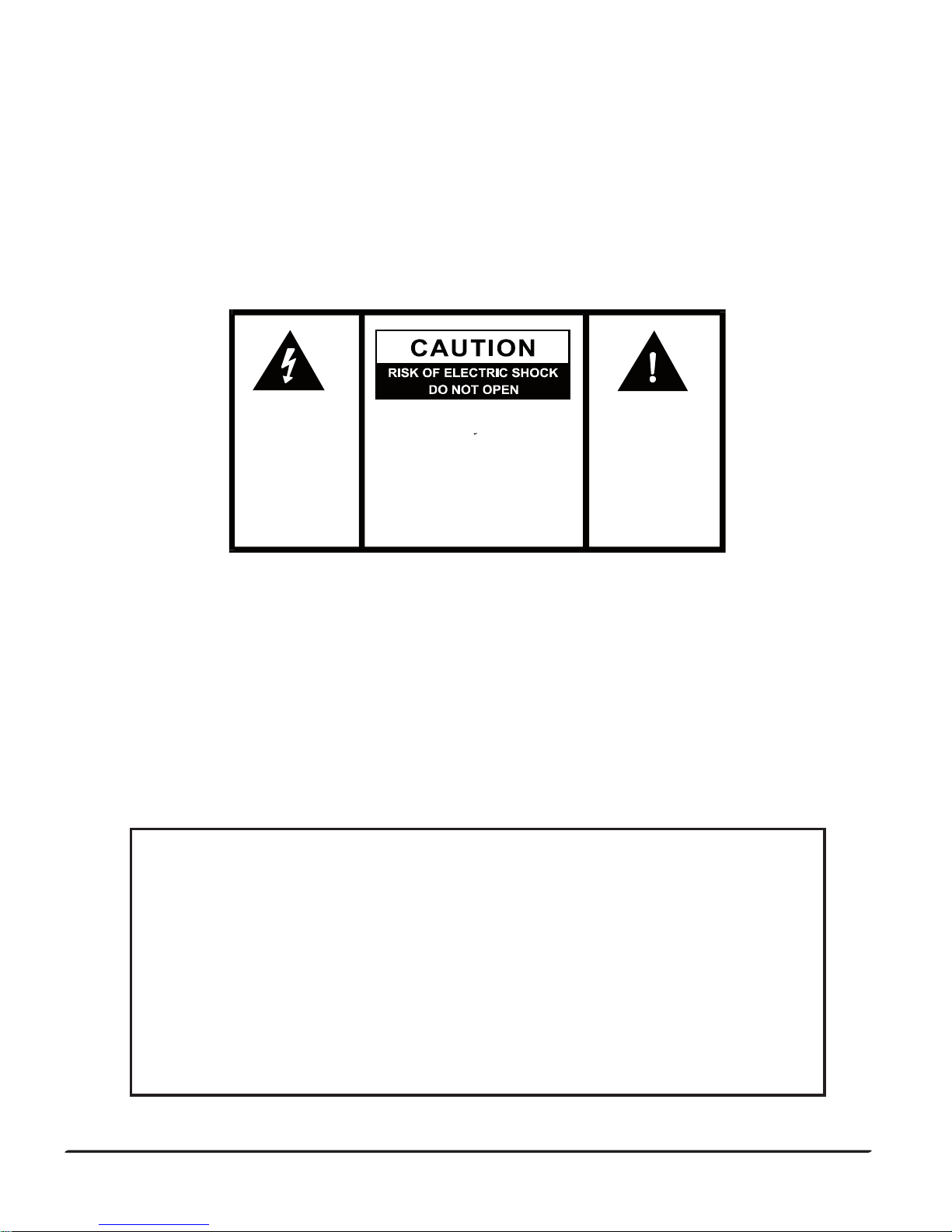
CA U T I O N : TO R EDUCE THE
RISK O F E L E C T R I C S H OC K ,
D O N O T RE M O V E C O VE R
( O N B A C K ) . N O U S E R S E R V I C E A B L E P A R T S
I N S I D E. RE F ER SE R VI CI N G
T O Q U A L I F I E D S E R V I C E
PERSONNEL.
Th e e x c l a ma t i o n
p o i nt wi th in t he
triangle is a warning
sign alerting you of
impor tan t instruc tions accompanying
the product.
The lightning flash
a n d ar r ow h e ad
wit hin the triang le
is a warni ng sign
a l er t in g y o u o f
"dangerousvoltage"
insi de the product.
If your product is not working properly, please send:
- the product
- a letter explaining the problem
- and $5.00 for postage and handling to :
Printed in ChinaMade in China
ATTENTION : POUR PRÉVENIR LES CHOCS ÉLECTRIQUES NE
PAS UTILISER CETTE FICHE POLARISÉE AVEC UN
PROLONGATEUR, UNE PRISE DE COURANT, OU UNE AUTRE
SORTIE DE COURANT SAUF SI LES LAMES PEUVENT ETRE
INSÉRÉES À FOND SANS EN LAISSER AUCUNE PARTIE À
DÉCOUNVERT.
Equity by La Crosse
Warranty Department
2830 26th St. S.
La Crosse, WI 54601
www.equitybylacrosse.com/support
 Loading...