

Page 1
Manual
www.equip-info.net
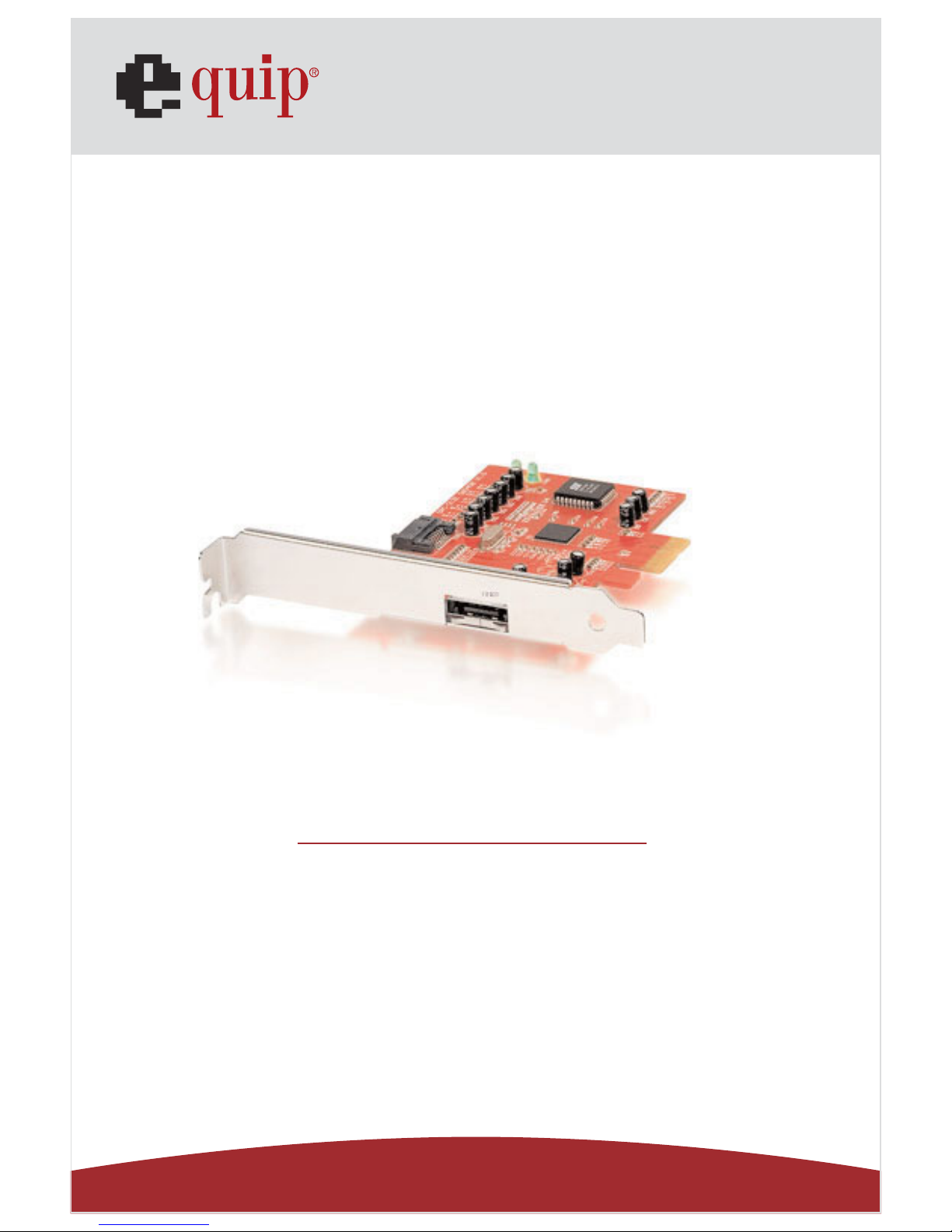
eSATA PCI Express Card 1+1
english
Page 2
Manual_Page 2
www.equip-info.net
1. Driver Installation
The procedures in this section assume that the Windows operating system has already
been installed on your PC or Server.
1.1. Windows Vista
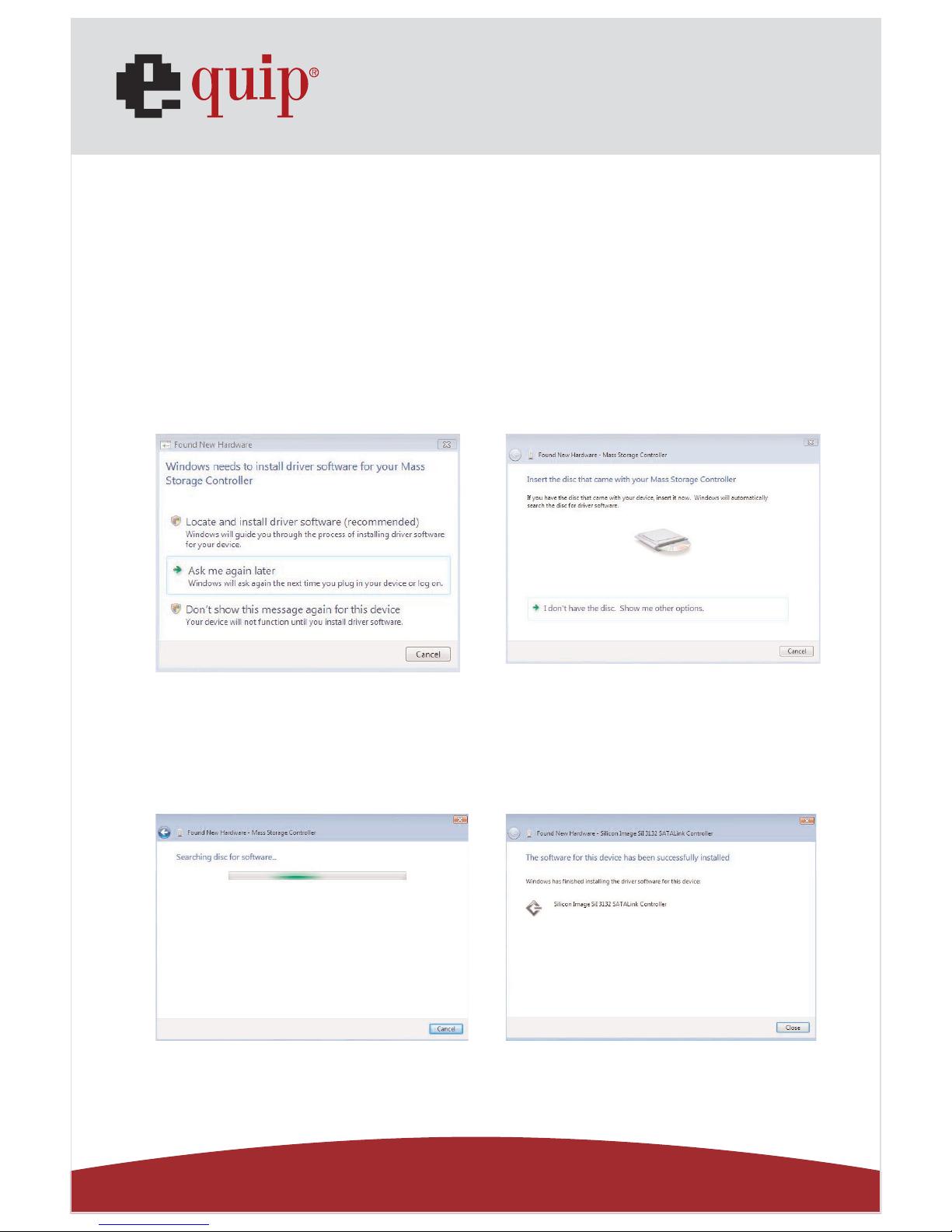
After you install the PCI-Express Card and external devices, power on your computer, and
the Found New Hardware Wizard opens.
1. Insert the Setup CD then the system will automatically search for the Vista driver
and install it.
2. When the device has been successfully installed click Close.
Page 3
Manual_Page 3
www.equip-info.net
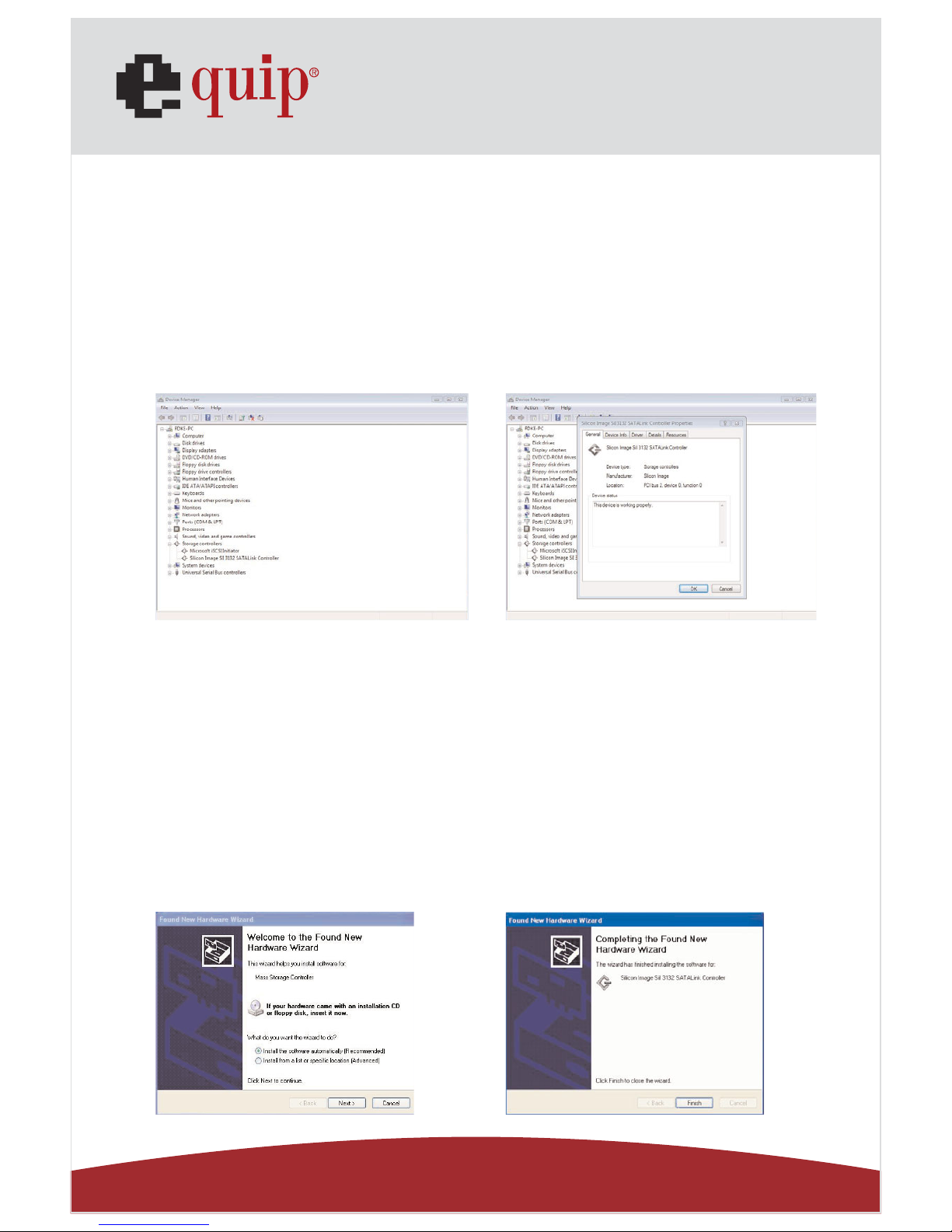
To confirm the driver installation
1. Right-click the My Computer icon on your desktop and choose Manage from the
pop-up menu.
2. Double-click Device Manager.
3. Double-click Silicon Image SiI 3132 SATALink Controller.
Verify that the Silicon Image SiI 3132 SATALink Controller appears, as shown below.
1.2. Windows 2003 Server and Windows XP
After you install the PCI-Express Card and the external devices, power on your computer,
and the Found New Hardware Wizard opens.
To complete the installation:
1. Insert the Setup CD
2. Select Install the software automatically (Recommended) and click Next.
3. When installation is completed, click Finish.
Page 4
Manual_Page 4
www.equip-info.net
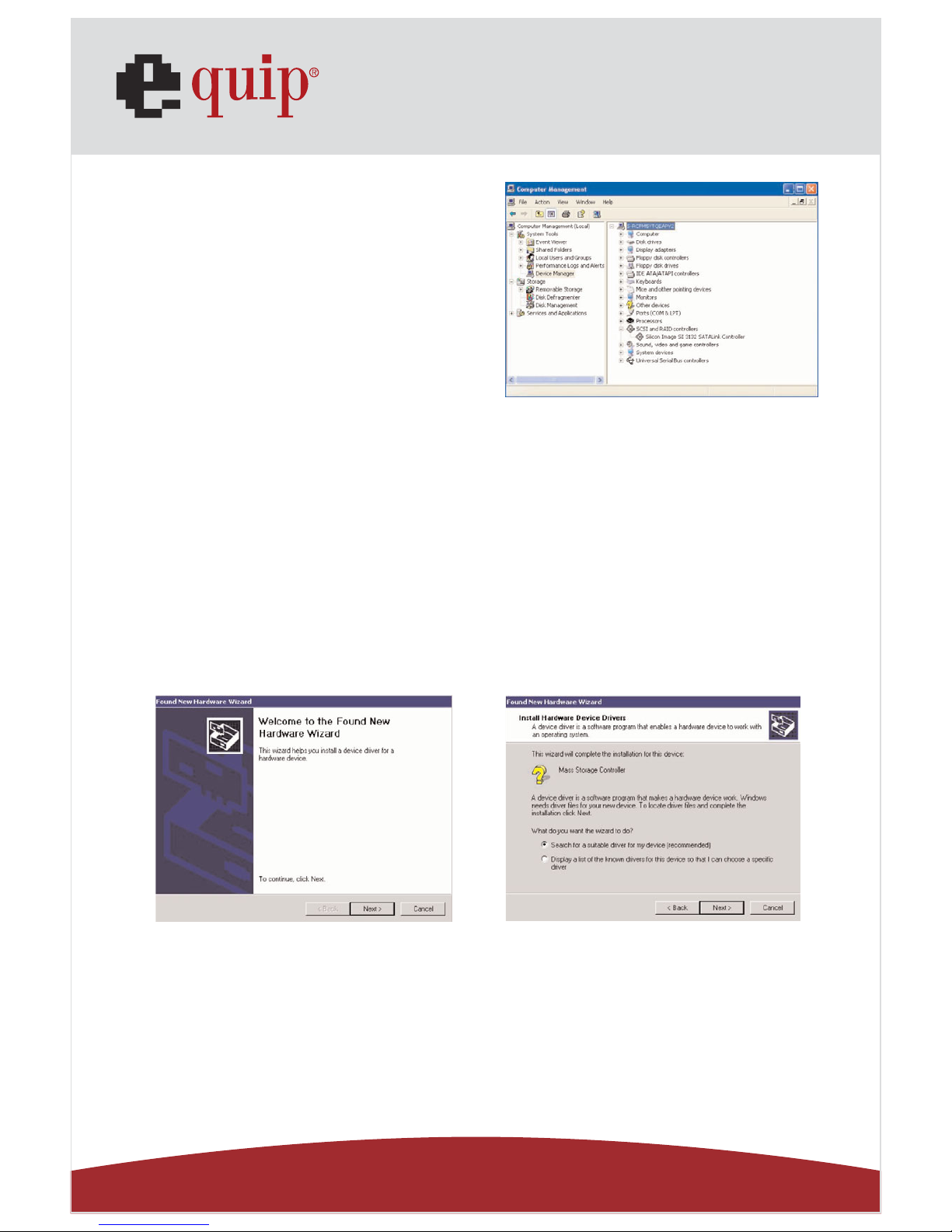
To confirm the driver installation
1. Right-click the My Computer icon on your desktop
and choose Manage from the pop-up menu.
2. Double-click Device Manager.
3. Double-click SCSI and RAID controllers.
4. Verify that the Silicon Image SiI 3132 STATLink
Controller appears, as shown here.
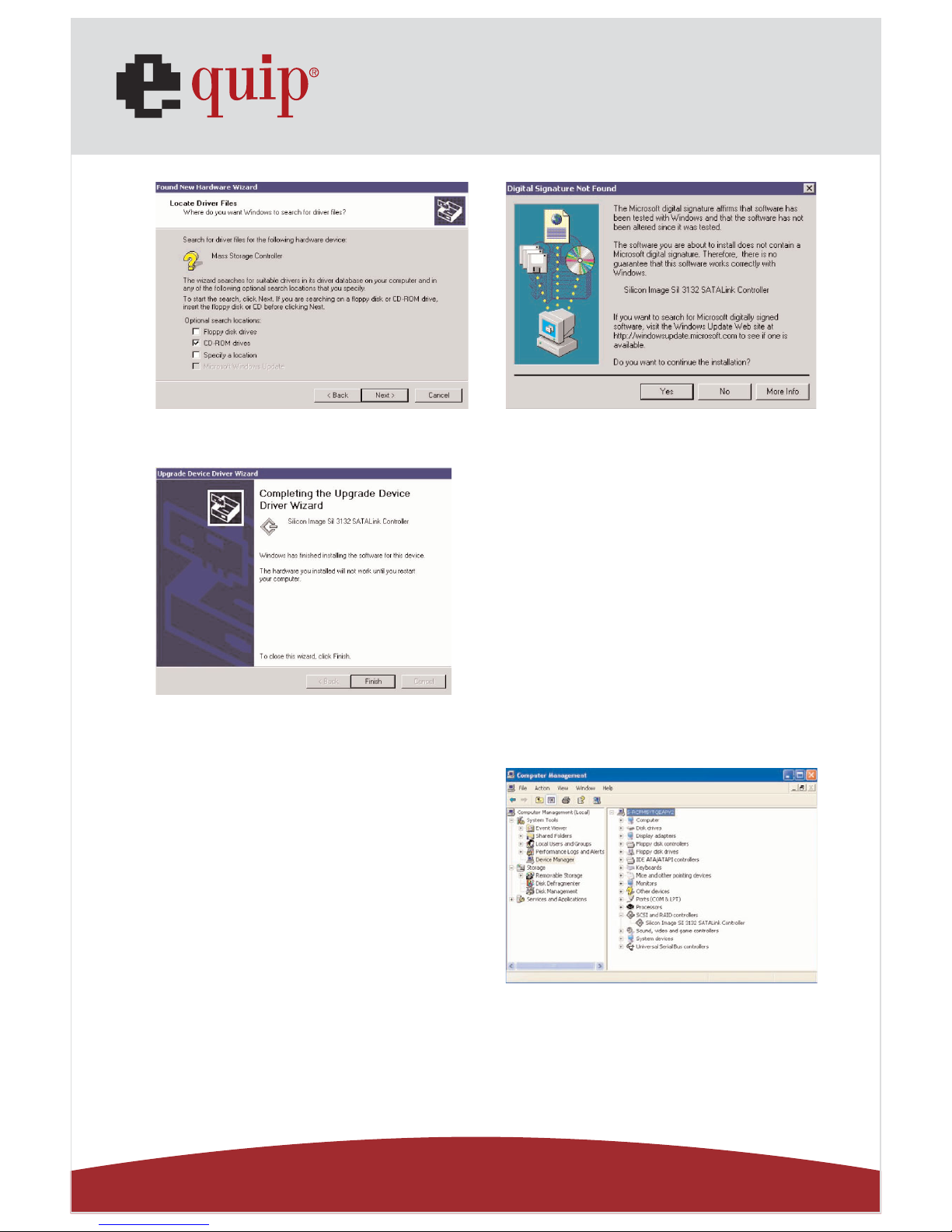
1.3. Windows 2000
After you install the PCI-Express Card and external devices, power on your computer, and
the Found New Hardware Wizard opens.
To complete the driver installation
1. Insert the Setup CD and click Next.
2. Select Search for a suitable driver for my device (recommended) and click Next.
3. Select CD-ROM drives and click Next.
4. Click Next once if the driver is found.
5. If you get the Digital Signature Not Found message, click Yes to
continue installation.
Page 5
Manual_Page 5
www.equip-info.net
6. When the installation is complete, click Finish and reboot the system.
To confirm the driver installation
1. Right-click the My Computer icon on your desktop
and choose Manage from the pop-up menu.
2. Double-click Device Manager.
3. Double-click SCSI and RAID controllers.
4. Verify that the Silicon Image SiI 3132 SATALink
Controller appears, as shown here.
 Loading...