

Page 1
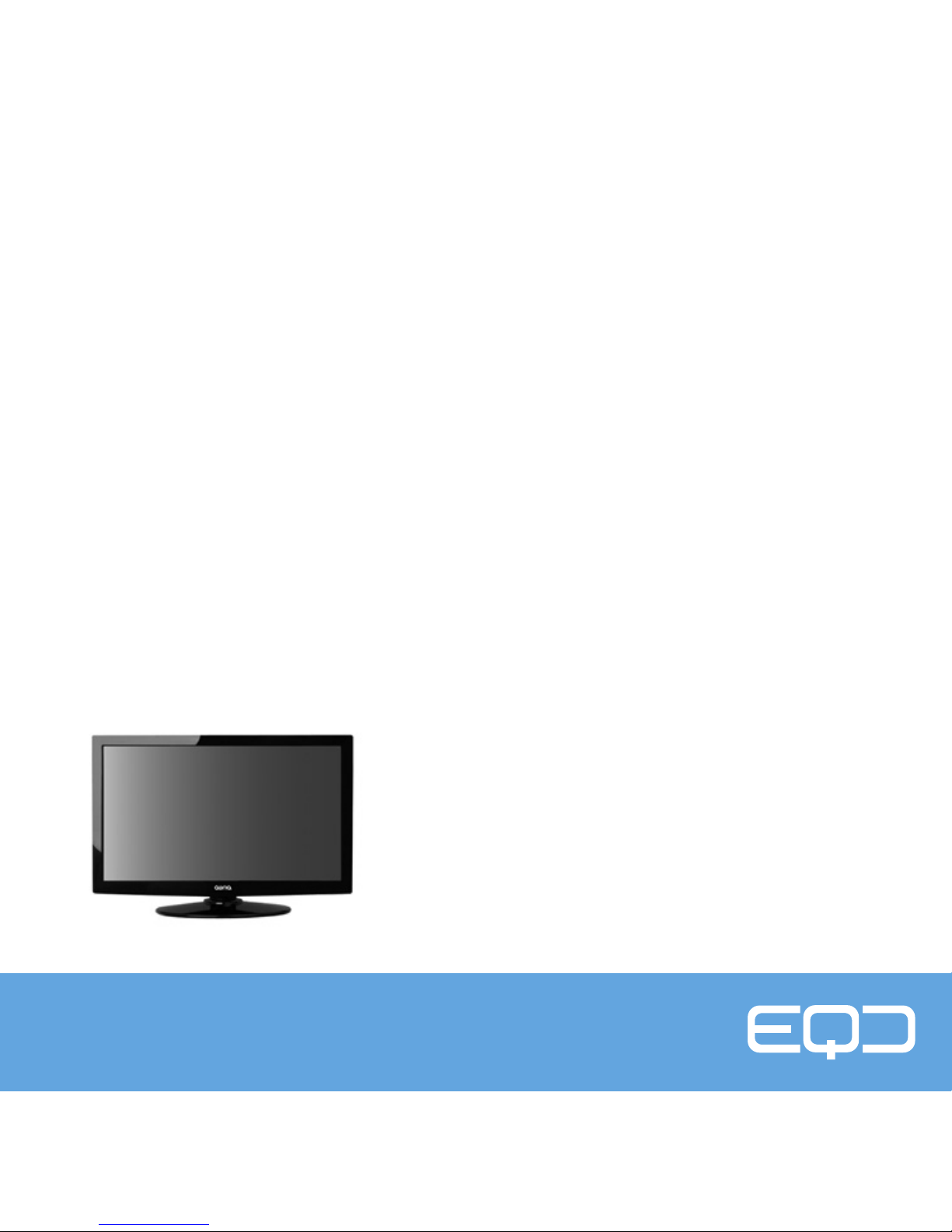
IPS MONITOR
EQ276WN
QUICK
INSTALLATION
GUIDE
Page 2
2
STEP ONE
Unpack the EQ276WN Monitor.
STEP TWO
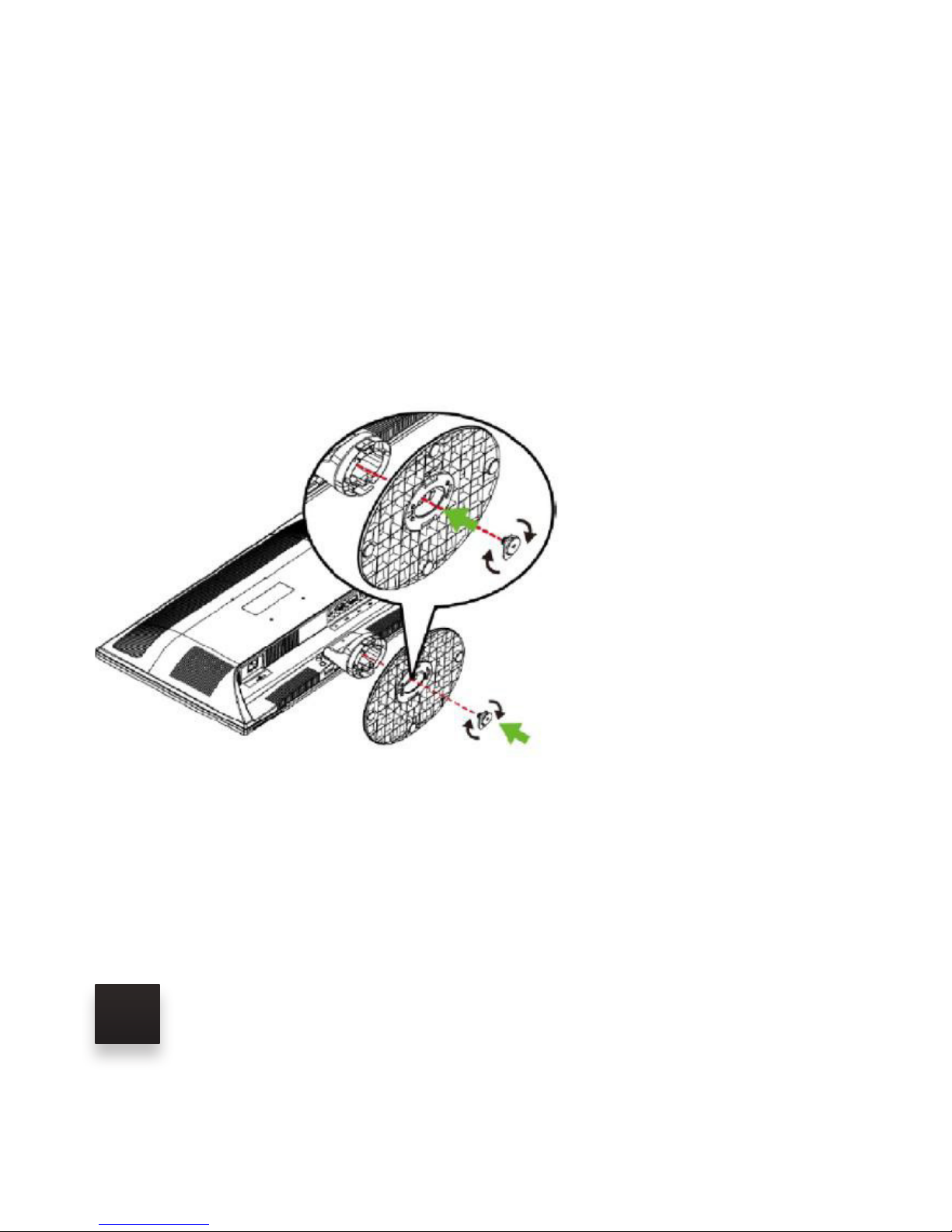
Attach the base to the neck using the enclosed mounting screw.
Page 3
3
STEP THREE
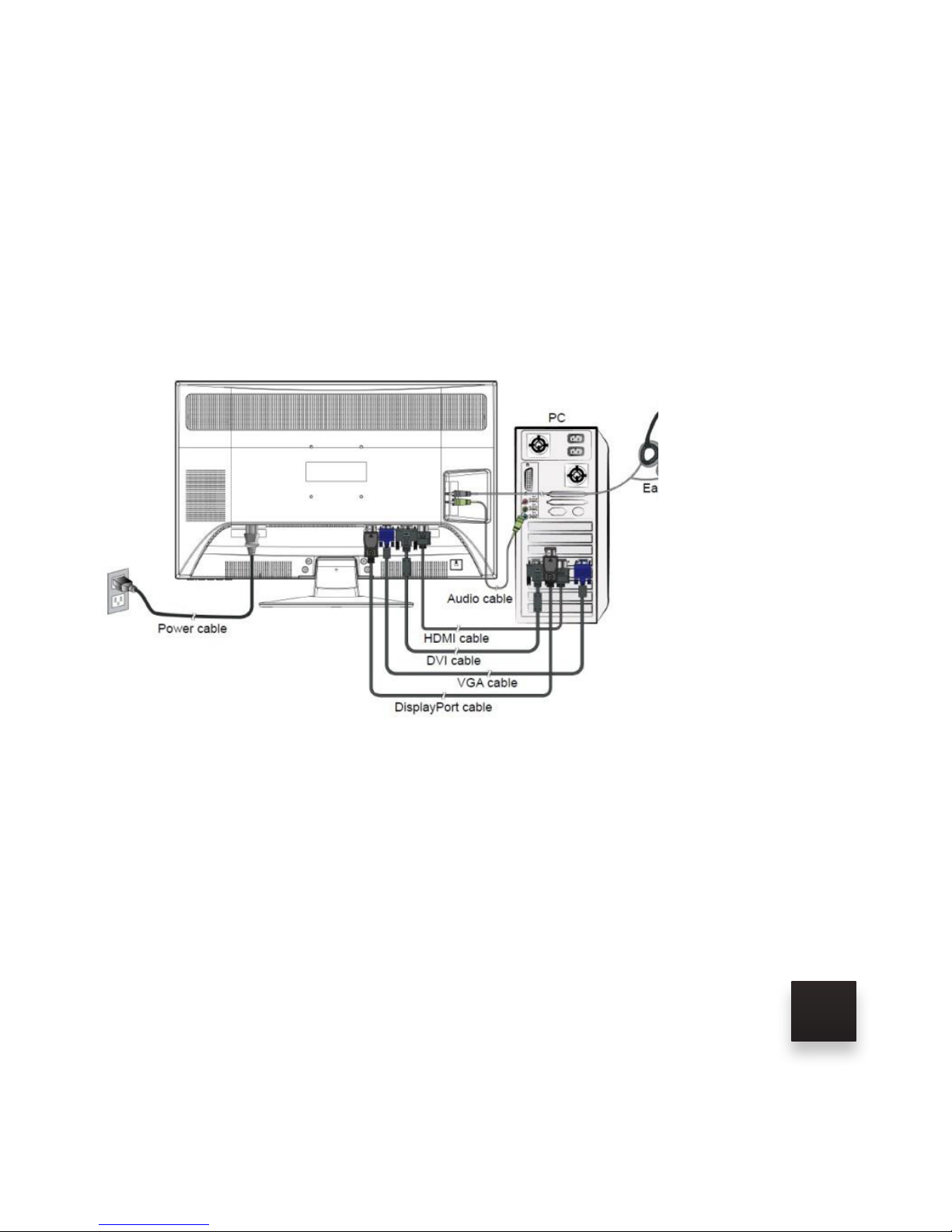
Plug the AC Power Cord into the power connector on the back
of the monitor. Plug the other end of the Power Cord into your
120 VAC outlet. Recommend using a power strip with a surge
suppressor.
STEP FOUR
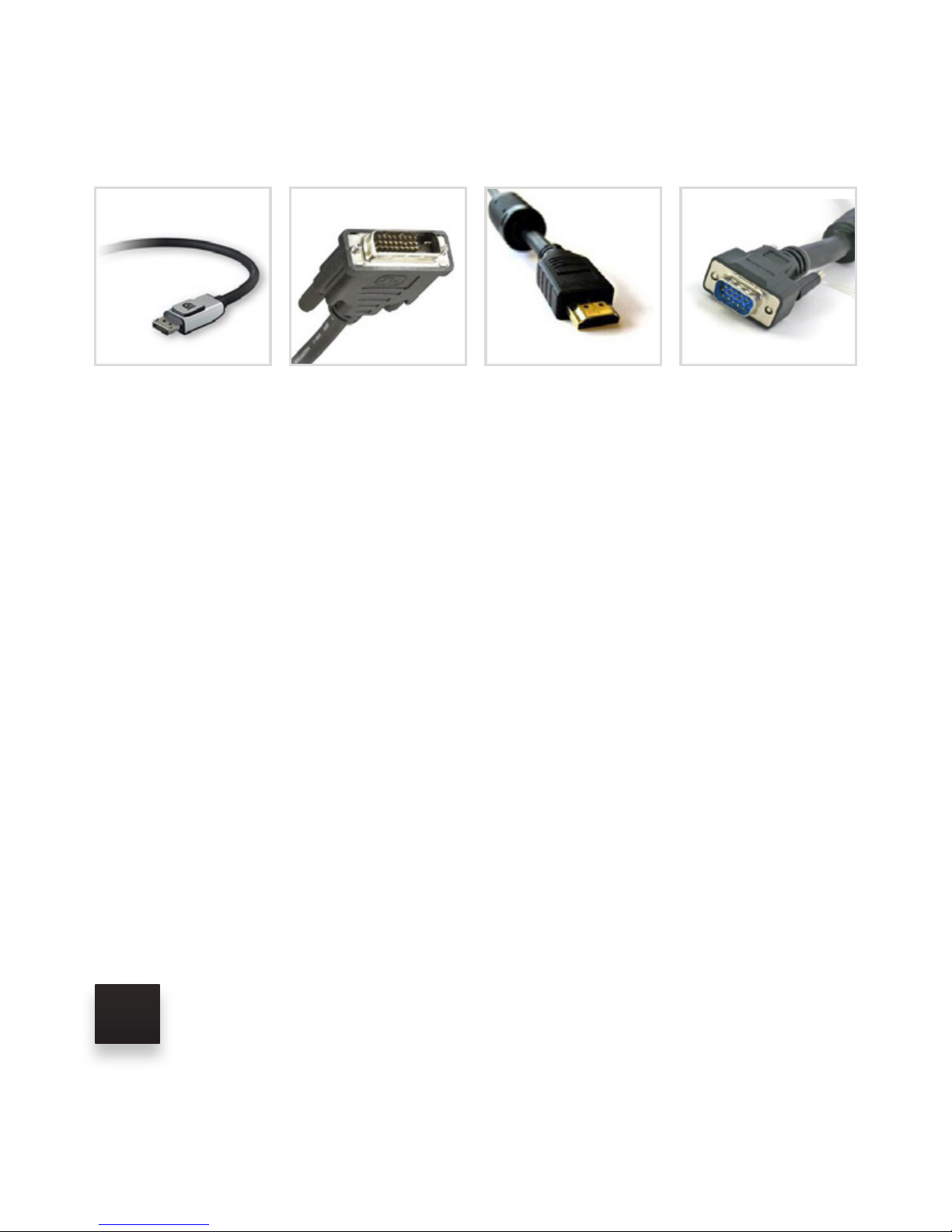
Select the desired Video Interface Cable (DisplayPort, DualLink DVI, HDMI or VGA). The video outputs on your computer,
notebook or other video source will determine which video cable is
used. The 4 types of video interface connectors are shown on the
following page.
Page 4
4
STEP FIVE
Plug the video cable into the appropriate video input port on the
monitor and the video output port on the computer, notebook or
other video source. Note: If you are using the Dual-Link DVI or the
VGA cable, please secure the 2 latching screws on both ends of
the cable.
STEP SIX
If you are using the Dual-Link DVI cable or the VGA cable and you
want sound, you will have to connect an audio cable between the
source device and the monitor.
DisplayPort
Max Resolution
1620
Dual-Link DVI
Max Resolution
1440
HDMI
Max Resolution
1080
VGA
Max Resolution
720
Page 5

5
STEP SEVEN
Turn on the computer, notebook or other video source and turn on
the monitor. Please read the EQ276WN User Guide --- refer to the
enclosed CD.
For further instruction how to refine the resolution on your monitor,
please refer to your computer’s owners manual or to the enclosed
CD
Page 6

EQD is located at:
3309 E. Miraloma Avenue
Suite 107
Anaheim, CA 92806
For Customer Service please call 877-375-1065
or visit www.eqdcorp.com
 Loading...