

Page 1

INSTALLATION MANUAL
ARCHITECTURAL SPEAKERS
Page 2
page | 2
www.snapav.com Support 866.838.5052
INTRODUCTION
Thank you for purchasing Episode® speakers. Complete the Setup,
Connect, Secure, and Fine Tune sections in this manual to ensure proper
installation. Visit our website for design recommendations and speaker
calculators.
SETUP
New Construction Install
Episode speaker installations can be simplified by using Episode
pre-construction brackets (sold separately). Install them prior to drywall
to allow for precise placement of the speaker.
Secure the wiring within reach of the bracket for easy access.
Existing Construction Install
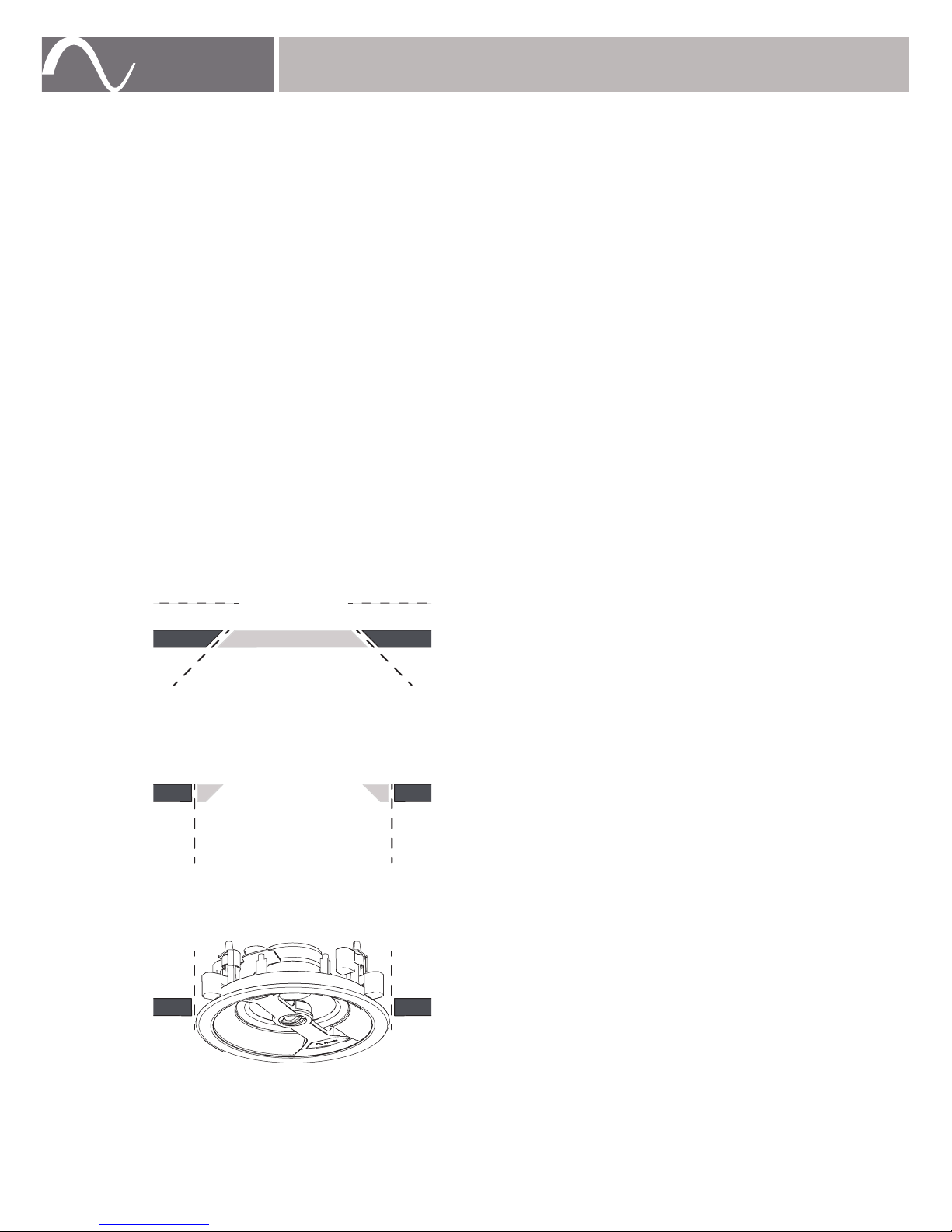
Make a cutout for the speaker using the supplied template. Allow space
for the bezel if installing near adjacent objects, or cut the hole in two steps
as shown below.
1. Cut the drywall at a 45° angle so that if the
speaker is too close to an obstruction, you
can easily ‘plug’ the hole.
2. If there are no obstructions, cut the drywall
again, this time at a 90° angle.
3. Insert the speaker into the cutout.
www.snapav.com Support 866.838.5052
OBSTRUCTION
PLUG
Page 3
page | 3
© 2015 Episode®
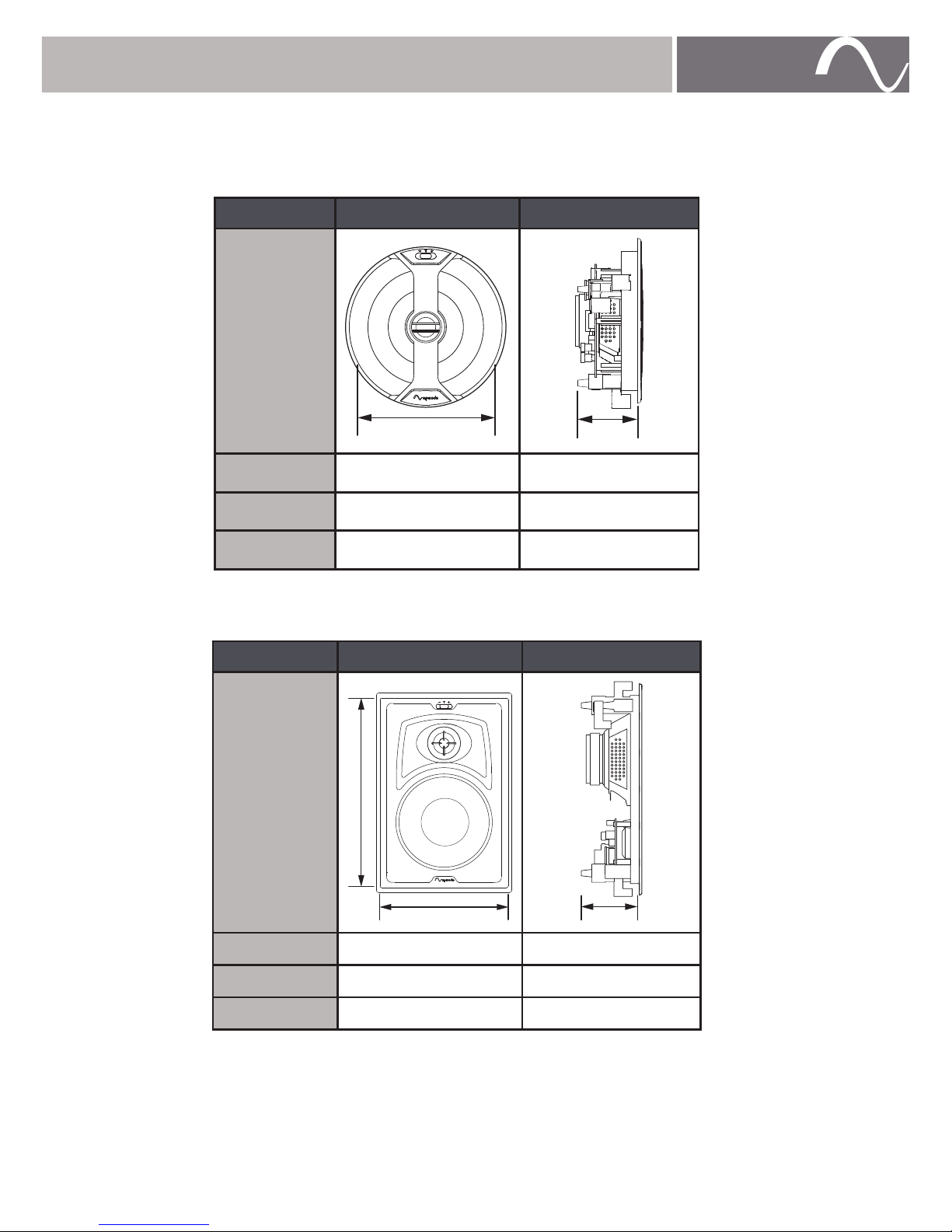
Cutout Dimensions
Refer to the chart below to verify the correct dimensions prior to cutting
drywall.
Model Cutout Dimension Mounting Depth
IC-6
8.3" 4.1"
POINT-6
9.7" 5.3"
IC-8
9.7" 4.1"
Model Cutout Dimension Mounting Depth
IW-6
11.7" x 7.6" 3.6"
IW-8
13.7" x 9.0" 3.6"
LCR
14.4" x 7.6" 3.6"
© 2015 Episode®
Page 4
page | 4
www.snapav.com Support 866.838.5052
CONNECT
Strip the insulation on each conductor approximately ¼" and insert
into the speaker terminals. Ensure no strands of wire protrude from the
connectors.
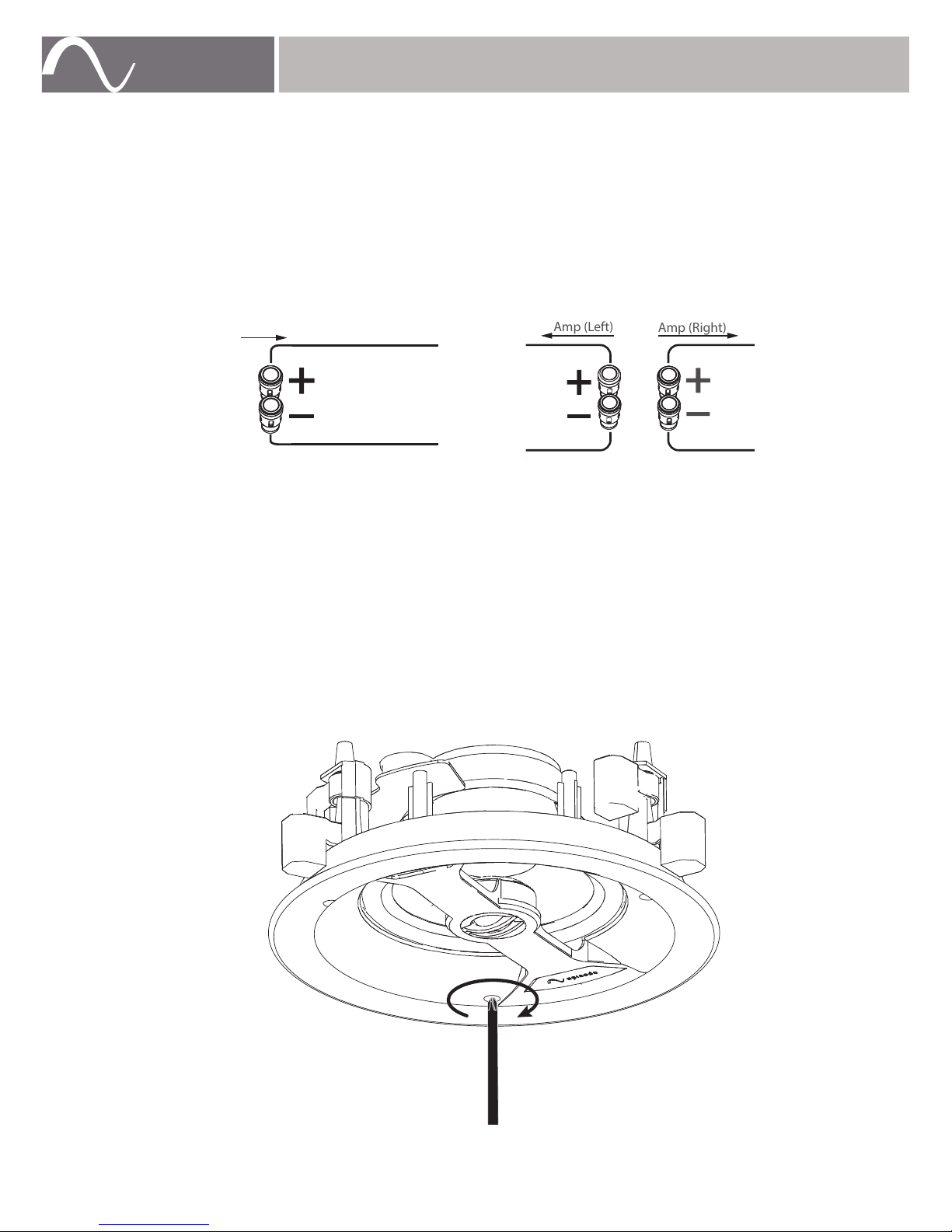
Observe proper polarity for each speaker to the amplifier (+ to + and – to – ).
Refer to the dual voice coil speaker wiring configuration image below
when wiring a dual voice coil speaker.
Amp
Amp (Left)
Amp (Right)
Visit SnapAV.com or contact customer support for help with impedance,
system design ideas, or wiring recommendations.
SECURE
Insert the speaker into the opening and tighten each of the three screws to
clamp the speaker against the wall or ceiling.
Tighten until you feel resistance but do not over tighten. If using a drill, use
a low-torque setting.
www.snapav.com Support 866.838.5052
SINGLE VOICE COIL DUAL VOICE COIL
Page 5

page | 5
© 2015 Episode®
FINE TUNE
Adjust the Sound
Use the switch on the face of the speaker for sound adjustment. Switches
can vary by model.
Treble Switch: Select + or –
NOTE: The default setting is +1.5dB.
In furnished rooms, it is recommended to set to + to increase response by
+1.5dB.
In more open spaces, it is recommended to set to – to decrease response
by -1.5dB.
Bipole/Dipole Switch
(Surround Only): Select BI or DI
In spacious rooms with a balanced speaker arrangement, it is
recommended to set to BI for in-phase output, which produces more
direct sound.
In rooms with varied arrangement, it is recommended to set to DI for
out-of-phase output, which produces more reverberating sound.
NOTE: Preference subject to opinion.
© 2015 Episode®
Page 6
page | 6
www.snapav.com Support 866.838.5052
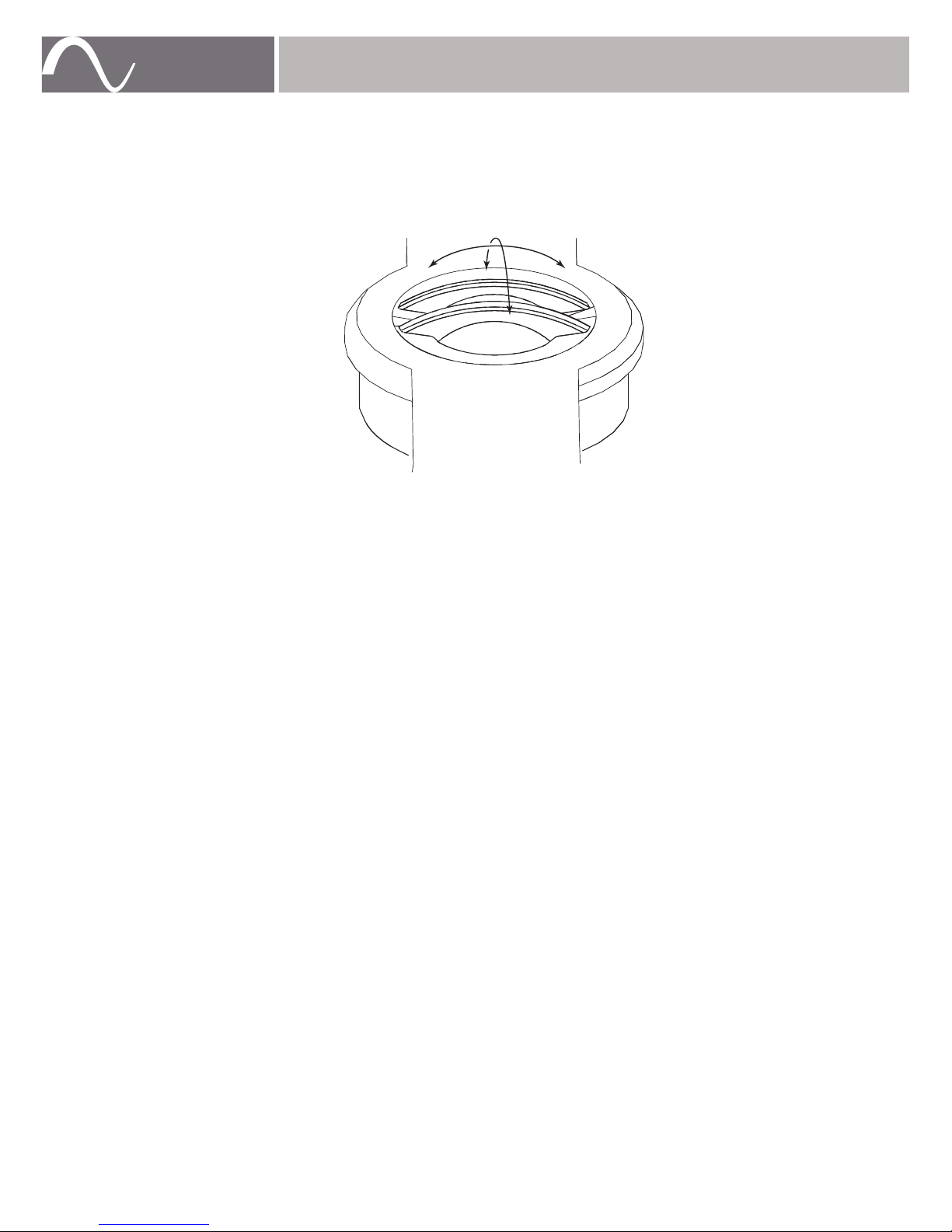
Pivoting Tweeter Assembly
The pivoting tweeter assembly can be directed to focus the sound where
desired.
Two common practices are to:
• point it directly at the listening area for a more directed sound source.
• reflect if off hard surfaces for a more diffused sound field.
www.snapav.com Support 866.838.5052
Page 7

page | 7
© 2015 Episode®
WARRANTY
Lifetime Warranty
Episode® speakers have a Lifetime Warranty. This warranty includes parts
and labor repairs on all components found to be defective in material or
workmanship under normal conditions of use. This warranty shall not
apply to products which have been abused, modified or disassembled.
Products to be repaired under this warranty must be returned to SnapAV
or a designated service center with prior notification and an assigned
Return Authorization (RA) number.
CONTACTING TECHNICAL SUPPORT
As a thank you for purchasing Episode® speakers, direct technical support
services are available via phone or e-mail. We encourage you to use this
resource for any questions or concerns about our products. Visit our
website for more support documentation.
(866) 838-5052
[email protected]
snapav.com
© 2015 Episode®
Page 8

© 2015 Episode®
Rev: 150608-1030
 Loading...