

Page 1

ENZER
Technology With
Touch Screen
Caller
ID Phone
Page 2
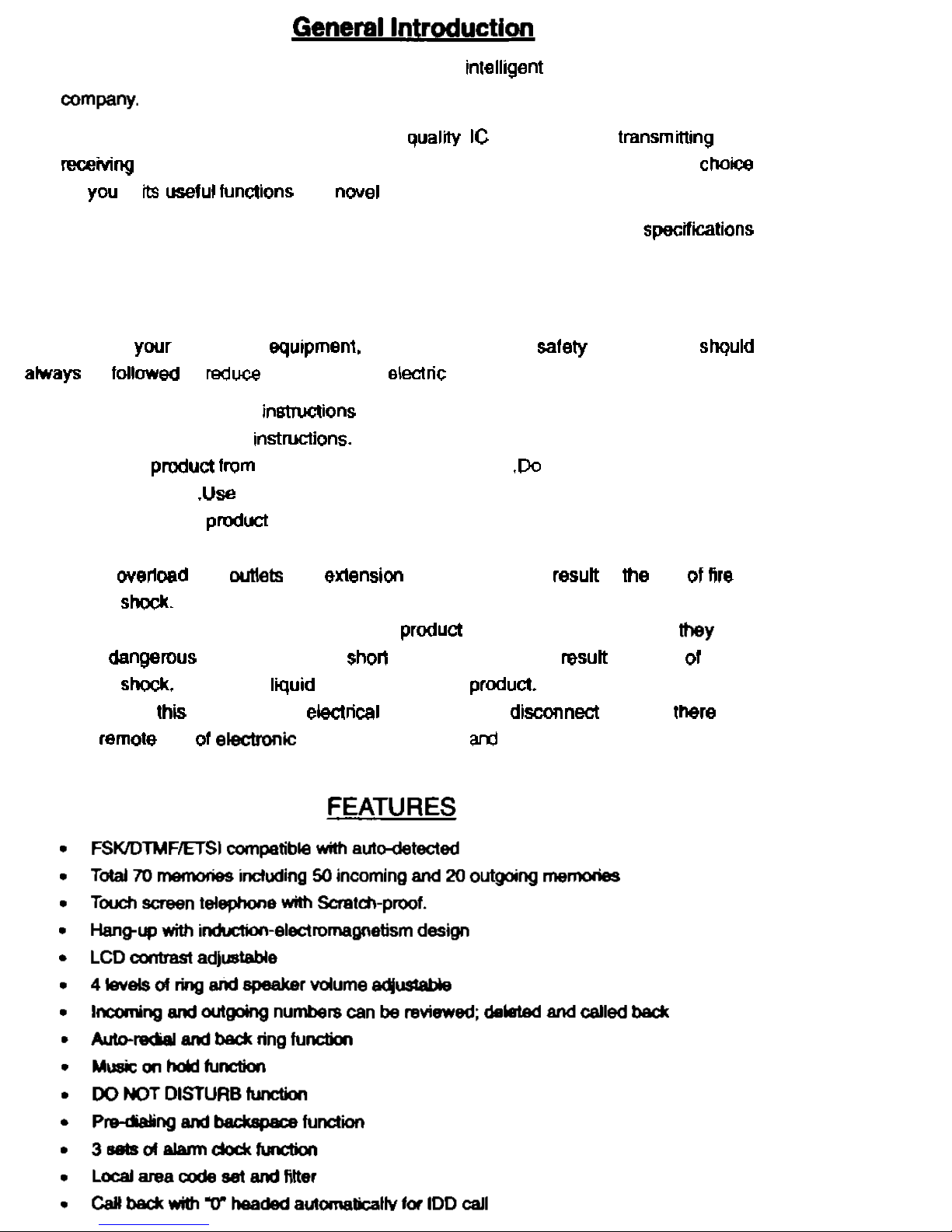
Thank you very much for purchasing the new intelllgem Caller ID phone of our
Backed up by the most advanced high
lor yw in
In order to use the advanced functions freely, please read the following
before
use.
Safely
Instructions:
When using ywr telephone equ~pment, the following basic safely precautions shquld
the risk of fire, eleclric shock and injury to persons:
1.
Read and understand all inmuciions
2.
Follow all warnings and mstructions.
3.
Unplug the pmdud from the wall outlet before cleaning
not use liquid cleaners or
aerosol deaners
4.
Do
not
place this pmduct on an unstable cart, stand or table. The pmduct may fall.
causing serious damage to the pmduct.
5.
Do
not wemad wall
and exlension cords as this can resun in lhe risk 01 fire or
electric
6.
Never push objects of any kind into this produd through cabinet slots as My may
touch
parts
that could result in a risk ol
Am
or
electric
any
kind on the produd.
7.
Avoid using this unit during an eleclrical storm, move or dimnecl the unit, there may
be
a remote risk of ekdmniic shock from lightning
thunder.
Page 3
Page 4
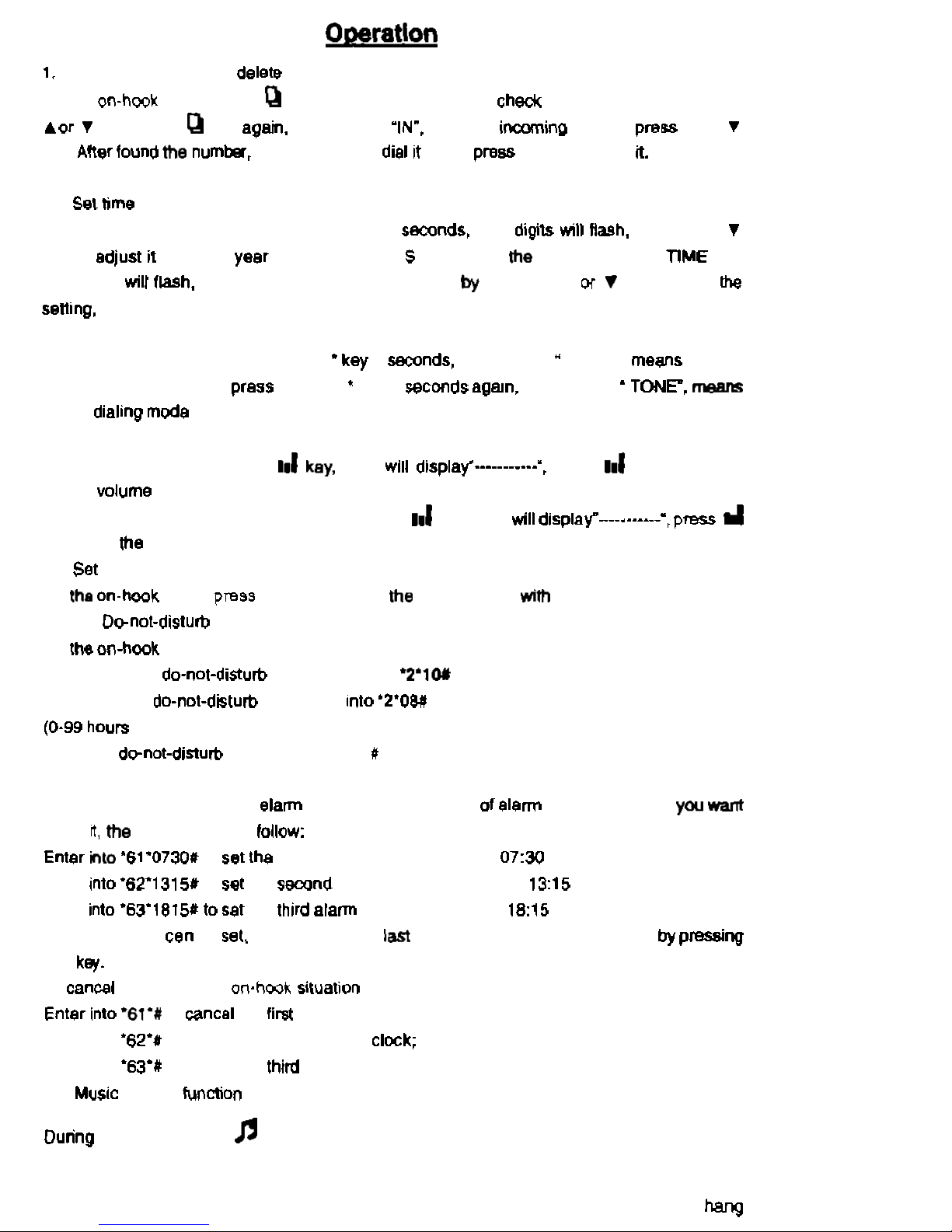
On the
mode, press
key, LCD display 'OUT, to checC outgoing calls
by
pressing
key; press
key apah. LCD display "INm. to check imino calls
by
or
key. Aker lwnd me numh, press
AR
key to dial 11 out or press X key to delete
2.
On the on-hook mode, press and hold S key
2
key lo edjust it until real year displayed, press
key again, me MONTH. DATE. TIME
and
MINUTES will flash, to get reel month, data and tie
pressing A w
key. During
3.
Sot
Pulse
and Tone dialing
mode
On the on-hook moda, press and hold 'key 3 semnds, LCD display
PULSE
"
dialing mode is selected,
hold
key 3 ~eccmds agsn, LCD display
TONE dialmg moda is selected.
4. Set volume
On the on-hook mode, press
key lo set
the
ringing volume with 4 levels.
On the hang on mode or hands free mode, press
key. LCD willdisplav---.------,
key to set me hands free volume wilh 4 levels.
5.
On
AR
key
lo
adjust
LCD contrast unlh 5 levels.
6. Set
On
To set 10 hours
To set 8 hours do-nol-dslurb time, enter
be
set)
To cancel
'2'
7. Alarm clock function
On the on-hook mode, to sat
to set
0730
means 07:30 alerm clcck.
Enter
Enter
Any alarm clock
45 seconds and can be stopped bypressim~
any ke/.
To cancel
alarm
clock, in
Enter into
Enter into '63V to cancel the third clock
8.
hold
key to hold he line mth music
9.
Auto on-hook function
When you forget to hang up or make a wrong hang
up,
the phone set will detect the
Page 5
11.
TROUBLESHOOTING
up Signal and hang up automatically.
line breaks oft or not.
available only
KEY
a. Whelher Iheclrcuit breaks OH or Ihe a. Change the line,
loose,
b Change the connector
box.
Ring only a. Whether the connection site Is molsl;
C
.
It there are extensions,
be
sure Ihe extension phone Is gwd or extensions
break
c.
nd
available
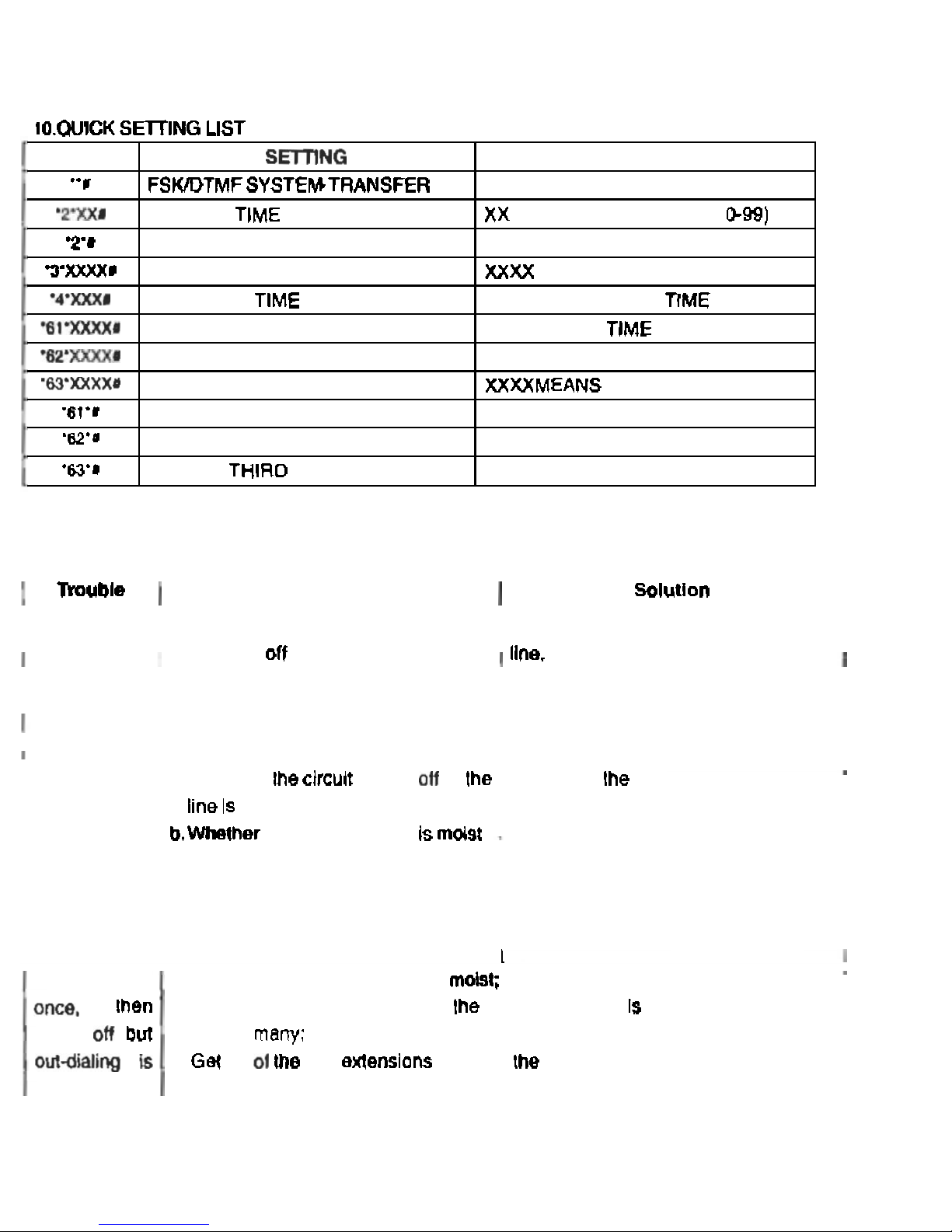
SET DND TIME
CANCELDND
SET LOCAL AREA COOE
SET FLASH
SET FIRST ALARM CLOCK
SET SECOND ALARM CLOCK
S
ET THIRD AL
A
R
M
CLOC
K
CANCEL ALARM CLOCK
CANCEL SECOND ALARM CLOCK
CANCEL
INSTRUCTION
XXX MEANS FLASH
XXXXMEANS TIME
XXXXMEANS TlME
T
IME
 Loading...