

Page 1

E-BIKE SYSTEM - E100 SERIES
1
E-BIKE SYSTEM
USER MANUAL
Page 2

E-BIKE SYSTEM
USER MANUAL
Page 3

E-BIKE SYSTEM - E100 SERIES
E-BIKE SYSTEM - E100 SERIES
IMPORTANT NOTICE
DANGER – HANDLING THE BATTERY
CAUTION – CHARGING THE BATTERY
CAUTION - WHILST RIDING
CAUTION - USING THE E-BIKE SYSTEM SAFELY
E100 SYSTEM FEATURES
RANGE
SPECIFICATIONS
E100 SYSTEM COMPONENTS
BATTERY
SPECIFICATIONS
VIEWING THE REMAINING CAPACITY
TURNING THE BATTERY ON
CHARGING THE BATTERY
ATTACHING OR REMOVING THE BATTERY
DISPLAY
SPECIFICATIONS
DISPLAY EXPLANATION
OPERATING THE SYSTEM VIA DISPLAY
BATTERY CHARGER
SPECIFICATIONS
MOTOR
SPECIFICATIONS
PEDAL ASSISTANCE LEVELS
WALK ASSIST
CONNECTION AND COMMUNICATION WITH PC
CAUTION - CLEANING
CONFIGURATION SETTINGS
TROUBLESHOOTING
4
4
5
6
6
7
7
8
8
9
9
10
10
11
13
14
15
15
16
17
17
17
18
18
19
19
19
20
20
CONTENTS
Page 4
E-BIKE SYSTEM - E100 SERIES
E-BIKE SYSTEM - E100 SERIES
4 5
DANGER - HANDLING THE BATTERY
Be sure to read this user's manual thoroughly before use, and
follow the instructions for correct use. Keep it a safe place for
later reference
IMPORTANT NOTICE
Only use the specied ENTITY battery for the bike – the
battery contains Samsung cells as well as the sophisticated
Entity battery management system that controls the many of
the e-bike functions. Using non-standard batteries, even if
they look the same, can seriously damage the e-bike system,
can result in battery re or explosions, and will. void warranty.
Be sure to observe the following in order to avoid burns or
other injury from fluid leakages, overheating, re
or explosions.
• Do not deform, modify, disassemble or apply solder directly to the
battery.
• Do not leave the battery near sources of heat. Do not heat the
battery or throw it into a re.
• Do not subject the battery to strong shocks or drop it.
• Avoid contact with metal objects (paper clips, coins, keys, nails,
screws, or other small metal objects, as this may short-circuit the
battery. Shorts caused in this way will invalidate any
warranty claims.
• Do not place the battery into fresh water or sea water, and do not
allow the battery terminals to get wet.
• If any liquid leaking from the battery gets into your eyes or skin,
immediately wash the affected area thoroughly with clean water,
and seek medical advice immediately.
• Do not use the battery if it has any noticeable scratches or other
external damage.
• Do not use the battery in temperatures outside these ranges.
During discharge: –10 °C to 50 °C. During charging: 0 °C to 40 °C.
• During storage keep the battery at a charge level of at least 40%
• Follow local regulations when disposing of used batteries. If you
are not sure, consult the place of purchase or a bicycle dealer.
CAUTION
CHARGING THE BATTERY
• Only use the ENTITY specied charger and observe the specied
charging conditions when charging the specied battery.
• When charging, make sure there is no water on the charging port
or the charger plug.
• Do not allow children to play near the product whilst charging
• Close the charging port cap when not charging.
• Be careful of the following whilst charging the battery when it is
mounted to the bicycle:
• Ensure that the battery is locked into the battery mount before
charging.
• Do not remove the battery from the battery mount while
charging.
• Stabilize the bicycle to ensure that it does not collapse during
charging.
• Do not move or ride the bicycle, whilst the battery is being
charged.
Page 5
E-BIKE SYSTEM - E100 SERIES
E-BIKE SYSTEM - E100 SERIES
6 7
CAUTION
WHILST RIDING
CAUTION
USING THE E-BIKE SYSTEM SAFELY
• Do not give too much of your attention to the cycle computer
display while riding, otherwise accidents may result.
• If riding a power-assisted bicycle, make sure that you are fully
familiar with the starting-off characteristics of the bicycle before
riding it on roads or bike paths. The bicycle can start suddenly, and
accidents may result.
• Check that the bicycle lights illuminate before riding at night.
• This e-bike system is not intended for use by persons (including
children) with reduced physical, sensory or mental capabilities, or
lack of experience and knowledge, unless they have been given
supervision or instruction concerning use of the appliance by a
person responsible for their safety.
• For installation and adjustment of the product, consult a dealer.
• The e-bike system is designed to withstand wet weather riding
conditions. However, do not deliberately place into, or submerse in
water.
• Do not clean the e-bike system in a high-pressure hose.
• Do not turn the bicycle upside down. The display or shifters may
get damaged.
• Handle the e-bike system carefully, and avoid subjecting it to any
strong shocks. Do not jump or do tricks on the bicycle
• Although the bicycle still functions as a normal bicycle even when
the battery is removed, the lights will not function without the
battery. Be aware that using the bicycle under these conditions will
be considered non-observance of the road trafc laws in Germany
and other jurisdictions.
• Always transport the bicycle with the battery connected to the bike
Commute easily with the ENTITY E100 series system. The
powerful 250W System assists you whilst you pedal - up to 25km/
hr and with a range of up to 50km, all on a single charge.
The Entity E100 series is an EPAC (Electric Pedal Assistance
Bicycle) system where the motor in the rear hub, provides
assistance as the rider pedals. There is no throttle, the rider must
pedal for the power assistance to begin.
It features the latest in e-bike technology including a Samsung
powered 281Wh smart battery, and a sine-wave controller which
adds durability and also ensures a smooth, quiet and efcient ride.
The premium LCD display shows you all the important information
required, including the battery capacity, speed and trip meter. From
the display you can select one of the 5 levels of pedal assistance
and there is also a switch for the front and rear lights. Should
you need it, there is a handy walk assist function - useful whilst
walking the bike up hills.
The e-bike can provide up to 50km of assisted riding. This will
depend on many factors including the level of assistance selected,
but also:
The weight of the rider and luggage
Tyre pressure
Wind resistance
Temperature
Age of the battery
E100 SYSTEM FEATURES
RANGE
Topography
Maintenance of the bike
Tyre of trail
Amount of trafc
Riding speed.
Page 6
E-BIKE SYSTEM - E100 SERIES
8
For maximum efciency, use the lowest level of assistance and
ensure you select the appropriate gear for your speed.
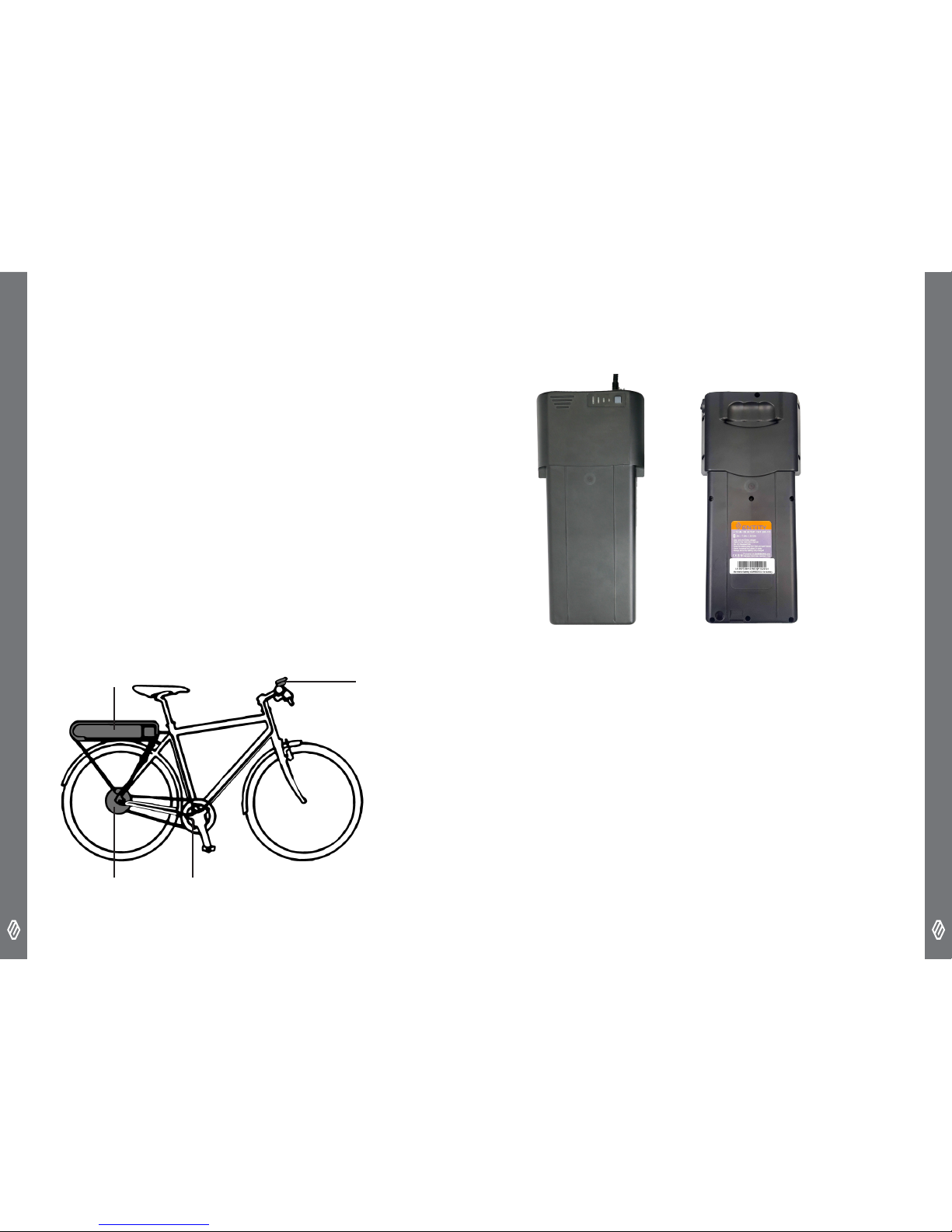
E100 SYSTEM COMPONENTS
SPECIFICATIONS
Charging voltage - 100V to 240VAC
Charging time - approx. 5 hours
Battery type - Lithium ion battery
Capacity - 281Wh
Nominal voltage - 36VDC
Max Speed – 25km/hr
Motor type - Rear-wheel drive
Motor type - Brushless DC Motor
Nominal motor power - 250W
Maximum motor power - 400W
Torque - 40NM
MOTOR
CADENCE SENSOR
BATTERY
DISPLAY
E-BIKE SYSTEM - E100 SERIES
9
For safety this high energy density lithium ion battery contains
a sophisticated battery management system (BMS). The BMS
ensures safe charging and discharge, continuously monitoring
each of the cells in the battery individually. If the current drawn
gets too high or the temperature of the battery is elevated, the
BMS will shut the battery down for safety.
SPECIFICATIONS
Capacity - 281Wh
Automatic Discharge Cut-off - 30V
Charging voltage - 42V
Maximum Discharge Current - 15A
Weight - 1.95kg
BATTERY
Page 7
E-BIKE SYSTEM - E100 SERIES
E-BIKE SYSTEM - E100 SERIES
10 11
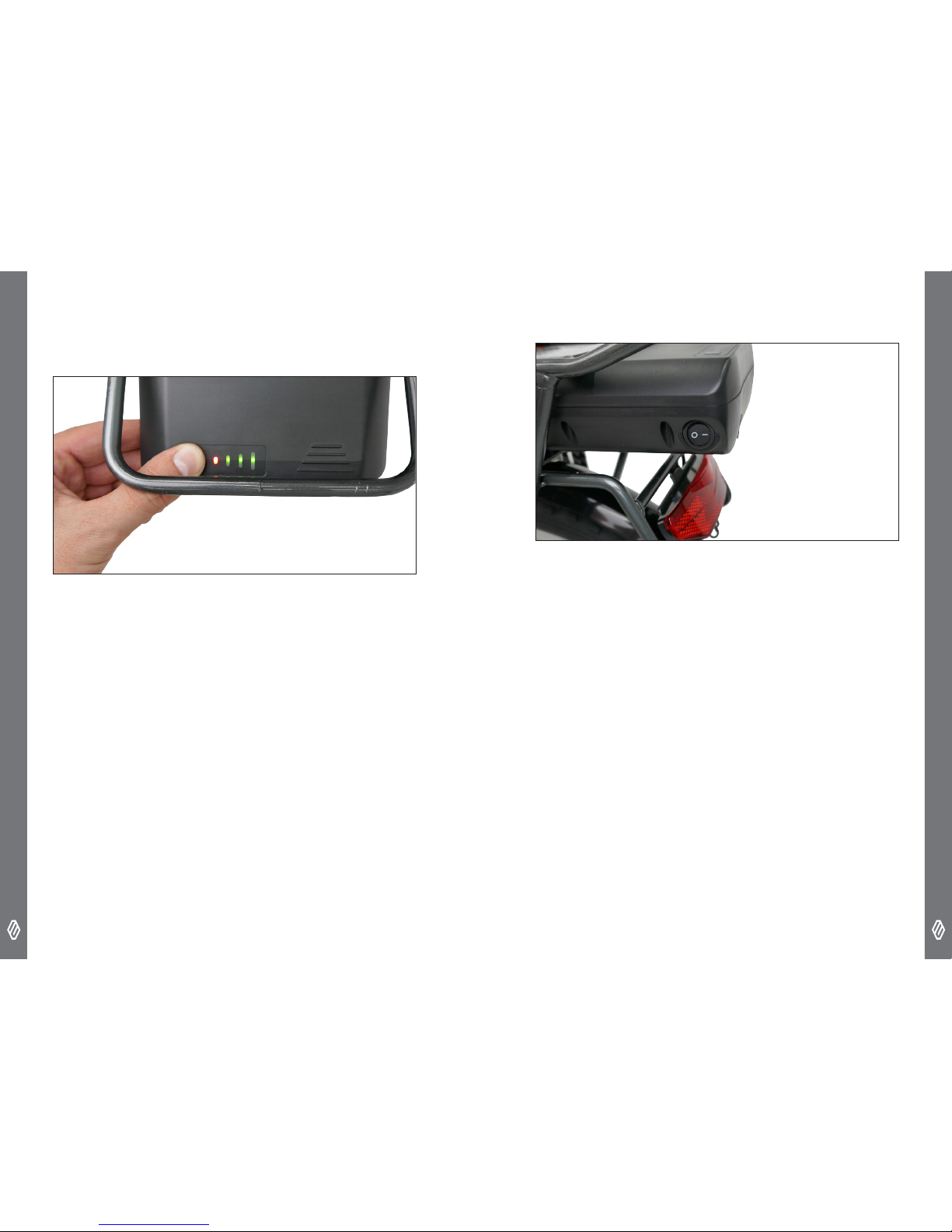
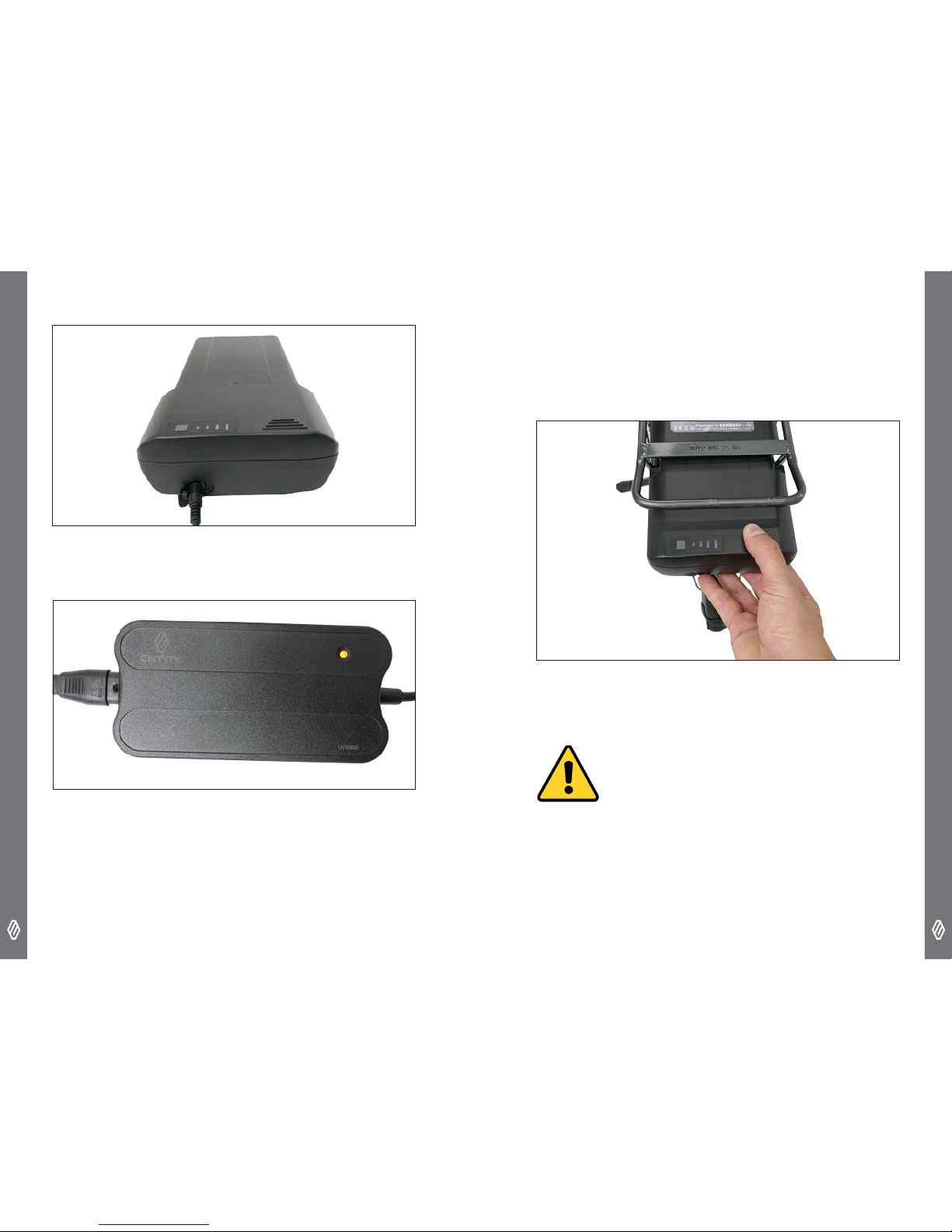
VIEWING THE REMAINING CAPACITY
To view the remaining capacity of the battery, you can use either
LCD display or the LED panel on the battery – press the button to
activate the LED’s.
Red - 0 to 25%
1 Green - 25 to 50%
2 Green - 50 to 75%
3 Green - 75 to 100%
TURNING THE BATTERY ON
The battery has its own switch, located on the rear left hand corner
of the battery. It must be switched on for the system to operate.
CHARGING THE BATTERY
The battery can be charged whilst attached to the bike or removed
from the bike and charged separately.
To charge the battery,
• Make sure that the system and battery are turned off.
• Do not make or break connections with the battery, whilst the
240V power is connected to the charger. Connect the charger to
the battery rst, then the charger to the wall socket
Page 8
E-BIKE SYSTEM - E100 SERIES
E-BIKE SYSTEM - E100 SERIES
12 13
• The light on the charger will illuminate red whilst charging. When
the charging is nished, it will turn green.
• Close the port after charging.
• If the battery hasn’t fully charged after 6 hours. Then stop
charging and contact your dealer.
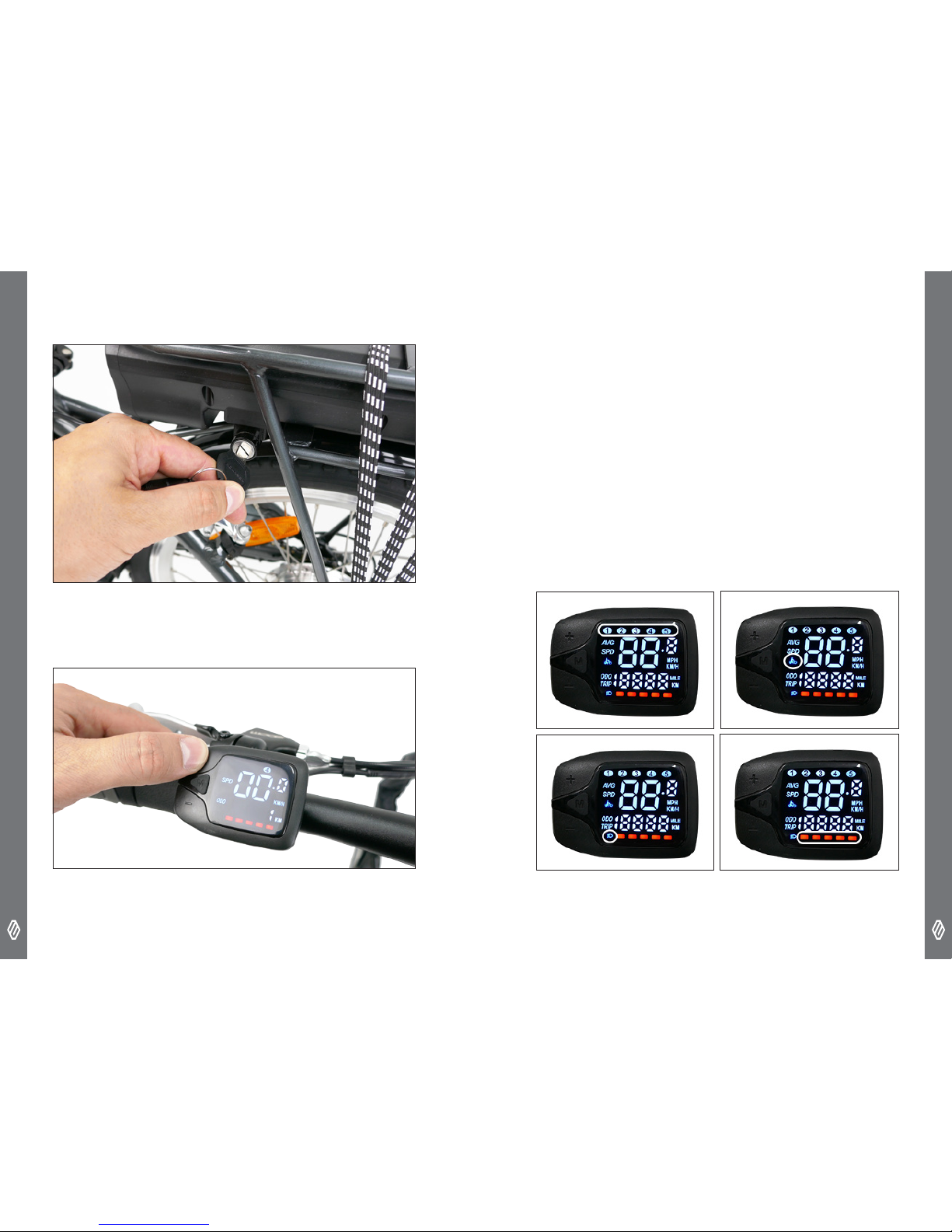
ATTACHING OR REMOVING THE BATTERY
• Make sure the battery is turned off, and push the battery full into
the case
CAUTION
• Always make sure that the battery is locked in place before riding.
Do not ride the bike with the key in the barrel.
• In the event that keys are lost, take note of the number of the
barrel of the lock and contact your detailer.
• Turn the key clockwise to lock the battery, to unlock turn
anti clockwise
Page 9
E-BIKE SYSTEM - E100 SERIES
E-BIKE SYSTEM - E100 SERIES
14 15
DISPLAY
SPECIFICATIONS
Display - LCD
Levels of Assistance - 5
Voltage - 5V
Congurable - Adjust the parameters for the system
Supports - 36v system
Certication - CE / ROHS
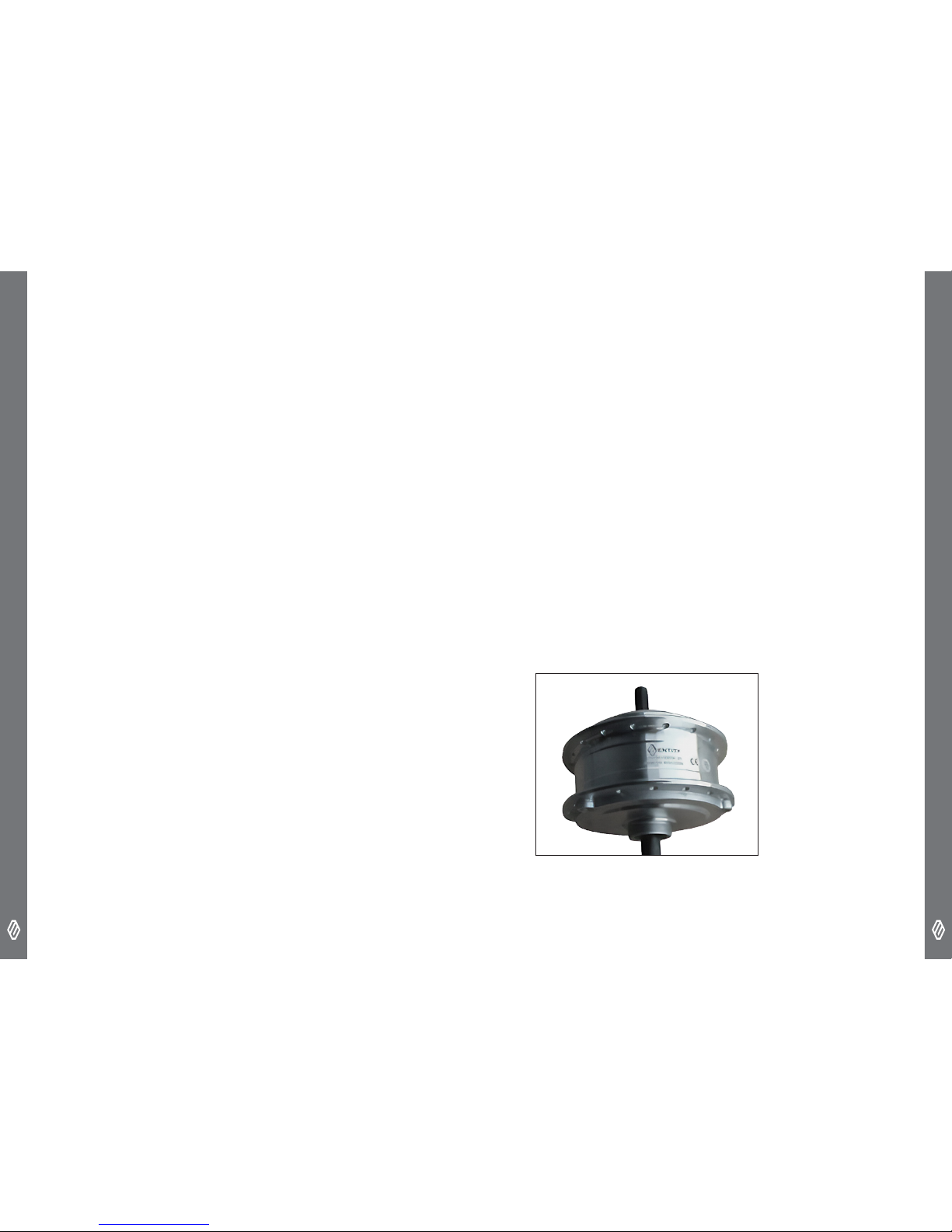
DISPLAY EXPLANATION
The speed, trip and odometer readings are as displayed. The other
display information is below
Pedal Assistance Level
Lights Activated
Walk Assist Activated
Battery Status
Page 10
E-BIKE SYSTEM - E100 SERIES
E-BIKE SYSTEM - E100 SERIES
16 17
OPERATING THE SYSTEM VIA DISPLAY
Turning the System On/Off
Hold the M button will turn the e-bike system on. Hold the M
button to turn the display off. When powered off, the unit uses very
minimal power.
Changing the Level of Pedal Assistance
The default setting for the display is 1. You can vary the level
of assistance by using the + and - buttons from 0 (no pedal
assistance) to 5 (maximum pedal assistance).The level of
assistance is indicated at the top of the display.
Walk Assist Mode
To engage walk assist mode, hold down the – button. The bike
will begin moving at 6km/hr – useful for when walking the bike up
hills. Releasing the button will stop the walk assistance.
Turn on lights
Hold the + button down until the light led is illuminated. The
display is dimmed whilst the lights are activated so as not to blind
the rider whilst in low light conditions
Changing Modes
To change between modes, press the M button. Pressing the M
button toggles between average speed and current speed and also
between trip meter and Odometer. You can see which you have
selected on the left hand side of the display.
Battery Capacity
There is a battery capacity indicator at the bottom of the display
measured in 5 increments
Error Code
When there is a fault with the system, the E light will be displayed,
along with the corresponding code.
BATTERY CHARGER
• Only use the charger provided with the kit
• The LED light on the charger indicates the function of charger.
• When the light is flashing, it is charging the battery. When it is
complete it turns green.
SPECIFICATIONS
Efciency - Over 80%
Temperature – low operating temperature
Input – 220-240 VAC 50-60Hz 90W
DC Output – 36V 2A
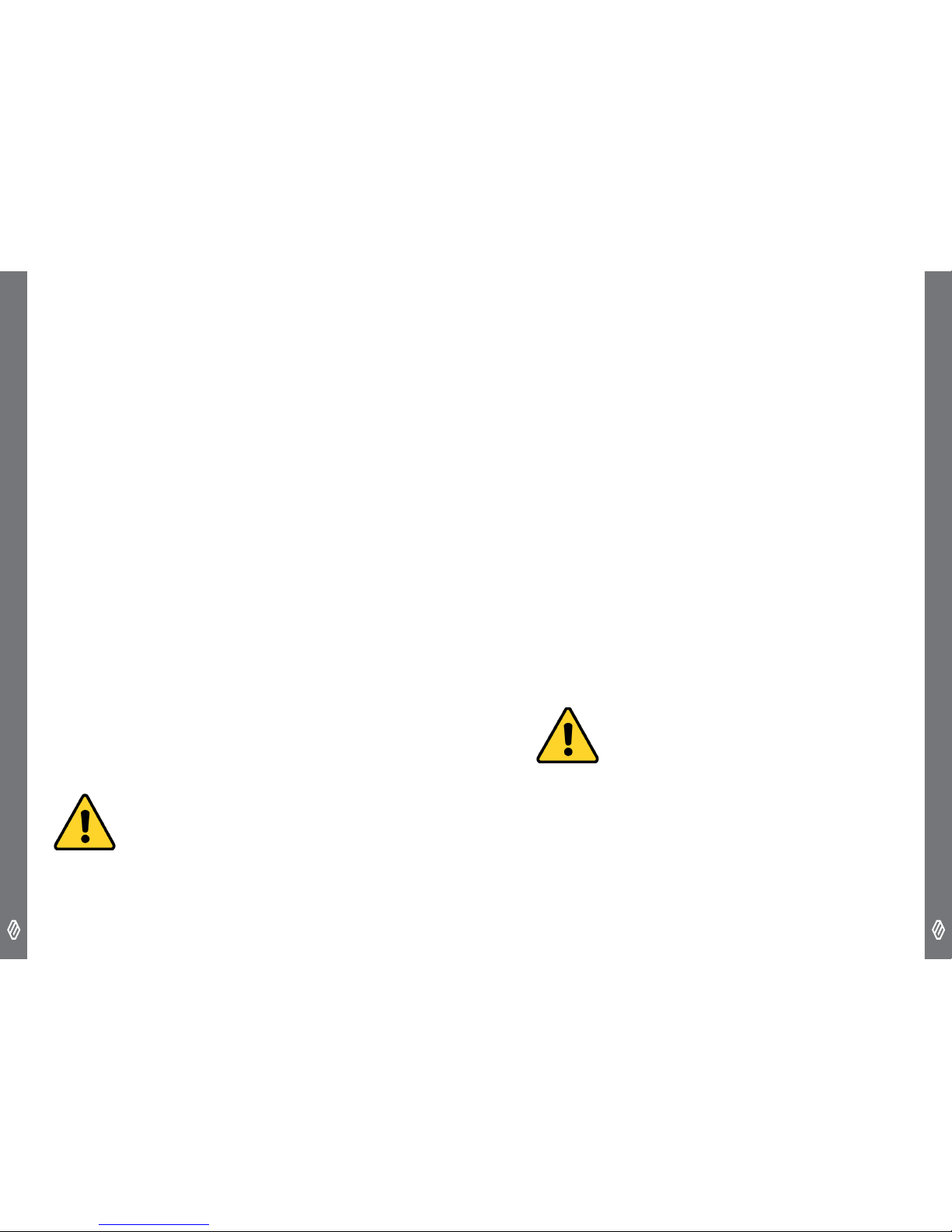
MOTOR
• The motor is a brushless sealed (geared) drive unit that does not
require maintenance.
Page 11
E-BIKE SYSTEM - E100 SERIES
E-BIKE SYSTEM - E100 SERIES
18 19
SPECIFICATIONS
Efciency - Over 80%
Noise - Under 50Db
Voltage - 36v
Rated Power - 250W
Torque - 40Nm
Weight - 2.78kg
Hub – Freewheel
PEDAL ASSISTANCE LEVELS
There are 5 levels of pedal assistance. Assistance will only begin
once you start pedalling. Make sure you are familiar with the power
delivery, and always start with the default level, level 1.
All levels of power delivery are limited to 25km/hr, however they
vary in how much pedal assistance is given
0 - No pedal assistance
1 - 30% of maximum power
2 - 45% of maximum power
3 - 60% of maximum power
4 - 80% of maximum power
5 - 100% of maximum power
CAUTION
For bicycles with multiple gears, make sure that you select the
appropriate gear for the terrain
WALK ASSIST
The walk assist function helps you walk the bike out of car parks
and up steep hills without needing to push the bike. Walk assist is
limited to walking pace, 6km/hr
CONNECTION AND COMMUNICATION
WITH PC
A PC linkage device can be used to connect a PC to the bicycle
(system or components). The BMS (battery management system)
can be used to carry out tasks such as customizing single
components or the whole system and updating rmware. This is
designed to be completed by authorized dealers only.
Contact the place of purchase for updates of the product software.
The most up-to-date information is available on the Entity Cycling
website.
• Do not use thinner or other solvents to clean any of the products.
As such substances may damage the surfaces.
• Use a damp cloth, with the water well wrung out, when cleaning
the battery and plastic cover.
• For any questions regarding handling and maintenance, contact
the place of purchase.
CAUTION - CLEANING
Page 12
E-BIKE SYSTEM - E100 SERIES
E-BIKE SYSTEM - E100 SERIES
20 21
• Products are not guaranteed against natural wear and
deterioration from normal use and aging.
• For maximum performance we highly recommend ENTITY
lubricants and maintenance products.
CONFIGURATION SETTINGS
It is possible to change the conguration settings on the display.
Contact your dealer for more information. This has been set for
your region by your dealer or manufacturer.
TROUBLESHOOTING
If the suggested remedy does not solve the problem, please
contact your dealer.
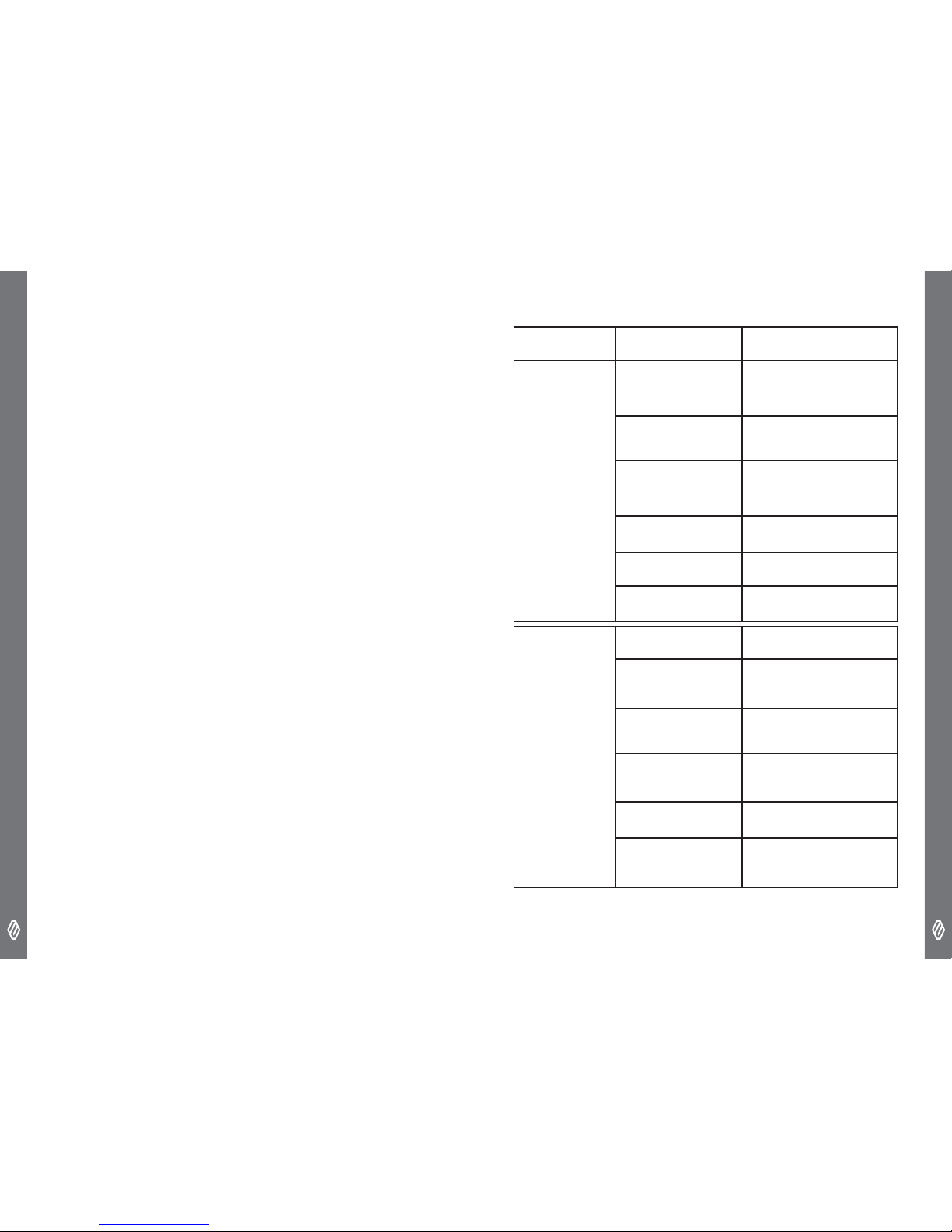
SYMPTOM POSSIBLE CAUSE REMEDY
Assistance not
being provided
Is the battery /
system turned on
Use the switch on the battery
to turn it on. Then hold the M
button on the display to turn
the entire system on
Is the battery
charged
Charge the battery
Battery maybe over
heating
If you are riding in hot
weather, up inclines or with
a heavy load. Wait until the
battery cools down
Over Speeding
The assistance will stop after
reaching 25km/hr
Not pedaling
The bicycle is not a motor
bike, and pedalling is required
The assist level set 0
Set the assistance from 1-5
Assistance
range is too
short
Low battery capacity
Charge battery
Low tyre pressures
Increase tyre pressures to
correct settings
Poor gear change
Change gears according to
the terrain
Lower the assistance
level
Lower assistance leves will
increase range
Lights using power
Don’t use lights during the
day
Over time battery
performance will
degrade
Replace the battery
Page 13
E-BIKE SYSTEM - E100 SERIES
E-BIKE SYSTEM - E100 SERIES
22 23
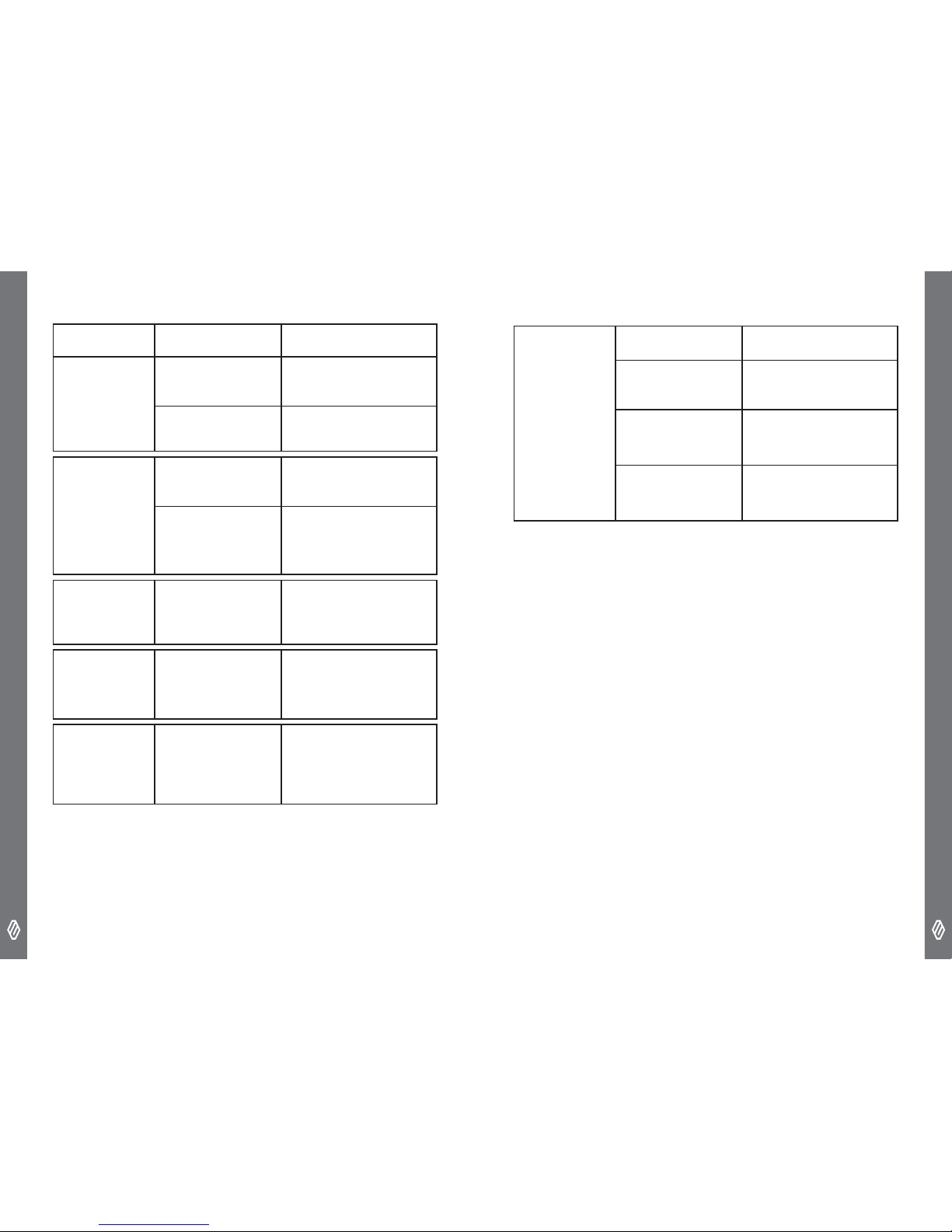
SYMPTOM POSSIBLE CAUSE REMEDY
Pedaling is
difcult
Low tyre pressure
Increase tyre pressure to
correct pressures
Low battery
Charge the battery
Battery cannot
be charged
Check the power
plug and charger
connections
Disconnect and reconnect
charger and battery
Dirty Connections
With the charger
disconnected from the bike
and the power outlet , check
the connections and clean if
required
The LED on
the charger
does not
iluminate
Poor connection
Check the connection of the
battery, charger and power
Battery and /
or charger
are hot
The temperature
maybe exceeding
operating
temperature range
Disconnect, and wait for both
to cool and recharge.
Fluid, odor
or smoke is
coming out of
the battery
Stop using immediately and
contact your dealer
The display
does not
light up
The battery is not
sufciently charged
Recharge the battery
Is the power on
Turn on the power at the
battery and hold the M button
for 2 seconds on the display
Poor connections
Check the connections
for the display, and make
sure the battery is securely
inserted into the case
Cold weather
In very cold weather the
computer will not turn on,
wait for it to warm up and try
again.
Please note: specications are subject to change for improvement
without notice.
© Nov. 2018 by Entity Cycling
Page 14

E-BIKE SYSTEM - E100 SERIES
24
 Loading...