

Page 1
Mini Dome Switch #72S
(With Lights, Music & Vibration)
USER’S GUIDE
Page 2
Fun way to activate your
Fun way to activate your devices!
Fun way to activate yourFun way to activate your
devices!
devices! devices!
Touch anywhere and see lights, spinning glitter and hear exciting music
while activating your device. The Mini-Dome increases visual attention
and is great for learning cause and effect. A special control allows the
user to select any or all of the rewards. Can be used on a tabletop or
mounted on a door or wall. Wall mounting bracket (sold separately)
allows for attachment to walls and doors. See item #466 below. Size:
7¾"W x 4½"H. Requires 4 AA Batteries. Weight: 1 lb.
Operation:
Operation:
Operation:Operation:
1. The Mini Dome Switch requires four AA batteries (Not
included). The battery compartments are located under the
base of the unit. Carefully turn the switch over, and then
remove the battery covers with a small Philips screwdriver.
Install new batteries, being careful to observe proper battery
polarity. Use alkaline batteries only (e.g. Duracell or Energizer
brand). Do not use rechargeable batteries or any other type of
batteries because they supply lower voltage and the unit will
not perform properly. Never mix old and new batteries
together or different brands or types together.
2. Replace the battery case covers and secure with the small
screws. Do not over-tighten.
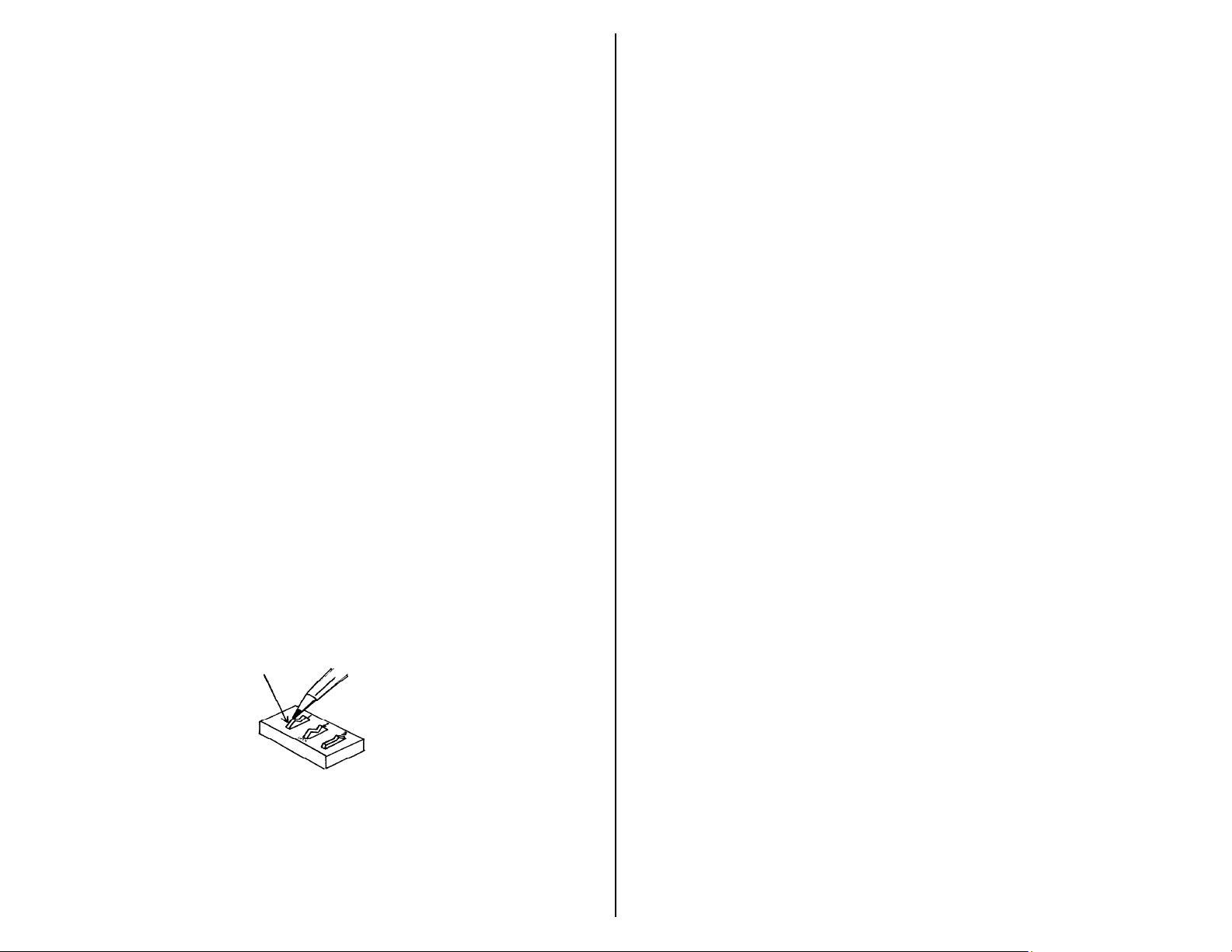
3. To turn on or off the desired stimuli (1-vibration; 2-music; 3lights), push the small white rocker switches to the on or (open
position). Open position means off. Please see Fig 1.
Figure 1.
Figure 1.
Figure 1.Figure 1.
4. Press anywhere on the switch and you will be rewarded with
the selected stimuli vibration, lights & music.
5. To operate as a switch connect an external toy or device via
the 1/8-inch cord jack on the unit. If you need to use a ¼"
adaptor, it must be a mono adaptor, not stereo. Press
anywhere on the switch to activate your toy or device. Once
you release pressure from the switch your toy or device will
turn off.
Important Notes:
Important Notes:
Important Notes:Important Notes:
When the Mini Dome is not in use, make sure that it is not being
When the Mini Dome is not in use, make sure that it is not being
When the Mini Dome is not in use, make sure that it is not being When the Mini Dome is not in use, make sure that it is not being
depressed in any way. Doing so will drain the batteries, even if you
depressed in any way. Doing so will drain the batteries, even if you
depressed in any way. Doing so will drain the batteries, even if you depressed in any way. Doing so will drain the batteries, even if you
have the Lights, Music & vibration set to off. To prevent battery
have the Lights, Music & vibration set to off. To prevent battery
have the Lights, Music & vibration set to off. To prevent battery have the Lights, Music & vibration set to off. To prevent battery
drain durin
drain during storage, remove batteries.
drain durindrain durin
g storage, remove batteries.
g storage, remove batteries.g storage, remove batteries.
Troubleshooting:
Troubleshooting:
Troubleshooting:Troubleshooting:
Problem:
Problem: The Mini Dome Switch does not operate properly.
Problem: Problem:
Action # 1:
Action # 1: Make sure the batteries are in the battery compartment
Action # 1: Action # 1:
properly, and making good contact.
Action # 2:
Action # 2: Make sure you have the desired stimuli selected as
Action # 2: Action # 2:
explained in operation No.3.
Action # 3:
Action # 3: If the unit still does not work properly, replace the batteries.
Action # 3: Action # 3:
Problem:
Problem: The Mini Dome Switch does not activate a connected
Problem:Problem:
toy/device.
Action #1:
Action #1: Make sure all connections are tight.
Action #1:Action #1:
Action #2
Action #2:::: Check batteries in toy/device, replace if weak or dead.
Action #2Action #2
Care of Unit:
Care of Unit:
Care of Unit:Care of Unit:
The Mini Dome Switch can be wiped clean with any household multipurpose cleaner and disinfectant. We recommend Simple Green, which
is a non toxic biodegradable all-purpose cleaner.
Do not submerge
Do not submerge the unit, as it will damage the contents of the top
Do not submergeDo not submerge
and the electrical components. Re
Rev
ReRe
v 1/17
1/17 /1
v v
1/171/17
/17777
/1/1
 Loading...