

Page 1

Finger Switch- #717
USER’S GUIDE
Page 2
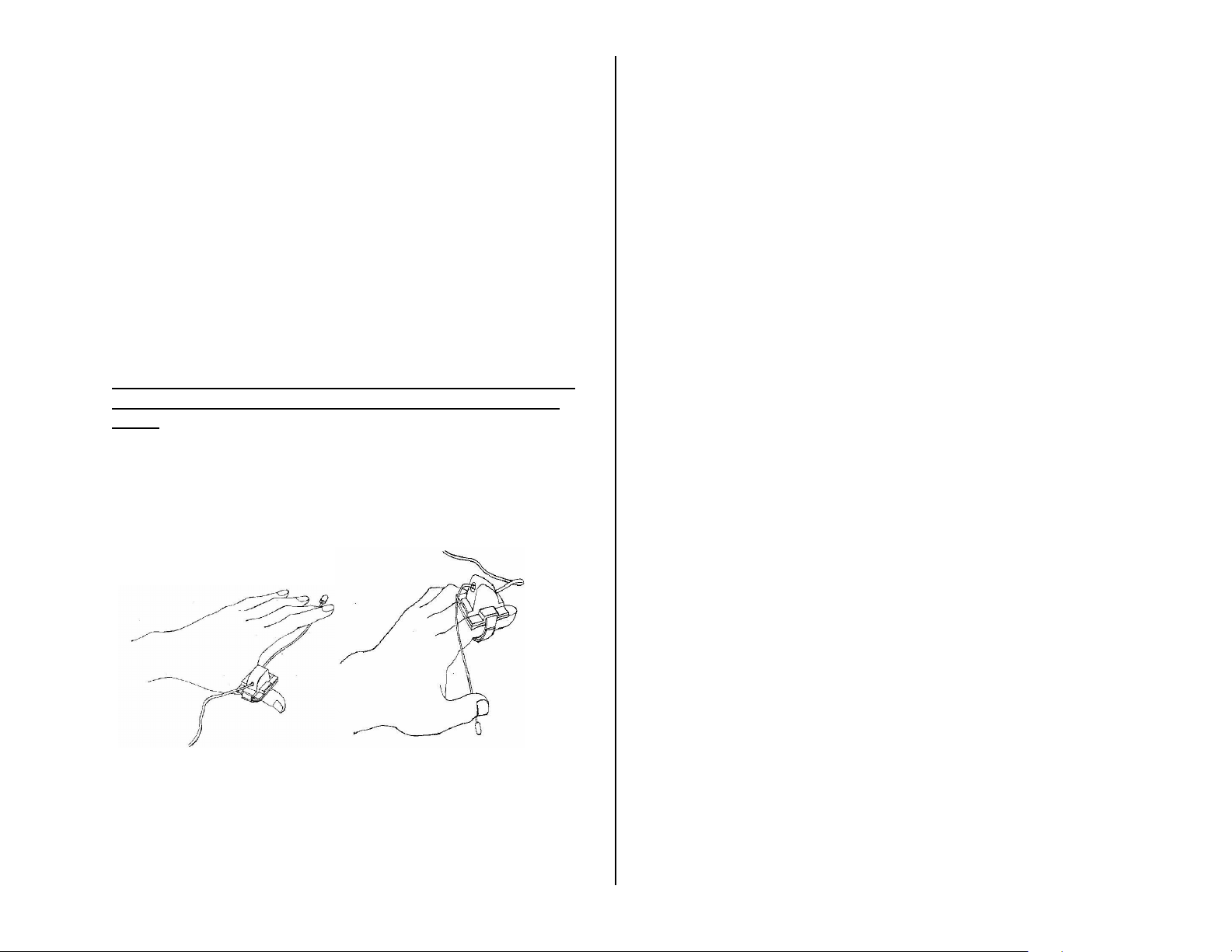
A wearable switch for persons with limited mobility. Designed in the
bioengineering labs at The University of Rhode Island. Because the switch is
worn on the fingers, the relative position between the switch and the mobile
finger that controls the switch can be precisely set and easily maintained.
Size: 1½" x ½".
Operation:
1. Attach the Switch to your finger by adjusting the Velcro strap around
your finger so it has a firm fit. Please note you can remove the
Velcro strap and place it to 90 degrees from its present location.
Bend the end of the wire so that the thumb or other fingers can
activate it. Please Note: take care when bending wire, excessive
force will cause damage to the unit. Do not bend the wire within 1"
of the switch housing. Refer to figures 1 thru 4 for proper setup.
2. Connect an external device via the 1/8"cord jack on the unit. If
you use a ¼ " to 1/8" adaptor, it must be a mono adaptor, not
stereo.
3. Applying slight pressure to the Finger Switch’s metal activation arm
will cause activation of your device. Activation will only be
maintained under sustained pressure of the switch.
Figure 1. Figure 2.
Troubleshooting:
Problem: The Finger Switch does not activate a connected device.
Action #1: Make sure all connections are tight.
Action #2: Check batteries in your device, replace if weak or dead.
Care of Unit:
The Finger Switch can be wiped clean with any household multi-purpose
cleaner and disinfectant.
Do not submerge the unit, as it will damage the contents of the top and the
electrical components.
Care of Unit:
The Plasma Star can be wiped clean with any mild household multi-purpose,
non-abrasive cleaner and disinfectant. We recommend Simple Green, which
is a non toxic biodegradable all-purpose cleaner.
Do not submerge the unit in any fluids, as it will damage the contents and
the electrical components.
Do not use abrasive cleaners, as they will scratch the surface of the unit.
Rev 7/28/10
 Loading...