

Page 1
For Technical Support:
For Technical Support:For Technical Support:
For Technical Support:
Call our Technical Service Department
Monday through Friday, 9 a.m. to 5 p.m. (EST)
1-800-832-8697
Happy Pin Switch Vibration & Music #209
USER’S GUIDE
50 Broadway
Hawthorne, NY 10532
Tel. 914.747.3070 / Fax 914.747.3480
Toll Free 800.832.8697
www.enablingdevices.com
Page 2
Happy Pin
Happy Pin Happy Pin
Happy Pin Switch w/Lights, Vibration & Music
Switch w/Lights, Vibration & MusicSwitch w/Lights, Vibration & Music
Switch w/Lights, Vibration & Music
Build self-esteem with lively stimulation!
The slightest touch rewards the user with bright lights, happy music
and soothing vibration. The individual rewards can be turned on or off
by a hidden switch. The unit will act as a switch for 4 devices (four
cords are included). Size: 7½"L x 8¼"W x 9"H. Requires 2 AA
Batteries. Weight: 1½ lbs.
OPERATING INSTRUCTIONS:
OPERATING INSTRUCTIONS:OPERATING INSTRUCTIONS:
OPERATING INSTRUCTIONS:
1. Carefully turn the unit over to reveal the battery compartment.
Using a small Phillips-head screwdriver, remove the cover and
install two “AA” batteries, being careful to observe proper
polarity.
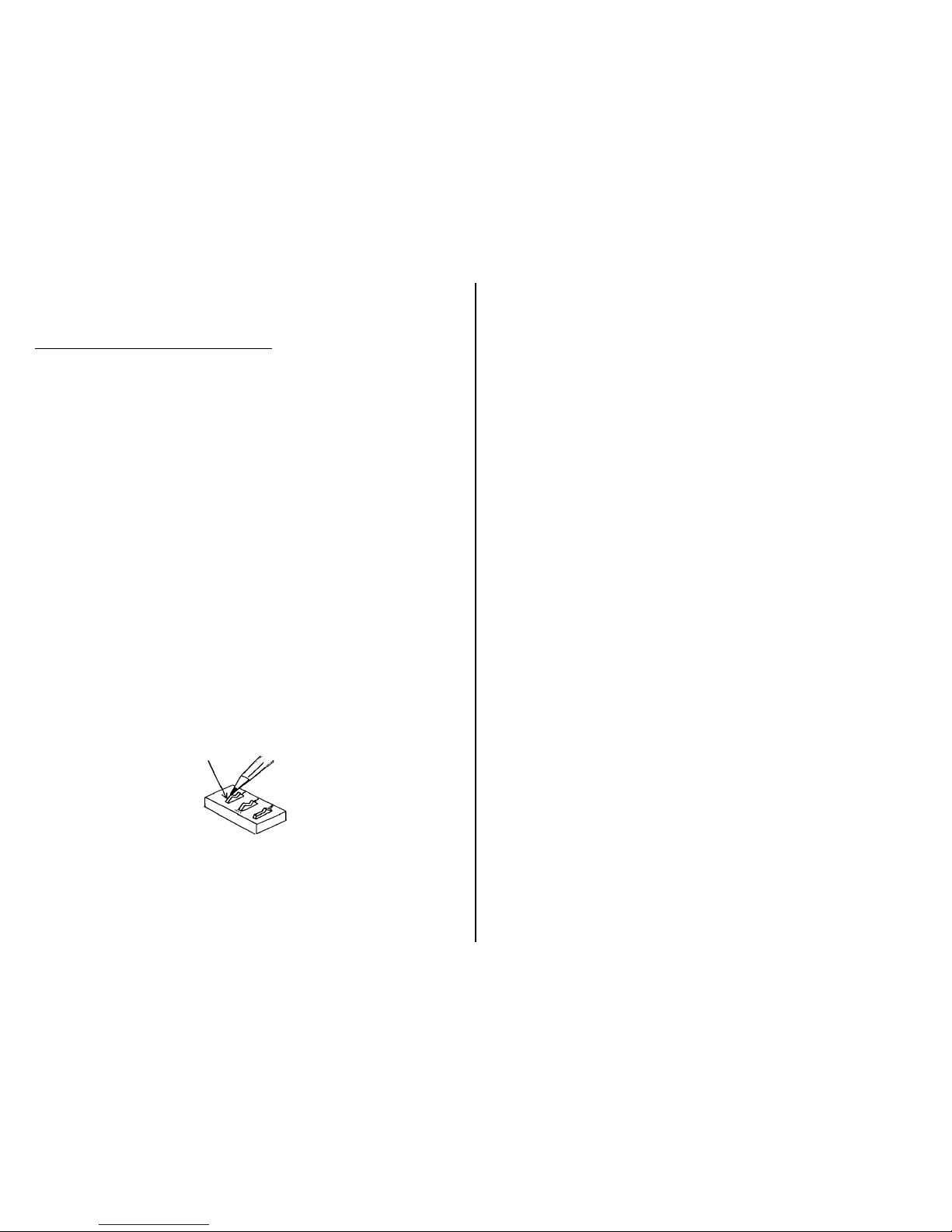
2. To turn on or off the desired stimuli (1 – vibration; 2 – music; 3
– lights), push the small white rocker switches to the on or
(open position). Open position means off. Please see Figure 1.
3. Moving the Happy Pin in one of four directions using a clock
face as an example (12 o’clock, 3 o’clock, 6 o’clock and 9
o’clock), will activate the stimuli that is selected as well as a
device for each of the corresponding jacks located on the back
of the unit.
Figure 1
4. To use this unit as a switch to control other devices, plug one
of the four supplied 1/8" to 1/8" cords into one of the jacks
on the back of the unit and connect the other end of the cord
into the device you wish to operate. If you leave the stimuli on,
they will operate simultaneously with the external device.
IMPORTANT NOTES:
IMPORTANT NOTES:IMPORTANT NOTES:
IMPORTANT NOTES:
• If the lights, vibration or motor stop working, please replace the
batteries (2 AA cells).
• Make sure there are no obstacles between the Happy Pin’s base
plate and the housing unit.
• When connecting a toy/device, be sure there are no gaps between
any of the connections. All should be flush.
• Try your toy/device with a different switch to rule out the Happy
Pin Switch as the source of the problem.
If you have any problems or questions about this unit or any of our
products, please call our Technical Assistance Department
Technical Assistance DepartmentTechnical Assistance Department
Technical Assistance Department at:
(1
(1(1
(1----800
800800
800----832
832832
832----8697)
8697)8697)
8697)
Rev 1/19/ 17
Rev 1/19/ 17Rev 1/19/ 17
Rev 1/19/ 17
 Loading...