

Page 1
Care of Unit:
The unit can be wiped clean with any household multi-purpose cleaner and
disinfectant. We recommend Simple Green, which is a non toxic biodegradable allpurpose cleaner.
When finished using the communicator turn the ON/OFF switch to OFF to help
prevent battery drain. For prolonged storage we recommend removing the batteries.
Do not submerge the unit, as it will damage the contents and the electrical
components.
Do not use abrasive cleaners, as they will scratch the surface of the unit.
Troubleshooting:
Problem: The unit fails to operate or operates incorrectly.
Action #1: Make sure that there is no obstacle between the switch plates and the
housing such as food or dirt. The plates should move freely.
Action #2
Disconnect power by removing one of the batteries for 20 seconds. Re-install the
battery. If the unit still does not work correctly, replace with all fresh batteries.
Problem: The sound level is low (Model 1910 only).
Action #1: Speak closer to the microphone when recording.
Action #2: Adjust On/Off/Volume control clockwise to increase volume.
Action #3 Batteries may be low, replace with fresh batteries
Problem: The tone level is low (Model 1900 only).
Action #1: Batteries may be low, replace with fresh batteries.
Grooved Platform Communicators
#1900 &1910
USER’S GUIDE
Page 2

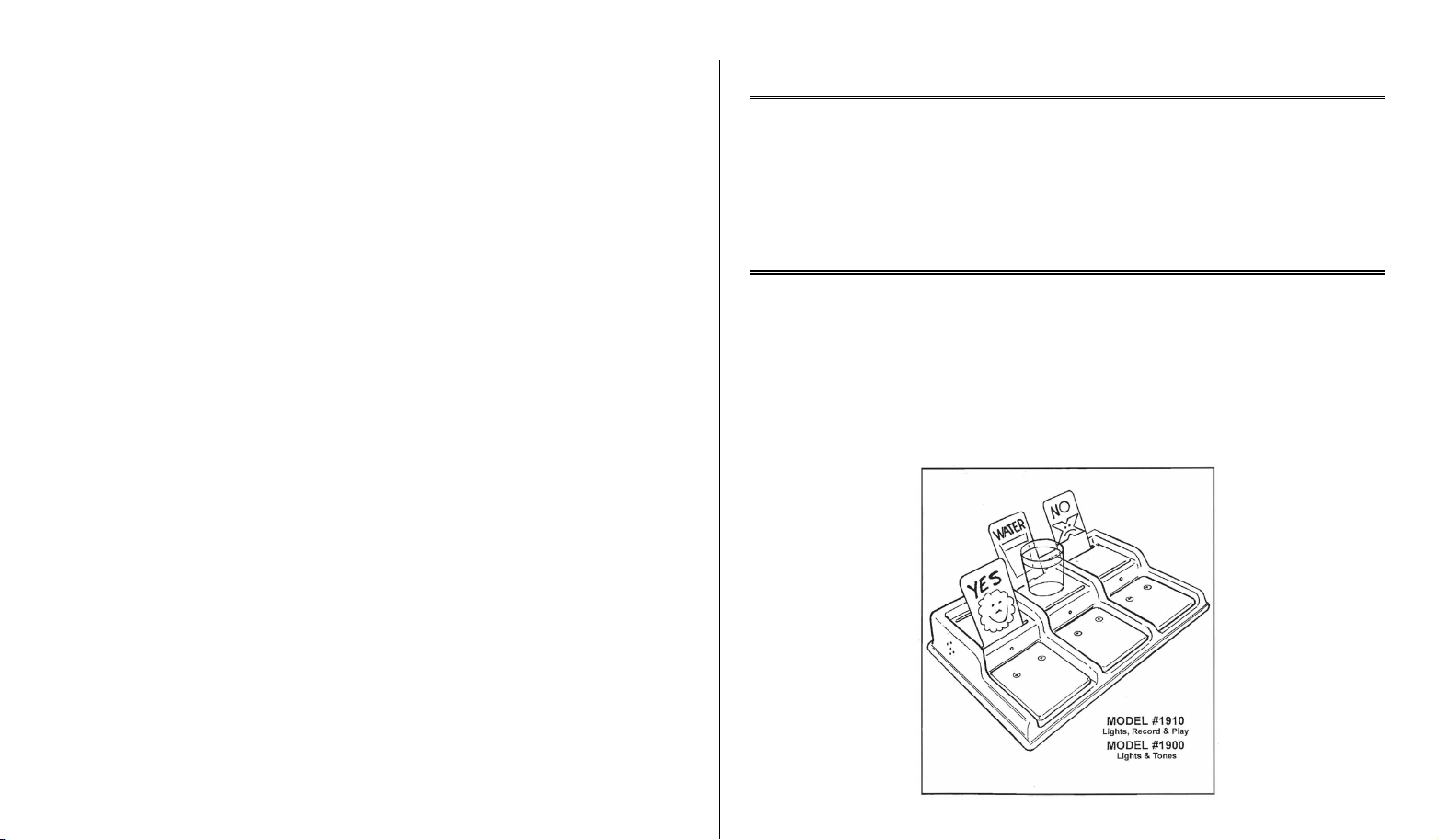
Operated by direct touch! This colorful, creative tool is ideal for teaching
communication skills and object/word relationships. Place objects, words or pictures
on the raised platform, press the appropriate switchplate and lights and a 5-second
prerecorded voice message will play for each switchplate. The unit comes with six
grooved picture holders on the front or back of the platform. Size: 16½" x 12" x 3½".
Requires 4 AA Batteries.
Model 1900 with Lights and Tones:
Depressing one of the 3 switch plates activates a light behind the switch plate and
plays a different soothing tone for each switch plate.
Model 1910 with Lights, Record and Play:
Depressing one of the 3 switch plates activates a light behind the switch plate and
plays a pre-recorded message of up to 5 seconds each, the unit has a built-in high
quality microphone, audio speaker, on-off/volume control knob and record button.
Recorded messages are retained in memory indefinitely even if batteries are
removed.
Operation:
1. Carefully turn the device over to reveal the battery compartment. A small silver
screw must be removed from the battery compartment cover in order to slide it
off. Observing proper polarity, install four AA alkaline batteries into the holder
Use alkaline batteries only (e.g. Duracell or Energizer brand). Do not use
rechargeable batteries or any other type of batteries because they supply lower
voltage and the unit will not perform properly. Never mix old and new batteries
together or different brands or types of batteries together. Replace the battery
compartment cover and screw.
2. A picture card contains pictures or symbols and is inserted into a front or rear
slot behind the switch plate on the communicator. Three shatter-proof blank
picture cards come with your unit. Customize the cards by attaching your own
pictures or symbols or writing directly on the cards. "White Board" markers
available at any office supply store can be used to write and erase messages.
RECORDING (Available on Model 1910 only)
3. Label the first switch plate. (Using picture card and/ or a small object.) Turn on
the on/off volume control knob clockwise to about mid-point. (Clockwise is
louder.) Press and hold down the record button .Press and hold down the switch
plate and speak a word or phrase into the microphone for up to 5 seconds.
Release both plate and record button as soon as the word or phrase is spoken.
4. Check your message by pressing the plate. If not satisfied, repeat procedure.
Adjust volume if necessary. Repeat steps 1 through 6 for the remaining switch
plates.
Basic Operation:
Model 1910 with Lights, Record and Play:
1. Label the three switch plates using picture cards and/or objects.
2. Locate the unit within reach by the user.
3. Turn on the on/off volume control knob to about mid-point for medium volume
speaker level. (Clockwise is louder).
4. Press any of the switch plates.
5. Switch plate light is activated and previously recorded words
or phrases will be heard.
Model 1900 with Lights and Tones:
1. Label the three switch plates using picture cards and/or objects.
2. Locate the unit within reach by the user.
3. Press any of the switch plates.
4. Switch plate light is activated and tones will be heard.
Important Notes:
Model 1910 with Lights, Record and Play
1. The unit will retain recorded information in its memory even though the batteries
are disconnected. Previously recorded information will be erased only when a new
phrase is recorded.
2. Each plate holds up to 5 seconds of memory for a total of 15 seconds for all 3
plates.
3. Once a plate is activated, the entire phrase or message must finish before another
plate can be selected.
Rev 8/16/10
Page 3

 Loading...