

Page 1
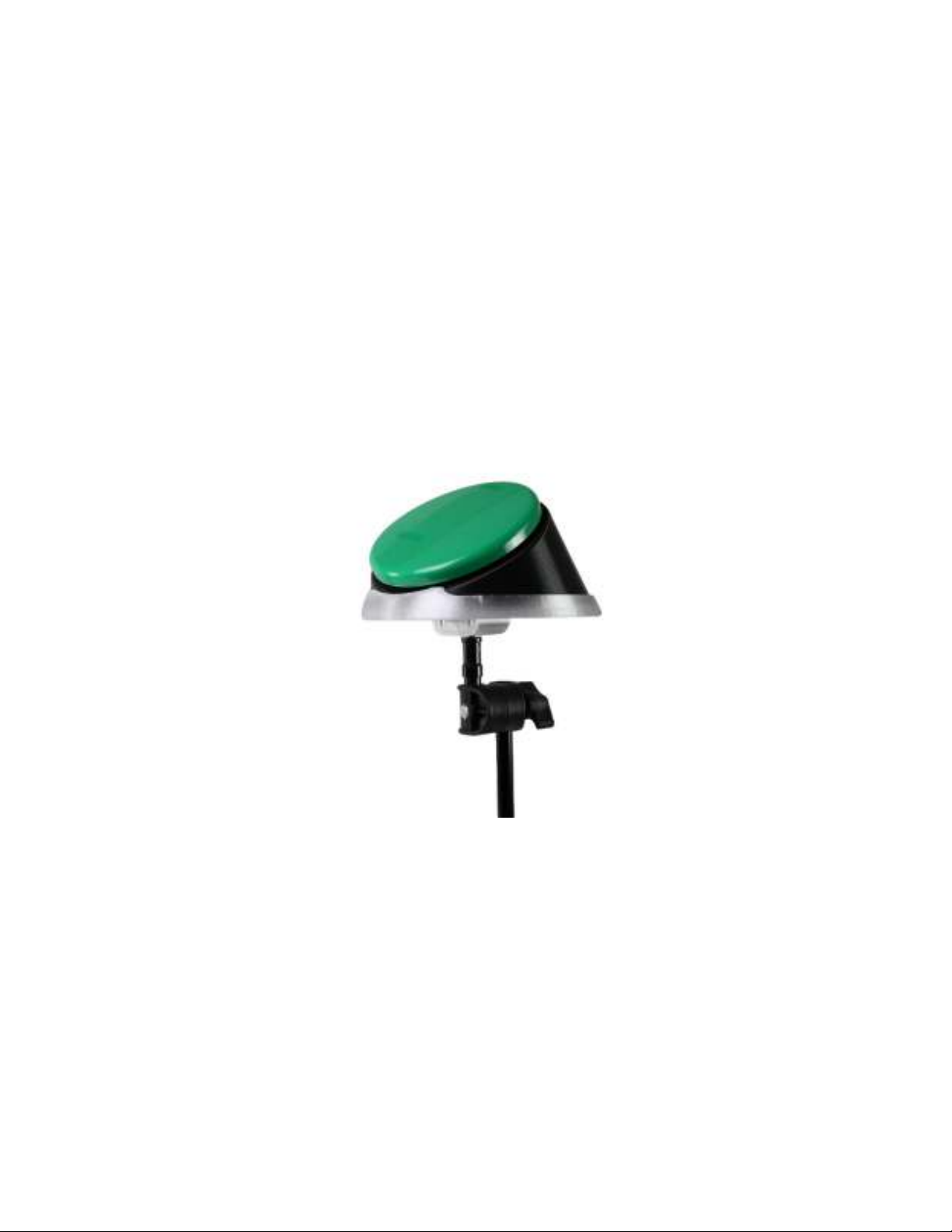
EZ Mount Tray & Optional Adapters
1594 Small Talk EZ Mount Tray
1595 EZ Mount Tray Adapters
1596 Big Talk EZ Mount Tray
1597 Talkable 3 EZ Mount Tray
1598 Talkable 2 EZ Mount Tray
1601 Bright Red Switch EZ Mount
1602 iPad Wireless Switch EZ Mount Tray
Page 2
“A game changer”—that’s what our resident Occupational Therapist calls this new mounting
system for our Big Talk, Talkable 2 and Talkable 3 communicators. Originally designed for a
customer whose wheelchair was overloaded with traditional mounts, the EZ Mount system is
now available to everyone at an affordable price.
How it works: For a fast and easy mounting solution, all you need is the EZ Mount Tray for your
Big Talk, Talkable 2 or Talkable 3 communicator. Snap the communicator into the tray, wrap the
Velcro
TM
strap around the arm of a chair and you’re done. For more versatility, the EZ Mount
Tray Adapters (#1595, see our website) gives you three additional mounting options:
1. A mounting adapter for tubular rails of 1", 7/8", 3/4", or 5/8" in diameter;
2. An adapter that integrates with a gooseneck that has a ¼-20 female threaded socket;
and
3. An adapter that is compatible with all of our current Magic Arm mounts with a 5/8-inch
diameter post.
OPERATION:
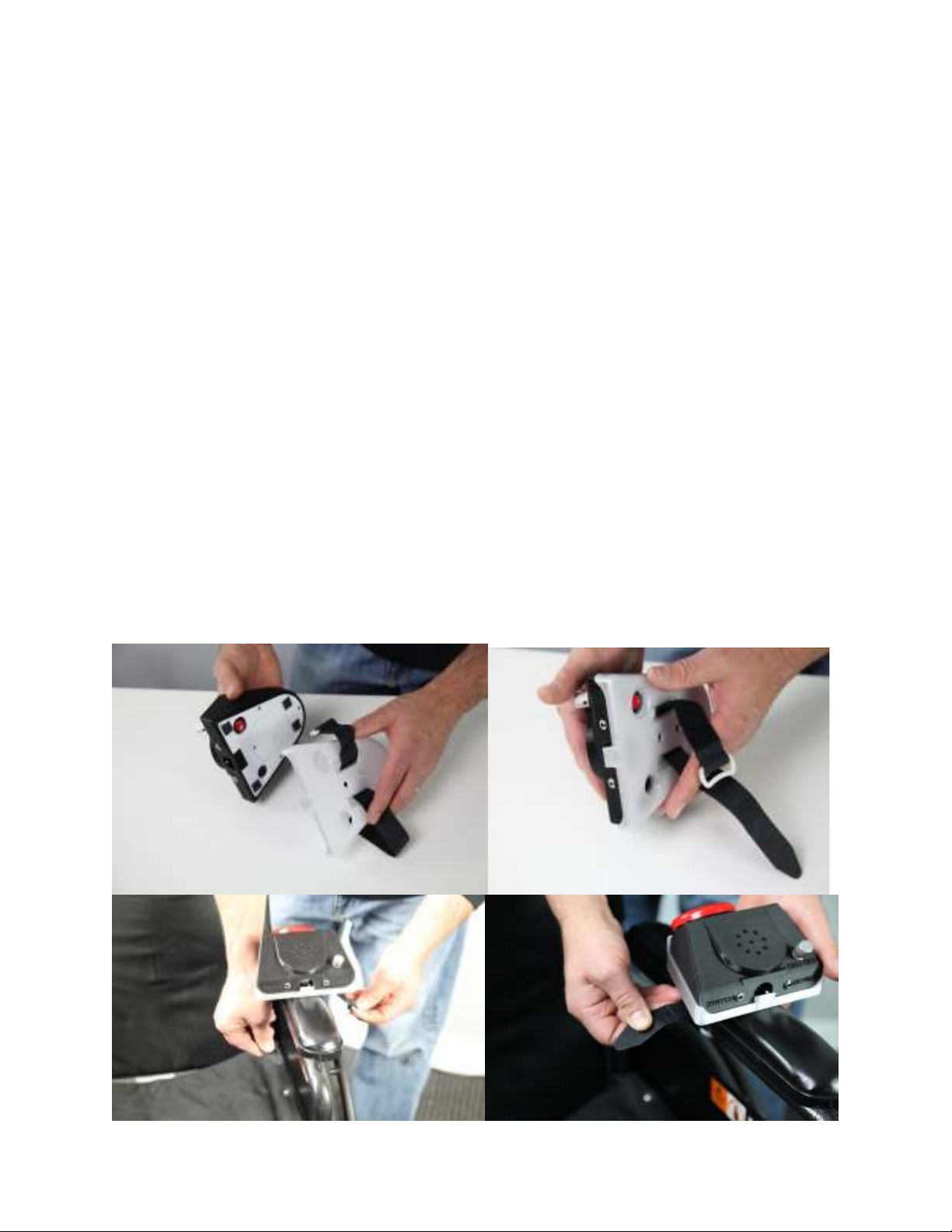
All EZ Mount trays work in the same way. The photos below show (#1594 Small Talk & #1596
Big Talk EZ Mount Tray), but the operation is the same for other trays. The included Velcro
mounting strap can be used to mount the device tray on a chair arm, wheelchair walker or bed
rail to name a few. To use, slip the Velcro strap through the two slots in the bottom of the tray.
Next press your device into the tray to lock it in place. Finally, slip the one end of the strap
through the loop and tighten until secure. See photos below.
Page #1
Page 3
The set includes EZ Mount Tray Adapters for use with all EZ Mount Trays:
1. An adapter for tubular rails of 1", 7/8", 3/4", or 5/8" in diameter;
2. An adapter that integrates with a gooseneck that has a ¼-20 female threaded
socket; and
3. An adapter that is compatible with all of our current Magic Arm mounts with a
5/8" diameter post.
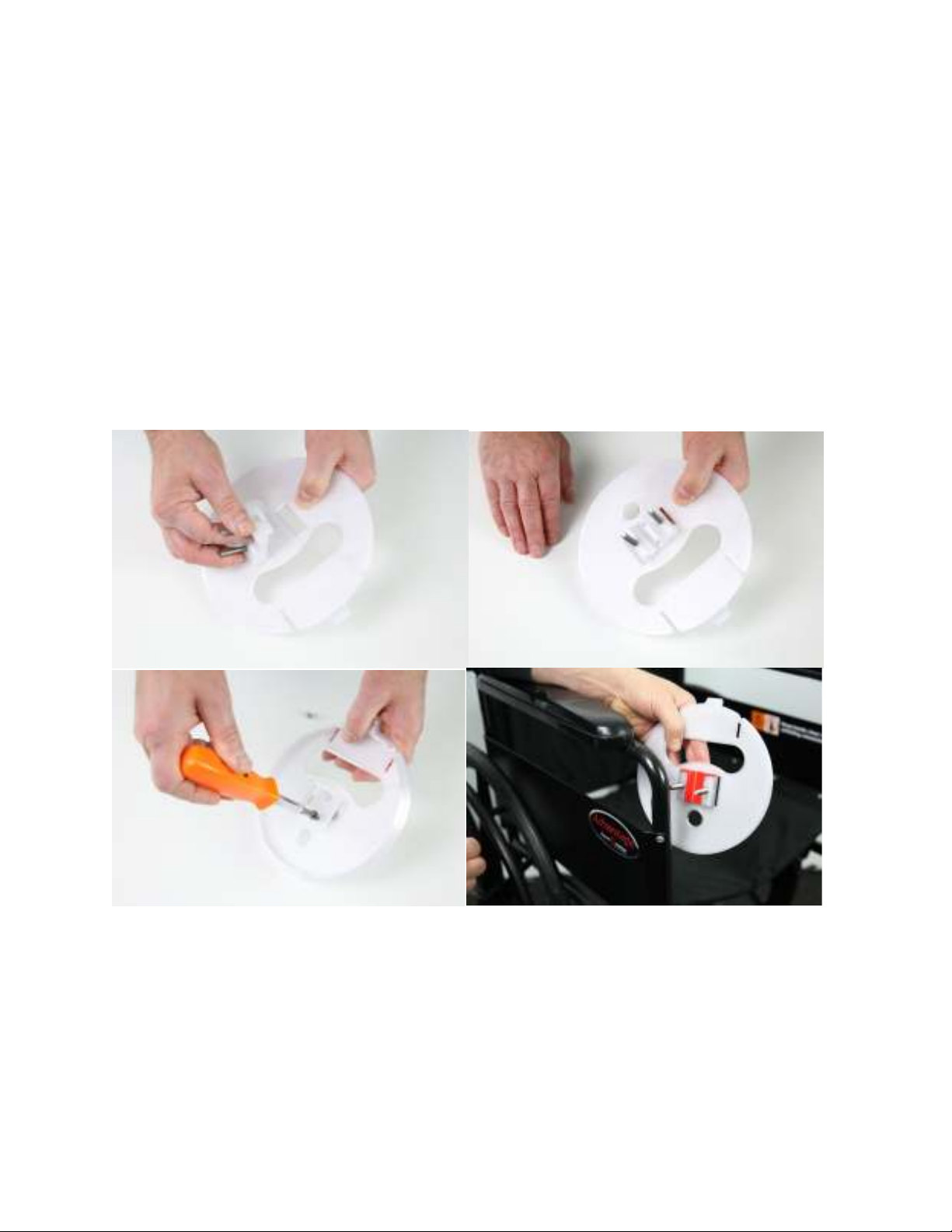
Option 1 is for mounting to a tubular surface, such as a bed rail. From the included,
color-coded inserts, select the correct insert for your size tubing. The size is indicated
on the insert. Next, attach the mounting adapter to your device’s mounting tray with the
two included Phillips head screws. Place the base of the mounting adapter and insert
over your tubing. Now place the upper half of the mounting adapter through the two
screws and secure with the two black thumbscrews. Do not over tighten. See photos.
Page #2
Page 4
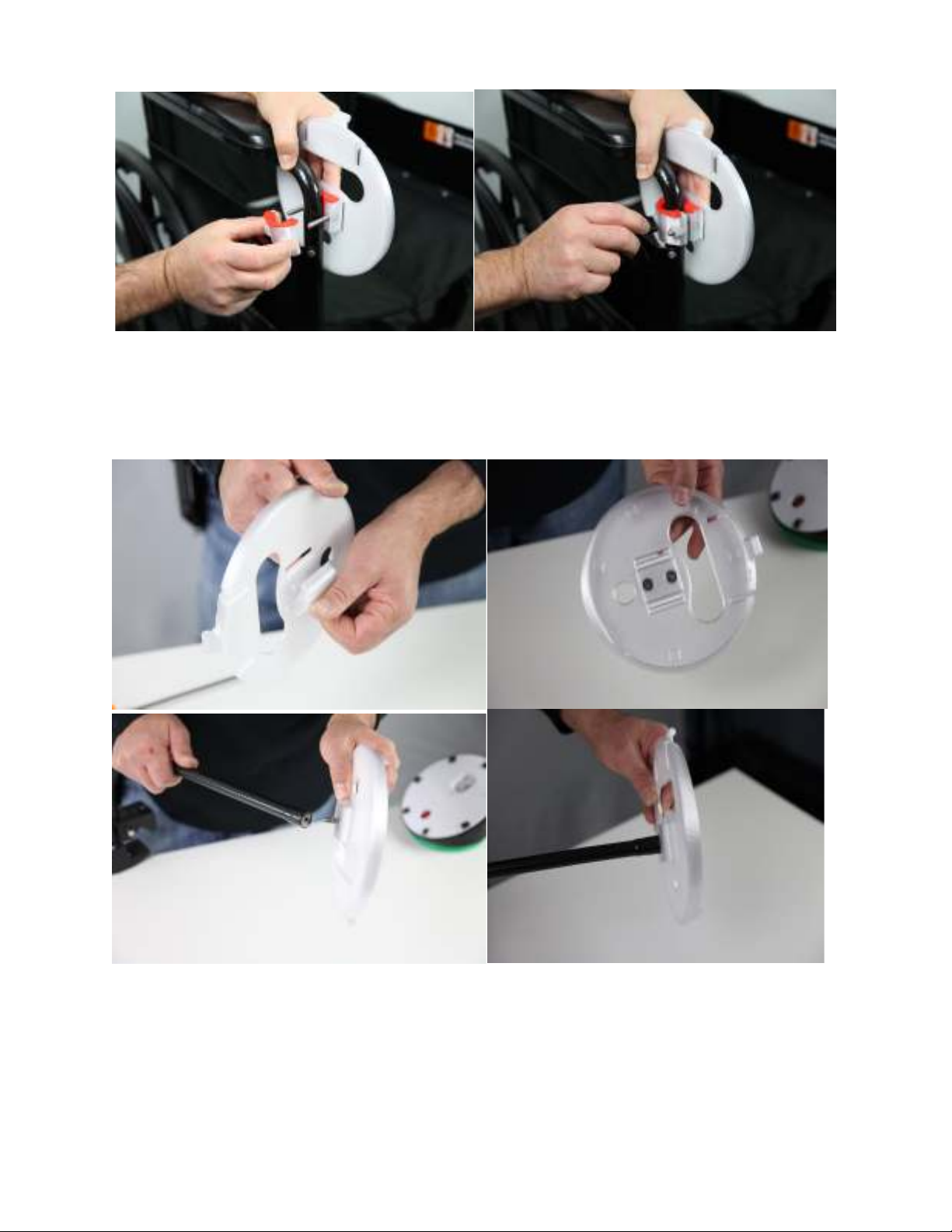
Option 2 is for mounting to a gooseneck mounting system with a ¼-20 threaded female
socket. Attach your device’s mounting tray to the adapter and secure with the two
Phillips head screws. Thread the adapter with the ¼-20 screw into your gooseneck.
Place your device into the mounting tray and press down to lock in place. See photos.
Page #3
Page 5
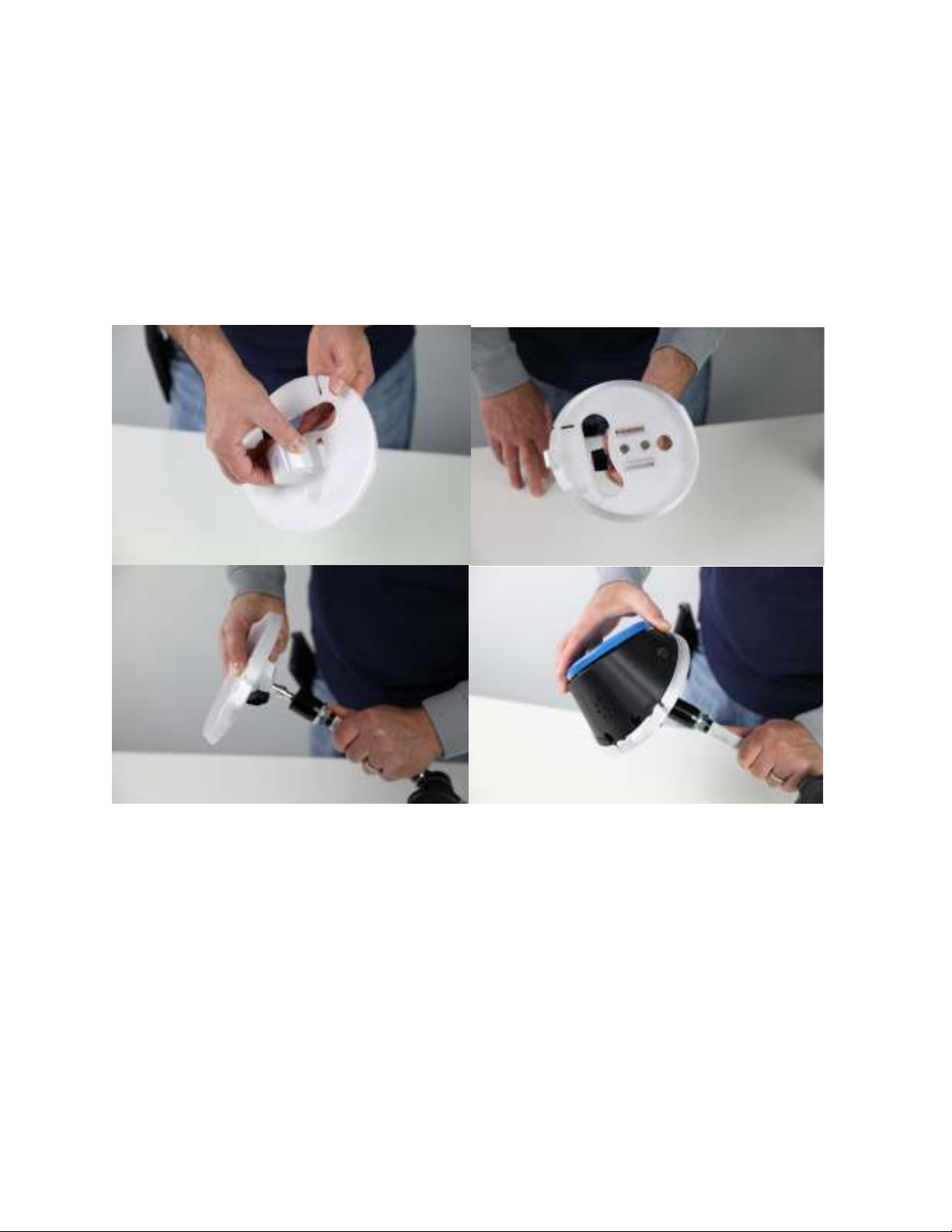
The last mounting option is for mounting to any mount with a 5/8" diameter post, such
as our Light Duty Magic Arm Mounting System #1557 and our Magic Arm Mounting
System #1631. First, attach the mounting adapter with the 5/8" diameter hole and single
adjustable thumbscrew to your device’s mounting tray with the two Phillips head screws.
Next, line up the thumbscrew with the flat spot on the mounting arm’s post. You will
need to back the thumbscrew almost all the way out to allow the block to seat all the
way down on the post. Once this is done, tighten the thumbscrew to secure the
mounting plate to your mounting arm. Place your device into the mounting tray and
press down to secure. See photos below.
Page #4
Page 6

Troubleshooting:
Problem: Mounting tray is loose on the mounting Adapter.
Action: Make sure that you have secured the mounting tray to the adapter with the
included two Philips head screws, and that they are tightened properly.
Problem: Mounting adapter is loose on mounting arm.
Action #1: Make sure you have tightened the ¼-20 post all the way to your gooseneck.
Action #2: Make sure the thumbscrew, is lined up with the flat spot on your 5/8"
mounting post. Second, make sure the thumbscrew is tightened all the way.
Problem: My mounting tray adapter is loose on my tubular mount (e.g., bed rail).
Action #1: Make sure you have selected the proper size insert needed for your
tubing’s diameter.
Action #2: Make sure both thumbscrews are tightened properly.
Care of Unit:
The mounting tray and adapters can be wiped clean with any household multi-purpose
cleaner and disinfectant. We recommend Simple Green, which is a non-toxic,
biodegradable all-purpose cleaner.
Do not use abrasive cleaners, as they will scratch the surface of the unit.
Page #5
Rev 11/15/2022
 Loading...