

Page 1
!
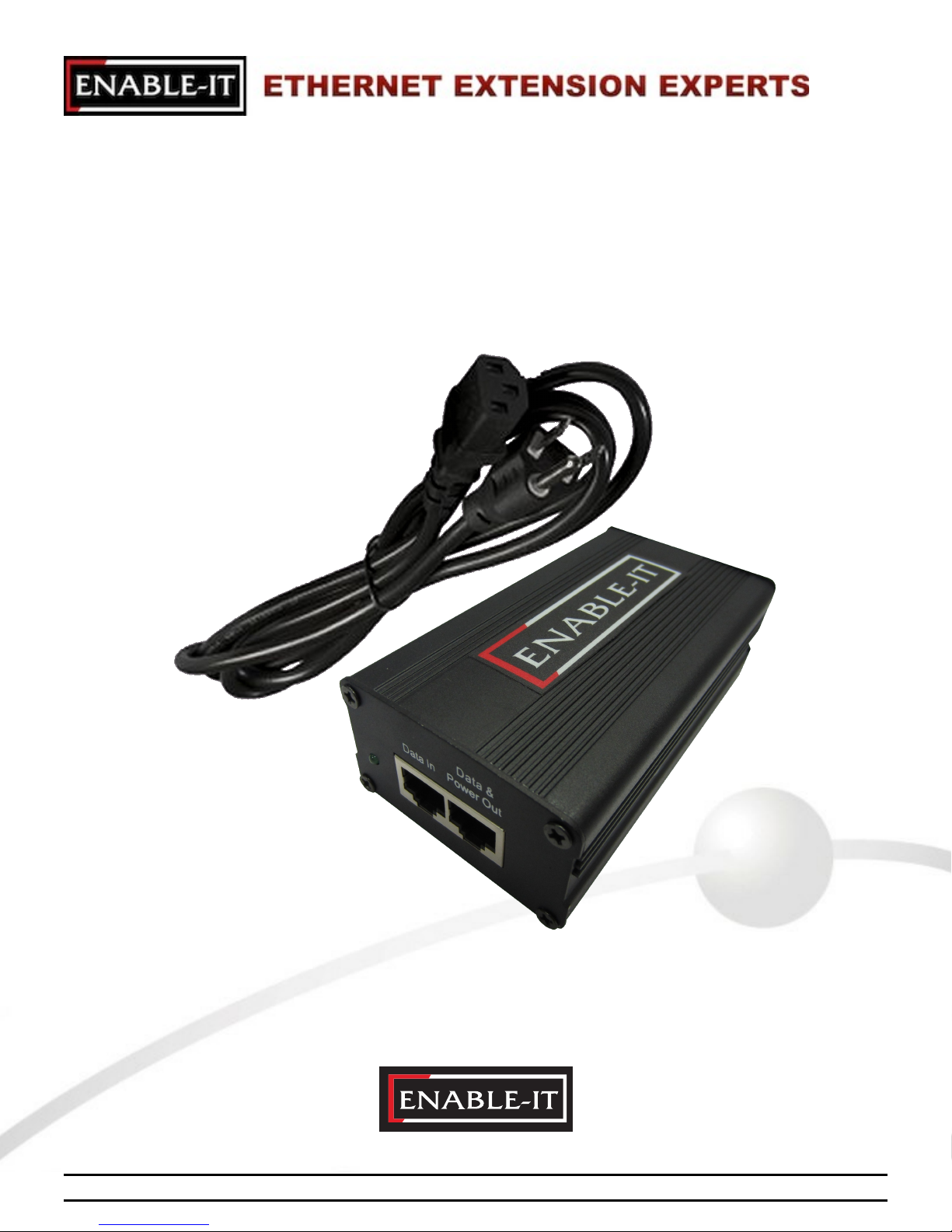
Enable-IT 360
Professional Grade Gigabit PoE Injector
All Rights Reserved © 1997 - 2015 Enable-IT™, Inc.
Page 2

Copyright © 1997-2015 Enable-IT, Inc. All rights reserved. No part of this documentation
may be reproduced in any form, or by any means, or used to make any derivative work (such
as translation, transformation, or adaptation) without written permission from Enable-IT, Inc.
Enable-IT, Inc. reserves the right to revise this documentation and to make changes in
content from time to time without obligation on the part of Enable-IT, Inc., to provide
notification of such revision or change.
Enable-IT, Inc. provides this documentation without warranty, term, or condition of any kind,
either implied or expressed, including, but not limited to, the implied warranties, terms or
conditions of merchantability, satisfactory quality, and fitness for a particular purpose.
Enable-IT, Inc. may make improvements or changes in the product(s) and/or the program(s)
described in this documentation at any time.
If there is any software on removable media described in this documentation it can be
provided on request. Please contact Enable-IT, Inc. and a copy will be provided to you.
UNITED STATES GOVERNMENT LEGEND
If you are a United States government agency, then this documentation and the software
described herein are provided to you subject to the following:
All technical data and computer software are commercial in nature and developed solely at
private expense. Software is delivered as "Commercial Computer Software" as defined in
DFARS 252.227-7014 (June 1995) or as a "commercial item" as defined in FAR 2.101 (a)
and as such is provided with only such rights as are provided in Enable-IT, Inc.'s standard
commercial license for the software/firmware.
Technical data is provided with limited rights only as provided in DFAR 252.227-7015 (Nov
1995) or FAR 52.227-14 (June 1987), whichever is applicable. You agree not to remove or
deface any portion of any legend provided on any licensed program or documentation
contained in, or delivered to you in conjunction with, this User Manual.
Unless otherwise indicated, Enable-IT, Inc. registered trademarks are registered in the
United States and may, or may not, be registered in other countries
All Rights Reserved © 1997 - 2015 Enable-IT™, Inc. Page ! of !2 12
Page 3

TABLE OF CONTENTS
ABOUT THIS USER MANUAL 4 ............................................................................
INTRODUCING THE ENABLE-IT 360 POWER OVER ETHERNET INJECTOR 5 ...........
About The Enable-IT 360 Gigabit Power Over Ethernet Injector 5 .......
Key Benefits 6 ......................................................................................
Summary Of Features 6 .......................................................................
Typical Use Applications 7 ....................................................................
INSTALLING THE ENABLE-IT 360 POWER OVER ETHERNET INJECTOR 8 ..............
Unpacking The Enable-IT 360 Power Over Ethernet Injector 8 ...........
Performing The On-Site Installation 8 ..................................................
TECHNICAL SUPPORT 9 ......................................................................................
Online Technical Services 9 .................................................................
World Wide Web Site 9 .........................................................................
Returning Products for Warranty Repair 9 ............................................
Returning Products for Refund 9 ..........................................................
ENABLE-IT, INC. LIMITED WARRANTY 10 ..............................................................
CONTACT US 12 ..................................................................................................
All Rights Reserved © 1997 - 2015 Enable-IT™, Inc. Page ! of !3 12
Page 4

ABOUT THIS USER MANUAL
This product User Manual provides all the information needed to install and use the Enable-IT
360 Gigabit Power Over Ethernet Injector. This User Manual is intended for use by
technicians who are responsible for installing and setting up network equipment.
Consequently, it is assumed that the installer has a basic working knowledge of LANs (Local
Area Networks), PoE (Power-over-Ethernet) and voice telecom wiring.
Most Enable-IT documents are available in Adobe Acrobat Reader Portable Document Format
(PDF) or HTML on the Enable-IT’s website under the Support tab.
All Rights Reserved © 1997 - 2015 Enable-IT™, Inc. Page ! of !4 12
Page 5

INTRODUCING THE ENABLE-IT 360 61W - 56V GIGABIT
POWER OVER ETHERNET INJECTOR
Congratulations on purchasing the Enable-IT’s 360 Gigabit High Power over Ethernet Injector.!
— the simplest to enable your Power over Ethernet devices.
The Enable-IT 360 Gigabit Power over Ethernet Plus Injector offers a low cost single port solution in a
simple design for rapid install using existing Ethernet cabling.
This chapter contains introductory information about The Enable-IT 360 Gigabit Power over Ethernet
Injector and how it can be used in your network. It covers the following topics:
•
About the Enable-IT 360 Gigabit Power over Ethernet Injector
•
Key Benefits
•
Summary of Features
•
Typical Applications
About the Enable-IT 360 Gigabit Power Over Ethernet Injector
The Enable-IT 360 Gigabit Power over Ethernet Injector solves the problem of high costs associated
with adding additional electrical outlets in hard to reach places for your LAN equipment such as
Wireless Access points or security cameras.
The Enable-IT 360 is a Compact Gigabit Ethernet IEEE 802.3AT standard Power over Ethernet Plus
Injector which provides 56 VDC - 61W over any wiring and up to unexpected extended distance. The
units are fully compatible with industry-standard IEEE 802.3AT Power-over-Ethernet (PoE) devices
and 10/100/1000 Base-T Ethernet networks, providing both Ethernet data pairs as well as the PoE
DC power feed. The 360 PoE Injector meets the following standards.
PoE 2-pair standard – 56 Volts is applied on pins 4, 5, 7 and 8 in separate lines not bridged.!
PoE 4-pair standard – 56 Volts is applied on the data pairs as well with detection.!
The 360 PoE injector is compatible with both normal and inverted polarity voltage PoE equipment.
For maximum distance, PoE Plus travels very far down any type of wiring. Voltage drops over
distance using wires. At 200M, you lose maybe 4 or 6 volts. At 56VDC, that leaves you with 45 volts.
You can determine the amount of voltage drop over a distance by finding the resistance of the cable
for a specific temperature (given in ohms/1000ft) from the cable manufacturer or electrical
wholesaler. If you know the largest amount of current that will flow in the cable, when use the formula:
Vdrop = Current X Distance (Ft) X 2 X Ohms per 1000Ft.
As a rule of thumb you will lose 2V per every 100′ - 200′ of wiring, depending on the gauge. Lower
power also means more amperage means more heat and perhaps issues with the 24 gauge wires in
CAT5. You may need to use 18 gauge wiring. For all intents and purposes, any cable longer than 400′
should use a 56V PoE Injector.
Keep in mind that Ethernet data has a limit of 328ft or 100m. You can easily solve this issue by
using the Enable-IT 360 PoE Plus Injector with an Enable-IT 865 PoE Ethernet Extender kit.
Using the 865 kit will drive your PoE and data up to 3,500ft. !
•
Wire pairs used must be straight through, no taps/connection points.
All Rights Reserved © 1997 - 2015 Enable-IT™, Inc. Page ! of !5 12
Page 6

Key Benefits
The following list identifies the Enable-IT 360 Gigabit Power over Ethernet Plus Injector key
benefits.
•
High Power 56V - 61W IEEE 802.3AT Gigabit Power Over Ethernet Midspan Injector.!
•
Provides 61W - 56VDC PoE to any IEEE802.3AT devices at great distances*.
•
Rapid installation with small box profile; no programming and no firmware to upgrade.
Maintains existing RJ-45 Ethernet Data.
The Enable-IT™ 360 61W - 56VDC Power over Ethernet Plus Injector is a single port IEEE
802.3AT compliant Midspan solution that is compact and easy to install with RJ-45 Ethernet
cabling. This elegant unit is ideal for installing any WiFi Wireless Access Point, security
camera or other PoE powered equipment. It eliminates the need for an external power supply
and its associated AC/DC power cabling, providing a compact, affordable, safe and reliable
power solution over your wiring or existing Ethernet infrastructure.
Summary of Features
•
High Power 56V - 61W IEEE 802.3AT Gigabit Power Over Ethernet Midspan Injector.
•
Fully Compliant detection, disconnect and voltage control IEEE 802.3AF & IEEE 802.3AT.
•
PoE 2-Pair or 4-Pair RJ-45 Pin output - supports high end 4-Pair PoE IP Cameras.
•
Ruggedized Professional Business Grade casing for harsh environments.
•
Network Equipment independence - Transparent to protocols, applications and MAC addresses.
•
FCC Class B Part 15 and EN55022 (CISPR 22) Class B.
•
Immunity ESD: EN61000-4-2 level.
•
Immunity RS : EN61000-4-3 level.
•
Immunity CS : EN61000-4-6 level.
!
Product Specifications
•
Power
Input Voltage 120V to 260V AC Outlet. Inrush current is rated up-to 40A !
Output Voltage 83% Efficiency - 56VDC @1.1A (61W) on RJ-45 Pin assignments comply with
IEEE 802.3 PoE 2-pair or 4-pair.!
PoE PD Detection disabled for maximum distance and output
•
Data Rate
10/100/1000Mbps full-duplex
•
Interface
(2) Ethernet RJ-45 jacks standard
•
Dimensions
Height 1.75" (44mm) Depth 4.75" (120mm) Width 2.75" (70mm)
•
Environment
Operational Temperature: -13° to 176°F (-25° to 80°C)
Humidity: 5%-95%, non-condensing
•
Enclosure
Ruggedized Aluminum Extreme Temperature Enclosure.
All Rights Reserved © 1997 - 2015 Enable-IT™, Inc. Page ! of !6 12
Page 7
Typical Applications
Enable-IT 360 Gigabit Power over Ethernet Plus Injector unit is very lightweight and compact for most
all applications and use. These units are easy to install with plug and play RJ-45 Ethernet jacks.
Insert your wiring and go.
As an 802.3AT compliant device, the Enable-IT 360 61W - 56VDC Power over Ethernet Plus Injector
uses 4 wires in a category rated wiring bundle, i.e. CAT5e run. As with all PoE supplies, voltage drops
over distance. As a rule of thumb you will loose 2V per every 100′- 200′ of wiring, depending on the
gauge. Lower power also means more amperage which means more heat and perhaps issues with
the 24 gauge wires in CAT5. You may need to use 18 gauge wiring. The Enable-IT 360 is a 56V
power injector to maximize your distance and output.
The Enable-IT 360 Gigabit Power over Ethernet Plus Injector is suited for the following key
environments:
•
Commercial Buildings (Multi-Tenant Units)
•
Business Parks (Multi-Tenant Units)
•
Apartments (Multi-Residential Units)
•
Hotels (Multi-Hospitality Units)
•
Business Suites (Multi-Hospitality Units)
•
School Campuses (University, K-12)
•
College Housing (Multi-Residential Units)
"
All Rights Reserved © 1997 - 2015 Enable-IT™, Inc. Page ! of !7 12
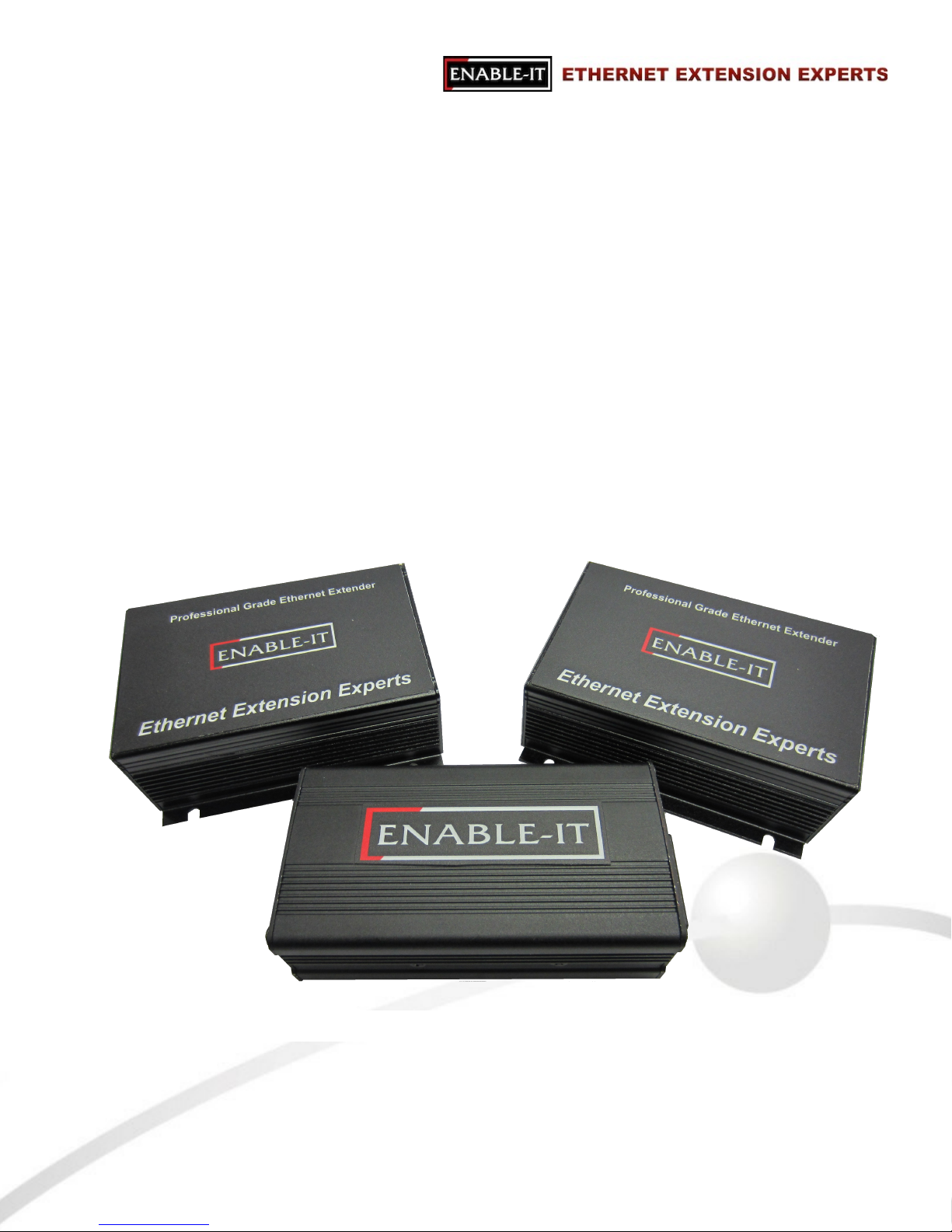
Figure 1 Enable-IT 360 included with the 865 PoE & Ethernet Extender Kit
Page 8
INSTALLING THE ENABLE-IT 360 GIGABIT POWER OVER
ETHERNET INJECTOR
Unpacking the Enable-IT 360 Gigabit Power over Ethernet Plus Injector
Carefully remove the Enable-IT 360 Gigabit Power over Ethernet Plus Injector from all
packing materials in the box. Verify that the items listed below are present. Make sure that the
equipment supplied matches what you ordered. If any items are missing or damaged, please
contact your Enable-IT or your distributor for assistance.
•
(1) The Enable-IT 360 Gigabit Power over Ethernet Plus Injector!
•
(1) US Type B 120VAC power cord!
•
(1) Set of optional mounting rails for the 360 PoE Injector
•
(1) Enable-IT 360 Gigabit Power Over Ethernet Injector User Manual (this manual)
Performing the On-Site Installation
❶ Locate the power source for connecting the supplied power cord and attach this !
power cord to Enable-IT 360. You can apply power to the unit.
!
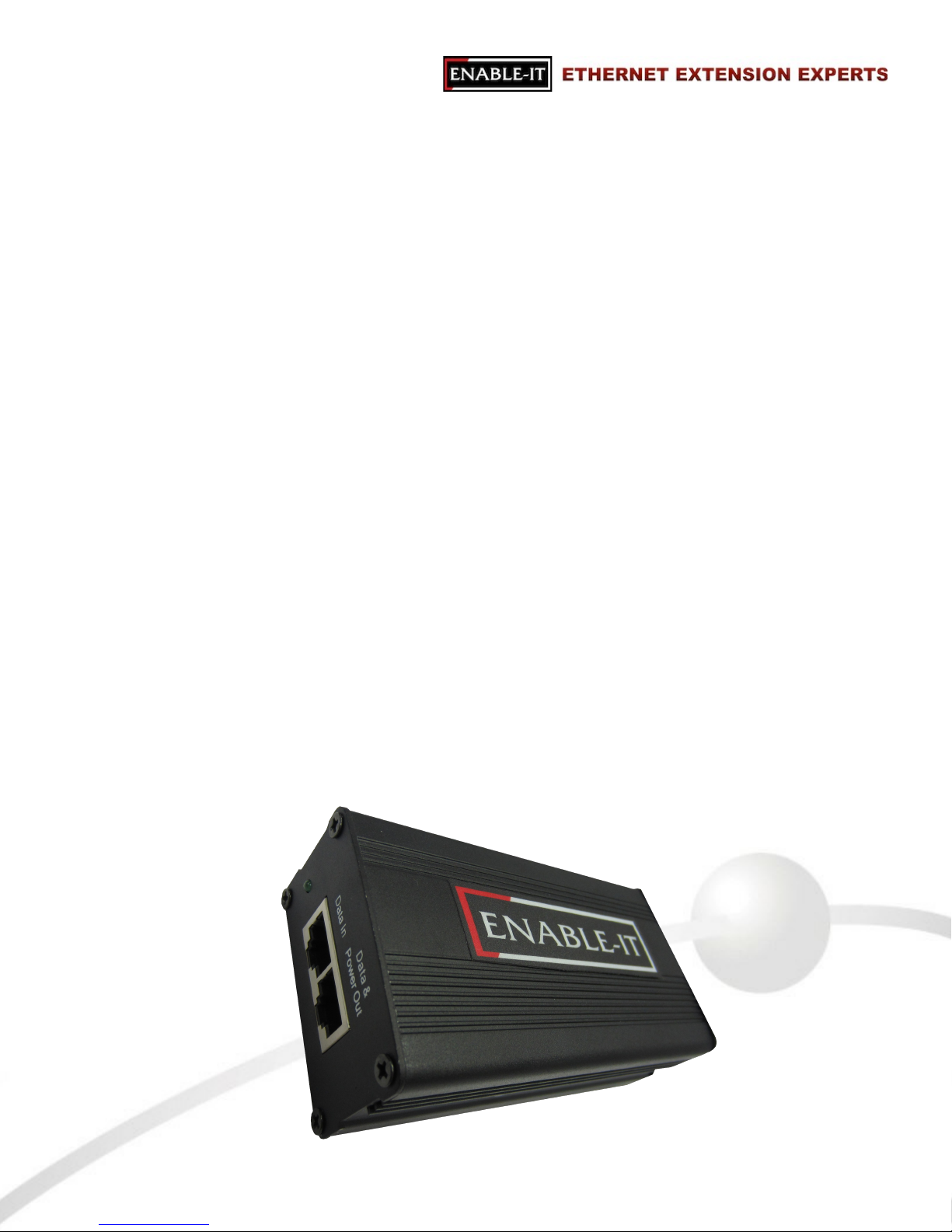
❷ Insert a standard Ethernet patch cord to the Data/PoE out port - the other end of the !
Ethernet Patch cord is for your PoE equipment or Enable-IT 865 PoE and Ethernet !
Extender (Data/PoE in port)
❸ Insert a standard Ethernet patch cord into the Data In port and connect the other end !
of the Ethernet Patch cord to your Local LAN device such as a switch.
All Rights Reserved © 1997 - 2015 Enable-IT™, Inc. Page ! of !8 12
Page 9

TECHNICAL SUPPORT
Enable-IT, Inc.’s Customer Care Team support is available directly to customers and distributors. All
support requests are processed through the online support portal. This allows us to provide
assigned support ticket numbers in order to bring closure to any technical issues.
Online Technical Services
The Enable-IT Support Portal is available 24/7 to open a ticket or check the status of one. Please
use this support website as your first source for help as it contains an on-line knowledge base of
articles, documentation, FAQ's and other problem-solving resources. This web-based support
resource provides the quickest solution to the most common technical support issues.
World Wide Web Site
http://support.enableit.com
Returning Products for Warranty Repair
Enable-IT, Inc. warrants to the original purchaser of the Product ("you" or the "End User") that, for
the four (4) year period commencing on the date the Product was purchased (the "Warranty
Period"), the Product will be substantially free from defects in materials and workmanship under
normal use and conditions. Electrical or water damage is not covered under this warranty,
extended warranties or Advanced Replacement Program (AREP).
In order to obtain an authorized RMA approval, the End User must complete the required
information online located at http://support.enableit.com. If you have questions or difficulty
completing this information you may contact the Customer Care Team at 888-309-0910 between
the hours of 8:00 a.m. and 5:00 p.m. PT.
Please ship Authorized RMAs to:
RMA Warranty Repair Processing Facility
16600 Harbor Blvd, Suites H & I
Fountain Valley, CA 92708-1363
Returning Products for Refund
Enable-IT, Inc. offers a generous 45-Day refund on a single Ethernet Extender Kit only, and is
subject to a 15% Restocking Fee. Shipments without a valid or authorized RMA number, or
sent to our corporate Las Vegas address, can be refused and / or billed for additional
shipping.
All Rights Reserved © 1997 - 2015 Enable-IT™, Inc. Page ! of !9 12
Page 10

ENABLE-IT, INC. LIMITED WARRANTY
Enable-IT, Inc. warrants the Enable-IT 360 PoE Injector solely pursuant to the following terms and
conditions.
1.ENABLE-IT PRODUCT WARRANTY.
a. Express Warranty.
Enable-IT warrants to the original purchaser of the Product ("you" or the "End User") that, !
for the four (4) year period commencing on the date the Product was purchased (the
"Warranty Period"), the Product will be substantially free from defects in materials and
workmanship under normal use and conditions. This warranty does not apply to Products,
which are resold as used, repaired or reconditioned, or consumables (such as batteries)
supplied with the Product. Electrical or water damage are not covered under this
warranty, extended warranties or Advanced Replacement Program (AREP).
!
Enable-IT does not make any warranty with respect to any third party product, software or
accessory supplied with or used in connection with the Product and such third party
products, software and accessories, if any, are provided "AS IS." Warranty claims related to
such third party products, software and accessories must be made to the applicable third
party manufacturer.
b. Remedies for Breach of Warranty.
In the event of a breach of the foregoing warranty, Enable-IT will, in its sole discretion and at
its cost, and subject to the terms of the following paragraph, repair the non-conforming
Product, replace the non-conforming Product with a new or reconditioned Product or refund
the purchase price for the Product. Any new or reconditioned Product provided pursuant to
this paragraph is warranted as provided herein for the remainder of the original Warranty
Period. THE REMEDY SET FORTH IN THIS PARAGRAPH SHALL BE THE END USER’S
SOLE AND EXCLUSIVE REMEDY FOR BREACH OF THE FOREGOING WARRANTY.
c. Conditions for Warranty Qualification.
If authorized by Enable-IT to return a Product which does not conform to the warranty set
forth above, the End User must: (1) obtain a return materials authorization (RMA) number
from Enable-IT by contacting the Customer Service Dept. at 888-309-0910 between the
hours of 8:00 a.m. and 5:00 p.m. PST and otherwise fully comply with Enable-IT’s thencurrent RMA policy; (2) return the Product to Enable-IT in its original packaging freight prepaid; and (3) provide to Enable-IT the original receipt or bill of sale establishing the date on
which the Product was purchased. Products returned to Enable-IT without an RMA number
will be returned to the End User. Enable-IT shall not be responsible for damage or loss
during shipment of the returned Product to Enable-IT.
d. Voiding of Warranty.
The express warranty set forth above shall not apply to failure of the Product if the Product
has been subjected to: (i) physical abuse, misuse, improper installation, abnormal use,
power failure or surge, or use not consistent with the operating instructions provided by
Enable-IT; (ii) modification (including but not limited to opening the Product housing) or repair
by any party in any manner other than as approved by Enable-IT in writing; (iii) fraud,
tampering, unusual physical or electrical stress, unsuitable operating or physical conditions,
negligence or accidents; (iv) removal or alteration of the Product serial number tag; (v)
improper packaging of Product returns; or (vi) damage during shipment (other than during
the original shipment of the Product to the End User from Enable-IT, if applicable).
All Rights Reserved © 1997 - 2015 Enable-IT™, Inc. Page ! of !10 12
Page 11

e. Warranty Disclaimers.
THE EXPRESS WARRANTY SET FORTH ABOVE IS IN LIEU OF ALL OTHER
WARRANTIES, WHETHER WRITTEN, ORAL, EXPRESS OR IMPLIED. ENABLE-IT
DISCLAIMS, TO THE MAXIMUM EXTENT PERMITTED BY LAW, THE IMPLIED
WARRANTIES OF MERCHANTABILITY, FITNESS FOR A PARTICULAR PURPOSE OR
NONINFRINGEMENT OF THIRD PARTY RIGHTS. NO PERSON (INCLUDING WITHOUT
LIMITATION, ENABLE-IT’S EMPLOYEES, AGENTS, RESELLERS, OEMS OR
DISTRIBUTORS) IS AUTHORIZED TO MAKE ANY OTHER WARRANTY OR
REPRESENTATION CONCERNING THE PRODUCT. IF THE DISCLAIMER OF ANY
IMPLIED WARRANTY IS NOT PERMITTED BY LAW, THE DURATION OF ANY SUCH
IMPLIED WARRANTY IS LIMITED TO ONE (1) YEAR FROM THE DATE OF PURCHASE.
SOME JURISDICTIONS DO NOT ALLOW THE EXCLUSION OF IMPLIED WARRANTIES
OR LIMITATIONS ON HOW LONG AN IMPLIED WARRANTY MAY LAST, SO SUCH
LIMITATIONS OR EXCLUSIONS MAY NOT APPLY. THIS WARRANTY GIVES THE END
USER SPECIFIC LEGAL RIGHTS AND THE END USER MAY ALSO HAVE OTHER
RIGHTS, WHICH VARY FROM JURISDICTION TO JURISDICTION. ENABLE-IT DOES
NOT WARRANT THAT THE OPERATION OF THE PRODUCT WILL BE
UNINTERRUPTED OR ERROR FREE. ENABLE-IT IS NOT RESPONSIBLE FOR ANY
DAMAGE TO OR LOSS OF ANY PROGRAMS, DATA, OR OTHER INFORMATION
STORED ON OR TRANSMITTED USING THE PRODUCT.
2. LIMITATION OF LIABILITY.
IN NO EVENT SHALL ENABLE-IT BE LIABLE TO THE END USER, OR ANY THIRD PARTY, FOR
ANY INDIRECT, SPECIAL, PUNITIVE, INCIDENTAL OR CONSEQUENTIAL DAMAGES IN
CONNECTION WITH OR ARISING OUT OF THE SALE OR USE OF THE PRODUCT
(INCLUDING BUT NOT LIMITED TO LOSS OF PROFIT, USE, DATA, OR OTHER ECONOMIC
ADVANTAGE), HOWEVER IT ARISES, INCLUDING WITHOUT LIMITATION BREACH OF
WARRANTY, OR IN CONTRACT OR IN TORT (INCLUDING NEGLIGENCE), OR STRICT
LIABILITY, EVEN IF ENABLE-IT HAS BEEN PREVIOUSLY ADVISED OF THE POSSIBILITY OF
SUCH DAMAGE AND EVEN IF A LIMITED REMEDY SET FORTH IN THIS AGREEMENT FAILS
OF ITS ESSENTIAL PURPOSE. IN NO EVENT SHALL ENABLE-IT’S LIABILITY TO THE END
USER, OR ANY THIRD PARTY, EXCEED THE PRICE PAID FOR THE PRODUCT. BECAUSE
SOME JURISDICTIONS DO NOT ALLOW THE EXCLUSION OR LIMITATION OF LIABILITY FOR
CONSEQUENTIAL OR INCIDENTAL DAMAGES, THE ABOVE LIMITATIONS MAY NOT APPLY
TO THE END USER.
3. LICENSE AND LIMITATIONS.
The firmware and software embedded in the Product (the "Embedded Software") are licensed to
you. Your use of the Product is your acceptance of the warranty terms above and the terms below.
You may u se t he E mb edd ed S of tw are s ol ely i n conj un cti on w it h your u se o f t he P ro duc t. All
worldwide right, title and interest in and to the Product, or any portion thereof (including but not
limited to the Embedded Software), including all copyrights, patent rights, trademarks, trade
secrets, and other intellectual property rights therein and thereto, are and shall remain the exclusive
property of Enable-IT and/or its licensors. You acknowledge and agree that you may not, and may
not allow any third party to, (i) use the Embedded Software in a manner that is inconsistent with the
above express right granted to you or (ii) modify, distribute, reproduce, decompile, disassemble,
reverse engineer or otherwise attempt to discover the source code for the Embedded Software.
All Rights Reserved © 1997 - 2015 Enable-IT™, Inc. Page ! of !11 12
Page 12

CONTACT US
Sales and Customer Care:
Toll Free US and Canada 888 309-0910
866 389-8605 Fax
Other International +1 702 924-0402
+1 702 800-2711 Fax
RMA Support:
http://support.enableit.com
All Rights Reserved © 1997 - 2015 Enable-IT™, Inc. Page ! of !12 12
 Loading...