

Page 1
Tripod Screen User Manual
General Notes
1. Thank you for choosing our projection screen for your home or business. Please read the user manual carefully before
proceeding.
2. When not in use, fully close the screen to prevent damage.
3. When cleaning, use a soft damp cloth with warm water or diluted liquid detergent to remove any marks on the casing or
on the screen surface.
4. Never attempt to use any solutions containing corrosive chemicals or abrasive cleaners on the screen surface.
5. To avoid damaging the screen, do not fold the screen or touch the screen directly with your hands, tools, or any other
abrasive/sharp object.
6. Do not throw the screen. If the screen needs to be transported, close the screen properly and carry by the handle.
7. Do not kick the legs of the tripod as this damages the legs, they retract best when done so carefully by hand.
Safety Guide
1. When using the screen, extend the tripod legs and place it on a flat, stable surface.
2. If the screen is being used outdoors, ensure there are no environmental hazards which could cause damage to screen
and others around it. This includes wind, precipitation, flying objects, and pets.
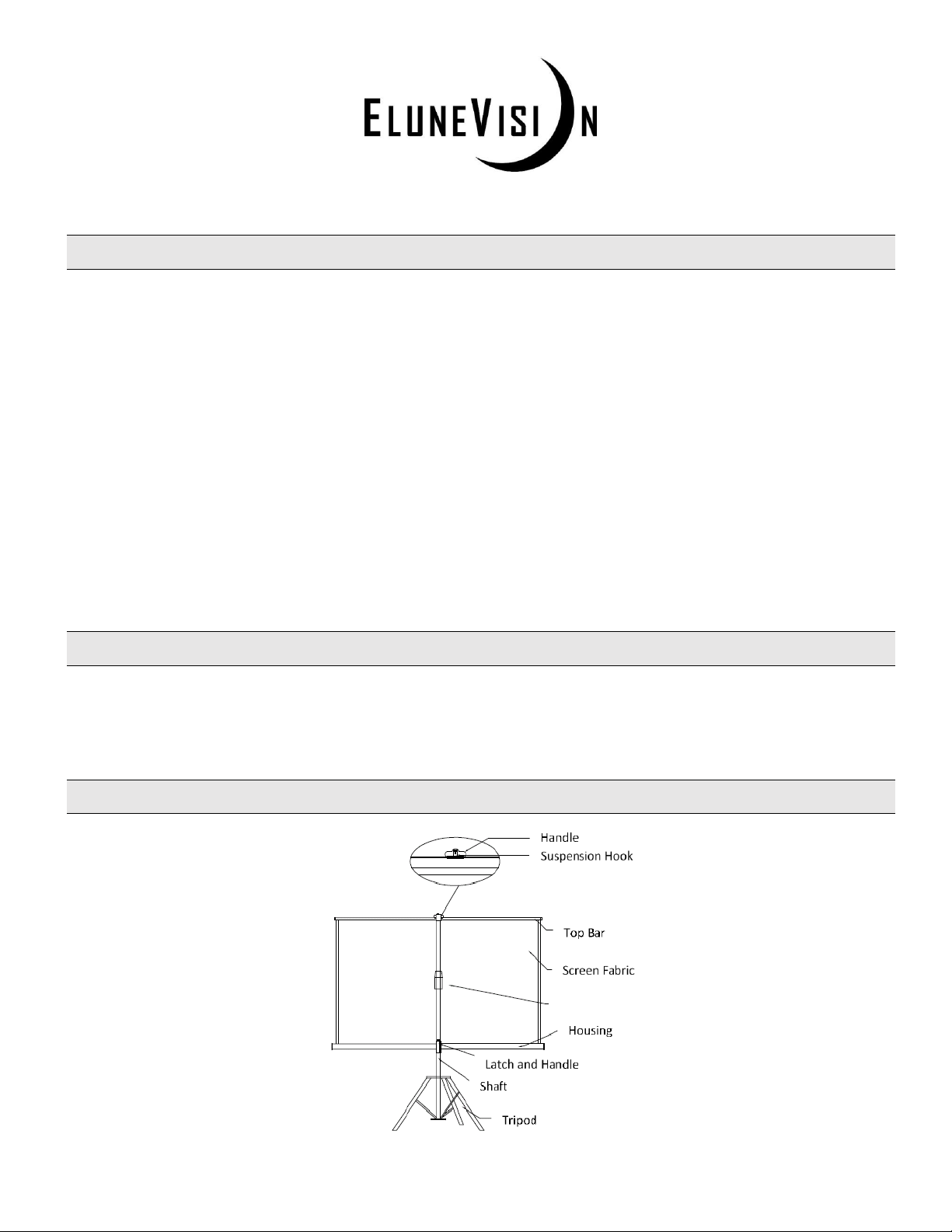
Parts Identification
Ribbed Knob
Page 2
Screen Operation
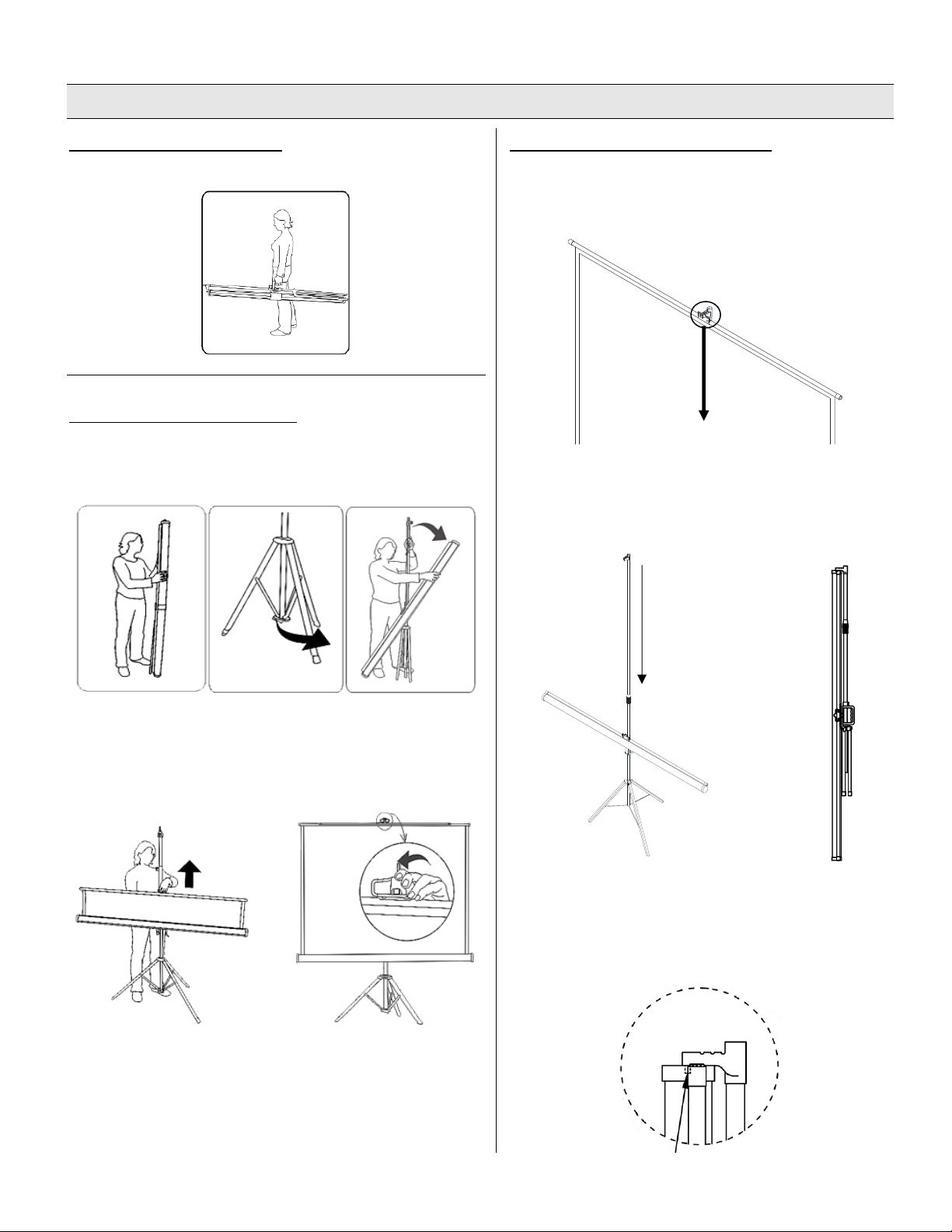
CARRYING THE SCREEN
When carrying the screen, use the handle provided.
SETTING UP THE SCREEN
Stand the screen vertically on the tripod and open the tripod legs
as wide as possible. Rotate the housing 90° so that it is horizontal
and making sure the top bar is facing upwards.
Release the latch on the carrying handle and lower the housing
to the desired height and secure the latch. Loosen the ribbed
knob on the shaft, extend the shaft to the desired height, and retighten securely.
Pull the screen fabric up by using the handle on the top bar
making sure it stays horizontal. Hang the handle on the
suspension hook in one of the notches. The angle of the screen
can be adjusted by placing the handle in different notches for
keystone correction.
PUTTING THE SCREEN AWAY
Use the handle on the top rail to slowly lower the screen
fabric back into its case. Do not let go of the handle until the
screen fabric is fully retracted to prevent damage to the
screen and the tripod legs.
Loosen the ribbed knob on the shaft and retract the pole to
its original length. Securely tighten the ribbed knob. Release
the latch on the carrying handle and raise the case back to
its original position and re-secure the latch.
Rotate the case 90° so that it is in the vertical position and
gather the tripod legs together. Loosen the ribbed knob and
insert the knob on the end of the suspension hook into the
slot on the housing and retighten the ribbed knob to
prevent rotation when the screen is retracted.
 Loading...