

Page 1
User Manual for
Atlas
Manual Screen
Thank you for purchasing our Atlas manual projection screen with
CSR. This screen is design to give you years of trouble free enjoyment.
Please take a moment to read this manual before installing.
To the purchaser:
Page 2
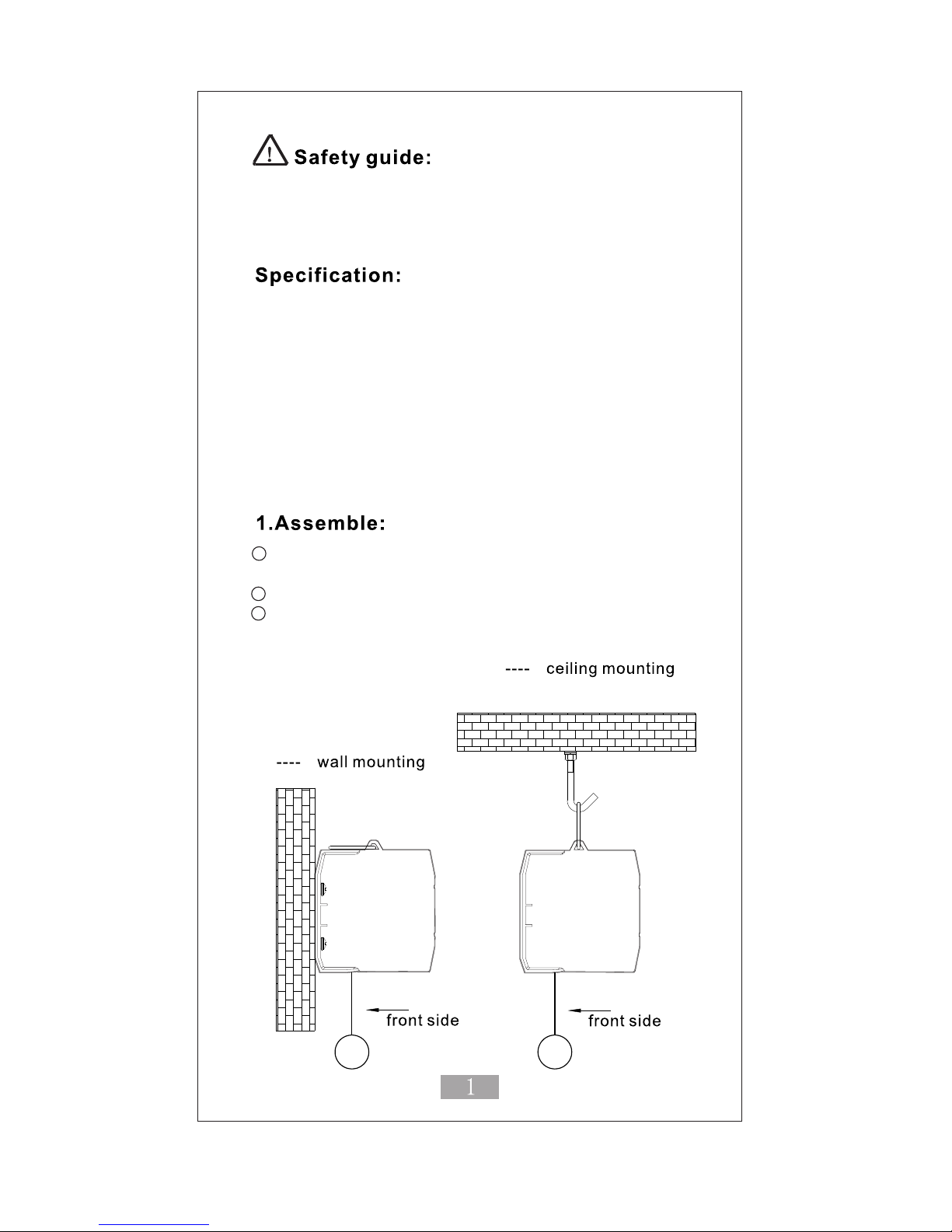
When assembling, please DO NOT stand directly under the screen
to avoid personal injury. Ensure the Expansive bolts and hanging
hardware are firmly attached and fixed to the wall or ceiling.
1. Our exclusive patented CSR buffer slows the projection
screens return into the housing
2. Patented self locking mechanism with advance bearing
design. Stops the screen in any position.
3. Easily mountable to both wall and ceiling.
4. Flat screen surface with flame retardant and mildew
resistant material.
1. Please open the packaging and check you
have all the listed accessories.
2. Refer to the following assembly instructions.
3. Keep the screen in a horizontal and level position
while mounting.
Page 3
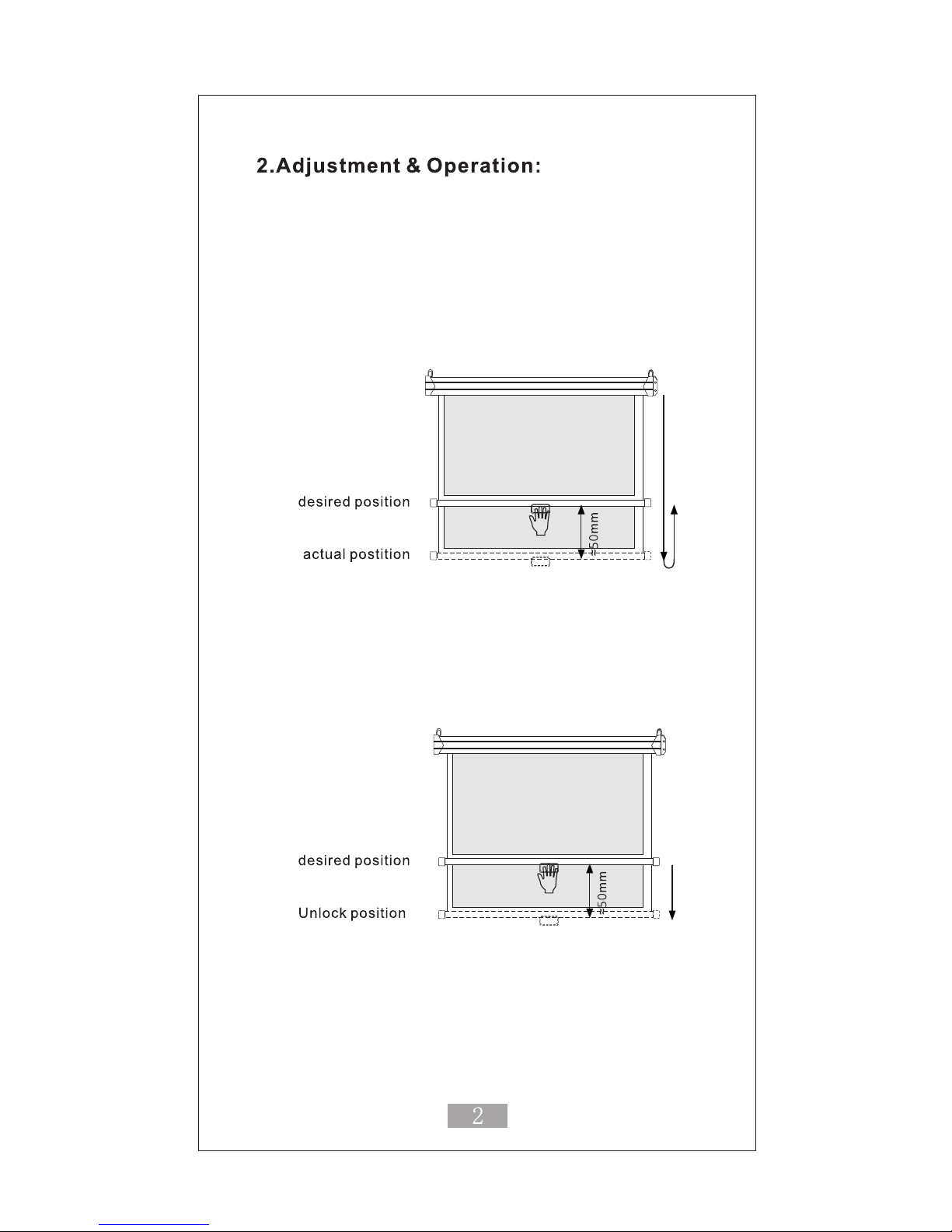
Opening the screen
Pull down the screen slowly stopping (50mm) just past
the desired position and then hold and release.
The screen will self lock.
*When the standard amount of black drop appears. DO NOT
over extend the fabric to avoid damaging your screen.
Retracting the screen
Unlocking
After usage, pull down the screen about 50mm, the
screen will unlock automatically.
Constant Speed Motion: CSR
After unlocking the screen, pull down about 100mm then
release, the screen will slowly return to the Housing
Page 4
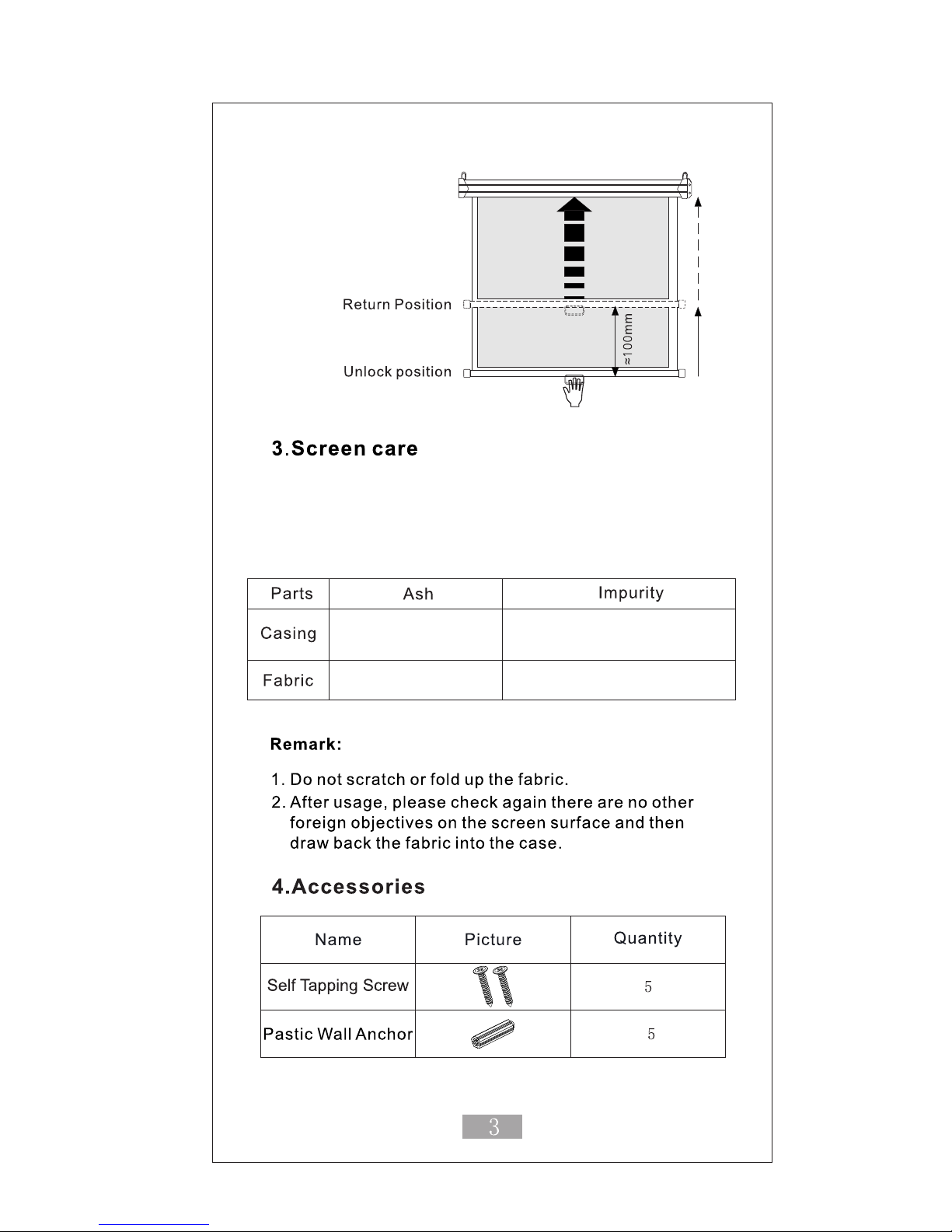
Clean with a soft moistened cloth with water or
water and mild liquid soap only. Don’t use alcohol
or abrasive detergents as this will damage the
screen surface.
Clean with
feather duster
Clean material with
feather duster
Clean with mild soap solution
then dry with soft cloth. Be careful
not to scratch the casing
Brush with cotton cloth
 Loading...