

Page 1
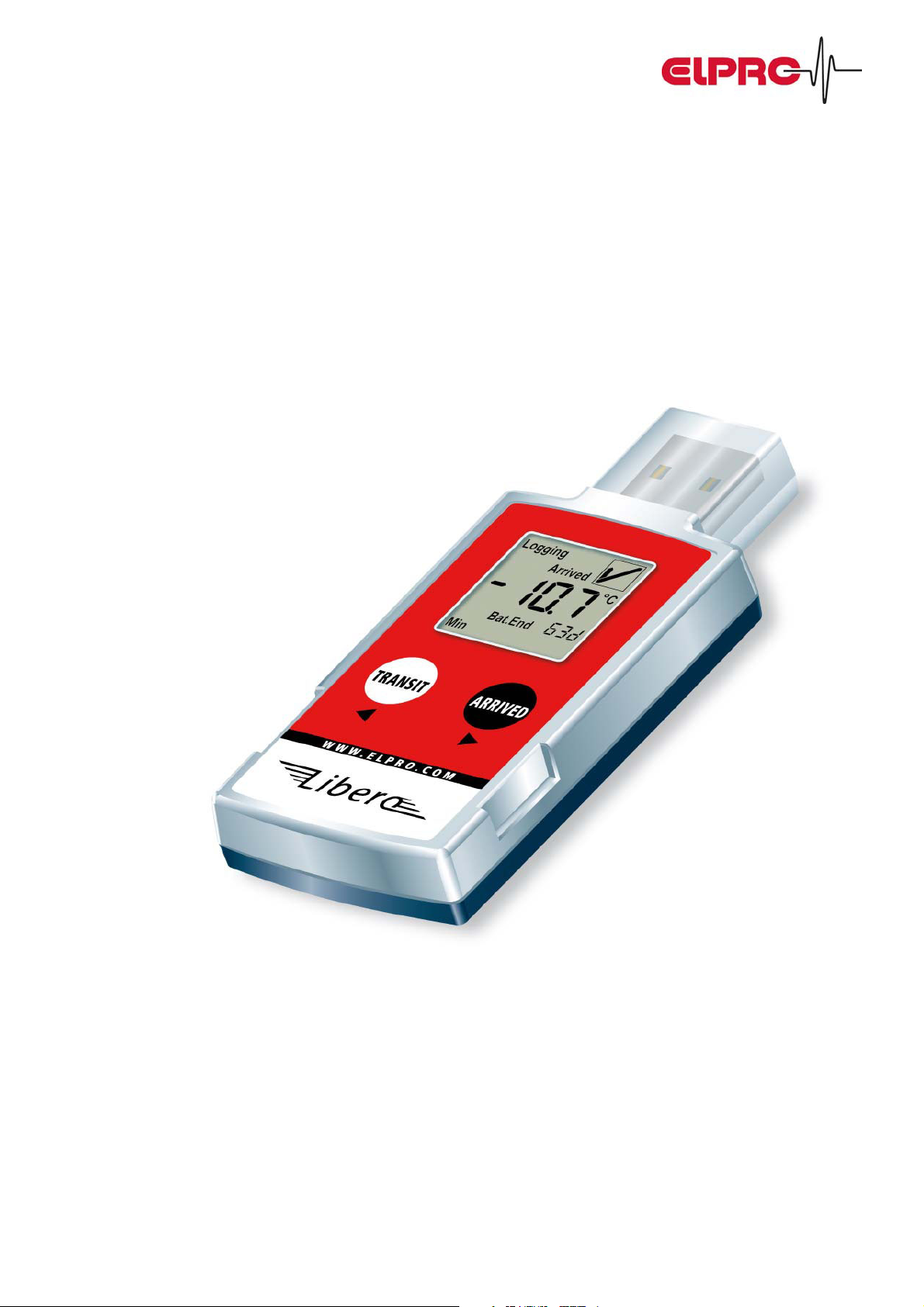
Libero. New dimensions.
The independent PDF Data Logger.
Libero makes the evaluation of
temperature data worldwide possible –
and this without any software!
elproLibero Synergy between Datalogger & Adobe® PDF/A Seite 1 von 12
Page 2
Libero. New dimensions.
The independent PDF Data Logger.
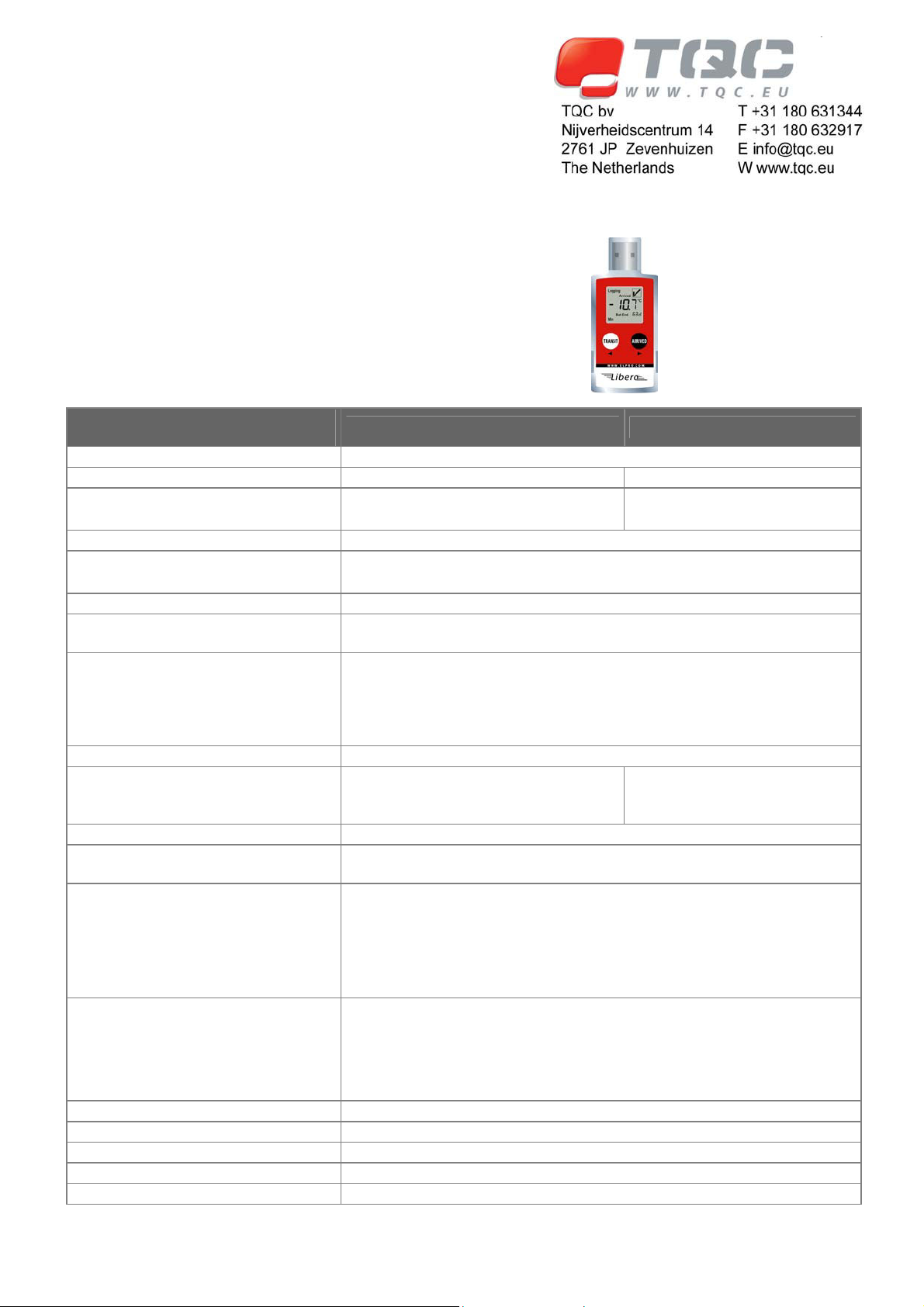
Technical Specifications
Feature / Specifications
Type Mobile Temperature Data Logger
Record options Multiple use Single use
Record mode
Temperature Measurement Range -35°C to +70°C
Temperature Accuracy
Memory Capacity 16'000 measuring data points
Programmable measurement interval
and display renewal
Programmable Temperature Alarms
Start-Up Delay 0 minutes to 1 day
Battery Life
Display Multifunction LCD, size: 23.5 x 23.5 mm
PDF Data Logger
Evaluation Report (Adobe® PDF/A)
Display Functionality
Interface USB – PC Universal Serial Bus
Case ABS plastic material
Protection Class IP 65
Dimensions 95 x 40 x 12 mm
Weight 40 g
Libero Ti1 Libero Ti1-S
x Start/stop mode
x Loop mode
x +/- 0.2°C for the -10° to25°C
x +/- 0.5°C for the ranges -35 to -10°C and 25° to 70°C
1 minute or more, programmable
a) 2 alarm limits or
b) 5 multiple alarm ranges, conform with PDATechnical Report No 39
(Cold Chain Guidance for Medical Products: Maintaining the Quality of
Temperature-sensitive Medicinal Products through the Transportation
Environment)
3.6 V Lithium Battery
400 operating days during 3 years
(on/off functionality)
Built-in PDF file generator that automatically establishes an evaluation file
including chart.
x Includes a text area, a chart visualizing the temperature curve of the
current transport section and the raw data of all transport sections.
x See sample report:
The colored areas can be defined by the sender and are configured at
set-up. There are additional 8 lines at 80 characters available for senderspecific information.
x Start & End marking functionality with TRANSIT & ARRIVED buttons
x Current temperature measurement (last stored value)
x Status OK or ALARM at exposure
x Indicator whether limit value has be exposed
x Remaining battery life in days
x Start/stop mode
3.0V Lithium Battery
100 days
elproLibero Synergy between Datalogger & Adobe® PDF/A Seite 2 von 12
Page 3
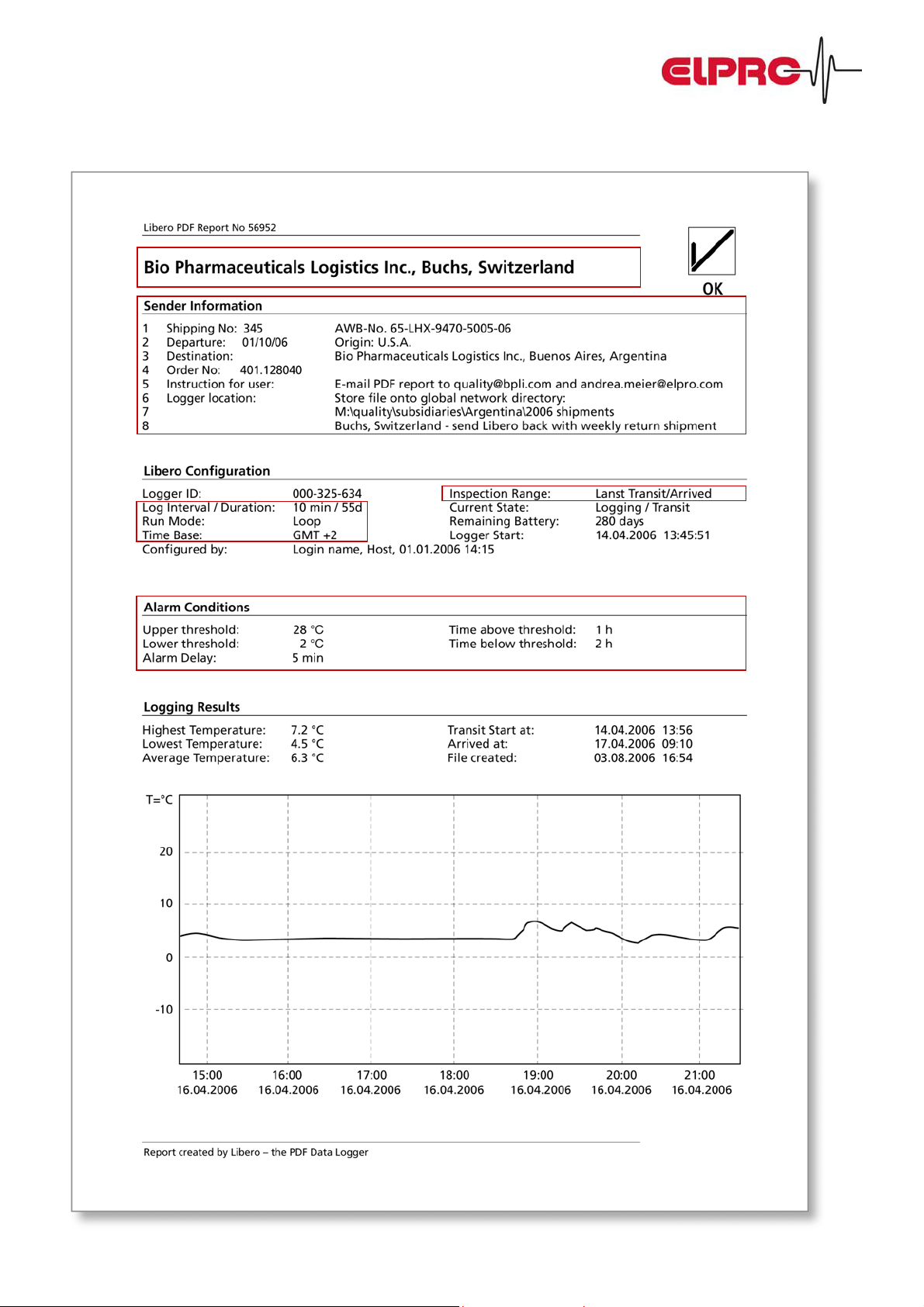
Libero Sample Analysis Report
elproLibero Synergy between Datalogger & Adobe® PDF/A Seite 3 von 12
Page 4
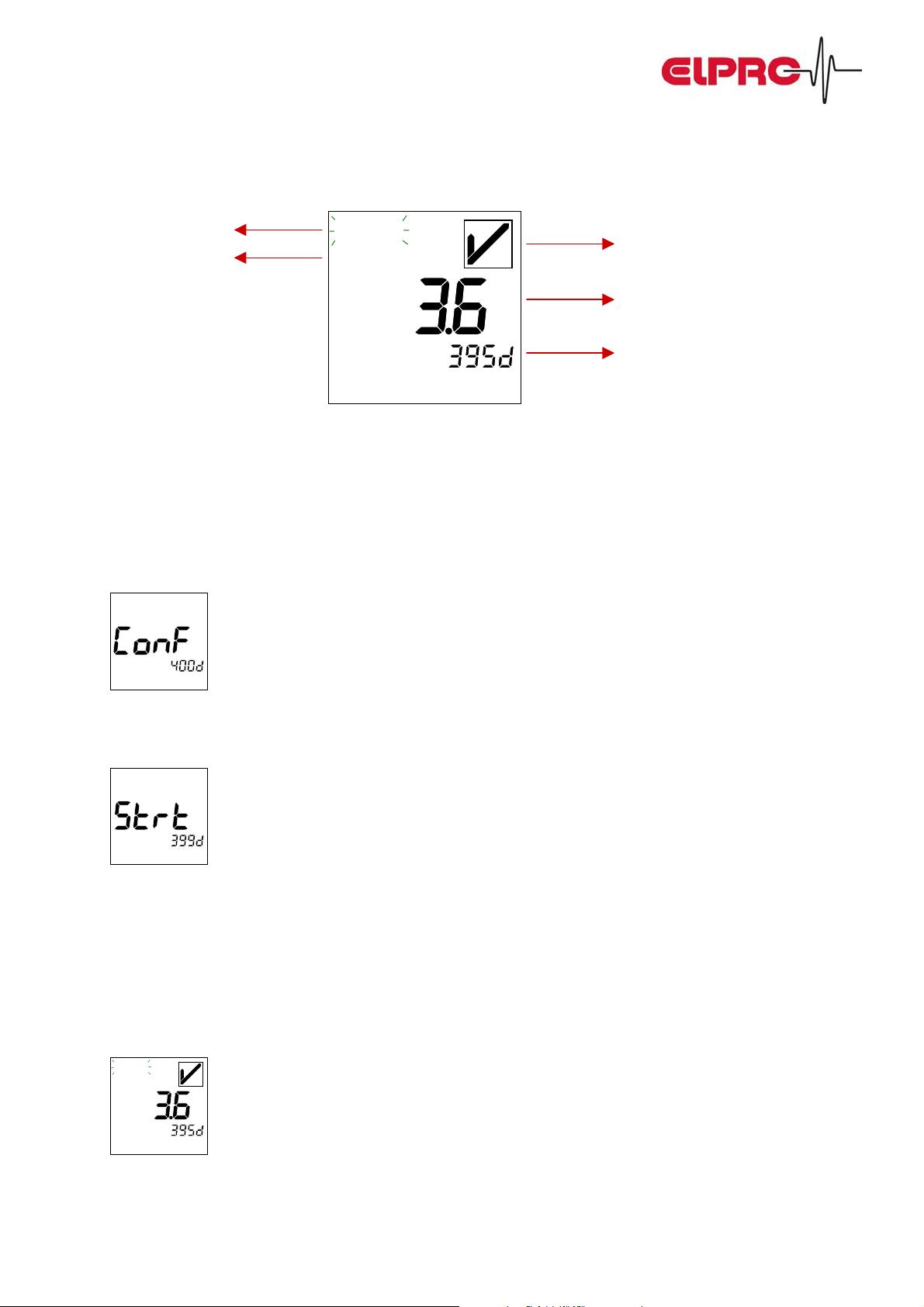
Libero Display – Explanations:
Recording status
Transport status:
TRANSIT or ARRIVED
Logging
Transit
Bat.End
°C
Alarm status: Okay / Alarm
Last measured temperature value
Remaining life time of Data Logger
Battery life in days
How do you work with Libero?
1. Configuration / Set-up
x Elpro sends new equipment in “OFF” mode (turned off). This allows storing Libero without any loss of battery
power.
Bat.End
x With the first time use, the equipment is activated over the USB interface of the PC. The user enters the specific
data (company name, memory mode, measurement interval, password protection, etc.) by means of a
configuration program (downloadable from the Internet – free of charge).
Bat.End
x As soon as the Data Logger is activated, temperature logging starts. (Exception: delayed start)
2. At departure
x Libero is ready in the warehouse.
x Press the “TRANSIT“ key to mark the start of this transport section.
x From now on, all measured values are constantly stored.
Logging
Transit
Bat.End
°C
Pack Libero together with your products and dispatch the shipment.
elproLibero Synergy between Datalogger & Adobe® PDF/A Seite 4 von 12
Page 5
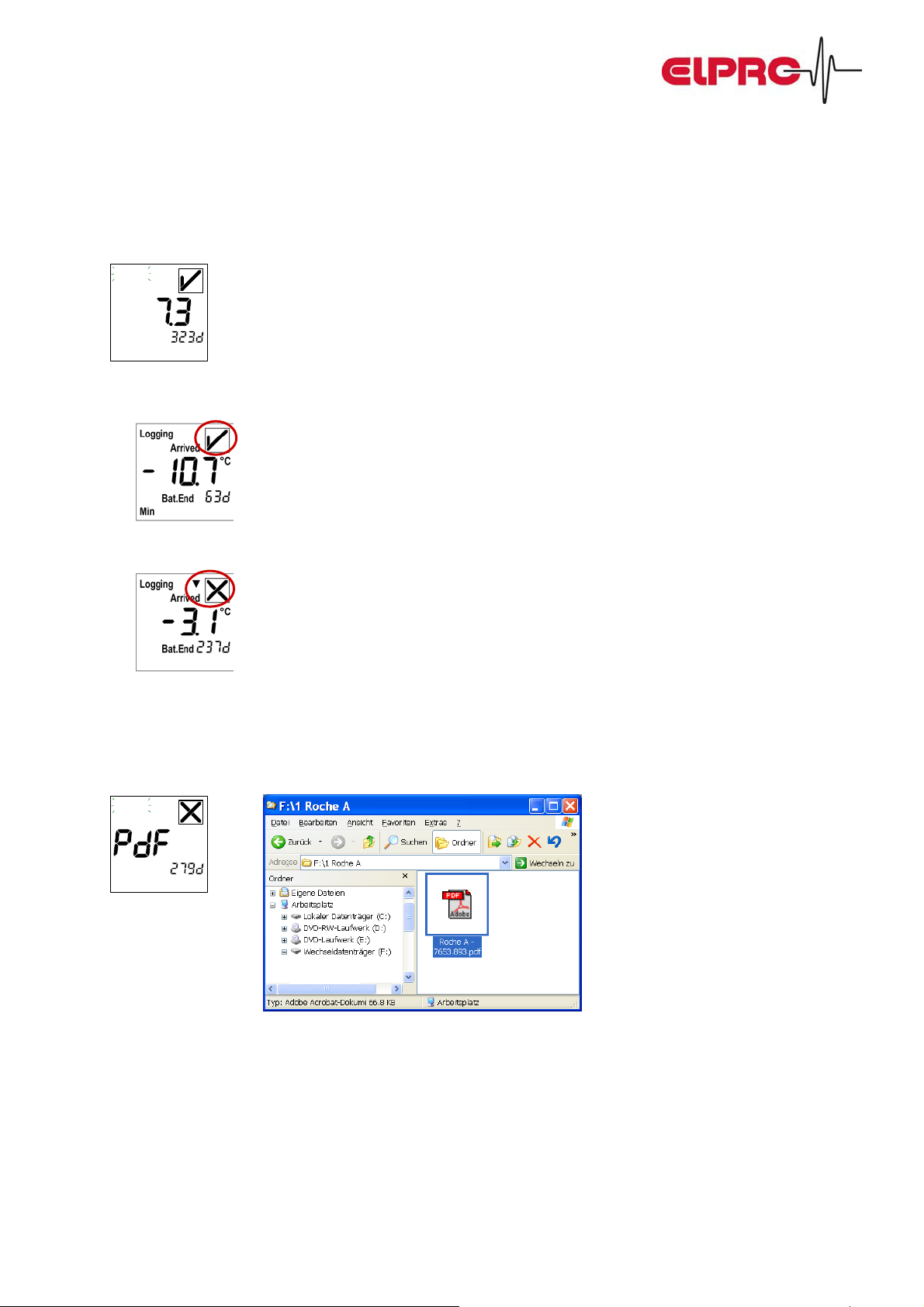
3. At destination
x Take Libero out of the shipment.
x Press the ARRIVED key to mark the end of this transport section.
Logging
Arrived
Bat.End
x Libero shows the transport status:
a) OK = your product has well traveled.
b) ALARM = your product has been out of specifications during transportation. The lower limits have been
violated.
°C
4. Data Evaluation
x Put Libero into the USB interface of your computer. The evaluation report (PDF file) will automatically be
generated and directly be shown in the Explorer window.
Logging
Ź
Transit
Bat.End
x View the evaluation report with Acrobat® Reader (free of charge), print, archive or send it by e-mail.
5. Back to the sender
x Send Libero back according to your internal SOP.
elproLibero Synergy between Datalogger & Adobe® PDF/A Seite 5 von 12
Page 6
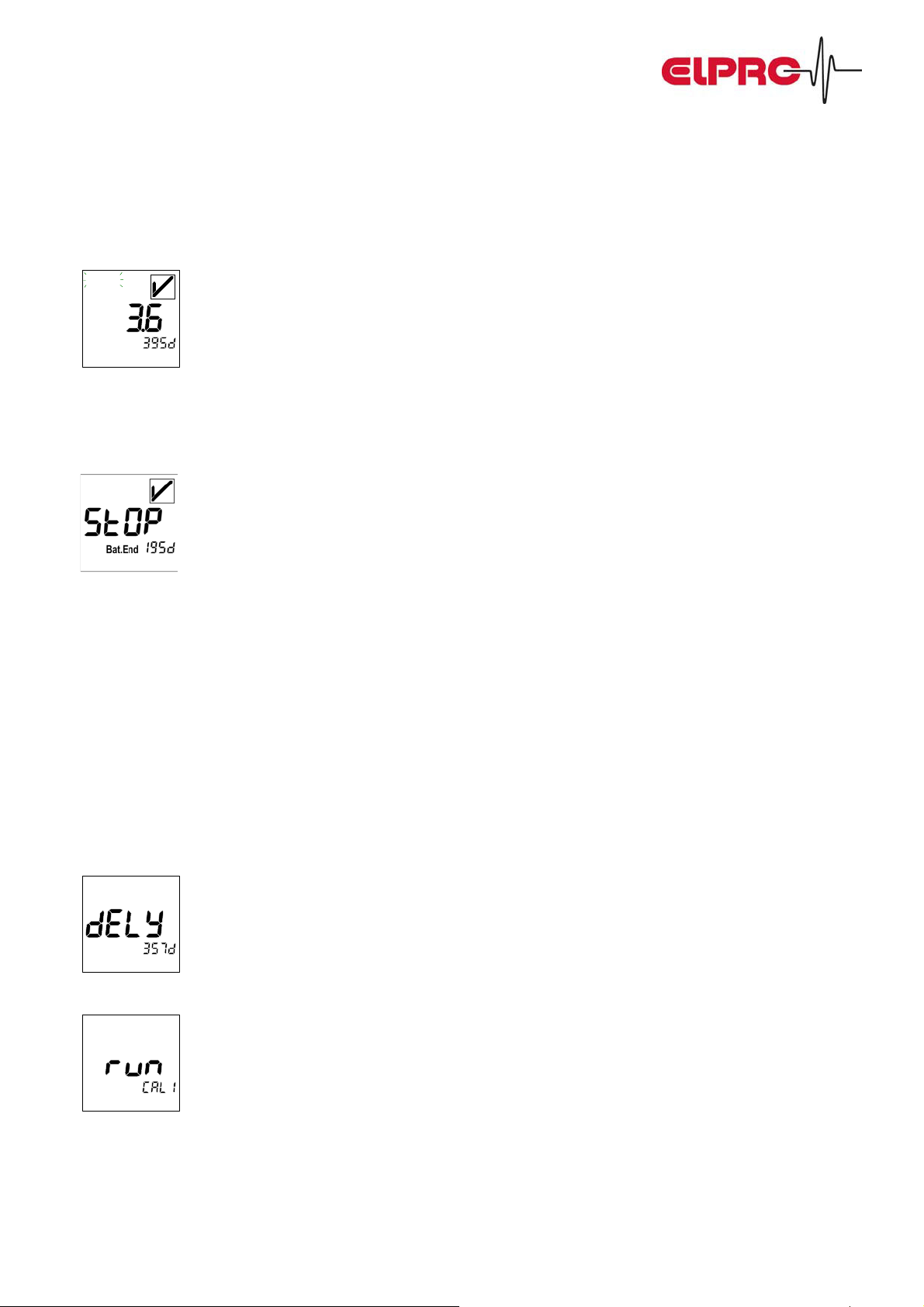
Libero Display – Some examples:
Recording modes
x Loop Mode:
Logging
Transit
Bat.End
There are always the last xs days (depending on the measurement interval) present in the memory.
For example 55 days if a 5-minute measurement interval has been selected. (16'000 temperature measuring points
available in total)
x Start / Stop Mode:
Recording time run off. For example after 55 days if a 5-minute measurement interval was been selected.
16'000 temperature measuring points available in total. Restart Libero by applying the configuration program
again.
°C
Specialities
x Password protection
Libero can be password protected in order to avoid unauthorized re-configuring. If the PDF/A file is opened with the
elproLOG analysis software, the user has access to the embedded raw data and can do detailed analysis. That only
certified persons can do this, the PDF/A file can also be protected by a password.
x Delayed start:
The Data Logger starts recording with a delay, for example after the cool-down period in the warehouse or
in case of transportation at a later time.
Bat.End
x Calibration mode:
Supports an easy calibration (documentation of rated and true values).
elproLibero Synergy between Datalogger & Adobe® PDF/A Seite 6 von 12
Page 7
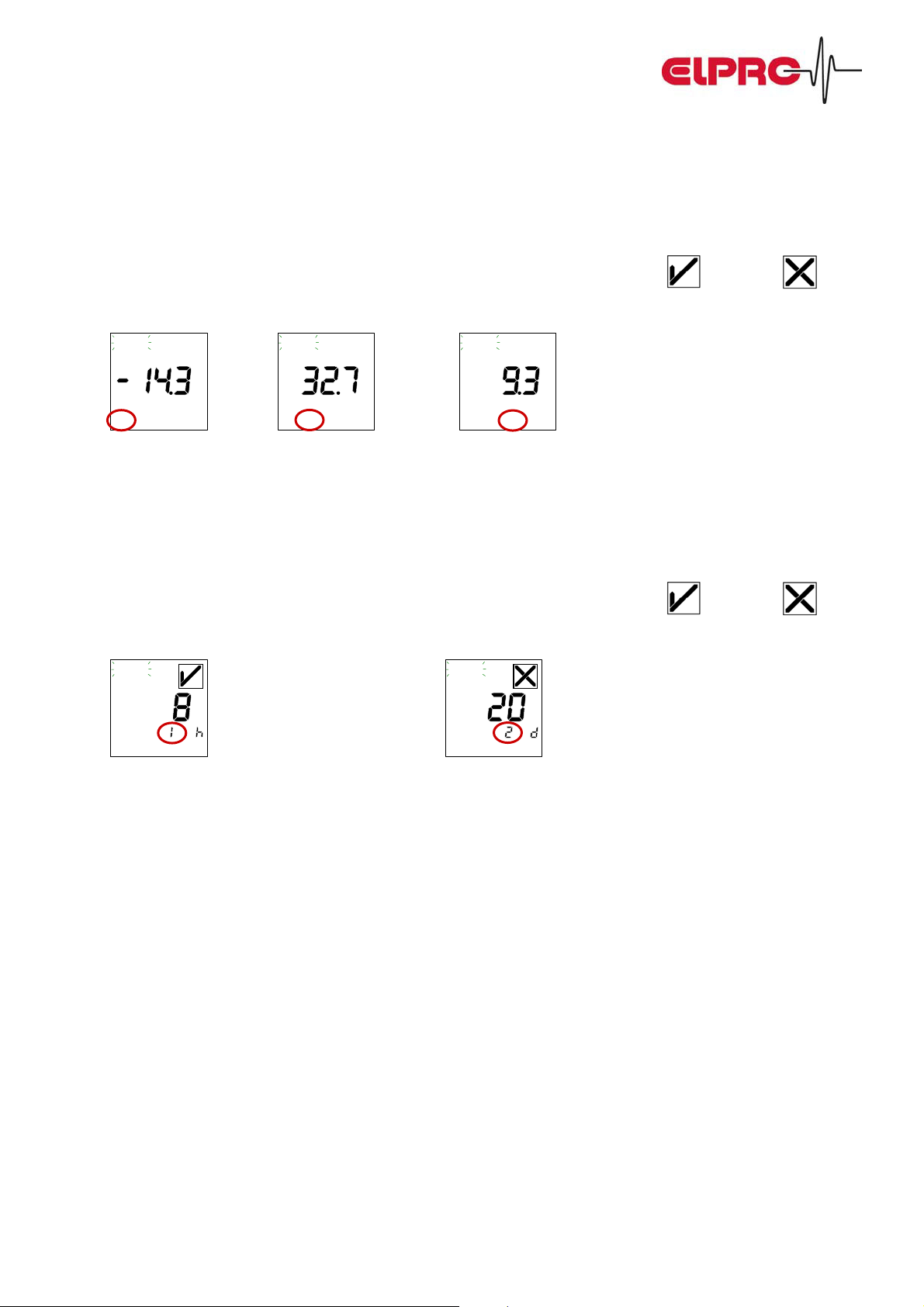
Alarm possibilities
a) 2 Alarm Limits (Minimum / Maximum):
x The lower and upper alarm limits can be set with the configuration program.
x With the function keys TRANSIT and ARRIVED, the transport section is marked.
x In case of an exposure of the set limits within the current transport section, the sign
x In the submenu, the measured values can be displayed:
Logging
Transit
°C
Min
Logging
Transit
Max
Logging
°C
Transit
°C
Avg
Lowest value (x) Highest value (y) Average value (z)
a) Multiple alarm (5 alarm ranges):
x The configuration program allows you to define 5 different temperature / time zones.
x With the function keys TRANSIT and ARRIVED, the transport section is marked.
x In case of an exposure of the set limits within the current transport section, the sign
x In the submenu, the measured values can be displayed:
Logging
Transit
Zone
Logging
Transit
Zone
changes to .
changes to .
Number of hours for zone 1 Number of days for Zone 2
x Example for a definition of permitted short excursions during transportation:
Temperature Range: Time:
Over 40°C Do not use
25 to 40°C 2 days
8 to 25°C 6 days
2 to 8°C Until expiry
2 to –20°C 2 days
Below –20°C Do not use
elproLibero Synergy between Datalogger & Adobe® PDF/A Seite 7 von 12
Page 8
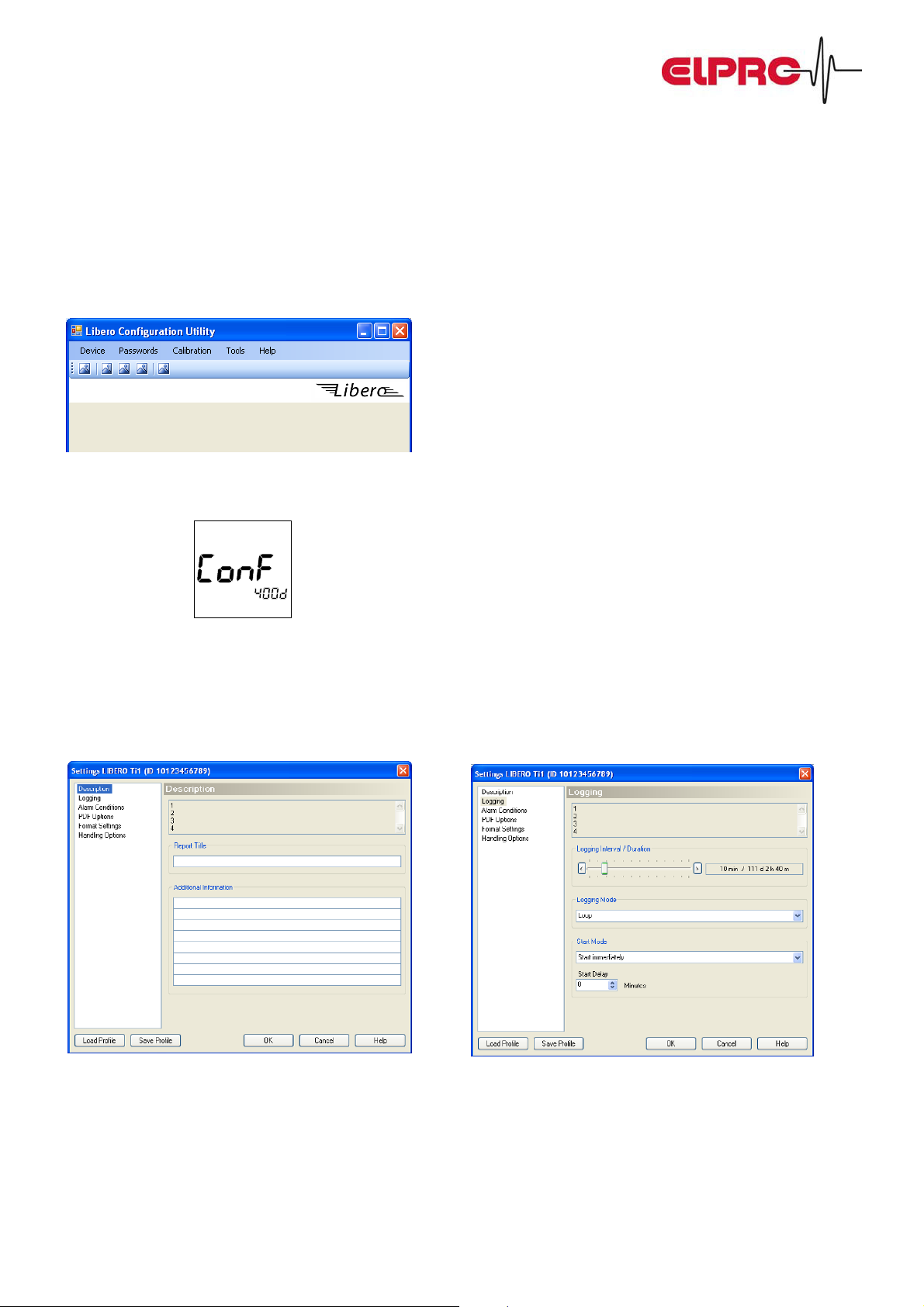
Libero Configuration Tool – Sample screens
Libero can be customized. With the free configuration tool available through the Internet, parameters can be programmed such as password, sender information, logging mode, alarms, etc. Certain configuration profiles can be stored,
e.g. per product or per destination, so that initializing can efficiently be accomplished. After the program start, the main
program screen shows a list of the plugged in Libero’s. A newly plugged in Libero is automatically recognized:
Prior to inserting Libero into the USB port, the configuration mode has to be activated by means of a key combination.
The following screen appears:
Bat.End
By the following screen shots you receive an impression on how the configuration tool looks like:
Input for the customer specific information: Input for logging interval and logging mode:
elproLibero Synergy between Datalogger & Adobe® PDF/A Seite 8 von 12
Page 9
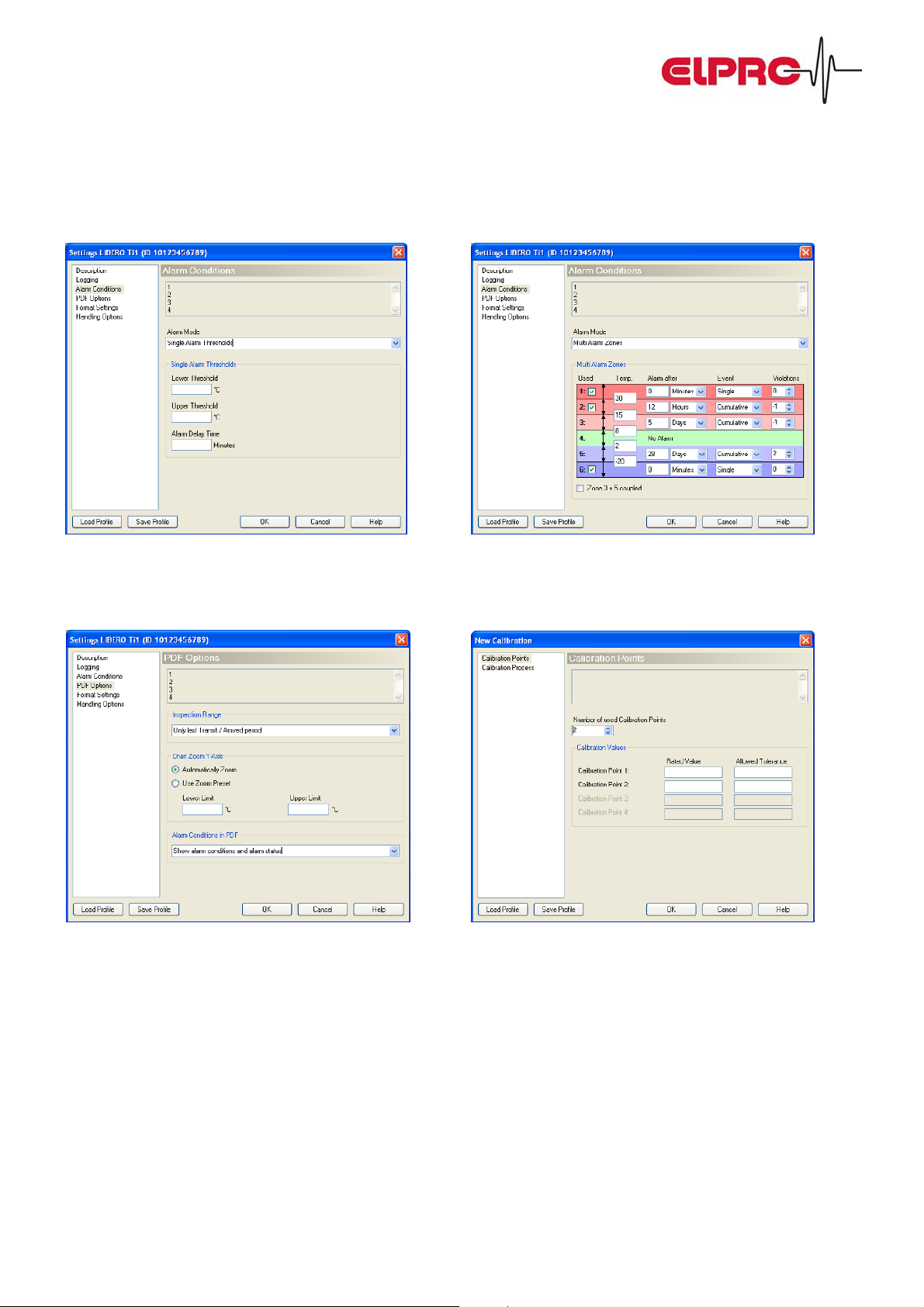
Input of the 2 alarm limits: Input of the 5 alarm / time ranges:
Configuring the PDF evaluation report: Input of calibration data:
elproLibero Synergy between Datalogger & Adobe® PDF/A Seite 9 von 12
Page 10
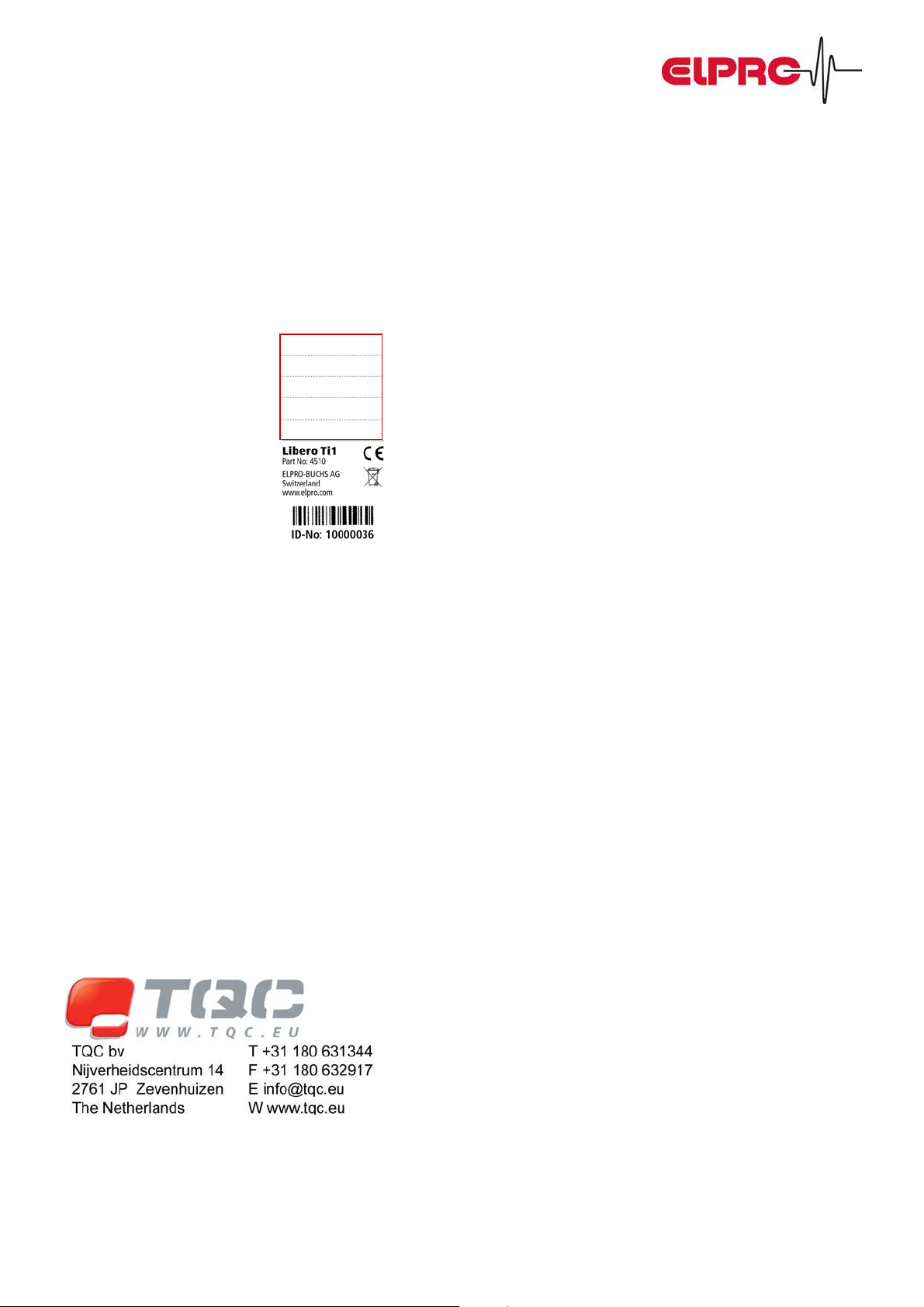
Libero Options:
Libero can be customized according to individual customer needs. The following options are currently available:
Label on the backside
For larger quantities, a customer specific label can be produced. This means that the upper part of the label can be
defined. For example to have a Libero per product or per destination. You could also indicate the instructions for sending
the data logger back.
Pre-configuration
There is an opportunity to let the data logger be pre-configured by Elpro-Buchs AG and to have a customer-specific
version of the configuration tool. This allows the shipping department to only insert the details of the individual
shipment.
Packaging Options
Elpro provides you with a proposal for a packaging that incorporates a short instruction and might be used to send
Libero back.
elproLibero Synergy between Datalogger & Adobe® PDF/A Seite 10 von 12
 Loading...