

Page 1
Importer:
ul. Słoneczna 110,
NIP: 627
-
114-97-86
www.elmic.pl
,
USER MANUAL
NAME:
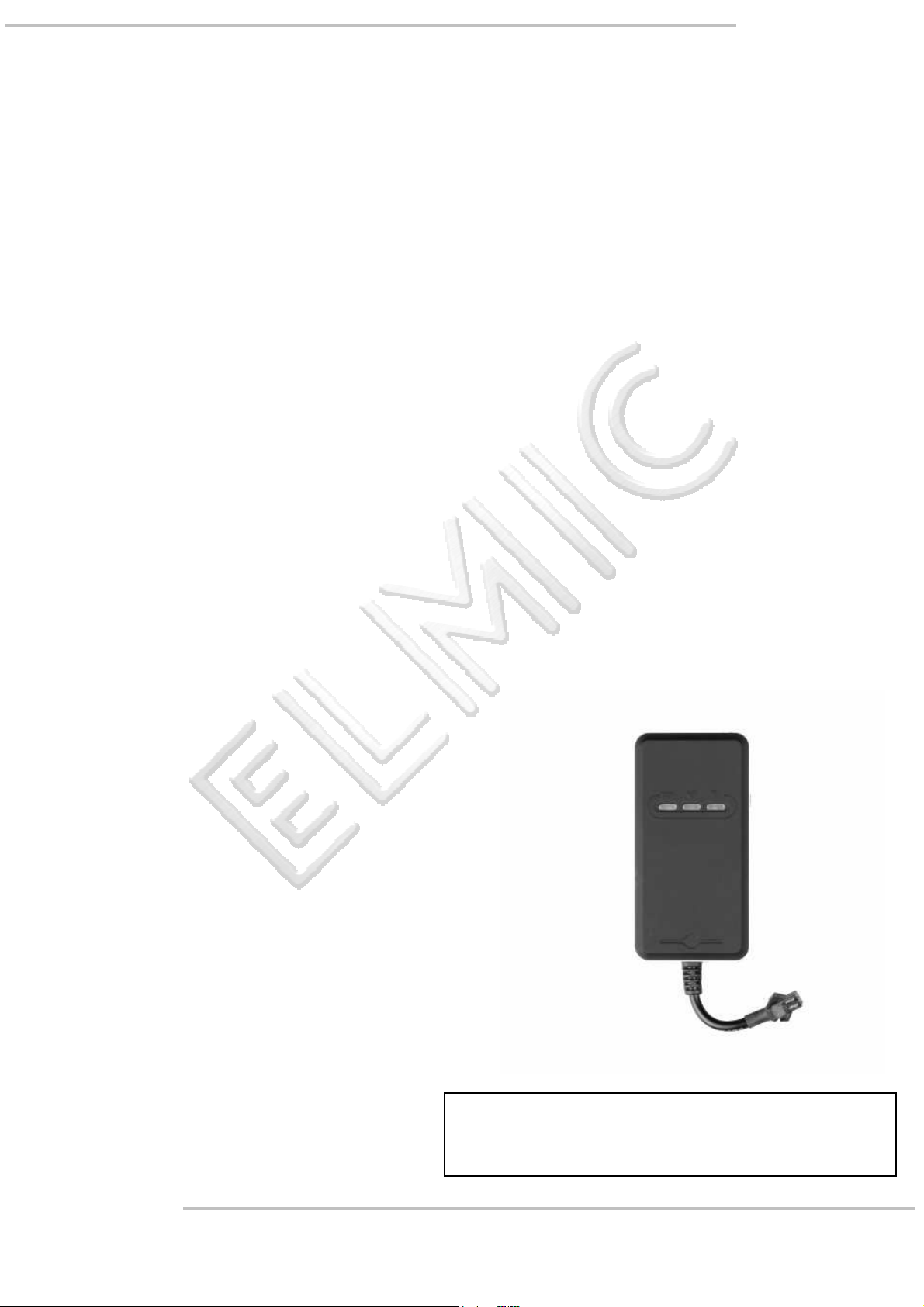
GPS VEHICLE TRACKER
GPS + GSM + SMS / GPRS
MODEL:
TR02
Przedsiębiorstwo Handlowo Usługowe FENIKS
Cyprian Pawlaczyk
PLEASE READ THE INSTRUCTIONS
SAVE IT FOR USE IN THE FUTURE.
Nowa Kuźnica, 42-350 Koziegłowy
Polska - Poland
BEFORE USING THE UNIT.
REGON: 240243739
Page 2

www.elmic.pl
,
Safety Warning & Attentions .................................................................................................................................... 3
1. Attention ....................................................................................................................................................... 3
2. Attention for operation of this product ........................................................................................................ 3
3. Operation and maintenance ......................................................................................................................... 3
Product Overview - Model: TR02 .............................................................................................................................. 3
1. Accessories: ................................................................................................................................................... 3
2. Appearance: .................................................................................................................................................. 4
3. Usage: ........................................................................................................................................................... 4
4. Performance parameters: ............................................................................................................................. 4
5. LED Indicators Status: ........................................................................................................................................ 5
Quick Operation Instructions .................................................................................................................................... 5
Getting Start ............................................................................................................................................................. 5
1. Install the SIM card ....................................................................................................................................... 5
2. Install the device ........................................................................................................................................... 6
3. Cautions of device wiring .............................................................................................................................. 6
1. Power on/ Power off ..................................................................................................................................... 6
2. Side key function ........................................................................................................................................... 6
Trouble shooting ....................................................................................................................................................... 7
GPS platform by: www.cootrack.net ........................................................................................................................ 7
Warranty instructions and service ............................................................................................................................ 7
Statement ................................................................................................................................................................. 7
Strona 2 z 7 rev. 1.0.1
USER MANUAL: TR02 GPS VEHICLE TRACKER
Page 3
www.elmic.pl
,
GPS Vehicle tracker
Introduction
Thank you for choosing this GPS Vehicle Tracker. Please read this Manual carefully to fully understand its usage, perfect
functions and simple operation. This product not only provides tracking function but also provides cutting petrol or
electricity of your car to meet your requirements of monitoring comprehensively car security. The Company reserves the
right to modify this Manual from time to time without prior notice. Before using this product, please read these Attentions
carefully to ensure safe and proper operation of this product.
Safety Warning & Attentions
1. Attention
• Do not place this product on an uneven or unstable table-board to prevent failure or damage caused by falling.
• Only the battery designated by the Company can be used on this product. Application of other products may lead to
leakage, overheating, blowout and fire of the battery.
• Do not crash, vibrate, or throw device in order to avoid failure and fire.
• Do not use this product in a place with flammable and explosive gas; otherwise, product failure and fire may be
caused.
• Do not place this product in a place with high temperature, high humidity or large amount of dust; otherwise,
product failure may be caused.
2. Attention for operation of this product
• Do not dismantle or remodel this product, otherwise, damage, creepage and electrical fault may be caused to this
product.
• Place tiny metal objects such as drawing pin at a place far away from the speaker. As the speaker has magnetic
property while working, it will attract these tiny metal objects, which may lead to personal injuries or damage of the
speaker.
3. Operation and maintenance
• Please keep this product dry, as rainwater, moisture, humidity and liquids or moisture content may contain mineral
matters that erode the circuit.
• Do not keep this product in any place with high temperature. As high temperature may shorten the lifespan
of electronic device, damage the battery and cause deformation or melting of certain plastic parts and components.
• Do not keep this product in any place with low temperature. As when being moved from a place with low
temperature to a place with normal temperature, it may generate humidity inside, which may cause damage of circuit
board.
• Do not attempt to dismantle this product. As improper handling by nonprofessional personnel may cause damage of
the device.
• Do not toss, knock or shake this product, as tough operation mode may damage the motherboard inside the device.
• If this product is made wet by mistake, shut it down, remove the battery, and restart the product after confirming
it complete dry after 24 hours.
• Use clean and dry soft cloth to clean the lens, infrared lamp and light sensor.
Warning: improper operation will void warranty!
Product Overview - Model: TR02
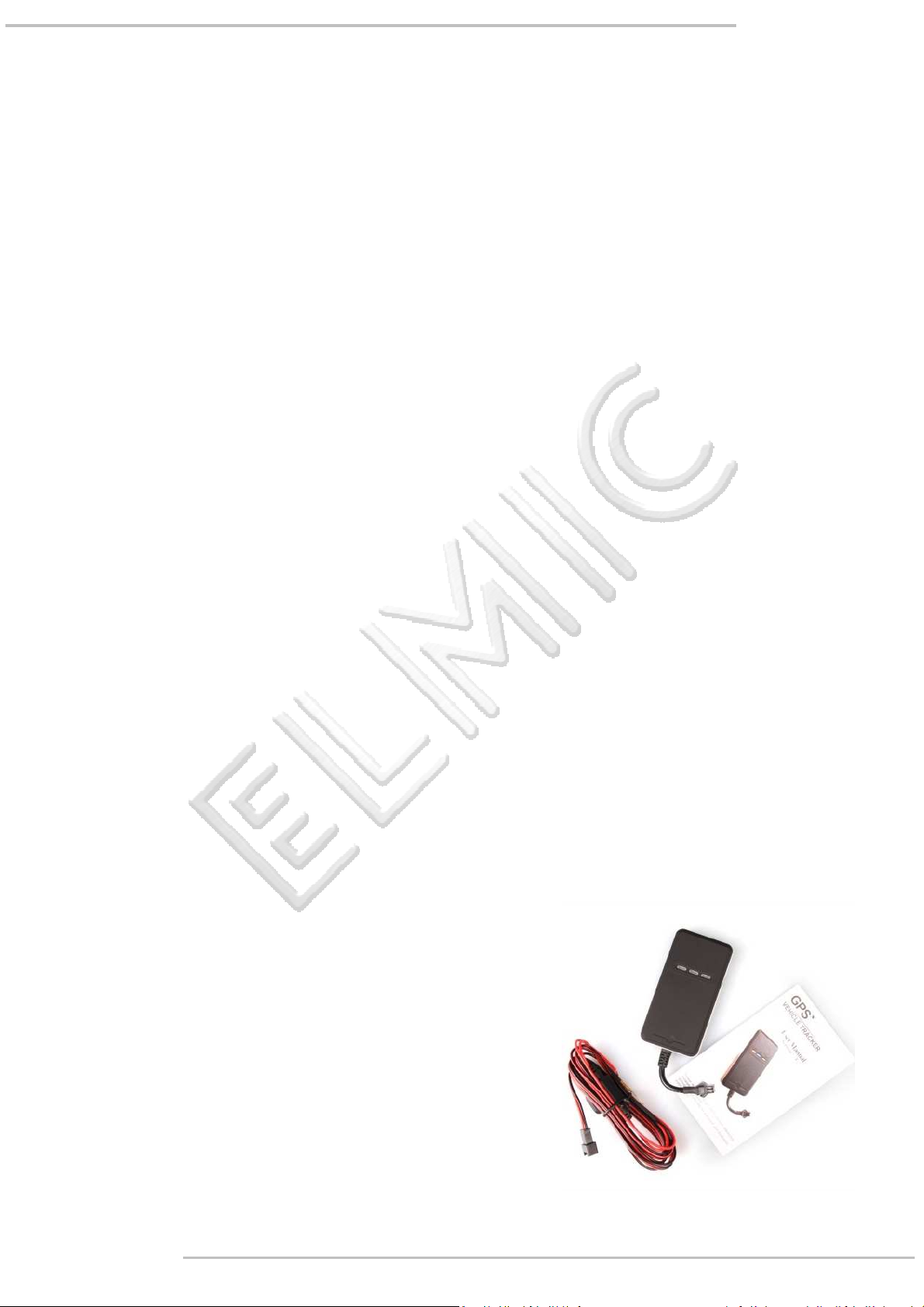
1. Accessories:
Device
Charging cable
User manual
Warranty Card
Please make sure that all accessories are complete. Pictures are for indication and illustration purposes only.
Strona 3 z 7 rev. 1.0.1
USER MANUAL: TR02 GPS VEHICLE TRACKER
Page 4
www.elmic.pl
,
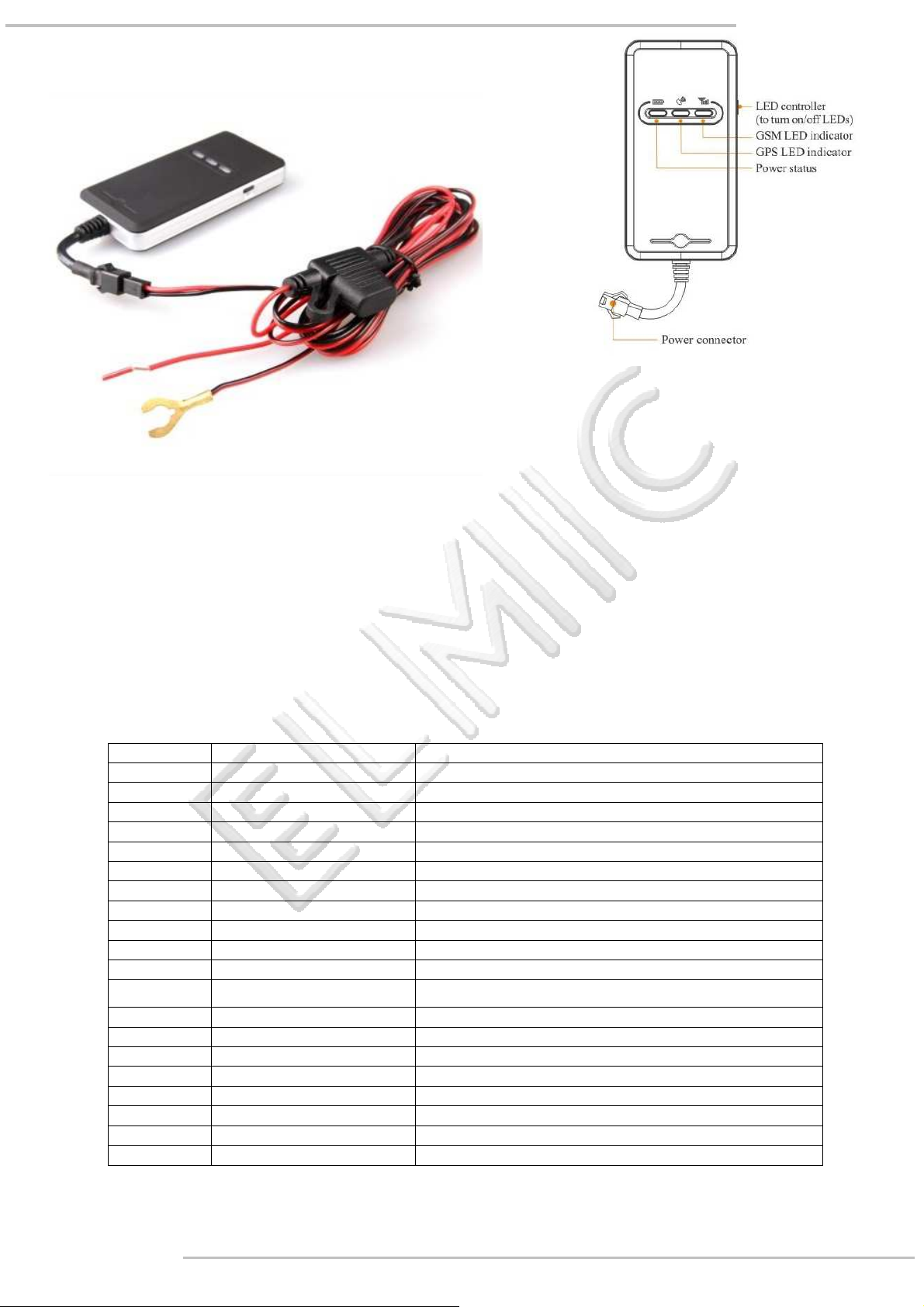
2. Appearance:
3. Usage:
• for cars
• for vans
• for camper
• for buses
4. Performance parameters:
Serial Specifications Technical parameters
1 Dimension 87(L) x 44(W) x 14(H) mm
2 Weight 51 g
3 Operation Temperature -20℃-60℃
4 Humidity 20% - 80%
5 GSM Frequencies 850/900/1800/1900 MHz
6 GPRS Class 12
7 GPS Module MT3326
8 GPS Channel 20
9 GPS Sensitivity -159dBm
10 Acquisition Sensitivity -144dBm
11 Position Accuracy 10m
12
TTFF (Open Sky)
13 GSM/GPS Antenna Built-in design
14 LED Indicator GSM-green, GPS-blue, Power-red
15 Data Transmit TCP, SMS
16 Geo-fence View any existing Geo-fence in the map
17 Speeding Alarm Report when speeds higher than the pre-set value.
18 Low Power Alarm Alarm when backup battery is running out
19 Non-movement Detection Movement alarm based on built-in 3D motion sensor
20 Mileage Report Track by time/distance interval
Cold Start <38s / Warm Start<15s / Hot Start<2s
Strona 4 z 7 rev. 1.0.1
USER MANUAL: TR02 GPS VEHICLE TRACKER
Page 5
www.elmic.pl
,
5. LED Indicators Status:
GPS LED Indicator – Blue
Flashing (interval 1s) Searching GPS signal
GSM LED Indicator – Green
Quick flashing (interval 0.1s) GSM initializing
Power Status – Red
Status Implication
Solid blue GPS fix
OFF No GPS fix or initializing
Status Implication
Solid green Connected to GSM Network
OFF No GSM Signac
Status Implication
Flashing Normal operating
Solid Red Power On
OFF Power off
Quick Operation Instructions
Change APN parameter by sending SMS “APN,666666,APN name#” and SERVER,666666,1,www.cooaccess.net,8821,0#”
to the device.
Real-time Location Tracking via SMS:
• Send SMS “WHERE,666666#” to the device, you will get the current location of the device.
• Send SMS “URL,666666#” to the device, you will get the URL of the current location by maps.google.com
Track by time interval via GPRS
• Send SMS “TIMER,666666,,time(second)#” to device (10s in minimum while 18000s(5 hours) in maximum)
Change password - the default password is 666666.
• Send SMS “PASSWORD,old password (6 numbers),new password (6 numbers)#” to the device.
Locate current position by GPRS/SMS - GPS tracking platform: www.cootrack.net
Getting Start
Please follow below instructions for ensuring safe and correct use.
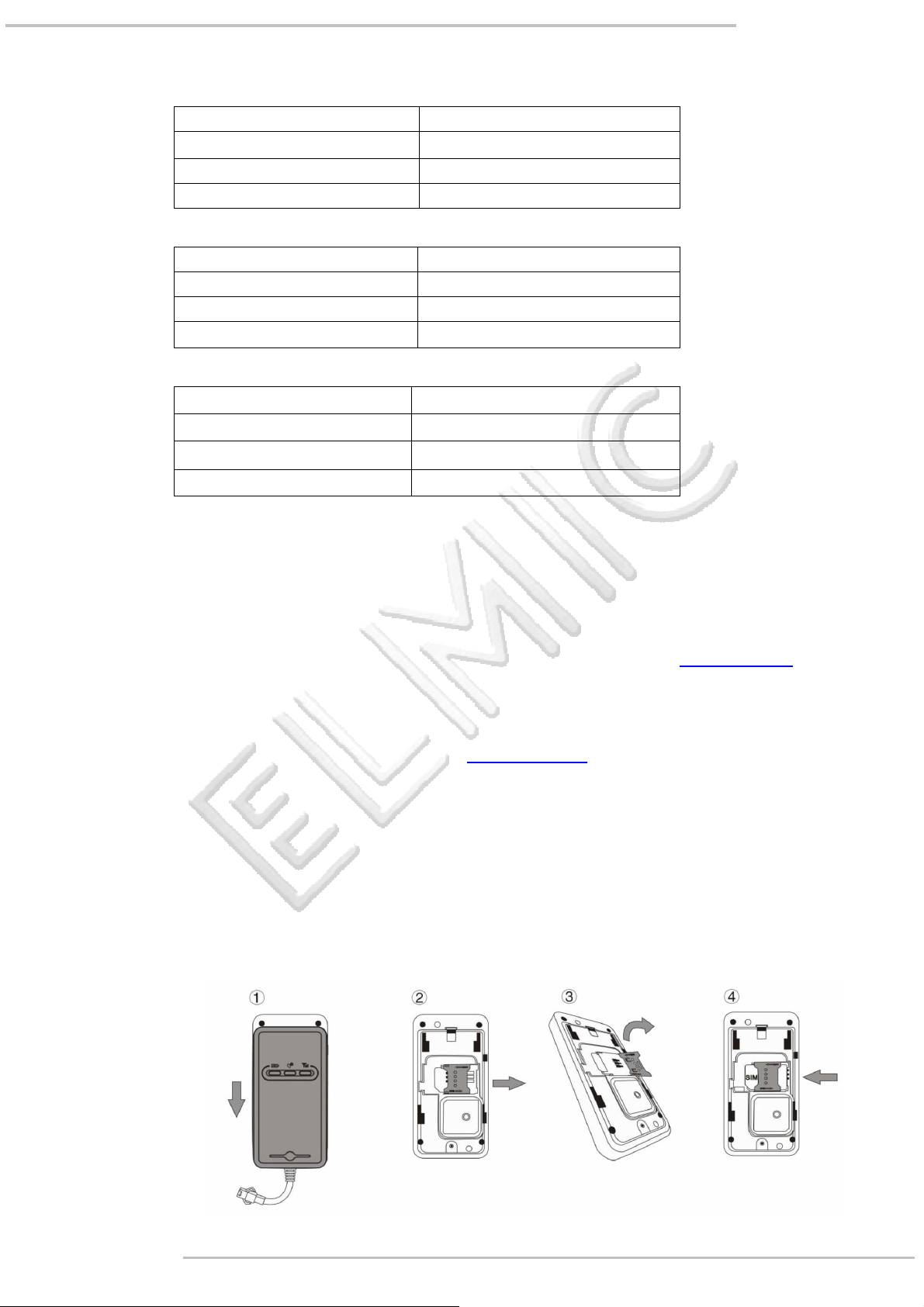
1. Install the SIM card
Place the SIM card into the device with the gold-colored side facing down.
Note: Make sure there is enough credit on the SIM card. If you will be using the GPRS function, you should pay
attention to the current SIM card GPRS charge. If you will be using the GPRS function, you should pay attention to the
current SIM card GPRS charge.
Strona 5 z 7 rev. 1.0.1
USER MANUAL: TR02 GPS VEHICLE TRACKER
Page 6
www.elmic.pl
,
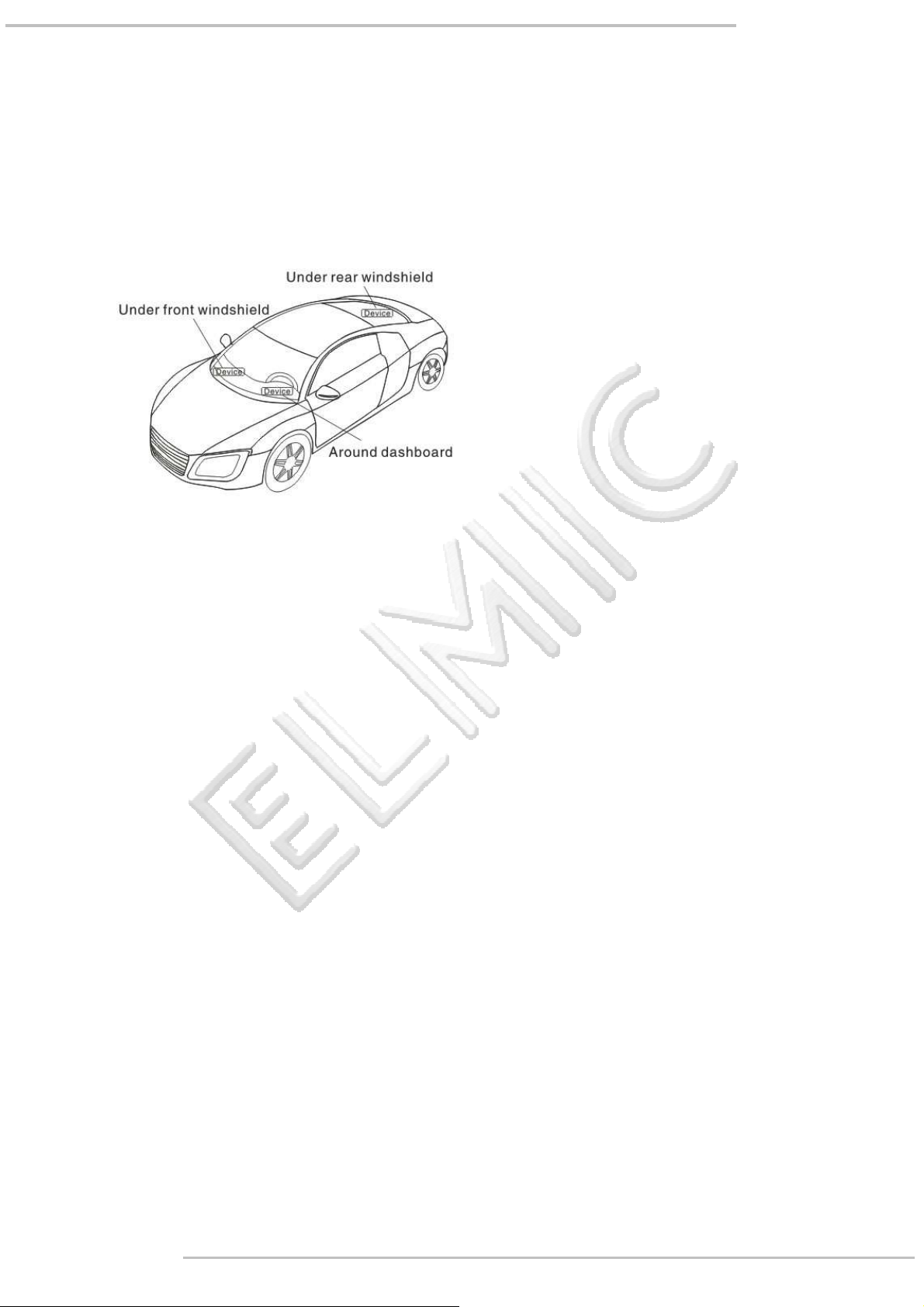
2. Install the device
• To prevent theft of the device, the device should be installed as covertly as possible.
• Avoid placing the device close to higher power electrical devices, such as reversing radar, anti-theft device or
other vehicle communication equipment.
• The device should be fixed into position with cable ties or wide double-side tape.
• Your device has built-in GSM antenna and GPS antenna. During installation, please make sure the receiving side
face is up, with no metal object above the device to interfere with GPS reception. The following places are
suggested for installation:
• Under the dash board below the front windshield;
• In the parcel shelf in the rear;
• In the front bumper( non-material face), please ensure the device cannot get wet;
• Under the wiper version (non-metal), please ensure the device cannot get wet;
• Non Covert Installation, firstly fix the device on the dash board below windshield.
Notice: If the windshield is pasted with metal thermal-protective coating, it may affect the performance of the device.
In this case, please change the installation place after consulting the professional.
3. Cautions of device wiring
• The standard voltage is 9V-36V, the red wire is the positive, the black wire is the negative.
• Please connect the black wire to ground.
• After connecting the power cord, run the power cord plug to the device. After installation, supply power to
device.
• Covert installation: car battery cord is standard, with 2A FUSE for short-circuit over current protection.
• Non covert installation: cigar lighter cord is optional, with 2AFUSE for short-circuit over current protection. Please
contact your dealer if this mode is needed.
Operation of device
1. Power on/ Power off
• The device will power on automatically when connected to power. During normal operation, red power LED
flashes, while blue GPS LED and green GSM LED keep lighting. During signal searching process, GPS or GSM LED
will flash. If there is no light presenting on LEDs, the device is not working normally.
• The device will power off after power is disconnected.
2. Side key function
At normal-work indication status, press the side key, all the three LEDs will extinguish and then the device will enter covert
working mode. Press the key again, the three LEDs will go back to normal-work indication status.
Strona 6 z 7 rev. 1.0.1
USER MANUAL: TR02 GPS VEHICLE TRACKER
Page 7

www.elmic.pl
,
Trouble shooting
If you are having trouble with your device, try these troubleshooting procedures before contacting a service professional.
a) If GPS cannot receive the signals normally, please drive to the open areas for positioning. Generally, it needs 1-2
minutes to receive the first coordinates. If the data can not be received after 2-3 minutes, please check the
installation position of the device, making sure it is not being shielded by any metal.
b) If GSM can not receive the signals normally, please check whether SIM card is installed correctly or there is no
GSM signal at the current location , such as a basement parking, please drive to a place covered by GSM signal.
c) If the red LED does not work when power is connected, check whether the fuse is blown. If so, please replace the
fuse.
d) If the three LEDs do not turn on when power up, press the down side key, if the three LEDs recover normally, the
device is working normally.
e) If you have enabled the web based tracking application, and the device displays off-line on the platform, please
check 3 LEDs status indicators first. You can check the status of the SIM card when you are in an inconvenient
situation. Please refer to the following steps:
• Call the device to check whether you can get through.
• Check whether the SIM card supports GPRS and a local APN.
• Check the GSM/GPS reception area.
• Check whether there is enough credit on the SIM card.
• Check if the connector and terminal is loose or the fuse has blown out.
GPS platform by: www.cootrack.net
Please register and log onto our GPS platform by: www.cootrack.net
The function on the GPS platform can be realized as follows:
• Real-time Tracking
• Receive and Display Alarms
• Report and Statistics
• Online Configuration
Warranty instructions and service
1. The warranty is valid only when the warranty card is properly completed, and upon presentation of the proof of
purchase consisting of original invoice indicating the date of purchase, model and serial No.of the product. We reserve the
right to refuse warranty if this information has been removed or changed after the original purchase of the product from
the dealer.
2. Our obligations are limited to repair of the defect or replacement the defective part or at its discretion replacement of
the product itself.
3. Warranty repairs must be carried out by our Authorized Service Centre. Warranty cover will be void, even if a repair has
been attempted by any unauthorized service centre.
4. Repair or replacement under the terms of this warranty does not provide right to extension or renewal of the warranty
period.
5. The warranty is not applicable to cases other than defects in material, design and workmanship.
Statement
All rights reserved.
Author instructions Shenzhen Concox Information Technology Co., Ltd.
Correction ELMIC / PHU FENIKS POLAND
Producer:
Shenzhen Concox Information Technology Co., Ltd.
China
www.concox.cn
Strona 7 z 7 rev. 1.0.1
USER MANUAL: TR02 GPS VEHICLE TRACKER
Importer:
Przedsiębiorstwo Handlowo Usługowe FENIKS
ul. Słoneczna 110,
Nowa Kuźnica, 42-350 Koziegłowy
Poland
 Loading...