

Page 1
Low Energy LED Security Light
Please read these instructions carefully prior to installation and retain
them for future reference.
IMPORTANT:
MUST BE INSTALLED BY A QUALIFIED ELECTRICIAN.
LED LAMPS ARE EXTREMELY BRIGHT. UNDER NO
CIRCUMSTANCES SHOULD YOU LOOK DIRECTLY INTO
AN LED BEAM. DOING SO MAY CAUSE IRREPARABLE
DAMAGE TO THE EYE
INSTALLATION LOCATION
• For best results, fix the floodlight on a solid surface, 1.8 – 2 Metres
above the ground.
• Night Hawk is optimised to detect movement of people within range
of its PIR, however to protect against nuisance triggering from other
sources avoid aiming the motion sensor at water such as ponds or
swimming pools, central heating vents or any objects that may change
temperature rapidly. Also try to avoid pointing the unit at trees or
shrubs or where passing animals may be detected.
• Keep in mind that PIR motion sensors are most sensitive to movement
across the face of the detection field and less sensitive to a person
moving directly towards the detector.
• The Night Hawk PIR head is adjustable in both vertical and horizontal axis.
INSTALLATION / WIRING
• Remove the back plate bracket by undoing the single securing screw on
the base of the unit.
• Choose the desired installation location and mark the fixing points
through the back plate bracket. Pre drill the holes taking care not to
damage any hidden pipes or cables.
• Pass the incoming cable in through the angled hole and grommet within
the back plate.
• Fix the back plate bracket to the surface using suitable fixings / plugs
for the surface.
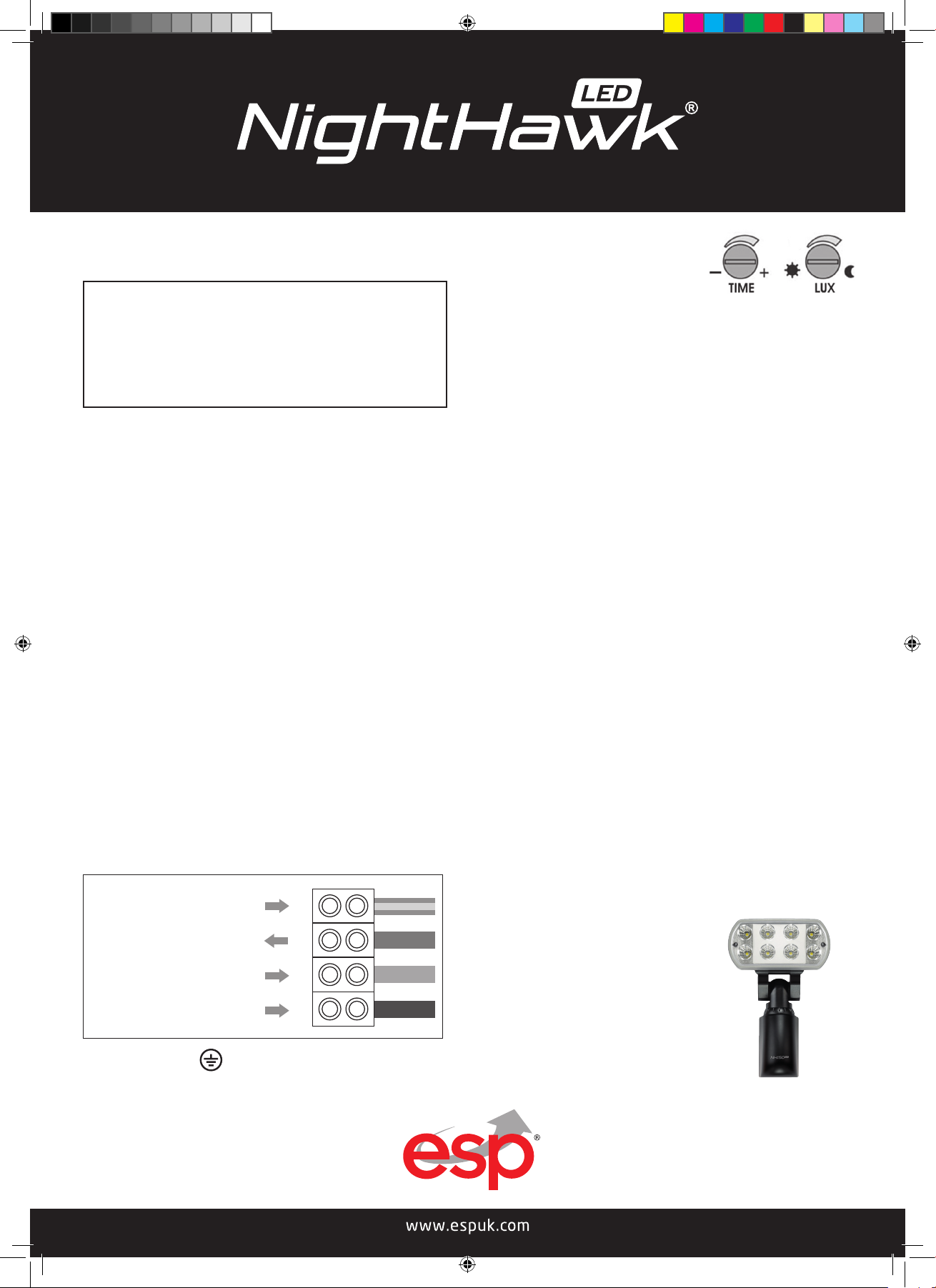
• Wiring to be completed as Fig.1
PIR ELECTRONIC ADJUSTMENTS
On the base of the PIR there are two dials:
TIME DIAL (TIME)
This dial controls how long the light will remain on once motion has
stopped. It will operate from 5 Seconds to 5 Minutes approx. Turning the
dial fully clockwise will set the unit to it longest time setting, and fully anticlockwise will set it at its shortest setting.
DAYLIGHT ADJUSTMENT DIAL (LUX)
This dial sets the Night Hawk to be activated at different light levels. To
set the light to activate only ‘after dark’ turn the dial completely clockwise.
Turning the dial anti-clockwise will allow the unit to operate at varying stages
from completely dark to full daylight. Should you wish the Night Hawk to
begin operation at dusk or if other light sources such as light leakage from
a window are in place please set the lux adjustment at some point between
fully clockwise and anti-clockwise until correct activation is achieved.
MANUAL OVERRIDE
NightHawk features an electronic override system . To switch Night Hawk
to “manual on” mode switch the power supply off then on within three
seconds. To return to “automatic on“ mode switch off the power for 20
seconds and switch back on.
SPECIFICATIONS
Power source 220 - 240VAC/50Hz
Power consumption 16.4w (operational)
Detection method Passive Infrared Sensor
Detector range 10M x 160 degree
Light output 1500 Lumens
Colour 5600K cool white
Time adjustment 5 seconds to 5 minutes
Maximum additional load LED 50W - Halogen 500W
LED usage life 40,000 hours (55 years @ 2 hours/day)
LED LAMPS ARE NON REPLACEABLE
Do not attempt to access / maintain the
LED’s. They are non replaceable and any
contact may damage the LED’s.
OPTIONAL EXTRA
Live out max 500w/50w LED
Neutral in
EEarth in
L1
N
Green/Yellow
Red
Blue
NH150LED FLOODLIGHT
Brown
Up to 4 additional LED floodlight units
can be controlled by a single NightHawk.
Fig. 1
Live in
L
IMPORTANT NOTE This product must be Earthed
Elite Security Products
Unit 7, Target Park, Shawbank Rd
Lakeside, Redditch B98 8YN
NightHawk LED Manual.indd 1 16/01/2018 14:34:39
Telephone: 01527 515150
email: [email protected]
 Loading...