

Page 1
RELAYby Elexa
Seemlessly passing the sound around
Elexa Consumer Products, Inc.
2275 Half Day Rd, Suite 333
Bannockburn, IL 60015
JUICE RELAY
BLUETOOTH
ADAPTER
Owner's Manual
Revision: B
Page 2
NEED HELP?
CONTACTING JUICE CUSTOMER SERVICE
If you have questions, our trained Customer Service
Department is happy to assist you 24 hours a day, 7 days a
week, every day of the year. Contact Juice Customer Service
as follows:
• In North America dial: 1-888-229-1459
• Email Juice at www.customer support@elexausa.com
DO NOT RETURN THIS PRODUCT
TO THE STORE OR WEBSITE FROM
If you believe the product is defective, has a missing or
broken part or are having diculty with it, please contact
Juice directly, 24 hours a day, 7 days a week, 365 days a
year as listed above, for a quick and ecient solution to the
problem.
Refer all servicing to qualied service personnel. Servicing is required when the
apparatus has been damaged in any way: such as power supply cord or plug is
damaged; liquid has been spilled or objects have fallen into the RELAY; the RELAY
has been submerged in liquids, does not operate normally, or has been dropped.
Do not attempt to service the RELAY yourself. Opening or removing covers may
expose you to dangerous voltages or other hazards and will void the manufacturer’s
warranty.
WHICH IT WAS PURCHASED
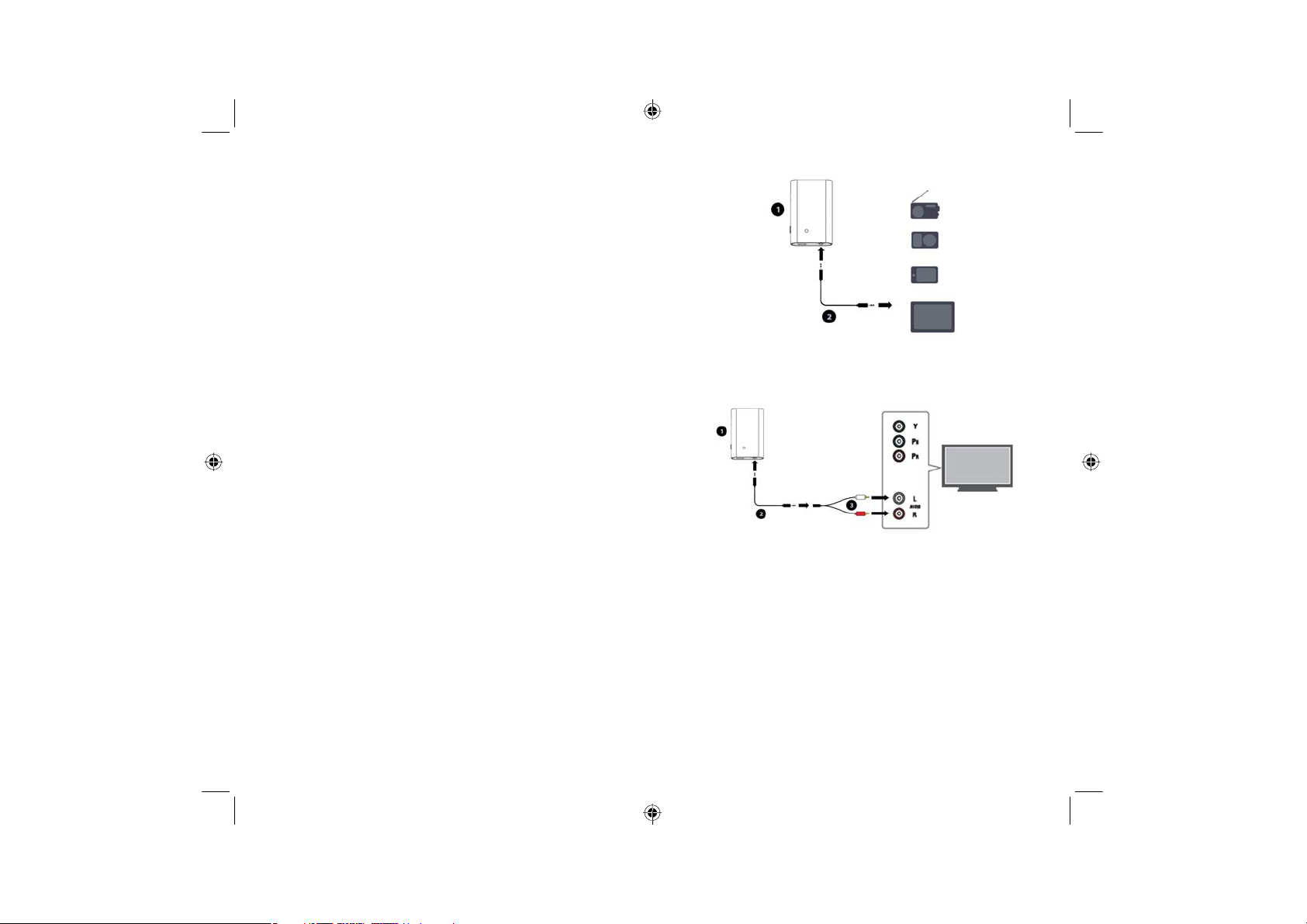
Option 2 - Attach audio using aux cable and RCA adapter to
TV's or other audio devices with RCA outputs on them.
Volume levels are controled from the device (Phone, TV, iPod, Etc.)
PAIR THE UNIT WITH BLUETOOTH
PLAYBACK DEVICE
1 - Press and hold the power button until the LED ashes blue
and red.
2 - Place the speaker or headphone you want to pair with in
pairing mode
3 - The adapter and speaker/headphone should automatically
pair and the Status LED on the adapter should turn blue.
If it does not turn blue, please try the pairing procedure
again.
Page 3

CHARGE THE ADAPTER
Plug the adapter (1) into the power adapter (3) using the
USB cable (2) supplied. Plug Power Adapter (3) into the
wall. You can keep the adapter plugged into the wall or full
charge it and use the battery.
With the power o
• Status LED should ash red while charging
• Status LED will be solid red when fully charged
With the power on
• LED status will only ash red when battery is less than
10% of full charge
ATTACH UNIT TO AUDIO
Option 1 - Attach audio using aux cable to any 3.5mm stereo
source as shown below:
WARNINGS & CAUTIONS
To reduce the risk of re or electric shock due to accidental submersion, do not use the
Relay Adapter near bathtubs, washbowls, kitchen sinks, laundry tubs, in a wet basement,
near a swimming pool, or anywhere else that water is present that can cover the unit.
As with any electronic products, use care not to spill liquids into any part of the product.
Liquids can cause a failure and/or a re hazard.
The wall power supply must be used indoors only. It is neither designed nor tested for
charging outdoors, in recreation vehicles, or on boats. Unauthorized alterations may
compromise safety, regulatory compliance, and system performance, and will void the
warranty.
Do not place any ame sources, such as lighted candles, on or near the Relay Adapter. The
Relay adapter contains small parts that may be a choking hazard and is not suitable for
children under age 3.
Before use, fully charge the battery using the supplied power adapter. Do not continue
charging the battery if it does not reach full charge within the specied charging time.
Overcharging may cause the battery to become hot, rupture, or ignite. If you see any heat
deformation or leakage, properly dispose of the battery. Do not attempt to charge the
battery in temperatures outside the range of 32°-104°F (0°-40°C). If the battery begins
to leak, do not allow the liquid to come in contact with your skin or eyes. If contact has
been made, wash the aected area with plenty of water and seek medical attention
immediately.
Do not expose the product or battery to excessive heat, including direct sunlight or re
and storage or use inside cars in hot weather, where it can be exposed to temperatures
in excess of 115°F (60°C). Doing so may cause the battery and power supply to generate
heat, rupture, or ignite. Using the product in this manner also may result in a loss of
performance and a shortened product life expectancy.
Extended exposure to direct sunlight may damage the external appearance and material
qualities.
Legal Notices
This device complies with part 15 of the FCC Rules. Operation is subject to the following
two conditions: (1) This device may not cause harmful interference, and (2) this device
must accept any interference received, including interference that may cause undesired
operation.
NOTE: This equipment has been tested and found to comply with the limits for a Class B
digital device, pursuant to part 15 of the FCC Rules. These limits are designed to provide
reasonable protection against harmful interference in a residential installation. This
equipment generates, uses and can radiate radio frequency energy and, if not installed
and used in accordance with the instructions, may cause harmful interference to radio
communications. However, there is no guarantee that interference will not occur in a
particular installation. If this equipment does cause harmful interference to radio or
television reception, which can be determined by turning the equipment o and on,
the user is encouraged to try to correct the interference by one or more of the following
measures:
— Reorient or relocate the receiving antenna.
—Increase the separation between the equipment and receiver.
—Connect the equipment into an outlet on a circuit dierent from that to which the
receiver is connected.
— Consult the dealer or an experienced radio/TV technician for help.
This device complies with Industry Canada license-exempt RSS standard(s). Operation
is subject to the following two conditions: (1) this device may not cause interference,
and (2) this device must accept any interference, including interference that may cause
undesired operation of the device.
Page 4

CONGRATULATIONS
Congratulations on purchasing the Relay Bluetooth
Adapter for your home, oce or portable use. You can
now connect any audio device, without integrated
bluetooth capability to your Relay Speakers (sold
seperately). When you travel you can take it with you
and use it at the beach, when you camp or in your living
room. The adapter easily connects to any audio device
and works with any bluetooth speaker or headphone.
This document will familarize you with the product, how
to set up and connect it to your bluetooth speaker or
headphone.
Here is what is included in the system:
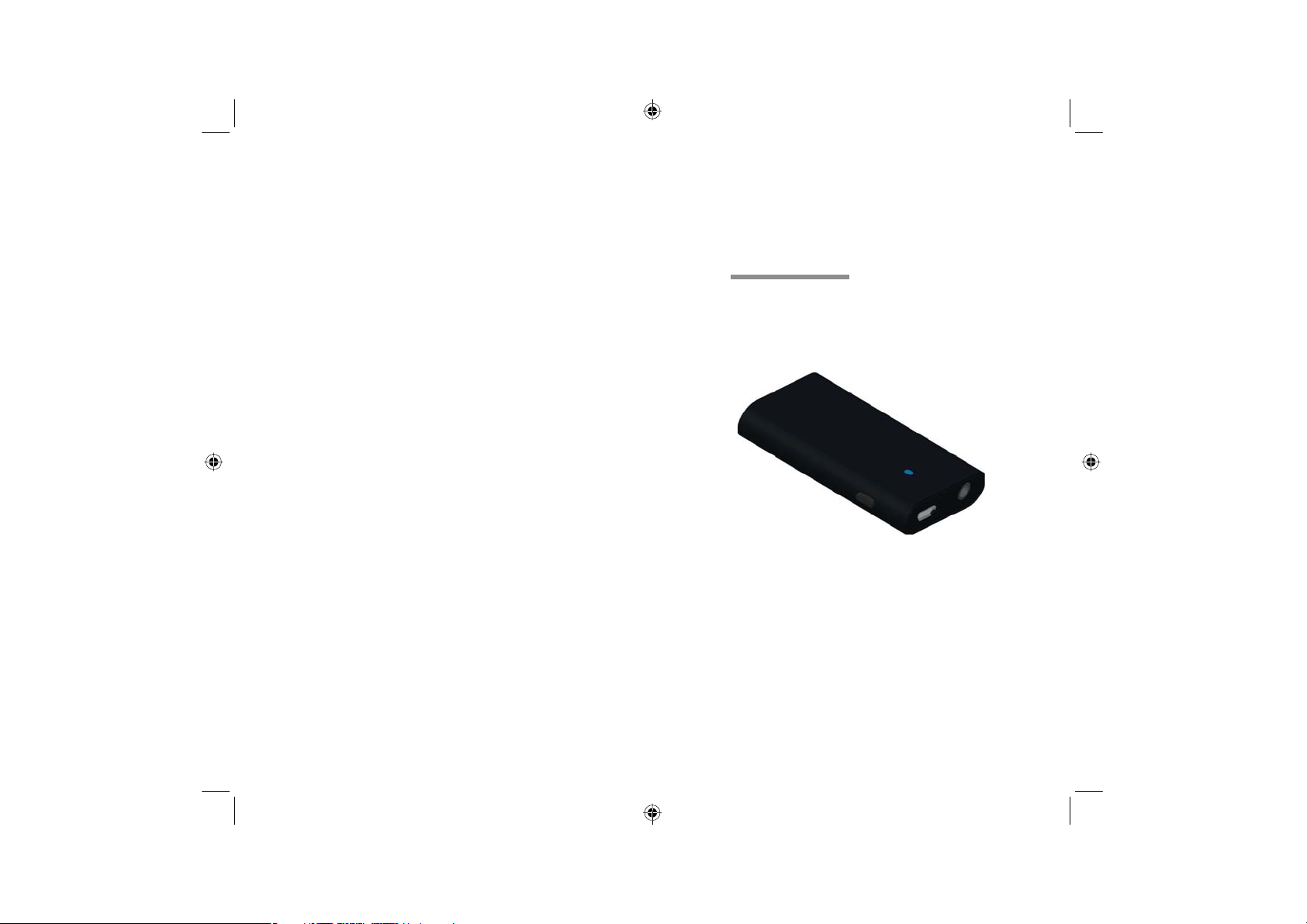
GET TO KNOW THE ADAPTER
POWER BUTTON - Press and hold power button for 3 seconds to turn
STATUS LED With Power ON (USB charging or no USB charging)
Flashing Blue indicates Power is on but unit is not paired
Solid Blue indicates Power is on and unit is paired
Flashing Red indicates battery has only 10% or less charge, please
With Power OFF and USB plugged into wall
Flashing Red - indicates unit is charging
Solid Red - indicates unit is fully charged
USB POWER - Plug in USB Mini Jack to charge the device
AUDIO INPUT - Stereo 3.5 mm female plug for inputing audio
unit on
- Press and hold power button for 5 seconds to place
unit in pairing mode
- When unit is on, press power button once to turn
o adapter
recharge the unit.
 Loading...