

Page 1
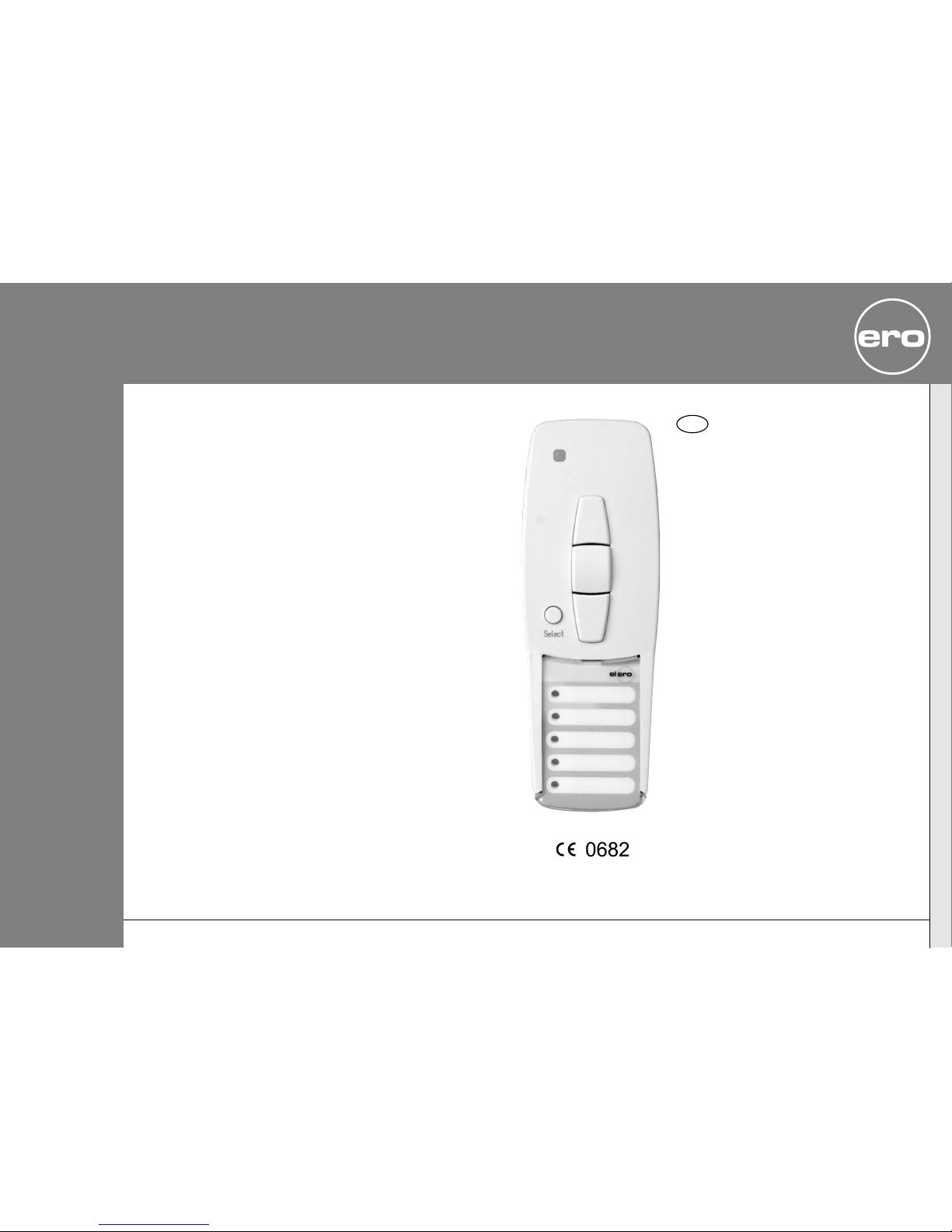
VarioTel
Nr. 28241.0001
Operating Instructions
Please keep the instructions in a safe place.
Nr. 18100.4801/0204
GB
elero
309402
elero Latinoamérica
Av.Brasil 2476 Of. 202
11300 Montevideo
URUGUAY
[email protected]
www.elero.com
Page 2
Safety instructions......................................... GB- 2
Explanation of buttons .................................... GB- 3
General information ....................................... GB-4
Designated use............................................. GB- 4
Note......................................................... GB- 5
Wall holder installation ................................... GB- 5
Explanation of functions .................................. GB-6
Transmission control light ............................ GB-6
Group control .......................................... GB-6
Select button........................................... GB-6
Programming radio channel settings..................... GB- 7
Programming transmitter/channel................... GB- 7
Programming additional transmitters ............... GB- 7
Intermediate position for roller shutter/awning/
venetian blind.............................................. GB- 9
Programming intermediate position................. GB-9
Programming ventilation/reverse position .......... GB- 9
Adjustment to intermediate position ................ GB-10
Adjustment to ventilation/reverse position ......... GB-10
Deleting intermediate position....................... GB-10
Deleting ventilation/reverse position ................ GB-10
Deleting radio channel settings........................... GB-11
Deleting individual transmitters ..................... GB-11
Deleting all transmitters.............................. GB-11
Technical data.............................................. GB-12
Battery replacement....................................... GB-12
Cleaning .................................................... GB-12
Troubleshooting............................................ GB-12
General declaration of conformity........................ GB-12
Contents
Safety instructions
GB-1 GB-2
GB
Important safety instructions!
The following instructions must be observed
at all times.
• For use in dry rooms only.
• Use unmodified elero original parts only.
• Keep persons away from the systems guide
track.
• Keep children away from controls.
• Always comply with national stipulations.
• Always dispose of used batteries properly.
Always replace batteries with identical type
(LR 03; AAA.
• If the system is controlled by one or more
transmitters, the system guide track must be
visible during operation.
• The equipment contains small parts that could
be swallowed.
Warning!
Page 3
Explanation of buttons
General information/Designated use
GB-3 GB-4
General information
The VarioTel handheld transmitter can be used to operate up
to five receivers individually or altogether.
The VarioTel device is characterised by its user-friendly
operation.
Designated use
The VarioTel may be used to operate roller shutters/sun
protection systems only.
• Please note that radio-controlled systems may not be used in
areas with a high risk of interference (e.g. hospitals,airports).
• The remote control is intended solely for use with equipment
and systems in which malfunctions in the handheld
transmitter or receiver would not pose any risk to persons,
animals or property or which contain safety devices to
eliminate such risks.
• The operator is not protected from interference from other
telecommunications systems and terminal equipment
(e.g. even from radio-controlled systems which are properly
operated in the same frequency range).
• Radio receivers may only be used in combination with
equipment and systems stipulated in manufacturers’
specifications.
GB
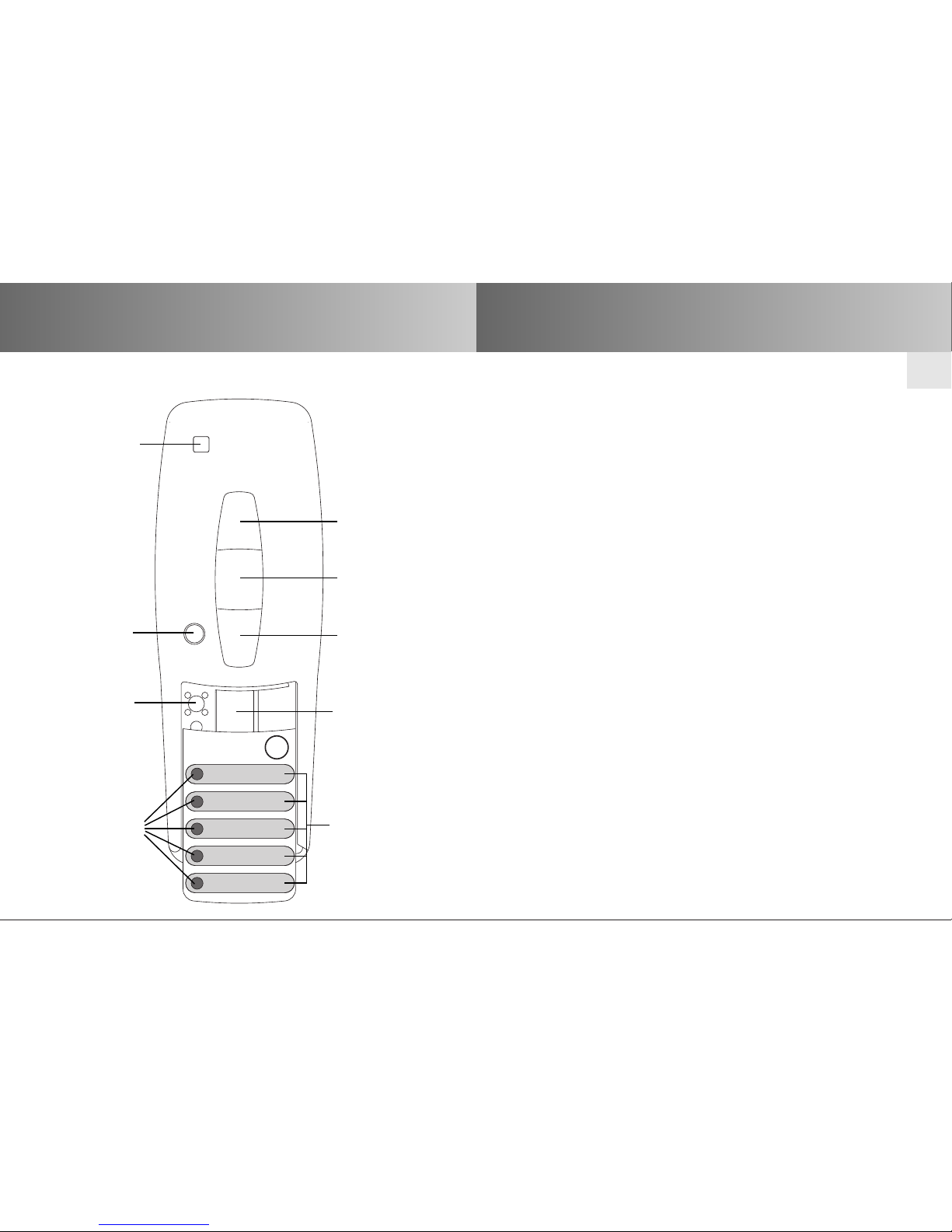
elero
Select
Transmission
control light
Select button
Programming
button P
Group
control
lights
v UP button
y STOP button
b DOWN button
Battery
compartment
Labelling fields
Page 4
Installation
Explanation of functions
GB-5 GB-6
GB
Note: Radio stations transmitting in the same frequency range
may cause reception interference.
Please note that the operating range of the radio signal is
limited by legislation as well as by the product design
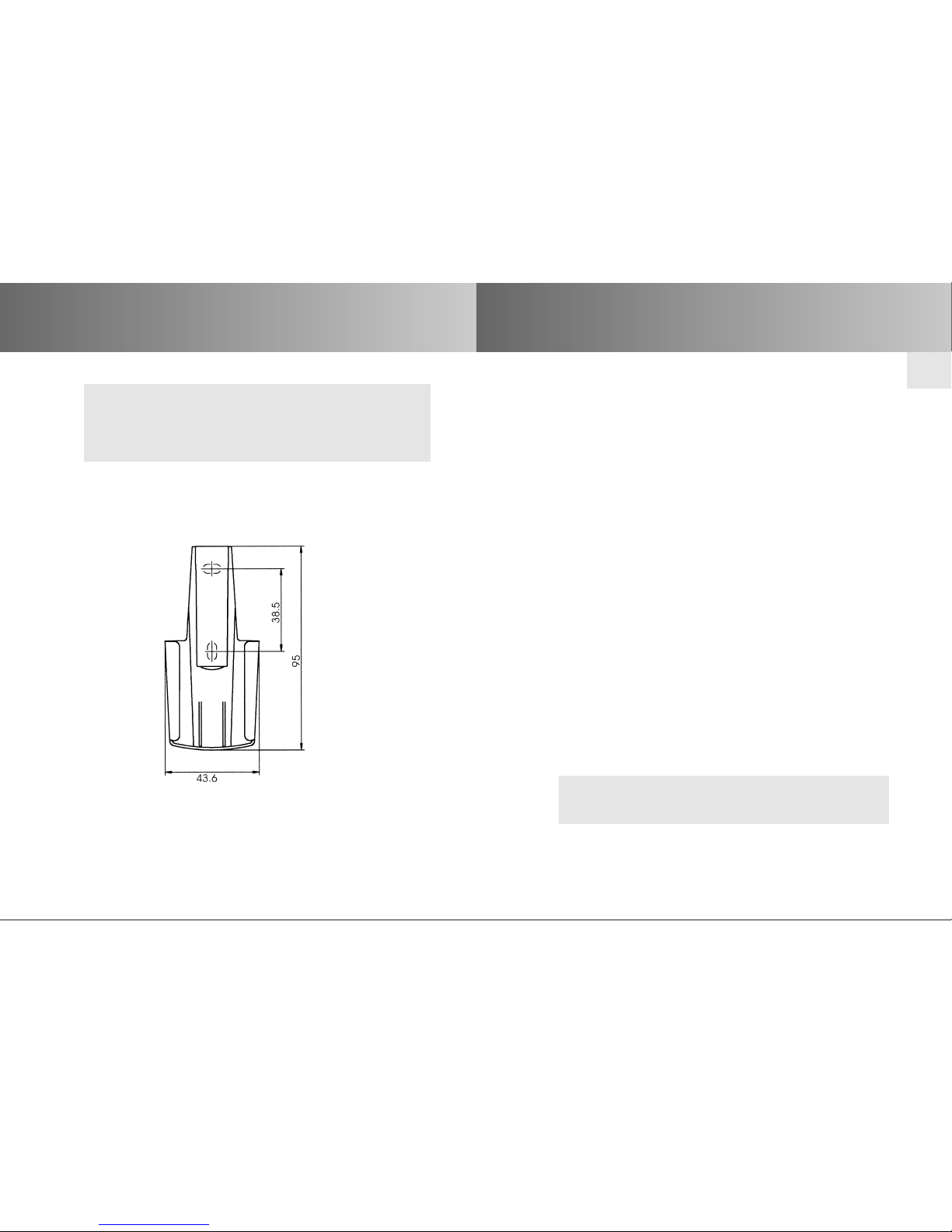
Wall holder installation
• Before installing the wall holder, always ensure that the
transmitter and receiver are in proper working order.
• Mount the holder onto the wall using the two raw plugs and
screws provided.
Transmission control light
The transmission control light is illuminated when a radio
signal is being transmitted.
The transmission control light will flash during transmission if
battery power is low.
The transmission power or radio operating range will decrease
as battery power decreases. If the transmission control light
does not light up when the buttons are pressed, the batteries
must be replaced.
Group control
Group control refers to the operation of one or more receivers
at the same time. The group selected is controlled via a control
command.
The VarioTel is used to operate groups via five radio channels.
Select button
The Select button may be used to select and programme up to
5 channels. The LED lights for the different channels light up to
indicate when a given channel is being used.
An additional channel is reserved for central command control.
This is allocated automatically. When the central command is
active, all five LEDs light up.
Note: The inlay card beneath the transparent cover can be
used to make a note of the groups which have been
programmed.
Page 5
Programming radio channel settings
GB-7 GB-8
GB
Programming transmitter/channel
Prerequisite: The receiver must be installed.
1. With pre-installed electric receivers,the fuse must be
disconnected and reconnected after a few seconds.
The receiver will remain in programming mode for approximately
5 minutes.
2. Position yourself in front of the roller shutter/awning/venetian
blind with the remote control in your hand.
3. Open the front cover of the device and press the transmitter pro-
gramming button P briefly. The shutter/awning/venetian blind
will start to move up and down. This will happen for
approximately 2 minutes.
4. Select the desired channel using the Select button.
5. To define the keyboard layout,press the UP button on the trans-
mitter as soon as the shutter/awning/venetian blind begins to
move upwards (after approx. 1 second).The shutter/awning/
venetian blind will come to a halt briefly.As soon as the shutter/
awning/venetian blind begins to move again, press the DOWN
button on the handheld transmitter.
The shutter/awning/blind will come to a stop.
The transmitter or this channel has been successfully programmed.
Programming radio channel settings
Note: If more than one receiver is connected to the same supply
lead, all of these will be in programming mode
simultaneously. The shutters/awnings/venetian blinds will
begin to move up and down “at random”. The longer you
take to carry out the programming, the larger the offset
will be.
Individual channels can now be assigned to the given
receiver.
To stop the brief up and down movements, press the
STOP button on one of the pre-programmed handheld
transmitters briefly.
Channel assignment/modification can now be carried out
without you having to disconnect individual receivers.
Select the desired channel using the Select button.
If the shutter/awning/venetianblind moves in the wrong
direction, the transmitter must be deleted and re-programmed.
Programming additional transmitters
To programme additional transmitters in one receiver,please proceed
as follows:
1. Press the UP, DOWN and programming button P on a transmitter
that has already been programmed in the receiver until the LED
goes out.
2. To define the keyboard layout, press the UP button on the hand-
held transmitter as soon as the shutter/awning/
venetian
blind
begins to move upwards (after approx. 1 second).
The shutter/awning/blind will come to a halt briefly.
As soon as the shutter/awning/
venetian
blind begins to move
again, press the DOWN button on the handheld transmitter.
The shutter/awning/
venetian
blind will come to a stop.The
transmitter or this channel has been successfully programmed.
Page 6
GB-9
Intermediate position for roller
shutter/awning/venetian blind
GB-10
GB
Intermediate position for roller
shutter/awning/venetian blind
Programming Pos B
Prerequisite:
The transmitter has been programmed and the end limit
positions have been set.The roller shutter/awning/
venetian blind is in the upper end limit position.
1. Adjust the roller shutter/awning/venetian blind into the desired
position using the DOWN button.
Note: Keep the DOWN button pressed until the desired position
is reached.
2. When the roller shutter/awning/venetian blind has reached the
desired position, press the STOP button in addition.
The curtain/canopy/blind will come to a stop.The intermediate
position has been successfully programmed.
Programming Pos V
Prerequisite:
The transmitter has been programmed and the end limit
positions have been set.The roller shutter/awning/
venetian blind is in the upper end limit position.
1. Move the roller shutter/awning/venetian blind in the UP direction
using the handheld transmitter until the ventilation slits are open
or the reverse position has been reached.
Note: Keep the UP button pressed until the desired position is
reached.
2. When the roller shutter/awning/venetian blind has reached the
desired position, press the STOP button in addition.
The roller shutter/awning/venetian blind will come to a stop.The
ventilation/reverse position has been successfully programmed.
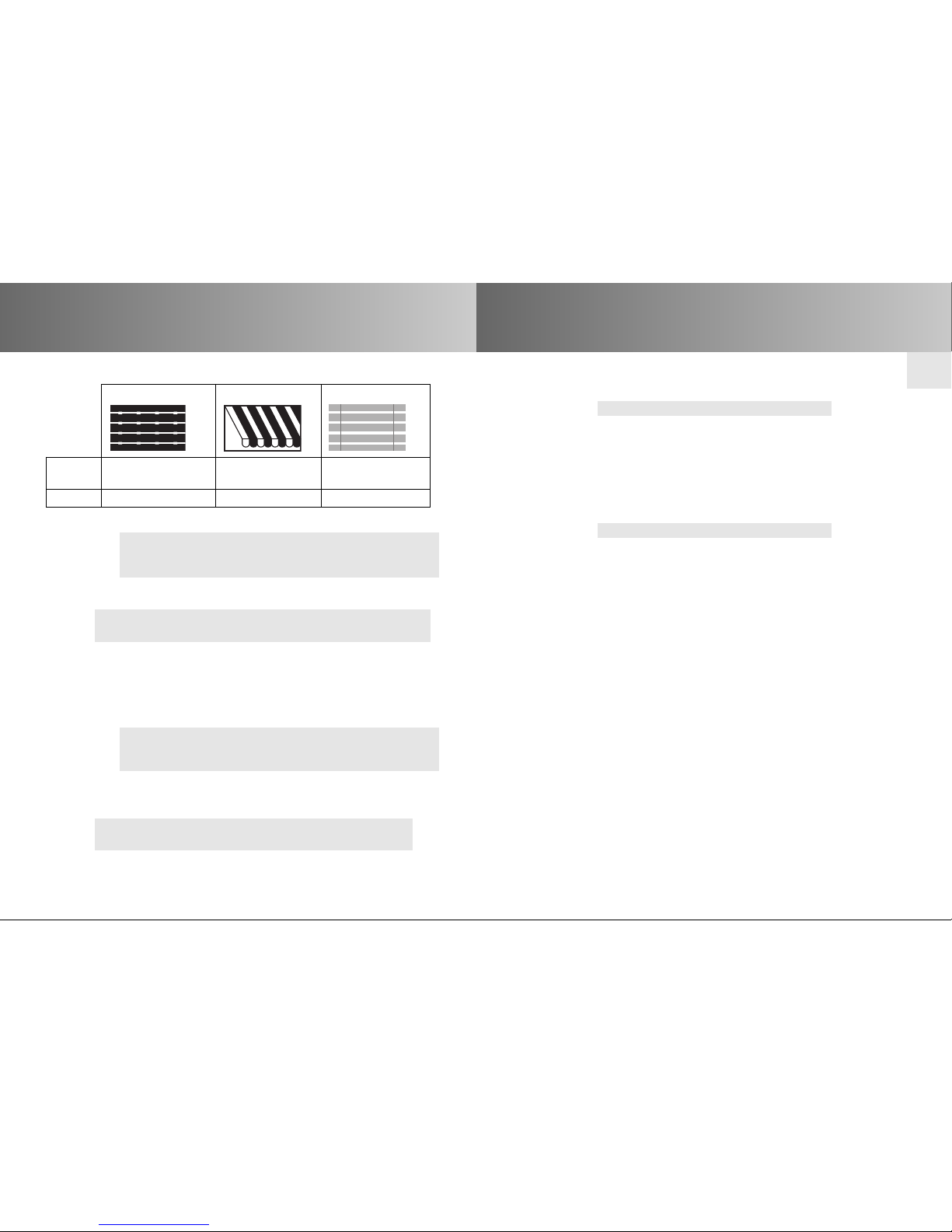
Roller shutter Awning Venetian blind
Pos B
Intermediate Intermediate Intermediate
position position position
Pos V Ven tilation position Canopy tension Reverse position
Adjustment to Pos B
Prerequisite: The transmitter has been programmed.
1. Press the UP button twice in quick succession.
2. The drive will adjust the
roller shutter/awning/venetian blind
into the stored intermediate position. If no intermediate
position is stored, the
roller shutter/awning/venetian blind
is
automatically adjusted into the lower limit position.
Adjustment to Pos V (roller shutter,awning)
Prerequisite: The transmitter has been programmed.
1. Press the UP button twice in quick succession.
2. The
roller shutter/awning
is adjusted into the stored ventilation
position. If no ventilation position is stored, the
roller shutter/
awning
is automatically adjusted into the upper limit position.
Adjustment to Pos V (venetian blind)
Prerequisite: The transmitter has been programmed.
1. Press the UP button twice in quick succession.
2. The venetian blind is adjusted into the stored reverse position.
If no reverse position is stored,the venetian blind is
automatically adjusted into the lower limit position.
Deleting Pos B
1. Press the following buttons simultaneously:
• DOWN button
• STOP button
2.
Keep these two buttons pressed until the LED goes out briefly.
Deleting Pos V
1. Press the following buttons simultaneously:
• UP button
• STOP button
2.
Keep these two buttons pressed until the LED goes out briefly.
Page 7
GB-12
GB
GB-11
Deleting radio channel settings/Technical data
Operating voltage 3 V DC
Battery requirements 2 x LR 03 (AAA)
System of protection IP 20
Permissible ambient temperature –10 to +55 °C
Operating frequency 433,92 MHz AM
Dimensions in mm L 121 x W 43 x H 23
Deleting individual transmitters
Disconnect the fuse – and reconnect after a few seconds.
1. Open the front cover on the device and press the following
buttons simultaneously:
• Programming button P
• STOP button
2. Keep these two buttons pressed until the LED goes out briefly.
Deleting all transmitters
Disconnect the fuse – and reconnect after a few seconds.
1. Open the front cover on the device and press the following
buttons simultaneously:
• Programming button P
• UP buttpm
• STOP button
• DOWN button
2. Keep all of these buttons pressed until the LED flashes 3 times.
Technical data
The maximum radio range is 25 m indoors and 350 m outdoors.
Battery replacement/Cleaning/Troubleshooting
Battery replacement
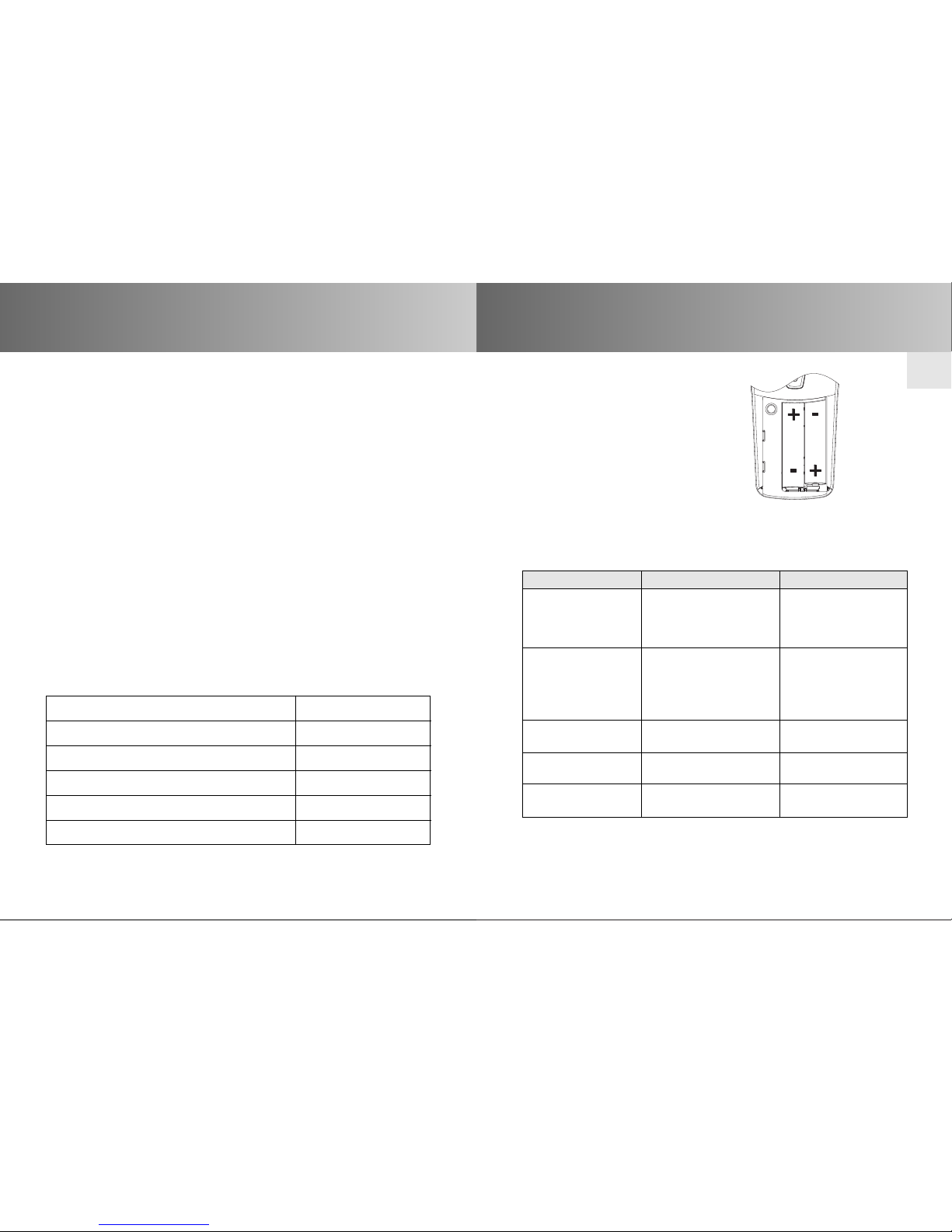
1. Open the battery compartment.
2. Remove the batteries.
3. Insert the new batteries properly.
Cleaning
Clean the device with a damp cloth only.
Do not use a cleansing agent as doing so may damage the plastic.
Troubleshooting
Problem Cause Remedy
Drive is not 1. Batteries are empty. 1. Replace batteries.
functioning. 2. Batteries are inserted 2. Remove batteries
Transmission control incorrectly. and re-insert
light is not illuminated. properly.
Drive is not 1. Receiver is not within 1. Move receiver closer
functioning. radio operating range. to ensure it is within
Transmission control operating range.
light is illuminated. 2. Transmitter is not 2. Programme
programmed in receiver. transmitter.
Transmission control Battery power is low. Replace batteries.
light is flashing.
Selected drive is not Wrong group has been Select the correct
functioning. selected. group.
Drive moves in wrong The directions have Delete transmitter and
direction. been set incorrectly. re-programme correctly.
General declaration of conformity:
The company elero GmbH hereby declares that the VarioTel
handheld transmitter complies with the basic requirements and
other relevant regulations of the EC Directive 1999/5/EG.
 Loading...