

Page 1

REPEATER
ELE7001
HDMI to HDMI Repeater
INSTALLATION MANUAL
Page 2

INTRODUCTION
Dear customer,
Thank you for purchasing this product. For optimum performance and safety, please read
these instructions carefully before connecting, operating, or adjusting this product. Please
keep this manual for future reference.
Our series of HDMI converters, switches, extenders, matrixes, and splitters are designed to
make using your A/V device more convenient, more comfortable, more productive, and more
cost-efficient.
The ELE7001 HDMI Repeater is used to transmit HDMI signal over long distances.
It offers solutions for noise, space and security concerns, data center control, information
distribution, conference room presentation, school, and corporate training environments.
Features
Can buffer and amplify the signal
26 AWG HDMI Cable up to 30m
Video Input Support: 24/50/60fs 1080p, 1080i, 720p, 576p, 576i, 480p, 480i
Video Output Support: 24/50/60fs 1080p, 1080i, 720p, 576p, 576i, 480p, 480i
No loss of signal quality
Easy operation
2
Page 3

Package Contents
ELE7001 (x1)
Installation Manual (x1)
Specifications
HDMI Connector: Type A 19-pin Female
HDMI Input: 24/50/60fs 1080p, 1080i, 720p, 576p, 576i, 480p, 480i
HDMI Output: 24/50/60fs 1080p, 1080i, 720p, 576p, 576i, 480p, 480i
Max Trnsmission Rate: 165MHz
Max Transmission Bandwidth: 4.95Gbps
Input Video Signal: 1.2v p-p
Output DDC Signal: 5v p-p
Operating Temperature Range: -15° - +55° C
Operating Humidity Range: 5 to 95% RH
Dimensions (LxWxH): 45mm x 26mm x 16.5mm
Weight: 30g
3
Page 4
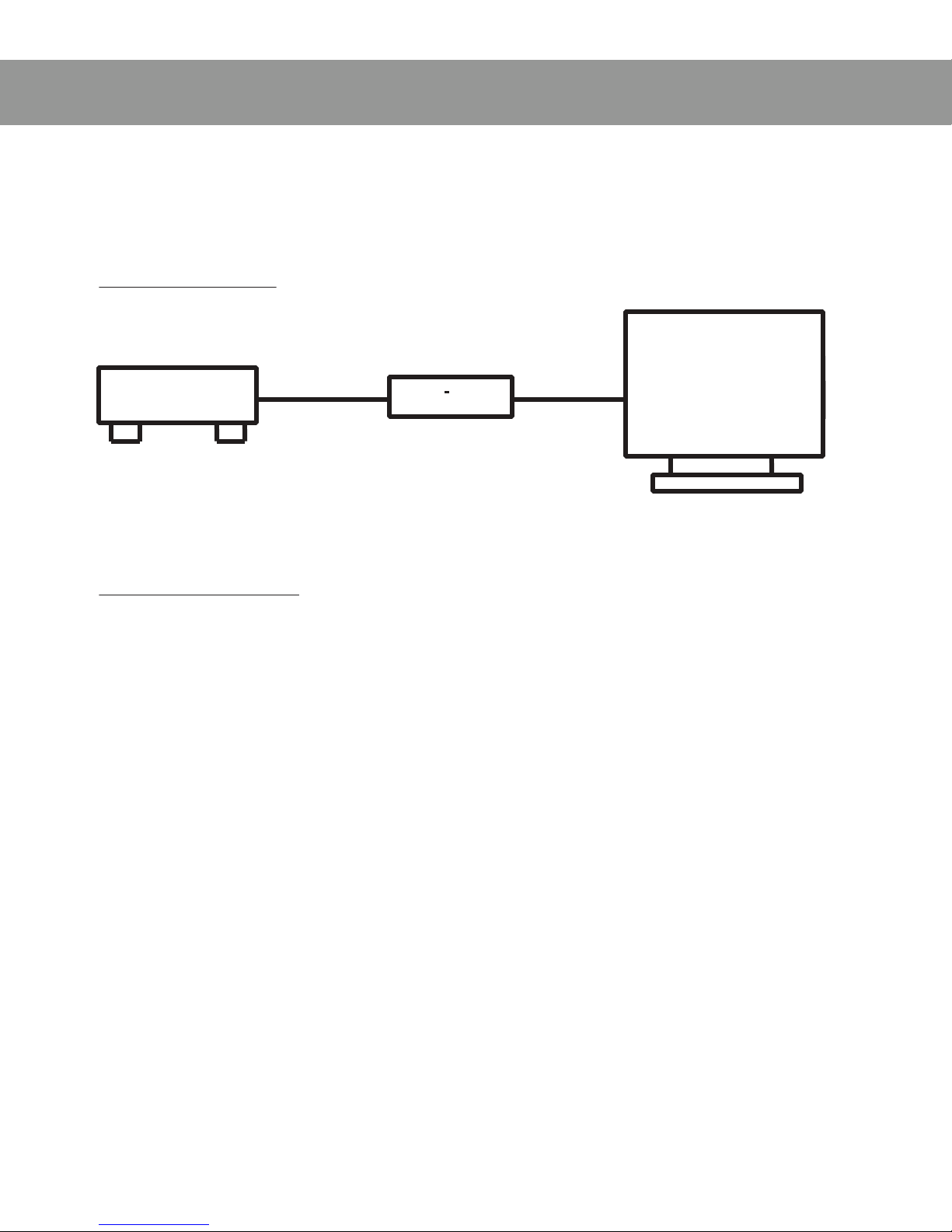
OPERATION
Connections & Operation
Connection
HDMI
HDMI
HDMI
HDMI DVD
DVD
DVD
DVD
IN
IN
IN
IN
OUT
OUT
OUT
OUT
HD
TV
HD
TV
HD
HD TV
TV
HDMI
HDMI
HDMI
HDMI REPEATER
REPEATER
REPEATER
REPEATER
Installation
Connect a Standard HDMI Cable to the Input of the Repeater from the Output of the HD
Source
Connect another Standard HDMI Cable to the Output of the Repeater and the Input on
your Display
4
Page 5

NOTICE
Performance Guidelines
Be sure to use the product as directed to maximize the performance quality and the
operational lifetime of your hardware.
Be sure to place the device in a suitable environment. Do NOT place in damp, dusty,
erosive, or oxidative areas. Keep out of high-temperature locations as well as any other
extreme conditions.
Be sure the hardware is safe and secure. Do NOT install in areas exposed to heavy
motion or places that put the hardware at risk of falling.
Do NOT touch the power adapter with wet hands.
Do NOT pull on the power supply cord under any circumstance.
Be sure to turn the power off when not in use.
Do NOT open hardware, remove cover, or touch any parts within the device.
For best result, be sure to use the factory supplied power adapter.
Before powering on, be sure to check the connections carefully for accuracy.
Troubleshooting
No Power...First, double check the connections at both ends of the power supply. Also,
be sure the power switch is in the on position.
No Picture...First, make sure the display is powered on and that the devices are properly
connected. Then, confirm the status of the source device is powered on and transmitting
signal. If the problem persists, check the signal quality at each connection by testing
each cable and each connection in the signal path. (NOTE: Cables should be HDMI V1.3
compliant.)
Obscure Picture...First, try re-connecting the each cable to eliminate any poor connec-
tions. If the problem persists, check the signal quality at each connection by testing
each cable and each connection in the signal path. (NOTE: Cables should be HDMI V1.3
compliant.)
5
Page 6

REPEATER
ELE7001
HDMI to HDMI Repeater
engineeredby
www.skywalker.com
9390 Veterans Memorial Pkwy, O’Fallon, MO 63366
(800) 844-9555 | [email protected]
 Loading...