

Page 1
Thank you for purchasing your Class 1 Bluetooth RS232 adapter from EFI Analytics. This
Adapter has been preconfigured with the proper settings and tested for simple
communication with your MegaSquirt controller.
Instructions:
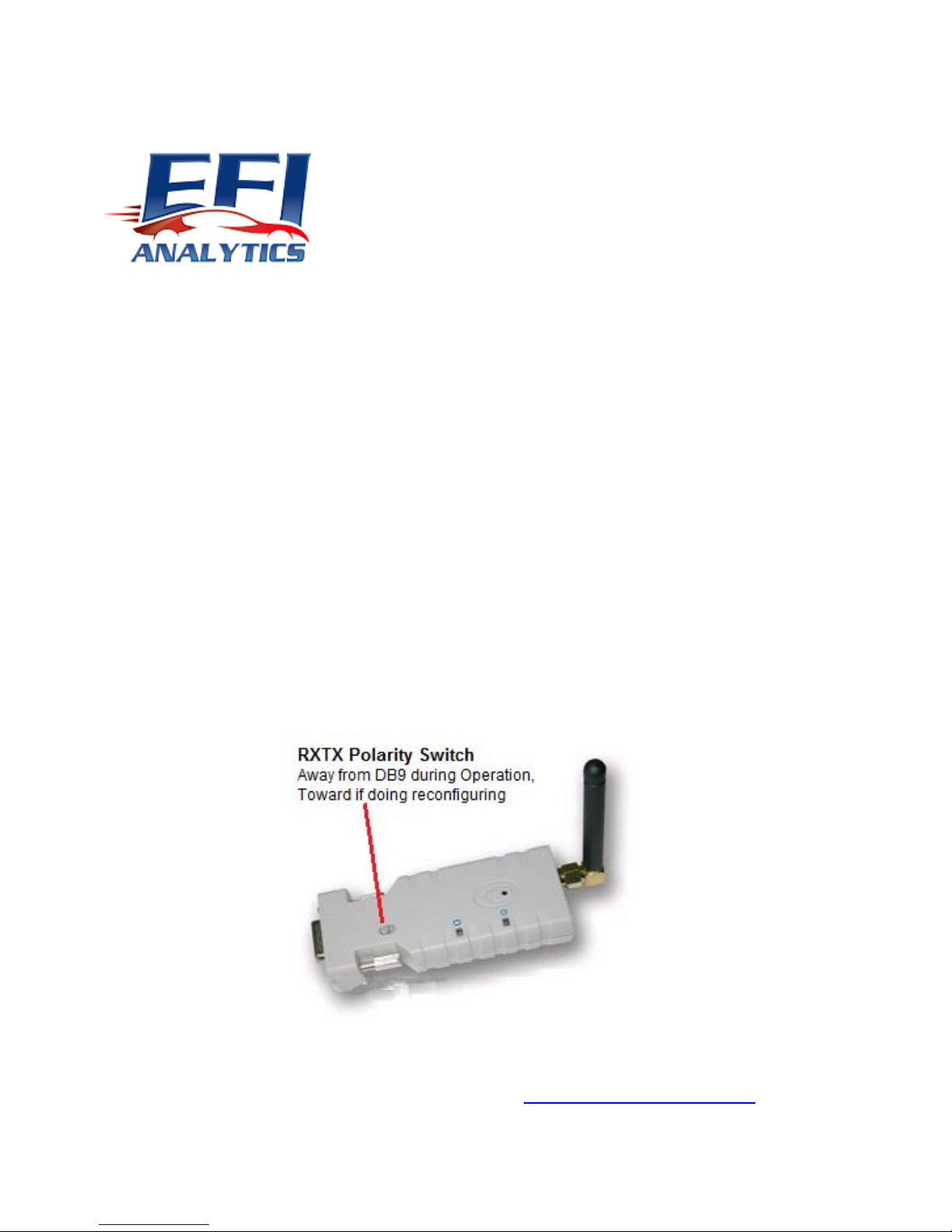
Please attach it to your MegaSquirt using the supplied mini gender changer.
Make certain the RX TX polarity switch is set away from the DB9 side during normal
operation.
When you pair with this device you will be prompted for a PIN, use 1234
If you experience difficulties, please contact us at [email protected]
Page 2
Note: As the Adapter has been preconfigured for 9600 or 115200 baud depending on your application,
to connect via a terminal program you must use the new configured baud rate, not the default baud of
19200.
If you do need to reconfigure the adapter for any reason, this can be done using a Terminal program
such as HyperTerminal or if you are using Windows 7 where HyperTerminal is no longer Available, I
recommend using TeraTerm:
http://ttssh2.sourceforge.jp/
From the default settings these are the commands to return to the configuration as sent from EFI
Analytics:
ATX0
ATC0
ATE0
If MS1 for 9600 baud:
ATL1
If MS2 or MS3 using 115200 baud:
ATL5
After sending the ATL command, the baud changes instantly and you will not be able to communicate
with the adapter until you change the baud rate on your terminal program. I generally just send ATL
last.
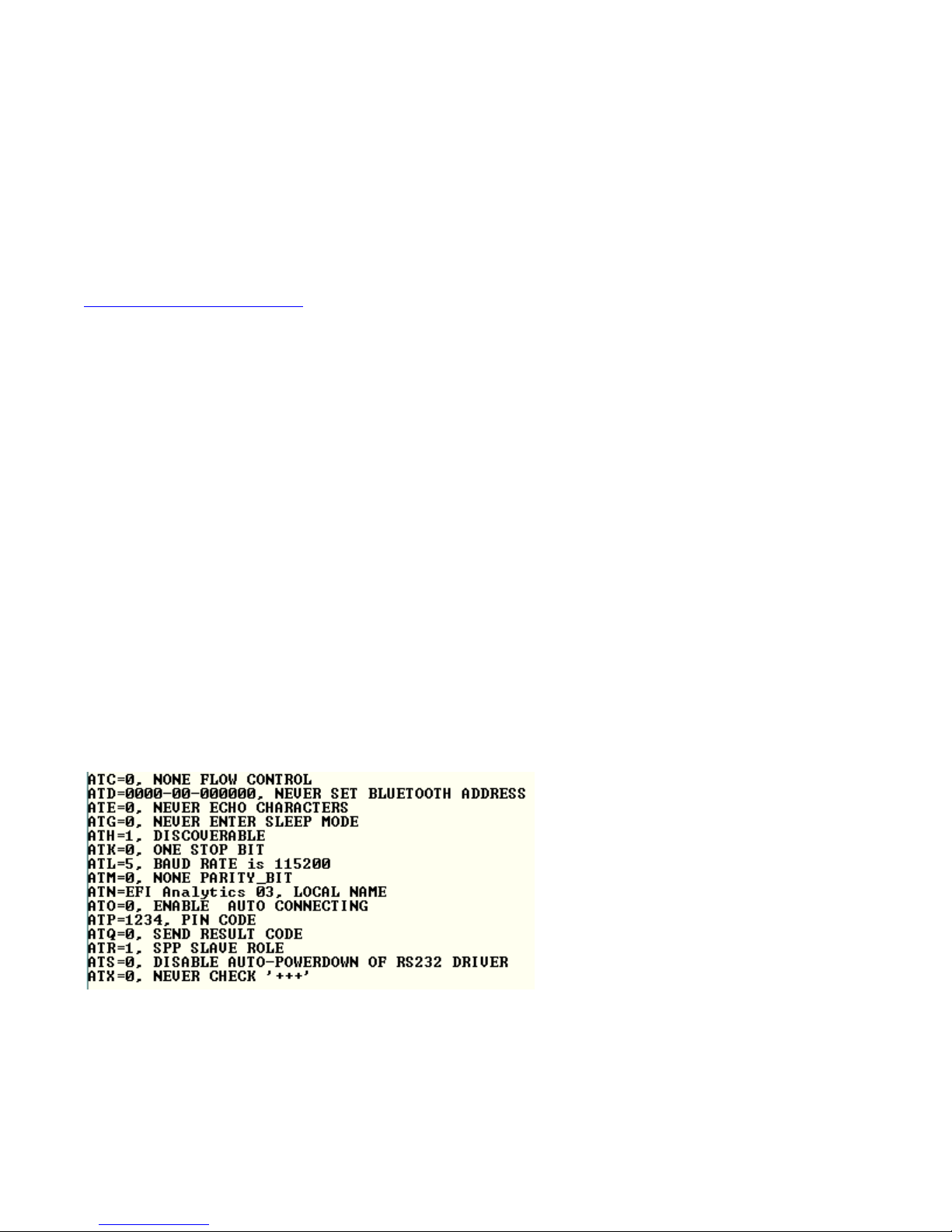
The ATI1 command will return all setting in the adapter. This is a shot of all settings of and adapter
configured for an MS2 or MS3 at 115200 baud:
If using 9600 baud for a MegaSquirt 1, the settings will be the same except baud:
ATL=1 9600 Baud.
 Loading...