

Page 1
EGT TO CAN
User Manual
Version 1.0
Page 1 of 6
Page 2
Device description
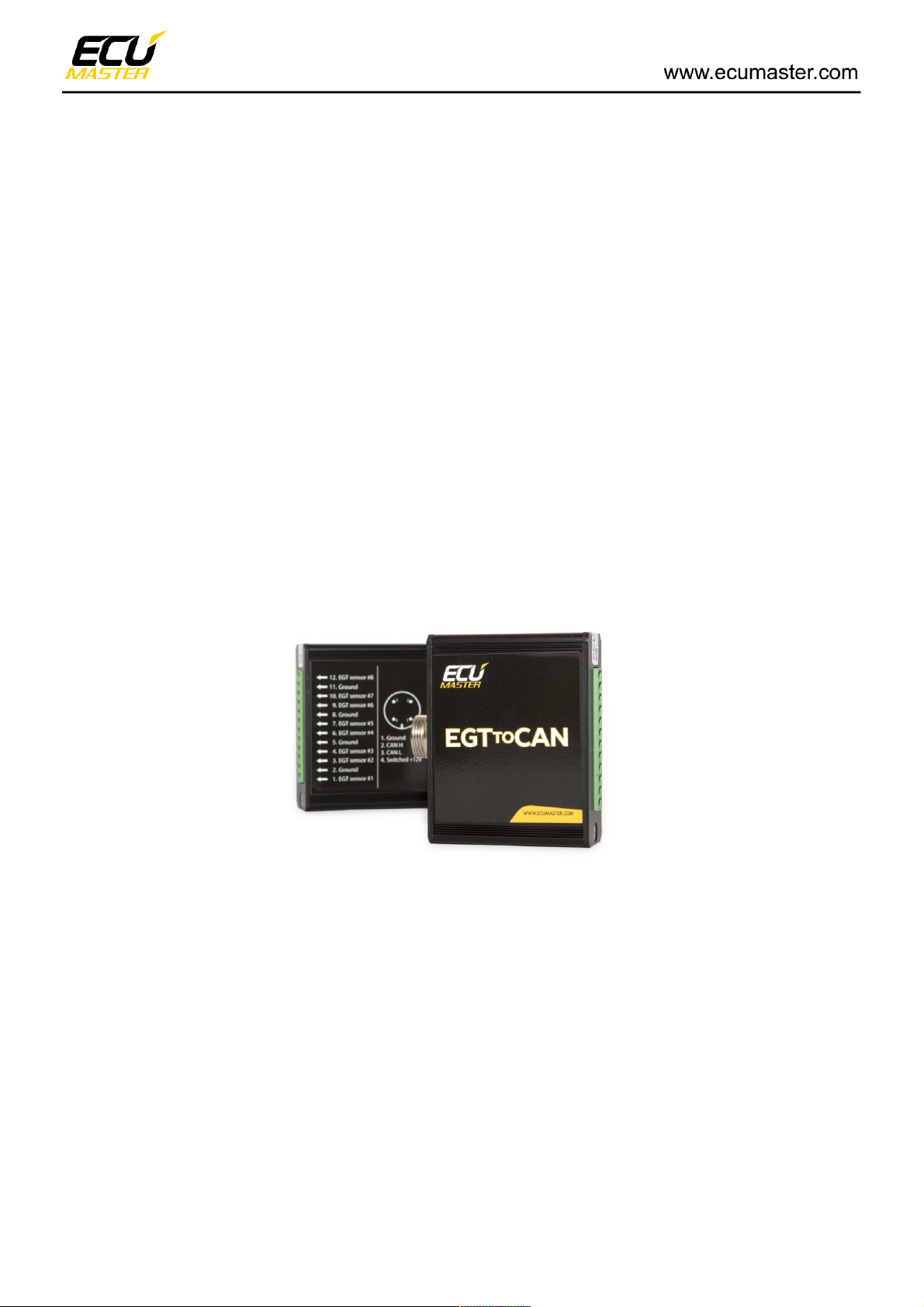
The EGT to CAN device is used to monitor up to 8 temperatures from K-type thermocouples. The
device can work either as a standalone unit or as an expansion unit for an ECU, transmitting via
CAN communication.
Device Characteristics:
• 8 K-type thermocouple inputs
• USB type A programming port
• CAN-BUS network output
• Free software (www.ecumaster.com)
What’s in the box?:
• ECUMaster EGT to CAN device
• USB A to A Cable
• NC 4 pin plug
• EGT DESGON 12 pin plug
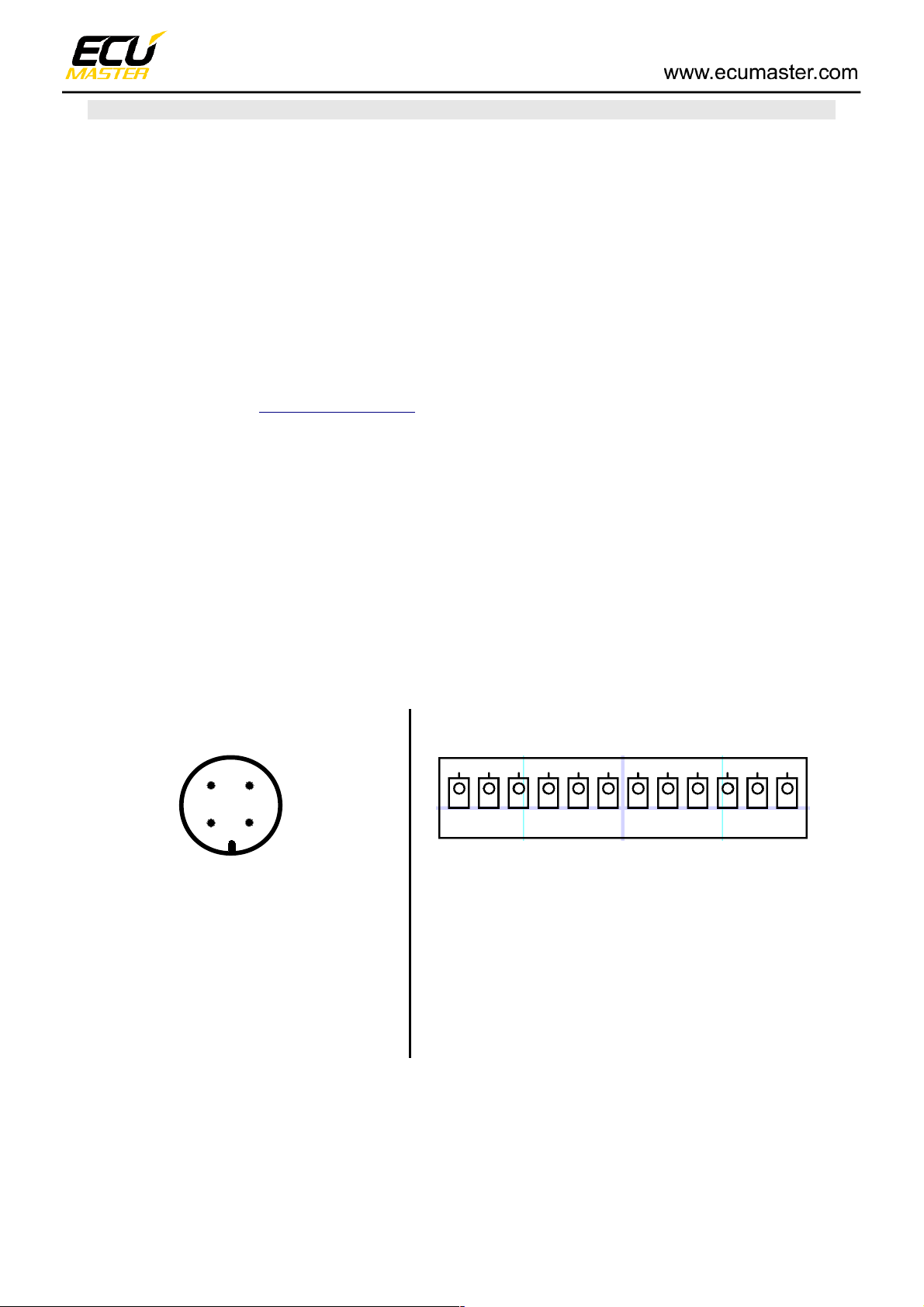
Pinout
NC plug DESGON 5EDGK-3.81-12P
1 12
1. Ground
2. CAN H
3. CAN L
4. Switched +12v
1. Sensor #1
2. Ground
3. Sensor #2
4. Sensor #3
5. Ground
6. Sensor #4
7.Sensor #5
8. Ground
9. Sensor #6
10. Sensor #7
11. Ground
12. Sensor #8
Page 2 of 6
1
4
2
3
12
Page 3
Software description
Software can be downloaded from www.ecumaster.com/products/egt-to-can/ website and is free of
charge.
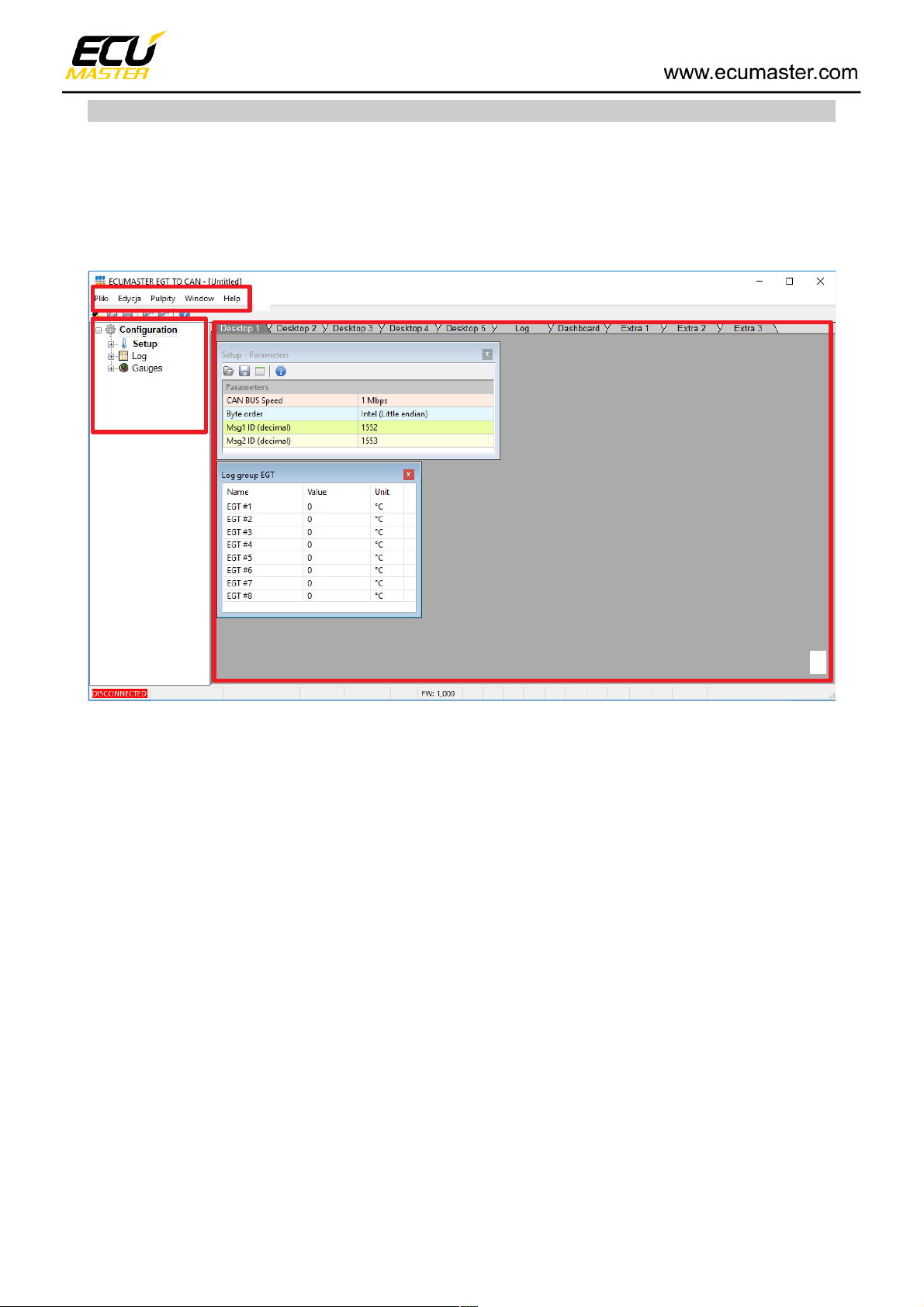
The following figure shows the software at start-up
The interface consists of 3 main areas:
• Menu (1)
• Tree view with application parameters(2)
• Desktop (3)
At the bottom left corner of the software, a green "CONNECTED" icon will appear when a device is
connected, and a red "DISCONNECTED" icon will show when a device is not detected.
Page 3 of 6
11
2
3
Page 4
Setup window
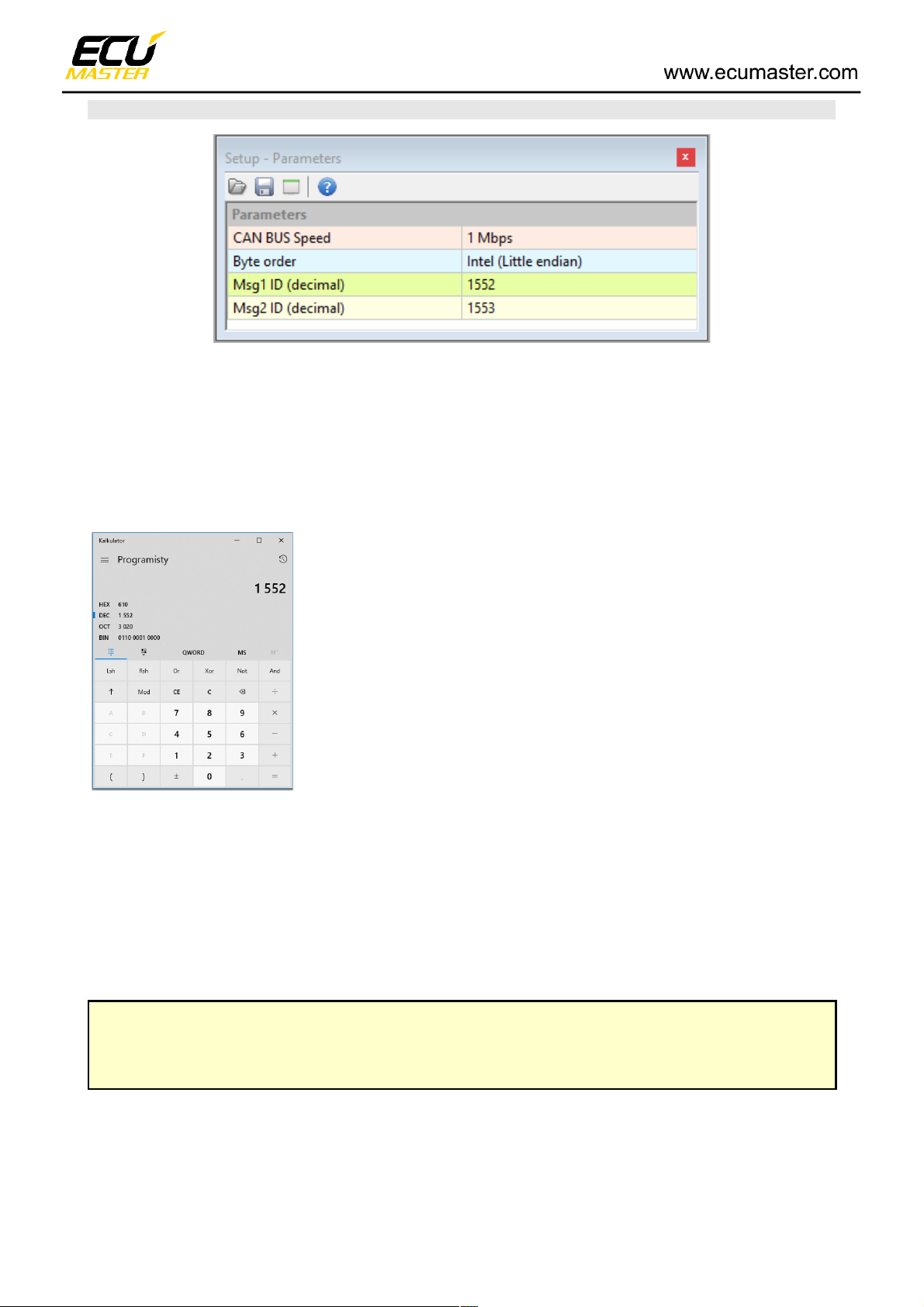
CAN Bus speed – The speed of the can bus transmission
Byte order – The order of the bytes in CAN frame
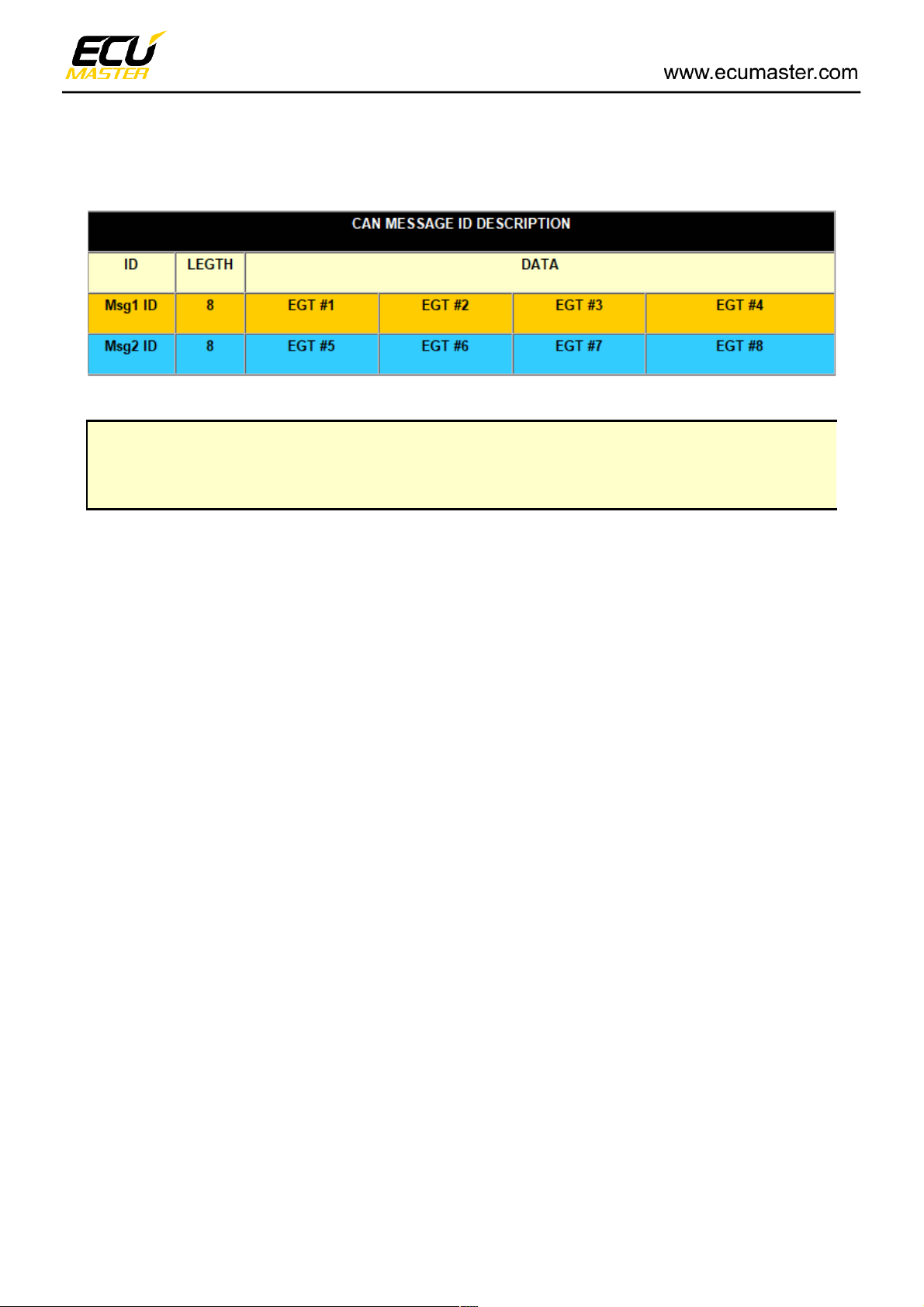
Msg1 ID – Message identifier containing temperatures from thermocouples 1 to 4 (decimal)
Msg1 ID – Message identifier containing temperatures from thermocouples 5 to 8 (decimal)
Some systems require the user to describe frame ID’s in hexadecimal.
To convert numbers from hexadecimal to decimal values use the
Windows calculator app and change to “programmer” type to make the
conversion. Select “DEC” and enter number.
1552 in decimal is 610 in hexadecimal.
EMU CLASSIC receives temperatures from the EGT to CAN device on ID 1552 and 1553 (610h
and 611h).
EMU BLACK receives temperatures from the EGT to CAN device on ID 1632 and 1633 (660h
and 661h).
The lowest temperature indicated by EMU and EMU BLACK is 200C !
Byte order for Black and Classic is Motorola (big endian)
Page 4 of 6
Page 5
Devices from other manufacturers may expect the information on different ID’s with different byte
order and Can speed. Check the user manual for your device for more information.
The CAN bus topology is very important. Incorrect wiring may cause abnormal operation.
Always use twisted pair wiring for CAN networks!
Always use termination resistors on both ends!
Page 5 of 6
Page 6
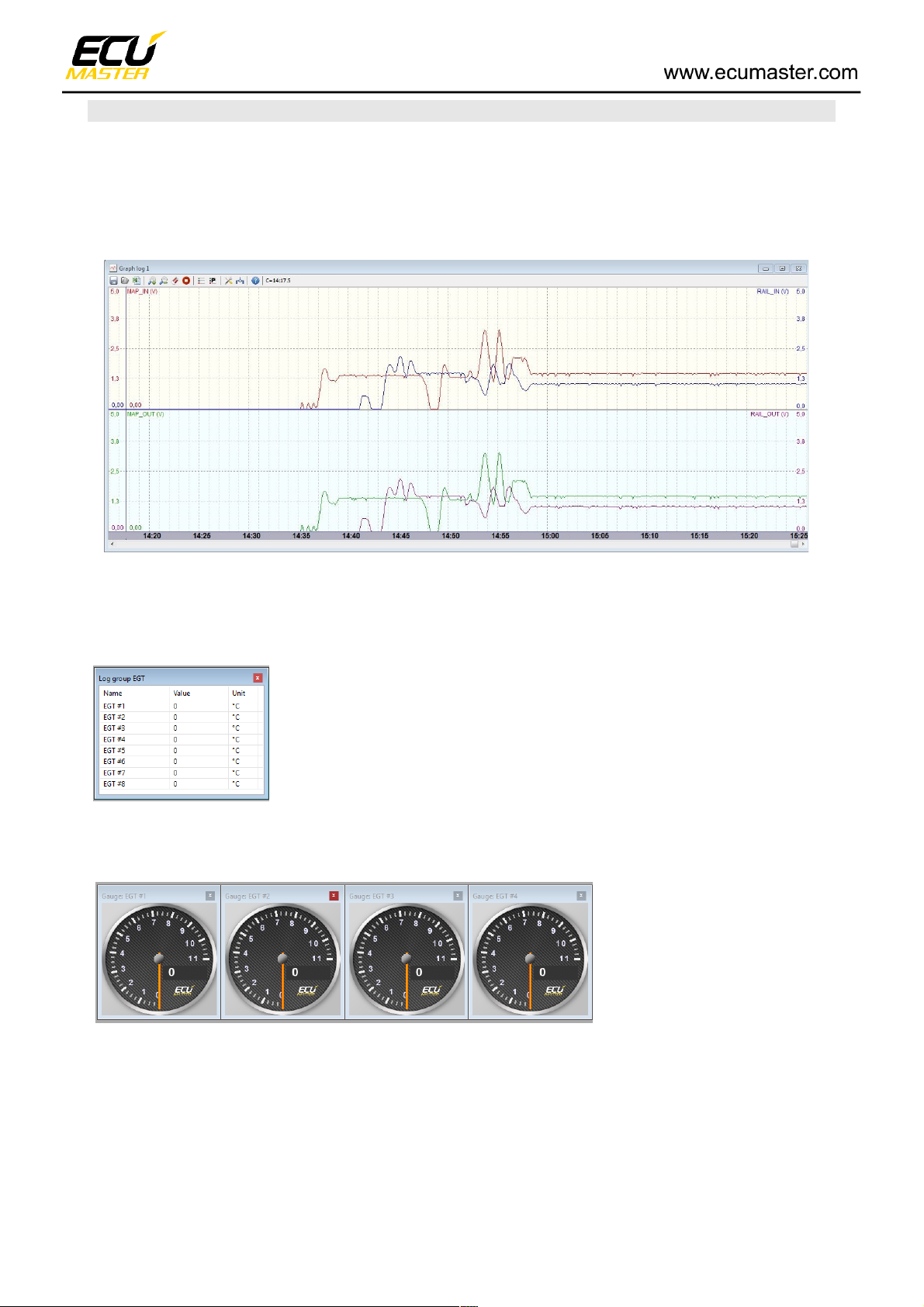
Graph log
Graph log is a tool for observation and analysis of EGT temperatures. The data is presented in the
form of a graph, and an accurate reading of this data can be obtained by hovering over the desired
point on the graph.
(Example picture)
Displaying analog values:
• As a table:
• As gauges:
Page 6 of 6
 Loading...