

Page 1
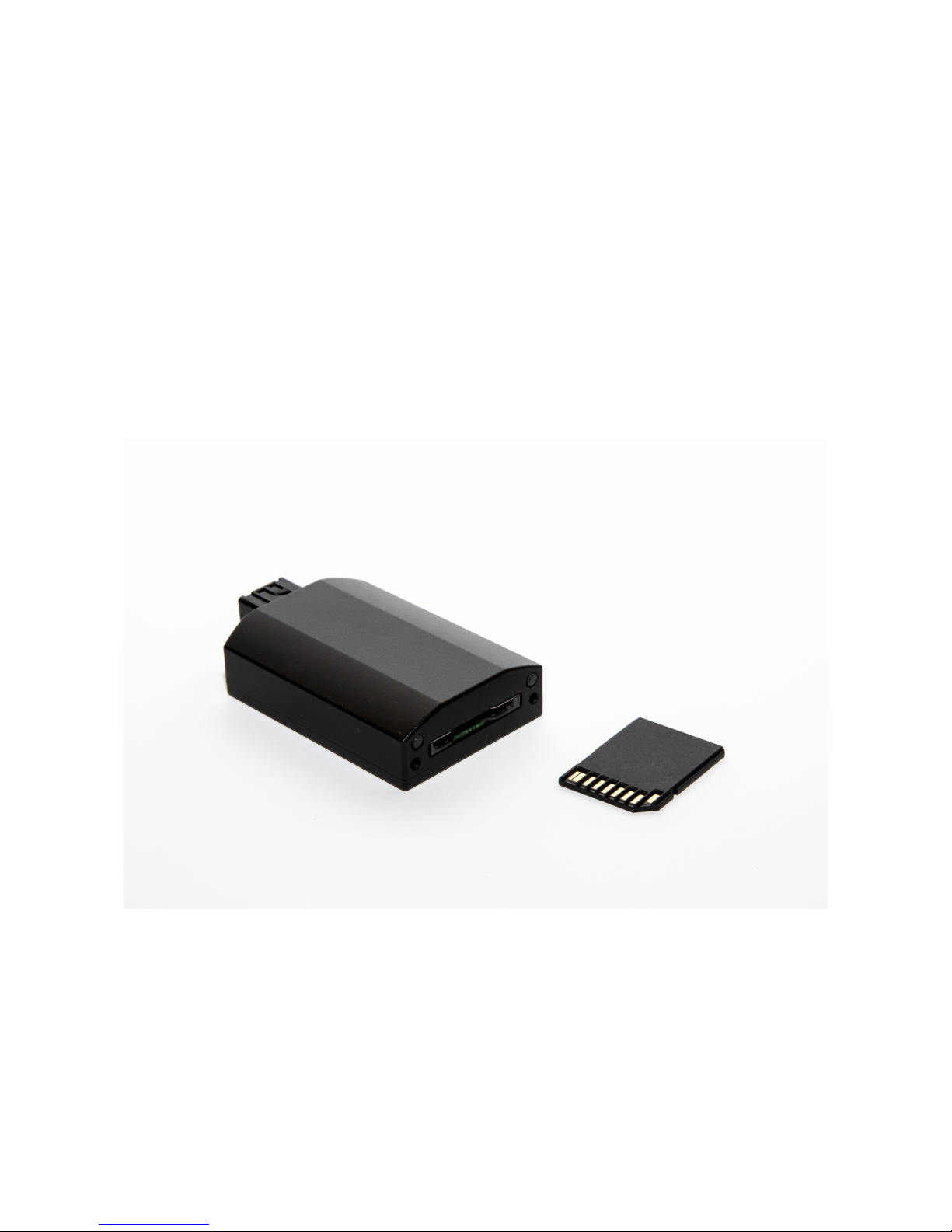
ECUMASTER DL1
Logger and Bluetooth transciver
User manual
Preliminary version
WWW.ECUMASTER.COM
Technical support
Phone: +48 12 3565336
Email : [email protected]
1
Page 2
General information
Data logger module allows to save data stream on SDHC card using serial
communication, designed to work with EMU and EMU BLACK using serial
communication. All channels available when logging to PC are also recorded by
ECUMASTER DL1 device.
Additionally device is equipped with Bluetooth module allowing for one way
communication with Dashboard application working on Android based devices.
SDHC card 4GB or bigger should be used (logging time is about 11 hour per 1GB).
Logger installation
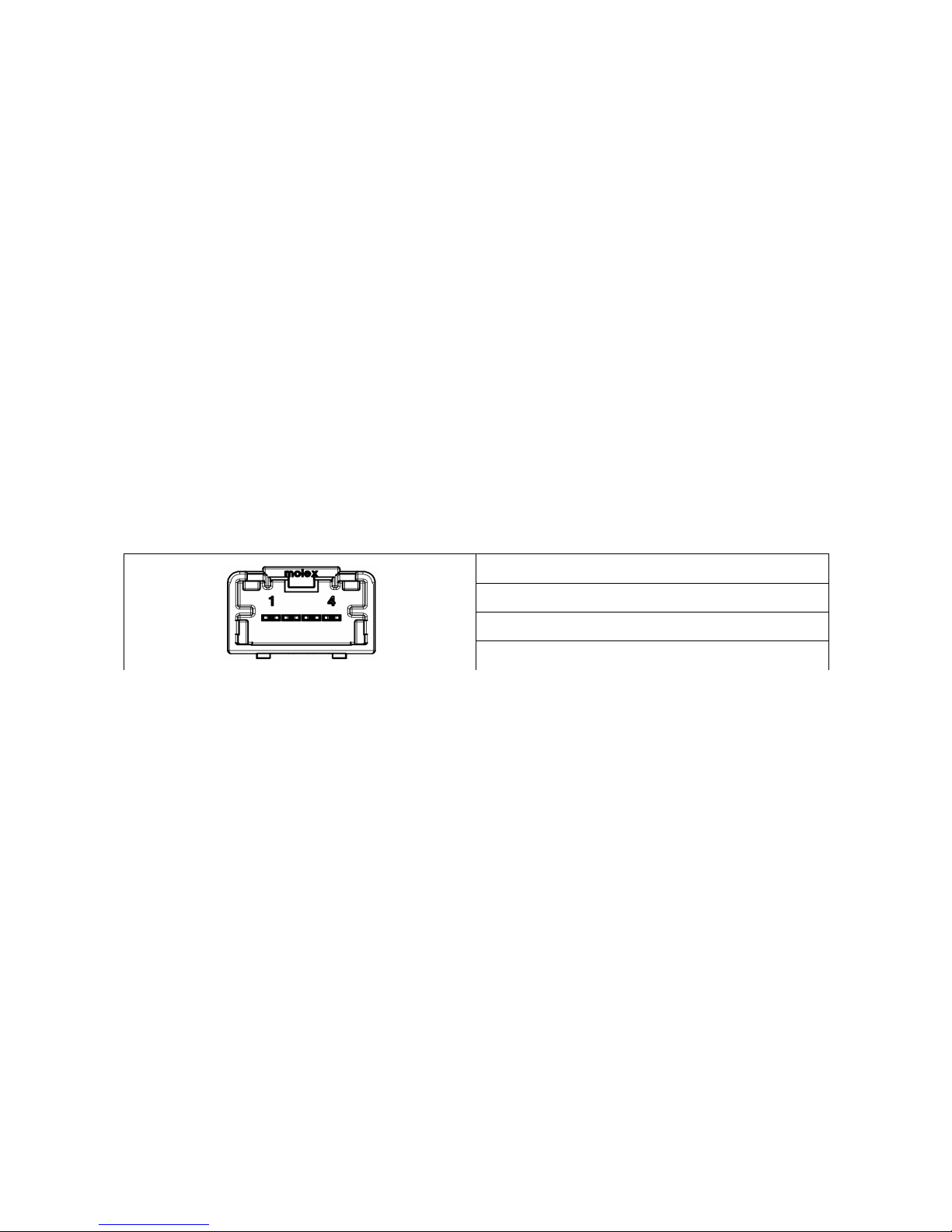
DL1 device required power in range 5-20V and connection to serial outputs of EMU
or EMU BLACK.
Important: Shielded cable should be used for RXD and TXD signals.
1 Ground
2 RXD
3 TXD
4 Power supply (5-20V)
2
Page 3
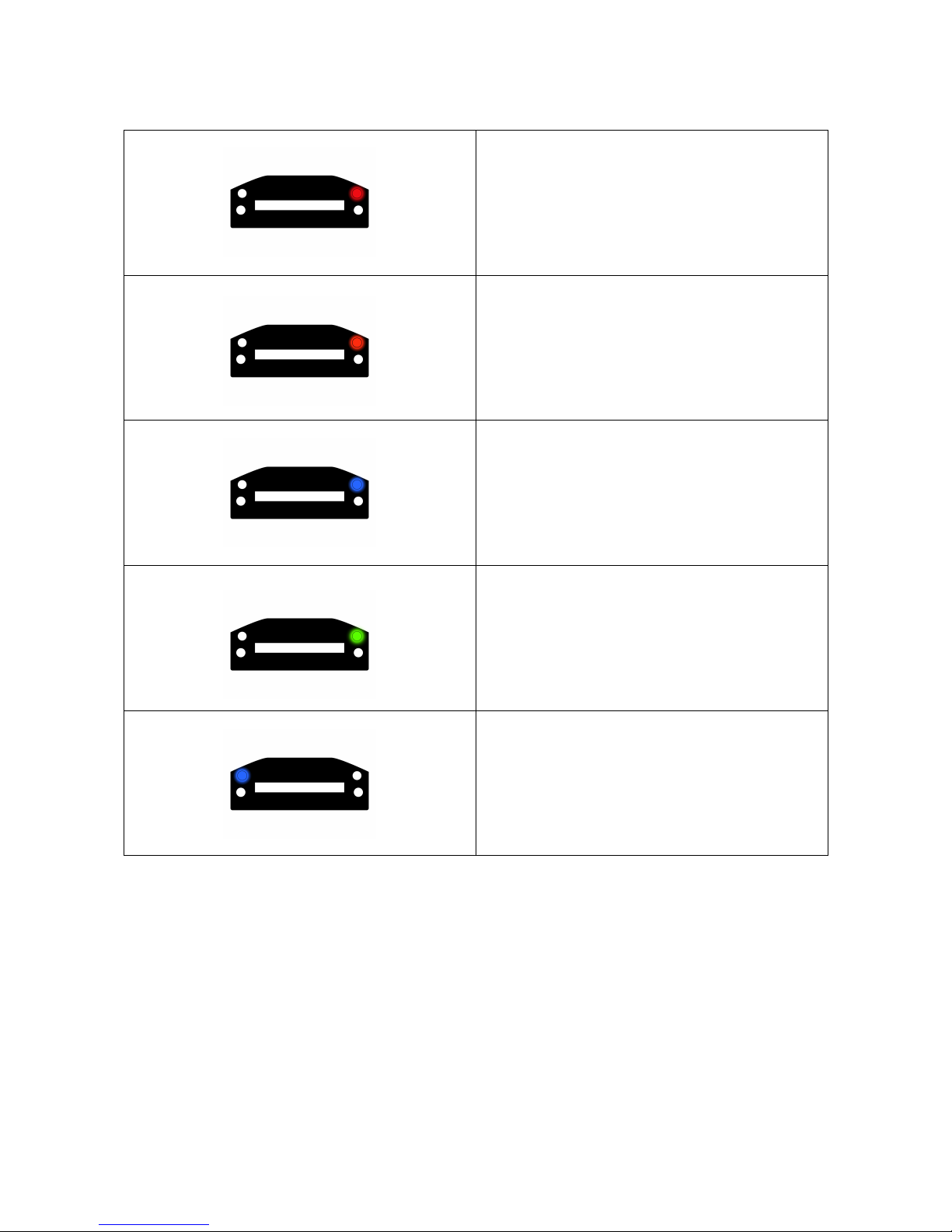
Logger LED Diagnosis
Red LED flashing fast – boot loader
mode
Red LED double flash - SDHC card
error
Orange LED on – no SDHC card
inserted
Blue LED on – date and time set
Green LED on – SDHC card inside,
device ready to work
Green LED flashing fast – incomming is
saving
Blue LED off – no communication with
BT module
Blue LED on – communication with BT
module
Blue LED flashing – communication
error
Upgrading Logger firmware
When new version of firmware is released, device firmware could be upgraded.
To upgrade firmware, unpack and save firmware.bin file on SDHC card in the root
directory and insert card into the slot. Software upgrade will start automatically.
During upgrading procedure LED will flash.
3
Page 4

Time and date set up
DL1 device has built in real time clock and backup battery to keep time and date
when the main power is off.
To setup new time and date, device needs to be connected to EMU / EMU BLACK
and powered. In menu Tools in EMU client application select Set datalogger time
function. The current PC system date will be set (status diode will blink blue).
Importing data to PC client
To import logged data, use option Files/Import log/ Ecumaster log function.
4
 Loading...