

Page 1
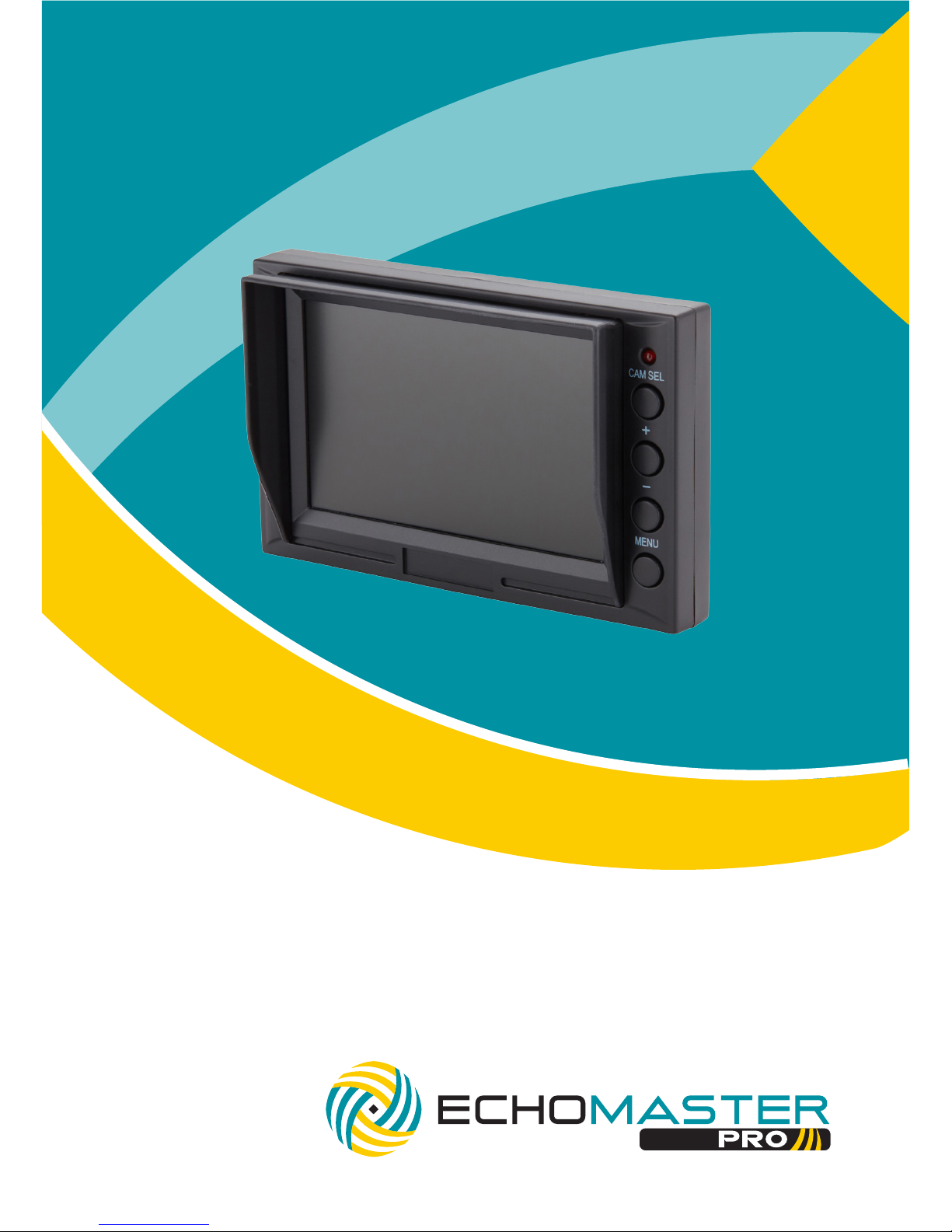
User Manual
4.3” Windshield Mount
Dual Input Monitor
PMON-43
Page 2

2
Installation Guide
email - [email protected] (US)
tel - 1-800-477-2267 (East Coast) - 1-888-883-2790 (West Coast)
email - [email protected] (Europe)
PMON-43
4.3” Windshield Mount
Dual Input Monitor
Introduction
Box Contents
Key Features
Thank you for purchasing your EchoMaster Pro automotive monitor.
Your monitor displays a clear, high resolution image of the area
surrounding your vehicle, meaning your maneuvering and vehicle awareness will be greatly improved.
Please ensure you read and understand all aspects of this manual before
tting or using your EchoMaster monitor.
u U
ser Guide
u Monitor
u Mounting Bracket
u Sunshade
u Main Harness
u Monitor - RCA Adapter
u Harness Tape
u 4.3” high resolution display
u Windshield suction mount
u Dual video input
u Reverse trigger detect
Page 3

3
email - [email protected] (US)
tel - 1-800-477-2267 (East Coast) - 1-888-883-2790 (West Coast)
email - [email protected] (Europe)
Installation Guide
Fitting Instructions
PMON-43
4.3” Windshield Mount
Dual Input Monitor
Operating Instructions
Choose a mounting location on the windshield that will not obscure the driver’s
view. Please ensure that the unit is not mounted in a location that will obstruct the
operation of any airbags.
Once the unit is in place, run the connections cable to behind the dash where the
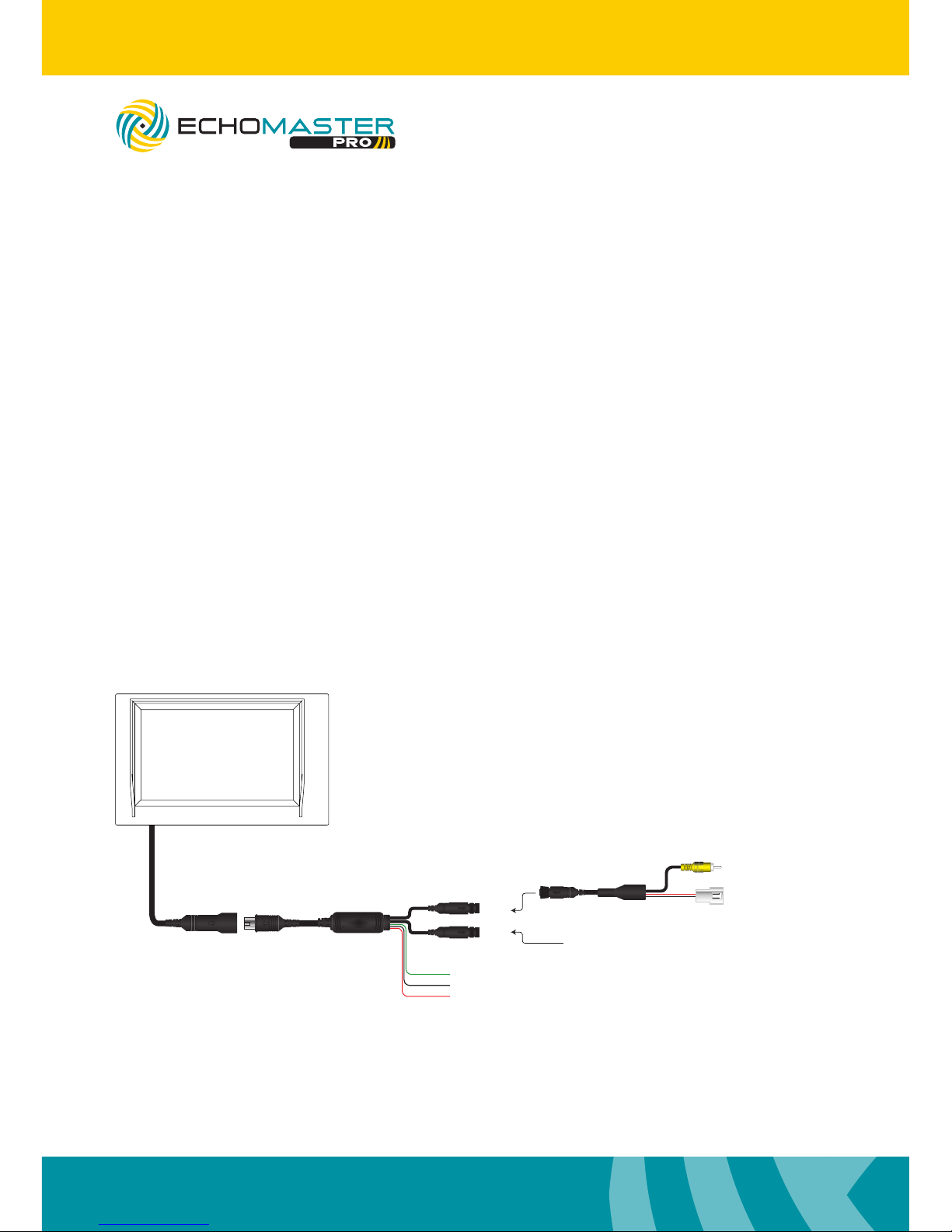
connections are to be made as shown in the wiring diagram section of this manual.
To turn on the unit the vehicle ignition should be active.
The monitor will only turn on when there is a video signal present.
Press the CAM SEL button to turn the screen on. You can also use this button to
switch between the two input signals.
Pressing the MENU button will allow you to adjust the various menu settings
available.
When a 12V input is detected on the green wire the unit will automatically switch
to Video1. If the unit is currently turned off when this trigger is detected it will
automatically turn on and switch to Video 1.
Page 4
4
Installation Guide
email - [email protected] (US)
tel - 1-800-477-2267 (East Coast) - 1-888-883-2790 (West Coast)
email - [email protected] (Europe)
Operating Instructions (continued)
Wiring Diagram
Menu
The Menu functions can be adjusted using the + and – buttons on the monitor.
Contrast: Adjust the contrast of the screen between 0 and 30.
Brightness: Adjust the brightness level of the screen between 0 and 30.
Color: Adjust the color of the screen between 0 and 30.
Version: This will show you the version of software that is currently
installed in the MON-43.
Video 2
Video 1
Reverse Trigger +12V (Green)
(Black)GND
(Red)Ignition +12V
VIDEO
Reverse Camera
Adapter Harness
Main Harness
GND Out
+12V Out
(Black)
(Red)
PMON-43
4.3” Windshield Mount
Dual Input Monitor
Page 5
5
email - [email protected] (US)
tel - 1-800-477-2267 (East Coast) - 1-888-883-2790 (West Coast)
email - [email protected] (Europe)
Installation Guide
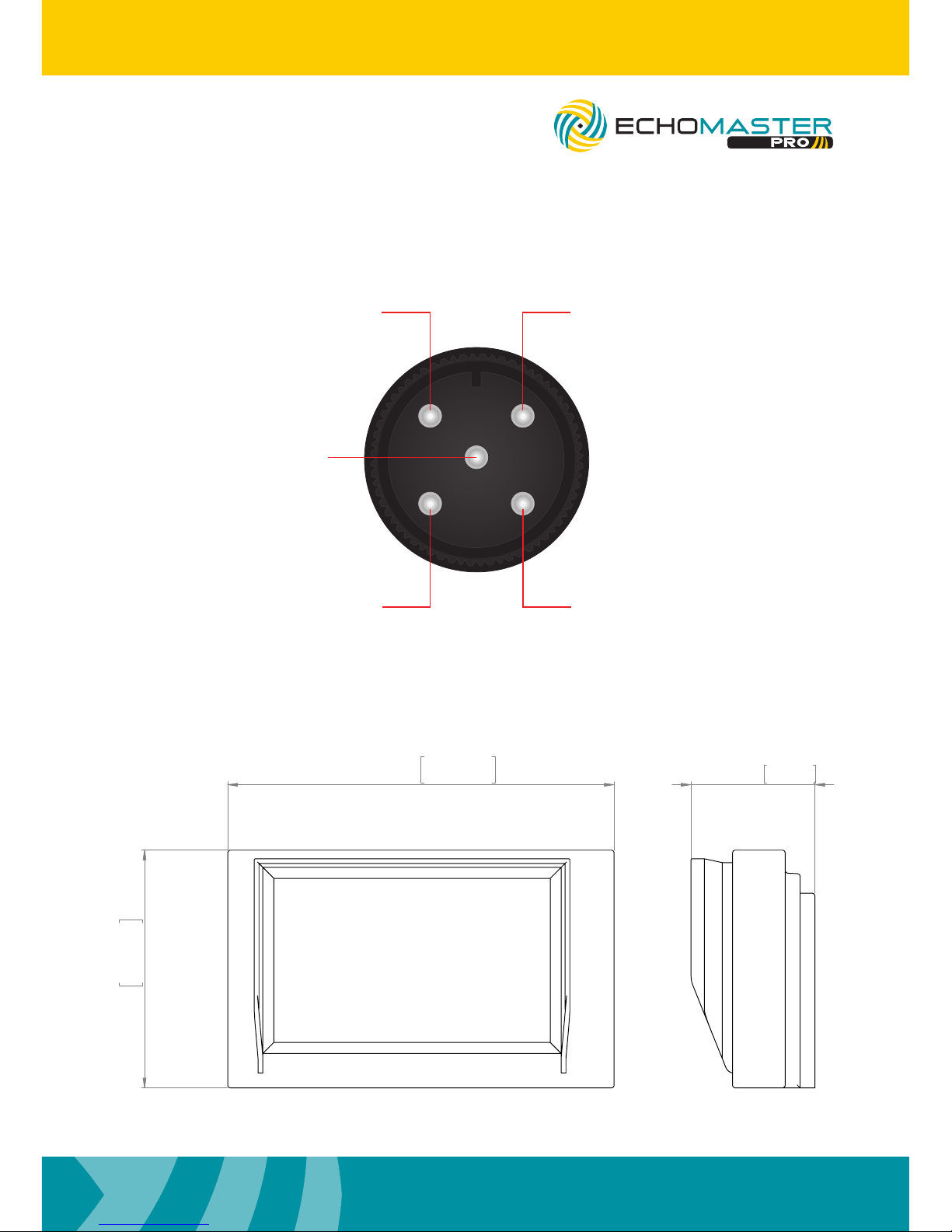
Dimensions (mm)
Pin Out
130mm
5.12in
80mm
3.15in
41.70mm
1.64in
PMON-43
4.3” Windshield Mount
Dual Input Monitor
1
23
4
5
VIDEON/C
GND
N/C POWER +12V
Page 6
6
Installation Guide
email - [email protected] (US)
tel - 1-800-477-2267 (East Coast) - 1-888-883-2790 (West Coast)
email - [email protected] (Europe)
Specications
PMON-43
Screen Size 4.3”
Aspect Ratio 16:9
Power Supply 12-24V DC
Resolution 391 x 680
Luminance 200
Contrast 500:1
TV Format AUTO
OSD Languages Multi
Video Inputs 2
Audio Inputs 0
Triggers 2
Current Draw 400mA
Operating Temperature -20C - +70C
IP Rating 30
Parking Guidelines NO
Dimensions (mm) 80 x 130 x 42
PMON-43
4.3” Windshield Mount
Dual Input Monitor
Page 7

7
email - [email protected] (US)
tel - 1-800-477-2267 (East Coast) - 1-888-883-2790 (West Coast)
email - [email protected] (Europe)
Installation Guide
PMON-43
4.3” Windshield Mount
Dual Input Monitor
Page 8

email - [email protected] (US)
tel - 1-800-477-2267 (East Coast) - 1-888-883-2760 (West Coast)
email - [email protected] (Europe)
tel - +44(0)1420 487110 (Sales) - +44(0)1420 470618 (Technical)
15500 Lightwave Drive, Suite 202, Clearwater, Florida 33760
Woolmer Way, Bordon, Hampshire, United Kingdom
EchoMaster is a Power Brand of AAMP Global.
EchoMaster.com
REV 250717
 Loading...