

Page 1
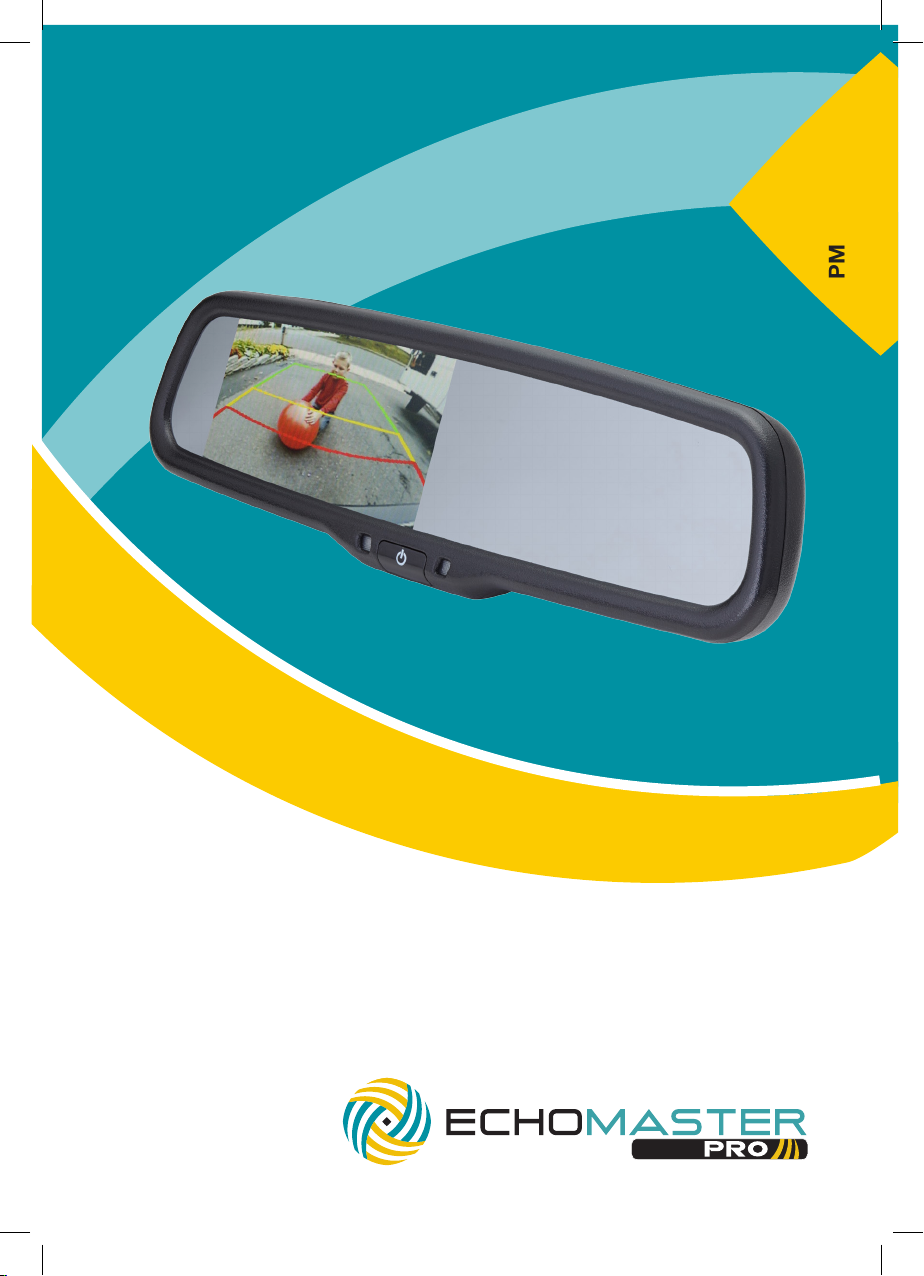
PMM-43-ADPL
4.3” Factory Mount Mirror Monitor with
Auto-Dimming and Adjustable Parking Lines
User Manual
Page 2

email - [email protected] (US)
tel - 1-800-477-2267 (East Coast) - 1-888-883-2790 (West Coast)
email - [email protected] (Europe)
Installation Guide
Installation Guide
email - [email protected] (US)
tel - 1-800-477-2267 (East Coast) - 1-888-883-2790 (West Coast)
email - [email protected] (Europe)
PMM-43-ADPL
4.3” Factory Mount Mirror Monitor
with Auto-Dimming and Adjustable
Parking Lines
Introduction
Thank you for purchasing your EchoMaster Pro automotive monitor.
Your monitor displays a clear, high resolution image of the area
surrounding your vehicle, meaning your maneuvering and vehicle
awareness will be greatly improved.
Please ensure you read and understand all aspects of this manual before
tting or using your EchoMaster monitor.
Box Contents
u User Guide
u Mirror Monitor
u Main Harness
u Cable Management
u Allen Key
Key Features
u Dual video inputs
u Reverse trigger input
u Adjustable parking lines
u Remote control included
u Auto-dimming display
u OEM style mirror dimming
PMM-43-ADPL
4.3” Factory Mount Mirror Monitor
with Auto-Dimming and Adjustable
Parking Lines
Fitting Instructions
The PMM-43-ADPL will replace your factory tted rearview mirror.
Remove the original mirror from the vehicle and replace with the
PMM-43-ADPL.
Once the unit is in place, run the connections cable across the headliner of
the vehicle and down the A pillar.
Please ensure that you do not impede the operation of any airbags that
may be located in the A pillar of the vehicle. Any cable passing these
airbags should be run behind the airbag and not in front of it.
Once the cable has been routed down to the dashboard connect the
camera inputs and power connections as shown in the wiring diagram
section of this manual.
2
Operating Instructions
The vehicle ignition is required to be on for the unit to operate.
The unit will only turn on when a video signal is present.
To turn it on or off hold the POWER button for 1 second. The screen will
show the video signal connected to Video 1.
A short press of the POWER button will turn the auto-dimming glass
feature on or off.
3
Page 3
email - [email protected] (US)
tel - 1-800-477-2267 (East Coast) - 1-888-883-2790 (West Coast)
email - [email protected] (Europe)
Installation Guide
Installation Guide
email - [email protected] (US)
tel - 1-800-477-2267 (East Coast) - 1-888-883-2790 (West Coast)
email - [email protected] (Europe)
PMM-43-ADPL
4.3” Factory Mount Mirror Monitor
with Auto-Dimming and Adjustable
Parking Lines
Operating Instructions (continued)
To enter the menu press the MENU button on the remote. Scroll through
the various options by pressing the SEL button. Adjust options using
the – and + buttons (top right of remote).
Settings available are as follows.
Brightness Adjusts the screen brightness.
Contrast Adjusts the screen contrast.
Color Adjusts the screen color.
Scale Turns the parking guidelines on or off.
Language Allows you tochoose what language the on-screen
menus are displayed in.
Preset Resets all values to default.
Setting This adjusts the rate that the screen dims under
different lighting conditions (adjustable separately
for front and rear sensors).
The parking guidelines can also be adjusted when the reverse trigger is
activated. To enter the adjustment mode, press and hold the top center
button on the remote.
PMM-43-ADPL
4.3” Factory Mount Mirror Monitor
with Auto-Dimming and Adjustable
Parking Lines
It must be visible on the display
when the vehicle is in reverse.
You can then set the guidelines to
match the tape. Press and hold
the top center button again to exit
the guidelines setting function.
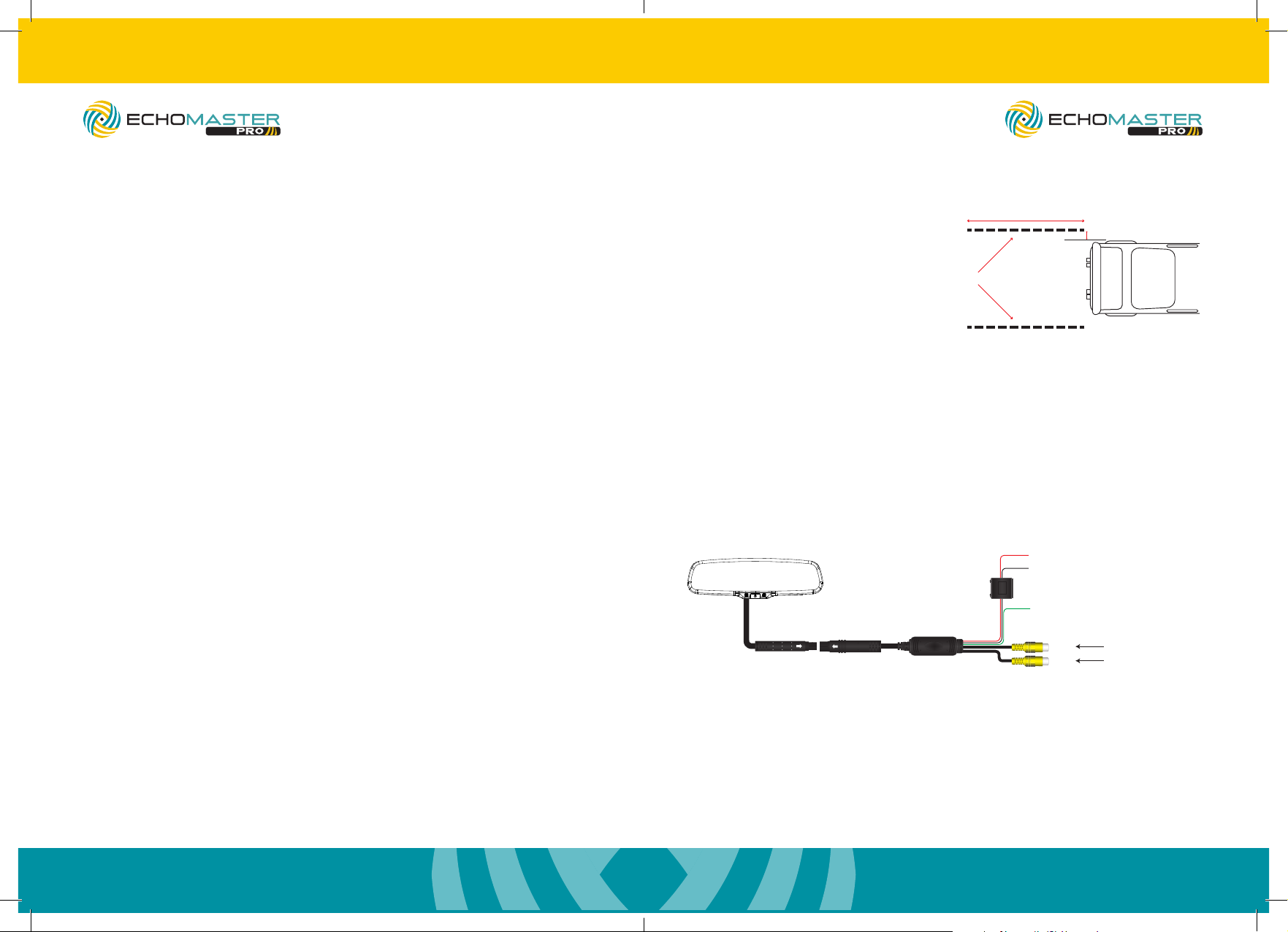
Wiring Diagram
Main Harness
2” Wide Tape
12ft
6”
+12V Ignition
GND
IN
FILTER &
FUSE BOX
OUT
Reverse Trigger
(Red)
(Black)
(Green)
V1
Video Input
Reverse Camera Input
You will then notice the XL (left) and XR (right) menus appear at the top of
the screen. The bottom 3 rows of buttons on the remote adjust the
right-hand guide and the next 3 up adjust the left.
To set the lines accurately place some 2” wide tape at the rear of the
vehicle parallel to each other. The tape should be about 12ft long and 6”
outside the maximum width of the vehicle (please see image on next page).
4
5
Page 4
email - [email protected] (US)
tel - 1-800-477-2267 (East Coast) - 1-888-883-2790 (West Coast)
email - [email protected] (Europe)
Installation Guide
Installation Guide
email - [email protected] (US)
tel - 1-800-477-2267 (East Coast) - 1-888-883-2790 (West Coast)
email - [email protected] (Europe)
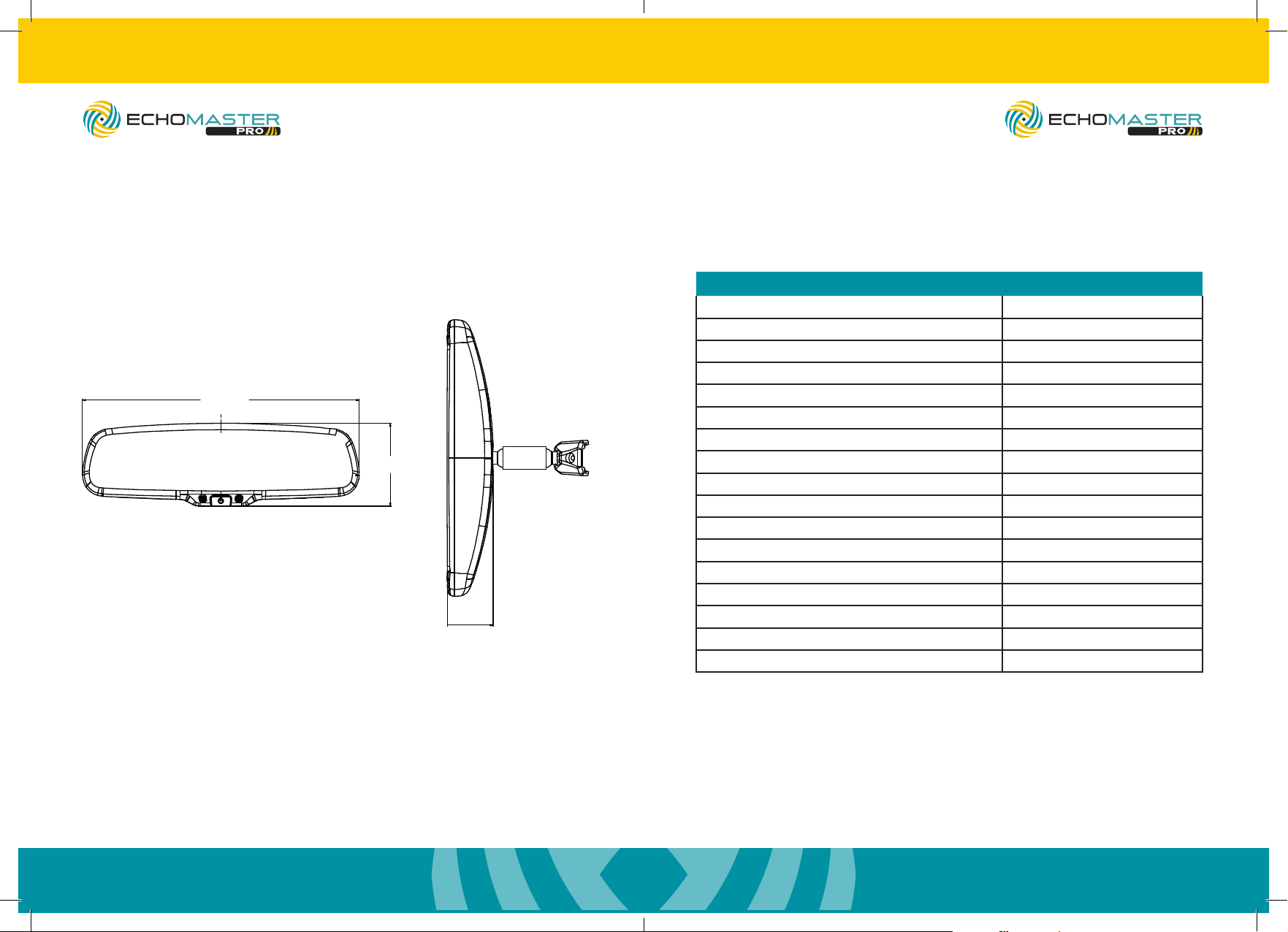
Dimensions
270mm
PMM-43-ADPL
4.3” Factory Mount Mirror Monitor
with Auto-Dimming and Adjustable
Parking Lines
81mm
45mm
PMM-43-ADPL
4.3” Factory Mount Mirror Monitor
with Auto-Dimming and Adjustable
Parking Lines
Specications
PMM-43-ADPL
Screen Size 4.3”
Aspect Ratio 16:9
Power Supply 9-18V DC
Resolution 480 x 272
Luminance 1000-1400
Contrast 400:1
TV Format AUTO
OSD Languages Multi
Video Inputs 2
Audio Inputs 0
Triggers 1
Current Draw 90mA
Operating Temperature -20C - +70C
IP Rating N/A
Parking Guidelines Adjustable
Dimensions (mm) 270 x 81 x 45
Connection Type Power & RCA
6
7
Page 5

15500 Lightwave Drive, Suite 202, Clearwater, Florida 33760
Woolmer Way, Bordon, Hampshire, United Kingdom
email - [email protected] (US)
tel - 1-800-477-2267 (East Coast) - 1-888-883-2790 (West Coast)
email - [email protected] (Europe)
tel - +44(0)1420 487110 (Sales) - +44(0)1420 470618 (Technical)
EchoMaster is a Power Brand of AAMP Global.
EchoMaster.com
 Loading...