

Page 1
User Manual
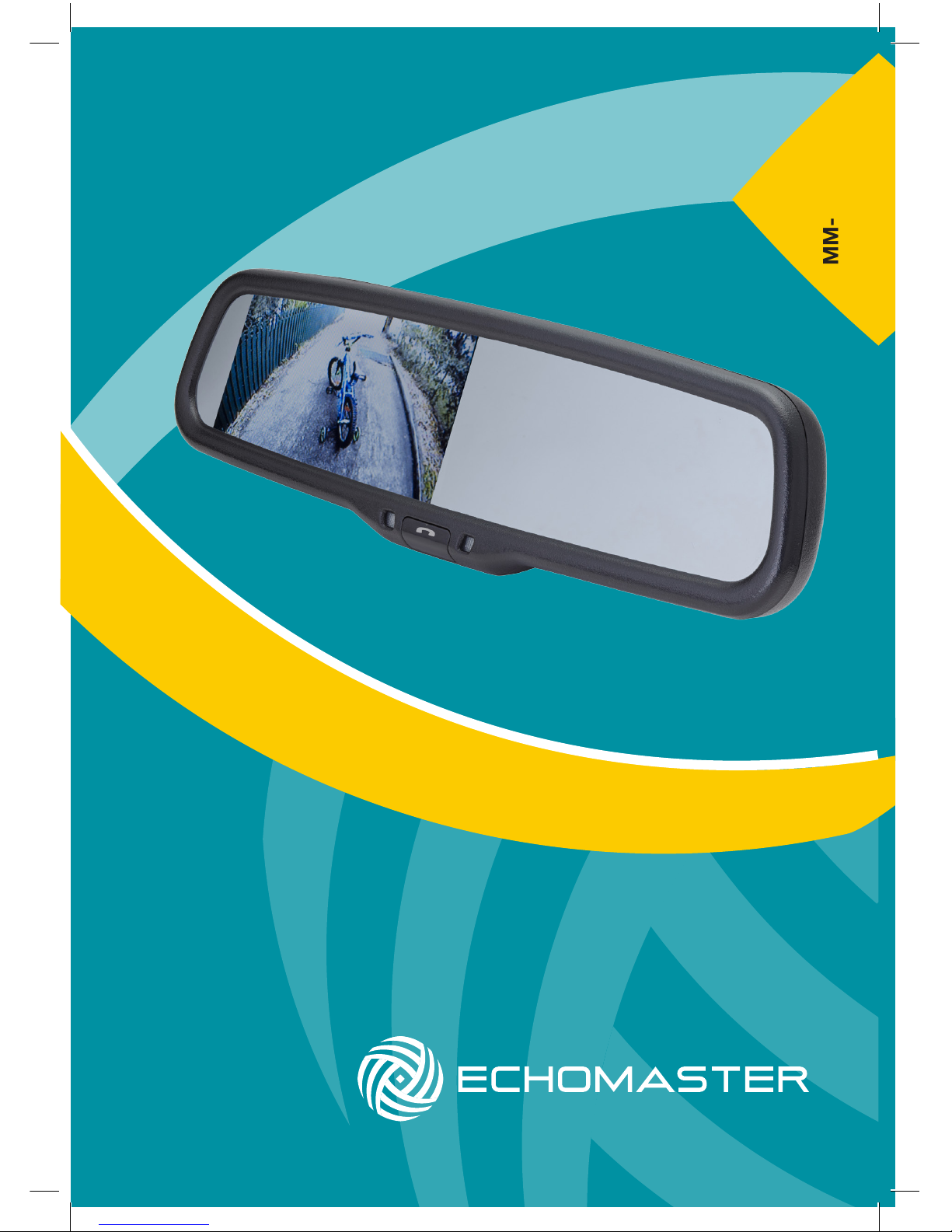
4.3” Factory Mount Mirror Monitor
with Built-in Bluetooth
MM-4320-BT
Page 2

3
email - [email protected] (US)
tel - 1-800-477-2267 (East Coast) - 1-888-883-2790 (West Coast)
email - [email protected] (Europe)
Installation Guide
2
Installation Guide
email - [email protected] (US)
tel - 1-800-477-2267 (East Coast) - 1-888-883-2790 (West Coast)
email - [email protected] (Europe)
Fitting Instructions
MM-4320-BT
4.3” Factory Mount Mirror Monitor
with Built-In Bluetooth
MM-4320-BT
4.3” Factory Mount Mirror Monitor
with Built-In Bluetooth
The MM-4320-BT will replace your factory tted rearview mirror.
Remove the original mirror from the vehicle and replace with the
MM-4320-BT.
If your factory mounting bracket differs from the MM-4320-BT then there is a
supplied metal button that can be bonded to the windshield to allow the new
mirror to t.
Once the unit is in place, run the connections cable across the headliner of
the vehicle and down the A pillar.
Please ensure that you do not impede the operation of any airbags that may
be located in the A pillar of the vehicle. Any cable passing these airbags
should be run behind the airbag and not in front of it.
Once the cable has been routed down to the dashboard, connect the camera
inputs and power connections as shown in the wiring diagram section of this
manual.
Introduction
Box Contents Key Features
u Factory replacement mirror
u Bluetooth enabled with
Built-In Speaker
u Dual video sensing inputs
u Caller ID
u Auto-dimming display
u User Guide
u Mirror Monitor
u Main Harness
u Universal Mounting Button
u Cable Management
u Allen Key
Thank you for purchasing your EchoMaster Mirror Monitor.
EchoMaster mirror monitors are designed to improve safety by providing
high quality images from camera inputs. This may help to improve vehicle
maneuvering capabilities by displaying blind spots or areas not normally
visible to the driver.
Please ensure you read and understand all aspects of this manual before
tting or using your EchoMaster mirror monitor.
Operating Instructions
The screen will automatically turn on when it detects a signal input on either
channel. If a signal is detected on both channels then channel 2 will take
priority.
To turn off the screen, press and hold the PHONE button for 1.5 seconds.
Press again to turn it back on.
Briey pressing the PHONE button will cycle through the 3 volume levels
available.
The screen display will auto-dim in dark conditions so as not to distract the
driver.
There are 2 reading lights in the bottom of the screen that can be turned on
by pressing the button on the underside of the MM-4320-BT.
Page 3
5
email - [email protected] (US)
tel - 1-800-477-2267 (East Coast) - 1-888-883-2790 (West Coast)
email - [email protected] (Europe)
Installation Guide
4
Installation Guide
email - [email protected] (US)
tel - 1-800-477-2267 (East Coast) - 1-888-883-2790 (West Coast)
email - [email protected] (Europe)
MM-4320-BT
4.3” Factory Mount Mirror Monitor
with Built-In Bluetooth
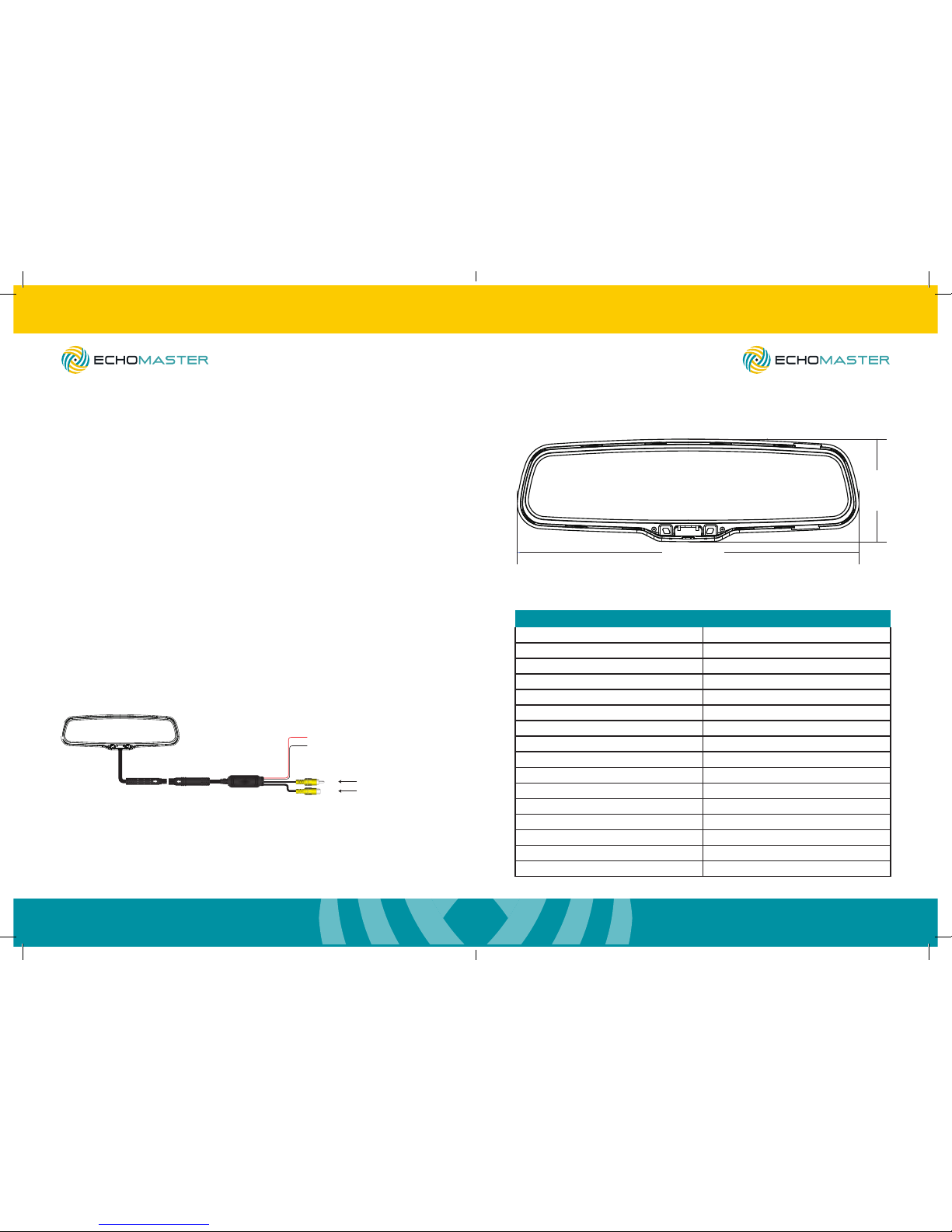
Dimensions (mm)
278mm
81mm
Wiring Diagram
+12V Ignition
GND
V1
V 2
Reverse Camera Input
Video Input
Main Harness
(Black)
(Red)
To pair your phone to the MM-4320-BT perform a Bluetooth search on the
phone and look for the device named ‘CAR KIT’.
Select this device and pair with it using the pass code 1234.
When paired successfully you will notice a Bluetooth icon appear in the top
left of the screen.
When you receive a call, the phone number will be displayed on the screen.
If the screen is turned off at this point then it will turn on and display the
incoming number.
You can end a call by pressing the PHONE button.
The speaker volume is adjustable in 3 levels, which can be set by pressing
the PHONE button briey when NOT on a call.
Operating Instructions (continued)
Specications
MM-4320-BT
Screen Size 4.3”
Aspect Ratio 16:9
Power Supply 12VDC
Resolution 480x272
Luminance 1000
Contrast 500:1
TV Format Auto
OSD Languages English
Video Inputs 2
Audio Inputs 0
Triggers 0
Current Draw 200-400mA
Operating Temperature -20C - +60C
Parking Guidelines No
Connection Type RCA
Dimensions (mm) 270 x 83 x 54
83mm
270mm
MM-4320-BT
4.3” Factory Mount Mirror Monitor
with Built-In Bluetooth
Page 4

7
email - [email protected] (US)
tel - 1-800-477-2267 (East Coast) - 1-888-883-2790 (West Coast)
email - [email protected] (Europe)
Installation Guide
6
Installation Guide
email - [email protected] (US)
tel - 1-800-477-2267 (East Coast) - 1-888-883-2790 (West Coast)
email - [email protected] (Europe)
MM-4320-BT
4.3” Factory Mount Mirror Monitor
with Built-In Bluetooth
MM-4320-BT
4.3” Factory Mount Mirror Monitor
with Built-In Bluetooth
Page 5

email - [email protected] (US)
tel - 1-800-477-2267 (East Coast) - 1-888-883-2790 (West Coast)
email - [email protected] (Europe)
15500 Lightwave Drive, Suite 202, Clearwater, Florida 33760
Woolmer Way, Bordon, Hampshire, United Kingdom
EchoMaster is a Power Brand of AAMP Global.
EchoMaster.com
 Loading...