

Page 1

PDF provided by Conference Room AV
ECA Interface l TT Cable Well w/ Tilt Up Lid, 4 Power, HDMI, VGA, USB, Data
Page 2
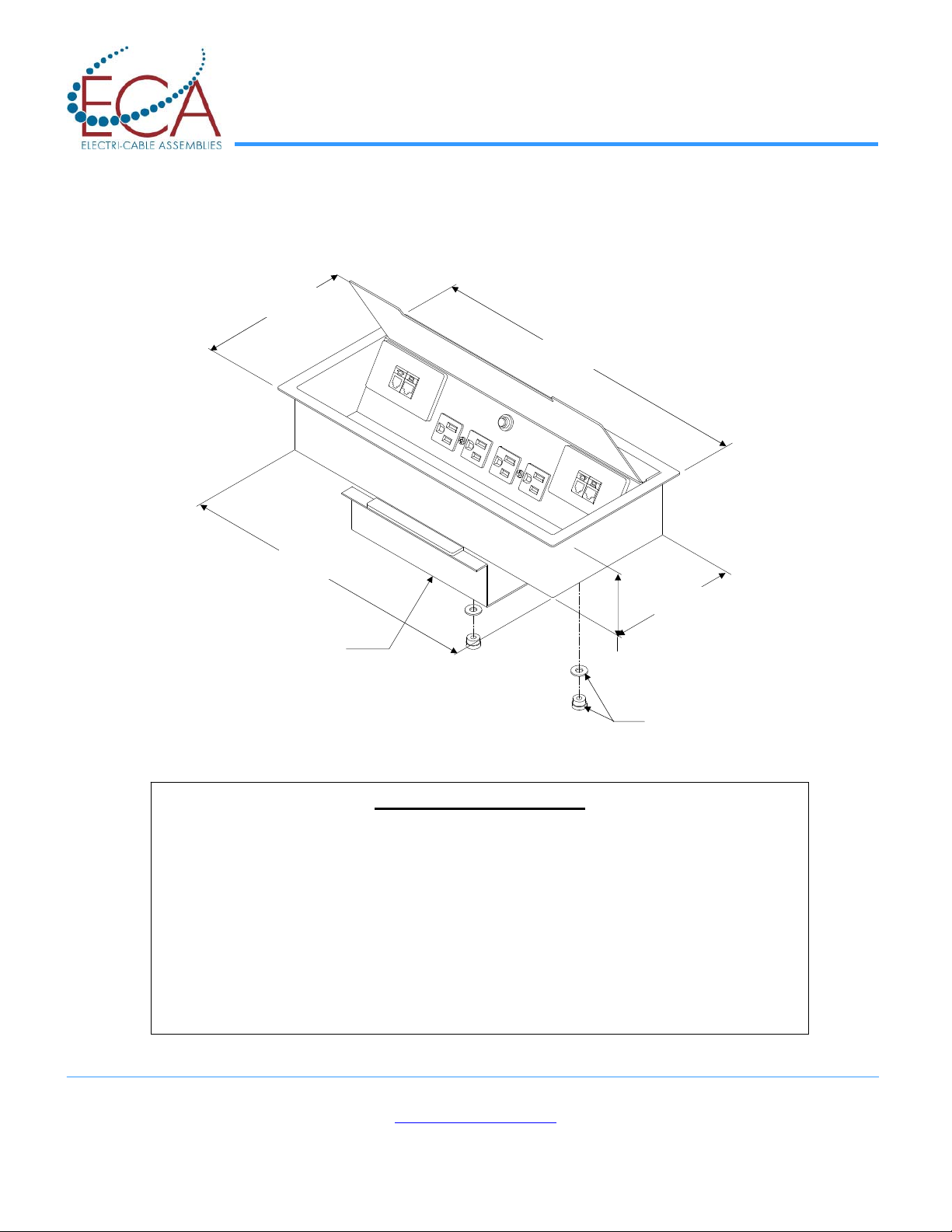
Interface I TT
Installation Instructions
6.68
13.39
Clamping Bracket
ECA • 10 Mountain View Drive • Shelton, CT 06484 • Phone: 1-800-521-3175 • Fax: 203-924-6687
1. Select the location on the table surface for the installation of the Interface
2. Remove a section of the surface measuring 13-5/8” x 6”.
3. Remove the installed Clamping Bracket from the underside of the Interface
by removing the thumb-nuts and washers
4. Insert the Interface through the opening in the table surface until flange is
flat on surface
5. From the underside of the table surface reinstall the Clamping Bracket,
thumb nuts and washers. Tighten until Interface is snug.
6. The holes alongside the data openings in bottom of Interface can be used
for strain relieving data cables if needed.
Installation Instructions
Innovative Power + Data Solutions
www.electri-cable.com
14.27
5.80
2.85
Thumb-nuts
& Washers
9065-0024 Rev J
Page 1 of 2
Page 3
ECA • 10 Mountain View Drive • Shelton, CT 06484 • Phone: 1-800-521-3175 • Fax: 203-924-6687
Innovative Power + Data Solutions
www.electri-cable.com
9065-0024 Rev J
Page 2 of 2
 Loading...