

Page 1
Quick Start Guide
DynoCuff
Welcome to Dyno Family
“Smarter Me”
DYNOCUFF
What We Measure
1
Heart RateSystolicDiastolic
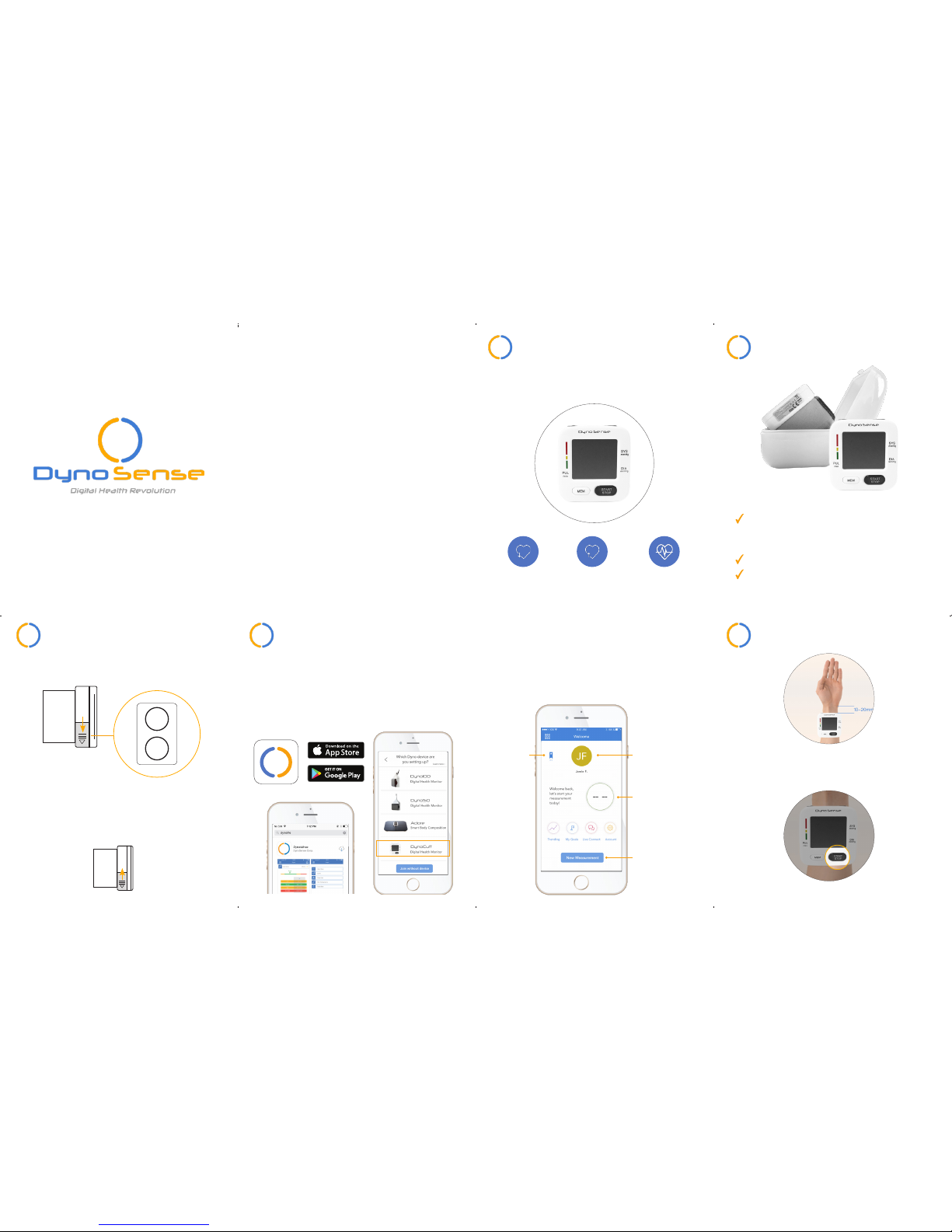
Unpack & Verify Contents
2
43
Set Up & Login ProcedureBattery Installation
DynoLife
Coming Soon
Download and install DynoLife from the
App Store or Google Play (coming soon).
Sign up and follow the instructions on the
app to complete the process and log in.
For first time users, follow on-screen
instructions to add a device.
Slip the battery cover out as shown.
Insert 2 1.5V “AAA” batteries in
the battery compartment as shown.
Place the battery cover back on to
the main unit.
Take a Measurement
5
1
2
Wrap cuff on your LEFT hand facing
upright, 10-20mm below your wrist.
Tighten the cuff to prevent slipping.
Hit “START” on DynoCuff only once.
Before we move to Section 3, make sure:
You have DynoCuff, Instruction
Manual, and Quick Start Guide in
the case.
2 AAA batteries required (not included).
Your smartphone bluetooth is ON.
Note: Device requires DynoLife installation to view results and history.
View your
health score
& grade
Upload your
profile picture
Collect
rewards
If you get to this page, you are now
one step away to get your first measurement! Don’t forget to complete
your account profile!
Capture your
measurement
+
–
Page 2
Review Result
6
Know more about your health
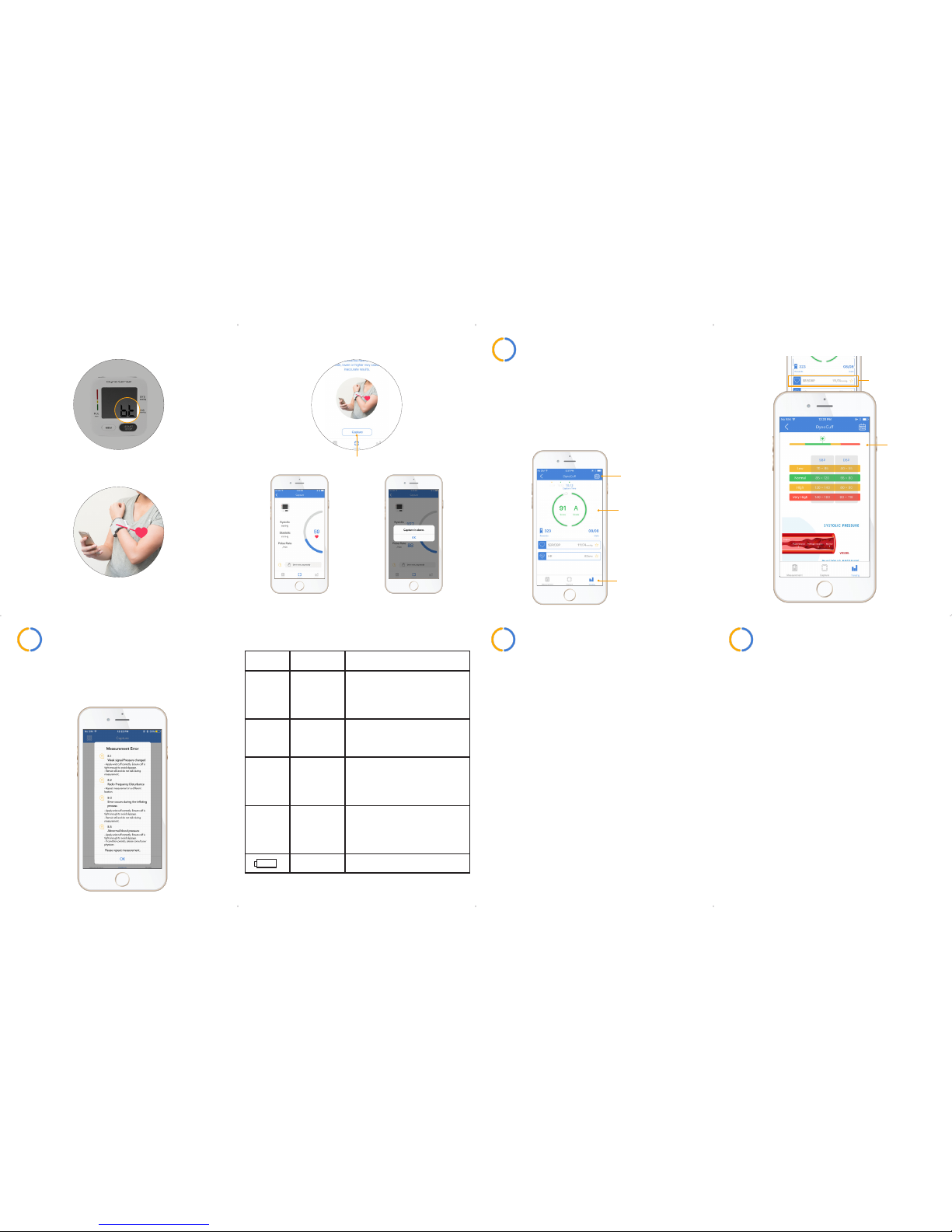
metrics by expanding each block.
All the metric data are intended
as information only and do not
suggest a diagnosis. Consult your
physician for proper diagnosis.
View
past data
Range
table
Press to
expand
View trending
Health score
& grade
Clean and CareTroubleshooting
87
Place DynoCuff back in the case after
measurements.
Clean the device with soft dry cloth.
Do not use any abrasive or volatile
cleaners.
Wipe all the surfaces of DynoCuff
thoroughly, including the cuff areas.
Be cautious not to get any moisture in
the unit.
Never immerse the device in water.
5
Press “Capture” to start the measurement.
During capturing
Capturing is done
Additional Information
9
For more information about warranty,
patents, and specification, please see
instruction manual.
For support, please contact
at +1-650-397-6103 or visit
www.dynosense.com
3
4
Wait for DynoCuff to sync with the app. Note
“bt” symbol visible on DynoCuff screen.
DynoCuff should be held at heart level, sit,
and be calm for best results.
When error message pops up, take a
look at the type of error on DynoCuff
screen to fix the issue.
Symbol Cause Solution
E-1
Weak signal
or pressure
change
suddenly
See Section 5 for proper cuff
use and remeasure. Remain
still and do not talk during
measurement.
E-2
Radio Frequency (RF)
disturbance
Repeat measurement in a
different location.
E-3
Error occurs
during the
inating
process
See Section 5 for proper cuff
use and remeasure. Remain
still and do not talk during
measurement.
E-5
Abnormal
blood
pressure
See Section 5 for proper cuff
use and remeasure. If condition persists, please consult
your physician.
Low battery Replace the batteries.
 Loading...