

Page 1

Hot Air SMD Rework Station
Model: D03167
IMPORTANT SAFETY INFORMATION
• When using electrical appliances basic safety precautions should always be
followed.
• Check that the voltage indicated on the rating plate corresponds with that of the
local network before connecting the appliance to the mains power supply.
• This appliance is not intended for use by persons (including children) with reduced
physical, sensory or mental capabilities, or lack of experience and knowledge,
unless they have been given supervision or instruction concerning use of the
appliance by a person responsible for their safety.
• Children shall not play with the appliance. Cleaning and user maintenance shall
not be made by children unless they are older than 8 and supervised.
• Warning: The soldering iron must be placed on its stand when not in use.
• Do not leave the station unattended while it is switched on.
• Do not use in an explosive atmosphere or around ammable materials.
• Do not expose to rain or moisture.
• Never place the product or part of it in water, or operate if your hands are wet.
• Never touch the heater pipe or allow for the heated air to blow against your skin.
• Do not disassemble the product.
• Make sure the power switch is in the “off” position and disconnect the plug when
the unit is not in use.
• When attaching the nozzle, do not press the nozzle or pull on the edge of the
nozzle using pliers and be sure not to overtighten the screw.
• The power will automatically turn off when the unit exceeds a certain temperature.
Once the temperature has dropped off to a safe level, the power will automatically
turn back on.
PRIOR TO USE
• Before operation select the appropriate FP pick-up wire that matches the size of
the IC.
• The FP pick-up has an S wire (14mm) attached to it, while an L wire (30mm) may
also be needed, depending on the size of the IC.
• Select the appropriate nozzle that matches the size of the IC.
• Loosen the screw on the nozzle.
• Insert the nozzle into the top.
• Fasten the screws properly.
OPERATION
Display and Temperature Settings
• Press the “+” or “-” button to adjust the temperature.
• In short press, the set-point will change ±1°C.
Page 2
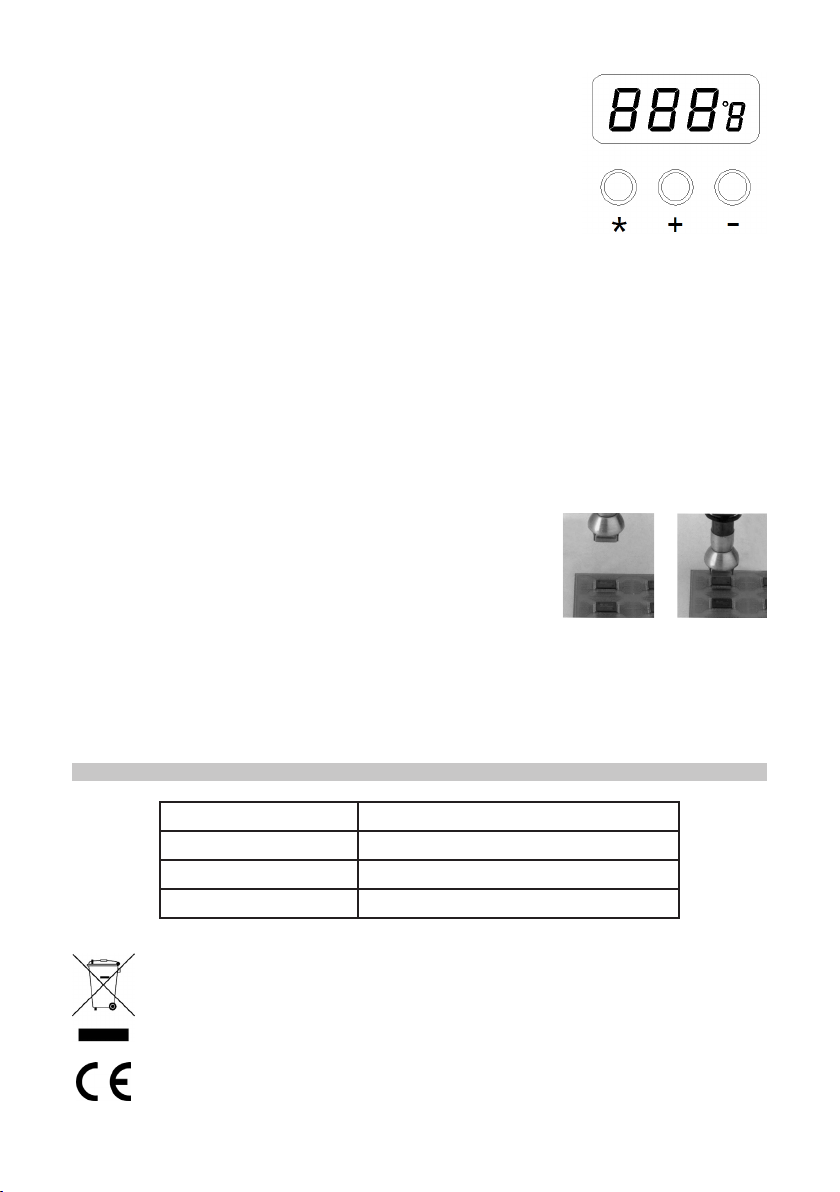
• In long press, the set-point will change quickly and reach
your target temperature.
• “ * ” is the transfer button between °C and °F.
Note: The default unit is °C.
• When you put the air pump on the bracket, the item will
stop heating and the display will show “SLP”, meaning
“sleep”.
• When you pick up the air pump once again the item will
return to the set temperature.
Usage
• Connect the mains plug to a socket.
• Assemble the nozzles into position. Note: Try to use nozzles with a larger
diameter.
• Turn on the power switch, set the air ow rate and temperature and put the unit on
the racket.
• Put the nozzle on the pins of the IC, so that the hot air can melt the solder tin on
the IC pin, then use the tweezers to remove the IC.
• After use, turn off the power switch, remove the plug from the power supply and
allow to cool before storing in a safe place out of the reach of children.
QFP Soldering
• Apply the right quantity of solder paste and install the
SMD on the PWB.
• Preheat the SMD (Fig.1).
• Solder by heating the lead frame evenly (Fig.2).
Fig.2Fig.1
Washing
• Once soldering is complete, wash away the ux.
• Note: The machine may cause defects such as solder balls or solder bridges, so
be sure to examine the soldering.
SPECIFICATIONS
Rated power input 300W
Rated voltage range 220-240V AC, 50Hz / 110-130V, 60Hz
Hot air temperature 100-500°C
Display LED segment displays
INFORMATION ON WASTE DISPOSAL FOR CONSUMERS OF
ELECTRICAL & ELECTRONIC EQUIPMENT.
When this product has reached the end of its life it must be treated as Waste
Electrical & Electronic Equipment (WEEE). Any WEEE marked products
must not be mixed with general household waste, but kept separate for the
treatment, recovery and recycling of the materials used. Contact your local
authority for details of recycling schemes in your area.
Made in China. PR2 9PP
V.1.0
 Loading...