

Page 1
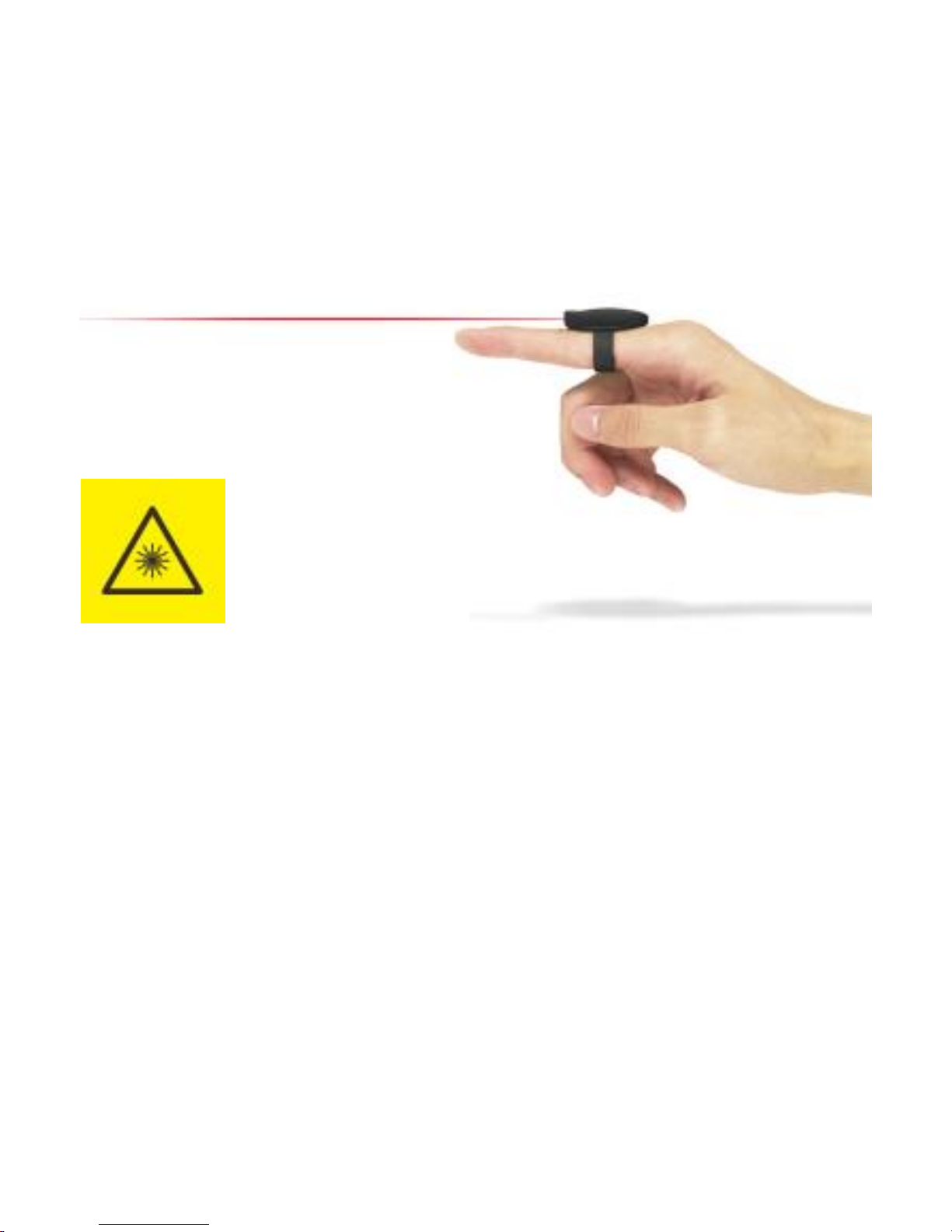
D&K Presenter Pointer
Exclusive pointer: smallest Operating
Instructions lightest smooth
Product name:PPT Pointer Model:P1
Manufacturer: Guangzhou DuoKui Technology Co., Ltd.
Page 2

1
Product instruction
1. The product is used for PPT page turning in
a presentation, it can be used on computers
with USB port.
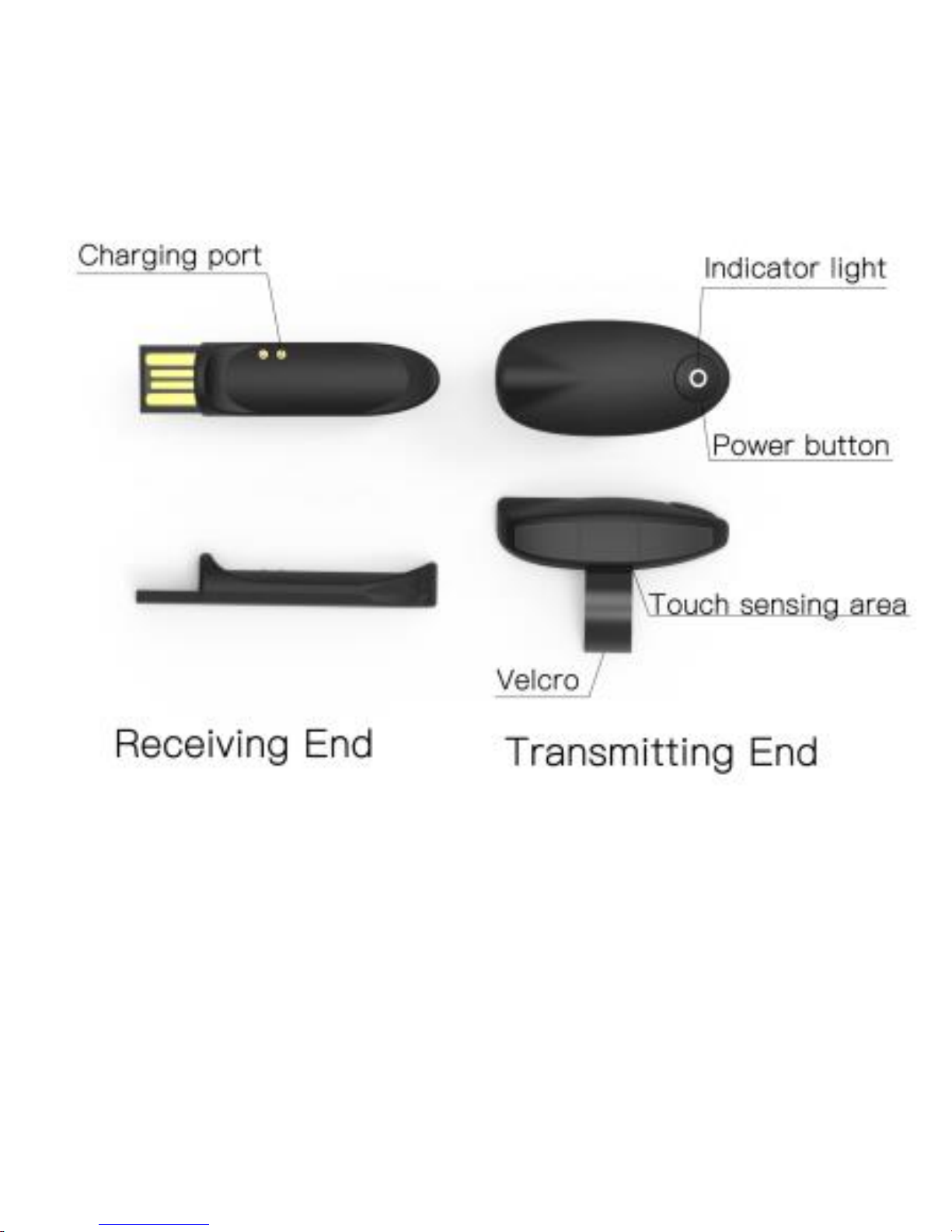
2. The product has a receiving end and a
transmitting end. The receiving end should be
plugged into USB port, the other one should be
worn on your right index finger. Use your thumb
to touch the side of the pointer to operate.
3. The product adopts 2.4G wireless
technology. The wireless range of PPT
presenter up to 30 meters without direction
restriction.
4. The product is easy to charge. Plug the USB
receiver to the computer, put the transmitting
end on the correct place of the receiving end.
Page 3
2
Product details
Page 4
3
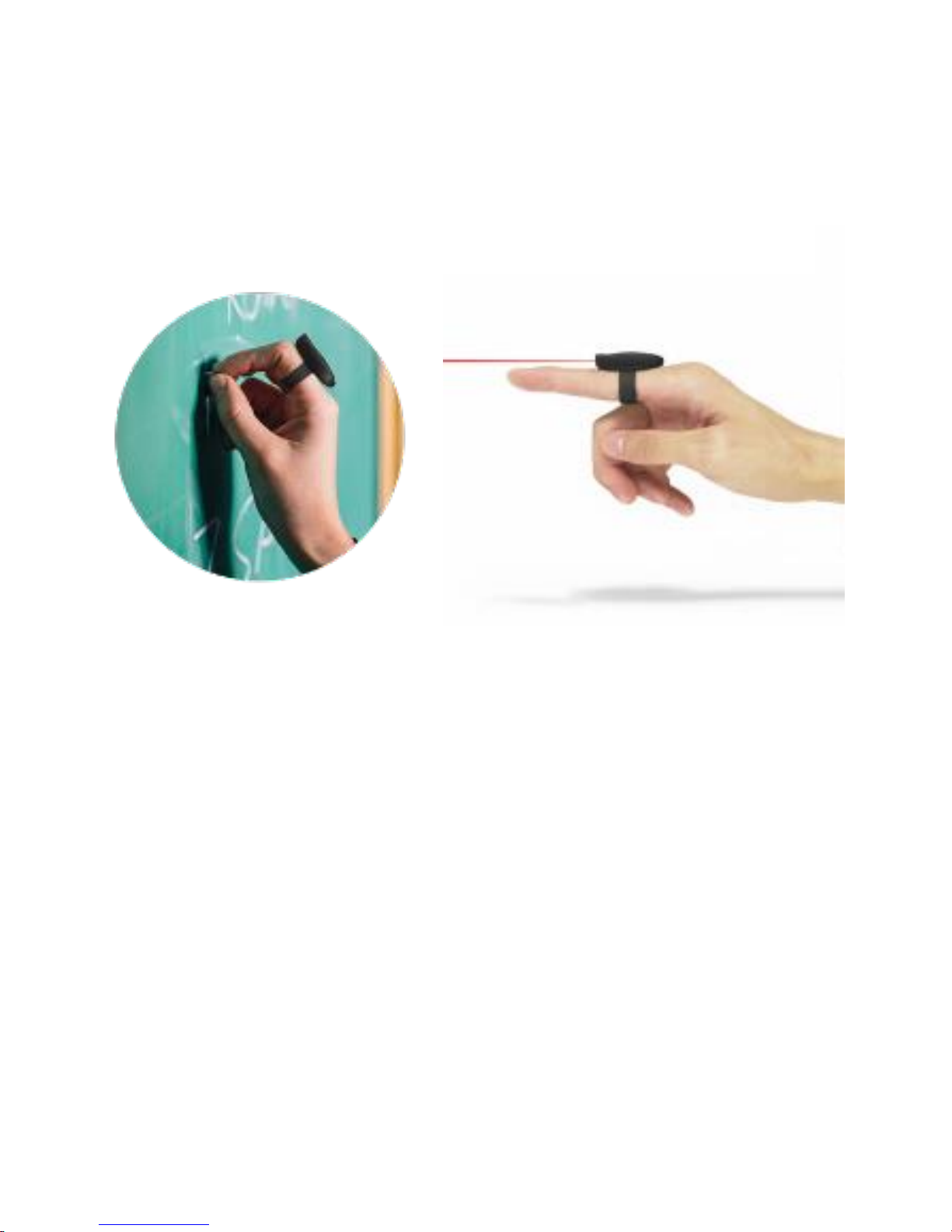
Wear instruction
Open the transmitting end’s velcro, turn the
protruding side toward the direction of the
fingertip, adjust the velcro to fit the size of your
right hand’s index finger, then stick the velcro.
Make sure to wear the transmitting end on your
right index finger in the comfortable state.
Page 5

4
Use instruction
1. Starting up:Long press the power button to
start when it on shutdown.
2. Shutdown:Long press the power button to
power when it on work.
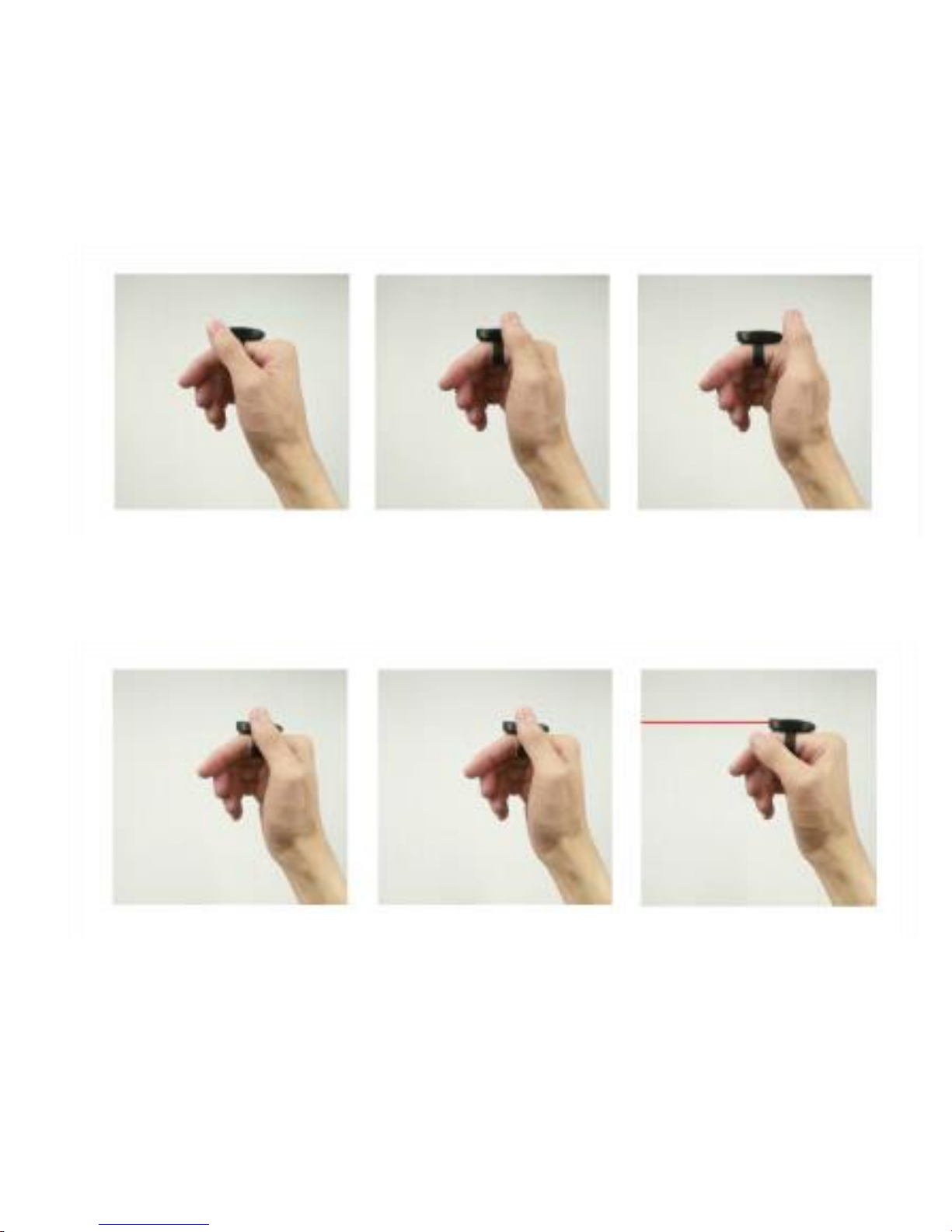
3. Page down: Use the thumb slide the side of
the pointer from left to right.
Page 6
5
4. Page up: Use the thumb slide the side of the
pointer from right to left.
5. Turn on red light: Double click the side of
the pointer with the thumb.
6. Turn off laser: Touch the side of the pointer.
Page 7

6
7. Charging: Plug the USB receiver to your
computer, put the pointer on the correct place
of the receiving end. The indicator light on the
power button will blink like a breath while
charging. When it is full, it is always bright.
8. Low battery indication: When the battery
capacity is less than 5%, the indicator light will
flash quickly to indicate that the battery is low
and it’s time to charge.
9. Code: Press the power button three times
quickly, the indicator light flashes quickly and
enters the code matching mode. At this time,
plug the receiving end to computer to complete
the automatic code matching. After the code is
successful, the code is not required. All the
product has already code before leaving the
factory.
Page 8

7
Product parameters
Control Technology: RF 2.4GHz
Control Range: 30m
Laser Range: >200m
Laser Power: <5mW
Battery: 45mAH
Charging time: 45min
Standby current: 3.5μA
Size: 3.9*1.9*0.8cm
Weight: 7g
Page 9

8
Cautions
1. Do not use in the high temperature, high
voltage, heat-generating conductors and
humid places environment.
2. Do not charge the product above DC voltage
above 5V.
3. This is a capacitive touch product. It may be
disturbed by static electricity in a dry
environment such as winter. In this case, it is
only necessary to blow the static electricity in
the touch area.
4. Do not leave the lithium battery product idle
for a long time. If it is not used for a long time,
please charge it for more than 5 minutes in
advance to extend the battery life.
Page 10

FCC Warning Statement
This equipment has been tested and found to
comply with the limits for a Class B digital device,
pursuant to part 15 of the FCC Rules. These limits
are designed to provide reasonable protection
against harmful interference in a residential
installation. This equipment generates, uses and
can radiate radio frequency energy and, if not
installed and used in accordance with the
instructions, may cause harmful interference to
radio communications. However, there is no
guarantee that interference will not occur in a
particular installation. If this equipment does cause
harmful interference to radio or television reception,
which can be determined by turning the equipment
off and on, the user is encouraged to try to correct
the interference by one or more of the following
measures:
• Reorient or relocate the receiving antenna.
• Increase the separation between the equipment
and receiver.
Page 11

• Connect the equipment into an outlet on a circuit
different from that to which the receiver is
connected.
• Consult the dealer or an experienced radio/TV
technician for help.
Caution: Any changes or modifications to this
device not explicitly approved by manufacturer
could void your authority to operate this equipment.
This device complies with part 15 of the FCC Rules.
Operation is subject to the following two conditions:
(1) This device may not cause harmful interference,
and (2) this device must accept any interference
received, including interference that may cause
undesired operation.
The device has been evaluated to meet general RF
exposure requirement. The device can be used in
portable exposure condition without restriction.
 Loading...