

Page 1
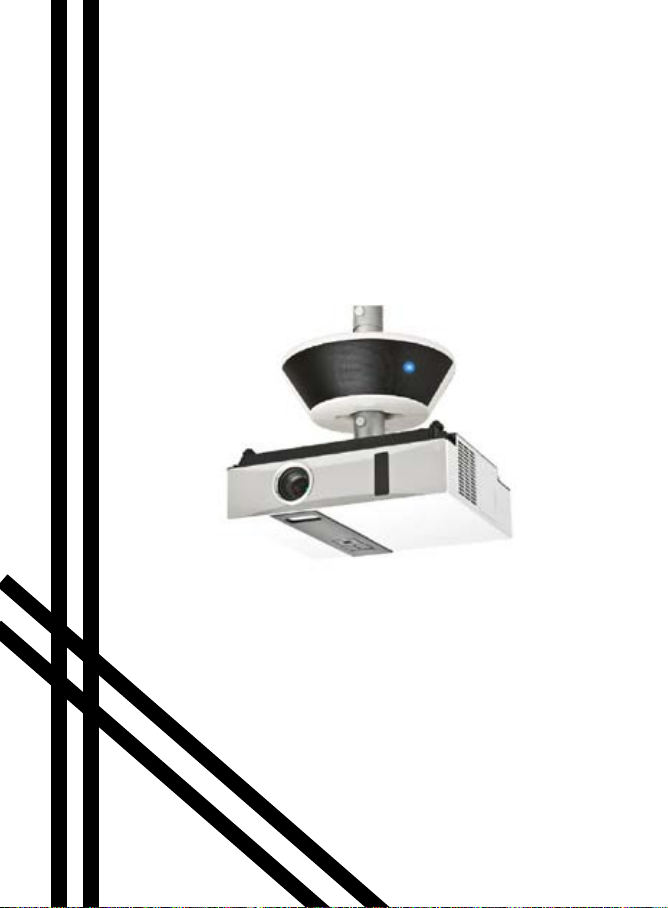
Model WMIC2
Wireless Sound System
User’s Guide
DUKANE iHear
Page 2

Page 3

Introduction
Thank you for buying this product.
• If you need service contact your dealer or call
Dukane.
• Please read the User’s Manual before using.
• Receiver Amp: Electronic equipment specication:
Input: DC12V 2A
Rating: 110V - 240V
• MIC Tx: Electronic equipment specication:
Input: USB DC 5V to charge the transmitter.
DUKANE CORP AV SERVICE DEPT
2900 Dukane Drive
St Charles, IL 60174
800-676-2487
Fax 630-584-5156
[email protected]
www.dukane.com/av/service
–
+
Page 4
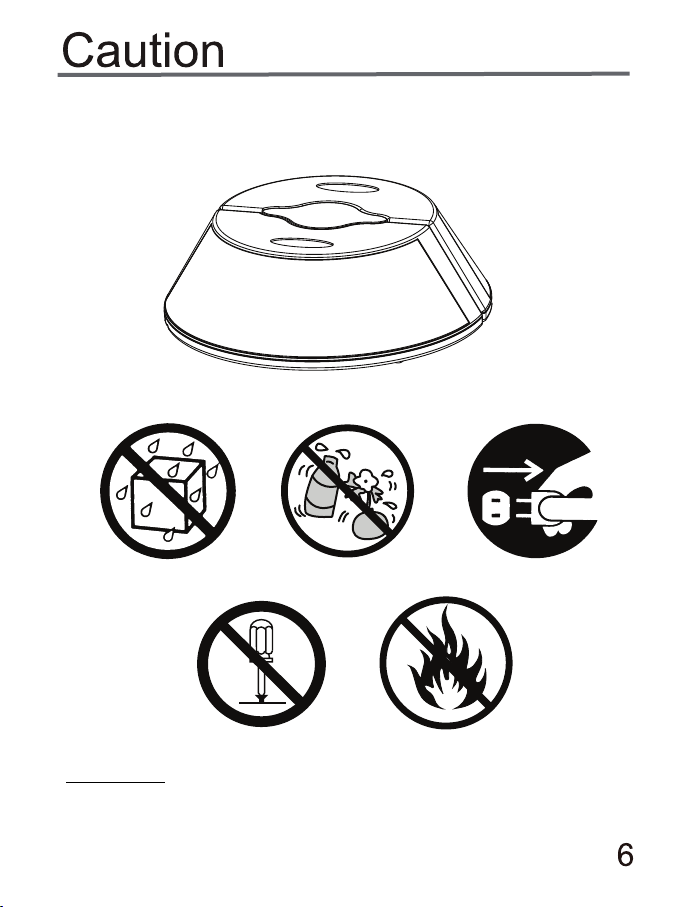
Danger
3. Don’t modify this product in any way. Such action could cause
a re, electric shock, serious personal injuries or product
damage. Only a distributor or service center can provide
maintenance and repair.
4. Please keep away from ammable or explosive gases when
using this product.
5. If any liquid or object enters the product, stop use of the
product. Please contact the distributor or a service center, and
don’t continue to use the product.
6. Operating this product with wet hands could cause electric
shock.
7. Don’t use this product while in an aircraft.
21
Page 5

Warning
1. For safety reasons, please keep the product and accessories
out of reach of small children or animals to avoid accidents
such as:
– swallowing the product or accessories. If this happens please
see a doctor immediately.
– Some small parts of product could cause personal injuries.
2. Do not place this product in a high temperature environment,
high or low temperature environments may negatively effect the
internal parts, or even result in re.
Do not place in: microwave oven, radiator, or refrigerator, since
this may cause the product battery to explode.
Caution
1. If a credit card is held near the speaker, it will be demagnetized.
Please keep credit cards away from this product.
2. A malfunction of this product will occur if using a power
adapter that doesn’t match the one supplied with the product.
3. Painting this product is prohibited. Do not paint this product.
Painting will affect it’s normal use.
4. Do not hit or drop the product.
3
Page 6
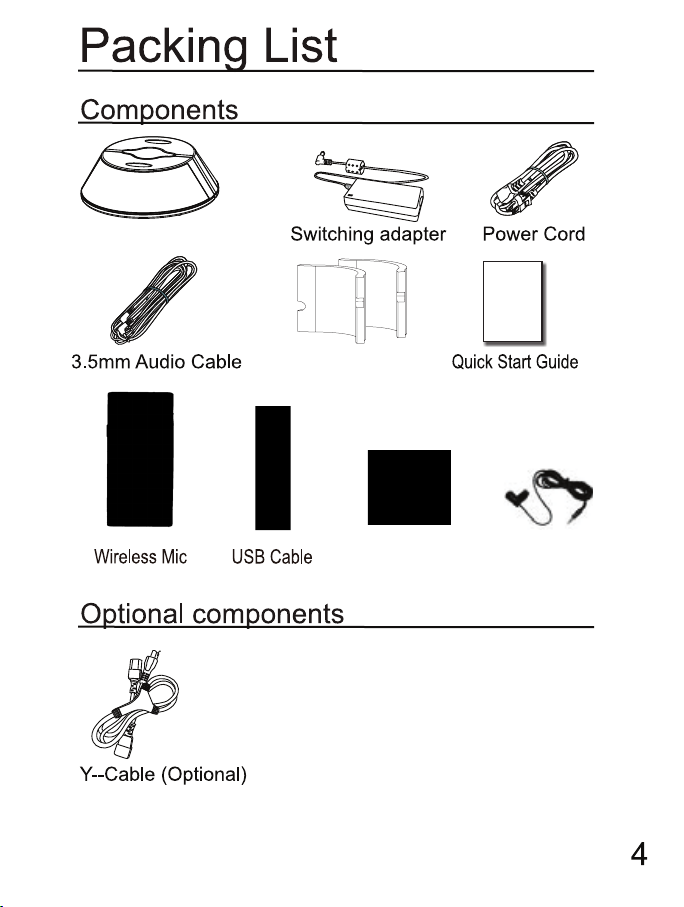
Speaker – Receiver
Guide
Foam
Transmitter
Lanyard
Collar Clip Mic
Page 7
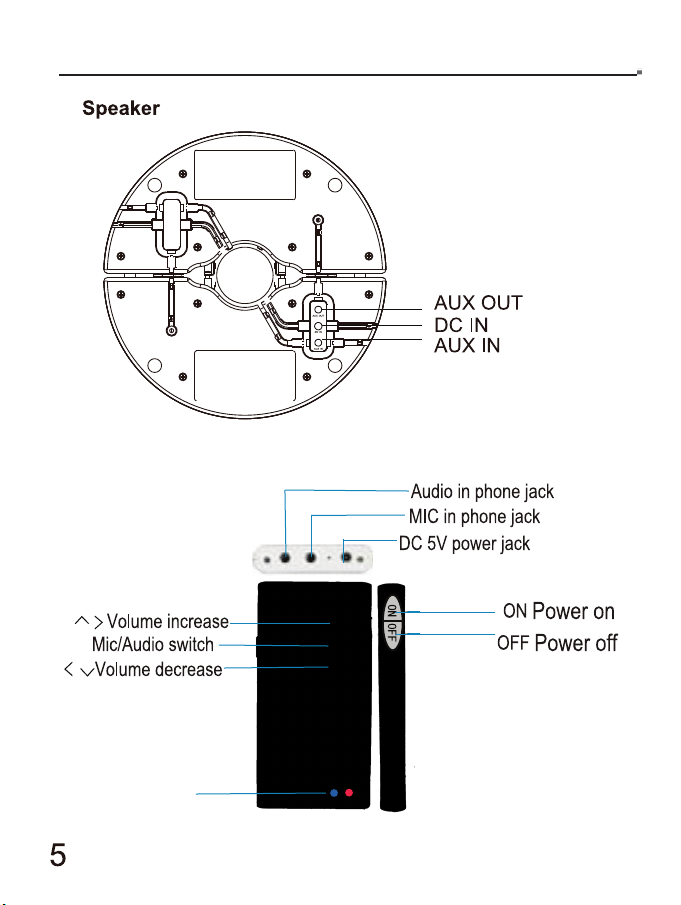
Instruction
(to other module)
Signal lights
Mic Transmitter
Page 8
Special note: The center button on the mic transmitter switches the
audio between the AUDIO IN port and the MIC IN port. This could be
the reason that the Mic is not heard.
Page 9
Page 10
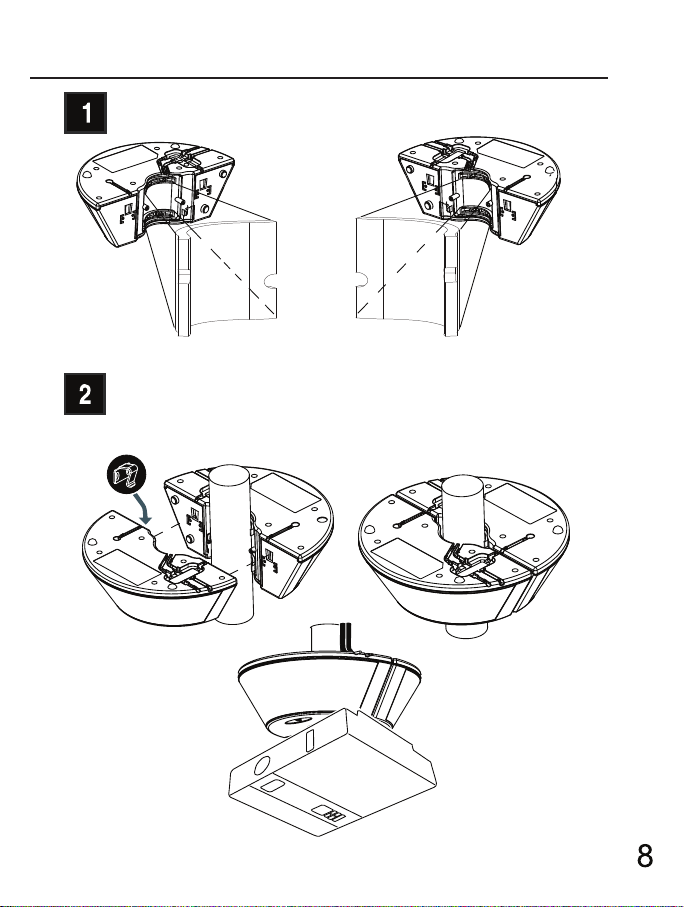
Installation
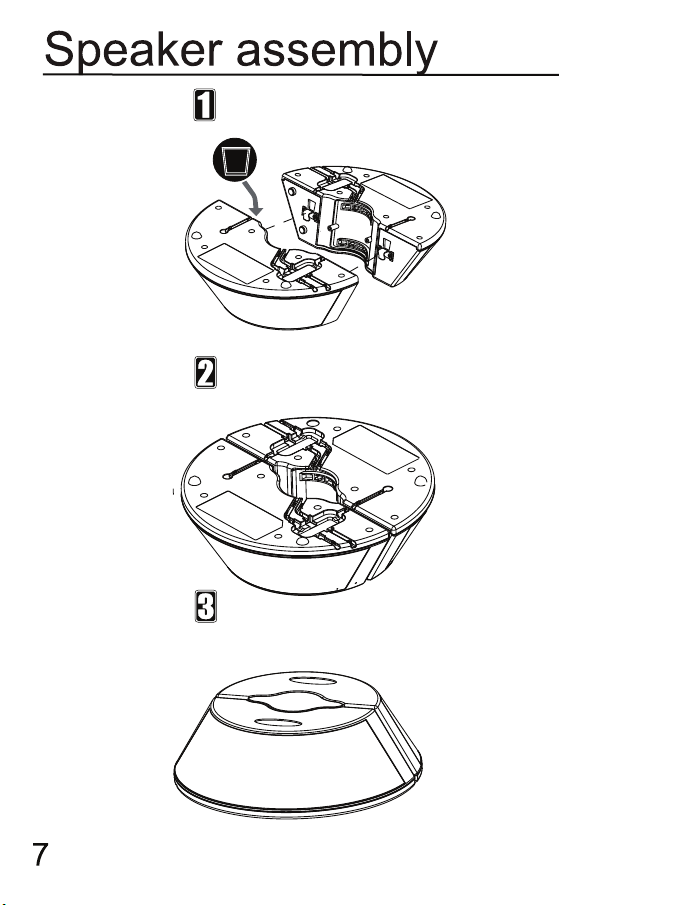
Put the foam pads on the inner side of speaker.
Connect main module and auxiliary module by
metal hooks and locate on the pole.
Page 11
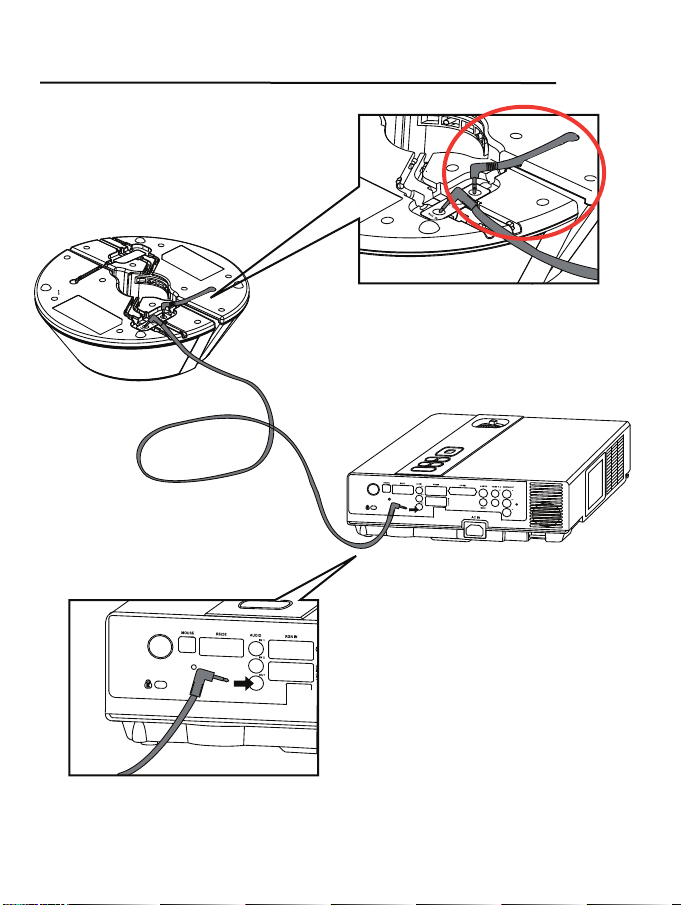
Audio Source Connection
Connect main module and
Connect main engine and
auxiliary engine by audio cable.
auxiliary module audio cables.
Audio Cable
Connect main module and projector by audio cable.
Connec main engine and projector by audio cable.
9 10
Page 12
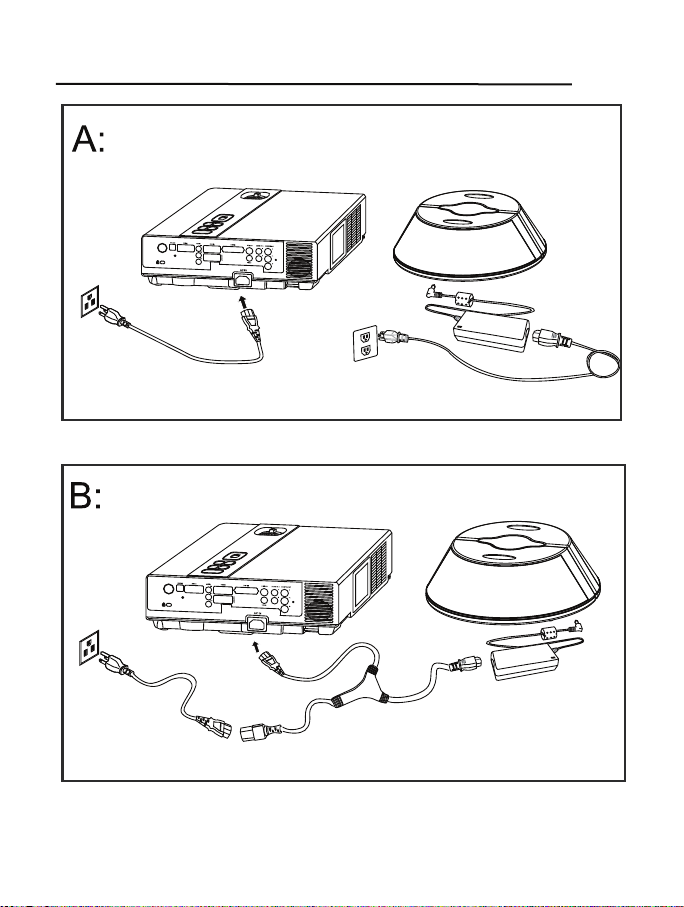
Power Connection
adapter
power cord
power cord
power cord
adapter
Y-Cable
Page 13
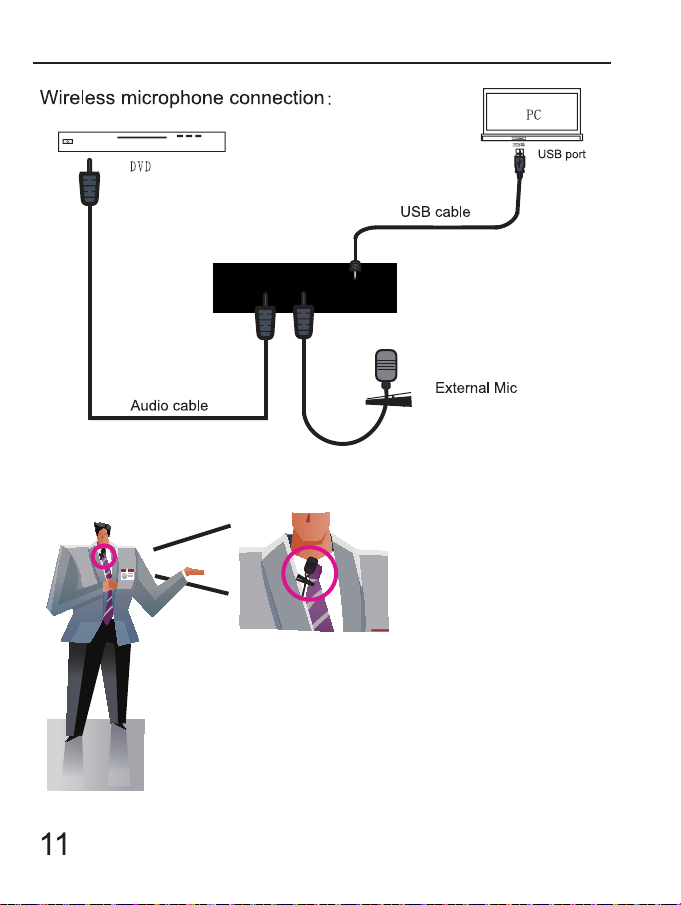
Connecting Components
Collar Mic
Small
Power or
Adapter
Clip the collar mic to the necktie or collar
and point the mic toward the throat.
Page 14
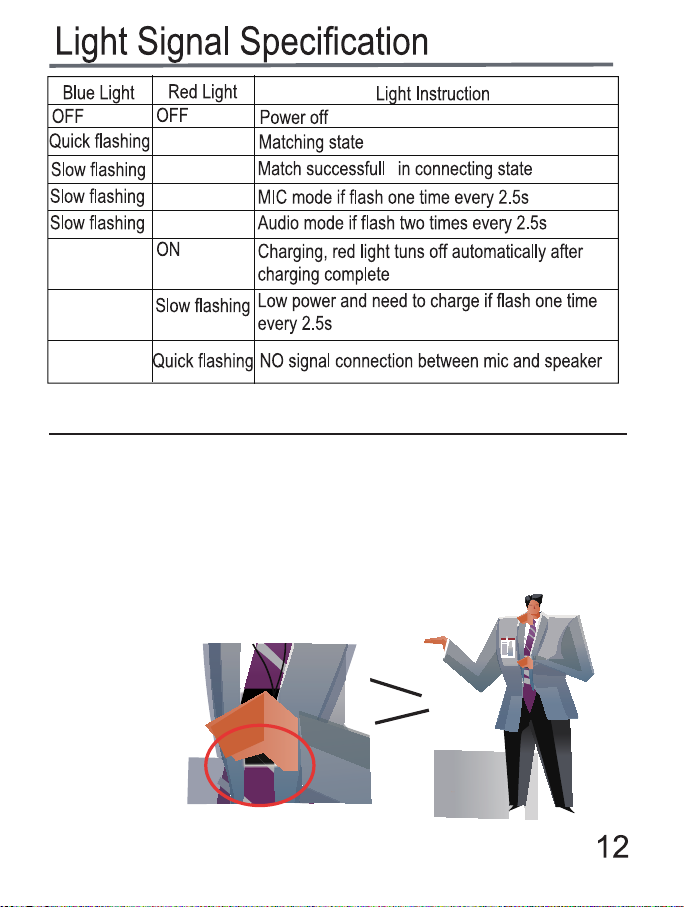
(seeking)
Matching Procedure
1. Turn on the mic, frequency matching procedure needs 3 seconds.
2. After the mic Red/Blue LED’s are alternately ashing a
“Beep - Beep” sound will be heard. This means the mic and
speaker–receiver are paired (matched).
3. Matching distance is under 10 feet between mic and speaker.
4. Make sure the bottom of mic transmitter is
not blocked.
Page 15

Troubleshooting
1. Q: The mic transmitter is ON but no sound is heard.
A: 1. Please make sure the mic transmitter is within 10 feet of the
speaker unit..
2. Please make sure the mic transmitter has power. The LED
signal lights ash.
3. Please make sure the speaker has power.
2. Q: No signal light on the mic transmitter after it has been turned ON.
A: Please charge the mic transmitter.
3. Q: Low voice (sound) when using the mic transmitter.
A: Manually adjust the volume button to increase volume.
4. Q: The mic transmitter doesn’t work when charging is attempted.
A: Please check to see if the power adapter is plugged in.
5. Q: The system can’t complete matching process.
A: 1. Please make sure the mic distance is within 10 feet of the
speaker.
2. Please make sure the power is ON.
6. Q: How long can the mic be used?
A: The complete charging process requires at least 4 hours of
continuous charging. The mic can be used at least at least
8 hours. The mic transmitter red LED will begin to slowly ash
( every 2 seconds) once there is less than 1 hour of operating
time remaining.
Special note: The center button on the mic transmitter switches the
audio between the AUDIO IN port and the MIC IN port. This could be
the reason that the Mic is not heard.
13 14
Page 16

DUKANE CORP AV SERVICE DEPT
12-00015-00
2900 Dukane Drive
St Charles, IL 60174
800-676-2487
Fax 630-584-5156
www.dukane.com/av/service
 Loading...