

Page 1

Projection Display Serial Interface Spec. 1/13
Projection Display
DP3630
Serial Interface Specification
Version: 0.03
Page 2

Projection Display Serial Interface Spec. 2/13
Table of Contents
1. RS232 SETTING..........................................................................................................................3
2. CONTROL COMMAND DIAGRA M..........................................................................................3
3. CONTROL SEQUENCE.............................................................................................................3
4. OPERATION COMMANDS........................................................................................................4
5. REMOTE COMMANDS ..............................................................................................................4
6. SET V ALUE COMMAND............................................................................................................6
7. QUERY COM M AND....................................................................................................................7
8. HYPER TERMINAL UTILITY ...………………………………………………………………..8
APPENDIX 1........................................................................................................................................12
Page 3
Projection Display Serial Interface Spec. 3/13
1. RS232 Setting
Baud rate:
9600
Parity check:
None
Data bit:
8
Stop bit:
1
Flow Control
None
Minimum delay for next command: 1ms
2. Control Command Diagram
The command is structured by the Header code, command code, data code
and end code. Most of the commands are structured except some for the
compatibility issue with other projectors.
Header code Command code Data code End code
HEX 7Eh Command Data 0Dh
ASCII ‘~’ Command Data
CR
3. Control Sequence
The projector may send a return code after it received a command. If the
command isn’t received correctly, the projector will not send the return code
Page 4
Projection Display Serial Interface Spec. 4/13
4. Operation Commands
The operation commands execute the basic operation setting of this
projector.
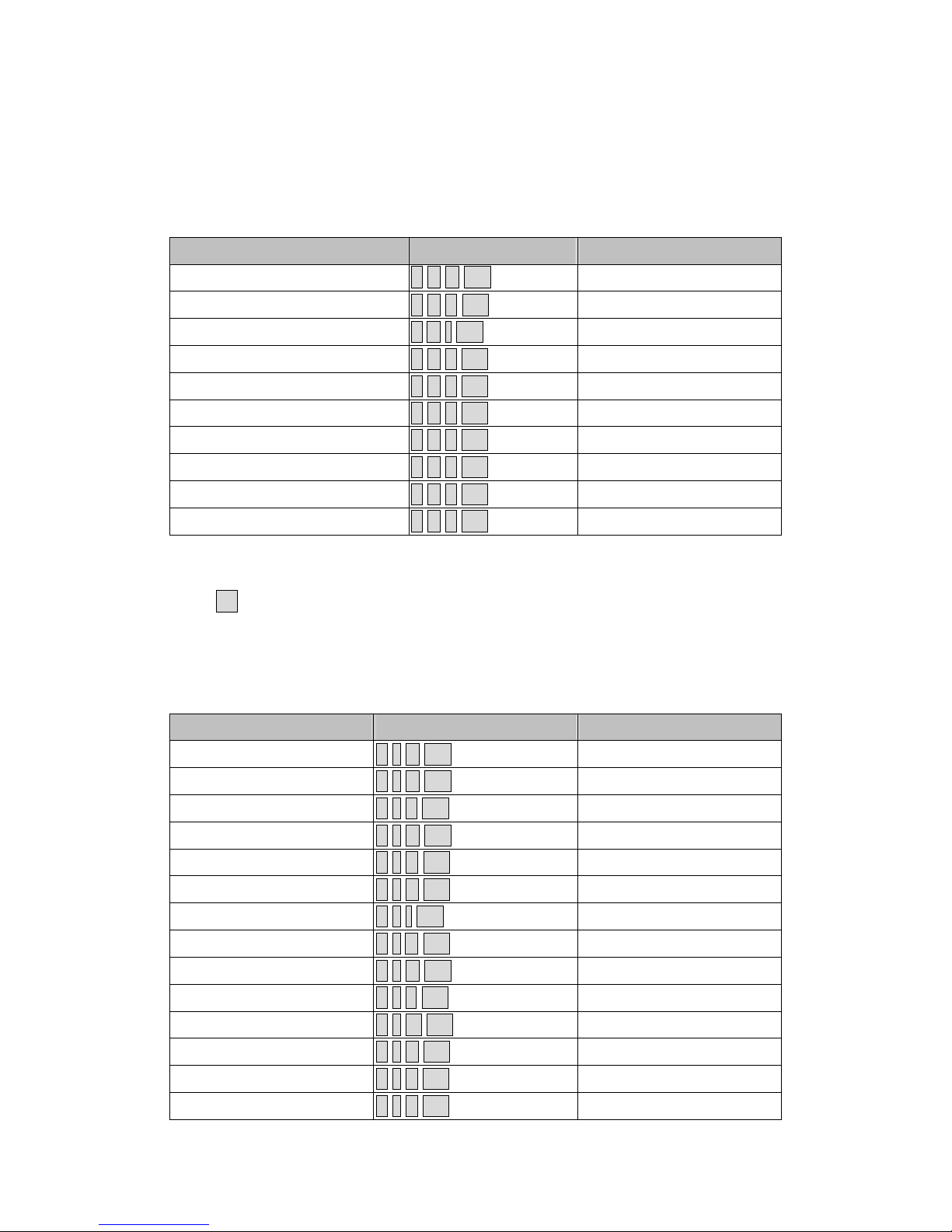
Operation ASCII HEX
Power On
~ P N CR ※
7Eh 50h 4Eh 0Dh
Power Off ~ P F CR 7Eh 50h 46h 0Dh
Auto Image ~ A I CR 7Eh 41h 49h 0Dh
Input Select 1 (RGB) ~ S 1 CR 7Eh 53h 31h 0Dh
Input Select 2 (RGBHV) ~ S 2 CR 7Eh 53h 32h 0Dh
Input Select 4 (YPbPr) ~ S 4 CR 7Eh 53h 34h 0Dh
Input Select 5 (Video) ~ S 5 CR 7Eh 53h 35h 0Dh
Input Select 6 (S-Video) ~ S 6 CR 7Eh 53h 36h 0Dh
Input Select 7 (DVI-D) ~ S 7 CR 7Eh 53h 37h 0Dh
Input Select 8 (HDMI) ~ S 8 CR 7Eh 53h 38h 0Dh
※
Power On command will not work for 1 minute after the power off
command triggered.
※
CR :
Carriage Return.
5. Remote Commands
The remote commands simulate the code send from IR remote handset.
Button’s name ASCII HEX
UP arrow ~ r U CR 7Eh 72h 55h 0Dh
DOWN arrow ~ r D CR 7Eh 72h 44h 0Dh
LEFT arrow ~ r L CR 7Eh 72h 4Ch 0Dh
RIGHT arrow ~ r R CR 7Eh 72h 52h 0Dh
POWER ~ r P CR 7Eh 72h 50h 0Dh
EXIT ~ r E CR 7Eh 72h 45h 0Dh
INPUT ~ r I CR 7Eh 72h 49h 0Dh
AUTO ~ r A CR 7Eh 72h 41h 0Dh
KEYSTONE+ ~ r K CR 7Eh 72h 4Bh 0Dh
KEYSTONE- ~ r J CR 7Eh 72h 4Ah 0Dh
MENU ~ r M CR 7Eh 72h 4Dh 0Dh
STATUS ~ r S CR 7Eh 72h 53h 0Dh
MUTE ~ r T CR 7Eh 72h 54h 0Dh
ZOOM+ (Digital) ~ r Z CR 7Eh 72h 5Ah 0Dh
Page 5
Projection Display Serial Interface Spec. 5/13
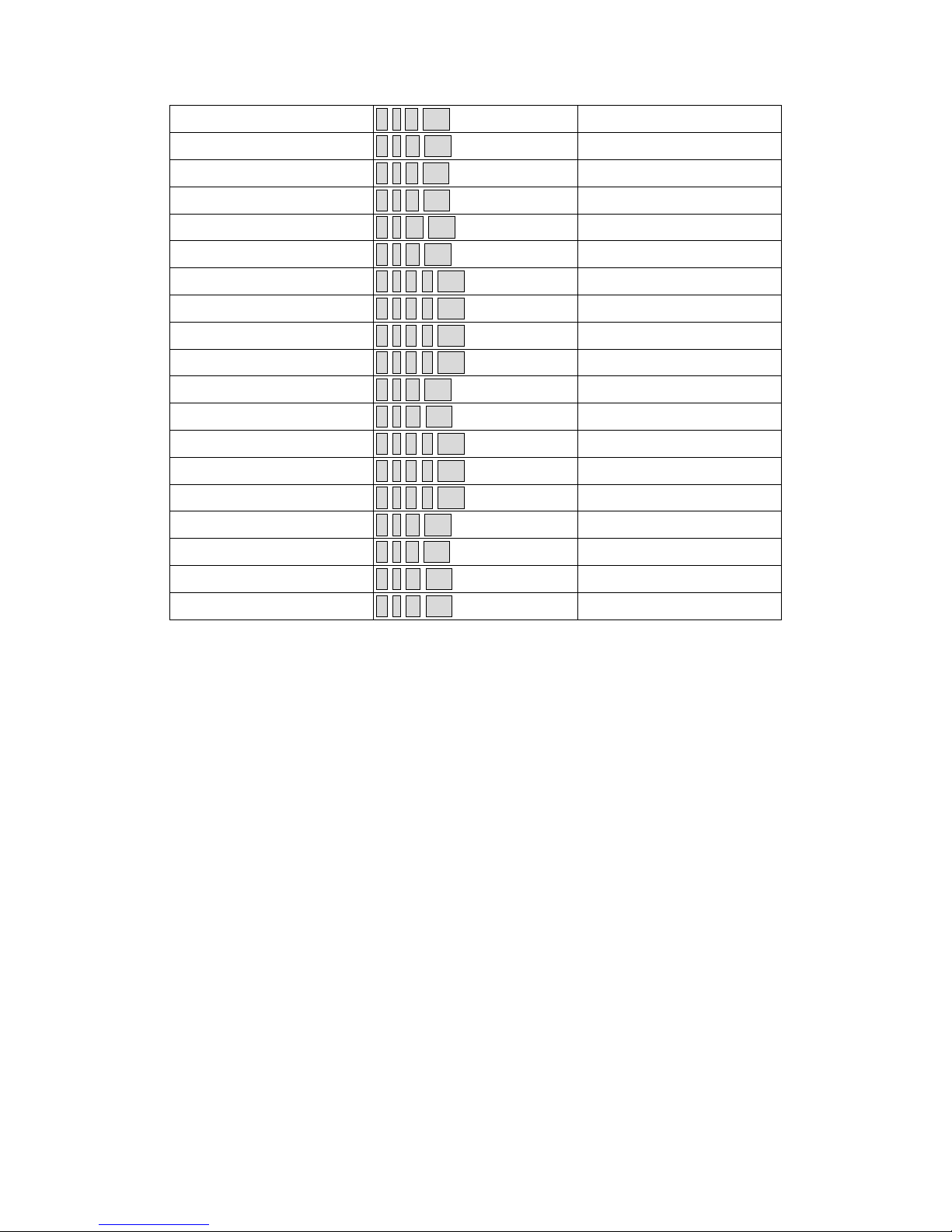
ZOOM- (Digital) ~ r Y CR 7Eh 72h 59h 0Dh
BLANK ~ r B CR 7Eh 72h 42h 0Dh
FREEZE ~ r F CR 7Eh 72h 46h 0Dh
VOLUME+ ~ r V CR 7Eh 72h 56h 0Dh
VOLUME- ~ r W CR 7Eh 72h 57h 0Dh
ENTER (SELECT) ~ r N CR 7Eh 72h 4Eh 0Dh
FOCUS+ ~ r 0 0 CR 7Eh 72h 30h 30h 0Dh
FOCUS- ~ r 0 1 CR 7Eh 72h 30h 31h 0Dh
ZOOM+ ~ r 0 2 CR 7Eh 72h 30h 32h 0Dh
ZOOM- ~ r 0 3 CR 7Eh 72h 30h 33h 0Dh
KEYSTONE ~ r C CR 7Eh 72h 43h 0Dh
LENS SHIFT ~ r G CR 7Eh 72h 47h 0Dh
SOURCE DATA ~ r 0 4 CR 7Eh 72h 30h 34h 0Dh
SOURCE VIDEO ~ r 0 5 CR 7Eh 72h 30h 35h 0Dh
USER MODE ~ r 0 6 CR 7Eh 72h 30h 36h 0Dh
LAMP ~ r H CR 7Eh 72h 48h 0Dh
BREAK TIME ~ r X CR 7Eh 72h 58h 0Dh
PAN ~ r O CR 7Eh 72h 4Fh 0Dh
ASPECT RATIO ~ r Q CR 7Eh 72h 51h 0Dh
Page 6
Projection Display Serial Interface Spec. 6/13
6. Set Value Command
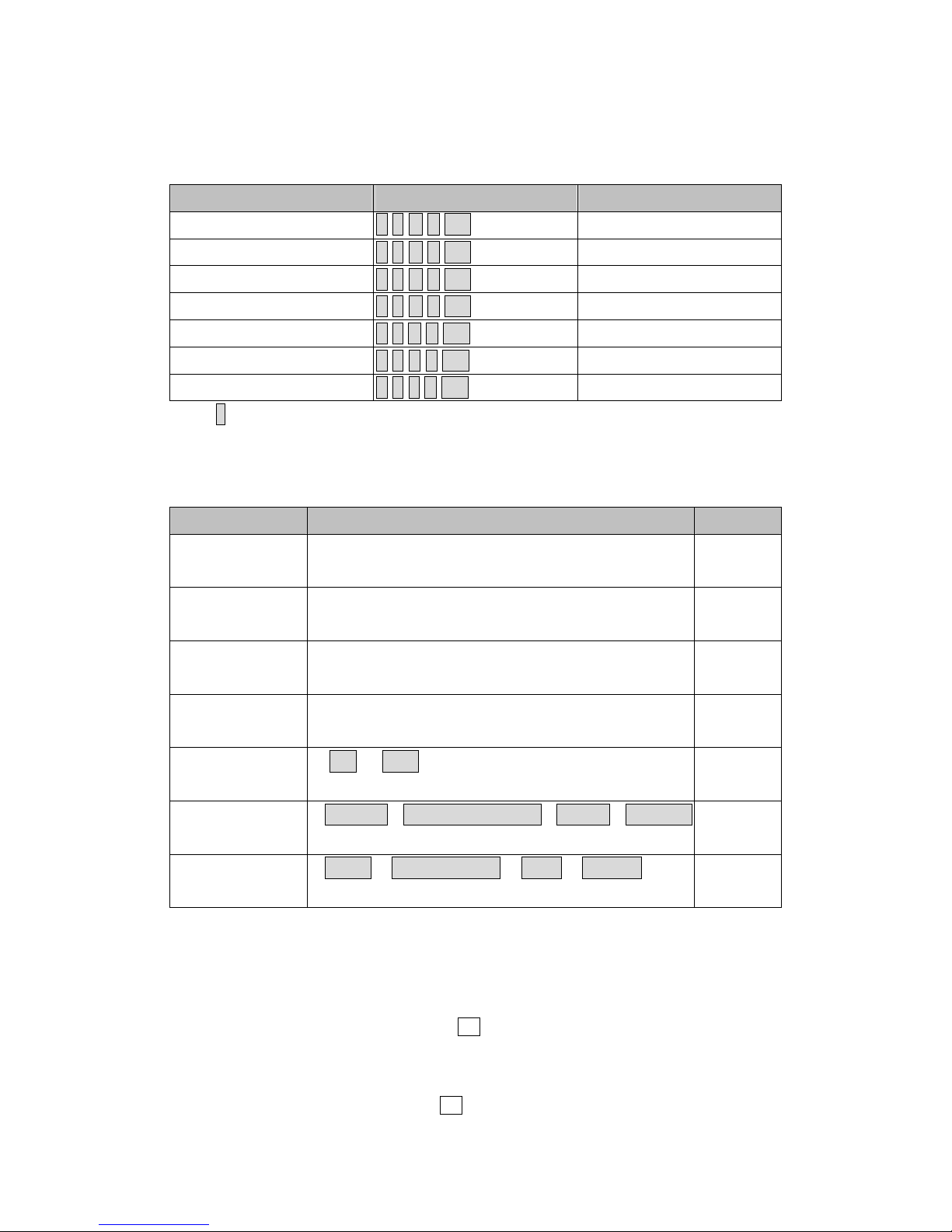
ITEM ASCII HEX
Brightness
~ s B ? CR ※
7Eh 73h 42h ?h 0Dh
Contrast ~ s C ? CR 7Eh 73h 43h ?h 0Dh
Color(Saturation) ~ s R ? CR 7Eh 73h 52h ?h 0Dh
Tint ~ s N ? CR 7Eh 73h 4Eh ?h 0Dh
Scaling ~ s A ? CR 7Eh 73h 41h ?h 0Dh
Color Temperature ~ s T ? CR 7Eh 73h 54h ?h 0Dh
Projection Mode ~ s J ? CR 7Eh 73h 4Ah ?h 0Dh
※
? : ASCII Data
Data Range
ITEM Set Data Range Source
Brightness 0 ~ 100(default 50) All
Source
Contrast 0 ~ 100(default 50) All
Source
Saturation
0 ~ 100(default 50)
※
All
Source
Tint
0 ~ 100 (default 50)
※
All
Source
Scaling 0: 4:3 1: 16:9 All
Source
Color
Temperature
0:12000K1:High-Brightness2:5000K3:Custom All
Source
Projection
Mode
0:Front 1:Rear+Ceiling 2:Rear 3:Ceiling All
Source
※
Saturation and Tint is not available when Video Type(color space) change to “RGB”
Example 1. Adjust Brightness value to 100
Send Command : ~sB100CR
Example 2. Adjust Color T emperature to Warm
Send Command : ~sT2CR
Page 7
Projection Display Serial Interface Spec. 7/13
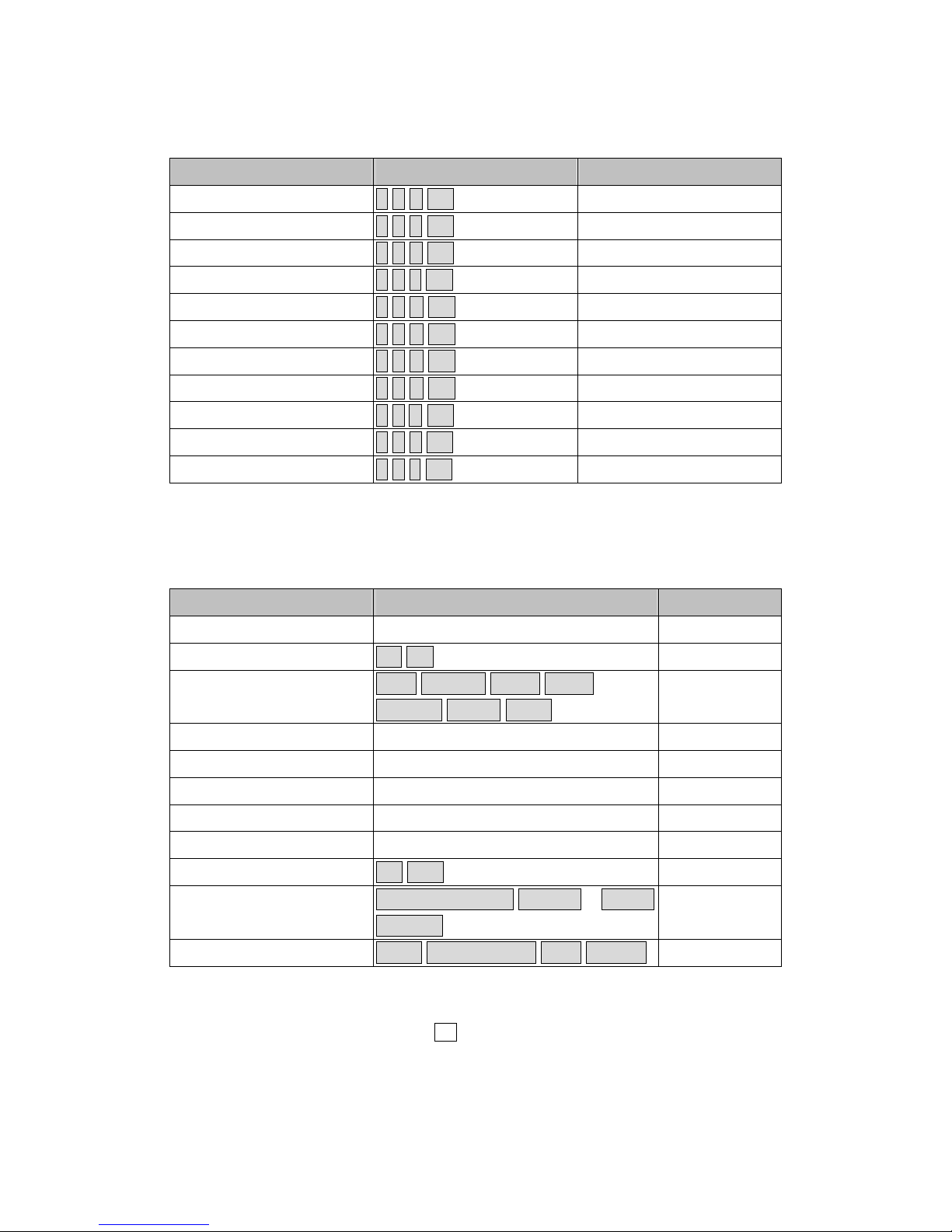
7. Query Command
ITEM ASCII HEX
Software Version ~ q V CR 7Eh 71h 56h 0Dh
Power State ~ q P CR 7Eh 71h 50h 0Dh
Input Select ~ q S CR 7Eh 71h 53h 0Dh
Lamp Hours ~ q L CR 7Eh 71h 4Ch 0Dh
Brightness ~ q B CR 7Eh 71h 42h 0Dh
Contrast ~ q C CR 7Eh 71h 43h 0Dh
Saturation ~ q R CR 7Eh 71h 52h 0Dh
Tint ~ q N CR 7Eh 71h 4Eh 0Dh
Aspect Ratio ~ q A CR 7Eh 71h 41h 0Dh
Color Temperature ~ q T CR 7Eh 71h 54h 0Dh
Projection Mode ~ q J CR 7Eh 71h 4Ah 0Dh
Response message
ITEM Response Message examples
Software Version DP3630-HAXX-PWXXX
Power State On Off
Input Select RGB RGBHV DVI-D Video
S-Video YPbPr HDMI
Lamp Hours 2000,2000
Brightness 0 ~ 100
Contrast 0 ~ 100
Saturation 0 ~ 100
Tint (Video) 0 ~ 100
Aspect Ratio 4:3 16:9
Color Temperature High-Brightness 12000K ~ 5000K
Custom
Projection Mode Front Rear+Ceiling Rear Ceiling
Example 1. Get Brightness value
Send Command : ~qBCR
Response : 100
Example 2. Get Color Temperature
Page 8

Projection Display Serial Interface Spec. 8/13
Send Command : ~qTCR
Response : Warm
Page 9
Projection Display Serial Interface Spec. 9/13
8. HYPER TERMINAL UTILITY
8-1 Connect the RS232 Cable between your computer and Projector。
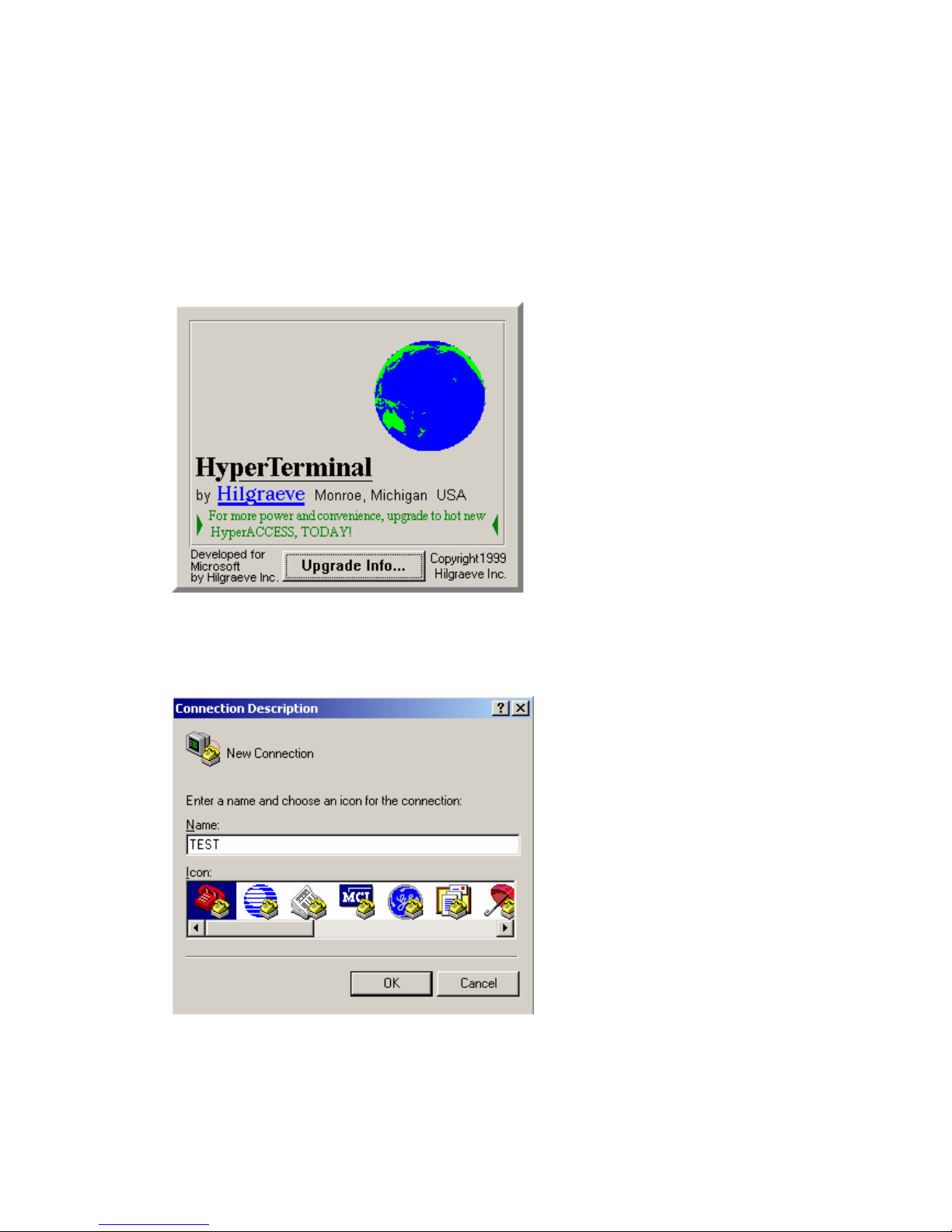
8-2 Open HyperTerminal ,
Window2000 HyperTerminal path:
Start \ Programs \ Accessories \ Communications \ HyperTerminal。
8-3 Setting the HyperTerminal parameter:
Step 1. Type the connection name .
Page 10
Projection Display Serial Interface Spec. 10/13
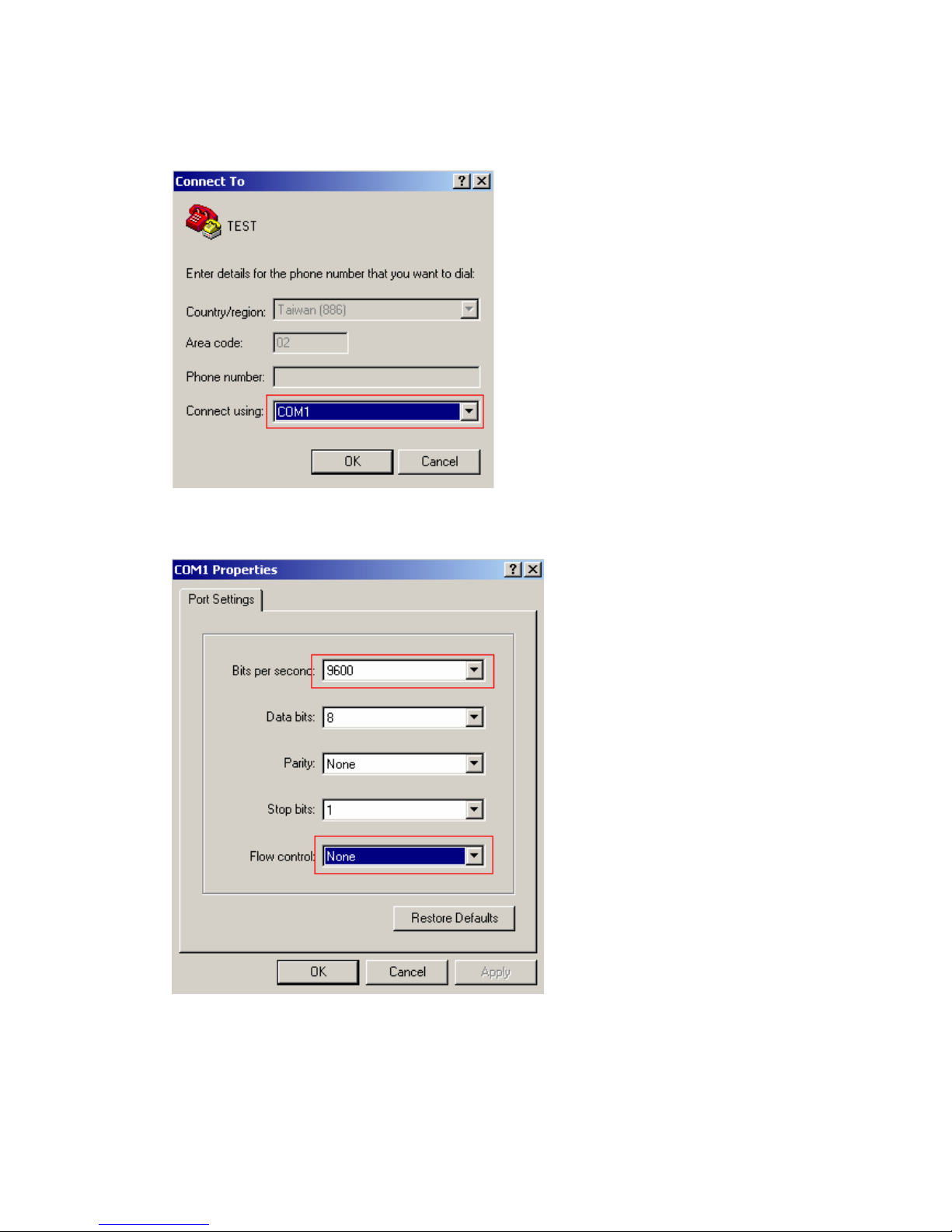
Step2 . Choose the COM port for your RS232 Cable connected to.
Step3. In Bits per second choose “ 9600 ” and in Flow control choose “ None ”。
Page 11
Projection Display Serial Interface Spec. 11/13
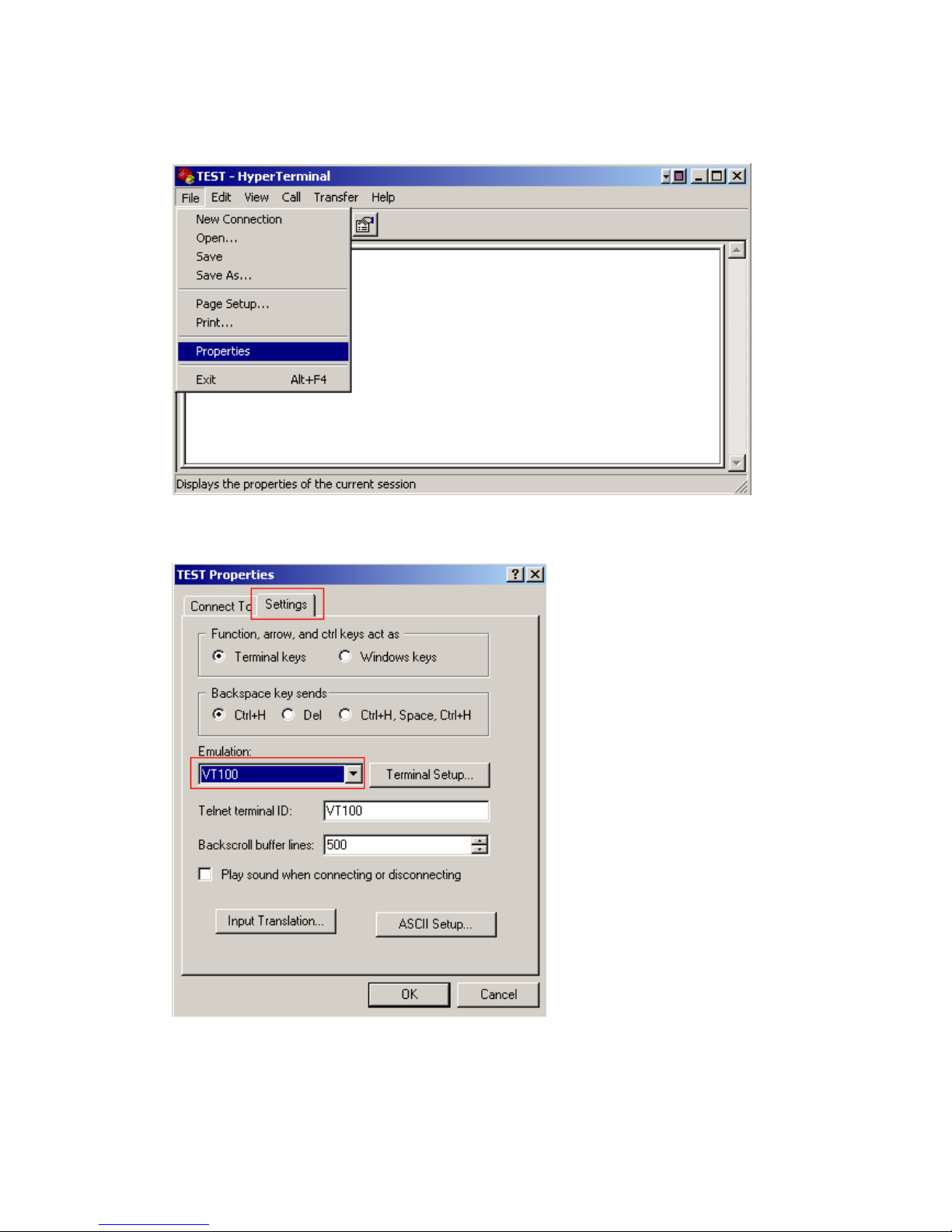
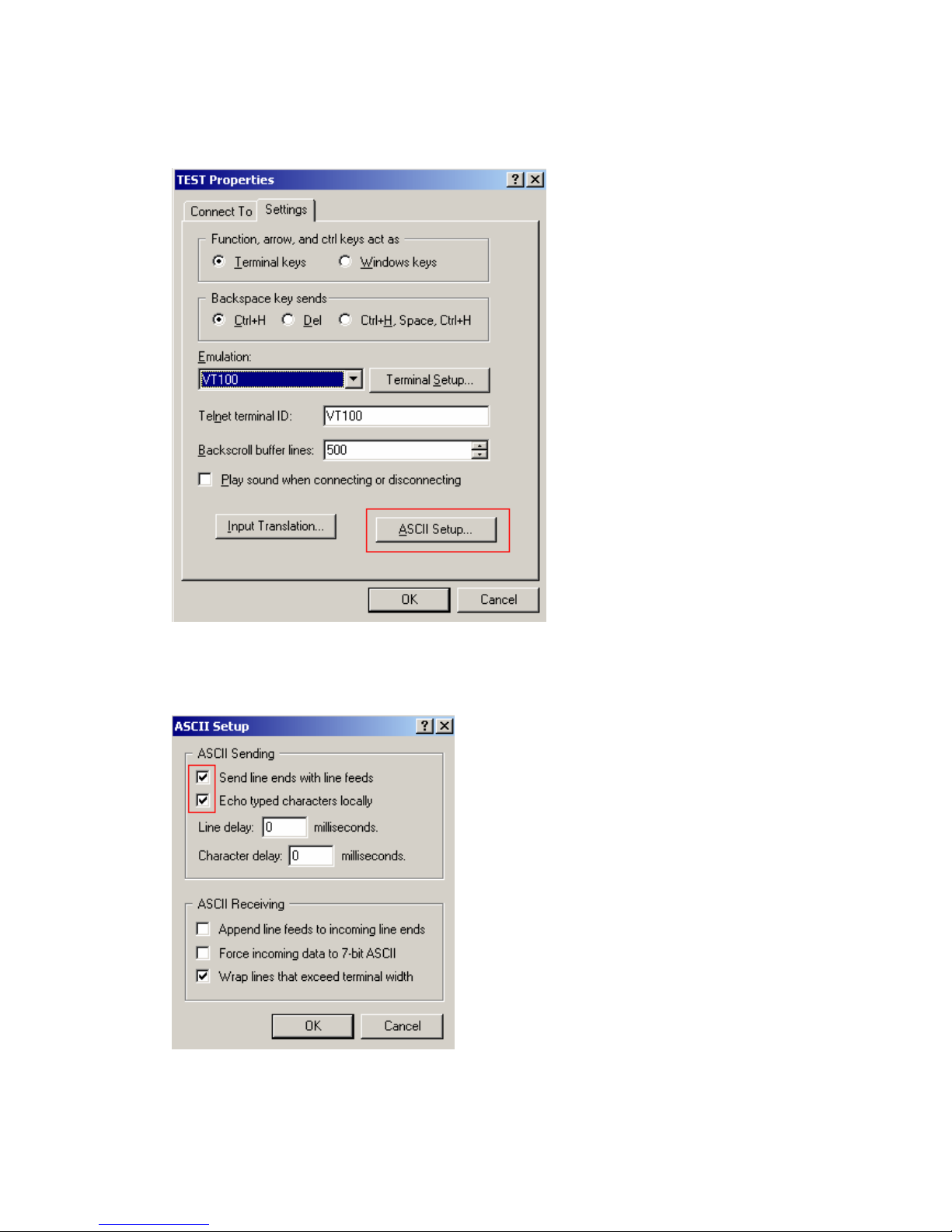
Step4. Click the File and choose Properties to setting Keyboard parameter。
Step5. In Setting page , choose Emulation type for your keyboard.
Page 12
Projection Display Serial Interface Spec. 12/13
Step6. Click ASCII Setting icon to setup ASCII code parameter.
Step7. Mark Send Line ends which line feeds and Echo typed characters locally and
click OK bottom to complete setting.
Page 13

Projection Display Serial Interface Spec. 13/13
Appendix 1
Control room console list
Brand Device Baud Range
Max length
send
Max length
receive
AMX Axcent 300~38400 64 64
AMX Axcent 2 300~38400 64 64
AMX Axcent 3 300~115200 64 64
AMX AXB-EM232 300~38400 64 64
AMX AXC-232 300~38400 64 64
AMX AXC-232++ 300~115200 64 64
AMX AXB-232+ 300~38400 64 64
AMX AXB-232++ 300~115200 64 64
AMX AXB-PCCOM 300~38400 64 64
AMX NXC-COM2 150~230400 900 196
AMX NXI 150~230400 900 196
AMX AXB-MIDI 300~38400 64 64
AMX AXC-MIDI 300~38400 64 64
AMX NXC-ME Ether Net
Please check the relative console provider’s website for updated product information!
 Loading...