

Page 1
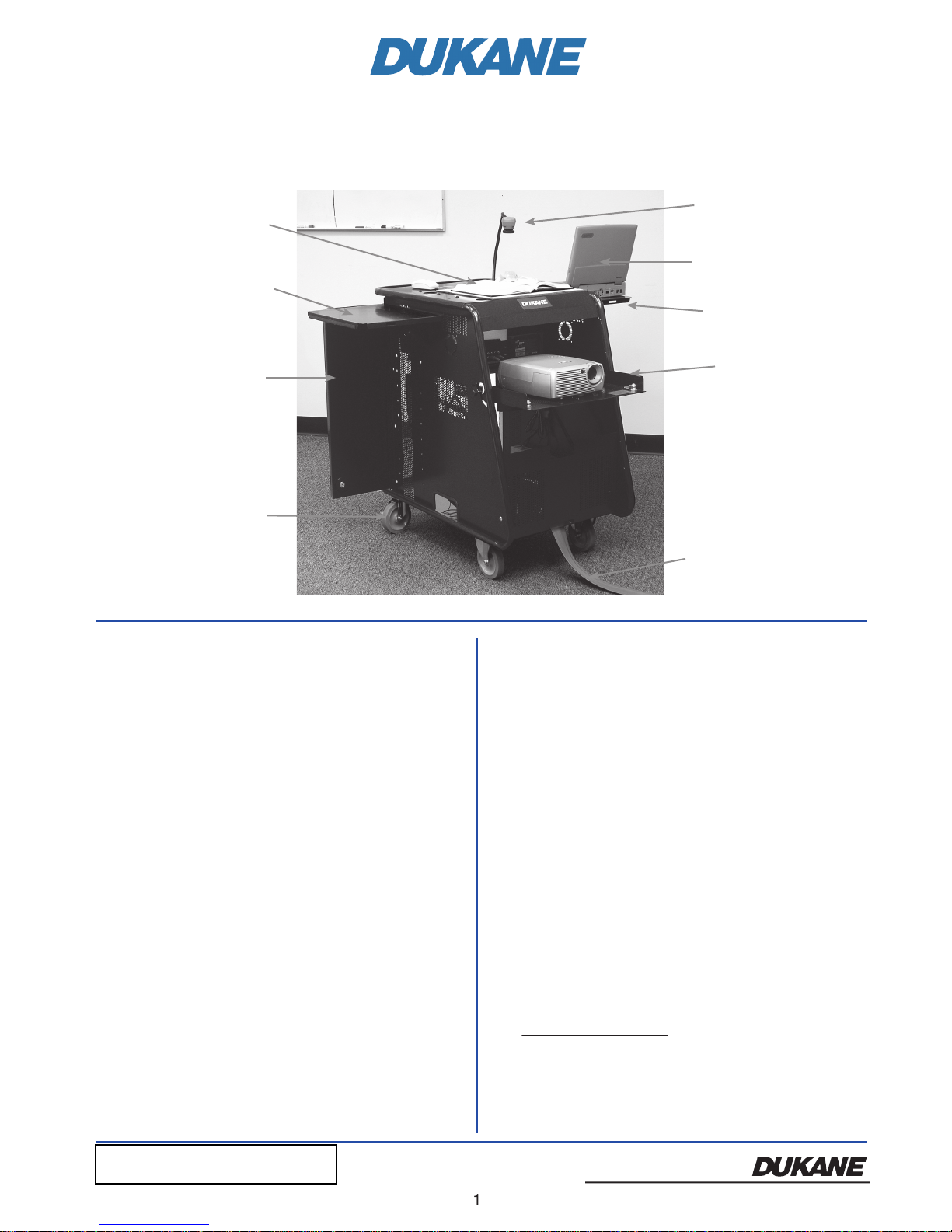
Camera 101, 336B
1) Remove cart from carton.
2) Roll the media center into position and lock the two
wheels.
3) Unlock the right rear door with the keys
4) Reach behind the left rear door and unlatch the catch by
5) The side folding shelves can be raised and the supports
6) Unlock the projector-tilting shelf, loosen knobs on the
side of cart and swing down into
7) Remove power cord with trip protector from the inside
of the cart. Bring out under the projector shelf and plug
8) If camera is not already installed it will be in a carton
with power and output cable attached.
Camera
Computer
Maximum 14 lbs.
Tilting Shelf
Trip Protector
White Board Top
for Camera
Open Position
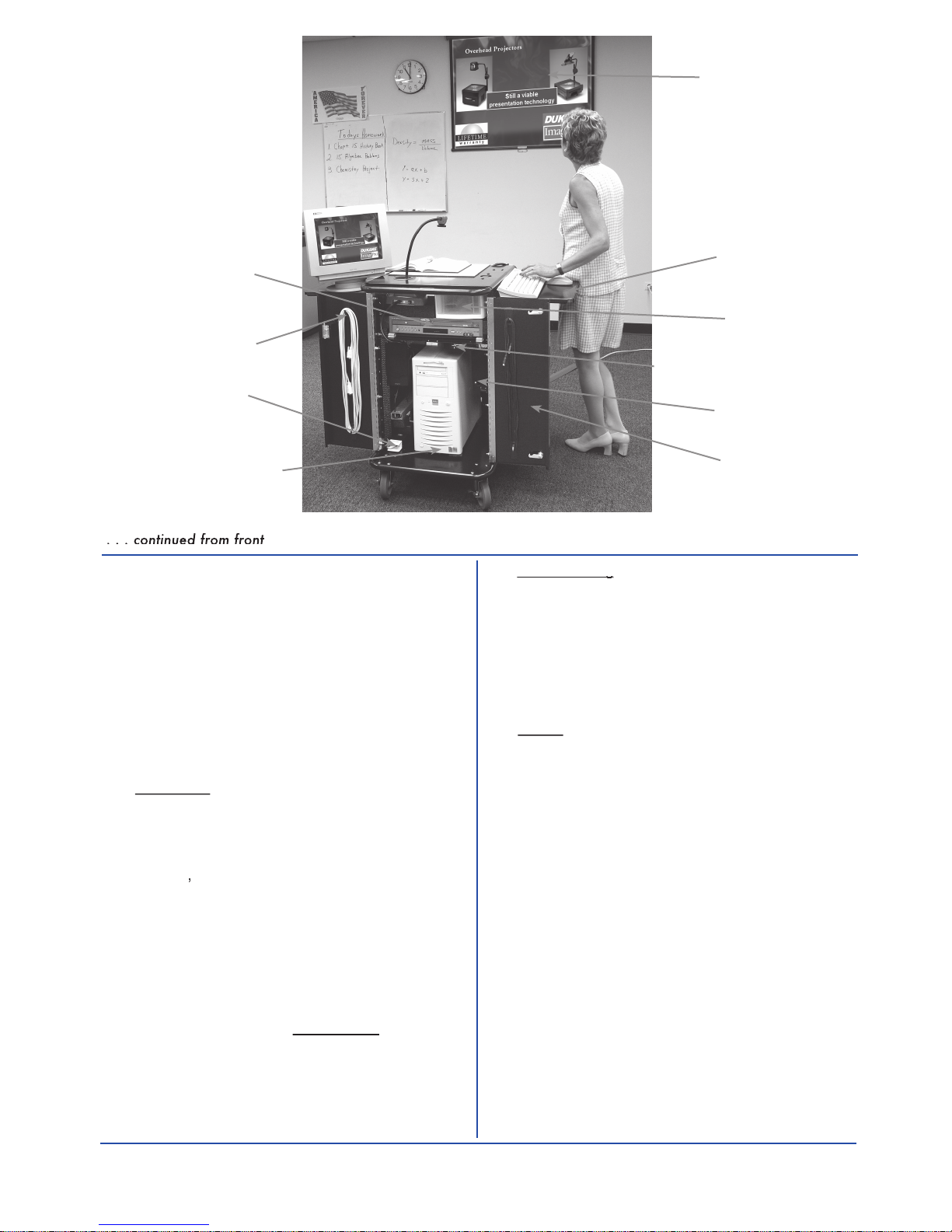
Open Rear Door
Wheels
top of the DVD/Blue-ray player. The camera is
for viewing at other locations within the range of its
9) Connect your computer to the VGA cable and audio
on the switch that is located on the power strip. Then
turn on the DVD, Camera and the projector. (The
the various inputs on the projector. Please note that
401-MPS--User Guide-01
401-MPS-User Guide-02 camera 336B
cart. (If camera 336B also connect the USB cable.)
camera if model 336B are located in the storage drawer.
The projector "IR remote control" will switch between
www.dukane .com/av
Page 2
when only certain inputs are active (have an image
signal to the projector), the projector will automatically
search for the active input. To project the Camera 101
selections that should be active are the "computer,"
to the "computer", "Camera 101", and the "DVD"
Use the projector "IR Remote Control" to switch the
T. This may be
titled "PC
show the PC image. See figure 2.
the "computer" and the "camera" image. To accomplish
this operation, the camera
"Source"
Audio Switching
Audio Switching
Most projectors have an internal switch for the audio
that follows the source input selection. Such a switch
Volume
The volume can be adjusted using projector's IR
screen" control display. Volume can also be set by a
Maximum 14 lbs.
Space may be occupied by
Open Rear Doors
with Locks
Cable Storage
HDMI
If the projector has a HDMI input it will be
connected to the DVD /BlueRay player
by a HDMI cable.
the sub woofer.
336%
jector, the camera 336% will be used to switch between
Page 3
3
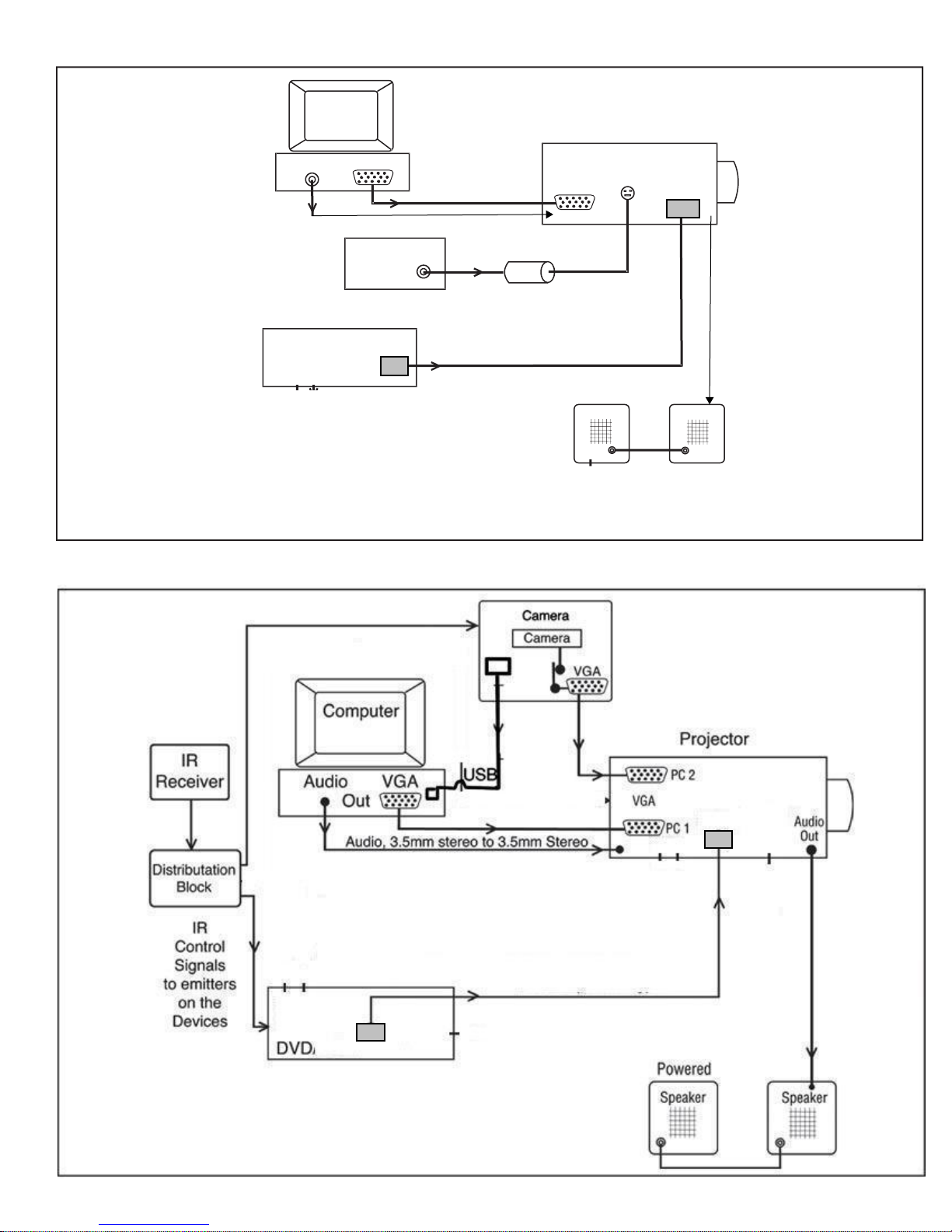
Computer
Audio VGA
Out
Camera 101
Video
Projector
VGA
Computer
S-Video
Adapter
100-52
RCA, Composite to S-Video
Powered
Speaker
Speaker
Mobile Presentation System Diagram. Figure 1.
Mobile Presentation System Diagram. Figure 2. Projector switches audio output to follow the "video" or "PC/
HDMI cable; Image and audio
HDMI cable (Image and audio)
Audio Out
DVD
HDMI
Page 4

4
Audio Visual Products
www.dukane.com/av
Audio Visual Products
-01
Toll-free: 888-245-1966
E-mail: avsales@dukane.com
 Loading...