

Page 1

Page 2

Thank you for purchasing your DUBUDS Earbuds.
Please carefully read this manual before operating your earbuds.
DEB-20-TW
EN
Page 3
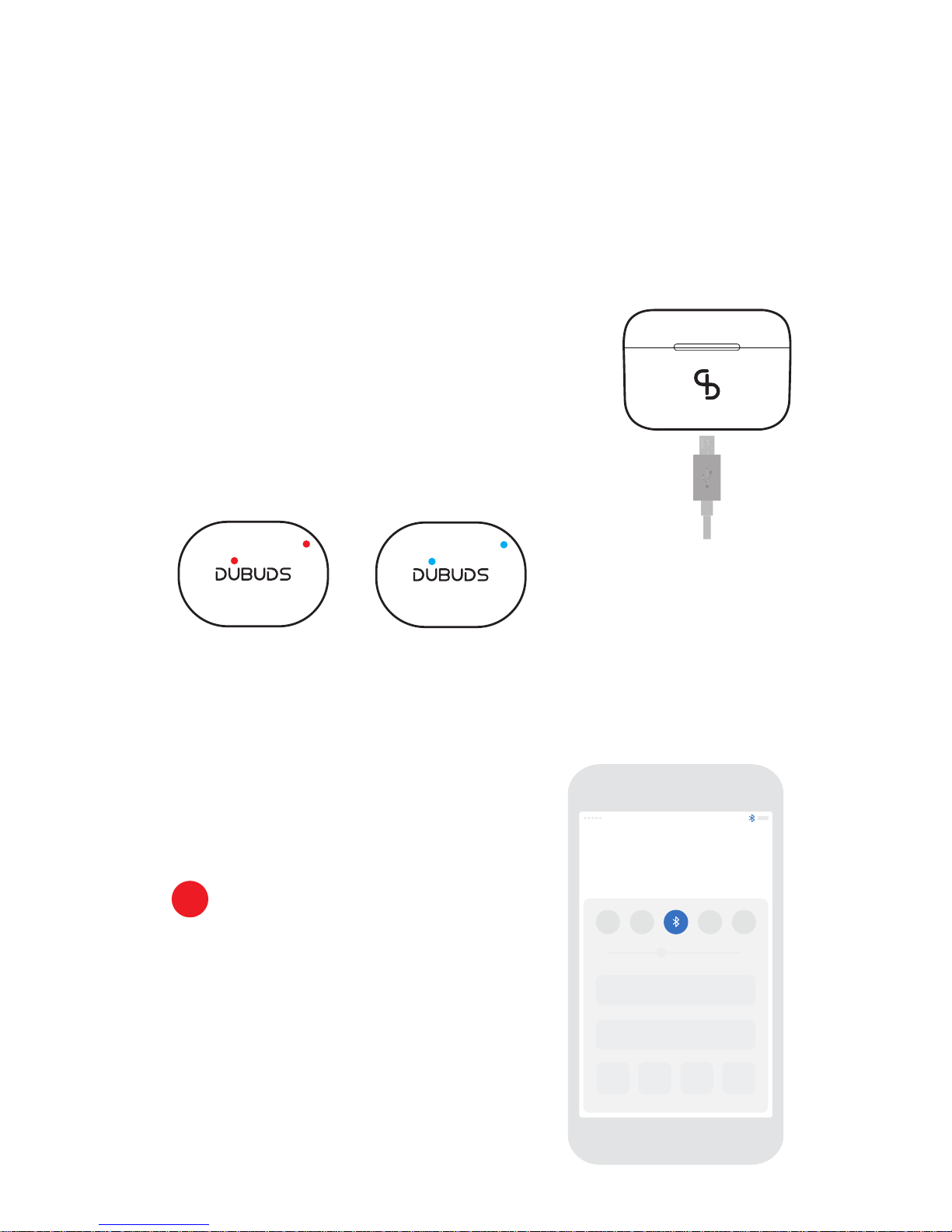
OPERATING INSTRUCTIONS:
Although your DUBUDS Earbuds come with a partially charged battery,
it is recommended that you fully charge your Earbuds before first use.
CHARGE YOUR CHARGING CASE:
Connect the charging case to the USB charging cable provided, then connect to a
power source. The charging case will start charging automatically.
HOW TO CHARGE THE EARBUDS:
To charge your earbuds please press the button on the charging case.
CHECK CHARGING CASE BATTERY STATUS:
When the case is fully charged this light turns blue.
When plugged into the mains a red light shows
indicating the case is charging.
Fully ChargedNot Fully Charged
EN
QUICK START GUIDE:
Turn on Wireless
Tap the Wireless icon on your handheld device.
1
Page 4
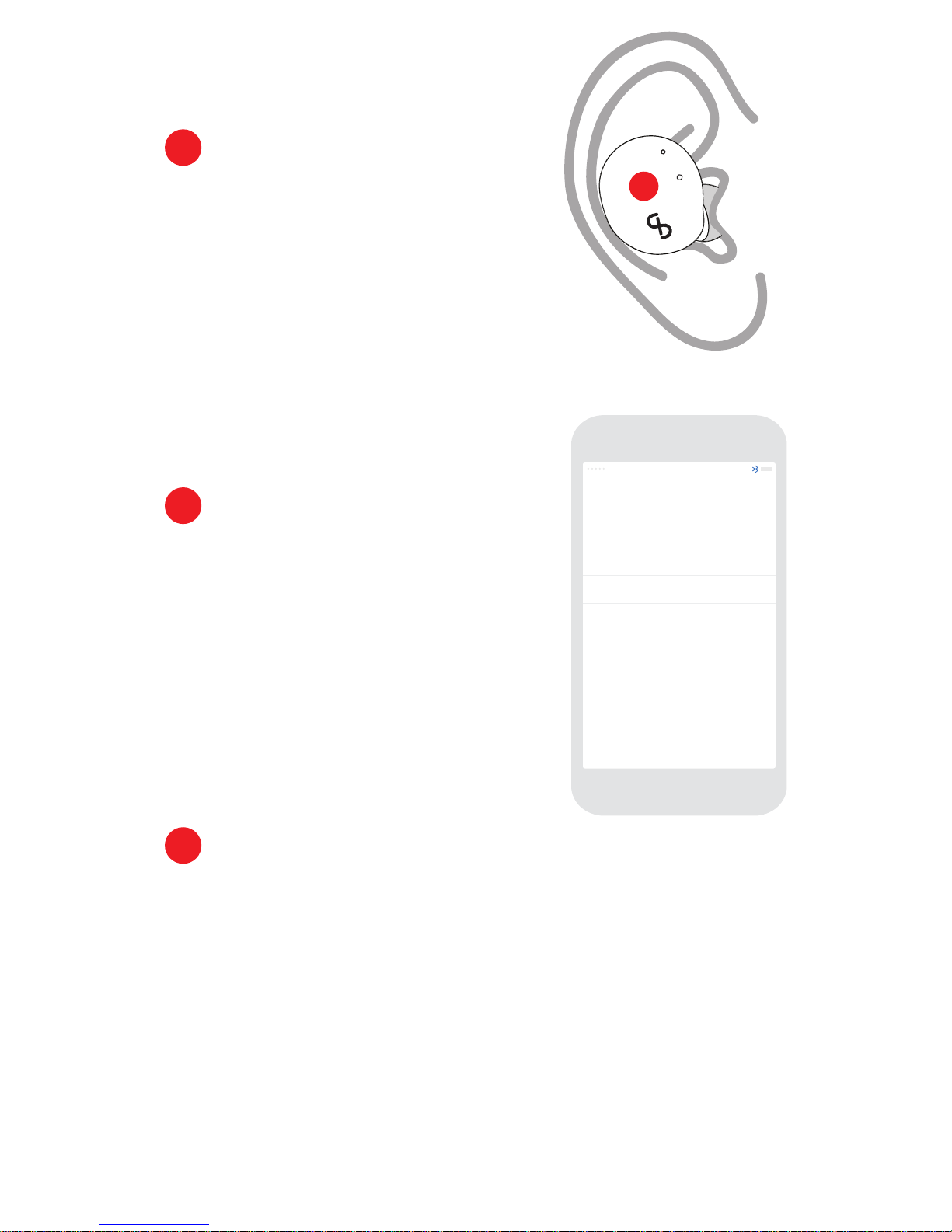
Turn on Earbuds
Place buds in ear,
Press right bud button and hold for 3 seconds.
You should hear the sound:
"Power on, beep, Pairing, beep beep". Then let go.
2
Connect Earbuds
Wait for DUBUDS Earbuds to appear on your phone.
Press "DUBUDS Earbuds"; Wait 1 or 2 seconds
and then you should hear a beep signalling
you are connected.
3
DUBUDS Earbuds Connected
EN
Pairing Your Earbuds
Press left bud button and hold for 2 seconds,
You should hear the sound: "Power on, beep, Pairing, beep beep". Then let go.
4
Another beep will sound which will be the connection to the other earbud.
You can now start listening to your music.
Note: If you have swapped the sequence between point 4 and point 5 above and you
have started playing music with only one earbud connected there maybe a temporary
dropout for a second while the two earbuds connect. It might take another second for
any music to come back on.
Page 5
EN
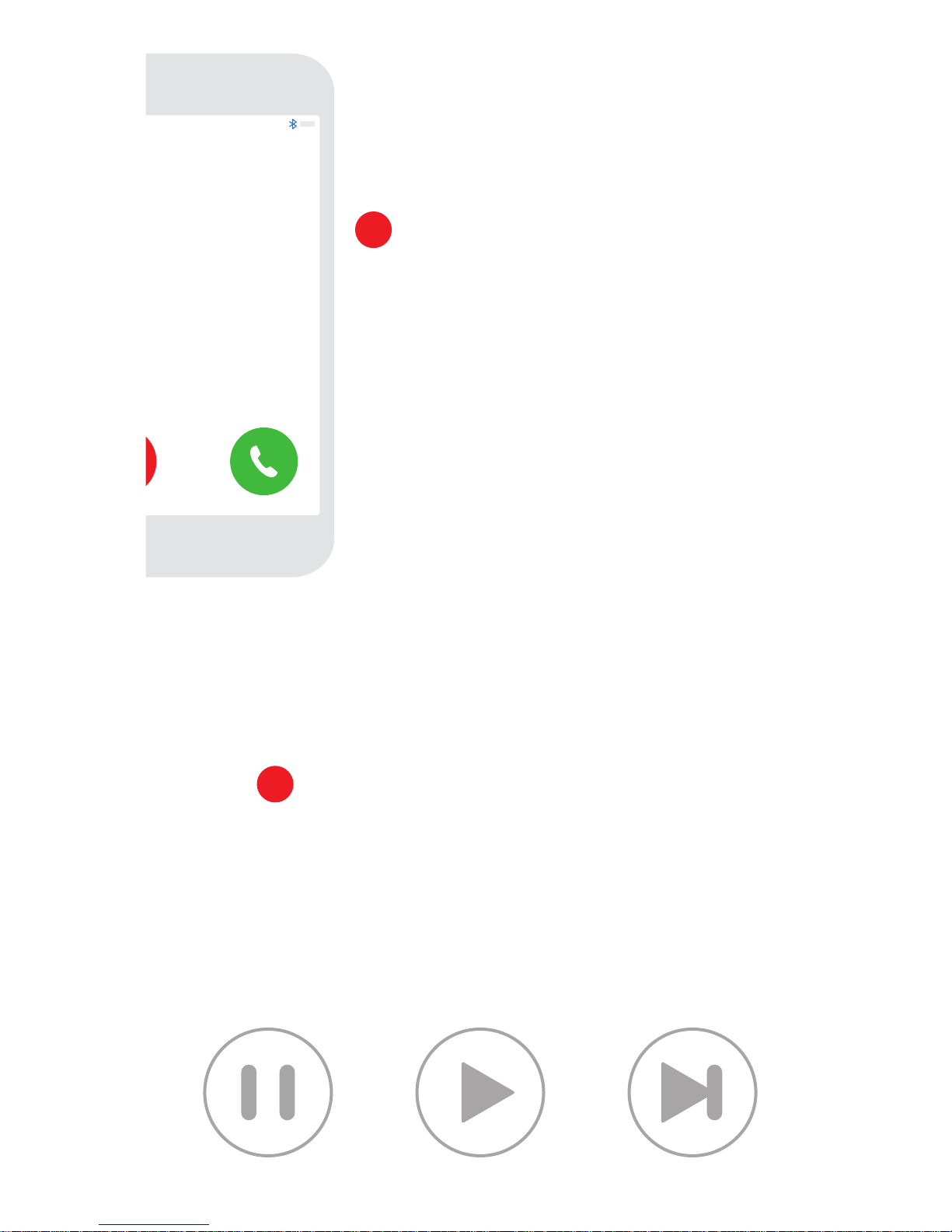
Calling
Making/Taking a Telephone Call
When listening to music and your phone happens to ring:
To answer phone call press once the prime earbud button
in your ear.
To finish the phone call press the prime earbud button
once and the call will be finished.
5
Note: If you answer the phone call through your phone, (not by pressing the earbud)
then you will not be able to hear and speak to the person on the other end through
the earbud.
If you want to hear and speak to the other person then please go to controls on your
handheld device and switch to earbud to communicate the call.
Pausing and Playing Music
If you want to talk to someone and wish to pause the music:
To pause the music press either earbud button once.
To play the music press either earbud button once more.
If you want to move to the next song in your playlist:
Press either earbud twice and this will move you on to the
next song in your playlist.
6
Page 6
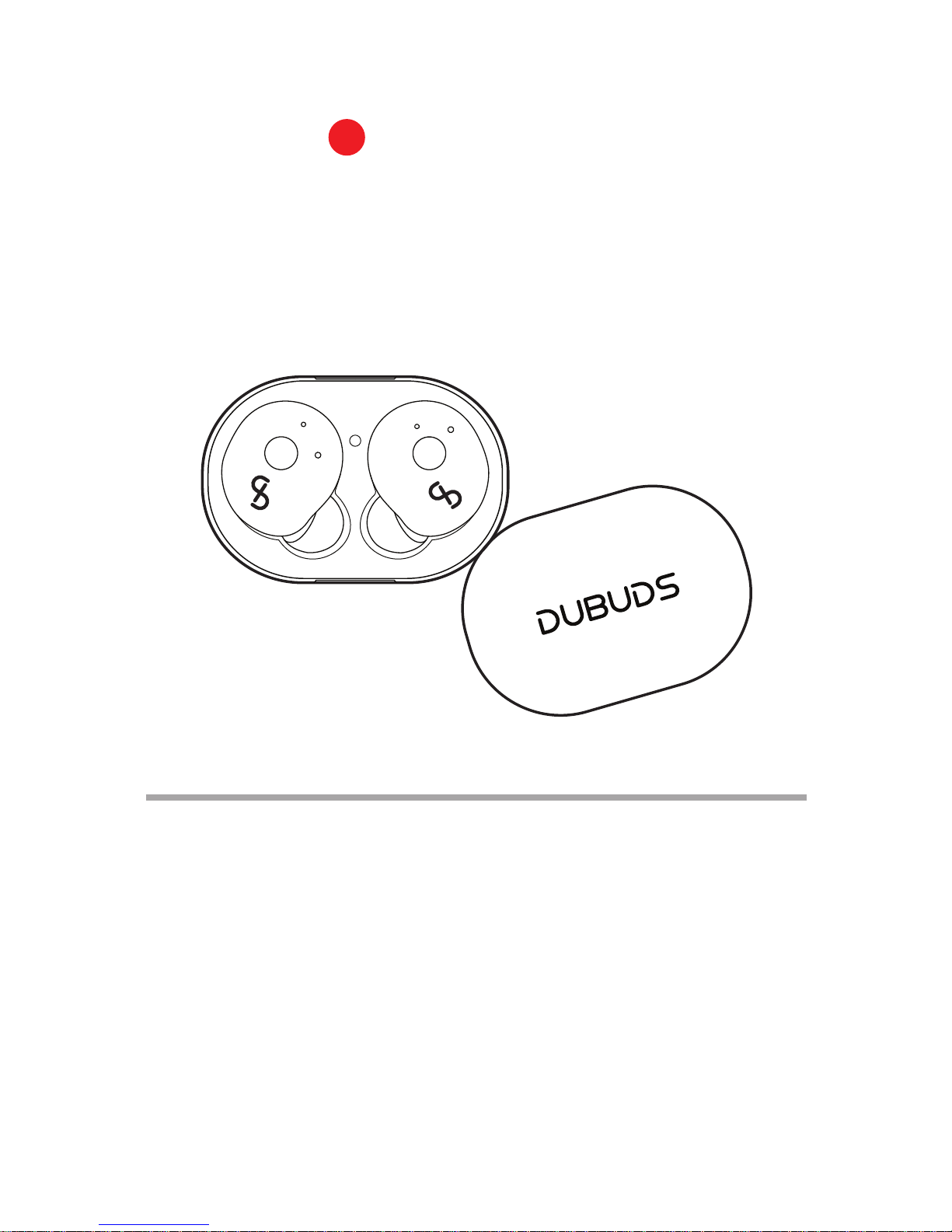
Switch off Earbuds
Press one of the earbuds buttons.
Hold for two seconds.
You should hear the sound: "Power off".
Return earbuds to charging case.
7
DOS AND DON’TS
Please do not squeeze the product.
Please do not add undue pressure to the earbuds or charging case.
Please do not use this product when bathing or swimming.
Please do not immerse the product in water.
Please ensure you stay away from WIFI router or other wireless devices
that operate on 2.4Ghz signals as they may interfere with this product.
Please do not leave the earbuds within easy access of children to reach.
Warning: Earbuds are not a toy. Please do not put them in or near your mouth.
1.
2.
3.
4.
5.
6.
7.
EN
 Loading...