

Page 1
ENGLISH
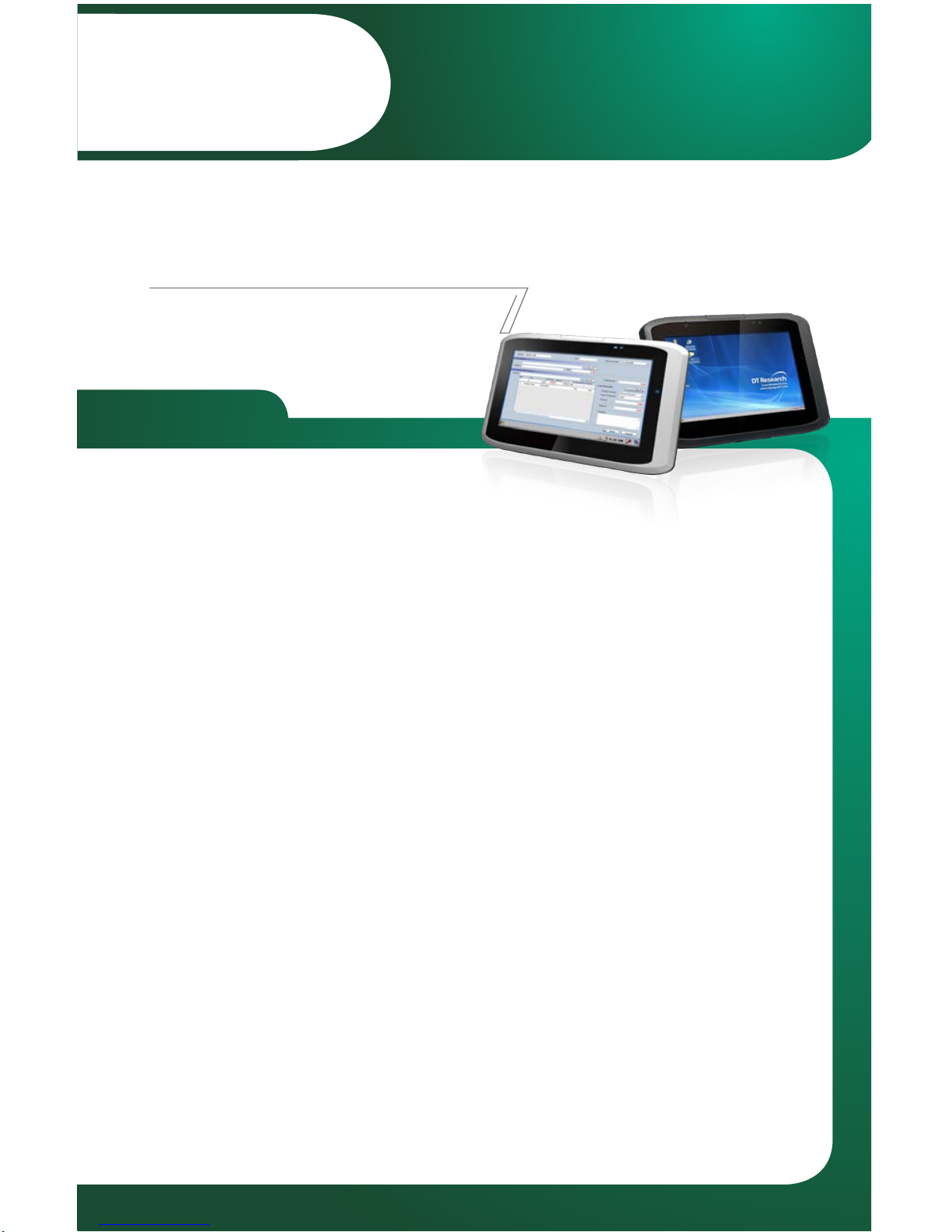
Mobile POS Tablet
BASIC OPERATION GUIDE
DT307SC/ DT307SC-MD
INTRODUCTION
Thank you for acquiring the DT307SC/ DT307SC-MD Mobile Tablet. The DT307SC/
DT307SC-MD offers 7” displa
y in a compact, rugged, and lightweight package. The
DT307SC/ DT307SC-MD enables efficien
t point-of-service/sales applicaons, inventory
management, and field services.
The DT307SC/ D
T307SC-MD is provides the precise features needed to streamline
operaons and impro
ve producvity, data accuracy, and service.
PACKAGE CONTENTS
One DT307SC/ DT307SC-MD•
One baery pack •
Basic Ope
raon Guide •
AC-DC power adapter•
Hands
trap•
The actual package contents may vary depending on the configuraon acquired.*
PRECAUTIONS
Always exercise care when operang and handling the DT307SC/ DT307SC-MD.•
Do not disassemble any por
on of the DT307SC/ DT307SC-MD. It will void any •
product warranty on DT307SC/ DT307SC-MD.
Do not use any pow
er adapter or charging cradle other than the one provided with •
the device or acquired from the manufacturer or its partners.
In the unlikely event that abnormal noise, strange odor, or smoke is present, •
immedia
tely power down the DT307SC/ DT307SC-MD and disconnect all power
source
s. Please report the problem to your device provider immediately.
Page 2
DT307SC/ DT307SC-MD
ENGLISH
Mobile POS Tablet
BASIC OPERATION GUIDE
DT307SC/ DT307SC-MD
ENGLISH
2
INTRODUCTION
Thank you for acquiring the DT307SC/ DT307SC-MD Mobile Tablet. The DT307SC/
DT307SC-MD offers 7” displa
y in a compact, rugged, and lightweight package. The
DT307SC/ DT307SC-MD enables efficien
t point-of-service/sales applicaons, inventory
management, and field services.
The DT307SC/ D
T307SC-MD is provides the precise features needed to streamline
operaons and impro
ve producvity, data accuracy, and service.
PACKAGE CONTENTS
One DT307SC/ DT307SC-MD•
One baery pack •
Basic Ope
raon Guide •
AC-DC power adapter•
Hands
trap•
The actual package contents may vary depending on the configuraon acquired.*
PRECAUTIONS
Always exercise care when operang and handling the DT307SC/ DT307SC-MD.•
Do not disassemble any por
on of the DT307SC/ DT307SC-MD, as this will void any •
product warranty.
Do not use any pow
er adapter or charging cradle other than the one provided with •
the tablet or acquired from the manufacturer or its partners.
In the unlikely event that abnormal noise, strange odor, or smoke is present, •
immedia
tely power down the DT307SC/ DT307SC-MD and disconnect all power
source
s. Please report the problem to your device provider immediately.
BOG041013DT307SCMDENG
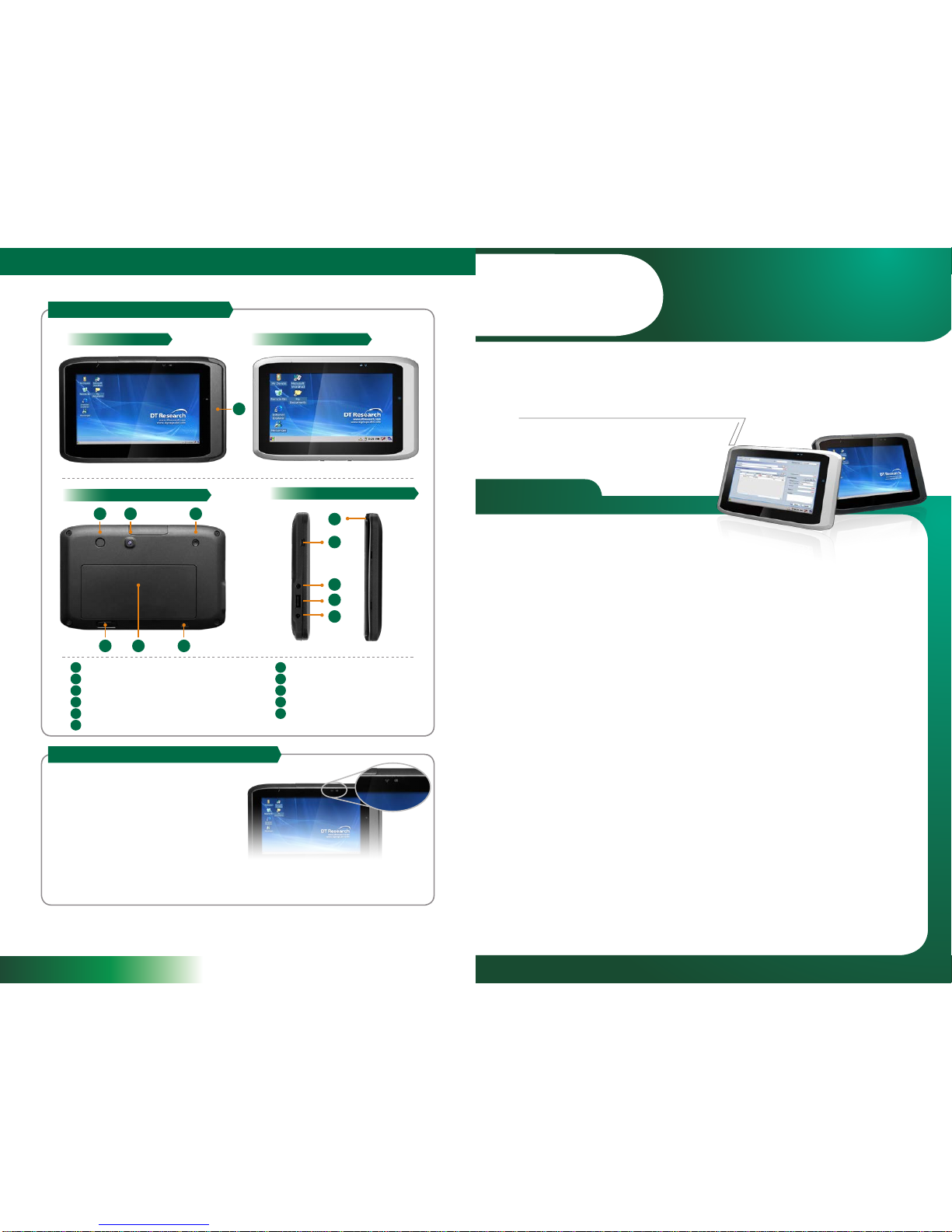
DT307SC Front View
DT307SC/ DT307SC-MD Side View
DT307SC/ DT307SC-MD Rear View
DT307SC-MD Front View
DT307SC/ DT307SC-MD I/O Ports
DT307SC/ DT307SC-MD LED Status Indicators
1. Power Mode Status Indicator:
2. Wi-Fi Status Indica
tor:
Blue: Device is powered on•
Blinking Blue:
Main baery charging•
Orange: Low baery mode•
Blinking Orange: Extremely low baery •
mode
Off: Device is powered off or in suspend •
mode
Blue: Conne
cted t
o a wireless AP•
Blinking blue: Connecng to a wireless AP•
Off: Wi-Fi is disabled•
A
C D
E F G
B
H
A
A G
B H
C I
D J
E K
F
I
J
K
Magnec stripe reader (DT307SC only)
Trigger buon
Camera
Power buon
Baery switch
Micro-SD card reader (insided the baery cap)
Speaker
mini USB port
Headphone-out
USB 2.0 port
DC-in
Page 3
DT307SC/ DT307SC-MD
ENGLISH
2
3
ENGLISH
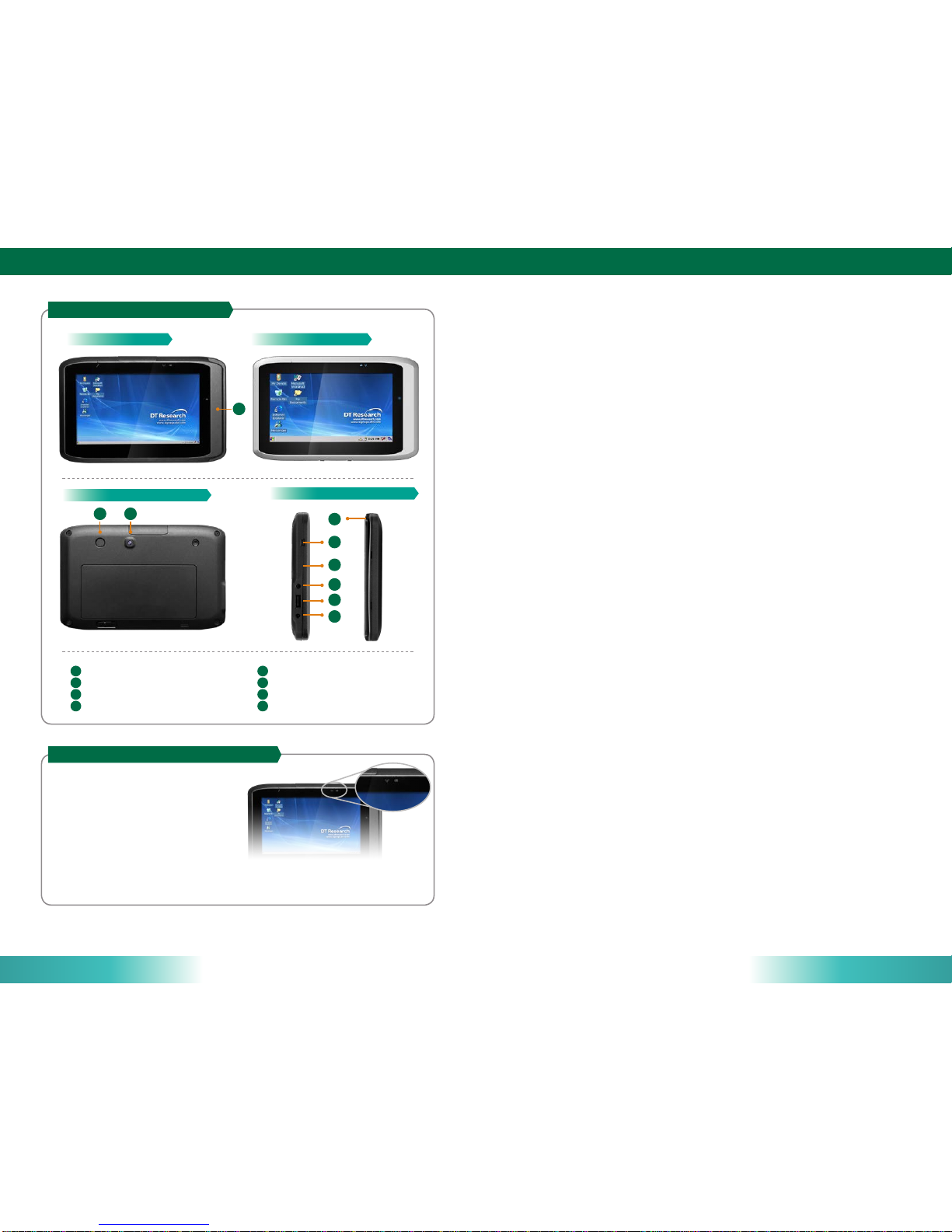
DT307SC Front View
DT307SC/ DT307SC-MD Side View
DT307SC/ DT307SC-MD Rear View
DT307SC-MD Front View
DT307SC/ DT307SC-MD I/O Ports
DT307SC/ DT307SC-MD LED Status Indicators
1. Power Mode Status Indicator:
2. Wi-Fi Status Indic
ator:
Blue: Device is powered on•
Blinking Blue: Main baery charging•
Orange: Low baery mode•
Blinking Orange: Extremely low baery •
mode
Off: Device is powered off or in suspend •
mode
Blue: The device has been c
onnected to a wireless AP•
Blinking blue: The device is connecng to a wireless AP•
Off: Wi-Fi is disabled•
A
CB
D
A
A E
B F
C G
D H
E
F
G
H
Magnec stripe reader (DT307SC only)
Trigger buon
Camera
mini USB port
SD card reader
Headphone-out
USB 2.0 port
DC-in
 Loading...