

Page 1
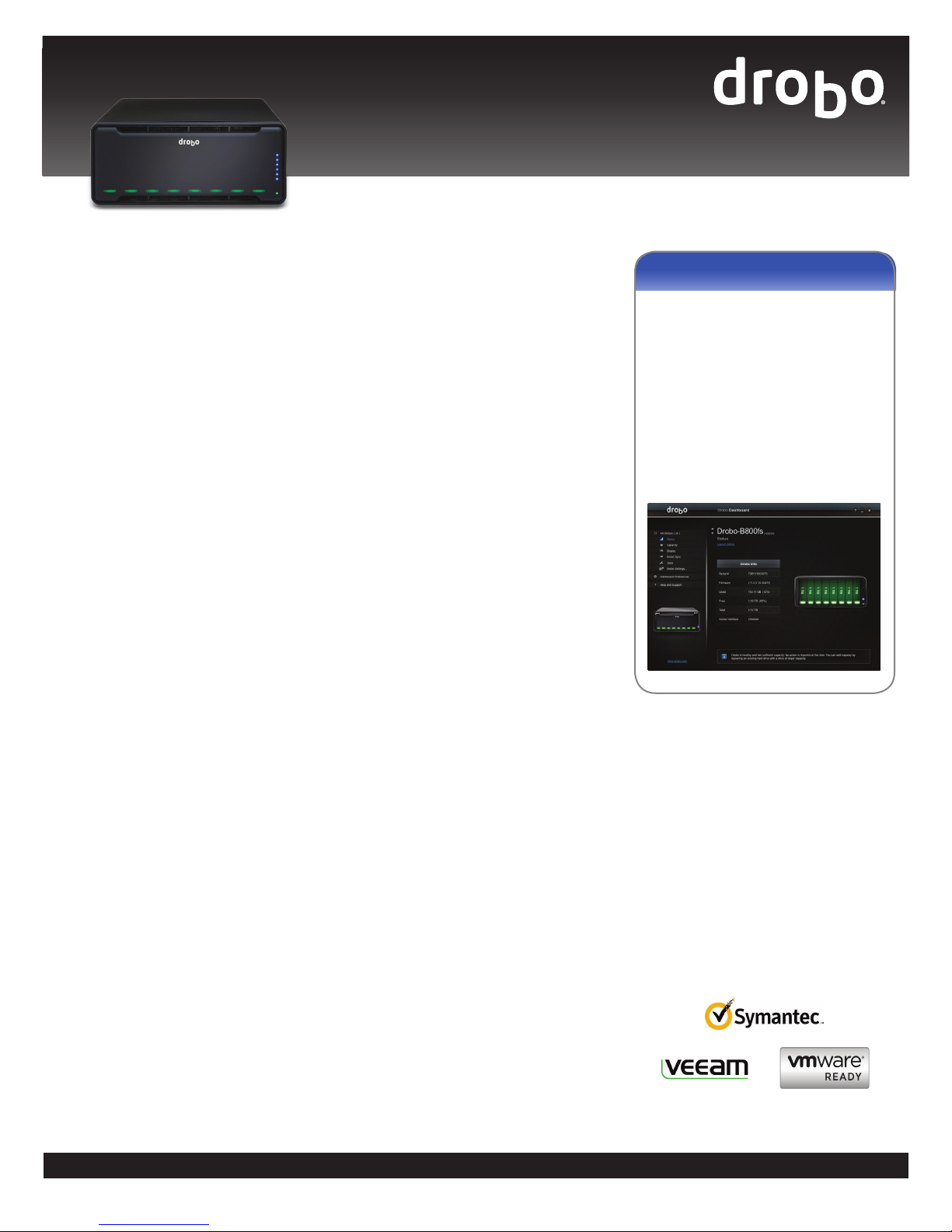
Drobo B800fs
Easy-to-Use Network-Attached Storage With Remote
Replication
Built on proven BeyondRAID™ technology, the
Drobo B800fs allows the sharing of files with all
computers on the network and keeps your vital
business data protected with Drobo Sync offsite
replication. Drobo B800fs connects seamlessly
to your existing Ethernet network and supports
both Windows and Mac computers. DroboApps
give you the freedom to customize your Drobo to
meet your own unique set of requirements.
BeyondRAID Technology
A Drobo B800fs file sharing array can hold
up to 32TB of raw storage and beyond as
drive capacities increase. To add capacity,
simply insert a new hard drive or replace your
smallest drive with a larger one, even when
all drive bays are full. Unlike traditional RAID,
BeyondRAID technology in Drobo enables you to
leverage different drive capacities, allowing for
continuous expansion as larger drives become
available. With Drobo, expansion is automatic
and instantaneous and access to data is always
maintained, all while protecting you from two
simultaneous drive failures.
Centralized Backup for Your Entire Network
The Drobo B800fs enables network backup for
Mac and Windows users at small offices or in
workgroup environments:
• Backing up your PC to your Drobo is as easy
as using Drobo as a target for your favorite
backup application. Provide a fast and reliable
data protection solution for your critical data
assets.
• The Drobo B800fs delivers seamless support
for Apple Time Machine. Using Time Machine
with Drobo B800fs is as easy as clicking a box
in Drobo Dashboard.
Offsite Data Protection
The Drobo B800fs includes an intelligent and
easy-to-use data replication tool that can
seamlessly back up your valuable data from
one Drobo to another one on your network or
across the Internet to a remote site. Having
your data protected offsite guards you from a
major disaster, resulting in peace of mind. Learn
more about Drobo Sync at www.drobo.com/
solutions/for-business/drobo-sync.
Share Files Directly From Drobo
Drobo B800fs connects directly to your Ethernet
network to make sharing your data easy. Just
plug it into any switch and you’re ready to go.
The Drobo B800fs has two Gigabit Ethernet
ports that can be configured to fail over if one
link fails or can be set up to connect to two
separate networks – one for your data and the
other for Drobo Sync replication, for example.
Connect to Drobo, and access shared data, using
any Windows or Mac computer. Drobo natively
supports CIFS/SMB and AFP network protocols.
Protection From Two Drive Failures
Enable the dual-drive redundancy option to
protect your data from failure of up to two
hard drives. It’s all done with a single click and
without ever losing access to your data.
Running out of space? Switch back to singledrive redundancy at any time. Unlike moving
between traditional RAID 5 and RAID 6, there’s
no need to reformat or migrate data from the
Drobo B800fs, potentially saving you hours or
days of downtime.
Drobo Dashboard
Drobo Dashboard is the single tool to
centrally manage all of your Drobo units.
Drobo Dashboard displays status as if all
of your Drobos were right in front of you
with the same status lights and capacity
gauge that are on the front panel. All
administration tasks are a single click away.
Simply, it’s the easiest way to configure and
manage business-class storage.
DroboApps
There is a wide selection of free DroboApps
designed to give you the freedom to configure
and customize your Drobo B800fs to meet your
own requirements. DroboApps are community
created and community supported applications
that add amazing functionality such as media
and web! Learn more at www.drobo.com/
products/professionals/drobo-fs.
Drobo Data Sheet | Drobo B800fs
1
Page 2
Specifications
Drives
Ethernet Features
Operating System
Support
Power and Cooling
Size & Weight
Box Contents
– 8 drive bays
– 3.5” SATA I / SATA II / SATA III drives
– Connection failover
– Jumbo frames (up to 9000 bytes MTU)
– Mac OS X 10.6 or higher
– Windows 8/8.1, Windows 7, Windows XP SP3 (all
32 and 64 bit); Windows Server 2012, Windows
Server 2008 R2, Windows Server 2003 (all 32 and
64 bit)
– Internal Power Supply: AC Input - 100/240 VAC,
1.8/0.75 A, 50/60 Hz
– Power Consumption
•
Idle System (standby, drives off): 13 watts
•
Typical Idle System (drive spin down mode, 8
drives): 25 watts
•
Typical Busy System (4 drives): 82 watts
– Dual, fixed cooling fans
Width: 12.17 in (309.1 mm)
Height: 5.46 in (138.7 mm)
Depth: 14.1 in (358.1 mm)
Weight: 16 lb 3 oz (without hard drives or packaging)
– Drobo B800fs
– 2 x 6 ft Ethernet cables
– 6 ft power cord with power supply (100-240V AC,
50/60 Hz)
– Quick Start Card & Getting Started Guide (printed)
– Drobo Resource CD, which includes Drobo Dash-
board application
– Drobo PC Backup CD
Connectivity
Network Protocols
Management
Certifications
Environmentals
Warranty
Drobo B800fs Data Sheet
2 x 10 / 100 / 1000 Mbps Ethernet port
– Common Internet File System (CIFS)/ Server Mes-
sage Block (SMB)
– Apple Filing Protocol (AFP)
– Drive bay indicator lights, capacity gauge, status
lights
– Drobo Dashboard version 2.0 or later
– Drobo-initiated email notification
– Environmental: RoHS, WEEE, REACH
– Regulatory: FCC Part 15 Class A; Canada ICES-003
Class B; CE Mark; CISPR22:19973rd Edition Class B;
MIC Mark; VCCI Approval to V.3; BSMI Approval to
CNS13438; ACA Approval to AS/ NZS 3548
– Safety: UL, cUL, TUV, CB
– Acoustics - Normal Operation: 30.4 dB
– Operating Temperature: 10°C – 35°C (50° – 95°F)
– Non-Operating Temperature (storage): -10° – 60°C
(14° – 140°F)
– Operating Humidity: 5% – 80%
– One (1) year warranty in the US or outside the EU
or two (2) year warranty in the EU (as provided by
EU law)
How to Choose the Right Drive
Drobo gives you the flexibility to use a wide variety of drive types and capacities, but the process of choosing the ideal drive is challenging.
To find out which drive is right for the Drobo B800fs, visit www.drobo.com/products/choose-drive.
Capacity Calculator
Use our interactive Drobo Capacity Calculator to estimate the amount of data storage available in the B800fs at
www.drobo.com/products/capacity-calculator.
More Information
Learn more about Drobo, including a demo video at www.drobo.com/how-it-works.
Read about Drobo Technology Innovation at info.drobo.com/ebook.
Ready to buy? Ask your preferred reseller or visit www.drobo.com/where-to-buy.
2460 North First Street, Suite 100, San Jose, CA 95131
www.drobo.com • 1.866.997.6268
©2014 Drobo, Inc. All trademarks and registered trademarks are the property of their respective owners. The information contained therein is subject to change
without notice and is provided “as is” without warranty of any kind. Drobo shall not be liable for technical or editorial errors or omissions contained herein.
B800fs DS-0214
 Loading...