

Page 1

1
Read Me First
Packing List:
Before you start installing VigorSwitch P2260, please verify that the package
contains the following items:
VigorSwitch P2260
Power Cord
CD
Console Cable
Rubber Feet
Rack Mount Kit
Please notify your sales representative immediately if any of the items is missing or
damaged.
Power Requirements: AC Line
Voltage
: 100∼240 VAC
Frequency
: 50∼60 Hz
Consumption : Max. 12W (in case no PD device connected)
: Max. 185W (up to 15.4W for 12 ports, or up to 7.7W
for 24 ports
Quick Installation:
1. Install the switch in the rack with mounting accessory.
2. Connect the switch to an AC power source.
3. The port 1–24 connector is RJ-45 jack on the switch. Use Category 5 UTP
cable to connect between the switch and end station.
4. The port 25, 26 includes two types of media --- TP and SFP fiber modules;
they support TP or fiber with auto-detected function.
5. Use RS-232 interface to pre-configure the switch for network management.
6. For example: IP address, VLAN, Port Trunking, STP, etc.
The default settings for switch’s serial port are listed as follows:
Baud rate 57600
Stop bits 1
Data bits 8
Parity N
Flow control none
The default values of the switch are listed as follows:
IP Address/Subnet Mask/Default Gateway: Assigned by DHCP Server
Username : admin
Password : admin
User also can use telnet or web to pre-configure the switch with the default IP
address and username/password in the first configuration.
Page 2
2
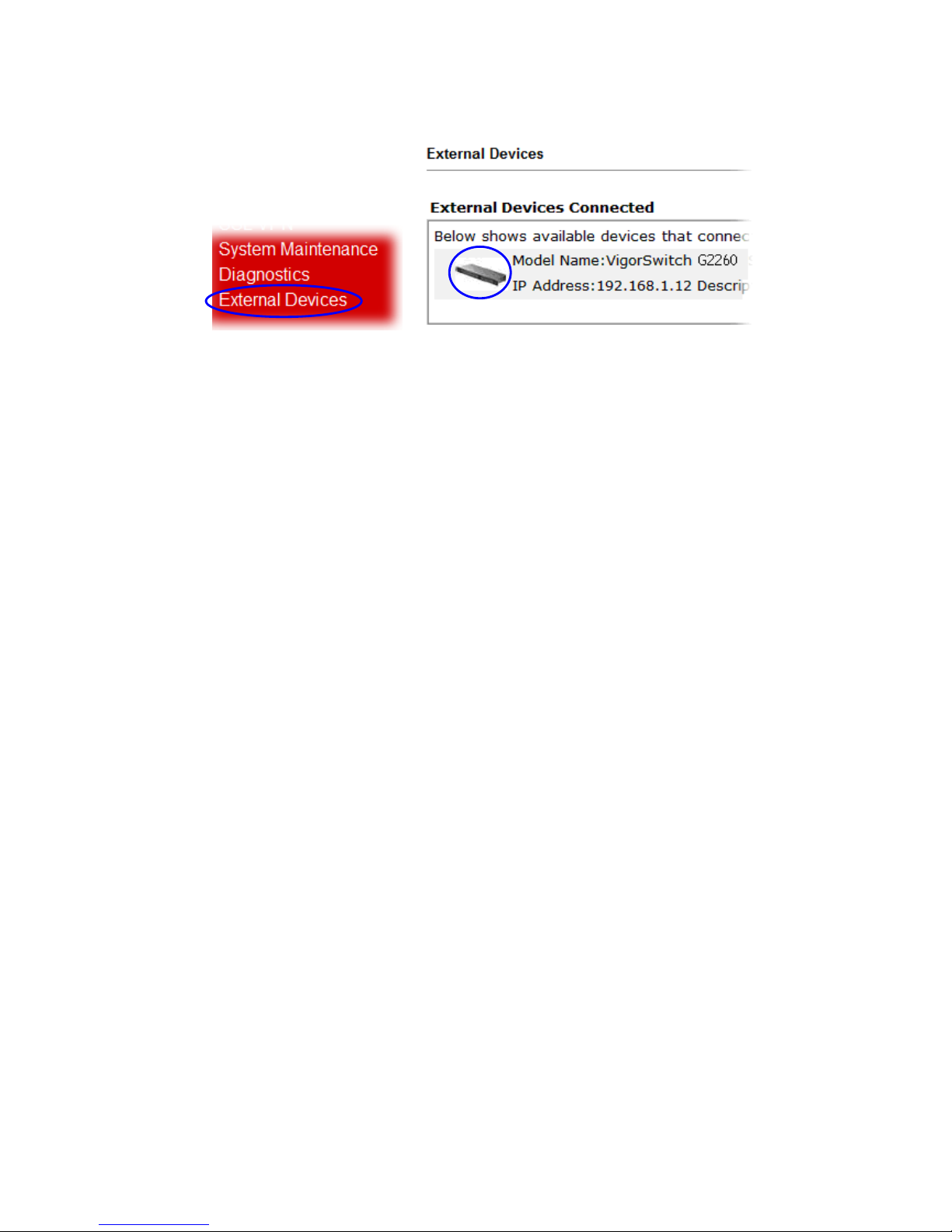
Additionally, if a user connects VigorSwitch to VigorPro router, he also can access
into VigorPro web configuration page to find out External Devices menu item.
Then click the new added switch icon to open the web configuration of
VigorSwitch.
Please refer to User’s Guide contained in CD-ROM for detailed setting of
parameters.
 Loading...