

Page 1
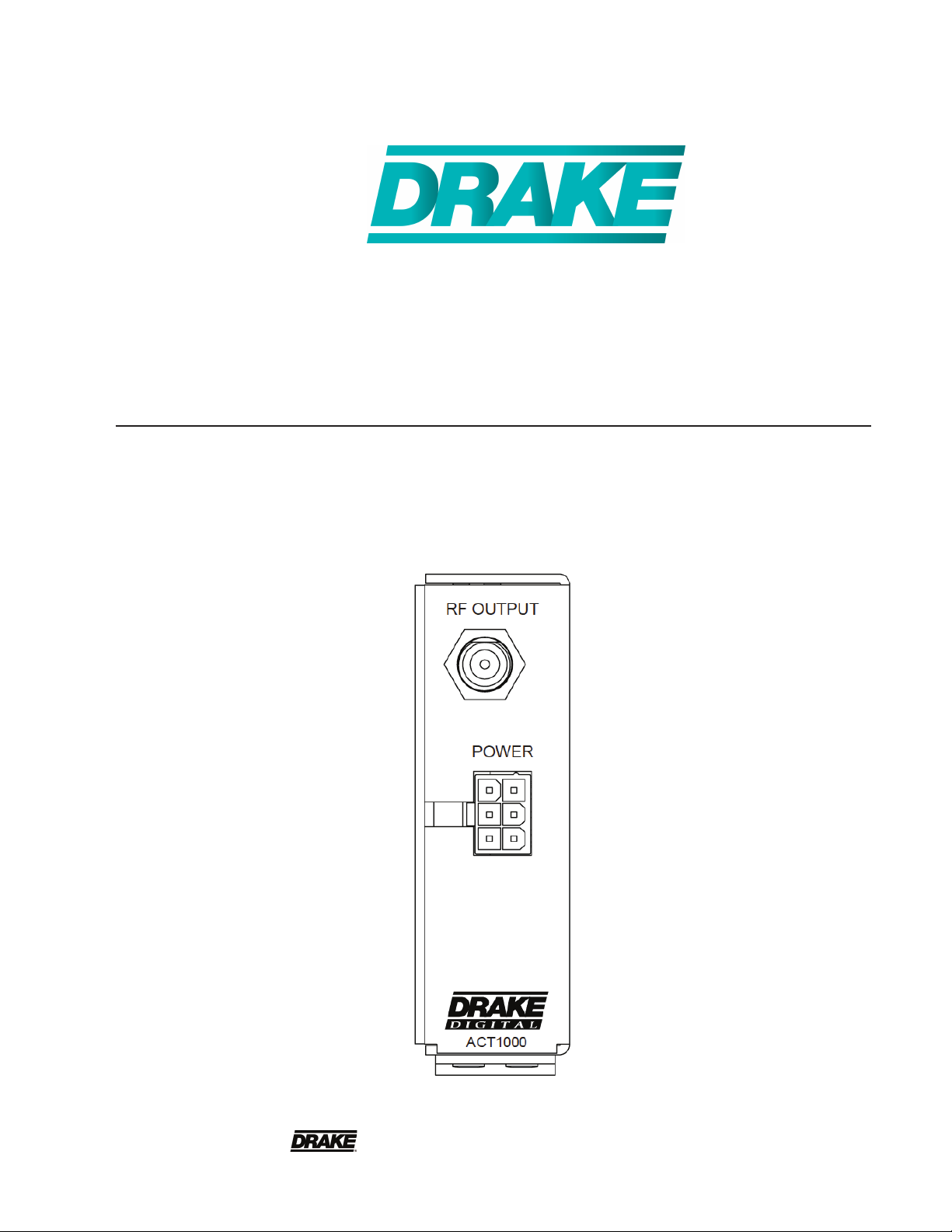
ACT1000 Air-to-CableTranscoder
Instruction Manual
is a registered trademark of the R.L. Drake Holdings LLC
© Copyright 2013 R.L. Drake Holdings LLC P/N: 651230200 Printed in China.
Rev: 20130116
1002564
Page 2
2
Table of Contents, Caution, & Important Safety Instructions
CAUTION STATEMENTS .....................................................................................................................................2
IMPORTANT SAFETY INSTRUCTIONS ..............................................................................................................2
SPECIFICATIONS ................................................................................................................................................4
GENERAL DESCRIPTION / INSTALLATION AND MOUNTING / CONFIGURATION ........................................5
USAGE ...................................................................................................................................................................6
WARRANTY ..........................................................................................................................................................7
Caution Statements:
WARNING: TO PREVENT FIRE OR
ELECTRICAL SHOCK, DO NOT
EXPOSE TO RAIN OR MOISTURE
WARNING: TO REDUCE THE RISK OF FIRE OR ELECTRIC SHOCK, DO NOT EXPOSE THIS PRODUCT TO
RAIN OR MOISTURE.
DO NOT OPEN THE CABINET, REFER SERVICING TO QUALIFIED PERSONNEL ONLY.
CAUTION: TO PREVENT ELECTRIC SHOCK, DO NOT USE THIS (POLARIZED) PLUG WITH AN EXTENSION
CORD RECEPTACLE OR OTHER OUTLET UNLESS THE BLADES CAN BE FULLY INSERTED TO
PREVENT BLADE EXPOSURE.
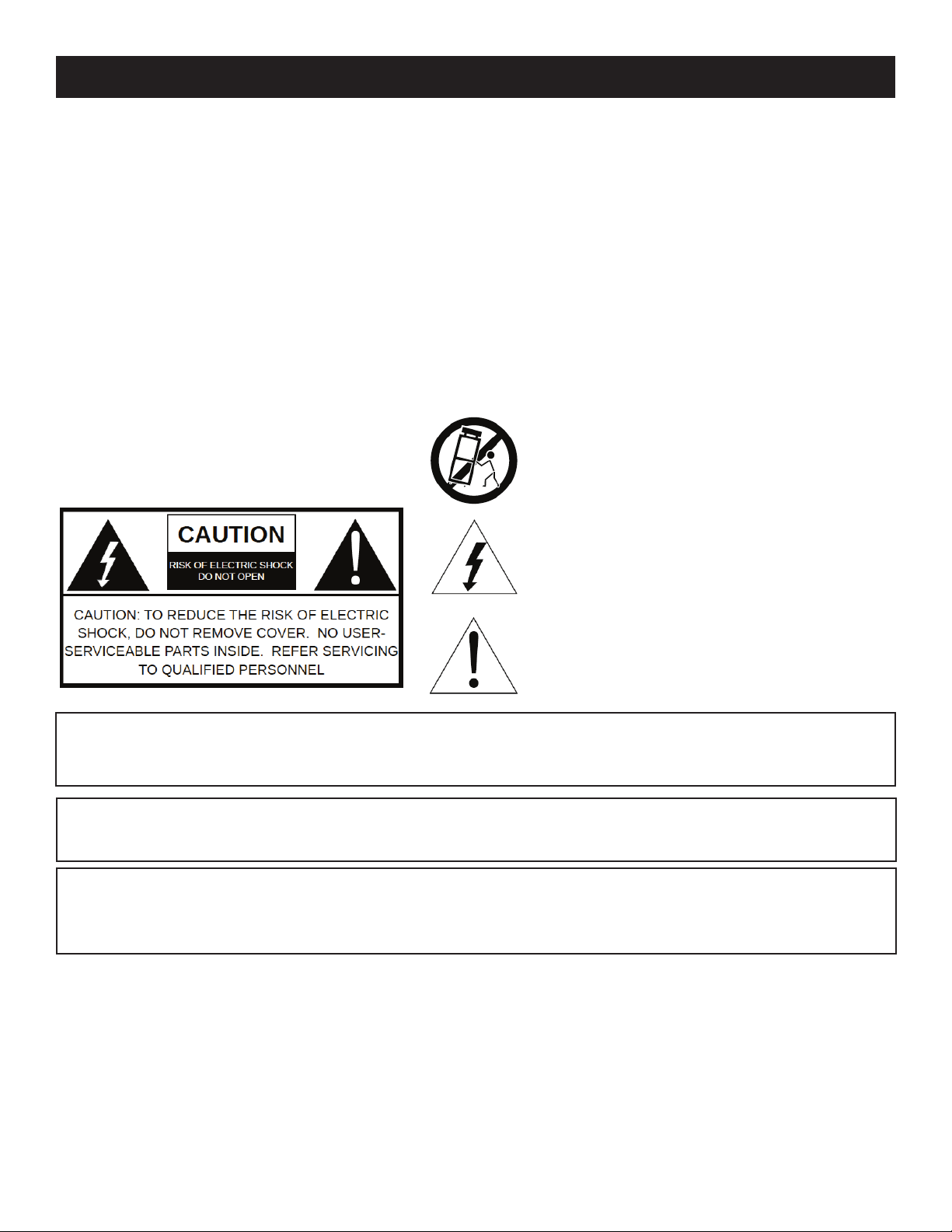
A product and cart combination should be moved
with care. Quick stops, excessive force and uneven
surfaces may cause the product and cart combination
to overturn.
The lightning flash with arrow head symbol, within an
equilateral triangle, is intended to alert the user to the
presence of uninsulated "dangerous voltage" within
the product's enclosure that may be of sufficient
magnitude to constitute a risk of electric shock to
persons.
The exclamation point within an equilateral triangle is
intended to alert the user to the presence of important
operating and maintenance (servicing) instructions in
the literature accompanying the product.
ATTENTION: POUR PREVENIR LES CHOCS ELECTRIQUES, NE PAS UTILISER CETTE FICHE POLARISEE
AVEC UN PROLONGATEUR, UNE PRISE DE COURANT OU UNE AUTRE SORTIE DE COURANT,
SAUF SI LES LAMES PEUVENT ETRE INSEREES A FOND SANS EN LAISSER AUCUNE PARTIE A
DECOUVERT.
Important Safety Instructions:
1. Read Instructions: All the safety and operating instructions should be read before the product is operated.
2. Retain Instructions: The safety and operating instructions should be retained for future reference.
3. Heed Warnings: All warnings on the product and in the operating instructions should be adhered to.
4. Follow Instructions: All operating and use instructions should be followed.
5. Cleaning: Unplug this product from the wall outlet before cleaning. Do not use liquid cleaners or aerosol cleansers. Use a damp cloth for cleaning.
6. Attachments: Do not use attachments that are not recommended by the product manufacturer as they may cause hazards.
7. Water and Moisture: Do not use this product near water—for example, near a bathtub, wash bowl, kitchen sink or laundry tub; in a wet basement;
or near a swimming pool; and the like.
Page 3
3Important Safety Instructions (continued)
8. Accessories: Do not place this product on an unstable cart, stand, tripod, bracket, or table. The product may fall, causing serious injury to a child
or adult, and serious damage to the product. Use only with a cart, stand, tripod, bracket, or table recommended by the manufacturer, or sold with
the product. Any mounting of the product should follow the manufacturer's instructions, and should use a mounting accessory recommended by the
manufacturer.
9. A product and cart combination should be moved with care. Quick stops, excessive force, and uneven surfaces may cause the product and cart
combination to overturn.
10. Ventilation: Slots and openings in the cabinet are provided for ventilation and to ensure reliable operation of the product and to protect it from
overheating, and these openings must not be blocked or covered. The openings should never be blocked by placing the product on a bed, sofa, rug,
or similar surface. This product should not be placed in a built-in installation such as bookcase or rack unless proper ventilation is provided or the
manufacturer's instructions have been adhered to.
11. Power Sources: This product should be operated only from the type of power source indicated on the marking label. If you are not sure of the type
of power supplied to your home, consult your product dealer or local power company. For products intended to operate from battery power, or other
sources, refer to the operating instructions.
12. Grounding or Polarization: This product may be equipped with a polarized alternating-current line plug (a plug having one blade wider than the
other). This plug will fit into the power outlet only one way. This is a safety feature. If you are unable to insert the plug fully into the outlet, try reversing
the plug. If the plug should still fail to fit, contact your electrician to replace your obsolete outlet. Do not defeat the safety purpose of the polarized
plug. Alternate Warnings – If this product is equipped with a three-wire grounding- type plug, a plug having a third (grounding) pin, the plug will only fit
into a grounding-type power outlet. This is a safety feature. If you are unable to insert the plug into the outlet, contact your electrician to replace your
obsolete outlet. Do not defeat the safety purpose of the grounding-type plug.
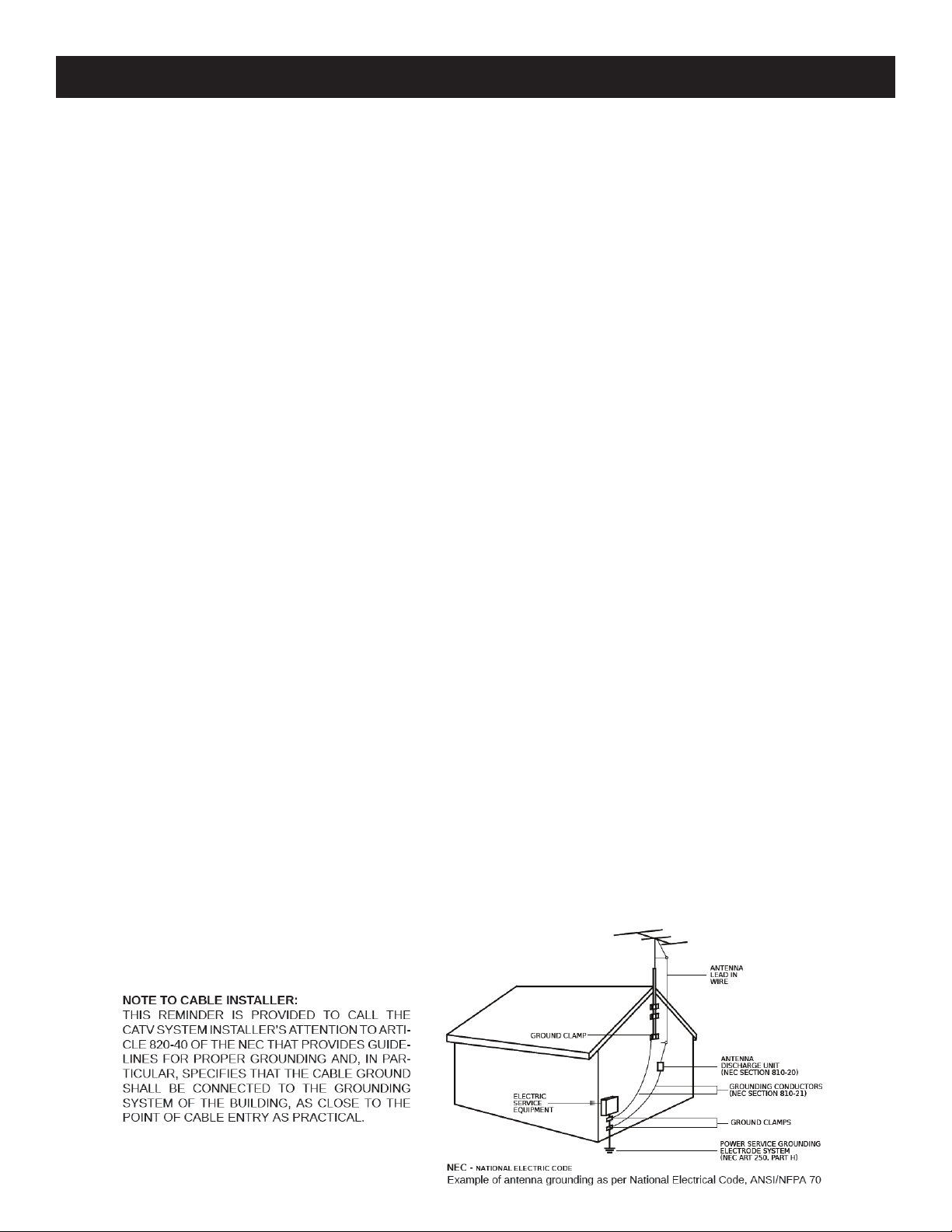
13. Outdoor Antenna Grounding: If an outside antenna or cable system is connected to the product, be sure the antenna or cable system is grounded so
as to provide some protection against voltage surges and built-up static charges. Article 810 of the National Electrical Code, ANSI/NFPA 70, provides
information with regard to proper grounding of the mast and supporting structure, grounding of the lead-in wire to an antenna discharge unit, size of
grounding conductors, location of antenna-discharge unit, connection to grounding electrodes, and requirements for the grounding electrode.
14. Power-Cord Protection: Power-supply cords should be routed so that they are not likely to be walked on or pinched by items placed upon or against
them, paying particular attention to cords at plugs, convenience receptacles, and the point where they exit from the product.
15. Lightning: For added protection for this product during a lightning storm, or when it is left unattended and unused for long periods of time, unplug it
from the wall outlet and disconnect the antenna or cable system. This will prevent damage to the product due to lightning and power-line surges.
16. Power Lines: An outside antenna system should not be located in the vicinity of overhead power lines, other electric light or power circuits, where it
can fall into such power lines or circuits. When installing an outside antenna system, extreme care should be taken to keep from touching such power
lines or circuits as contact with them may be fatal.
17. Overloading: Do not overload wall outlets, extension cords, or integral convenience receptacles as this can result in a risk of fire or electric shock.
18. Object and Liquid Entry: Never push objects of any kind into this product through openings as they may touch dangerous voltage points or short-out
parts that could result in a fire or electric shock. Never spill liquid of any kind on the product.
19. Servicing: Do not attempt to service this product yourself as opening or removing covers may expose you to dangerous voltage or other hazards.
Refer all servicing to qualified service personnel.
20. Damage Requiring Service: Unplug this product from the wall outlet and refer servicing to qualified service personnel under the following conditions:
a) When the power-supply cord or plug is damaged,
b) If liquid has been spilled, or objects have fallen into the product,
c) If the product has been exposed to rain or water,
d) If the product does not operate normally by following the operating instructions.
Adjust only those controls that are covered by the operating instructions as an improper adjustment of other controls may result in damage and will
often require extensive work by a qualified technician to restore the product to its normal operation, e. If the product has been dropped or damaged
in any way, and f. When the product exhibits a distinct change in performance—this indicates a need for service.
21. Replacement Parts: When replacement parts are required, be sure the service technician has used replacement parts specified by the manufacturer
or have the same characteristics as the original part. Unauthorized substitutes may result in fire, electric shock or other hazards.
22. Safety Check: Upon completion of any service or repairs to this product, ask the service technician to perform safety checks to determine that the
product is in proper operating condition.
23. Wall or Ceiling Mounting: The product should be mounted to a wall or ceiling only as recommended by the manufacturer.
24. Heat: The product should be situated away from heat sources such as radiators, heat registers, stoves, or other products (including amplifiers) that
produce heat.
Page 4

4
Specications
DEMODULATOR SPECIFICATIONS
Input Frequency Range: 54-1002MHz
Channel plans supported: Standard CATV, HRC, IRC, Broadcast
Input Channel Bandwidth: 6MHz
Input RF Level Range: -33dBmV to +35dBmV, 8VSB
Input Impedance: 75 Ohms
Input Return Loss: >6dB, Broadcast mode; >12dB, CATV mode
Image Rejection: 80dB
Adjacent Channel Rejection: 40dB
Noise Figure: <9dB, Broadcast mode; <12dB, CATV mode
Demodulation Modes: 8VSB ATSC, 64QAM Annex B, 256QAM Annex B
Symbol Rates: 10.76Ms/s (8VSB); 5.057Ms/s (64QAM); 5.3606Ms/s (256QAM)
-22dBmV to +35dBmV, 64QAM
-17dBmv to +35dBmV, 256QAM
MODULATOR SPECIFICATIONS
Modulation Modes: 64, 256QAM ITU j.83 Annex B
Symbol Rates: 1-7Msps variable, with presets for Annex B
Frequency Coverage: 54-1002MHz
Channel Plans: Standard CATV, HRC, IRC, Broadcast
Max Output Power: +45dBmV max.
Min Output Power: +29.5dBmV
Phase Noise: -95dBc/Hz@10kHz offset
Broadband Noise: -75dBc@12MHz offset in a 6MHz bandwidth
Channel Frequency Response: <1dB
Carrier Suppression: >40dB
I/Q Imbalance: <1 degree
Output Level Accuracy: ± 1dB
Spurious Emissions: <-60dBc
16, 32, 64, 128, 256QAM ITU j.83 Annex A
MER: >40dB equalized
PSIP TABLE HANDLING
PSIP Table Rewriting Supported
MGT/VCT Table Generation Supported
Temperature Rating 0-50C ambient
Form Factor Fits in Drake Digital RMT150 chassis
Dimensions 1.1"W x 3.4"H x 13.25"D
Weight 1lb 6oz
Power Requirements All power provided by the Drake® PS151 power supply. PS151 power requirement: 90-260VAC 150W
Specifications subject to change without notice or obligation.
maximum with 10 transcoders.
Page 5

General Description/ Installation and Mounting/ Conguration
5
General Description
The R. L. Drake® model ACT1000 is a commercial grade,
modular digital headend component providing 8VSB or
QAM input to QAM transmodulation and RF upconversion
in a single unit. Up to 10 ACT1000 modules, along with the
required PS151 power supply module, can be installed into
a single RMT150 rack mounting tray, occupying only 2 rack
units (3.5''). The ACT1000 supports ATSC 8VSB and ITU
j.83 Annex B 64QAM and 256QAM inputs, and outputs an
agile ITU j.83 Annex A or B QAM channel. The ACT1000
supports RF inputs from 54-1002MHz from an antenna
or cable feed. The modulator supports RF channels from
54-1002MHZ, and all Annex A and Annex B QAM modes up
to 256QAM, including all interleaver settings for Annex B. The
transcoder demodulates the desired digital channel, adapts
the bitrate from the input to output if necessary, and modulates
the entire multiplex of programs on the output channel.
PCR values are recalculated as required when the input
and output bit rates are not identical, and channel display
numbers (PSIP and MGT/VCT table entries) can be changed.
Installation and Mounting
Install the ACT1000 transcoders into the RMT150 rack
frame. Insert each ACT1000 into the frame until the ''F''
connector extends through the front panel hole, the LED is
aligned with the opening in the front panel, and the hookshaped projection near the rear of the ACT1000 engages
the rear of the frame. Secure the module into the frame
with the supplied nylon washer and 1/2'' ''F'' connector nut.
Connect the supplied power supply cable between the
ACT1000 and the frame-mounted PS151, ensuring that
the correct power supply port is used for the frame slot
location (slot 1 is the left-most slot, as viewed from the front).
Connect the ACT1000's input signal source to the frontpanel ''F'' connector. Connect the rearmounted output ''F''
connector to the output combiner as required for the system
configuration. Ensure that the PS151 is plugged into an AC
power source. When using the RMT150 rack frame, it is not
necessary to leave vertical airspace between the frame and
other equipment in the rack, unless other equipment in the rack
specifies minimum gaps. The transcoders and power supply
are designed to provide sufficient cooling and airflow, even
when mounted with adjacent RMT150 units above and below.
Configuration
The ACT1000 is controlled primarily via the Drake
model PS151 front-panel interface. The following menu
options are available for configuring the ACT1000
(menu name listed in bold, valid settings listed in italics:
· IN MODE: VSB-8, QAM-64B, QAM-256B – this configures
the input modulation mode that the ACT1000 will use
· IN PLAN: OTA, CATV, IRC, HRC – this selects the
channel plan for the receiver section (US offair, US standard cable, IRC, or HRC respectively)
· IN CHAN: 1-158 – this selects the input channel number;
the range varies depending upon the channel plan selected
· ENCODER: ITU-B, ITU-A – this selects the output modulator
QAM mode (ITU j.83 Annex B or Annex A, respectively); for
US cable applications, this should typically be set to ITU-B
· MODULAT: 256-QAM, 128-QAM, 64-QAM, 32-QAM,
16-QAM – this selects the output modulator QAM density;
only 256- and 64-QAM modes are available in Annex B
· INTERLV: All ITU interleave modes supported – this
allows the operator to choose a specific output interleave
mode, as necessary (Annex A mode only supports one
interleave mode, as only one is specified in the standard)
· CLOCK: PRESET, MANUAL – when set to MANUAL the
output symbol rate is continuously variable via the next
setting; when set to PRESET the symbol rate is fixed at
the appropriate bitrate for the modulation mode chosen
· BD RATE: 1.0000-7.0000 Ms/s – when the previous
setting is configured for MANUAL, this allows the output
symbol rate to be configured to an arbitrary symbol
rate. Note that some higher-bitrate symbol rates may
occupy more than 6MHz channel bandwidth, and that
very-low-bitrate symbol rates will not fill a 6MHz channel
· OUTPUT: NORMAL, STANDBY, CW – changes the
output mode to STANDBY (no output) or CW (a CW
pilot with the correct output power) from NORMAL
· RF OUT: 29.5-45.0dBmV – sets the
output power level of the modulator
· CH PLAN: OTA, CATV, IRC, HRC – sets the
output channel plan in use (US broadcast, US
standard cable TV, IRC, or HRC respectively)
· CHANNEL: 1-158 – sets the output channel number; the
range varies depending upon the channel plan selected
· PSIP: ORIGINAL, MODIFY, BASIC – the ACT1000 can
modify or insert PSIP tables as needed. ORIGINAL passes
the incoming PSIP tables unchanged. MODIFY will modify
the incoming PSIP tables to user-defined channel numbers,
and BASIC will insert newly-generated PSIP tables based on
user-defined settings; both of these settings must be used in
conjunction with the R. L. Drake Digital Headend Control
Program
1
, which allows the user to set the new values.
1
version 3.8 or later must be used – the newest version can be downloaded from http://giant.rldrake.com/RLDrake_Digital_Headend_Control.zip
Page 6

6
Usage
Usage
After mounting the ACT1000 and wiring it to the
appropriate inputs and outputs, use the PS151 or PC
control program to configure the unit. Remember to
ensure that output levels are matched with all other
sources that will be combined into the final cable system
output. Once the unit is configured, the status of the
demodulator can be viewed via the PS151 front panel;
select the unit to monitor, and the display will show the
current state. The top display line will switch between the
unit ID of the ACT1000 and the current input channel,
and the bottom display line will show the current SNR.
If the demodulator is not locked to the input signal, the
bottom display line will show TUNELOCK to let the user
know that the ACT1000 is trying to tune in and lock to
the input.
The ACT1000 automatically saves all configuration
settings, and will restore them after power is restored after
loss. The firmware within an ACT1000 can be field
updated via the R. L. Drake Digital Headend Control
Program as well, by choosing Tools )Download from
the initial screen. This update process is fault-tolerant;
if the unit loses power during an upgrade, the process
can simply be restarted once power is restored.
To set PSIP data, the R. L. Drake Digital Headend
Control Program must be used. Once the software has
been configured to communicate with the ACT1000
(refer to the manual on the CDROM that shipped with
the Drake PS151 for more details), click View/Edit on
the ACT1000 in question, and then click on the PSIP
Setup button (see Figure 1). Once the PSIP Setup
window opens, the table information can be extracted
from the existing programs and modified, or new
information can be generated for program streams
that contain no PSIP information (see Figure 2).
Page 7

Warranty
7
Three Year Limited Warranty
R.L. DRAKE HOLDINGS LLC warrants to the original purchaser this product shall be free from defects in material
or workmanship for three (3) years from the date of original purchase.
During the warranty period R.L. DRAKE HOLDINGS LLC or an authorized Drake service facility will provide,
free of charge, both parts and labor necessary to correct defects in material and workmanship. At its option, R.L.
DRAKE HOLDINGS LLC may replace a defective unit.
To obtain such a warranty service, the original purchaser must:
1. Retain invoice or original proof of purchase to establish the start of the warranty period.
Notify R.L. DRAKE HOLDINGS LLC or the nearest authorized service facility, as soon as possible after
2.
discovery of a possible defect, of:
a) the model and serial number,
b) the identity of the seller and the approximate date of purchase; and
A detailed description of the problem, including details on the electrical connection to associated
c)
equipment and the list of such equipment.
Deliver the product to R.L. DRAKE HOLDINGS LLC or the nearest authorized service facility, or ship
3.
the same in its original container or equivalent, fully insured and shipping charges prepaid.
Correct maintenance, repair, and use are important to obtain proper performance from this product. Therefore
carefully read the Instruction Manual. This warranty does not apply to any defect that R.L. DRAKE HOLDINGS
LLC determines is due to:
Improper maintenance or repair, including the installation of parts or accessories that do not conform
1.
to the quality and specifications of the original parts.
2. Misuse, abuse, neglect or improper installation.
3. Accidental or intentional damage.
All implied warranties, if any, including warranties of merchantability and fitness for a particular purpose, terminate
three (3) years from the date of the original purchase.
The foregoing constitutes R.L. DRAKE HOLDINGS LLC'S entire obligation with respect to this product, and the
original purchaser shall have no other remedy and no claim for incidental or consequential damages, losses or
expenses. Some states do not allow limitations on how long an implied warranty lasts or do not allow the exclusions
or limitation of incidental or consequential damages, so the above limitation and exclusion may not apply to you.
This warranty gives you specific legal rights and you may also have other rights which vary from state to state.
This warranty shall be construed under the laws of Ohio.
For Service, contact:
R.L. DRAKE HOLDINGS LLC
710 Pleasant Valley Drive
Springboro, Ohio 45066. USA
Customer Service and Parts Telephone: +1 (937) 746-6990
Telefax: +1 (937) 806-1510
Web Site: http://www.rldrake.com
Page 8

R.L. Drake Holdings LLC
710 Pleasant Valley Drive
Springboro, Ohio 45066. USA
Customer Service and Parts Telephone: +1 (937) 746-6990
Telefax: +1 (937) 806-1510
Web Site: http://www.rldrake.com
 Loading...