

Page 1

Instruction Manual
Transmitter DTS-3
Receiver DRS-3
Page 2

Th D/R button
ST D/R button
Power switch
Grip handle
Battery box
+/- button LED IndicatorSel/Ch button
DTS-3
The Dragon DTS-3 transmitter is an advanced 2.4 gHz
Steering wheel
Throttle trim
Throttle trigger
Steering trim
radio-system with clear settings which are easy to
tune. The transmitter is pre-tested,
checked for proper functioning, and pre-set with default,
to operate the car. In case you want to change any setting
then follow the instruction in the manual.
Read very carefully before making changes.
Page 3
INSTALL THE BATTERIES
1) Remove the battery cover carefully.
2) Place 4 x AA size batteries inside, check the right + and - position.
Please replace or re-charge batteries when
the power indicator blinks or buzzer beeps.
TRANSMITTER ADJUSTMENT
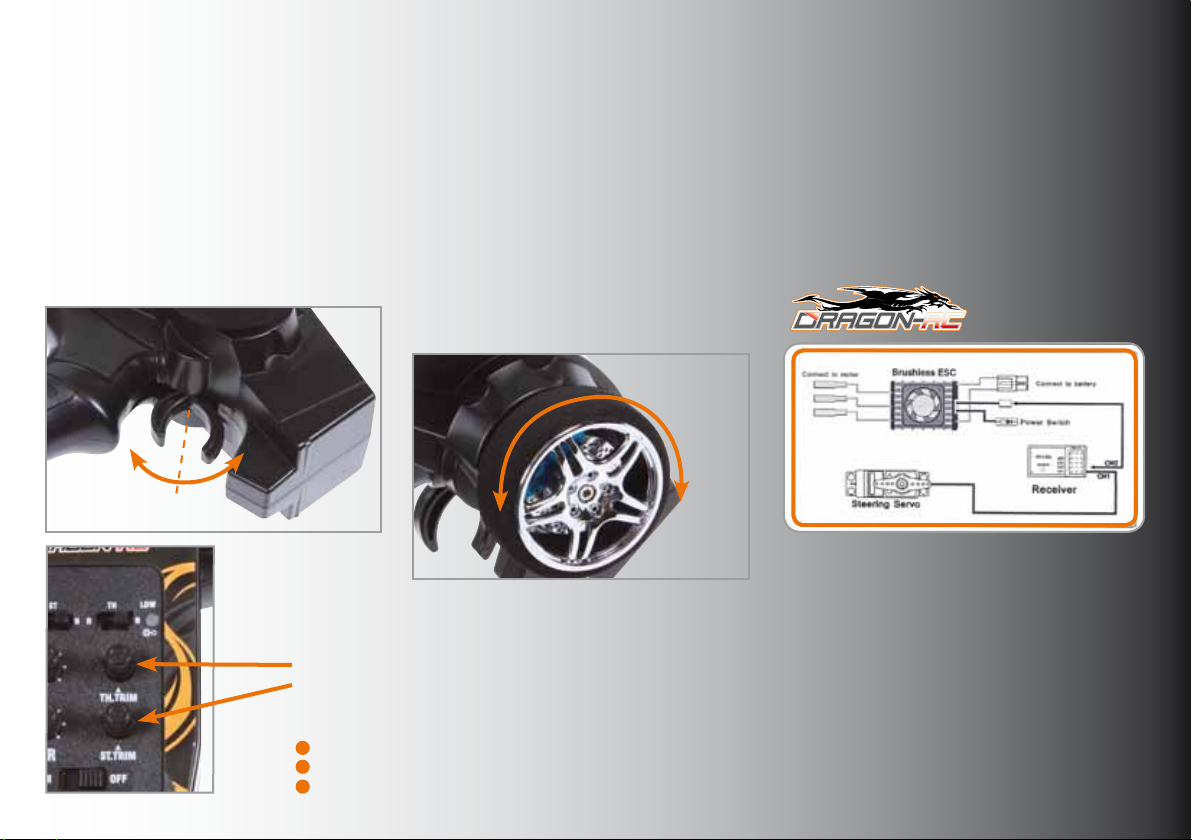
A. Throttle trigger
1) Push the trigger forward to slow down
or brake.
2) Pull the trigger backward to accelerate.
Brake
Slow down
Forward
Speed up
Neutral
TRIMMING
Throttle Trim: Trim the throttle servo slightly when the trigger is at the neutral position.
Steering Trim: If the front wheels do not align straight, use the steering trim to adjust.
ATTENTION
Keep the transmitter and receiver 40cm apart when operating.
Warning: The (binding) pin header cannot connect to the power source.
Use the REV switches to reverse the steering or throttle operating direction
B. STEERING WHEEL
Neutral - Left - Right
Turn the steering wheel to the left or
right to let the car turn left or right.
Steering Trim:
If the front wheels don’t allign straight,
use the steering trim to adjust.
A
R
L
T
U
E
N
T
F
E
L
R
I
G
H
T
Page 4
Transmitter DTS-3 #210013
Receiver DRS-3 #210014
OPERATING PROCEDURE
Before operation: After operation:
1) Connect the battery 1) Turn of the receiver
2) Turn on the transmitter 2) Turn off the radio
3) Turn on the receiver 3) Disconnect the battery cables
1
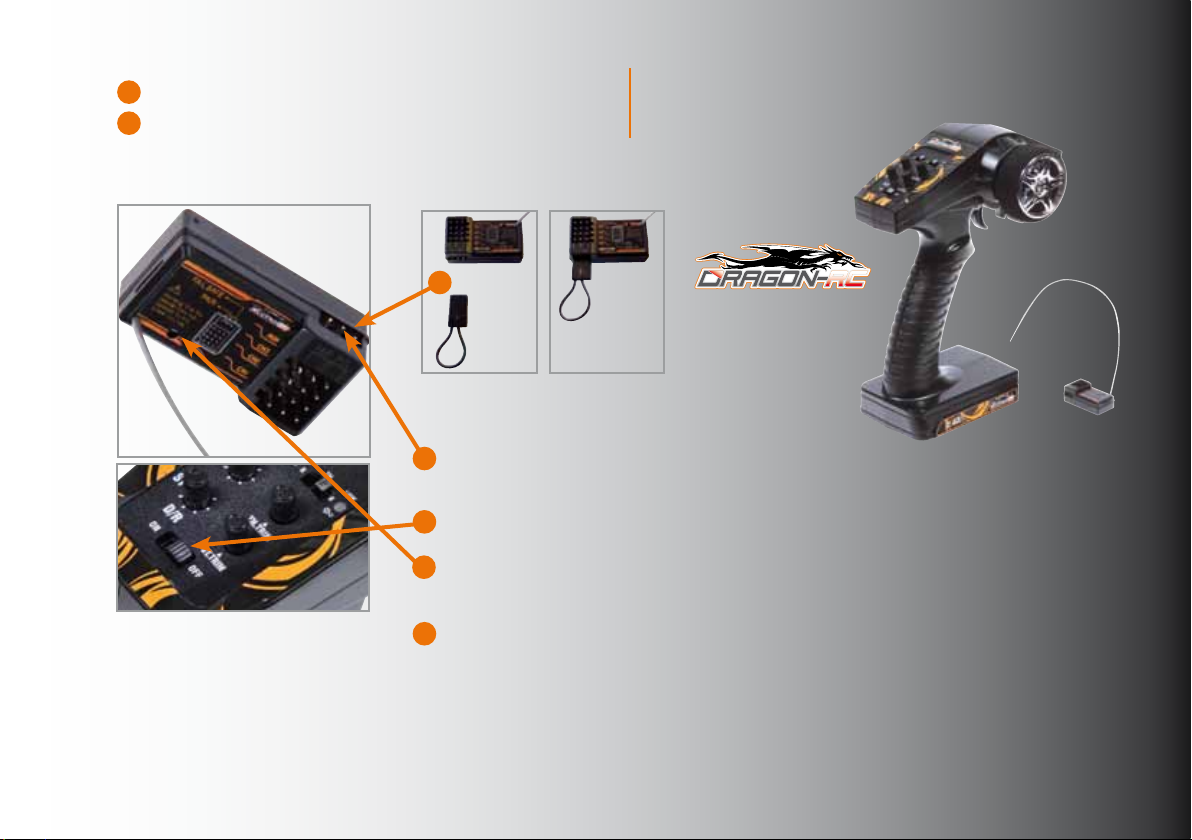
BINDING THE TRANSMITTER AND RECEIVER
1 Connect the receiver to the power source and then connect
the Bind Connector to the ‘pair’ pin header on the side of the receiver.
The LED-light on the receiver should start ashing rapidly.
2 Switch on the transmitter, and then pull the Bind Connector
out of the receiver.
3 The LED-light on the receiver should become solid.
Binding of the transmitter and receiver is then successful.
If not then repeat the above steps carefully.
4 Store the Bind Connector carefully for future use.
FAIL SAFE FUNCTION SETTING
Turn on the transmitter and receiver. Insert the Bind Connector (included with the radioset) to fail safe position on receiver as in the diagram. Red LED-light ashes twice and
becomes solid. Setting is successful. Remove the pin header after setting before use.
www.dragon-rc.com - Accessories for radio controlled cars - Dragon-RC is a registered brandname.
Dragon-RC transmitter-set #210013/14
 Loading...