

Page 1
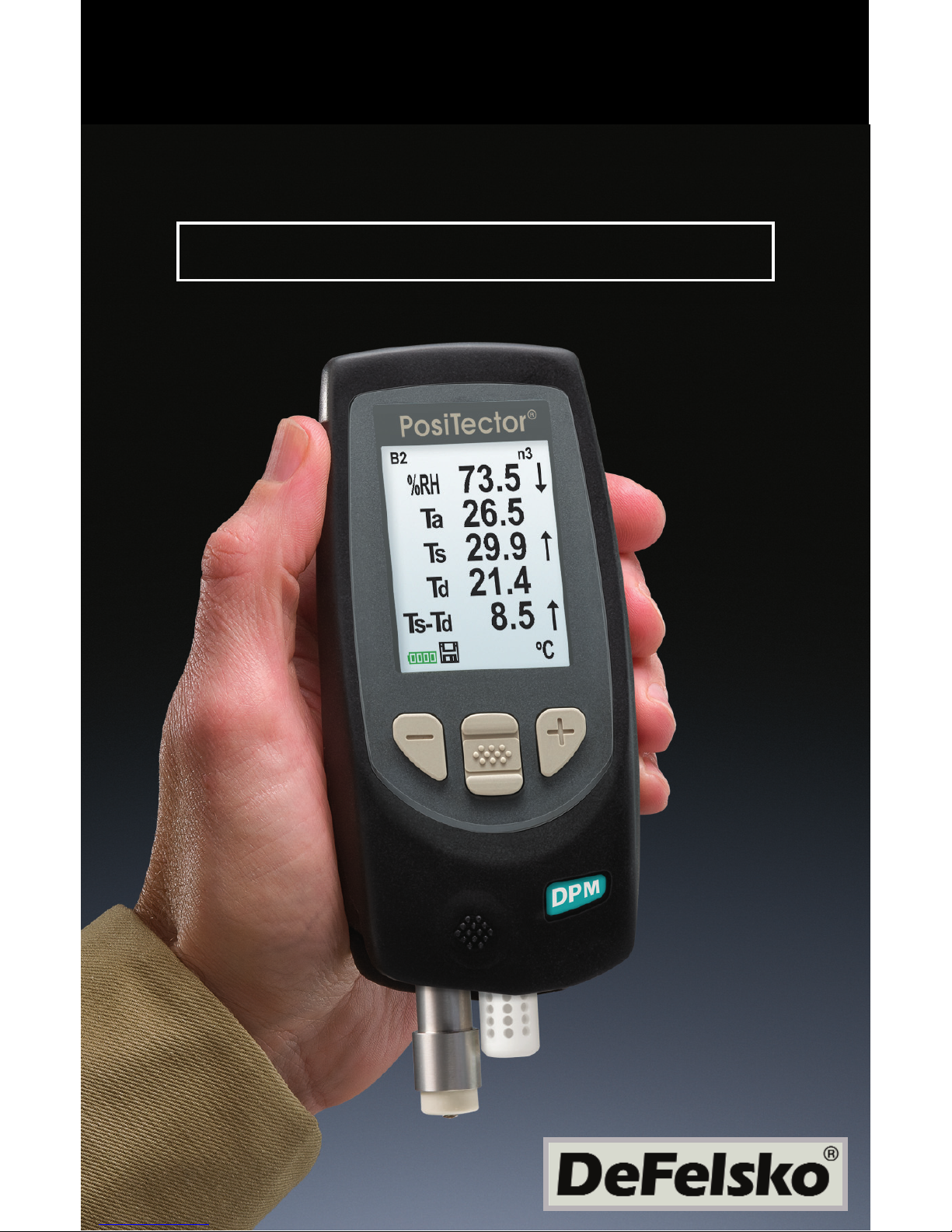
PosiTector DPM
®
Quick Guide v. 3.1
Dew Point Meter
Page 2
22
Introduction
Introduction
The PosiTector Dew Point Meter (DPM) is a hand-held,
electronic instrument that measures, calculates and records
climatic conditions, quickly and accurately. It consists of a body
(Standard or Advanced) and probe (Built-In or Separate).
This Quick Guide summarizes the basic functions of the instrument. Download the full instruction manual at:
www.defelsko.com/manuals
.
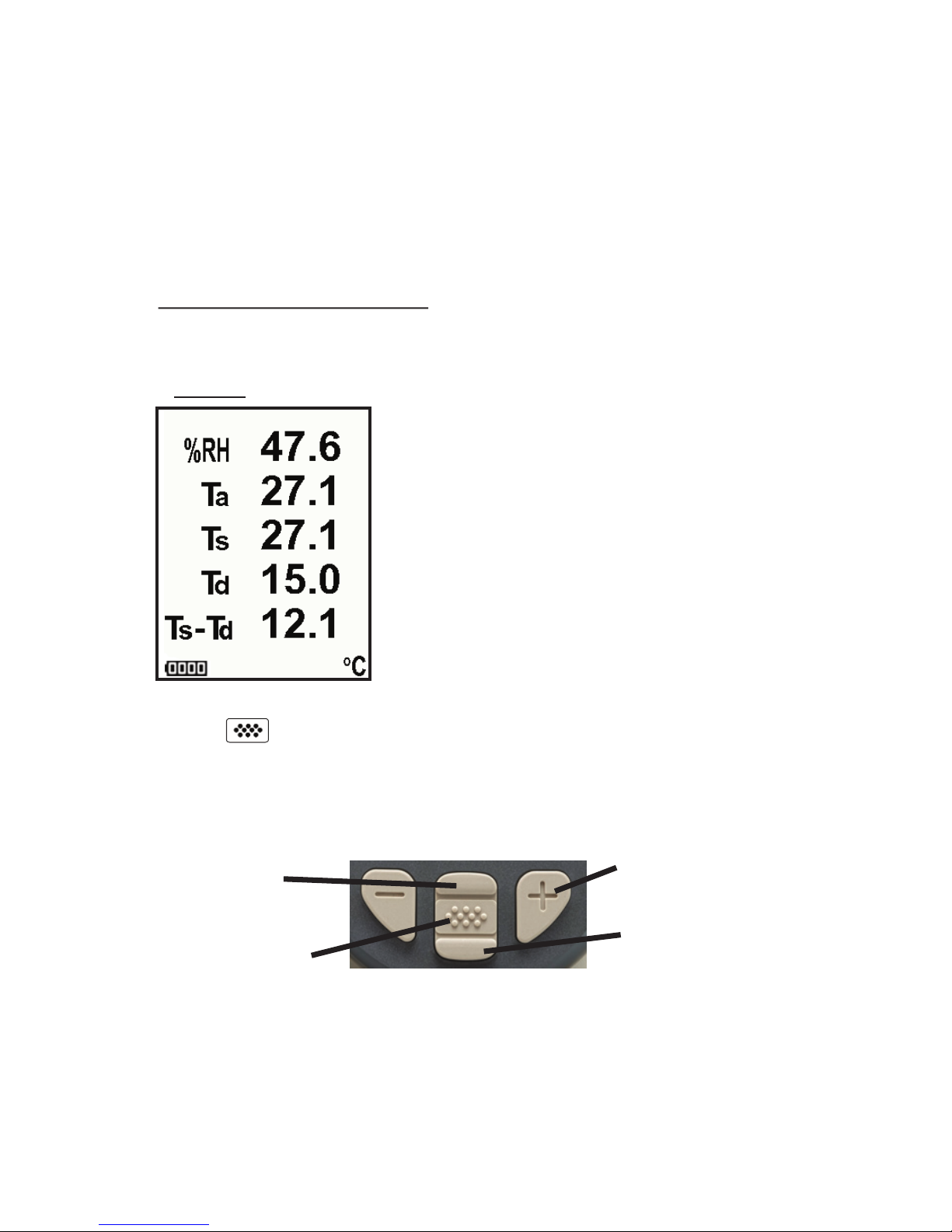
A typical instrument screen is shown below, consisting of RH, Ta,
Ts, Td, and Ts-Td readings. This group of readings is referred to as
a dataset
.
RH - Relative Humidity (measured)
Ta - Air Temperature (measured)
Ts - Surface Temperature (measured)
Td - Dew Point (calculated)
Ts-Td - Surface minus Dew Point
Temperature (calculated)
Tw - Wet Bulb Temperature (calculated)
(Advanced Models Only)
The PosiTector DPM powers-up when the center navigation
button is pressed. Readings are updated automatically each
second. To preserve battery life, the instrument powers down after
approximately 5 minutes of no activity. All settings are retained.
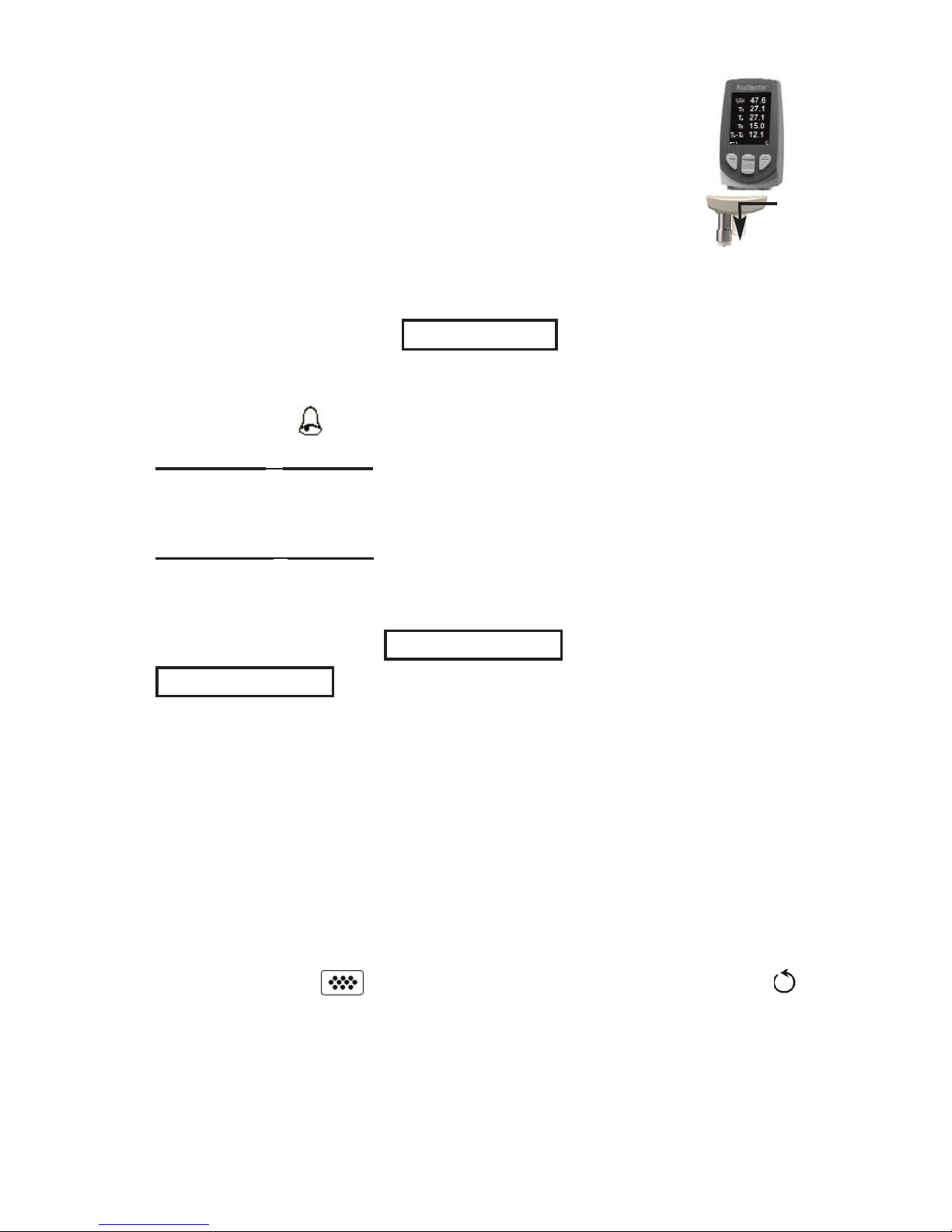
Scroll through
Trend Charts
(Advanced only)
Access the Menu
Pause / Resume
Restore brightness
after dimming
(Advanced only)
The Pause/Resume (+) button stops values from automatically
updating to allow for closer examination of the relationship
between the values or to allow time to manually record the entire
dataset. Press (+) again to resume.
Button Functions- Normal Operation
Page 3
3
To disconnect a probe from a body, power-down the
instrument and pull the plastic probe connector
horizontally (in the direction of the arrow) away from the
body. Reverse these steps to attach a new probe.
When powered-up the PosiTector automatically
determines what type of probe is attached and does a
self-check.
Setup
Setup Menu
Setup Menu
Reset
Reset (soft reset) restores factory settings and returns the
instrument to a known condition. The following occurs:
- All batches, stored datasets, images and batch names are
erased.
- Menu settings are returned to the following:
Memory = OFF
Auto Log = OFF
Bluetooth = OFF
Trend Chart = None
Perform a more thorough Hard Reset by powering down the
instrument, waiting several seconds, then simultaneously holding
both the center and (+) buttons until the Reset symbol
appears. This returns the instrument to a known, “out-of-the-box”
condition. It performs the same function as a menu Reset with the
addition of:
The PosiTector DPM can automatically alert the user when
current climatic conditions exceed pre-set values. When selected,
the Alarm icon is displayed at the top of the screen.
Standard models will alert the user when the surface
temperature is less than 3°C (5°F) above the dew point
temperature. Enable by selecting the tick box.
Advanced models allow the user to set up custom alarm
conditions for each reading in a dataset.
Alarm Mode
Alarm Mode
Alarm
Page 4
4
- Bluetooth Pairing info is cleared.
- Alarm values are set to default.
- Menu settings are returned to the following:
NOTE:
- Date and Time are not affected by either Reset.
Units = Celsius
Flip Display = Normal
Auto Sync = OFF
Alarms = OFF
Alarm Sound = OFF
Wet Bulb = OFF
White on Black = OFF
Language = English
Battery Type = Alkaline
Backlight = Normal
Auto Log Interval = 5 min
Bluetooth Streaming = OFF
USB Drive= ON
Wet Bulb
When selected, the wet bulb temperature (Tw) is displayed on the
main screen. It is calculated from Ta and RH using an air pressure
of 1.0 atmospheres (1013 mbar). Variations of Tw at other
pressures could be greater than ±1°C (±2°F).
This menu item only appears when all memory functions
are turned off. Wet Bulb readings cannot be stored in memory.
NOTE:
(Advanced models only)
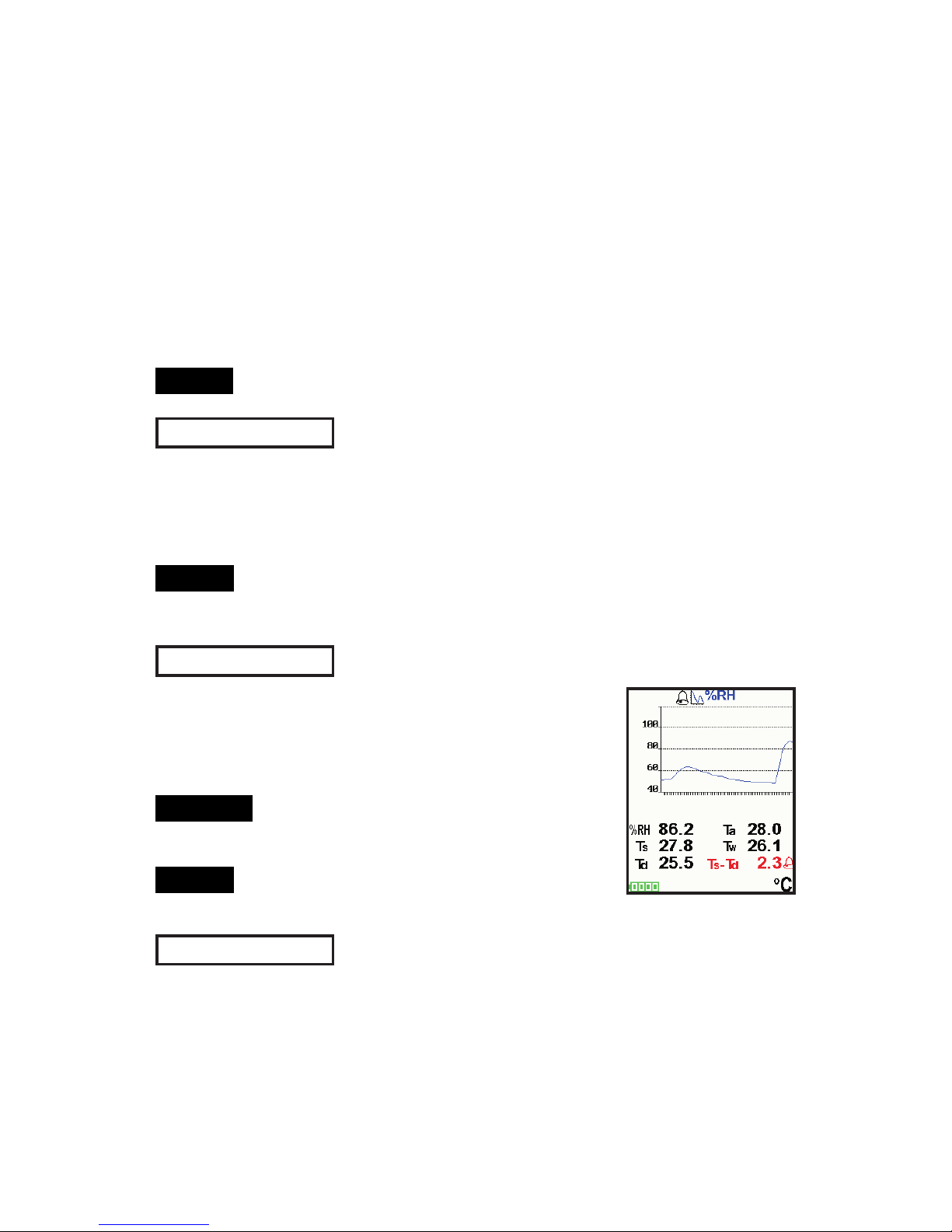
Displays a real-time graph of the readings over
the last three minutes. Use Trend Charts to
monitor short-term environmental changes and
spot trends.
Press the Up button to scroll through
the trend charts
Trend charts can only be displayed
when memory is off.
Trend Chart
Shortcut:
(Advanced models only)
NOTE:
Battery Type
Selects the type of batteries used in the instrument from a choice
of “Alkaline”, “Lithium” or “NiMH” (Nickel-metal hydride
rechargeable). If NiMH is selected, the instrument will trickle
charge the batteries while connected via USB to a PC or optional
AC charger. The battery state indicator icon is calibrated for the
Page 5
5
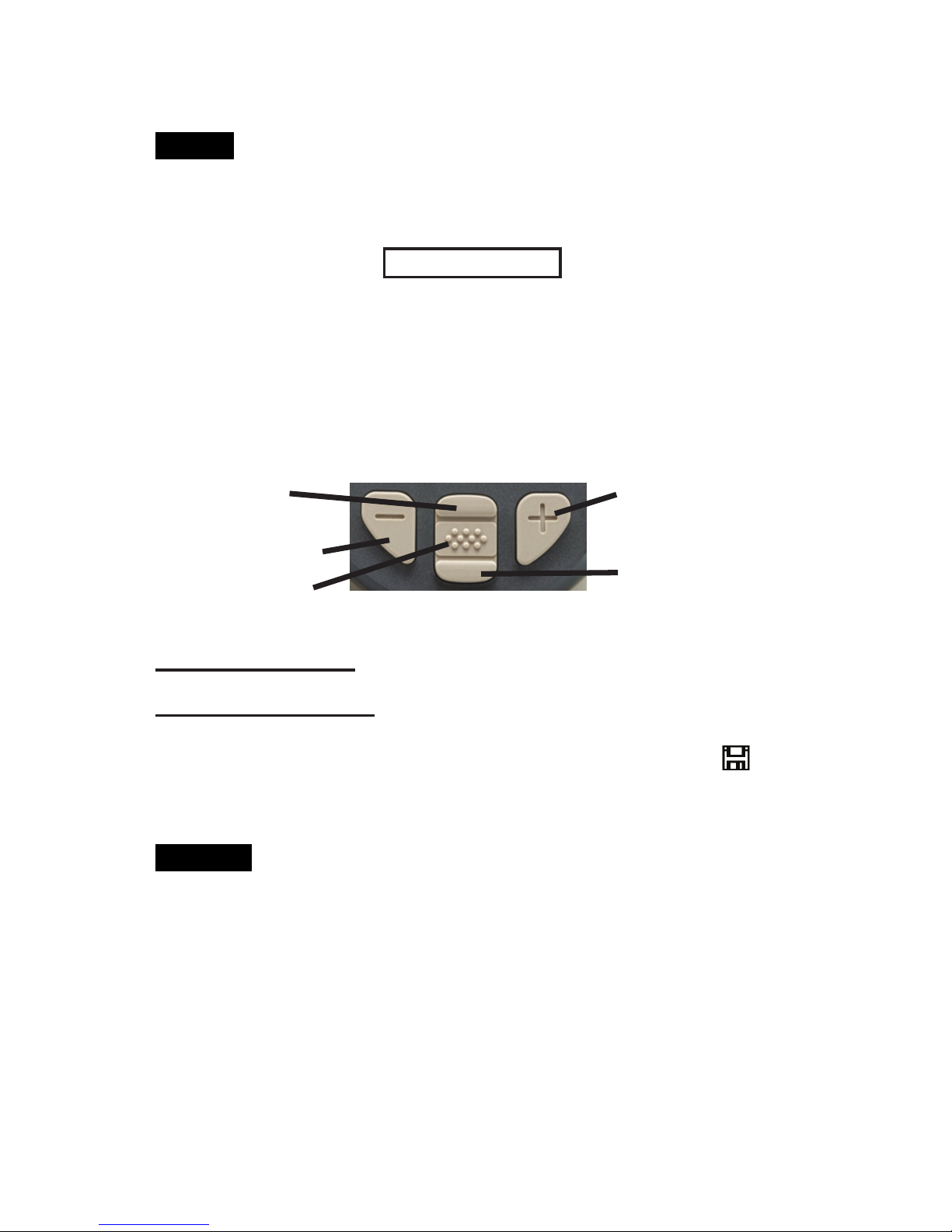
Advanced models store 100,000 datasets in up to 1,000
batches (groups). “New Batch” closes any open batch and creates
a new batch name using the lowest available number. The icon
appears. New batch names are date stamped when they are
created.
Remove the last reading from the current open batch by
pressing (-).
Shortcut:
Scroll through display modes
(Advanced only)
Delete last dataset
Access the Menu
Store a dataset in
memory
Restore brightness
after dimming
(Advanced only)
Memory Management
Memory Management
Memory
The PosiTector DPM can record datasets in memory for printing
to the optional Bluetooth wireless printer, transferring to a
computer or synchronizing with PosiTector.net. Readings are time-
stamped as they are taken. Datasets can be stored manually
(using the (+) button), or automatically using the Auto Log mode
(pg. 5).
Standard models store up to 2,500 datasets in one batch.
selected battery type. No damage will occur if the wrong battery
type is selected.
DeFelsko recommends the use of eneloop (NiMH)
rechargeable batteries. It may take as long as 12 hours to charge
dead batteries.
NOTE:
Page 6
6
The PosiTector DPM can automatically display and record
datasets at user selected time intervals. When selected, the Auto
Log icon will appear on the display, with a countdown timer
until the next dataset is stored. Connect the instrument to a USB
power source for long-term use.
Auto Log Mode
Auto Log Mode
Auto Log
Standard models remain powered-up while in auto log mode.
The instrument will take readings for 40-50 hours on a set of fresh
alkaline batteries, depending on the frequency of measurements.
Advanced models power down between readings to conserve
batteries. At each interval, the instrument will wake up, take a
reading, sync to PosiTector.net (if configured) and power down.
The instrument can record approximately 8,000 datasets while in
this mode using fresh alkaline batteries, or approximately one
reading every hour for eight months.
-Auto Log continues recording until memory is full, the instrument
loses power, or the user turns off Auto Log mode. Stored datasets
will remain in memory.
-To conserve battery life, readings update only at the Log Interval.
The last recorded readings will remain “frozen” on the display until
the next dataset has been stored.
-It is recommended that fresh alkaline batteries, or newly
recharged batteries be installed prior to an extended Auto Log.
NOTES:
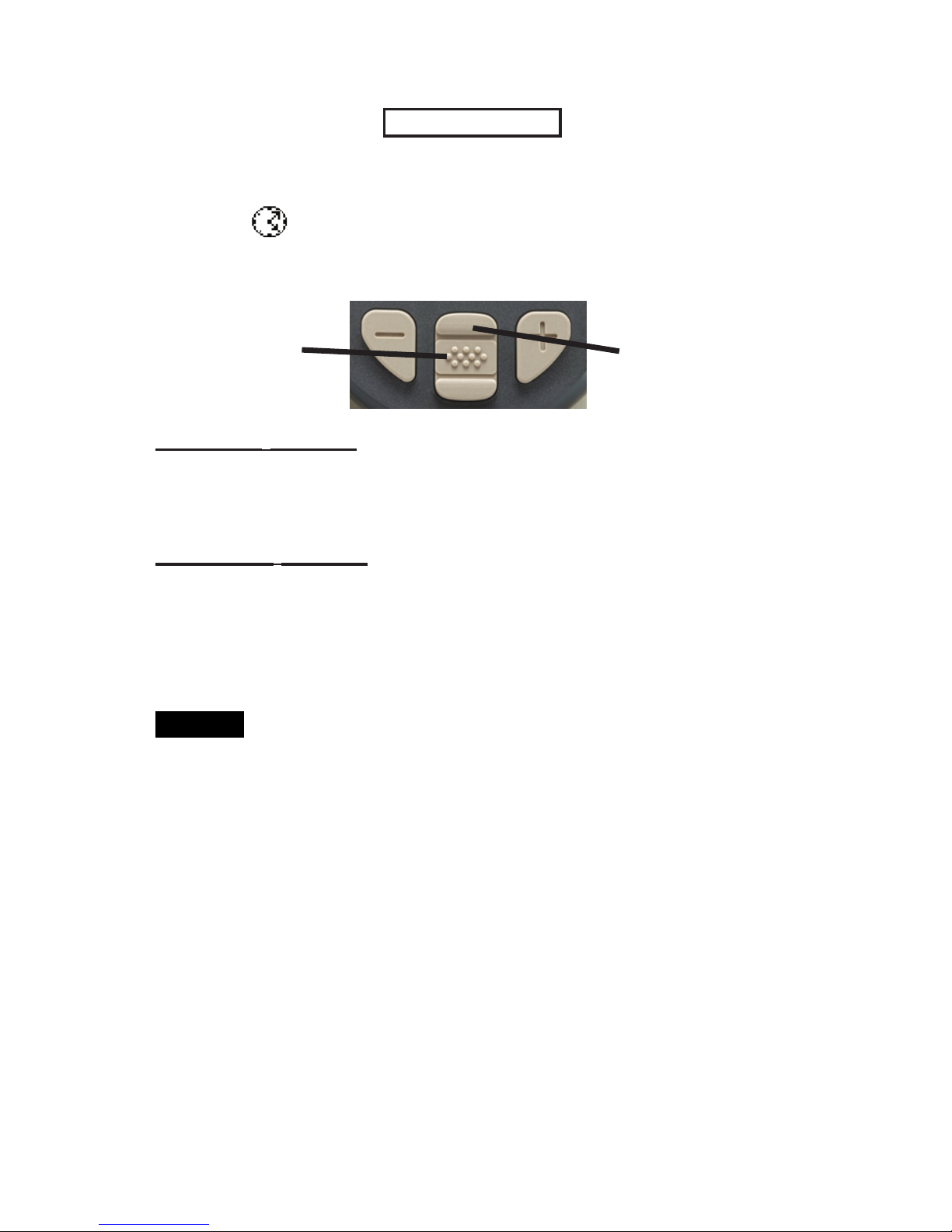
Turn on instrument/
Cancel Auto Log
mode
Scroll through display modes
(Advanced only)
Page 7

7
When connected, power is supplied through the USB
cable. The batteries are not used and the body will not
automatically power down. If rechargeable (NiMH) batteries are
installed, the instrument will trickle charge the batteries.
Auto SYNC
ü
Allows the instrument to automatically synchronize with
PosiTector.net when initially connected (USB or Bluetooth) to an
internet connected PC running PosiTector Desktop Manager.
Additional measurements added to memory while connected are
synchronized only when the USB cable is disconnected, then
reconnected or when Connect>Sync Now is selected.
Immediately initiates synchronization with PosiTector.net when
connected (USB or Bluetooth) to an internet connected PC
running PosiTector Desktop Manager (PDM).
Sync Now
Connect
Connect Menu
Connect Menu
The PosiTector uses a USB mass storage device class which
provides a simple interface to retrieve data in a manner similar to
USB flash drives, cameras or digital audio players.
USB Drive
ü
NOTE:
Outputting Stored Datasets
Outputting Stored Datasets
The PosiTector DPM can record datasets in memory for printing,
transfer to a computer or synchronizing with PosiTector.net.
USB mass storage - connect your PosiTector to a PC/Mac using
the suppled USB cable to access and print stored readings and
graphs. No software or internet connection required.
PosiTector.net - a free web-based application offering secure
centralized storage of datasets. Access your readings from any web
connected device. See: www.PosiTector.net
Page 8

8
Returning for Service
Returning for Service
Before returning the instrument for service…
1.Install new batteries in the proper alignment as shown within
battery compartment.
2.Examine the surface temperature probe tip for dirt or damage.
3.Ensure the holes in the white humidity/air temperature sensor
are clear.
4.Perform a Reset (Page 4)
If you must return the instrument for service, please fill out and
include the service form located at www.defelsko.com/support
with the instrument.
To ensure optimal performance of your PosiTector
DPM, do not obstruct the airflow near the air temperature and
humidity sensors. Keep fingers away from the sensor, as body
heat can cause incorrect readings. Allow time for the instrument to
acclimate and for the readings to stabilize when moving the
instrument between different environments.
When using the surface temperature probe, do not use excessive
downward force, and do not drag it sideways. When the instrument
is not in use, place the rubber cap over the surface temperature
sensor to prevent damage.
CAUTION:
Updates
Determines if a software update is available for your instrument
(must be connected to an internet connected PC with PosiTector
Desktop Manager). See: www.defelsko.com/update
Allows the PosiTector to communicate wirelessly with the
PosiTector Desktop Manager (PDM) or with the optional Bluetooth
wireless printer.
Bluetooth
(Advanced models only)
Page 9

9
Limited Warranty, Sole Remedy and Limited
Limited Warranty, Sole Remedy and Limited
Liability
Liability
DeFelsko's sole warranty, remedy, and liability are the express
limited warranty, remedy, and limited liability that are set forth on
its website: www.defelsko.com/terms
Technical Data
Technical Data
Conforms to: ISO 8502-4, BS7079-B, ASTM D3276, US Navy
NSI 009-32, IMO PSPC, SSPC-PA 7 and others.
Range Accuracy Resolution
Surface
Temperature
-40° to 80° C
80° to 190° C
-40° to 175° F
175° to 375° F
±0.5° C
±1.5° C
±1° F
±3° F
0.1° C
0.1° C
0.1° F
0.1° F
Air
Temperature
-40° to 80° C
-40° to 175° F
±0.5° C
±1° F
0.1° C
0.1° F
Humidity
0 to 100% ±3 % 0.1 %
Operating
Range
-40° C to +80° C
-40° F to +175° F
www.defelsko.com
© DeFelsko Corporation USA 2011
All Rights Reserved
This manual is copyrighted with all rights reserved and may not be reproduced or transmitted, in whole
or part, by any means, without written permission from DeFelsko Corporation.
DeFelsko and PosiTector are trademarks of DeFelsko Corporation registered in the U.S. and in other
countries. Other brand or product names are trademarks or registered trademarks of their respective
holders.
Every effort has been made to ensure that the information in this manual is accurate. DeFelsko is not
responsible for printing or clerical errors.
 Loading...