

Page 1
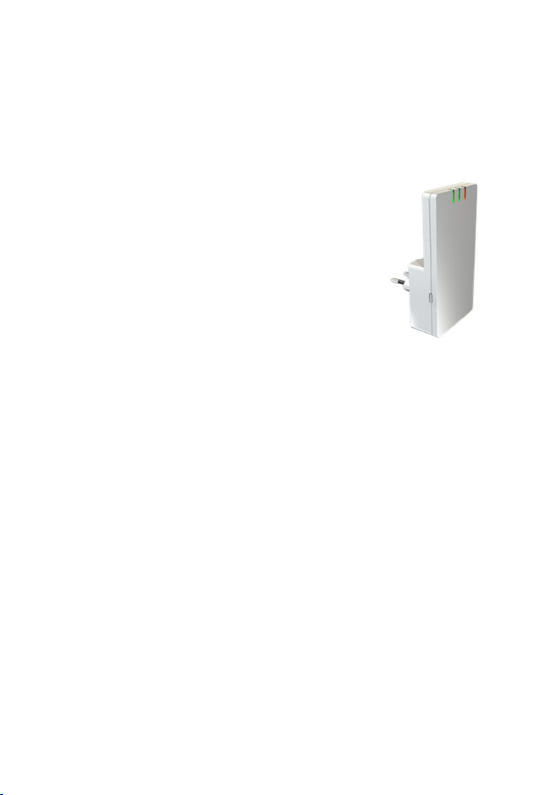
DA1275 DECT Repeater
Manual
page
3 Start-Up with DSL Router
4 Activating Multicell Mode
5 Operational Place of Repeater
6 Start-up with DECT GAP Basisstation
7
Start Configuration
8
Cascading
9
ex-works-setting (Reset)
Connectors, LED, USB, Button
10
Software Upgrade
Question and An swers (FAQ), Registration via PC APP
11
Security Advices
12
Warran ty
13
Recycling
14
CE Conformity
-1-
Page 2

Congratulations
You have choosen an innovative DECT Repeater:
In order to extend the DECT ran ge of DSL Router – e.g. Speedport of
T-COM – a new Repeater technology h as been d evelop ed.
This technology h as b een derived from professional Multicell Networks
and got the name
your DECT interface of your DSL-Router you can doub le the range with
full encryp tion.
DA1275 can be used in traditional DECT
for all Standard DECT GAP Base.
In case of REP Mode directly go to page 6
We wish you best DECT radio receiption at any place in your home !
SATELLITE Mode
(SAT Mode). Applying SAT Mode to
DA1275
REPEATER Mode
(REP M od e)
-2-
Page 3
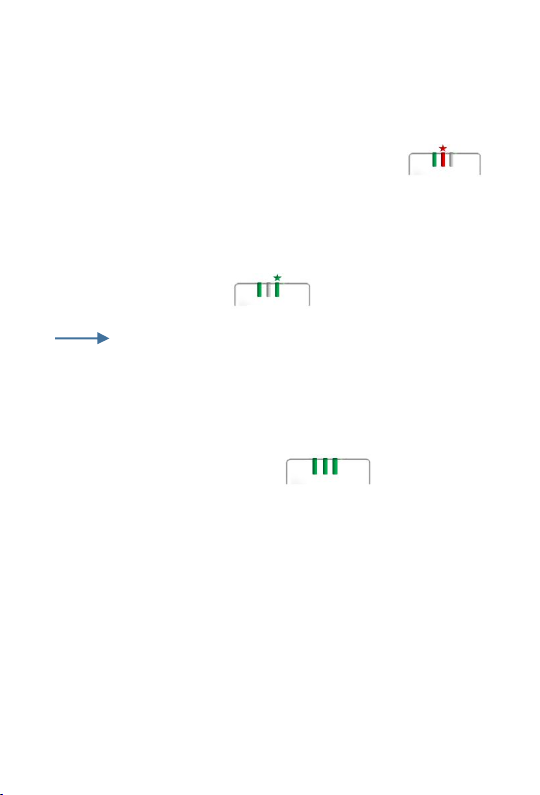
Start-Up with DSL-Router (SAT Mode)
(Deu tsche Telekom Speedport, TP- Link Router, In ternet Box,…)
1.
place and switch-on DA1 275 and Handsets near Router
2.
press „Registration“ at Router …..
wait till LED3 is flashing (see p.9 LED)
System PIN Basis „ 00 00“ otherwise see p.10
3.
register DECT H andset (see Manual Handset)
Hand set is correctly registered
otherwise goto Pos 2 and repeat
4.
switch OFF Handset
READY
goto step2 in case more DECT Handsets shall be reg istered
-3-
Page 4
Activating Multicell Mode
Goto next pag e in case you d o not register a Gigaset Handset
1.
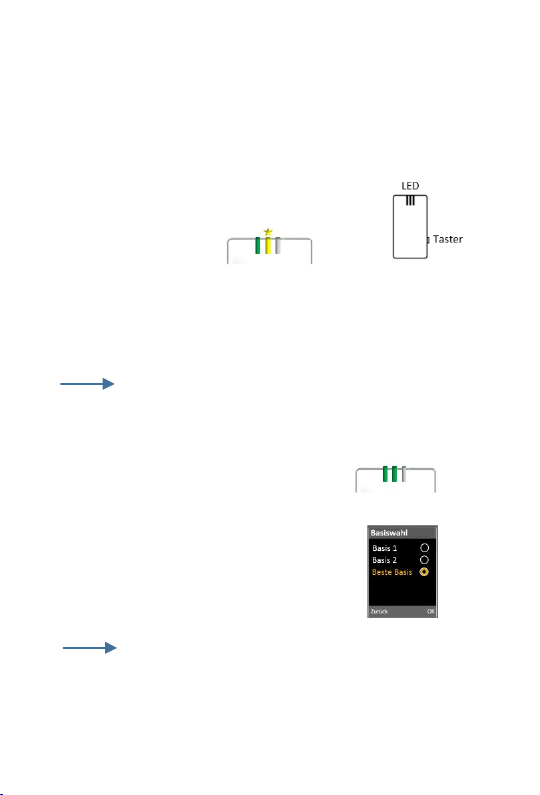
Activate „Subscription M od e“ of DA1275 Repeater
Press 3 times Side Key in short intervals
LED2 : yellow flash
2.
Subscribe DECT-Handset
(see Manual Handset: „Reg istration to Base“)
Important: choose next free Base
Hint: System Code „0000“
3.
DA1275 will return to operational mode
4.
choose in Menu DE CT Handset „Best Base“
5.
switch OFF Handset
READY
If Handset d oes not support mu ltiple subscriptions
(Base1, Base2,…), this H and set is not suitable
-4-
Page 5
Operational Place of Repeater
be sure to have your DECT-Handsets with you
For b est selection of operational place follow below rules a-c
a divide in half the distance b etween DECT handset and DE CT base
b distance of Repeater to Base shall not be smaller than 10 Meter
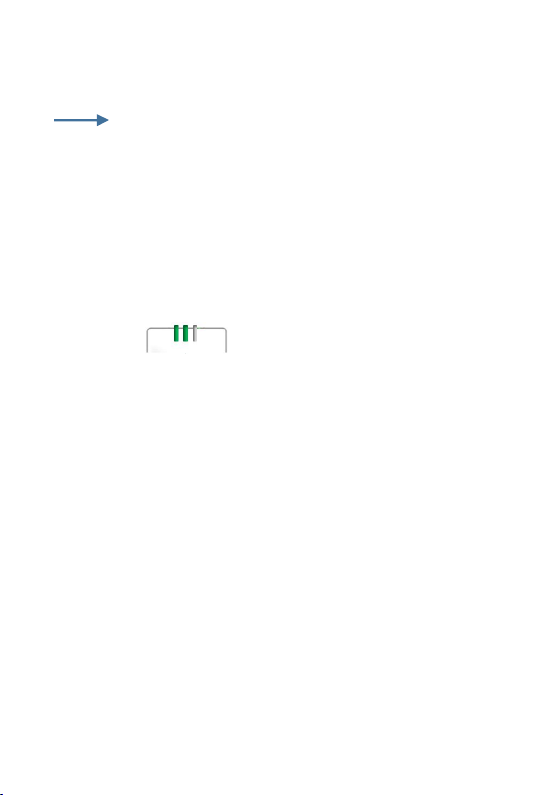
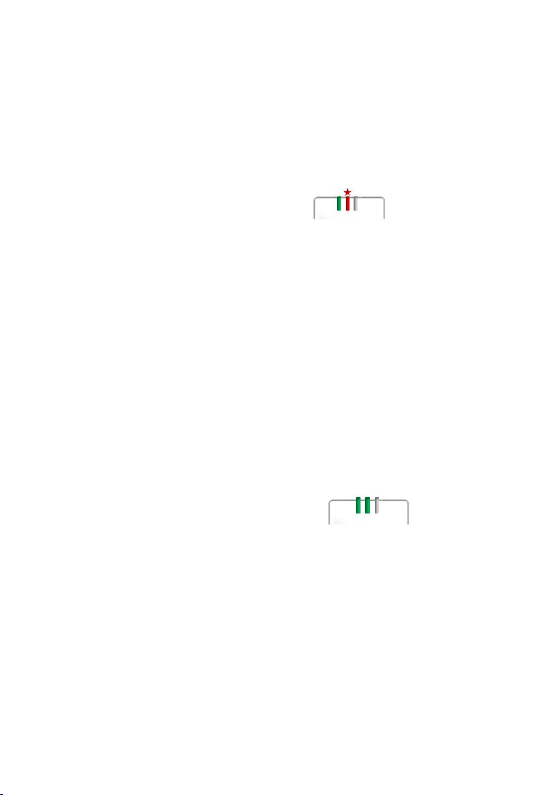
c LE D2 green
After DA1275 has b een setup, sequentially switch ON hand sets
You have installed encrypted range exten sion for you r DSL Router
Now you can place your Hand sets anywhere in your home. The Handsets
will automatically select the suitable radio cell.
Please consider that only 2 Handsets can be simultaneously used in
Repeater cell.
-5-
Page 6
Start-Up with DECT Base (REP Mode)
(commercially available DECT GAP Base Station)
1.
switch-on DA1275 near Base Station
2.
switch-on
(see M anual of DECT Base Station)
3.
press „Registration“ at DECT Base Station
4.
wait till DA1275 is in operational mode
Repeater Mode
of DECT Base Station
Ready
take DA1275 to ope rational place of Repeater
-6-
Page 7
Star Configuration in REP Mode
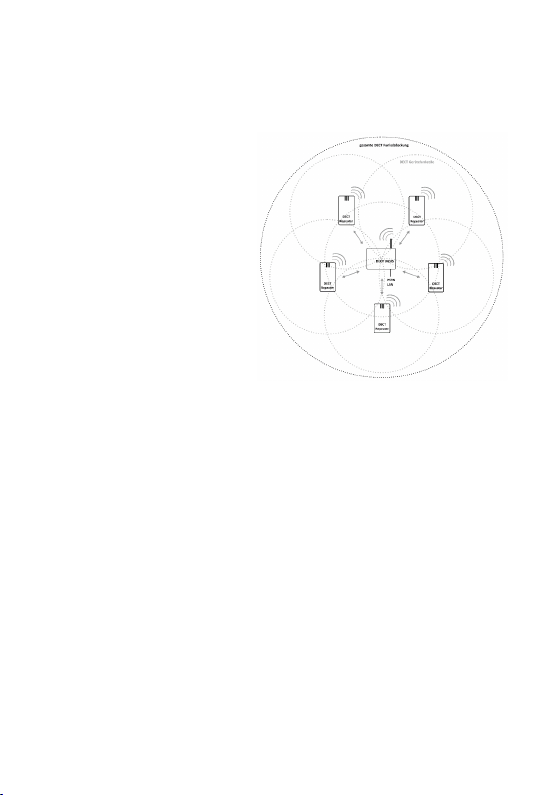
Up to 5 Repeater can be configured in a star around the DECT Base.
Follow chapter „SET-UP with
DECT Base Station“ and set
sequ entially all DA1275
Repeater in operation. Please
assure that all Repeaters are
close together at DECT Base and
switched-on d uring the whole
process.
After registration place the Repeaters at their individual ope rational place
and assure th at the DE CT Link quality (LED2 gree n) of each Repeater
with respect to the Base station.
In case a single Repeater must be e xchanged, all other Repeaters m ust
be tak en b ack to th e Base Station and switched on, prior to start the
registration of the new Repeater.
-7-
Page 8
Cascading in REP Mode
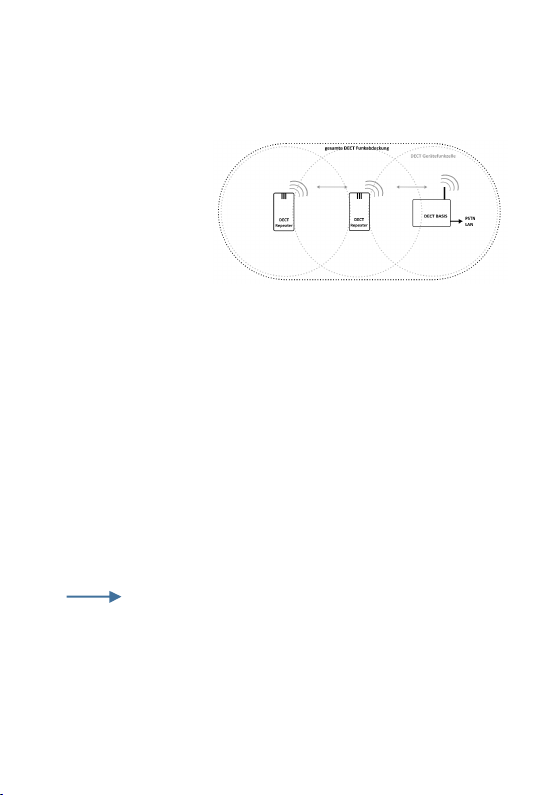
Max 2 Repeater can be cascaded. T he configuration as Cascade or Star
is done autom atically.
DA1275 is analysing
the DECT radio link
and in case the link
quality to the Base is
insufficient, the Repeater estab lish a cascade to the neighbouring
Repeater.
If you change the operational p osition of Repeater, the configuration can
be automatically changed as cascade or star.
Follow chapter „SET- UP with DECT Base Station“ and set sequ en tially
all DA1275 Repeater in operation. After registration place the
Repeaters at their individu al op erational place
Cascad es are not always supp orted by DE CT Base
Stations ( hop=0). Con tact the manufacturer of the DECT Base to get
more informations.
-8-
Page 9
ex-works-setting (RESET)
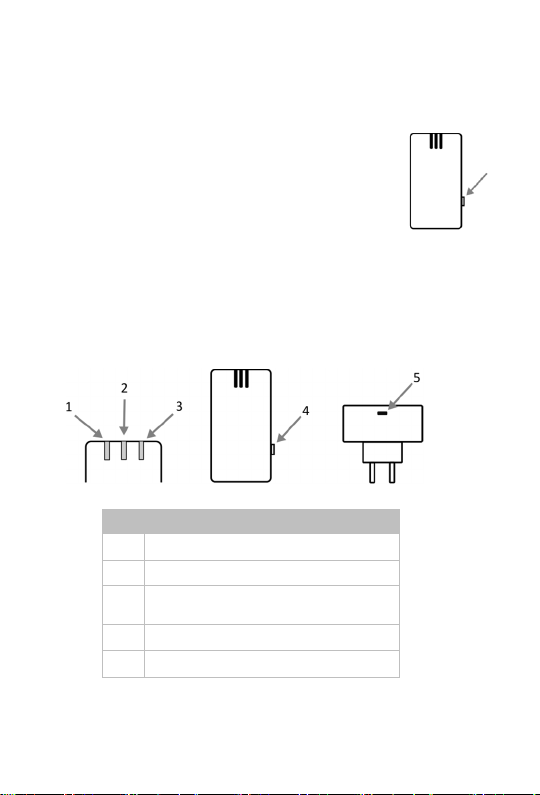
Nr Element
1
LED1
power supply
(on/off) 2
LED2 DECT Link Quality
(3
colors)
3 LED3
active call in REP
(on/off)
4 s
ide key
(Reset, special for multicall HS
) 5 USB
connector
(SW Upgrade)
Press Side Key for 5 seconds to activate the RESET function of the
prod uct. All settings are reset to ex-works conditions
After RE SET the DA1275 Rep eater is automatically
starting the SEARCH Mode for DECT Base Station.
Connectors, LED, side key
-9-
Page 10

Software Upgrade
You can download this PC APP including instructions from Internet
Software Upg rad es dor DA1275 can be downloaded via USB connector
and USB cablee to PC. Please search your Supplier’s website to ge t
informations about such Software Upgrades
FAQ Questions and Answers
Please contact th e respective Websites of m anufacturer and/or
Supplier. Here you can find T echnical Support and FAQs.
Registration via PC APP
In case System Code (=DECT PIN) of Base Station is not “0000”, you
must use the Product PC APP for registration to Base.
www. da-p rod ucts.de/p roducts/rep eater/da1275-dect-repeater or
from Produkt Internet Support pag e of your Dealer.
-10-
Page 11

Security Advices
Make sure your DA1275 ist not exposed to hea t and interference from
electrical d evices e.g. motors and tran sformers.
DA1275 shall be not be placed close to metallic walls.
Place DA1275 in wall sockets only with LEDs on top.
Protect your DA1275 from wet conditions, dust and agressive liquids
and acride fumes.
Use soft and wet wipes for cleaning the product. Never use
detergents.
Only qualified and authorised service personal are allowed to op end
and repair the prod uct.
If you hand the produ ct to further person, do not forget to hand this
manual with the product
-11-
Page 12

Warranty
Your dealer warrants for 2 years for material and manufacturinq
quality of the product. Appointed d ate is the date of Buyer‘s receipt.
The Bu yer has the right for repair or replacement.
Returned and replaced products will pass its property to the Seller. In
case of defects Buyer has to immediately inform the Seller about such
defects.
Warran ty claims must be made evident via original receipt.
Any defe ct caused by incorrect handling, usage and caused by
physical stress or other incorrect environmental conditions are not
subject to warranty claims.
-12-
Page 13

Recycling
Please contact your Seller regarding Recycling of your
prod uct. In no case get disp osed of your product via
household garbage
Man ual for DA1275 DECT Repeater
English Verson 2.0 Edition 01
January 2017
Editor
DOSCH&AMAND Products GmbH M ünchen
-13-
Page 14

CE Konformität
This p roduct fulfills the req uiremenzts of EU rules 2004/108/EG
(Richtlinie d es Europäischen Parlam ents und des Rates zur Angleichung
der Rechtsvorschriften der Mitgliedstaaten über die elektromagnetische
Verträg lich keit und zur Aufhebung der Richtlinie 89 /336/EWG), and
200 6/95/EG (Richtlinie des Eu ropäischen Parlaments und des Rates zur
Angleichung der Rechtsvorschriften der Mitglied staaten betreffend
elektrische Betriebsmittel zur Verwendung innerhalb bestimmter
Spannu ngsgrenzen). The conformity with a.m. rules is confirmed by the
CE sign. T he CE Conformity Declaration and Manufacturer’s Declaratiion
can be viewed u nder following adresse :
DOSCH&AMAND Products GmbH, Neumarkterstr. 18, 81673 München
Technical Support
More technical supp ort can be supplied via Service Number of your Dealer
Please consult the Dealer’s website for respective Tel Numb er.
-14-
 Loading...